Repository navigation
Detected language preference on the sign-in page doesn’t persist across the app #17215

Description

If you haven’t already, check out our contributing guidelines for onboarding and email contributors@expensify.com to request to join our Slack channel!
Action Performed:
- Verify that App's language preference is set to English
- Set your device/browser language preference to Spanish
- Navigate to 'Sign In' screen
- Verify if the 'Sign-in' page's translations are in Spanish
- Enter email address and click on ‘Continue’ button
- Enter password and click on ‘Sign in’ button
Expected Result:
Detected device’s/browser’s language preference should persist throughout the app
Actual Result:
Detected device’s/browser’s language preference don't persist throughout the app
Workaround:
Can the user still use Expensify without this being fixed? Have you informed them of the workaround?
Platforms:
Which of our officially supported platforms is this issue occurring on?
- Android / native
- Android / Chrome
- iOS / native
- iOS / Safari
- MacOS / Chrome / Safari
- MacOS / Desktop
Version Number: 1.2.97-2
Reproducible in staging?: y
Reproducible in production?: y
If this was caught during regression testing, add the test name, ID and link from TestRail:
Email or phone of affected tester (no customers):
Logs: https://stackoverflow.com/c/expensify/questions/4856
Notes/Photos/Videos: Any additional supporting documentation
Recording.186.mp4
2023-04-09.22.31.29.mp4
Expensify/Expensify Issue URL:
Issue reported by: @Natnael-Guchima
Slack conversation: https://expensify.slack.com/archives/C049HHMV9SM/p1681074474757409
Activity
MelvinBot commentedon Apr 9, 2023
Triggered auto assignment to @arielgreen (
Bug), see https://stackoverflow.com/c/expensify/questions/14418 for more details.MelvinBot commentedon Apr 9, 2023
Bug0 Triage Checklist (Main S/O)
Platformsin OP are ✅)arielgreen commentedon Apr 13, 2023
This is expected and accurate behavior. If my selected language in the app is one Expensify supports (such as English) then I would expect that to be the language displayed, regardless of what my OS/browser selection is.
I performed the steps exactly as described. I saw Spanish on the sign in page. Once logged into my account, Expensify was in English, which makes sense as that is my selected language.
Closing.
Natnael-Guchima commentedon Apr 13, 2023
@arielgreen This PR seems to claim that the detected preferred language should persist across the app.
Natnael-Guchima commentedon Apr 13, 2023
Also, can you take a look at this Slack thread -> ‘Write something…’ in composer flashes from Spanish to English when a user changes browser/device language preference to Spanish and Sign-in. If the above behavior is expected this issue on the Slack thread might be a bug.
Natnael-Guchima commentedon Apr 16, 2023
Hello @puneetlath, is a detected language preference not persisting throughout the app an expected behavior? Also, please, can you take a look at an observation I mentioned here ^? It is related to detecting language preference.
puneetlath commentedon Apr 16, 2023
@Natnael-Guchima I'm not able to reproduce what you say. I just tried the following:
Natnael-Guchima commentedon Apr 16, 2023
@puneetlath I don't know if this is a device specific thing but I am able to reproduce it.
Actual Result: account is now in Spanish
XRecorder_16042023_190232.mp4
puneetlath commentedon Apr 16, 2023
Hmm, and you're definitely on the latest version of the app?
If so, can you tell me:
Natnael-Guchima commentedon Apr 16, 2023
The version and environment I am testing on is:
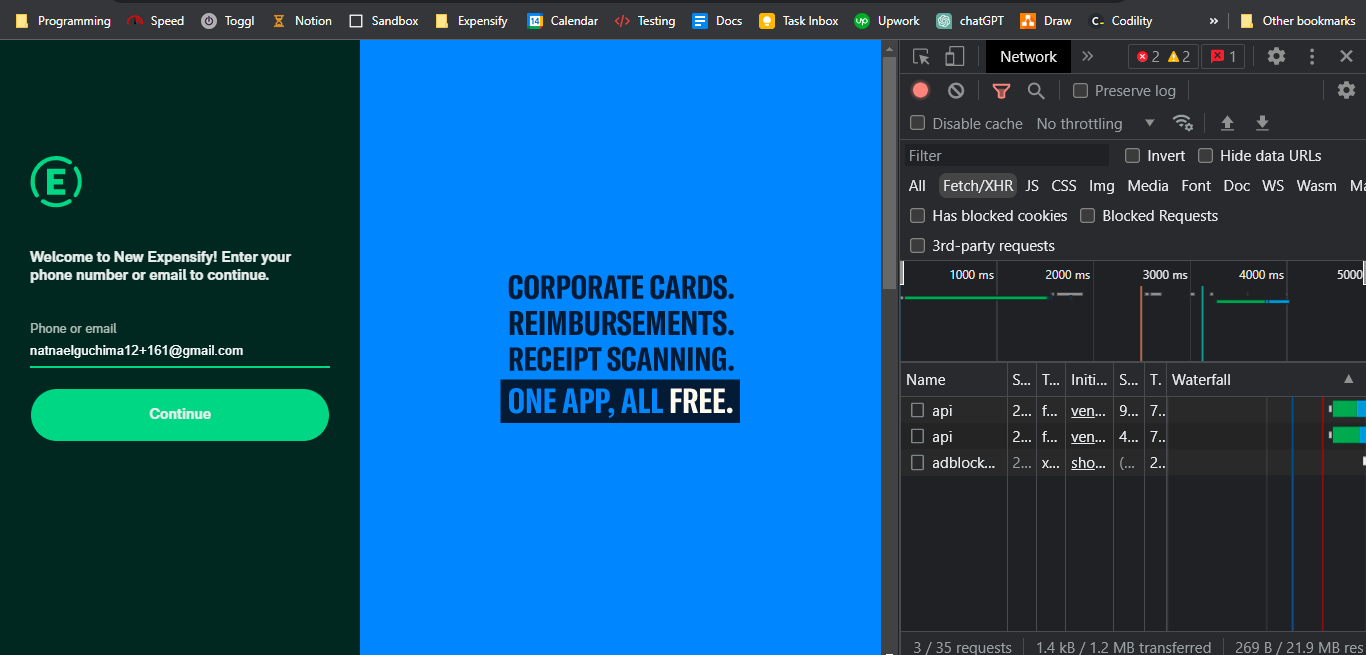
Where can I see what language shows in Onyx and the language passed in the API request? I don't have access to dev environment if that is where I can see them.
puneetlath commentedon Apr 16, 2023
Onyx data is in application > indexedDB > OnyxDB > keyvaluepairs
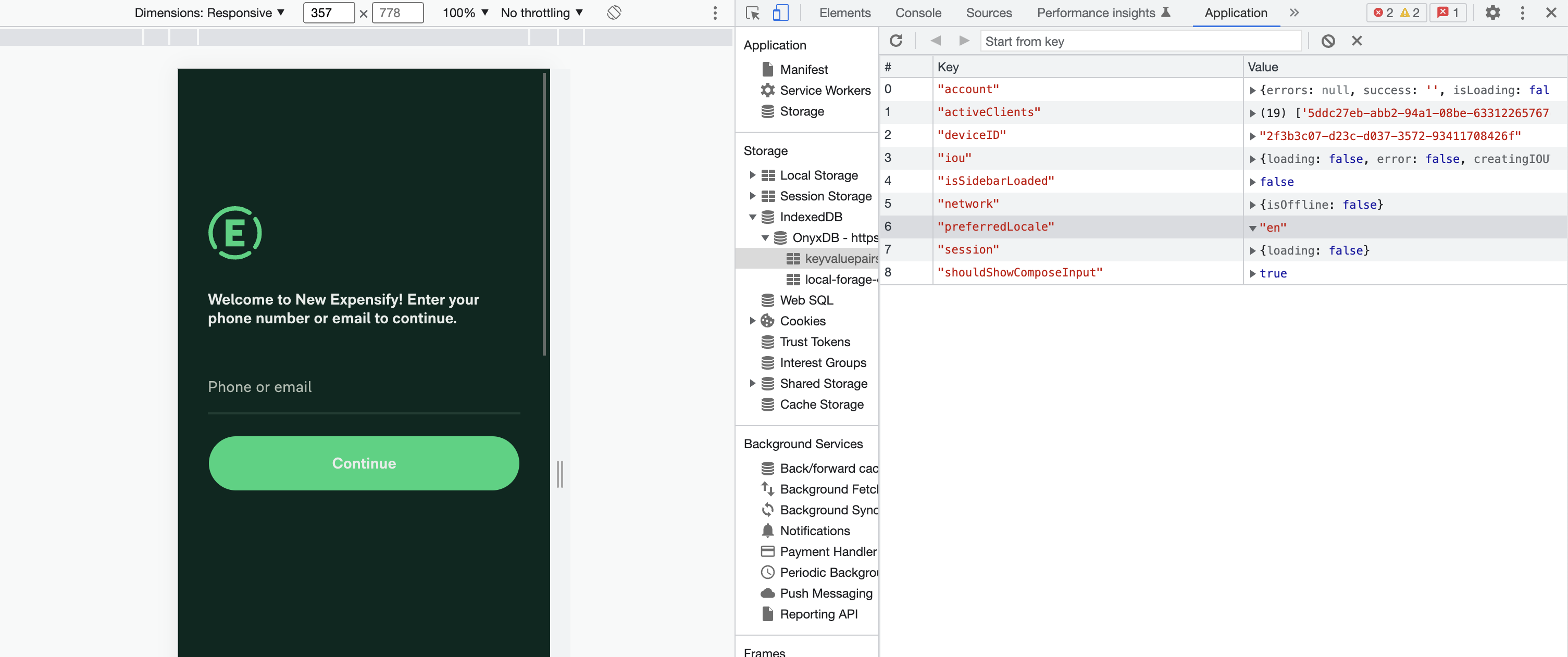
Network request is in Network tab. You can see the passed locale in the API command payload:
Natnael-Guchima commentedon Apr 16, 2023
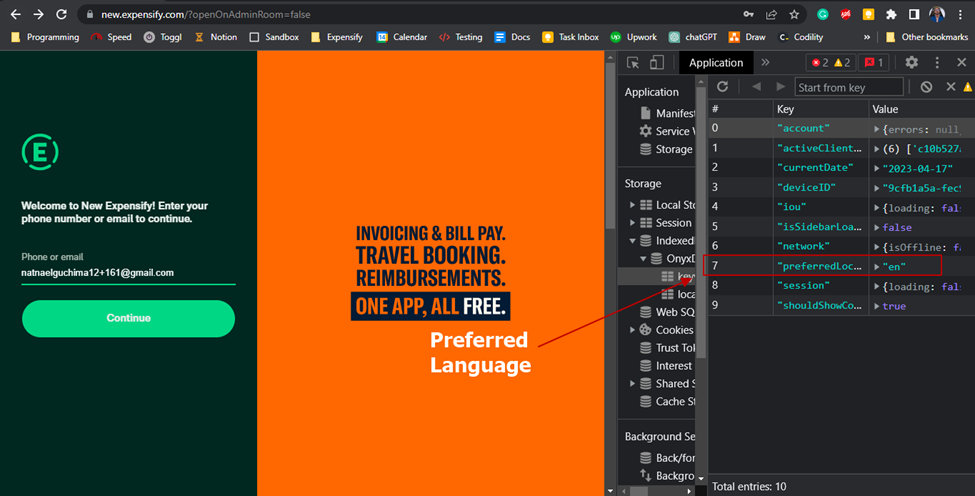
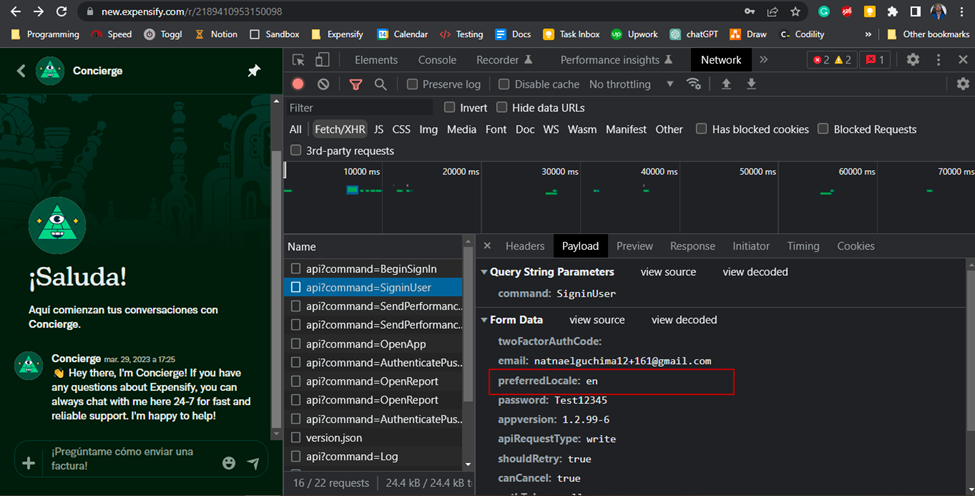
Thanks for the guidance 🙌. Below are the results:
English is set in Onyx when a user is on the sign-in page
English is passed in the API request when user sign-in
puneetlath commentedon Apr 16, 2023
Ah! It only was added to the password-less flow, since the password flow is going to be removed very soon. That's why you aren't seeing it.
Thanks for the report though!
Natnael-Guchima commentedon Apr 16, 2023
Okay. No problem👍.