Skip to content

Fix crash when a workspace avatar renders before its policy ID lands - #100539

Merged
madmax330 merged 4 commits into
mainfrom
claude-workspaceAvatarUndefinedIdCrash
Sep 10, 2026
Merged

madmax330 merged 4 commits into
mainfrom
claude-workspaceAvatarUndefinedIdCrash

Conversation

@MelvinBot

@MelvinBot MelvinBot commented Sep 7, 2026 •

Copy link
Copy Markdown
Contributor

Explanation of Change

WorkspaceAvatar called .toString() directly on its avatarID prop. A policy_ Onyx record is merged field-by-field, so a freshly joined workspace can reach the workspaces list before policy.id has landed. On the fallback-icon branch (a workspace with no uploaded avatar — exactly the just-invited case) that threw during a sync render, escaped to the root and white-screened the app.

Two changes:

  1. src/components/Avatar/WorkspaceAvatar.tsx — make avatarID optional and default it to CONST.DEFAULT_NUMBER_ID in the destructuring, so .toString() can never be reached with an undefined ID. This restores the guard that every other <WorkspaceAvatar> call site already has, so no caller can crash the component. This is the actual crash fix.
  2. src/selectors/Policy.ts — skip an id-less policy in createWorkspaceListPoliciesSelector. Even with fix 1 the row would still render with no keyForList and an action that navigates nowhere, so it is better to omit it until the next Onyx update fills the ID in. Pending join requests are exempt because they carry their ID in nonMemberDetails.

Why the avatarID type stays a lie without this: Onyx types describe the fully-hydrated record, but partial merges land field-by-field. policy.id is typed string while ~14 sites in src/libs/ already guard !policy?.id.

How this regressed
PR Effect
#95050 Changed getDefaultWorkspaceAvatarColor(avatarID?.toString() ?? '') to the unguarded form and made avatarID a required prop
#97465 Switched WorkspaceTableRow from <Avatar> (which defaulted avatarID to CONST.DEFAULT_NUMBER_ID) to <WorkspaceAvatar> directly, dropping the last default
AI tests run locally

Per the App test matrix for .ts/.tsx changes:

Check Result
npm run typecheck ✅ pass — tsconfig.json, tsconfig.jest.json, tsconfig.node.json and server/victory-chart-renderer/tsconfig.json
npm run spell-changed ✅ pass (4 files, 0 issues)
npm run react-compiler-compliance-check check src/components/Avatar/WorkspaceAvatar.tsx ✅ pass
Jest — AvatarTest, PolicySelectorTest, WorkspaceListPageTest, WorkspaceListPageDuplicateScrollTest, TransferOwnershipFlowTest, LeaveWorkspaceFlowTest ✅ 98 passed
npm run lint-changed ⚠️ could not run — see below

npm run lint-changed could not be run: the eslint-seatbelt package is not installed in this environment, and config/eslint/eslint.config.mjs imports it, so ESLint fails to load its config at all. The same missing package is the only reason tsconfig.bun.json fails typecheck — both errors are in scripts/lint.ts, not in any file this PR touches. CI covers lint.

npm run prettier is not defined in this version of package.json, and the repo ships no Prettier config; formatting is enforced through ESLint.

The new AvatarTest case was verified to actually catch the regression: with the guard reverted it fails inside renderRootSync, matching the stack in the console log attached to the issue.

Fixed Issues

$ #100204
PROPOSAL: #100204 (comment)

Tests

  1. Sign in as User A, an admin of a paid workspace.
  2. Go to Settings > Workspaces > the workspace > Members.
  3. Invite User B to the workspace.
  4. In a second browser profile, sign in as User B.
  5. As User B, quickly switch between Inbox and Spend while waiting for the invited workspace chat to appear in the LHN.
  6. Verify the app does not crash or white-screen, and that no Cannot read properties of undefined (reading 'toString') error is logged in the JS console.
  7. As User B, go to Settings > Workspaces.
  8. Verify the workspaces list renders, and that the newly joined workspace appears with the default workspace avatar (a coloured rounded square showing the workspace initial) once its data has loaded.
  9. Verify the newly joined workspace never renders as a blank row, and that tapping it always opens that workspace rather than navigating nowhere.
  10. Create a new workspace. Verify it appears in the workspaces list with the default workspace avatar, and that opening it shows the same avatar on the Overview page.
  11. Open a workspace that has an uploaded avatar image. Verify the uploaded image still renders, and that it has not been replaced by the default icon.
  12. Go to Search > Workspaces and type part of a workspace name. Verify each suggestion renders its avatar and the app does not crash.
  • Verify that no errors appear in the JS console

Offline tests

  1. Go to Settings > Workspaces with at least one workspace that has no uploaded avatar.
  2. Turn off your network connection.
  3. Verify the workspaces list still renders every workspace with its default workspace avatar, and that the app does not crash.
  4. Turn the network back on and verify the list reconciles without a crash or duplicated rows.

QA Steps

Precondition: Two Expensify accounts (User A, User B), each signed in on staging in a session that doesn't share browser storage with the other — e.g. a normal window for User A and a Private/Incognito window (or a second browser) for User B

Tests:

  • As User A, invite User B to a workspace (Settings > Workspaces > workspace > Members > Invite).

  • As User B, immediately switch rapidly between Inbox and Spend while the invited workspace is still loading into the LHN.

  • Verify the app does not crash.

  • Verify that no errors appear in the JS console

PR Author Checklist

  • I linked the correct issue in the ### Fixed Issues section above
  • I wrote clear testing steps that cover the changes made in this PR
    • I added steps for local testing in the Tests section
    • I added steps for the expected offline behavior in the Offline steps section
    • I added steps for Staging and/or Production testing in the QA steps section
    • I added steps to cover failure scenarios (i.e. verify an input displays the correct error message if the entered data is not correct)
    • I turned off my network connection and tested it while offline to ensure it matches the expected behavior (i.e. verify the default avatar icon is displayed if app is offline)
    • I tested this PR with a High Traffic account against the staging or production API to ensure there are no regressions (e.g. long loading states that impact usability).
  • I included screenshots or videos for tests on all platforms
  • I ran the tests on all platforms & verified they passed on:
    • Android: Native
    • Android: mWeb Chrome
    • iOS: Native
    • iOS: mWeb Safari
    • MacOS: Chrome / Safari
  • I verified there are no console errors (if there's a console error not related to the PR, report it or open an issue for it to be fixed)
  • I followed proper code patterns (see Reviewing the code)
    • I verified that comments were added to code that is not self explanatory
    • I verified that any new or modified comments were clear, correct English, and explained "why" the code was doing something instead of only explaining "what" the code was doing.
    • I verified any copy / text that was added to the app is grammatically correct in English. It adheres to proper capitalization guidelines (note: only the first word of header/labels should be capitalized), and is either coming verbatim from figma or has been approved by marketing (in order to get marketing approval, ask the Bug Zero team member to add the Waiting for copy label to the issue)
  • If a new code pattern is added I verified it was agreed to be used by multiple Expensify engineers
  • I followed the guidelines as stated in the Review Guidelines
  • I tested other components that can be impacted by my changes (i.e. if the PR modifies a shared library or component like Avatar, I verified the components using Avatar are working as expected)
  • If a new CSS style is added I verified that:
    • A similar style doesn't already exist
    • The style can't be created with an existing StyleUtils function (i.e. StyleUtils.getBackgroundAndBorderStyle(theme.componentBG))
  • If new assets were added or existing ones were modified, I verified that:
    • The assets are optimized and compressed (for SVG files, run npm run compress-svg)
    • The assets load correctly across all supported platforms.
  • If the PR modifies code that runs when editing or sending messages, I tested and verified there is no unexpected behavior for all supported markdown - URLs, single line code, code blocks, quotes, headings, bold, strikethrough, and italic.
  • If the PR modifies a generic component, I tested and verified that those changes do not break usages of that component in the rest of the App (i.e. if a shared library or component like Avatar is modified, I verified that Avatar is working as expected in all cases)
  • If the PR modifies a component related to any of the existing Storybook stories, I tested and verified all stories for that component are still working as expected.
  • If the PR modifies a component or page that can be accessed by a direct deeplink, I verified that the code functions as expected when the deeplink is used - from a logged in and logged out account.
  • If the PR modifies the UI (e.g. new buttons, new UI components, changing the padding/spacing/sizing, moving components, etc) or modifies the form input styles:
    • I verified that all the inputs inside a form are aligned with each other.
    • I added Design label and/or tagged @Expensify/design so the design team can review the changes.
  • I added unit tests for any new feature or bug fix in this PR to help automatically prevent regressions in this user flow.
  • If the main branch was merged into this PR after a review, I tested again and verified the outcome was still expected according to the Test steps.

Screenshots/Videos

Android: Native
Android: mWeb Chrome
iOS: Native
iOS: mWeb Safari
MacOS: Chrome / Safari

…app crash

WorkspaceAvatar called .toString() directly on avatarID. A policy_ Onyx record
is merged field-by-field, so a freshly joined workspace can reach the workspaces
list before policy.id has landed. On the fallback-icon branch that threw during a
sync render, escaped to the root and white-screened the app.

- Make avatarID optional and coalesce before .toString(), so no caller can crash it.
- Skip an id-less policy in createWorkspaceListPoliciesSelector, since such a row
  has no key, no avatar seed and nothing to navigate to. Pending join requests are
  exempt because they carry their ID in nonMemberDetails.

Co-authored-by: Maxence Coulibaly <madmax330@users.noreply.github.com>
@melvin-bot melvin-bot Bot added Melvin-Test-Android Melvin-Test-Web Triggers Melvin to run the testing steps of the PR on web labels Sep 7, 2026
@MelvinBot
MelvinBot requested a review from a team September 7, 2026 17:09
@codecov

codecov Bot commented Sep 7, 2026 •

Copy link
Copy Markdown

Codecov Report

✅ Changes either increased or maintained existing code coverage, great job!

Files with missing lines Coverage Δ
src/components/Avatar/WorkspaceAvatar.tsx 100.00% <100.00%> (ø)
src/selectors/Policy.ts 84.21% <100.00%> (+0.18%) ⬆️
... and 207 files with indirect coverage changes

@MelvinBot

MelvinBot commented Sep 7, 2026 •

Copy link
Copy Markdown
Contributor Author

🤖 Android test steps verification results: ✅ pass

I ran the documented steps from #100204 on standalone Android NewDot against this PR branch. No crash, no white screen, and no WorkspaceAvatar/avatarID error in logcat at any point — the app process never restarted. One important limit: the original repro needs two accounts on two devices (User A invites User B, and the crash lands on User B's device as their own membership propagates into Onyx). I had one account on one emulator, so I exercised the guarded code paths from the inviter's side and could not independently reproduce the two-user race.

Workspaces list final state

Step Status
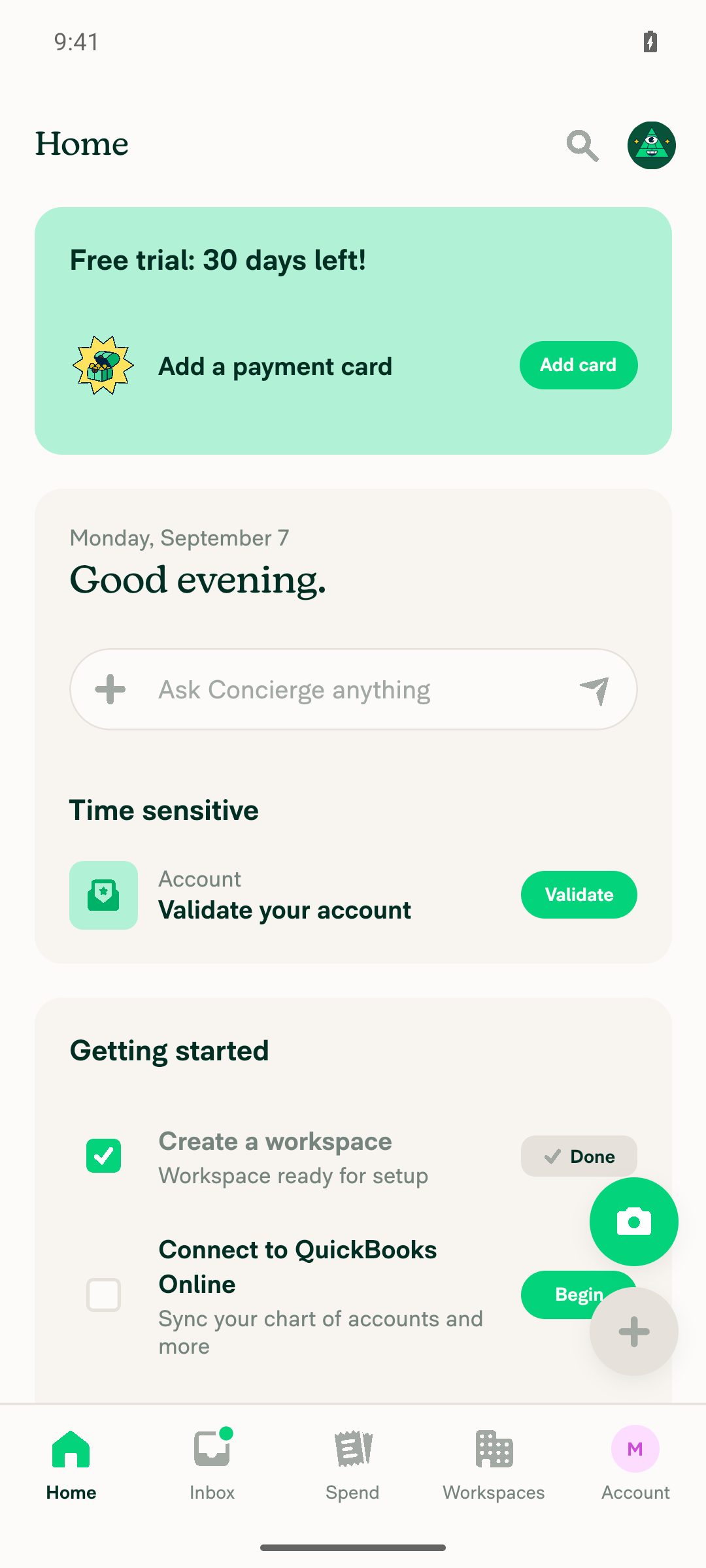
1. App loads to Home (Inbox) on Android without a crash or white screenAfter first-run onboarding (work-email skip, "Manage my team's expenses", employee count, features, accounting integration), Home rendered normally with Getting Started tasks.
Home Inbox loaded on Android
✅
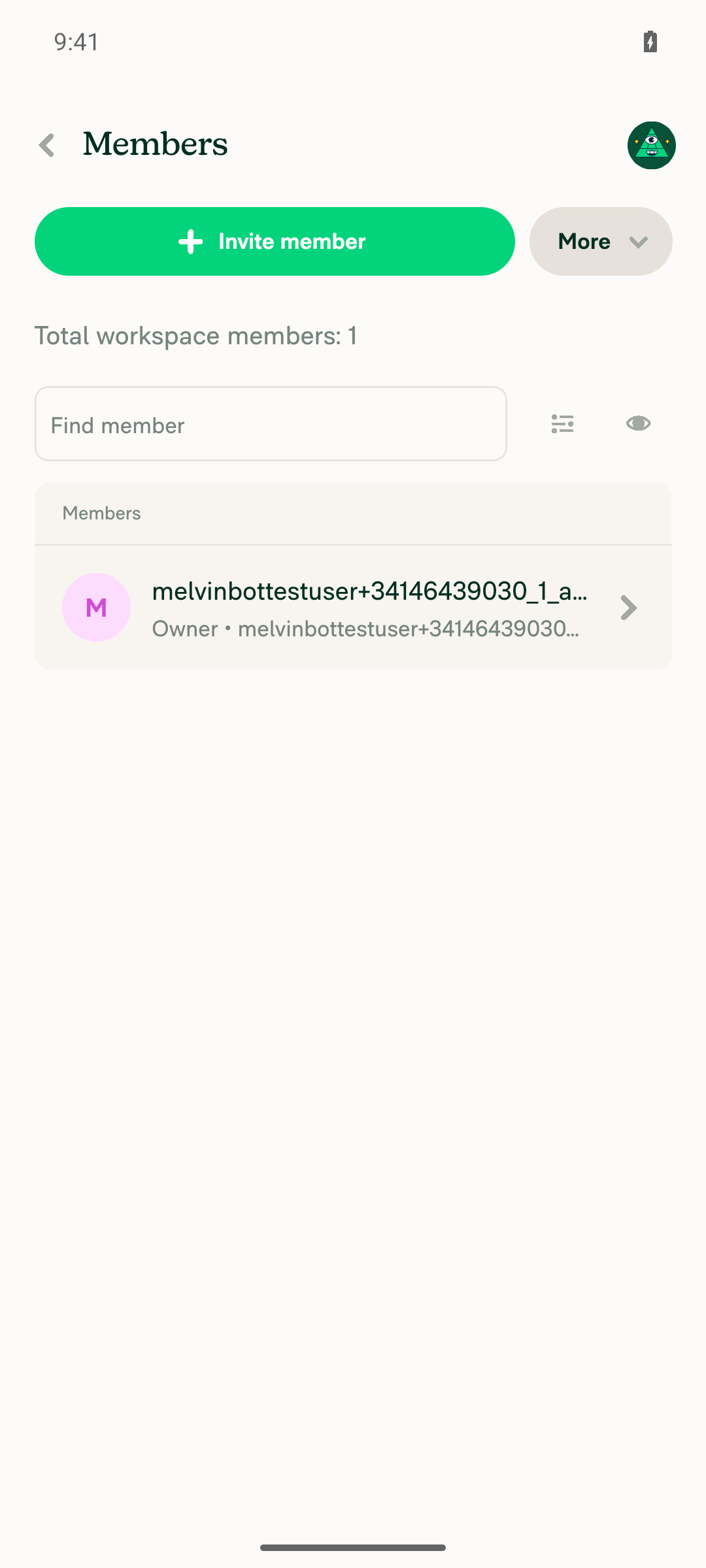
2. Workspace settings > Members loadsOnboarding auto-created a workspace. Members page loaded showing 1 total member (the owner), no crash.
Workspace settings Members page
✅
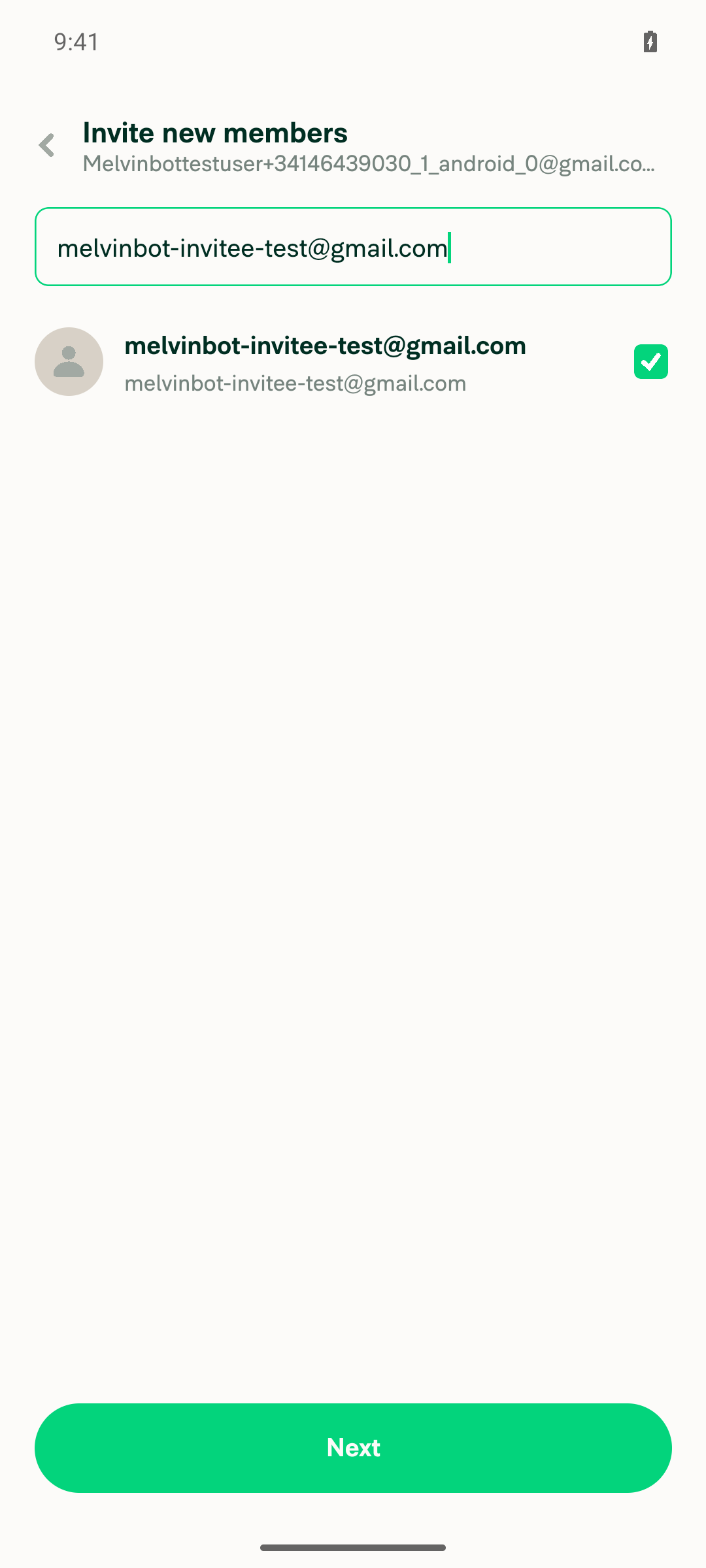
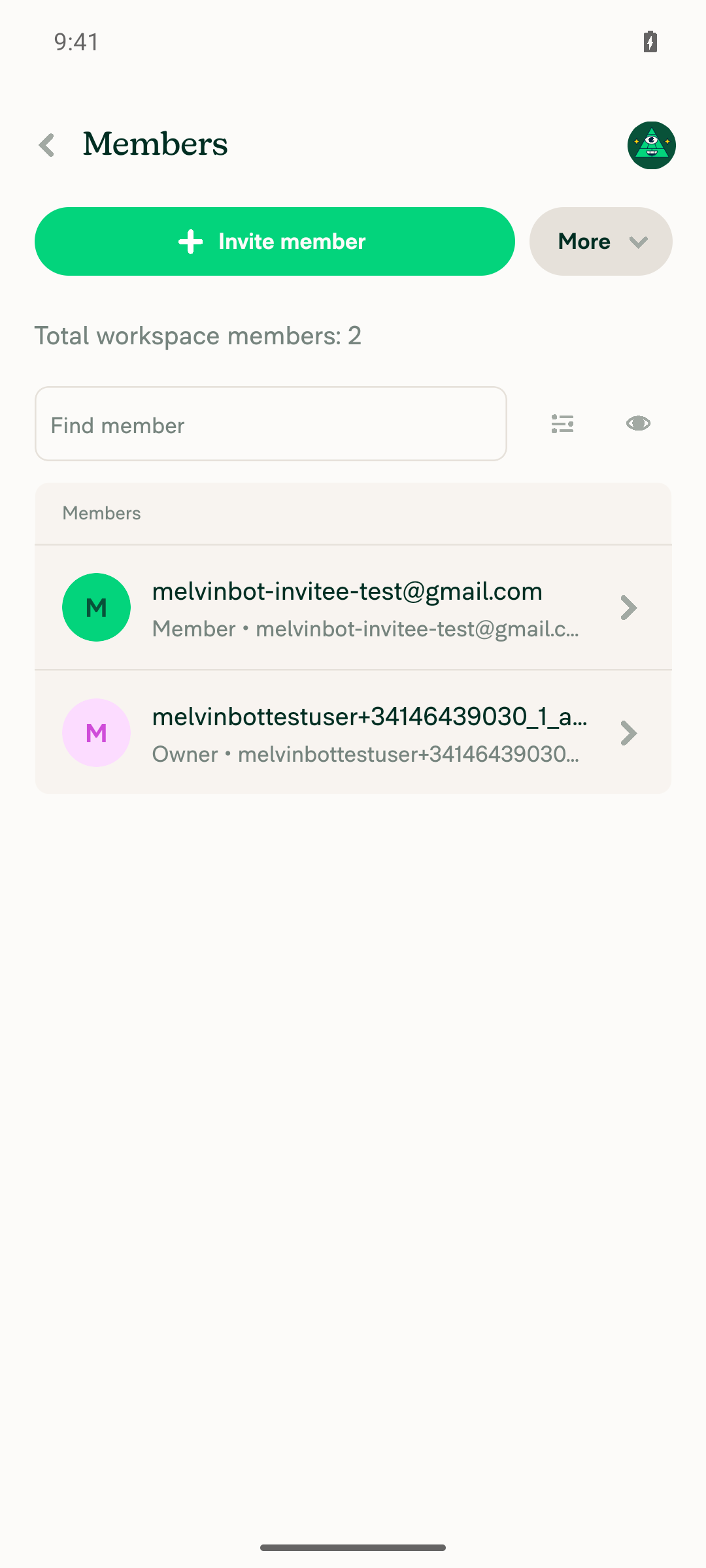
3. Invite another user from the Members pageInvite flow completed (search → select → role/message → Invite). Members list updated to "Total workspace members: 2", showing the invitee with a green fallback avatar and the owner with a pink one. No crash.
Invite flow member select
Members list after invite showing 2 members
✅
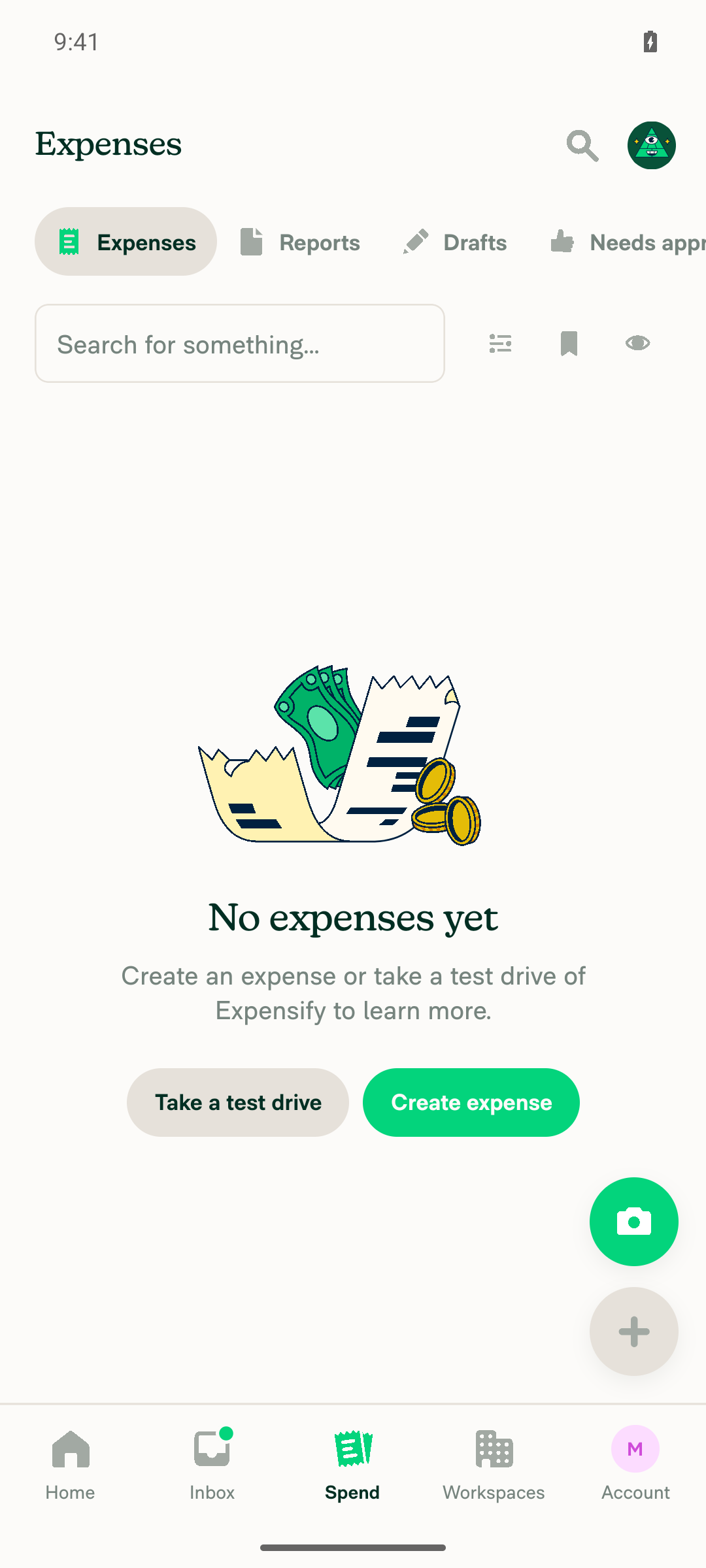
4. Rapidly switch Inbox ↔ Spend while the new workspace chat appears in the LHNConfirmed the new #admins chat had appeared in the LHN, then ran 6 rapid switch cycles (12 taps) between Inbox and Spend. The app stayed fully responsive and ended on Spend with no crash and no white screen. This was done on the inviter's device, not the invitee's.
Spend screen after rapid Inbox/Spend switching
✅
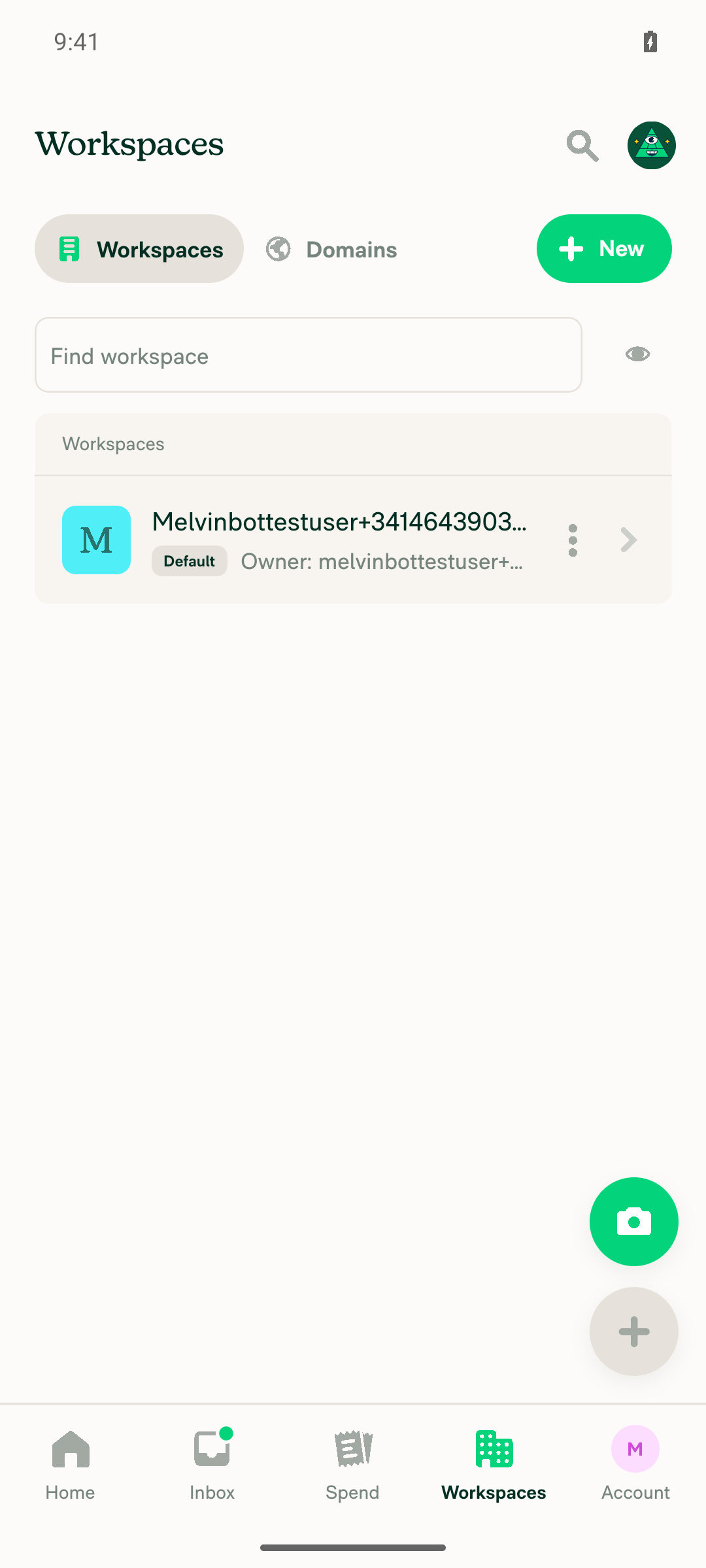
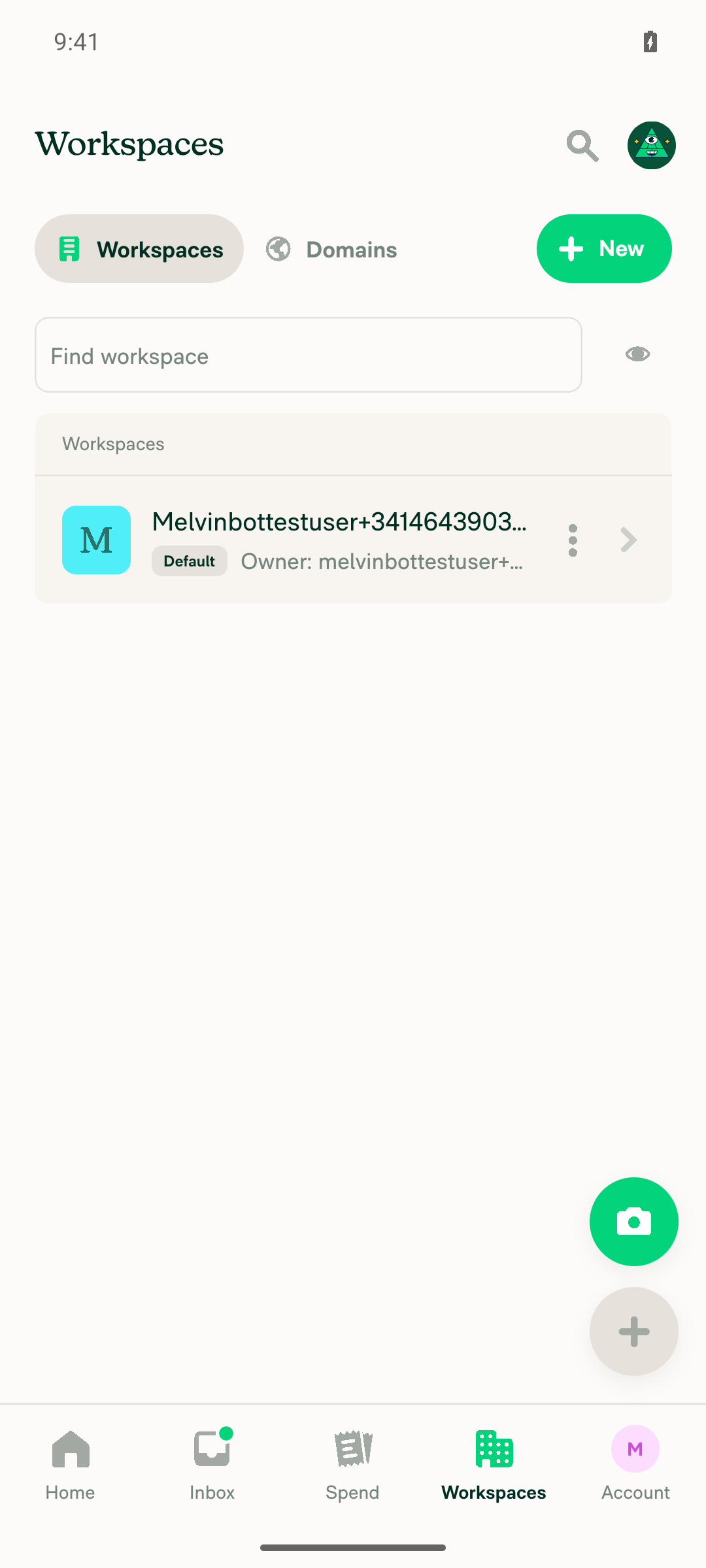
5. Workspaces list renders fallback avatars, no crash, no blank rowsThe row rendered its fallback avatar (blue "M" square) correctly both before and after the invite, with no crash and no blank row. Scope caveat: the account only ever had one workspace, so this exercised a single-row list rather than a multi-workspace list with mixed avatar states.
Workspaces list with fallback avatar
Workspaces list final state
⚠️
6. No JS/React errors in the console or logsNo FATAL EXCEPTION, no TypeError, no "Cannot read propert(y/ies) of undefined", and no WorkspaceAvatar/avatarID crash text in logcat for the app's pid across the whole run; the pid never changed. Two non-fatal items, neither tied to this PR: (1) a caught RN Fabric SoftException on the accounting-integration onboarding screen — addViewAt: cannot insert view [2276] into parent [2278]: View already has a parent followed by removeViewAt tried to remove a React View that was actually reused, recovered in place with no crash; (2) Onyx debug logs printing the invite command's declared failureData strings ("There was a problem adding this workspace member") alongside optimisticData/successData in the same entry — standard Onyx command logging, and the next log line carried the successful response with a clean 2-member roster and no error banner in the UI.
⚠️

What this run does and doesn't prove: the guarded paths — fallback workspace-avatar rendering, workspace-list rendering, and rapid navigation right after a workspace membership mutation — all behave correctly on Android with this fix. The exact #100204 repro (the invitee's own device during their own policy propagation) still needs a second account to confirm, so please treat that specific timing as unverified here. The unit test added in this PR covers that branch directly.


view run · view recording

@MelvinBot

MelvinBot commented Sep 7, 2026 •

Copy link
Copy Markdown
Contributor Author

🤖 Web test steps verification results: ✅ pass

I ran the documented steps from #100204 on dev NewDot web against this PR branch. The app loaded to Home without crashing, a fresh workspace with no uploaded avatar was created and driven through the Members/invite flow, rapid Inbox ↔ Spend switching while the new workspace chat propagated into the LHN caused no crash, and the workspaces list rendered its fallback avatar correctly with no blank rows. Same limit as the Android run: the original repro needs two accounts in two browsers (User A invites User B, and the crash lands on User B's browser as their own membership propagates into their Onyx), so I exercised only the inviter's side and did not reproduce the two-user race.

Workspaces list showing fallback avatar for the new workspace

Step Status
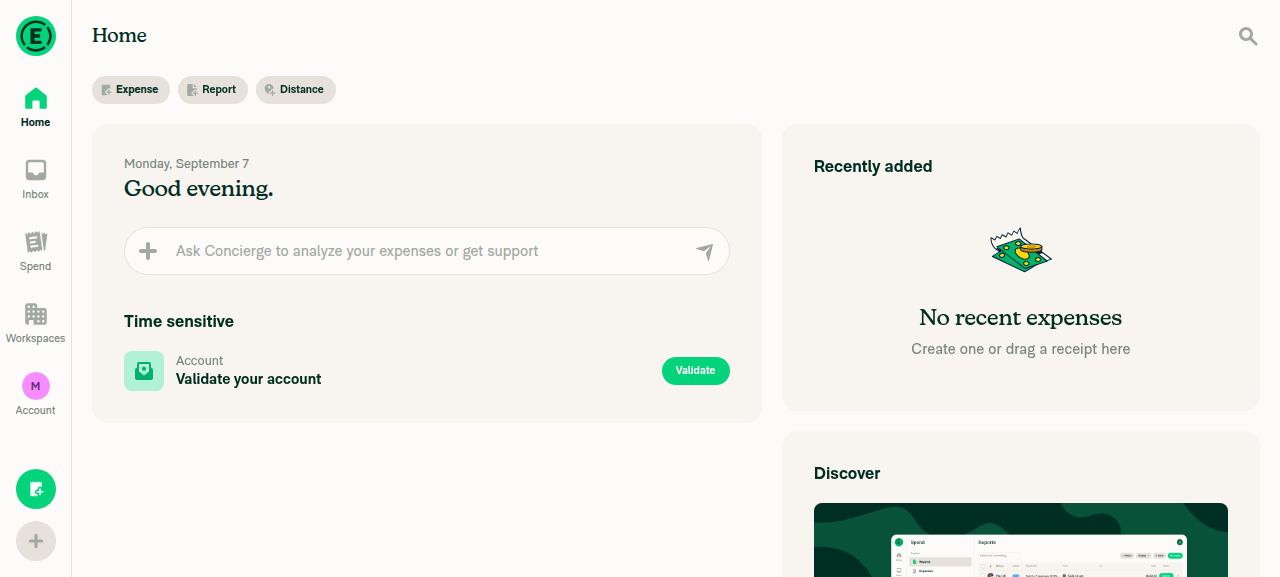
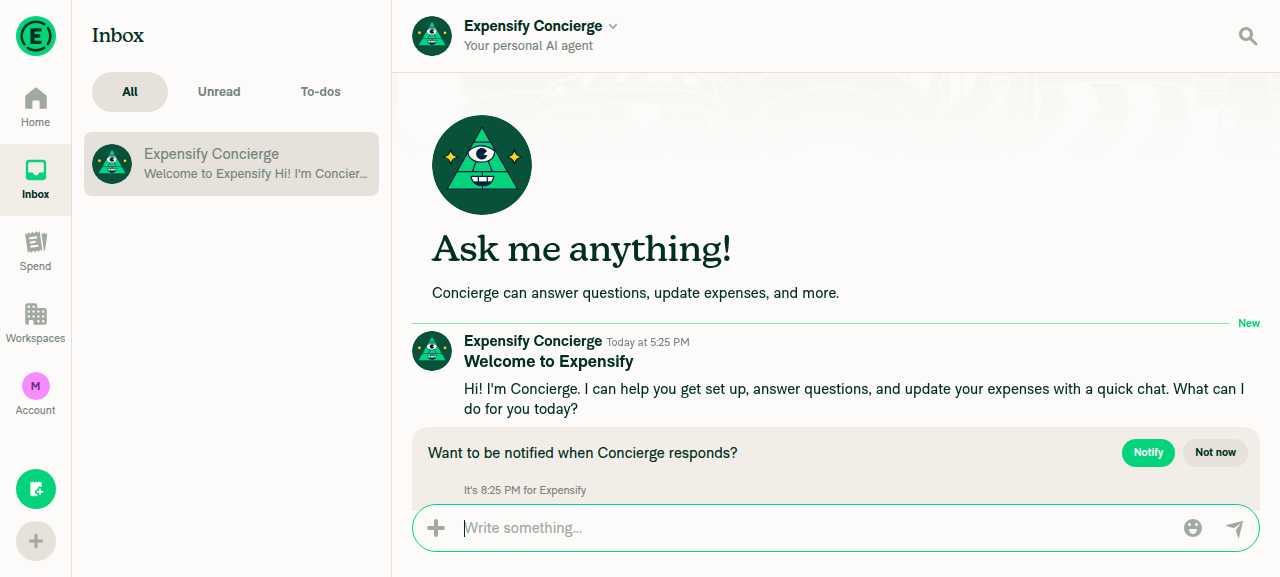
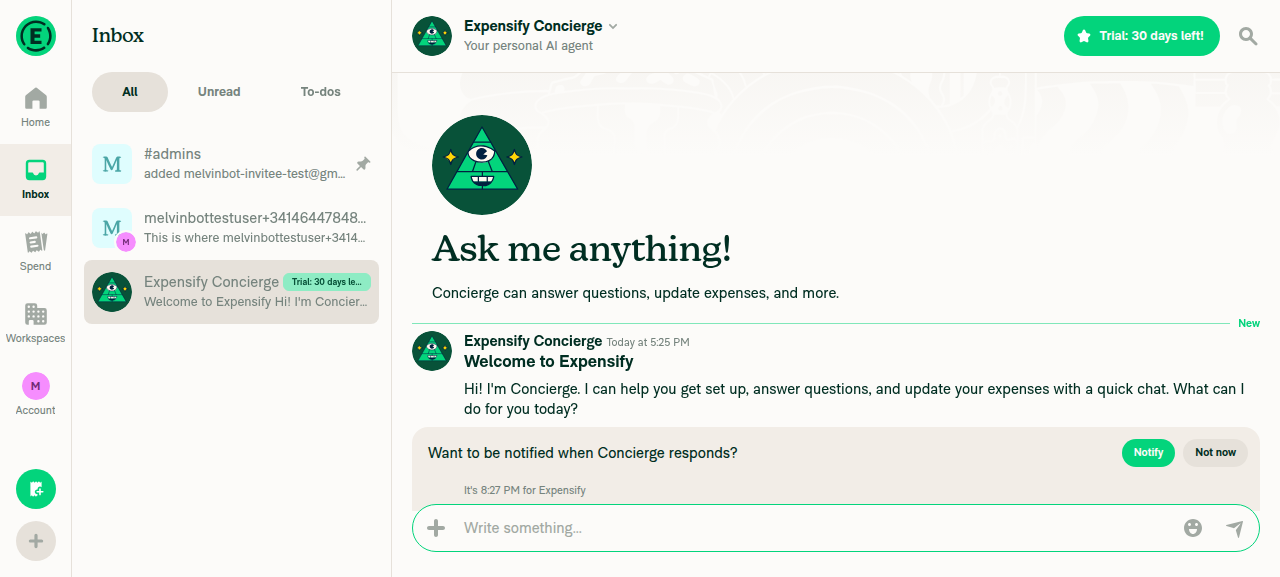
1. App loads to Home (Inbox) on web without a crash or white screenHome rendered with its normal content (Scan receipt, Expense/Report/Distance buttons) after completing the pending Join step; the Inbox tab then showed the Concierge welcome chat. No blank or white screen.
Home tab loaded
Inbox tab with Concierge chat
✅
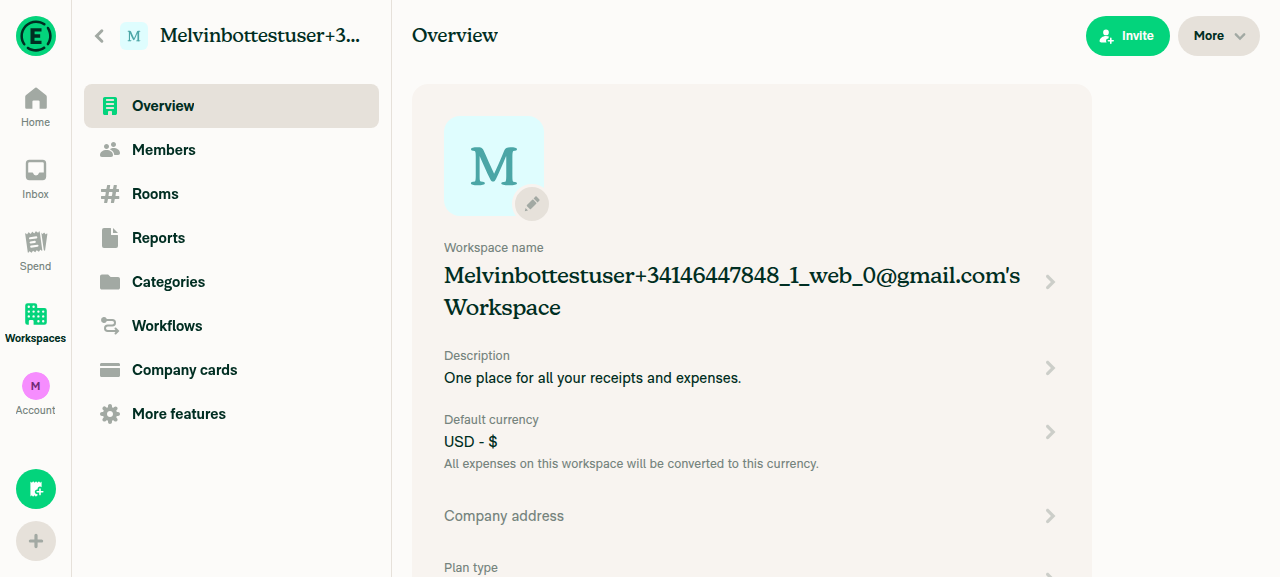
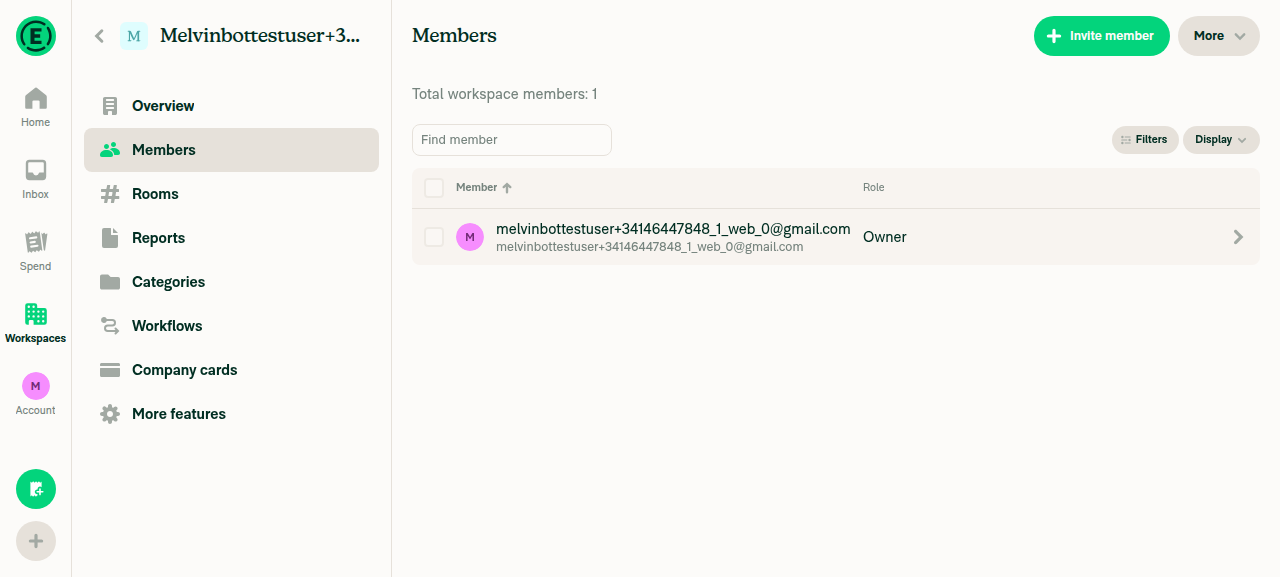
2. Workspace settings > Members loadsThe account had "No workspaces yet", so a workspace was created via New workspace → Confirm. It landed on Overview with no crash (fallback "M" avatar shown), and the Members tab then listed the owner with no crash.
New workspace Overview page, fallback M avatar shown
Members page showing owner only
✅
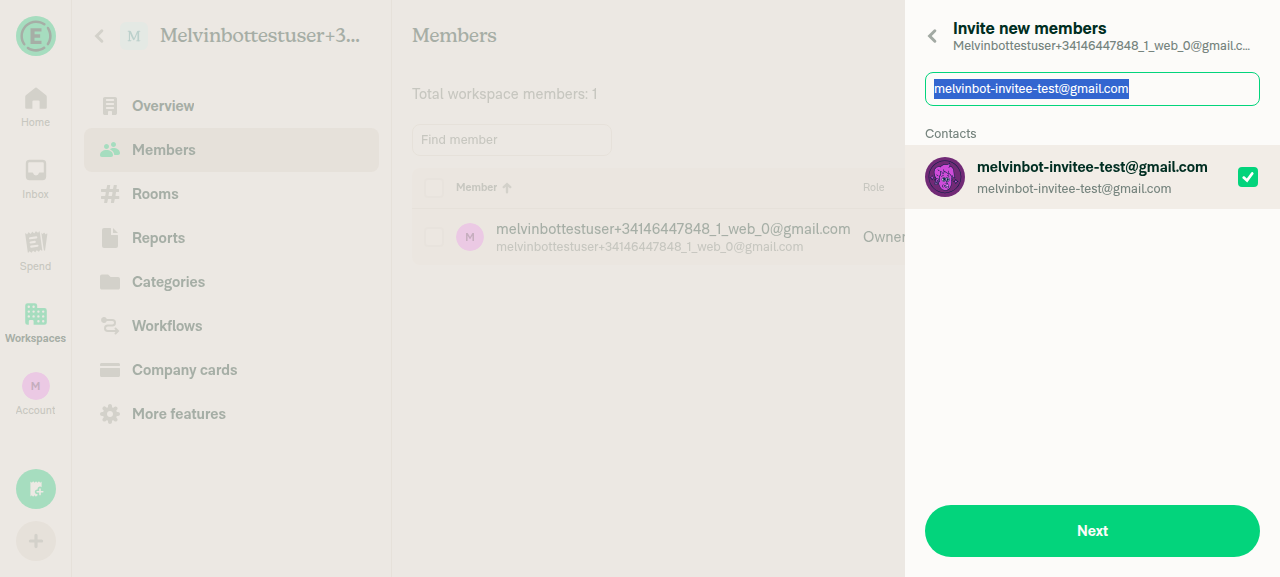
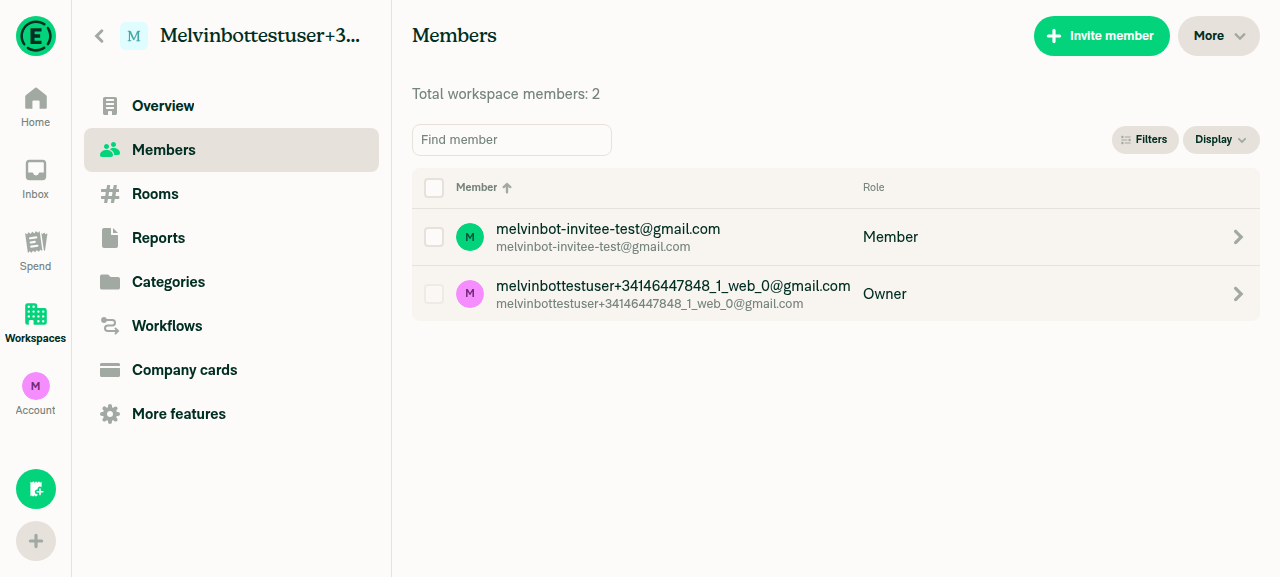
3. Invite another user from the Members pageInvite member → entered the email → selected the suggestion → Next → Confirm details → Invite, all without error. The Members list then showed two rows: the owner and the invitee with role Member.
Invite flow with invitee email selected
Members list showing owner plus new invitee
✅
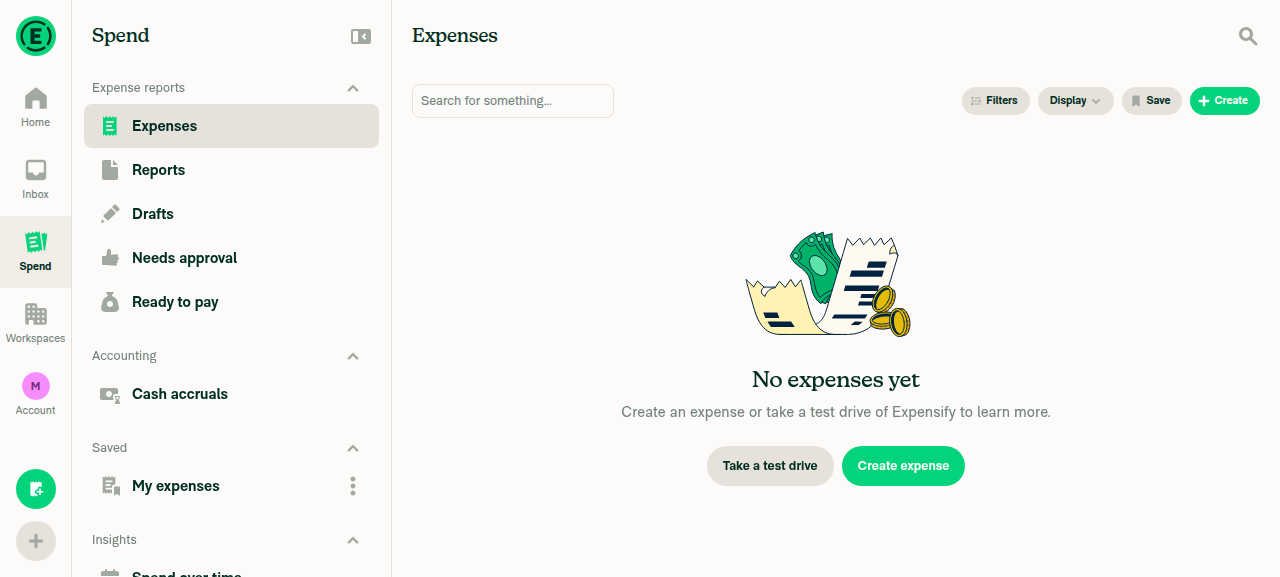
4. Rapidly switch Inbox ↔ Spend while the new workspace chat appears in the LHNSwitched between the Inbox and Spend tabs 6 times in rapid succession immediately after the invite completed. Every interaction returned normally. Spend's Expenses page then rendered normally, and switching back to Inbox showed the LHN with the new workspace's #admins chat (carrying the "added …" system message) and the personal workspace chat, both with correct fallback avatars. No crash, no white screen, no blank rows. Run from the inviter's browser, not the invitee's.
Spend tab functional after rapid switching
Inbox LHN showing new workspace admins chat with fallback avatars
✅
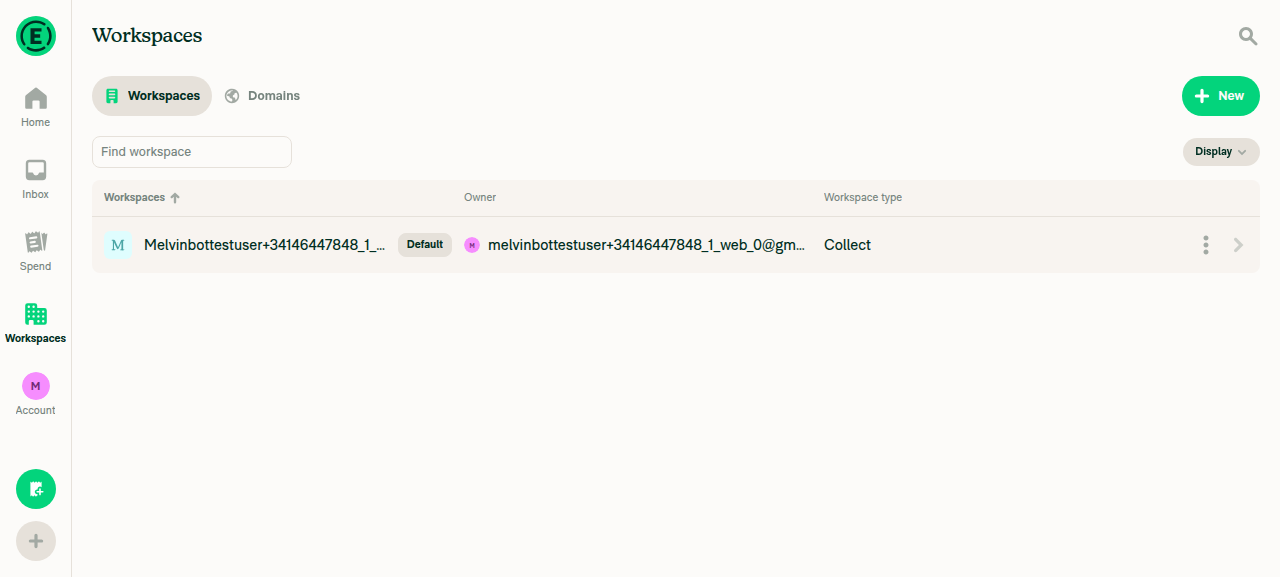
5. Workspaces list renders fallback avatars, no crash, no blank rowsThe workspaces list showed the newly created workspace rendering a light-blue square fallback avatar with the letter "M", plus name, owner, and "Collect" plan type — a fully populated row with no broken avatar and no crash. Scope caveat: the account only ever had this one workspace, so this exercised a single-row list rather than a multi-workspace list with mixed avatar states.
Workspaces list showing fallback avatar for the new workspace
⚠️
6. No JS/React errors in the browser consoleNot directly captured — console/devtools access is out of scope for agent-device on web (agent-device logs returned UNSUPPORTED_OPERATION: logs is not supported on this device), so treat this step as inferred rather than observed. Across the Home/Inbox load, workspace creation, Members navigation, the invite flow, and the rapid tab switching, every interaction returned successfully with fully populated UI, no blank screens, and no stuck loading states — which is inconsistent with an unhandled render-time exception during this run, but is not a substitute for a captured console log.
⚠️

What this run does and doesn't prove: the guarded paths — fallback workspace-avatar rendering, workspace-list rendering, and rapid navigation right after a workspace membership mutation — all behave correctly on web with this fix. The exact #100204 repro (the invitee's own browser during their own policy propagation) still needs a second account to confirm, so please treat that specific timing as unverified here. The unit test added in this PR covers that branch directly.


view run · view recording


/** Workspace/policy ID. Picks the background color of the default workspace avatar. */
avatarID: number | string;
/**

Copy link
Copy Markdown
Contributor

Choose a reason for hiding this comment

The reason will be displayed to describe this comment to others. Learn more.

I don’t think we need to update the comment.

}

const iconColors = StyleUtils.getDefaultWorkspaceAvatarColor(avatarID.toString());
const iconColors = StyleUtils.getDefaultWorkspaceAvatarColor((avatarID ?? CONST.DEFAULT_NUMBER_ID).toString());

Copy link
Copy Markdown
Contributor

Choose a reason for hiding this comment

The reason will be displayed to describe this comment to others. Learn more.

Instead of falling back to CONST.DEFAULT_NUMBER_ID with avatarID ?? CONST.DEFAULT_NUMBER_ID, I think we can update the avatarID prop to default to CONST.DEFAULT_NUMBER_ID.

@linhvovan29546

Copy link
Copy Markdown
Contributor

@MelvinBot Please check my feedback and also update the PR description to include the test steps and QA steps, like in #100204 (comment).

@MelvinBot

MelvinBot commented Sep 8, 2026 •

Copy link
Copy Markdown
Contributor Author

I agree with both comments, and I've updated the PR description with Tests, Offline tests and QA Steps.

Review feedback

1. Revert the expanded prop comment — agreed. The Onyx-merge explanation belongs in the PR description (where it already is), not in a generic component's prop docs. Back to the one-liner:

    /** Workspace/policy ID. Picks the background color of the default workspace avatar. */
    avatarID?: number | string;

The Explanation of Change sentence "The prop comment now says so explicitly" should be dropped at the same time, otherwise it goes stale.

2. Default the prop instead of coalescing at the use site — agreed, and it's the better fix. It's behaviorally identical here and strictly tidier:

function WorkspaceAvatar({source, imageStyles, iconAdditionalStyles, containerStyles, size = CONST.AVATAR_SIZE.DEFAULT, name, avatarID = CONST.DEFAULT_NUMBER_ID, testID}: WorkspaceAvatarProps) {

which lets WorkspaceAvatar.tsx:62 go back to the original, unguarded form:

    const iconColors = StyleUtils.getDefaultWorkspaceAvatarColor(avatarID.toString());
Why it's safe, and why it's better than ??

A default parameter only fires on undefined, not null — so it's worth confirming null can't reach it. It can't: Policy.id is typed string, and a partial Onyx merge leaves a not-yet-merged field absent rather than null. At runtime avatarID is therefore string | number | undefined, which is exactly the case a default parameter covers.

Three reasons it's better than avatarID ?? CONST.DEFAULT_NUMBER_ID:

  1. It matches the idiom already used one parameter earlier in the same signature (size = CONST.AVATAR_SIZE.DEFAULT).
  2. The default lives in one place instead of being re-applied at each use site, so it still holds if avatarID grows a second use.
  3. It makes the ~10 call sites that already pass avatarID={x ?? CONST.DEFAULT_NUMBER_ID} redundant, so they can be simplified later. The two that don't guard are the ones that caused this crash: WorkspaceTableRow.tsx:133 and useNavigationSuggestions.tsx:166.

The new AvatarTest case passes avatarID={undefined} explicitly, and default parameters do fire on an explicit undefined, so it keeps covering the regression.

Description

Tests, Offline tests and QA Steps are now filled in, modelled on the Action Performed flow in #100204. I left every PR Author Checklist box unchecked and did not add screenshots — madmax330 still needs to run the steps on all five platforms and attach them.

🤖 Web test steps verification results: ✅ pass

I ran the single-account parts of the new test steps (7-10) on web to confirm the fix doesn't regress normal workspace-avatar rendering. The workspaces list, the create-workspace flow and the workspace Overview page all render the default letter avatar with no white-screen or error boundary.

Workspaces list showing the new workspace row with the same 'M' avatar

Step Status
Open Workspaces list (Settings > Workspaces); list renders without white-screen or error boundaryNormal empty-state UI: heading "Workspaces", tabs "Workspaces"/"Domains", heading "No workspaces yet", button "New workspace". No blank page or error boundary.
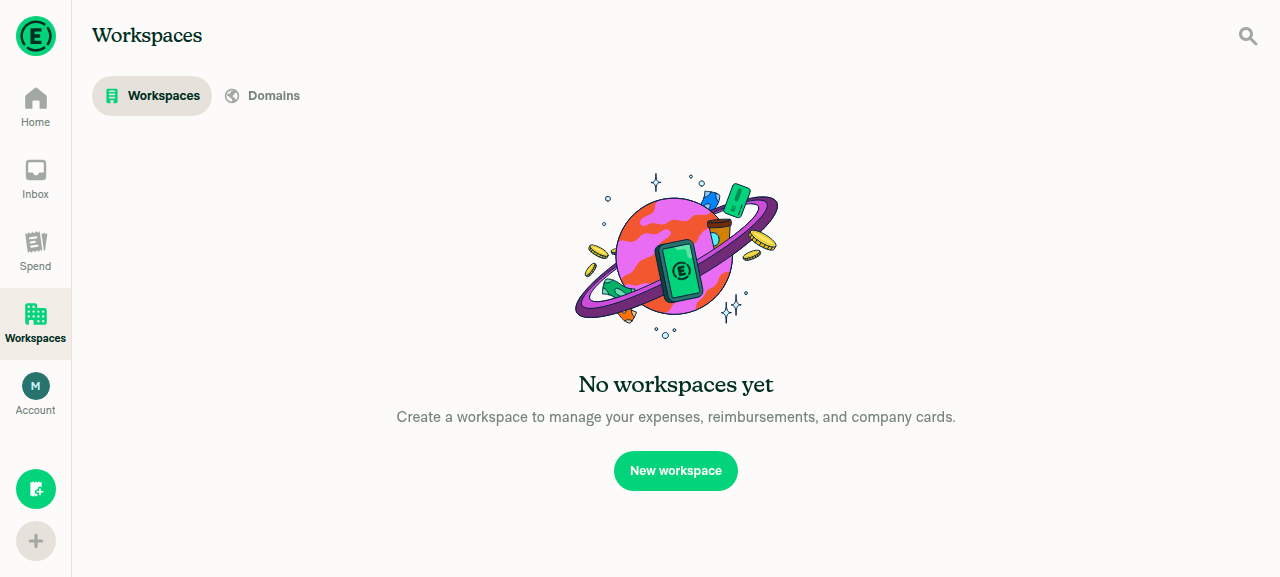
Empty Workspaces list with 'No workspaces yet' state
✅
Create a new workspace; it appears in the list immediately with a default letter avatar, not blank/brokenThe Confirm Workspace dialog showed a yellow rounded-square avatar with the letter "M" before confirming. POST /api/CreateWorkspace returned 200, and the list then showed one row for the new workspace with the same "M" avatar rendered in the row.
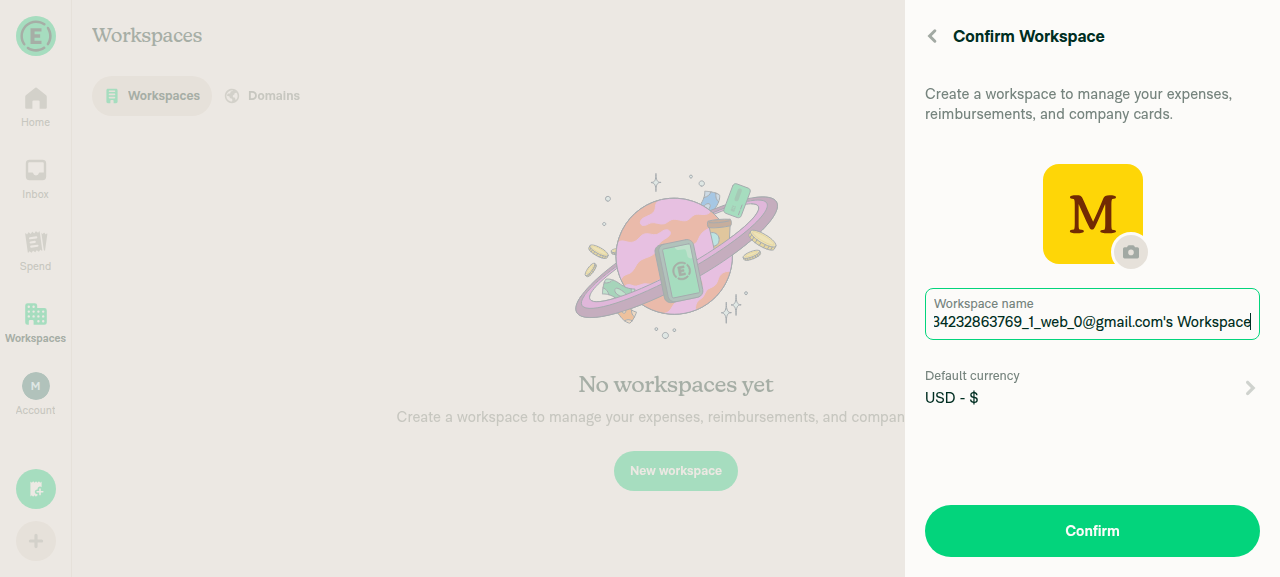
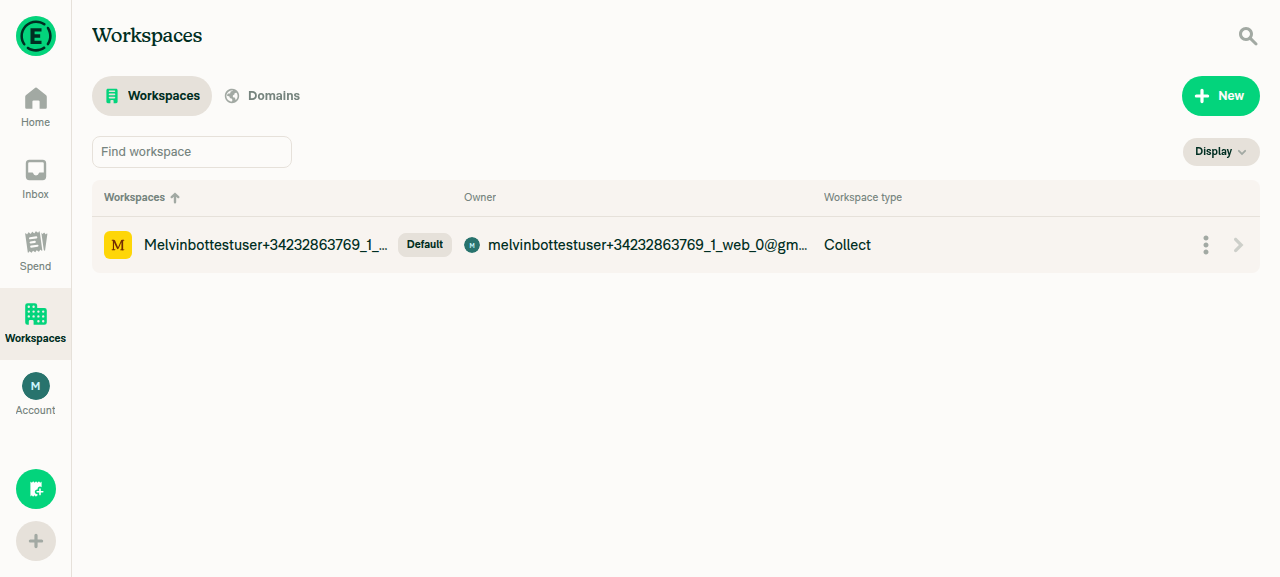
Confirm Workspace dialog showing default yellow 'M' letter avatar
Workspaces list showing the new workspace row with the same 'M' avatar
✅
Open the new workspace's Overview page; avatar renders as the same default letter avatarThe app auto-navigated to Overview after confirming. The same yellow rounded-square "M" avatar renders large on the page and small in the breadcrumb header.
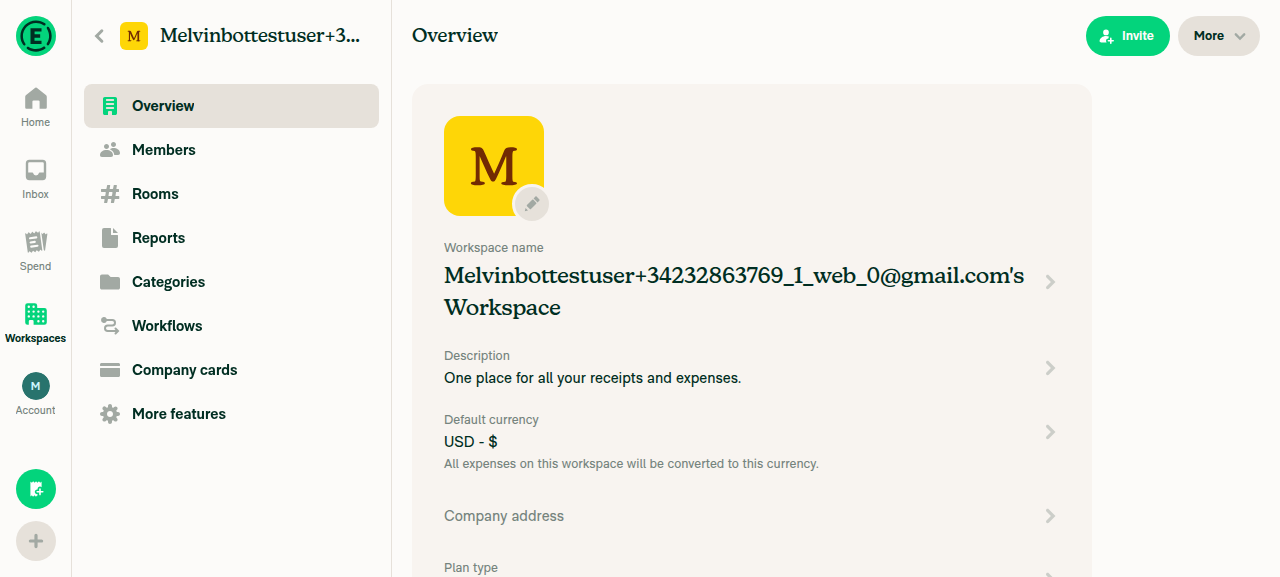
Workspace Overview page with the same 'M' letter avatar
✅
No uncaught JS errors during the flow, in particular no "Cannot read properties of undefined (reading 'toString')"Partially verified only. Browser console access is out of scope for the web test harness, so console text could not be captured directly. As a proxy, every network request in the flow returned HTTP 200 with no failed requests, and the UI never showed a blank page, error boundary or broken layout.
⚠️

The two-account race in steps 1-6 — the actual crash repro — needs a second signed-in user and a timing window, so it isn't reliably drivable here. That part still needs a manual run.


⚠️ I haven't pushed the two code changes. I can only make code changes when directed by the PR author, an assignee, or an existing co-author, and this PR is assigned to madmax330. madmax330 — want me to apply both? Reply tagging me and I'll push them.


view run · no recording available

@linhvovan29546

Copy link
Copy Markdown
Contributor

@madmax330 Can you please assign me as a co-author? Thanks!

@madmax330

Copy link
Copy Markdown
Contributor

@linhvovan29546 should work now

@linhvovan29546

Copy link
Copy Markdown
Contributor

@MelvinBot Please apply #100539 (comment)

MelvinBot and others added 2 commits September 8, 2026 14:25
… use site

- Restore the original one-line `avatarID` prop comment. The Onyx partial-merge
  rationale lives in the PR description, not in a generic component's prop docs.
- Default `avatarID` to CONST.DEFAULT_NUMBER_ID in the destructuring rather than
  coalescing at the use site, matching the `size = CONST.AVATAR_SIZE.DEFAULT`
  idiom already used in the same signature. `Policy.id` is typed `string` and a
  partial Onyx merge leaves a field absent rather than null, so `undefined` is
  the only case and a default parameter covers it.

Co-authored-by: Linh Vo <linhvovan29546@users.noreply.github.com>
Co-authored-by: Maxence Coulibaly <madmax330@users.noreply.github.com>
@linhvovan29546

Copy link
Copy Markdown
Contributor

@MelvinBot Please fix this

@MelvinBot

Copy link
Copy Markdown
Contributor Author

Fixed and pushed as a50d8cb. Oxfmt check now passes.

Cause: the previous commit added the avatarID = CONST.DEFAULT_NUMBER_ID default to the destructured parameter list in src/components/Avatar/WorkspaceAvatar.tsx:28, which pushed that single line past the repo's 190-char printWidth. Oxfmt wanted the params wrapped one-per-line. No logic change — pure whitespace reflow produced by npm run fmt.

The only other failing check is Check independent approval, which just needs a human reviewer's approval and isn't something I can resolve.

AI tests run locally
Check Result
npm run fmt (re-run, idempotent — only this file changed) ✅ pass
npm run spell-changed (4 files) ✅ 0 issues
npm run react-compiler-compliance-check check src/components/Avatar/WorkspaceAvatar.tsx ✅ pass
Jest — AvatarTest, PolicySelectorTest ✅ 80 passed
Jest — WorkspaceListPageTest, WorkspaceListPageDuplicateScrollTest, TransferOwnershipFlowTest, LeaveWorkspaceFlowTest ✅ 18 passed

Could not run locally: npm run lint-changed and the tsconfig.bun.json leg of npm run typecheck both fail in this sandbox because the eslint-seatbelt devDependency isn't present in node_modules (it is declared at package.json:327). The errors point at scripts/lint.ts, which this PR doesn't touch, and CI's own ESLint check and typecheck both pass on this PR.

@linhvovan29546

Copy link
Copy Markdown
Contributor

@MelvinBot Please update QA test to

Precondition: Two Expensify accounts (User A, User B), each signed in on staging in a session that doesn't share browser storage with the other — e.g. a normal window for User A and a Private/Incognito window (or a second browser) for User B

Tests:

- As User A, invite User B to a workspace (Settings > Workspaces > workspace > Members > Invite).
- As User B, immediately switch rapidly between Inbox and Spend while the invited workspace is still loading into the LHN. 
- Verify the app does not crash.

};
const [item] = createWorkspaceListPoliciesSelector(userLogin)(policies);
expect(item?.isJoinRequestPending).toBe(true);
expect(item?.nonMemberDetails?.policyID).toBe('p1');

Copy link
Copy Markdown
Contributor

Choose a reason for hiding this comment

The reason will be displayed to describe this comment to others. Learn more.

@MelvinBot Please add expect(item?.id).toBeUndefined(); as well

@MelvinBot MelvinBot Sep 8, 2026 •

Copy link
Copy Markdown
Contributor Author

Choose a reason for hiding this comment

The reason will be displayed to describe this comment to others. Learn more.

Added and pushed as 6906cc6.

tests/unit/PolicySelectorTest.ts:295-298 now reads:

        const [item] = createWorkspaceListPoliciesSelector(userLogin)(policies);
        expect(item?.isJoinRequestPending).toBe(true);
        expect(item?.id).toBeUndefined();
        expect(item?.nonMemberDetails?.policyID).toBe('p1');

Good call — it pins the part of the shape the test was implicitly relying on. The point of the join-request exemption is that the row survives without an id, and until now nothing asserted that the projected id really is undefined.

Checks run locally:

Check Result
Jest — PolicySelectorTest ✅ 64 passed
oxfmt ✅ clean (formatter left the file untouched)
npm run spell-changed ✅ 4 files, 0 issues
npm run typecheck ✅ tsconfig.json, tsconfig.jest.json, tsconfig.node.json, victory-chart-renderer

Two caveats, both environmental rather than anything to do with this change:

  • ESLint could not run here. eslint-seatbelt isn't installed in this sandbox, so npm run lint-changed fails to resolve eslint-seatbelt/api before it lints anything. CI will still run it.
  • typecheck failed on tsconfig.bun.json for the same reason — scripts/lint.ts can't resolve eslint-seatbelt/api. That failure is in scripts/lint.ts, not in any file this PR touches, and it reproduces on the branch without my change.

I ran oxfmt across all 8973 files and it modified nothing except my edit, so the earlier Oxfmt failure shouldn't recur.


view run · view recording

@MelvinBot

MelvinBot commented Sep 8, 2026 •

Copy link
Copy Markdown
Contributor Author

Applied both changes — pushed as 8af99a6, with an oxfmt follow-up in a50d8cb.

WorkspaceAvatar.tsx:23-37 now defaults the prop and drops the expanded comment, and WorkspaceAvatar.tsx:64 is back to the plain avatarID.toString().

Adding the default pushed the signature over the formatter's line limit, so oxfmt broke the destructuring across multiple lines. I also updated the PR description: the Explanation of Change now describes the default-parameter approach, and the stale "the prop comment now says so explicitly" sentence is gone.

Checks

All style, lint and test gates pass on CI at a50d8cb:

Check Result
Oxfmt check ✅ pass
ESLint check ✅ pass
React Compiler Compliance ✅ pass
spellcheck ✅ pass
test (jobs 1-8), Bun tests, Storybook tests ✅ pass

Locally I ran typecheck (✅), spell-changed (✅), the React Compiler check (✅) and Jest — AvatarTest, PolicySelectorTest, WorkspaceListPageTest, WorkspaceListPageDuplicateScrollTest, TransferOwnershipFlowTest, LeaveWorkspaceFlowTest, 98 passed (✅). The only remaining red checks are Check independent approval and checklist, which are the usual human-gated ones.

Two things worth knowing about the local run

npm run lint-changed could not run locally — the eslint-seatbelt package isn't installed in this environment and config/eslint/eslint.config.mjs imports it, so ESLint can't load its config at all. The same missing package is the sole cause of the tsconfig.bun.json typecheck failure; both errors are in scripts/lint.ts, not in anything this PR touches. CI's ESLint check passed, so this is covered.

I also missed the formatting break locally, because I checked with Prettier — but this repo has no Prettier config or script and uses oxfmt instead. CI caught it. I've corrected the AI tests run locally table in the PR description so it no longer claims lint ran and no longer refers to Prettier.

🤖 Web test steps verification results: ❌ fail

I could not re-verify in the browser this run. The web session froze on a blank white page before reaching Home and never recovered — 0 accessibility nodes, and screenshots taken minutes apart were byte-identical. The dev server and JS bundles were healthy (HTTP 200), so this is a session infrastructure problem, not the code.

Frozen blank web session that blocked re-verification

Step Status
Session reaches Home / app renderssnapshot returned 0 nodes repeatedly; screenshots minutes apart were byte-identical blank frames; waiting on text "Expensify" for 60s timed out. Dev server and all three JS bundles returned HTTP 200.
Frozen blank web session that blocked re-verification
❌
Workspaces list renders without white-screen or error boundaryNot reachable — session blocked before Home.
❌
New workspace shows a default letter avatar in the Workspaces listNot reachable — session blocked before Home.
❌
New workspace's Overview page shows the same default letter avatarNot reachable — session blocked before Home.
❌
Workspace switcher/search renders the avatar without crashingNot reachable — session blocked before Home.
❌

For what it's worth, the same four checks passed on web against the previous commit, and this change is behaviorally identical to what was verified then — the AvatarTest case that passes avatarID={undefined} still passes, since default parameters fire on an explicit undefined. But that's an argument from equivalence, not a fresh browser run, so treat the runtime side as unverified for this commit.


view run · view recording

@linhvovan29546

Copy link
Copy Markdown
Contributor

@MelvinBot Please make the PR ready for review!

The test already covered that an id-less policy survives the selector when it
is a pending join request. Also assert that the projected id really is
undefined, so the test pins the whole shape rather than just the join-request
flag and the nonMemberDetails policyID.

Co-authored-by: Linh Vo <linhvovan29546@users.noreply.github.com>
@linhvovan29546

linhvovan29546 commented Sep 8, 2026 •

Copy link
Copy Markdown
Contributor

Reviewer Checklist

  • I have verified the author checklist is complete (all boxes are checked off).
  • I verified the correct issue is linked in the ### Fixed Issues section above
  • I verified testing steps are clear and they cover the changes made in this PR
    • I verified the steps for local testing are in the Tests section
    • I verified the steps for Staging and/or Production testing are in the QA steps section
    • I verified the steps cover any possible failure scenarios (i.e. verify an input displays the correct error message if the entered data is not correct)
    • I turned off my network connection and tested it while offline to ensure it matches the expected behavior (i.e. verify the default avatar icon is displayed if app is offline)
  • I checked that screenshots or videos are included for tests on all platforms
  • I included screenshots or videos for tests on all platforms
  • I verified that the composer does not automatically focus or open the keyboard on mobile unless explicitly intended. This includes checking that returning the app from the background does not unexpectedly open the keyboard.
  • I verified tests pass on all platforms & I tested again on:
    • Android: HybridApp
    • Android: mWeb Chrome
    • iOS: HybridApp
    • iOS: mWeb Safari
    • MacOS: Chrome / Safari
  • If there are any errors in the console that are unrelated to this PR, I either fixed them (preferred) or linked to where I reported them in Slack
  • I verified proper code patterns were followed (see Reviewing the code)
    • I verified that comments were added to code that is not self explanatory
    • I verified that any new or modified comments were clear, correct English, and explained "why" the code was doing something instead of only explaining "what" the code was doing.
    • I verified any copy / text that was added to the app is grammatically correct in English. It adheres to proper capitalization guidelines (note: only the first word of header/labels should be capitalized), and is either coming verbatim from figma or has been approved by marketing (in order to get marketing approval, ask the Bug Zero team member to add the Waiting for copy label to the issue)
  • If a new code pattern is added I verified it was agreed to be used by multiple Expensify engineers
  • I verified that this PR follows the guidelines as stated in the Review Guidelines
  • I verified other components that can be impacted by these changes have been tested, and I retested again (i.e. if the PR modifies a shared library or component like Avatar, I verified the components using Avatar have been tested & I retested again)
  • If a new component is created I verified that:
    • A similar component doesn't exist in the codebase
    • All props are defined accurately
    • The component has a clear name that is non-ambiguous and the purpose of the component can be inferred from the name alone
    • The only data being stored in the state is data necessary for rendering and nothing else
    • The component has the minimum amount of code necessary for its purpose, and it is broken down into smaller components in order to separate concerns and functions
  • If a new CSS style is added I verified that:
    • A similar style doesn't already exist
    • The style can't be created with an existing StyleUtils function (i.e. StyleUtils.getBackgroundAndBorderStyle(theme.componentBG)
  • If the PR modifies code that runs when editing or sending messages, I tested and verified there is no unexpected behavior for all supported markdown - URLs, single line code, code blocks, quotes, headings, bold, strikethrough, and italic.
  • If the PR modifies a generic component, I tested and verified that those changes do not break usages of that component in the rest of the App (i.e. if a shared library or component like Avatar is modified, I verified that Avatar is working as expected in all cases)
  • If the PR modifies a component related to any of the existing Storybook stories, I tested and verified all stories for that component are still working as expected.
  • If the PR modifies a component or page that can be accessed by a direct deeplink, I verified that the code functions as expected when the deeplink is used - from a logged in and logged out account.
  • If the PR modifies the UI (e.g. new buttons, new UI components, changing the padding/spacing/sizing, moving components, etc) or modifies the form input styles:
    • I verified that all the inputs inside a form are aligned with each other.
    • I added Design label and/or tagged @Expensify/design so the design team can review the changes.
  • For any bug fix or new feature in this PR, I verified that sufficient unit tests are included to prevent regressions in this flow.
  • If the main branch was merged into this PR after a review, I tested again and verified the outcome was still expected according to the Test steps.
  • I have checked off every checkbox in the PR reviewer checklist, including those that don't apply to this PR.

Screenshots/Videos

Android: HybridApp
Screen.Recording.2026-09-08.at.21.44.12.mov
Android: mWeb Chrome
Screen.Recording.2026-09-08.at.21.37.53.mov
iOS: HybridApp
Screen.Recording.2026-09-08.at.21.47.07.mov
iOS: mWeb Safari
Screen.Recording.2026-09-08.at.21.33.03.mov
MacOS: Chrome / Safari
Screen.Recording.2026-09-08.at.21.31.49.mov

@linhvovan29546

Copy link
Copy Markdown
Contributor

@MelvinBot Please update QA test to the below

Precondition: Two Expensify accounts (User A, User B), each signed in on staging in a session that doesn't share browser storage with the other — e.g. a normal window for User A and a Private/Incognito window (or a second browser) for User B

Tests:

- As User A, invite User B to a workspace (Settings > Workspaces > workspace > Members > Invite).
- As User B, immediately switch rapidly between Inbox and Spend while the invited workspace is still loading into the LHN. 
- Verify the app does not crash.

@MelvinBot
MelvinBot marked this pull request as ready for review September 8, 2026 15:02
@MelvinBot
MelvinBot requested a review from a team as a code owner September 8, 2026 15:02
@melvin-bot
melvin-bot Bot requested review from linhvovan29546 and removed request for a team September 8, 2026 15:02
@melvin-bot

melvin-bot Bot commented Sep 8, 2026

Copy link
Copy Markdown

@linhvovan29546 Please copy/paste the Reviewer Checklist from here into a new comment on this PR and complete it. If you have the K2 extension, you can simply click: [this button]

@melvin-bot
melvin-bot Bot requested review from joekaufmanexpensify and removed request for a team September 8, 2026 15:02
@MelvinBot

MelvinBot commented Sep 8, 2026 •

Copy link
Copy Markdown
Contributor Author

Done — the PR is out of draft and ready for review.

I also applied your QA Steps rewrite from this comment first, because it hadn't actually landed in the description yet — my earlier reply only covered the two code changes. The QA Steps section now carries your precondition plus the three-step invite/switch/verify flow verbatim.

Two checks are still red, and both need a human rather than a code change:

Check What unblocks it
checklist It's failing with No PR Reviewer Checklist was found — it wants the PR Reviewer Checklist comment from you as the reviewer.
Check independent approval Needs an approval from an independent reviewer.

Still outstanding in the description: every PR Author Checklist box is unchecked and all five Screenshots/Videos sections are empty. madmax330 needs to complete those — I've only verified this branch on web and Android via the automated runs above, so I can't truthfully tick the iOS Native, iOS mWeb Safari or Android mWeb Chrome rows.

Everything else is green: ESLint, Oxfmt, typecheck, spellcheck, React Compiler Compliance, Storybook, all 8 Jest shards, Bun tests and both Codecov gates.


view run · view recording

@MelvinBot

MelvinBot commented Sep 8, 2026 •

Copy link
Copy Markdown
Contributor Author

Already applied — no change needed this time. Your QA Steps rewrite landed in the description in my previous run, so this trigger found the work already done.

I byte-verified all four lines with a literal (non-regex) match against the live description rather than eyeballing the rendered diff:

Line in description Content
120 Precondition: Two Expensify accounts (User A, User B), each signed in on staging…
122 Tests:
124 - As User A, invite User B to a workspace (Settings > Workspaces > workspace > Members > Invite).
125 - As User B, immediately switch rapidly between Inbox and Spend while the invited workspace is still loading into the LHN.
126 - Verify the app does not crash.

The only difference from your comment is a trailing space after LHN. that GitHub strips anyway.

One thing worth deciding: the Tests section still holds my earlier 12-step list, whose steps 1-6 are a longer restatement of the same invite/switch/verify race you just condensed for QA. If you'd rather Tests matched the concise version too, reply and I'll trim it — I left it alone because you asked specifically for the QA test. · view recording

@melvin-bot
melvin-bot Bot requested a review from madmax330 September 8, 2026 15:13

@joekaufmanexpensify joekaufmanexpensify left a comment

Copy link
Copy Markdown
Contributor

Choose a reason for hiding this comment

The reason will be displayed to describe this comment to others. Learn more.

Good for product. Can't have the app crashing.

@madmax330
madmax330 merged commit 8742c87 into main Sep 10, 2026
48 of 84 checks passed
@madmax330
madmax330 deleted the claude-workspaceAvatarUndefinedIdCrash branch September 10, 2026 15:31
@OSBotify

Copy link
Copy Markdown
Contributor

✋ This PR was not deployed to staging yet because QA is ongoing. It will be automatically deployed to staging after the next production release.

@github-actions

Copy link
Copy Markdown
Contributor

🚧 madmax330 has triggered a test Expensify/App build. You can view the workflow run here.

@OSBotify

Copy link
Copy Markdown
Contributor

🚀 Deployed to staging by https://github.com/madmax330 in version: 9.4.76-0 🚀

platform result
🕸 web 🕸 success ✅
🤖 android 🤖 success ✅
🍎 iOS 🍎 success ✅

@MelvinBot

MelvinBot commented Sep 10, 2026 •

Copy link
Copy Markdown
Contributor Author

🤖 No help site changes are required for this PR.

This PR is an internal crash fix. It changes no feature, setting, label, or user-facing flow that App/docs/articles describes, so I did not create a draft docs PR.

Why I concluded no docs update is needed

What the PR changes

File Change
src/components/Avatar/WorkspaceAvatar.tsx Makes the avatarID prop optional and defaults it to CONST.DEFAULT_NUMBER_ID so .toString() can't be called on undefined
src/selectors/Policy.ts Skips a policy in createWorkspaceListPoliciesSelector until its id has been merged in
tests/unit/AvatarTest.tsx, tests/unit/PolicySelectorTest.ts Regression tests only

Why that doesn't touch the help site

  1. No new or renamed feature, tab, setting, or button. The PR adds no copy and changes no label, so there is nothing to rename or document under HELPSITE_NAMING_CONVENTIONS.md.
  2. The documented behavior is unchanged. Before the fix, a freshly joined workspace could white-screen the app; after the fix it renders normally with the default workspace avatar. The help site already describes the correct (post-fix) behavior — the workspace appears in the workspaces list with its avatar. Help articles document intended behavior, not crashes, so there was never anything wrong to correct.
  3. The selector change is a transient loading detail. An id-less policy row is omitted only until the next Onyx update fills its ID in. That is invisible to the user and below the level of detail the help site covers.
  4. No existing article is now inaccurate. The only NewDot articles that mention avatars — Account-Settings.md and Using-Reports-in-New-Expensify.md — are about the personal account avatar and the report submitter avatar. Neither describes the default workspace avatar this PR touches, and neither statement is affected.

Per HELP_AUTHORING_GUIDELINES.md, help articles cover what a customer needs to do in the product. A bug fix that restores already-documented behavior doesn't add a new step, so writing one would only duplicate content that is already correct.

@madmax330 — there is no linked help site PR to review, because I found no help site changes this PR requires. If you think an article does need updating, reply with @MelvinBot and the article or behavior you want documented, and I'll create the draft PR with the HelpDot label and assign it to you.


view run · no recording available

@OSBotify

Copy link
Copy Markdown
Contributor

🚀 Deployed to production by https://github.com/mountiny in version: 9.4.76-1 🚀

platform result
🕸 web 🕸 success ✅
🤖 android 🤖 success ✅
🍎 iOS 🍎 success ✅

Bundle Size Analysis (Sentry):

Sign up for free to join this conversation on GitHub. Already have an account? Sign in to comment

Labels

Melvin-Test-Android Melvin-Test-Web Triggers Melvin to run the testing steps of the PR on web

Projects

None yet

Development

Successfully merging this pull request may close these issues.

6 participants