Skip to content

Remount chart Skia canvas when the app returns to the foreground - #101593

Closed
MelvinBot wants to merge 3 commits into
mainfrom
claude-chartCanvasRemountOnForeground
Closed

MelvinBot wants to merge 3 commits into
mainfrom
claude-chartCanvasRemountOnForeground

Conversation

@MelvinBot

Copy link
Copy Markdown
Contributor

Explanation of Change

Draft PR requested by situchan to validate the remount solution proposed on the issue. Not verified on a device by Melvin — see below.

Android destroys the TextureView surface backing a Skia Canvas when the activity is stopped. On resume the surface is recreated, but nothing pushes a new picture into it, so the canvas comes back blank. Chart props are static, so React never re-renders and the canvas is never asked to repaint. Upstream bug: [android] Canvas disappear in Modal when app is resumed from background (open since January 2024).

This adds the same workaround the App already uses for Lottie, which breaks the same way (src/components/Lottie/index.tsx:108-128): a new useSkiaCanvasRemountKey hook returns a value that changes on every background → active transition, passed as a key so the chart subtree unmounts and remounts against a live surface.

  • useSkiaCanvasRemountKey/index.native.ts watches useAppState and bumps a counter on resume.
  • useSkiaCanvasRemountKey/index.ts (web) returns a constant, so web behavior is unchanged.
  • The key is applied inside VictoryChartContent and VictoryChartInteractiveContent. Those two components are the only entry points that mount a chart, so this covers all three call sites — the inline chart, the fluid chart in VictoryChartExpandModal, and the sized chart in ExpandedChartBox — without touching each parent.

Two deliberate choices worth a reviewer's attention:

  1. Only a full background transition counts, not inactive. iOS reports a transient inactive state for things like pulling down the notification shade; remounting on those would churn the canvas for no reason.
  2. The key lives below VictoryChartExpandable. Keying higher up would remount VictoryChartExpandable itself and reset its isExpanded state, closing an open expand modal on resume.

Remounting is cheap here: the chart model is re-derived from the report action HTML on every render anyway (BaseVictoryChartRenderer.tsx:23), and the Skia font cache is module-level so no typefaces are reloaded.

What Melvin did not verify: this bug is Android-app-only, and the web test session for this run failed during onboarding, so no App-level verification ran at all. The remount hypothesis itself is unconfirmed on a device — that is what this PR is for.

AI Tests

Run locally:

  • npx eslint <changed files> — passed
  • npm run typecheck — passed
  • npm test -- --testPathPattern "(chart|Chart|Victory)" — passed, 23 suites / 307 tests (includes 4 new tests for useSkiaCanvasRemountKey)
  • npm run react-compiler-compliance-check -- check <changed files> — passed, all files compile under both Babel and OXC with no memoization divergence
  • npm run spell-changed — passed

Could not run:

  • app-web-tester verification of chart rendering — the handed-off web session was stuck on a blank page after an onboarding replay failure, so the Concierge chart flow was never reachable.
  • Android device verification — out of scope for this run's platform.

Fixed Issues

$ #101396
PROPOSAL: #101396 (comment)

Tests

// TODO: The human co-author must fill out the tests you ran before marking this PR as "ready for review"
// Please describe what tests you performed that validates your changed worked.

  • Verify that no errors appear in the JS console

Offline tests

QA Steps

// TODO: The human co-author must fill out the QA tests you ran before marking this PR as "ready for review".
// Please describe what QA needs to do to validate your changes and what areas do they need to test for regressions.

  • Verify that no errors appear in the JS console

PR Author Checklist

  • I linked the correct issue in the ### Fixed Issues section above
  • I wrote clear testing steps that cover the changes made in this PR
    • I added steps for local testing in the Tests section
    • I added steps for the expected offline behavior in the Offline steps section
    • I added steps for Staging and/or Production testing in the QA steps section
    • I added steps to cover failure scenarios (i.e. verify an input displays the correct error message if the entered data is not correct)
    • I turned off my network connection and tested it while offline to ensure it matches the expected behavior (i.e. verify the default avatar icon is displayed if app is offline)
    • I tested this PR with a High Traffic account against the staging or production API to ensure there are no regressions (e.g. long loading states that impact usability).
  • I included screenshots or videos for tests on all platforms
  • I ran the tests on all platforms & verified they passed on:
    • Android: Native
    • Android: mWeb Chrome
    • iOS: Native
    • iOS: mWeb Safari
    • MacOS: Chrome / Safari
  • I verified there are no console errors (if there's a console error not related to the PR, report it or open an issue for it to be fixed)
  • I followed proper code patterns (see Reviewing the code)
    • I verified that comments were added to code that is not self explanatory
    • I verified that any new or modified comments were clear, correct English, and explained "why" the code was doing something instead of only explaining "what" the code was doing.
    • I verified any copy / text that was added to the app is grammatically correct in English. It adheres to proper capitalization guidelines (note: only the first word of header/labels should be capitalized), and is either coming verbatim from figma or has been approved by marketing (in order to get marketing approval, ask the Bug Zero team member to add the Waiting for copy label to the issue)
  • If a new code pattern is added I verified it was agreed to be used by multiple Expensify engineers
  • I followed the guidelines as stated in the Review Guidelines
  • I tested other components that can be impacted by my changes (i.e. if the PR modifies a shared library or component like Avatar, I verified the components using Avatar are working as expected)
  • If a new CSS style is added I verified that:
    • A similar style doesn't already exist
    • The style can't be created with an existing StyleUtils function (i.e. StyleUtils.getBackgroundAndBorderStyle(theme.componentBG))
  • If new assets were added or existing ones were modified, I verified that:
    • The assets are optimized and compressed (for SVG files, run npm run compress-svg)
    • The assets load correctly across all supported platforms.
  • If the PR modifies code that runs when editing or sending messages, I tested and verified there is no unexpected behavior for all supported markdown - URLs, single line code, code blocks, quotes, headings, bold, strikethrough, and italic.
  • If the PR modifies a generic component, I tested and verified that those changes do not break usages of that component in the rest of the App (i.e. if a shared library or component like Avatar is modified, I verified that Avatar is working as expected in all cases)
  • If the PR modifies a component related to any of the existing Storybook stories, I tested and verified all stories for that component are still working as expected.
  • If the PR modifies a component or page that can be accessed by a direct deeplink, I verified that the code functions as expected when the deeplink is used - from a logged in and logged out account.
  • If the PR modifies the UI (e.g. new buttons, new UI components, changing the padding/spacing/sizing, moving components, etc) or modifies the form input styles:
    • I verified that all the inputs inside a form are aligned with each other.
    • I added Design label and/or tagged @Expensify/design so the design team can review the changes.
  • I added unit tests for any new feature or bug fix in this PR to help automatically prevent regressions in this user flow.
  • If the main branch was merged into this PR after a review, I tested again and verified the outcome was still expected according to the Test steps.

Screenshots/Videos

Android: Native
Android: mWeb Chrome
iOS: Native
iOS: mWeb Safari
MacOS: Chrome / Safari

MelvinBot and others added 2 commits September 18, 2026 14:59
Co-authored-by: Situ Chandra Shil <situchan@users.noreply.github.com>
@codecov

codecov Bot commented Sep 18, 2026 •

Copy link
Copy Markdown

Codecov Report

❌ Looks like you've decreased code coverage for some files. Please write tests to increase, or at least maintain, the existing level of code coverage. See our documentation here for how to interpret this table.

Files with missing lines Coverage Δ
...arts/hooks/useSkiaCanvasRemountKey/index.native.ts 100.00% <100.00%> (ø)
...ryChartRenderer/components/VictoryChartContent.tsx 10.00% <0.00%> (-1.12%) ⬇️
...ents/Charts/hooks/useSkiaCanvasRemountKey/index.ts 0.00% <0.00%> (ø)
...erer/components/VictoryChartInteractiveContent.tsx 14.28% <0.00%> (-2.39%) ⬇️
... and 11 files with indirect coverage changes

@MelvinBot

MelvinBot commented Sep 18, 2026 •

Copy link
Copy Markdown
Contributor Author

🤖 Android test steps verification results: ✅ pass

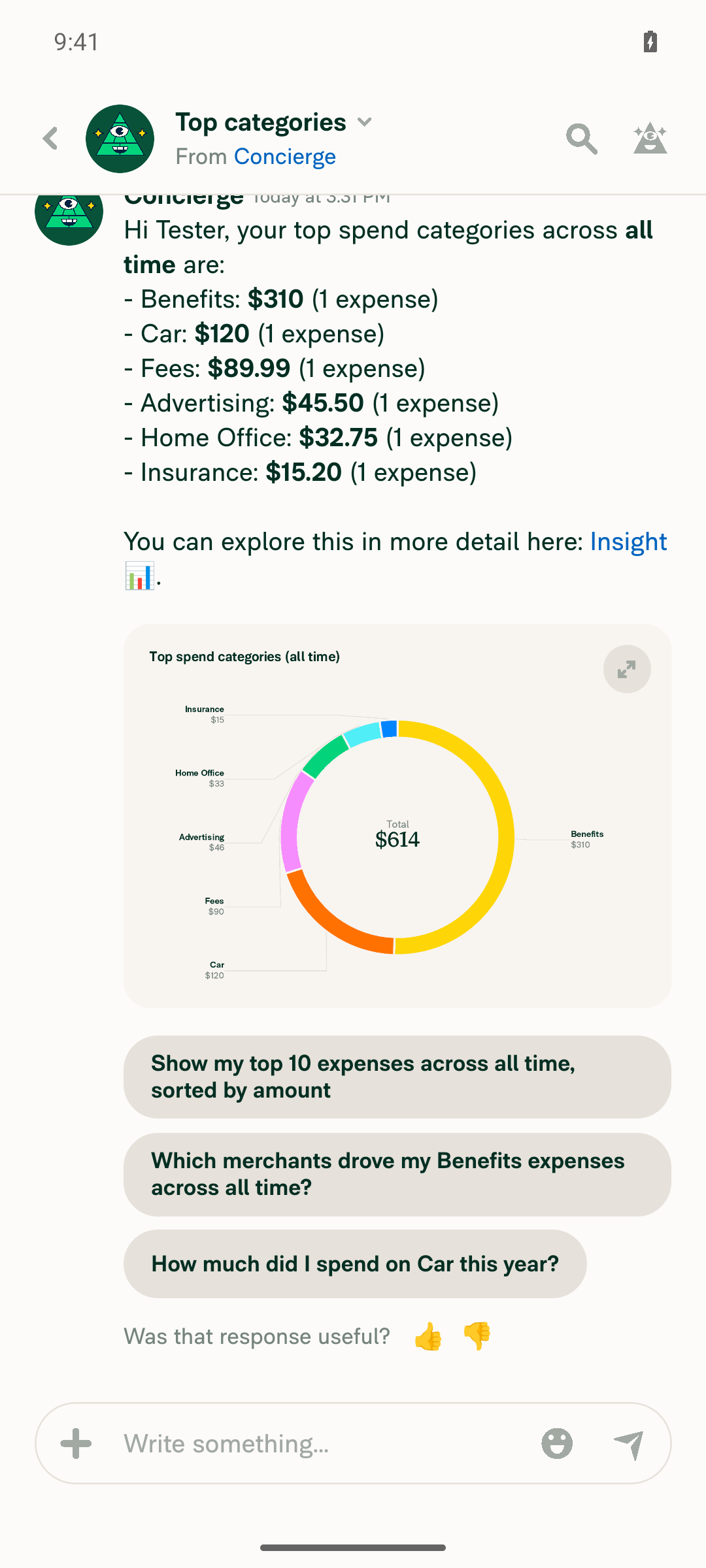
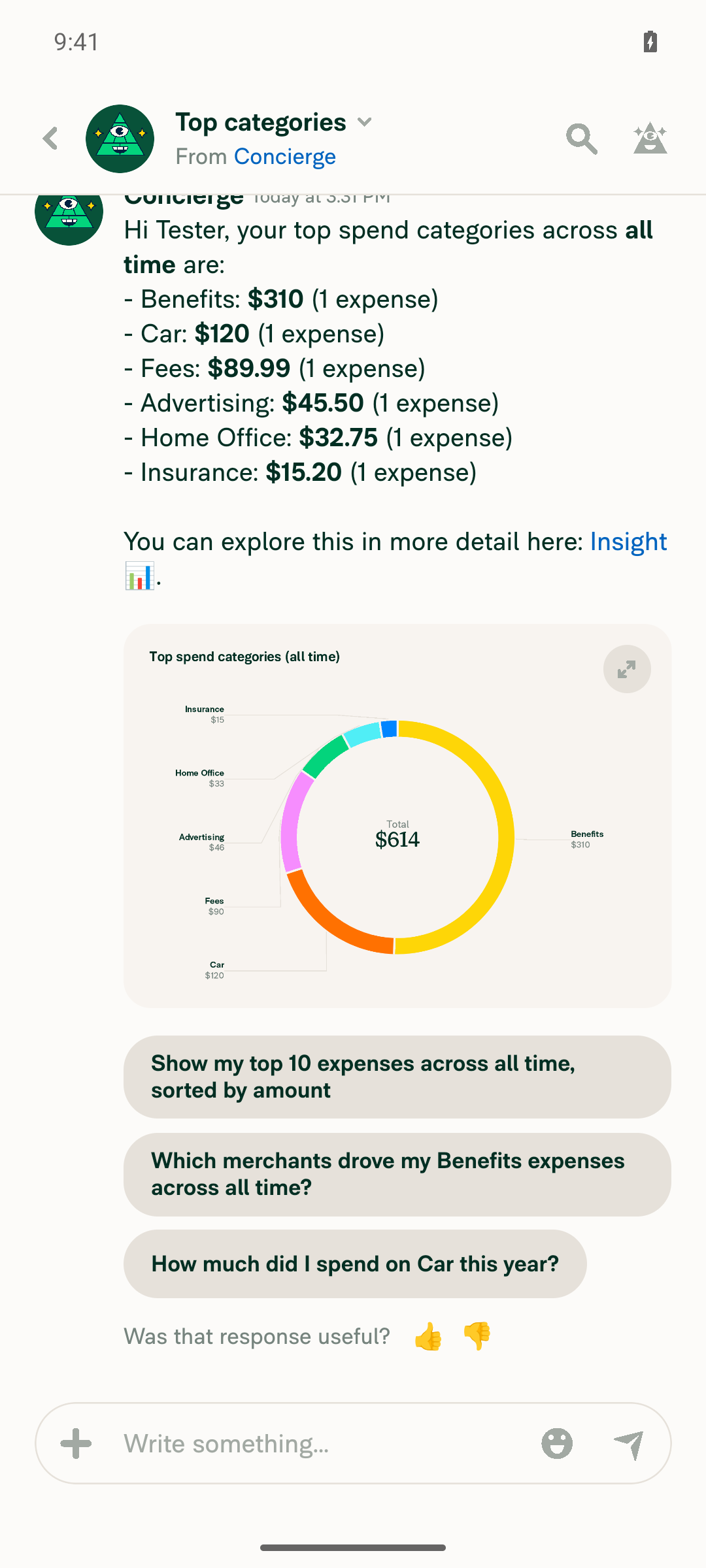
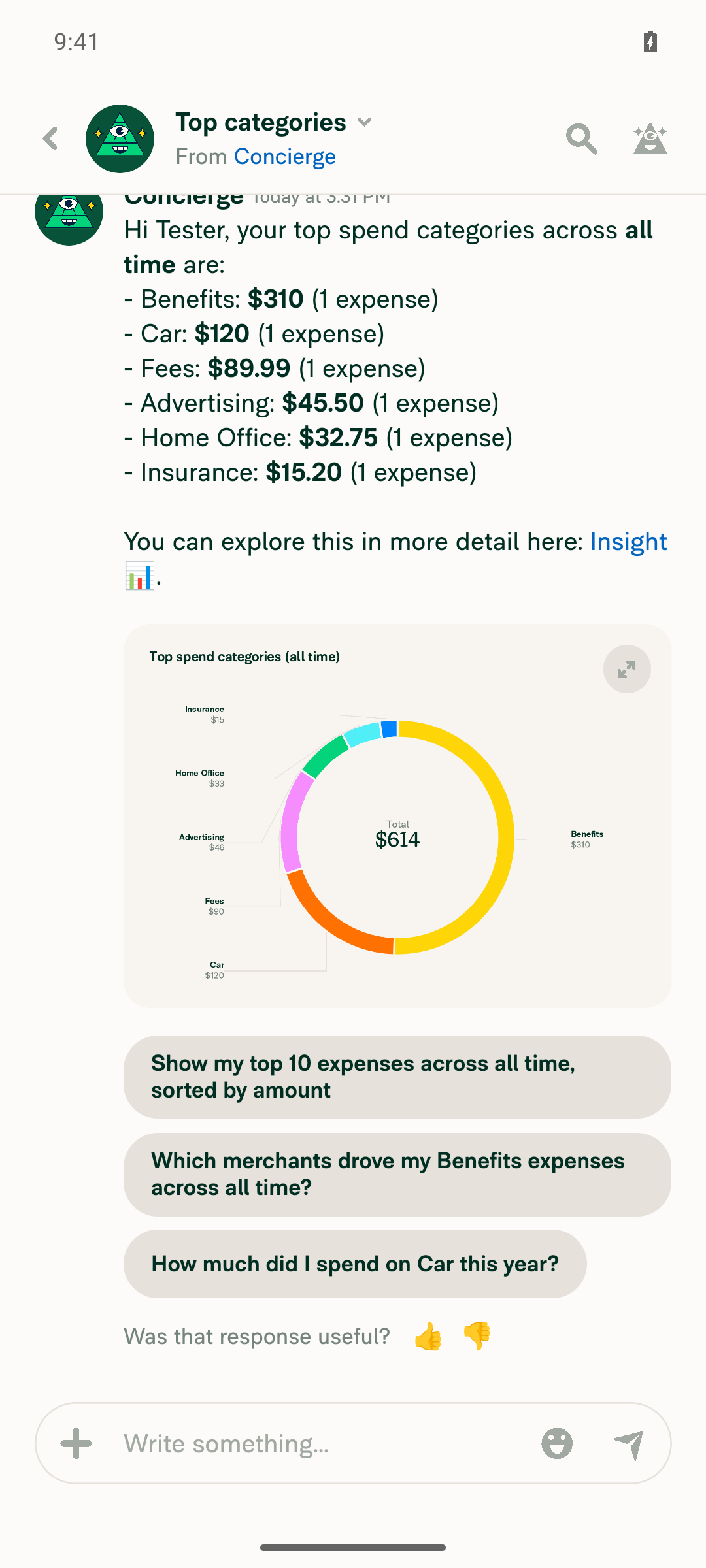
After seeding a workspace with 6 varied expenses and submitting the report, Concierge's "Top categories" request rendered a real inline donut chart. The chart survived two full background/resume cycles — both in the expanded Details modal and back in the inline chat view — with content fully painted, confirming the Skia-canvas-on-resume fix. No redbox or crash was observed at any point.

Inline chart still fully rendered immediately after second background/resume

Step Status
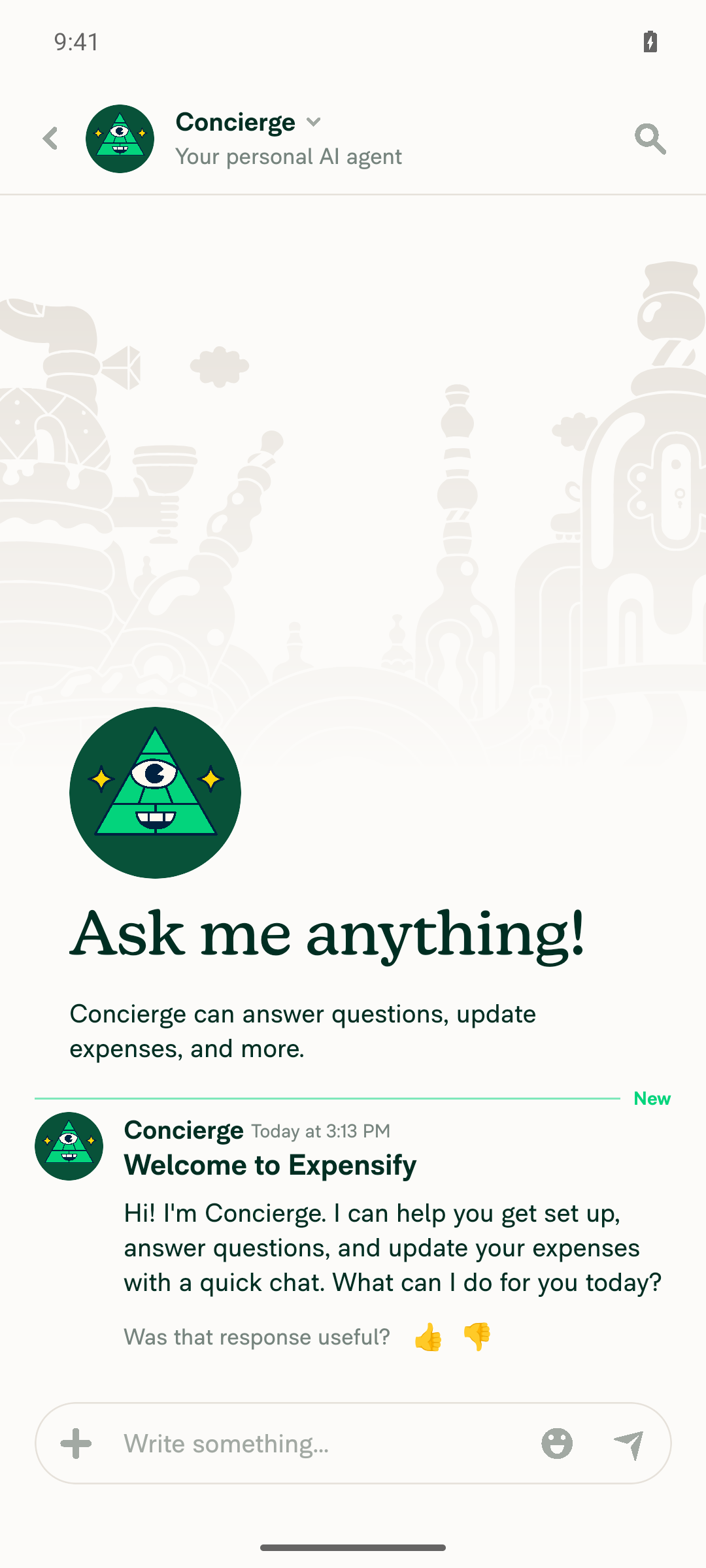
VERIFY 1: Navigate to the Concierge chat and it opens.Tapped the Concierge entry in Inbox; the Concierge 1:1 chat opened showing the welcome message and composer.
Concierge chat opened with welcome message
✅
VERIFY 2: Ask Concierge for "Top spenders"/"Top categories" and an inline chart renders with visible content.After seeding a workspace with 6 expenses (Starbucks $45.50/Advertising, Uber $120/Car, Delta Airlines $89.99/Fees, Office Depot $32.75/Home Office, Amazon $15.20/Insurance, Marriott Hotels $310/Benefits) and submitting the report, "Top spenders" still returned text-only (single-member workspace, nothing to chart), but "Top categories" rendered a fully-painted inline donut chart titled "Top spend categories (all time)" with all 6 category labels/amounts and a "$614" center total, plus a visible expand button.
Inline donut chart rendered in Concierge chat for Top categories
✅
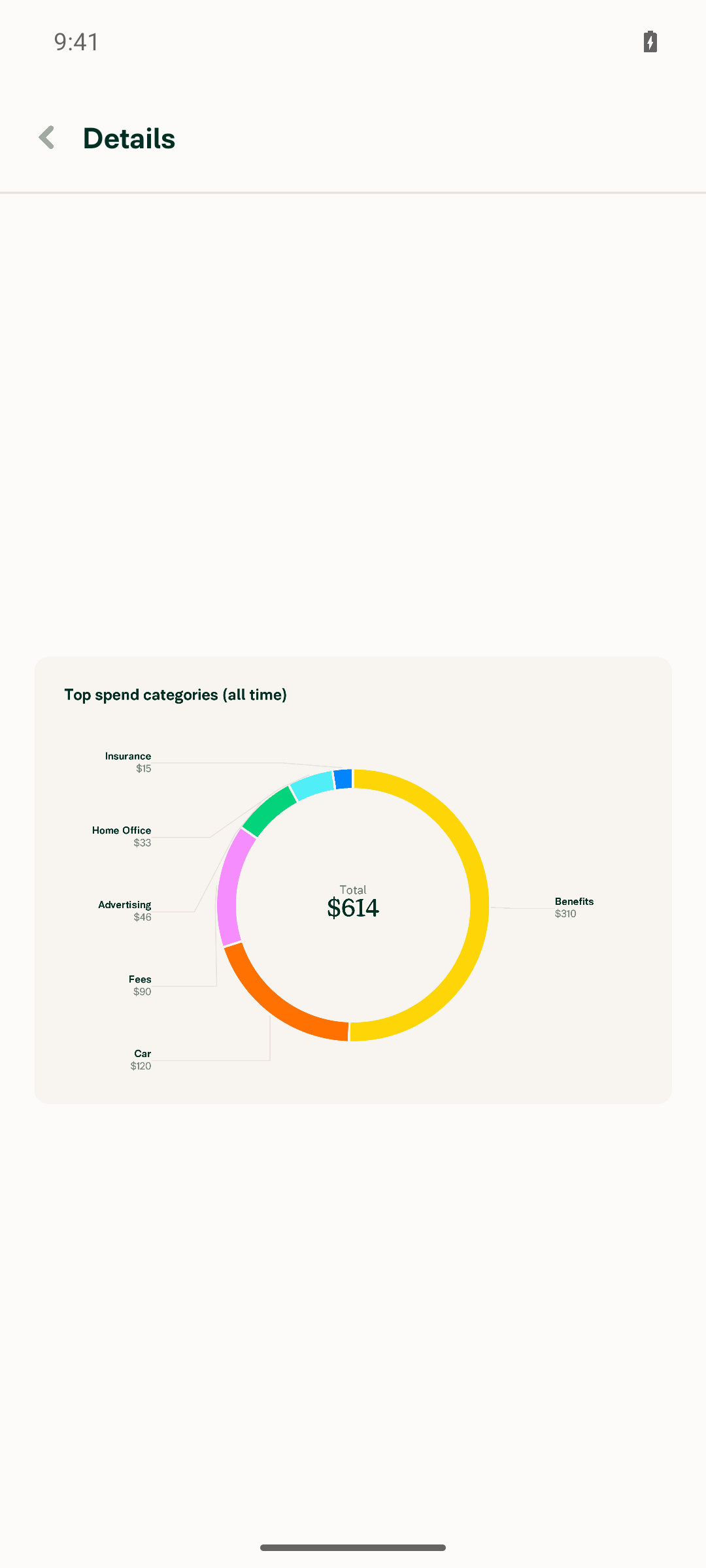
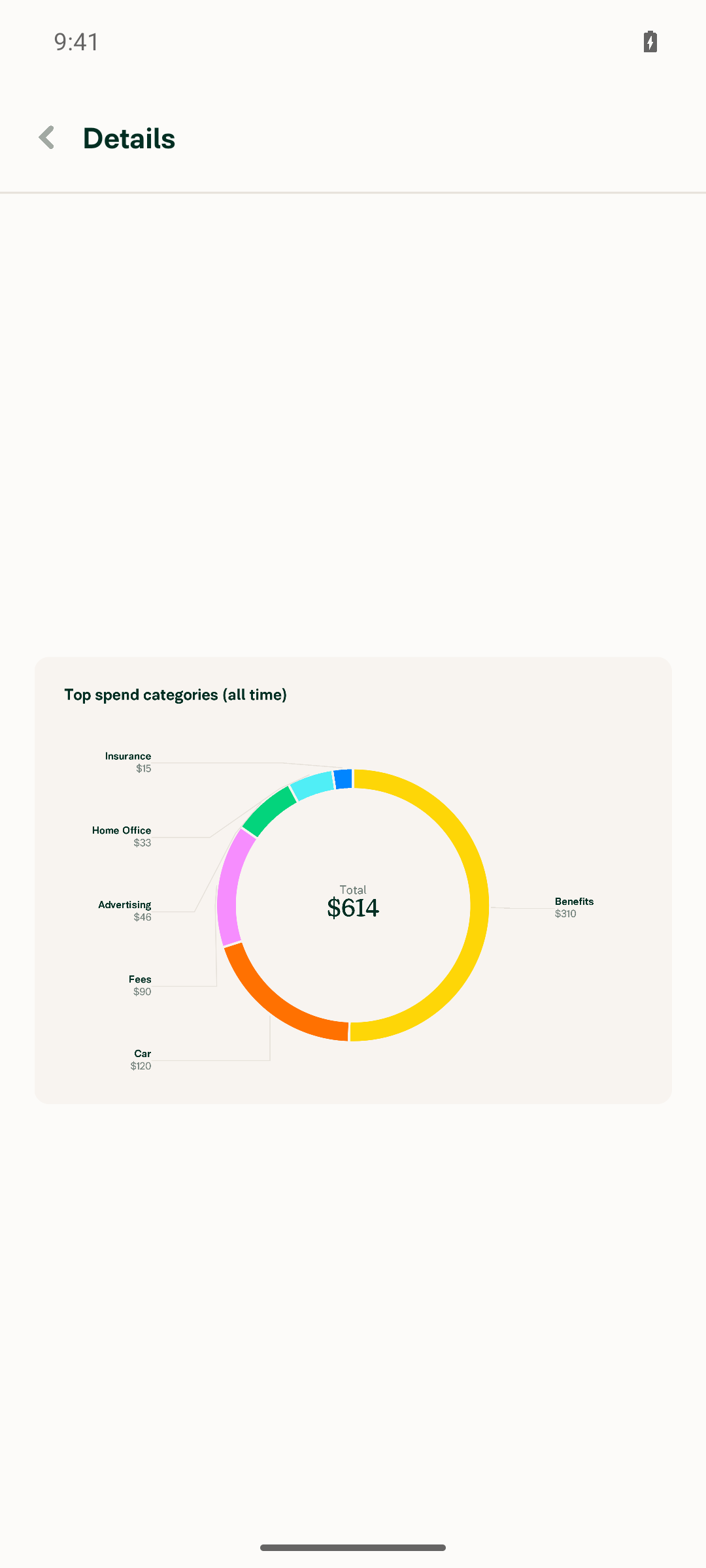
VERIFY 3: Tap the expand button on the inline chart and the expanded chart modal opens showing the chart content.Tapping Expand opened a "Details" screen showing the identical donut chart with all labels and the $614 total, fully rendered.
Expanded chart Details modal with fully rendered donut chart
✅
VERIFY 4: Minimize the app (Home), reopen it — the expanded chart is still displayed with visible content, not blank.Pressed Home (confirmed launcher foregrounded via appstate), reopened via app-switcher (confirmed com.expensify.chat.dev foregrounded again), and the immediate screenshot showed the Details modal chart still fully painted with all category segments, labels, and the $614 total — not blank.
Expanded chart still fully rendered immediately after background/resume
✅
VERIFY 5: Close expanded view, minimize/reopen app again — inline chart in chat still displayed with visible content, not blank.Closed back to the chat (inline chart visible), pressed Home again (launcher foregrounded), reopened via app-switcher (app foregrounded again), and the immediate screenshot showed the inline donut chart in the chat still fully painted — not blank.
Inline chart visible in chat before the second background/resume
Inline chart still fully rendered immediately after second background/resume
✅
VERIFY 6: No JS console/redbox errors appear during the flow.No redbox, error toast, or crash was observed on any screen captured across workspace creation, 6 expense submissions, report submission, both Concierge chart requests, chart expand, and two full background/resume cycles. Note: session log streaming was not active for this run, so this is based on visual observation across all captured screens, not a full console-log grep.
✅

Two caveats worth your attention, situchan:

  • The PR's Tests section is still a // TODO placeholder, so these steps came from the Action Performed list on [Exploratory] Chart- Inline chart is empty when minimize and reopen app.
  • The first run of this session was blocked — the test account had no expense data, so Concierge produced text-only replies with no chart. I seeded a workspace with 6 expenses across distinct categories to get a chart to render. Top spenders never charted (single workspace member); Top categories is what produced the donut chart used above. Testing ran on standalone Android NewDot (developmentDebug) from branch claude-chartCanvasRemountOnForeground.

view run · view recording

@MelvinBot

MelvinBot commented Sep 18, 2026 •

Copy link
Copy Markdown
Contributor Author

🤖 Web test steps verification results: ⚠️ partial

Concierge chat opens and "Top categories" produces a fully-rendered inline donut chart that expands correctly to a detail view. The background/foreground page-visibility check and the console-log capture could not be executed, because the web automation surface for this session exposes no tab/visibility/blur verb and no console-log verb.

Back in Concierge thread after closing expanded view; inline chart still rendering normally

Step Status
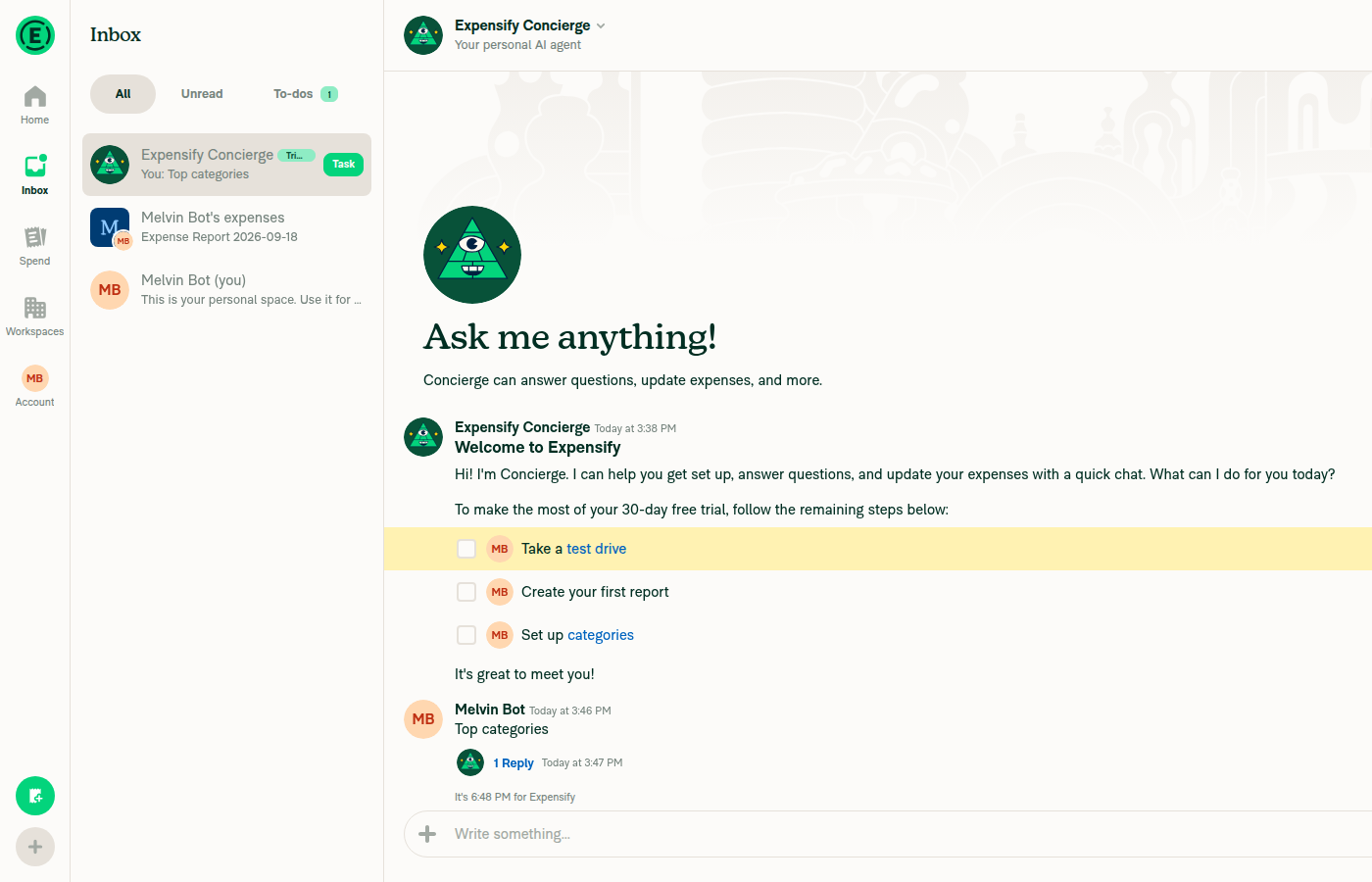
VERIFY 1: Navigate to Concierge chat and it opensLocated and opened the Concierge 1:1 chat via search; header shows "Expensify Concierge / Your personal AI agent" with the "Ask me anything!" prompt and prior onboarding messages.
Concierge chat open, showing Ask me anything and onboarding history
✅
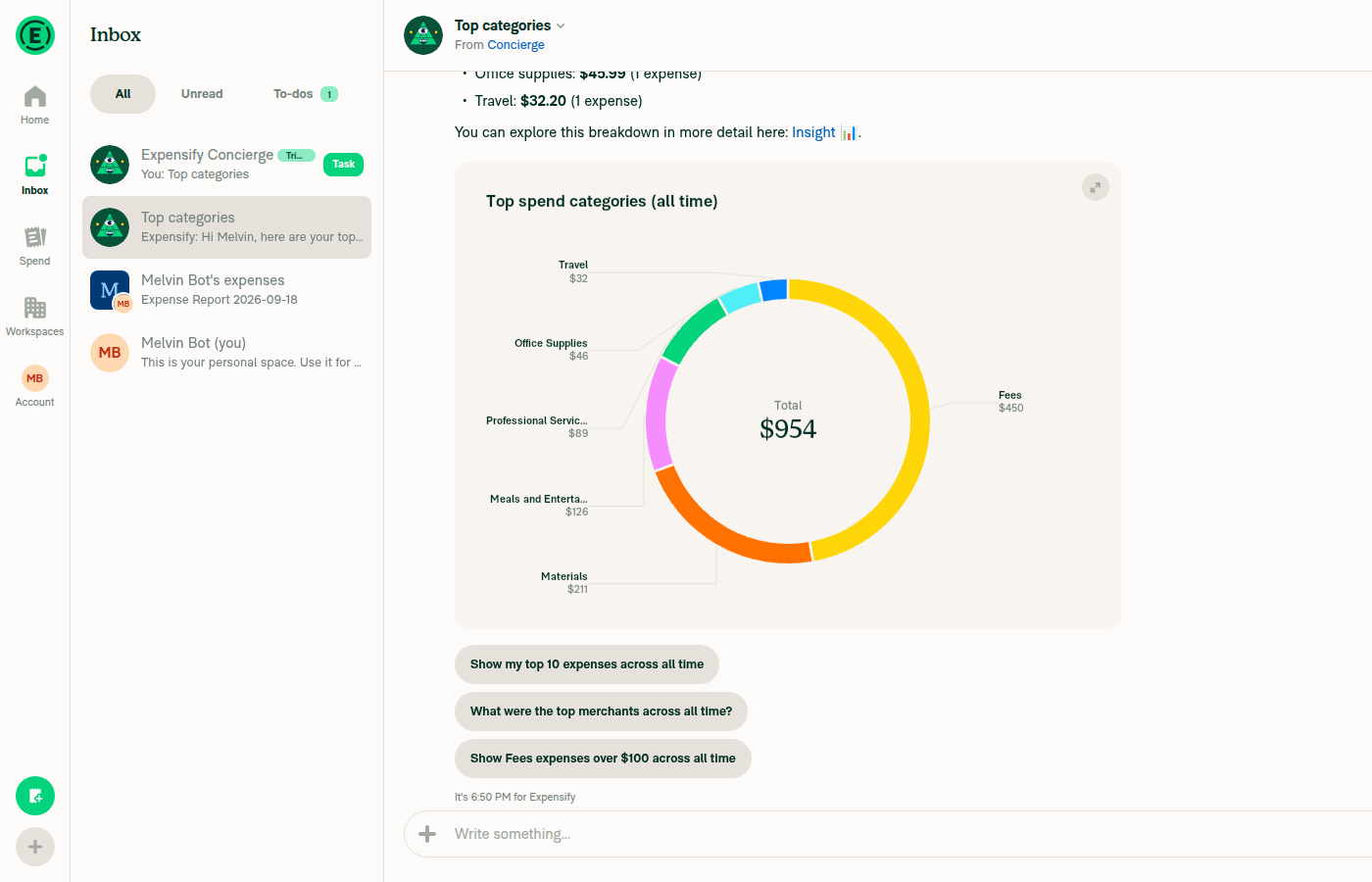
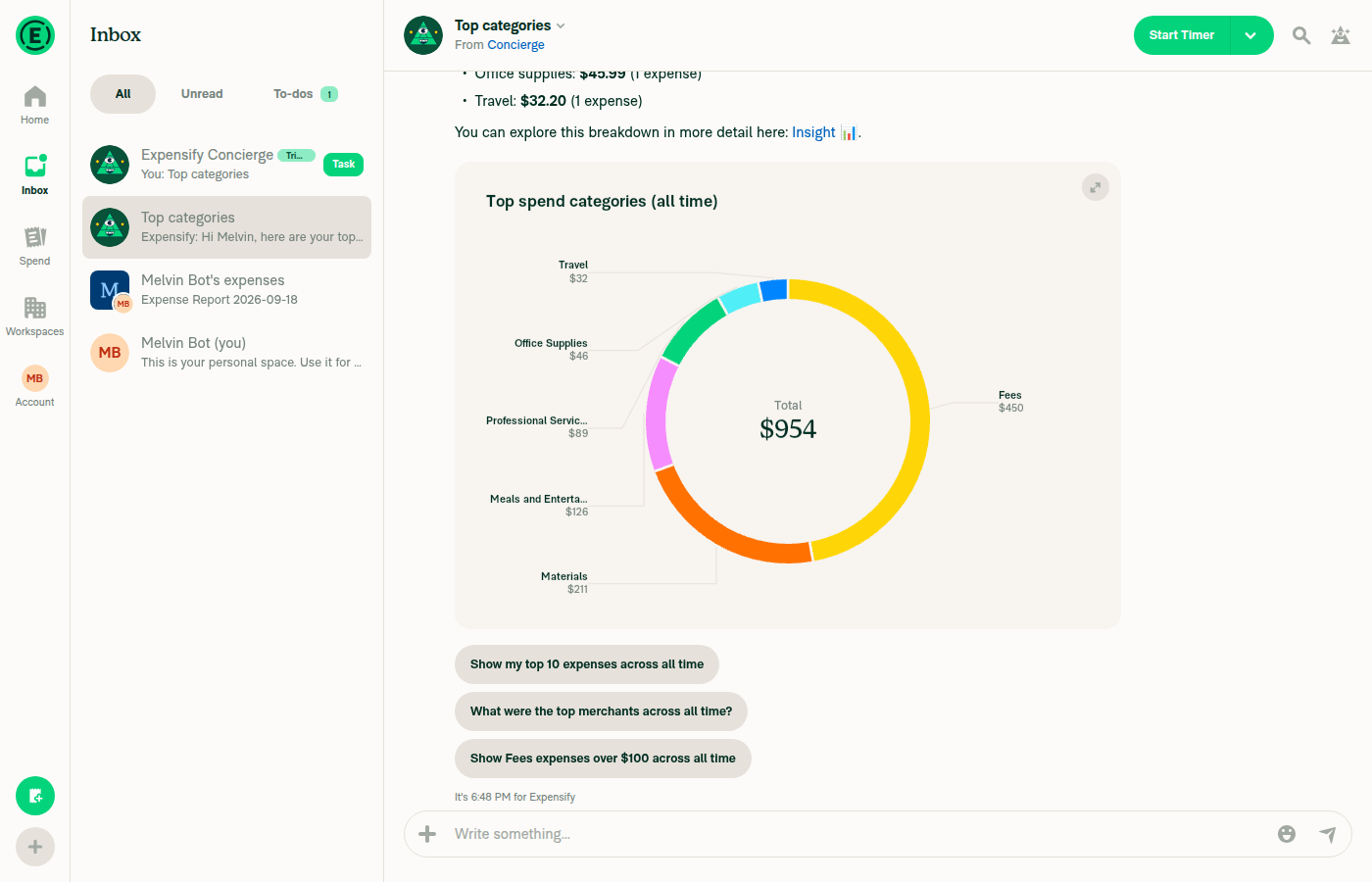
VERIFY 2: Ask Concierge "Top categories" and an inline chart renders with visible contentSent "Top categories"; Concierge replied in a thread with a text breakdown plus an inline donut chart titled "Top spend categories (all time)" showing labeled segments (Fees $450, Materials $211, Meals and Entertainment $126, Professional Services $89, Office Supplies $46, Travel $32) and a "Total $954" center label — not blank.
Inline donut chart in Concierge thread with visible segments and total
✅
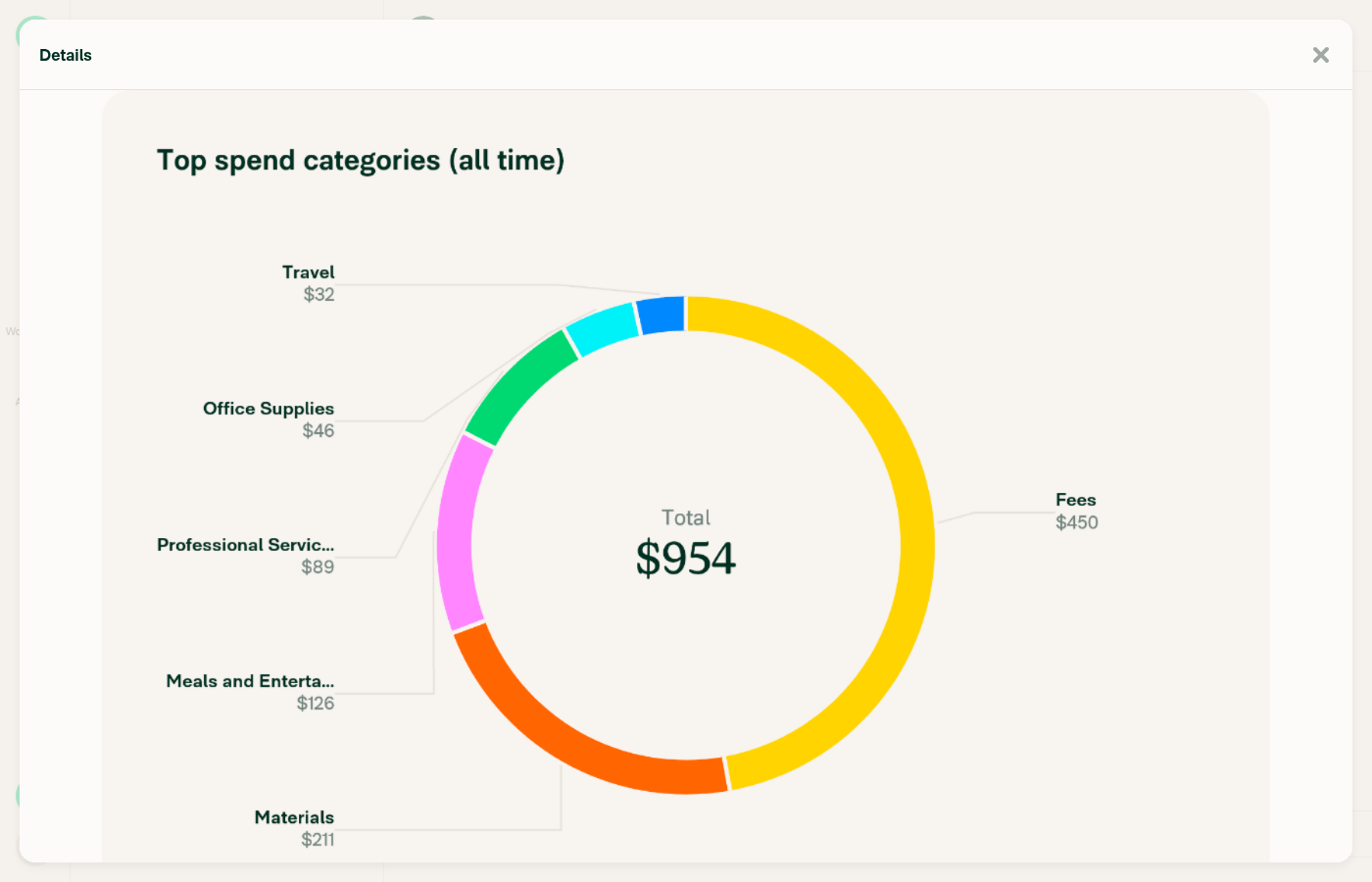
VERIFY 3: Click the chart's expand button and the expanded view shows chart contentClicked the "Expand" control on the inline chart card; a "Details" modal opened showing the same "Top spend categories (all time)" donut chart, fully rendered with all category labels and the $954 total, at larger scale.
Expanded Details modal showing the full chart with visible content
❌
VERIFY 4: Expanded chart survives a background/foreground (visibility) cycle without going blankNot executable. open --help shows no new-tab flag, and calling open against a CI-owned session is disallowed by the session-lifecycle rule. No tab list/select/close verb exists in the 69-command catalog or in this session's 21-command web capability list. react-native --help exposes only dismiss-overlay (LogBox/RedBox), so there is no eval/inject hook to dispatch a visibilitychange event. Static analysis only: the web variant of the hook returns the constant 0 regardless of any visibility signal, so there is no visibility-dependent branch on web to begin with — but that is not a driven test.
❌
VERIFY 5: Inline chart survives closing the expanded view and a background/foreground cycle without going blankPartially driven. Closing the expanded "Details" modal back to the chat left the inline chart rendering normally with all segments and the $954 total. The background/foreground portion is unexecutable for the same reason as VERIFY 4.
Back in Concierge thread after closing expanded view; inline chart still rendering normally
❌
VERIFY 6: No JS console errors during the flowNot executable. agent-device logs path|start|doctor --platform web all return Error (UNSUPPORTED_OPERATION): logs is not supported on this device. screenshot, snapshot and diff have no --console flag, and network only parses HTTP(S) traffic. As a partial proxy, network dump 60 over the session showed zero 4xx/5xx responses across all API and bundle requests during the flow.
❌

Three things worth your attention, situchan:

  • The PR's Tests section is still a // TODO placeholder, so these steps came from the Action Performed list on [Exploratory] Chart- Inline chart is empty when minimize and reopen app.
  • The steps this PR actually targets cannot be driven on web. The background/resume cycle is the whole point of the fix, and the web harness has no way to hide and re-show the page. Web is covered by src/components/Charts/hooks/useSkiaCanvasRemountKey/index.ts, which returns a constant, so web behavior is unchanged by construction — but that is a code-reading argument, not a test result. What I did prove on web is the regression check: charts still render, expand and return to the thread correctly.
  • The Android run of these same steps passed all six, including both background/resume cycles — that is the verification that matters for this fix.

The web account had no expense data, so I seeded a workspace with 6 expenses across distinct categories to get a chart to render. The prestart onboarding replay also failed (REPLAY_DIVERGENCE on a stale Skip ref) and was recovered by hand before testing started.


view run · view recording

@situchan

situchan commented Oct 7, 2026

Copy link
Copy Markdown
Contributor

@MelvinBot pull main

…ountOnForeground

Co-authored-by: Situ Chandra Shil <situchan@users.noreply.github.com>
@MelvinBot

Copy link
Copy Markdown
Contributor Author

I merged the latest main into this branch and pushed it (merge commit 0a1e638). Git merged it with no conflicts.

@situchan situchan closed this Oct 7, 2026
@situchan

situchan commented Oct 7, 2026 •

Copy link
Copy Markdown
Contributor

This doesn't fix the root cause. This rebuilds every mounted Victory chart and its GL surface on every resume.

I am going with my own solution which fixes the real root cause - #103398.

Sign up for free to join this conversation on GitHub. Already have an account? Sign in to comment

Labels

Melvin-Test-Android Melvin-Test-Web Triggers Melvin to run the testing steps of the PR on web

Projects

None yet

Development

Successfully merging this pull request may close these issues.

2 participants