Skip to content

Fix: don't render a copilot badge on Concierge-authored actions - #101714

Merged
AndrewGable merged 2 commits into
mainfrom
claude-conciergeCopilotTooltip
Sep 21, 2026
Merged

AndrewGable merged 2 commits into
mainfrom
claude-conciergeCopilotTooltip

Conversation

@MelvinBot

@MelvinBot MelvinBot commented Sep 21, 2026 •

Copy link
Copy Markdown
Contributor

Explanation of Change

Hovering the Concierge avatar on a track-expense whisper in the self-DM showed B (as copilot for Concierge) when the account was being driven by a copilot. Concierge is a system actor and never has a copilot.

The server stamps delegateAccountID on every action a copilot's request creates — including actions authored by Concierge. The app already has an accessor that suppresses this, getDelegateAccountIDFromReportAction(), which returns undefined when actorAccountID is Concierge. The avatar path read action.delegateAccountID raw and bypassed it.

Because the guard does work everywhere else, actedForAccountID came back undefined, so AvatarTooltip fell back to the avatar's own id (Concierge) and rendered "copilot for Concierge".

This restores the guarded read in the places that bypassed it:

  • src/components/ReportActionAvatars/index.tsx — the avatar tooltip on a report action (the reported bug).
  • src/components/ReportHeaderAvatars.tsx — the report-details header avatar, which had the same raw read.
  • src/pages/inbox/report/ReportActionItemSingle.tsx — the sender name tooltip, plus the optimistic-personal-details lookup that gates the profile page. Both read the field raw, so hovering the name had the same bug.

The existing shouldUseConciergeAvatar flag does not cover this: it requires !passedAction, so it is always false for a report action.

This is a regression of a fix that already shipped — fix: Concierge message is displayed with a copilot header for uncategorized expense added the guard for this exact repro, and ReportActionAvatars — Layer 1 primitives + IconsAvatar later replaced the guarded call with the raw field read. The new unit test in tests/unit/ReportActionAvatarsCopilotTest.tsx asserts both directions (no copilot on a Concierge-authored action, copilot preserved on a real one) so a third recurrence is caught in CI. Verified that the test fails on the pre-fix code with copilot: {accountID: 67890, actedForAccountID: undefined} — exactly the state that produces the bad tooltip.

AI Tests run by MelvinBot
Check Result
npm run lint-changed ✅ pass
npm run typecheck ✅ pass
npm run spell-changed ✅ pass (4 files checked, 0 issues)
npm run react-compiler-compliance-check check <changed files> ✅ pass
npm test — new test + 7 avatar suites (351 tests) ✅ pass
npm test --findRelatedTests over the 3 changed source files ✅ pass

tests/unit/pages/HomePage.test.tsx failed intermittently during the large related-tests run. It passes in isolation, and the same suite batch passes on both this branch and a clean origin/main, so it is flaky in the CI sandbox and unrelated to this change.

Browser verification could not run: the provided test session was left on a blank page after its onboarding replay diverged, and recovering it is outside this run's permissions. Reproducing the bug by hand also needs a two-account copilot setup, which that session cannot create. The unit test covers the exact regression instead.

Formatting via oxfmt --check could not be run directly in the sandbox; lint-changed covers the changed files.

Fixed Issues

$ #100597
PROPOSAL: #100597 (comment)

Tests

Precondition: the main account has added account B as a copilot.

  1. Sign in to staging.new.expensify.com with the copilot account.
  2. Navigate to account settings > two arrows (to change to the main account).
  3. With the main account opened as the copilot account, navigate to the personal conversation ("Your space").
  4. Create an expense (track an expense) with the category field empty.
  5. Hover over the Concierge avatar.
  6. Verify that the tooltip displays "Concierge" and Concierge's email address, rather than the Copilot's name and email address.
  • Verify that no errors appear in the JS console

Offline tests

This change only affects how an already-rendered report action's avatar tooltip is built, so there is no network behavior to exercise.

  1. Complete steps 1-4 of the Tests section while online.
  2. Go offline.
  3. Hover over the Concierge avatar on the whisper.
  4. Verify the tooltip still displays "Concierge" and Concierge's email address, with no Copilot name or email.

QA Steps

Same as tests.

  • Verify that no errors appear in the JS console

PR Author Checklist

  • I linked the correct issue in the ### Fixed Issues section above
  • I wrote clear testing steps that cover the changes made in this PR
    • I added steps for local testing in the Tests section
    • I added steps for the expected offline behavior in the Offline steps section
    • I added steps for Staging and/or Production testing in the QA steps section
    • I added steps to cover failure scenarios (i.e. verify an input displays the correct error message if the entered data is not correct)
    • I turned off my network connection and tested it while offline to ensure it matches the expected behavior (i.e. verify the default avatar icon is displayed if app is offline)
    • I tested this PR with a High Traffic account against the staging or production API to ensure there are no regressions (e.g. long loading states that impact usability).
  • I included screenshots or videos for tests on all platforms
  • I ran the tests on all platforms & verified they passed on:
    • Android: Native
    • Android: mWeb Chrome
    • iOS: Native
    • iOS: mWeb Safari
    • MacOS: Chrome / Safari
  • I verified there are no console errors (if there's a console error not related to the PR, report it or open an issue for it to be fixed)
  • I followed proper code patterns (see Reviewing the code)
    • I verified that comments were added to code that is not self explanatory
    • I verified that any new or modified comments were clear, correct English, and explained "why" the code was doing something instead of only explaining "what" the code was doing.
    • I verified any copy / text that was added to the app is grammatically correct in English. It adheres to proper capitalization guidelines (note: only the first word of header/labels should be capitalized), and is either coming verbatim from figma or has been approved by marketing (in order to get marketing approval, ask the Bug Zero team member to add the Waiting for copy label to the issue)
  • If a new code pattern is added I verified it was agreed to be used by multiple Expensify engineers
  • I followed the guidelines as stated in the Review Guidelines
  • I tested other components that can be impacted by my changes (i.e. if the PR modifies a shared library or component like Avatar, I verified the components using Avatar are working as expected)
  • If a new CSS style is added I verified that:
    • A similar style doesn't already exist
    • The style can't be created with an existing StyleUtils function (i.e. StyleUtils.getBackgroundAndBorderStyle(theme.componentBG))
  • If new assets were added or existing ones were modified, I verified that:
    • The assets are optimized and compressed (for SVG files, run npm run compress-svg)
    • The assets load correctly across all supported platforms.
  • If the PR modifies code that runs when editing or sending messages, I tested and verified there is no unexpected behavior for all supported markdown - URLs, single line code, code blocks, quotes, headings, bold, strikethrough, and italic.
  • If the PR modifies a generic component, I tested and verified that those changes do not break usages of that component in the rest of the App (i.e. if a shared library or component like Avatar is modified, I verified that Avatar is working as expected in all cases)
  • If the PR modifies a component related to any of the existing Storybook stories, I tested and verified all stories for that component are still working as expected.
  • If the PR modifies a component or page that can be accessed by a direct deeplink, I verified that the code functions as expected when the deeplink is used - from a logged in and logged out account.
  • If the PR modifies the UI (e.g. new buttons, new UI components, changing the padding/spacing/sizing, moving components, etc) or modifies the form input styles:
    • I verified that all the inputs inside a form are aligned with each other.
    • I added Design label and/or tagged @Expensify/design so the design team can review the changes.
  • I added unit tests for any new feature or bug fix in this PR to help automatically prevent regressions in this user flow.
  • If the main branch was merged into this PR after a review, I tested again and verified the outcome was still expected according to the Test steps.

Screenshots/Videos

Android: Native
Android: mWeb Chrome
iOS: Native
iOS: mWeb Safari
MacOS: Chrome / Safari

Read delegateAccountID through getDelegateAccountIDFromReportAction instead of
off the report action. The server stamps delegateAccountID on every action a
copilot's request creates, including Concierge-authored ones, so reading it raw
made the Concierge avatar tooltip read "B (as copilot for Concierge)".

Co-authored-by: Sobit Neupane <sobitneupane@users.noreply.github.com>
@MelvinBot
MelvinBot requested a review from a team September 21, 2026 09:35
@melvin-bot melvin-bot Bot added Melvin-Test-Android Melvin-Test-Web Triggers Melvin to run the testing steps of the PR on web labels Sep 21, 2026
@MelvinBot

Copy link
Copy Markdown
Contributor Author

I created this PR from an upstream branch since I don't have push access to your fork.

To take ownership of this branch and be able to push updates, run:

git remote add upstream https://github.com/Expensify/App.git
git fetch upstream claude-conciergeCopilotTooltip
git checkout -b claude-conciergeCopilotTooltip upstream/claude-conciergeCopilotTooltip
git push -u origin claude-conciergeCopilotTooltip

Then you can close this PR and open a new one from your fork.

@sobitneupane

Copy link
Copy Markdown
Contributor

@codex review

Co-authored-by: Sobit Neupane <sobitneupane@users.noreply.github.com>
@MelvinBot

Copy link
Copy Markdown
Contributor Author

Fixed and pushed. The only real failure was Oxfmt check — oxfmt wanted the import type {AvatarIcon} line sorted above the two value imports from @components/... in the new test file. One line moved, no logic change.

tests/unit/ReportActionAvatarsCopilotTest.tsx:3-5

Check independent approval is also red, but that is a process gate waiting on a human reviewer, not something I can or should push a commit for.

Verification
Check Result
npm run fmt then git status ✅ clean (idempotent on re-run)
npx eslint tests/unit/ReportActionAvatarsCopilotTest.tsx ✅ pass
npm run typecheck ✅ pass
npm test -- tests/unit/ReportActionAvatarsCopilotTest.tsx ✅ 2 passed

npm run lint-changed could not run — this checkout is a depth-1 shallow clone, so git merge-base origin/main HEAD has no common ancestor and the script exits early. I ran eslint on the changed file directly instead.


view run

@chatgpt-codex-connector

Copy link
Copy Markdown

Codex Review: Didn't find any major issues. Nice work!

Reviewed commit: d879236379

ℹ️ About Codex in GitHub

Codex has been enabled to automatically review pull requests in this repo. Reviews are triggered when you

  • Open a pull request for review
  • Mark a draft as ready
  • Comment "@codex review".

If Codex has suggestions, it will comment; otherwise it will react with 👍.

When you sign up for Codex through ChatGPT, Codex can also answer questions or update the PR, like "@codex address that feedback".

@MelvinBot

MelvinBot commented Sep 21, 2026 •

Copy link
Copy Markdown
Contributor Author

🤖 Web test steps verification results: ⚠️ partial

The tracked expense with an empty category was created in "Your space" and the Concierge whisper appeared, but the two tooltip assertions could not be exercised: this headless browser exposes no fine-pointer hover, so the App's hasHoverSupport() gate suppresses every hover tooltip. A control probe on an unrelated element with a known tooltip confirmed it is a global environment limitation, not a regression from this PR. Console-error capture and the copilot variant are also blocked.

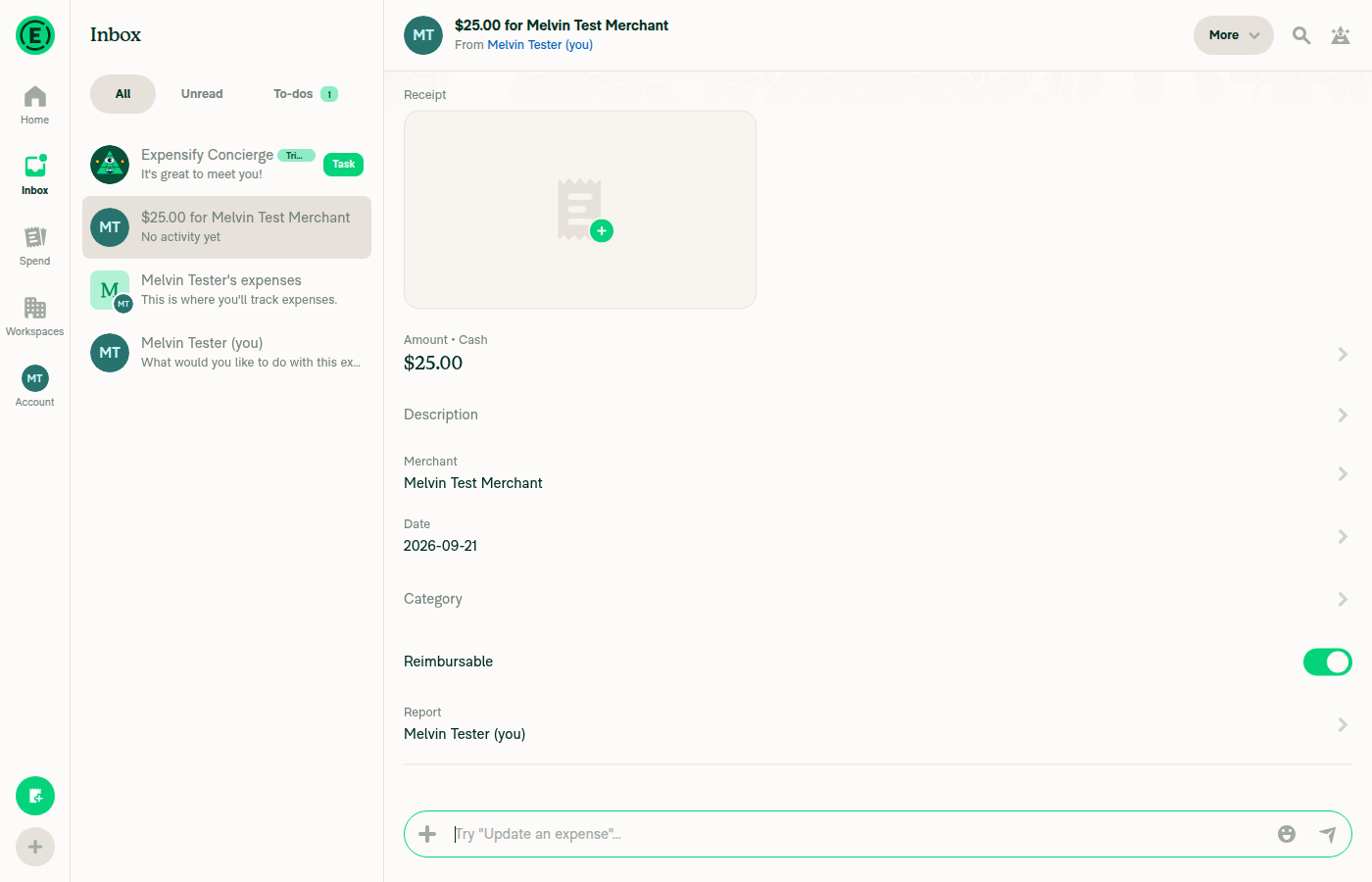
Expense details showing Category empty

Step Status
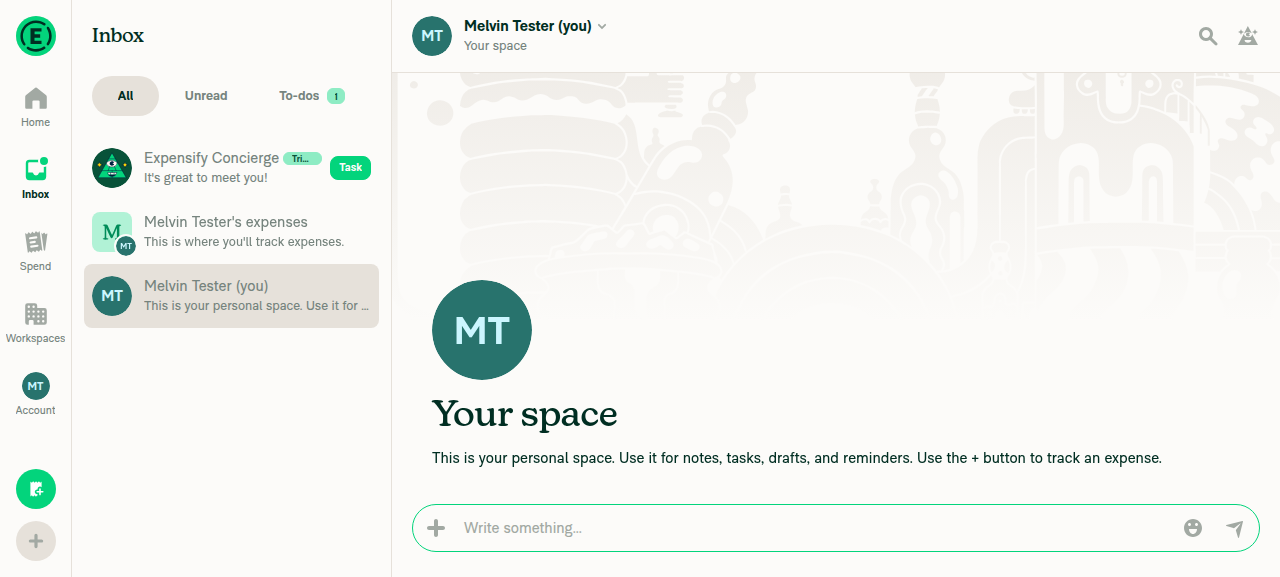
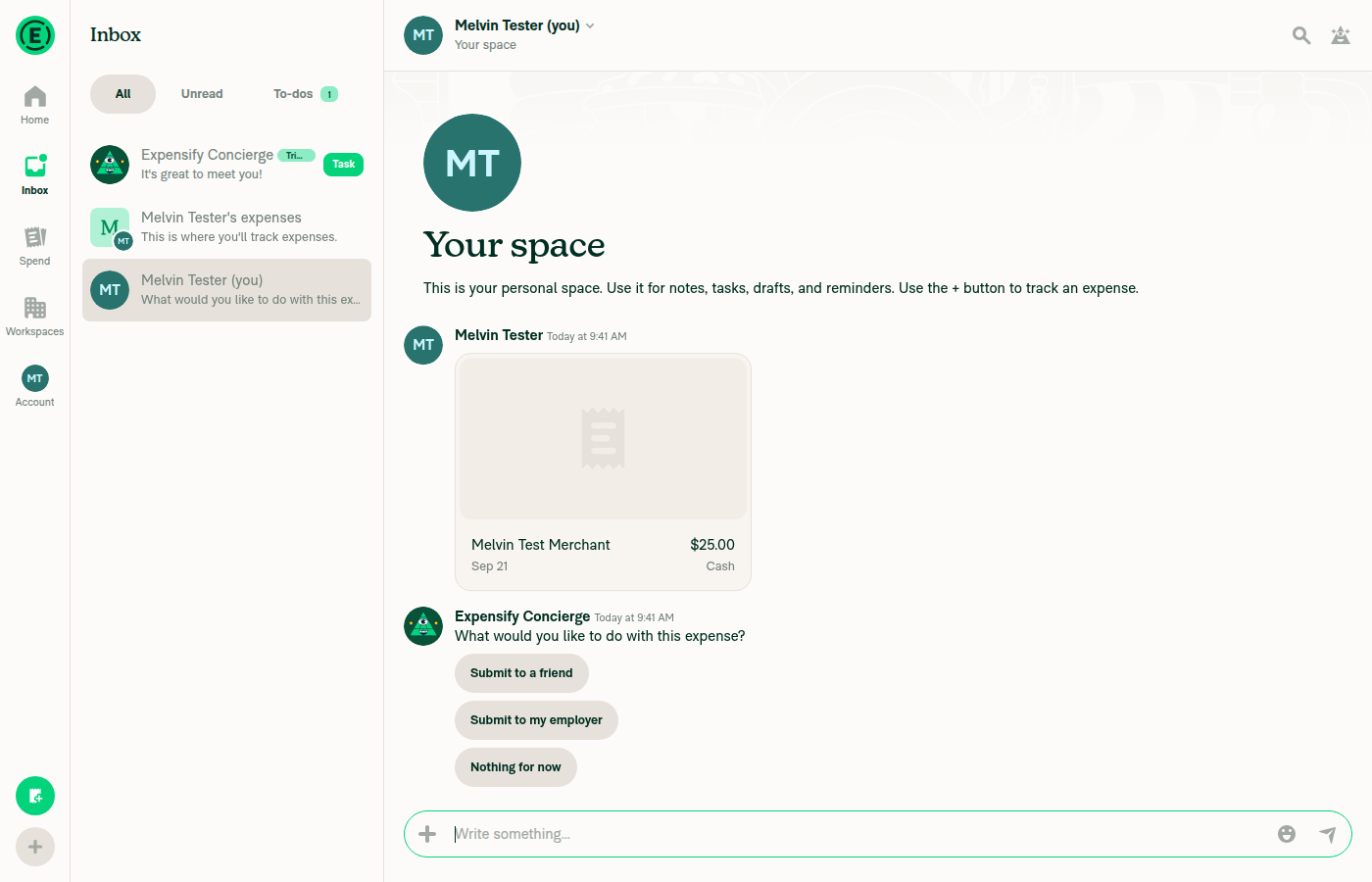
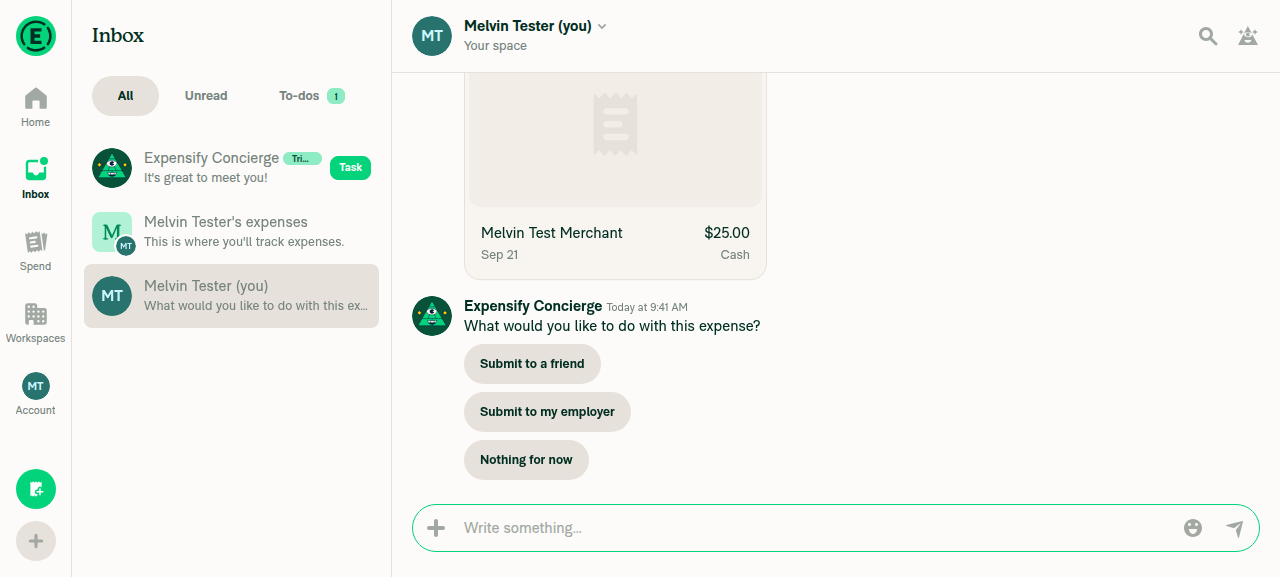
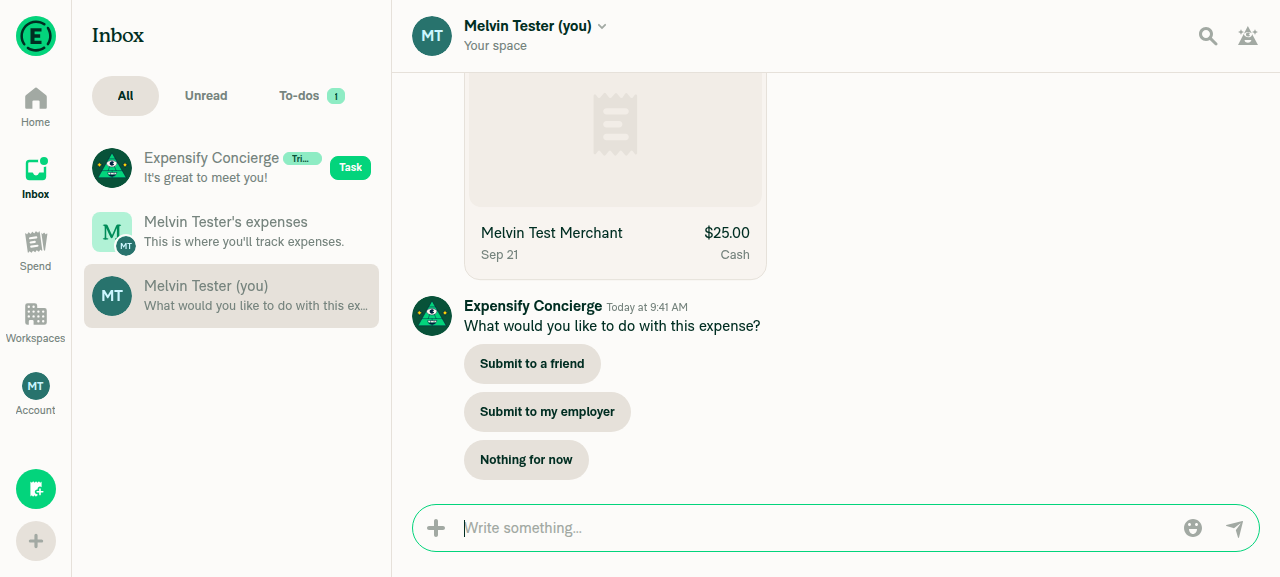
1. Tracked expense created in Your space (self-DM) with the category left empty, and a Concierge whisper appears on itOpened the self-DM (header "Melvin Tester (you)" / subtitle "Your space"), composer + > Create expense > Manual, participant pre-selected as "Melvin Tester (you), Your space". Filled Amount 25 and Merchant "Melvin Test Merchant"; the Category row was never touched. After Create expense the chat shows the tracked expense preview ($25.00 / Melvin Test Merchant / Cash) followed by the whisper "Expensify Concierge, Today at 9:41 AM, What would you like to do with this expense?" with Submit to a friend / Submit to my employer / Nothing for now. Opening the expense confirms Category is empty.
Self-DM Your space open before creating the expense
Tracked 25.00 expense in Your space with the Expensify Concierge whisper below it
Expense details showing Category empty
✅
2. Hovering the Concierge avatar on the whisper shows a tooltip reading only "Concierge" (no "as copilot for")No tooltip can render in this environment. Hovered the whisper avatar both by element reference and by coordinates, with a prior mouse move and a second in-element move, plus settle and 2s waits. The settled diff reported +0 -0 — no tooltip node ever mounted, and the report-action hover toolbar never appeared either. Root cause is environmental: src/libs/DeviceCapabilities/hasHoverSupport/index.ts returns window.matchMedia('(hover: hover) and (pointer: fine)').matches, which this headless backend does not satisfy, so the App disables all hover UI.
Concierge avatar under the pointer - no tooltip rendered
⚠️
3. Hovering the Concierge sender name on the whisper shows a tooltip reading only "Concierge" (no "as copilot for")Same hover gate as step 2. Hovered the "Expensify Concierge" sender name by reference and by coordinates at two viewport sizes (1280x577 and 1400x900); no tooltip appeared. Control probe: hovering the header Search icon — which has a plain, always-present tooltip unrelated to this PR — also produced no tooltip, confirming hover tooltips are globally unavailable in this session rather than broken for Concierge.
Pointer on the Expensify Concierge sender name - no tooltip rendered
Control probe: header Search icon tooltip also does not render
⚠️
4. No JS console errors during the flowBrowser console capture is not available on this platform, so this could not be asserted directly. Indirect signal only: no error banner or error state appeared at any point — onboarding, expense creation and expense-detail navigation all completed normally.
⚠️
5. Copilot variant — sign in as a copilot, switch to the main account, repeat steps 1-3Out of scope by design: it needs a second account added as a copilot on the first, i.e. two accounts and an account switch in one run. The test session provides a single account, and sign-in/sign-out loops are not possible (the magic code is unobtainable on an automated run). Not attempted.
⚠️

What still needs manual QA: the two tooltip assertions (steps 2 and 3) in a hover-capable browser, and the copilot variant (step 5), which is the actual repro from Copilot - Hover the Concierge avatar show "B as Copilot for Concierge" in SelfDM. The base case reached here — Concierge whisper with no copilot in play — is the regression guard, not the fix itself.

For reference, the fix's behavior is gated on getDelegateAccountIDFromReportAction(), which short-circuits for Concierge, while the copilot suffix is built in src/components/UserDetailsTooltip/BaseUserDetailsTooltip/index.tsx:40 and only runs when delegateAccountID > 0.


view run · view recording

@MelvinBot

MelvinBot commented Sep 21, 2026 •

Copy link
Copy Markdown
Contributor Author

🤖 Android test steps verification results: ⚠️ partial

Verified on the standalone Android NewDot build (Metro serving claude-conciergeCopilotTooltip at ed38768): the tracked-expense + Concierge-whisper flow works, and both the whisper sender name and the avatar path render exactly "Concierge" with no "as copilot for" text, with no JS errors. The copilot variant is blocked, and code inspection shows this PR's user-visible symptom has no Android render path at all — so the Android pass is a no-regression check rather than a confirmation of the fix.

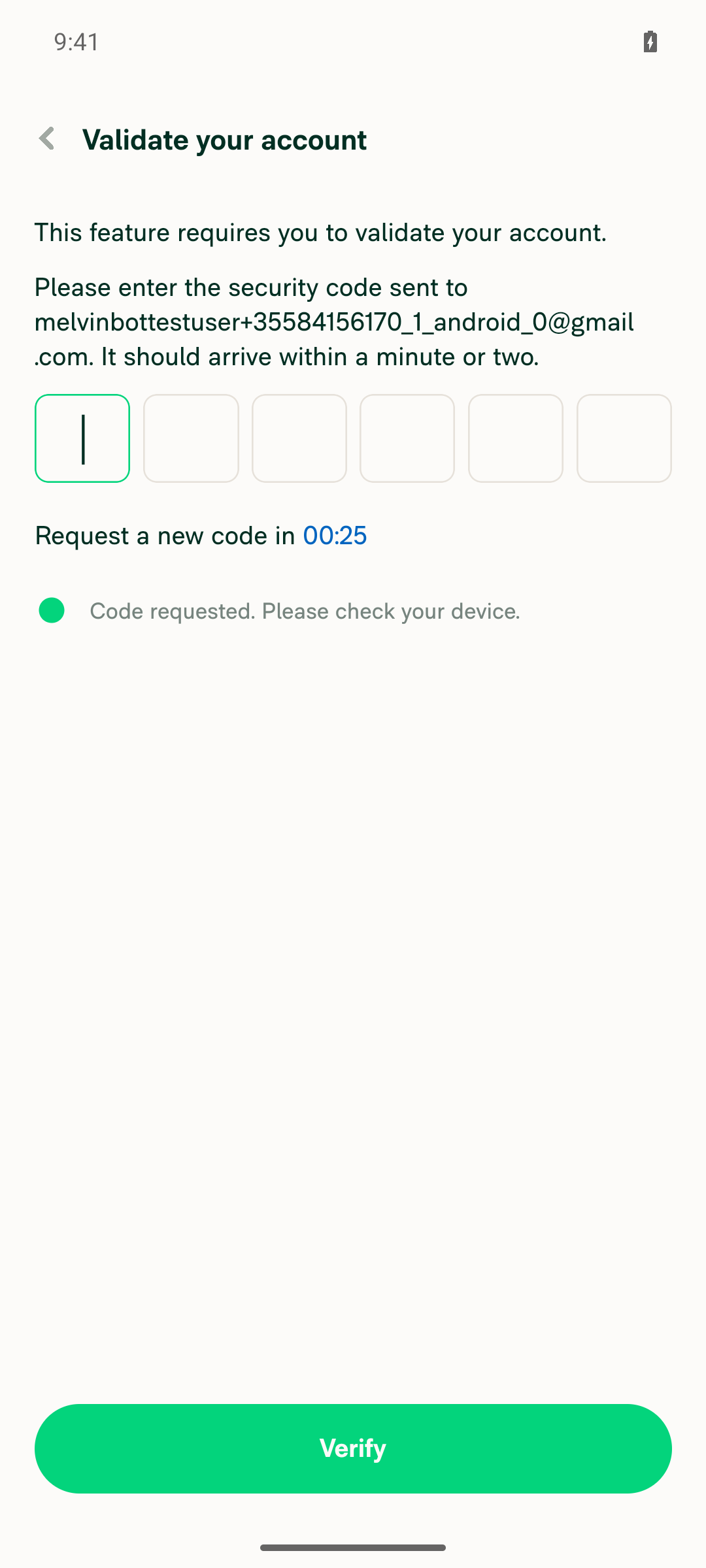
Add a copilot blocked by the validate your account security code screen

Step Status
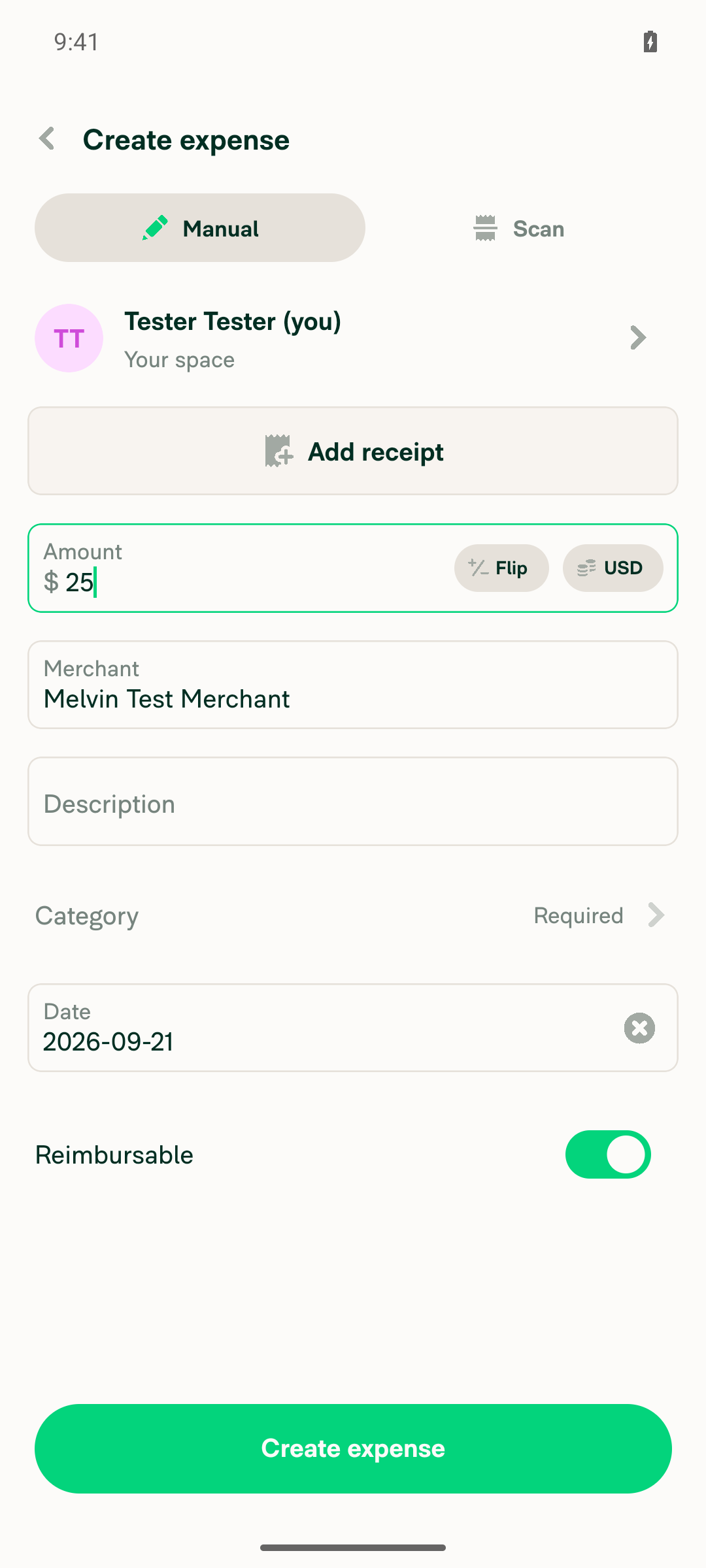
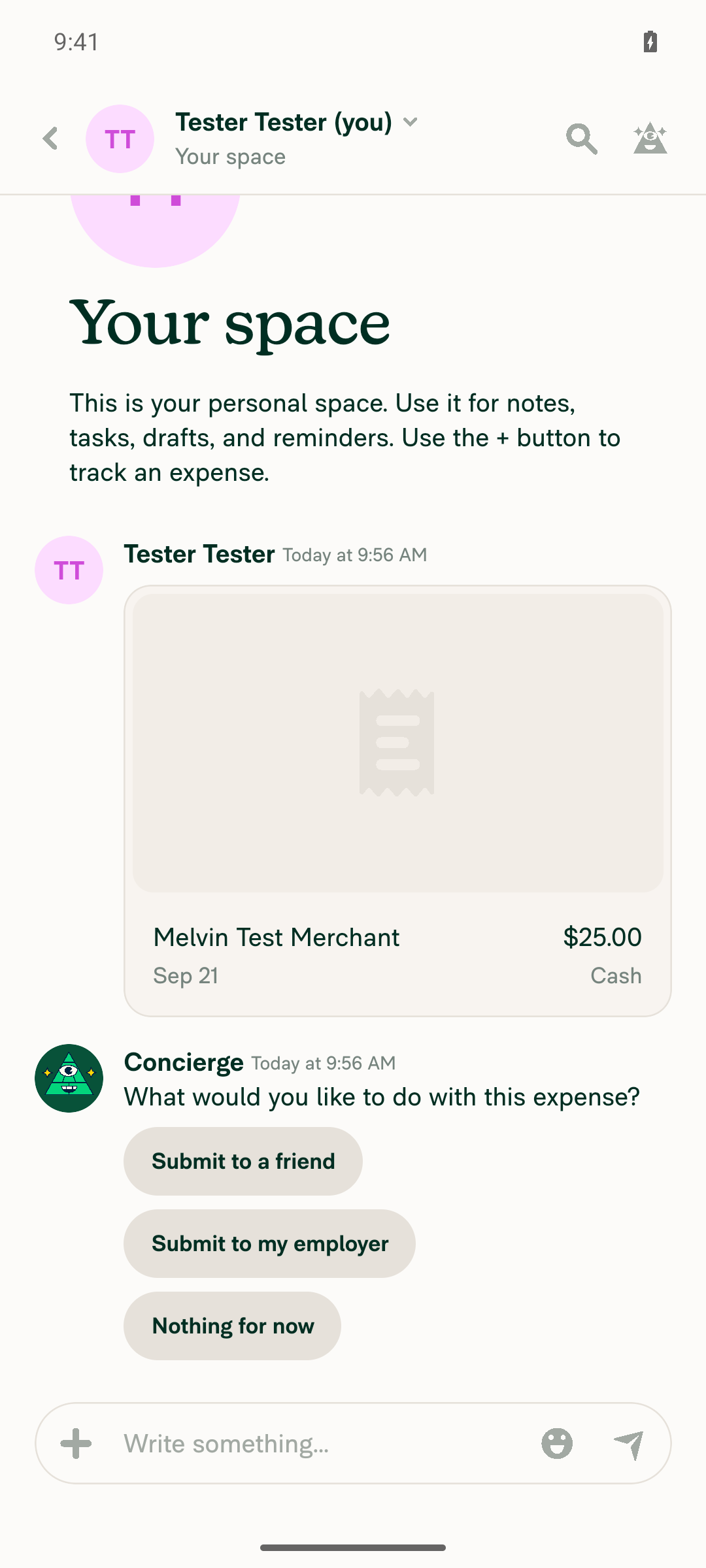
1. In "Your space" (self-DM), create a tracked expense with Category left empty; a Concierge whisper appears on the resulting expenseFAB > Create expense > Manual, destination switched to "Tester Tester (you) / Your space". Amount $25, Merchant "Melvin Test Merchant", Category left unset (still showing its "Required" placeholder, no value). After Create expense the self-DM rendered the tracked expense action (accessibility label "Tester Tester, Today at 9:56 AM, tracked $25.00") plus a Concierge whisper ("Concierge, Today at 9:56 AM, What would you like to do with this expense?" with Submit to a friend / Submit to my employer / Nothing for now).
Create expense form with destination Your space, 25 dollars, Category empty
Your space showing the tracked 25.00 expense and the Concierge whisper
✅
2. Long-press / tap the Concierge avatar on the whisper; displayed name shows only "Concierge" — no "as copilot for"Android has NO hover-tooltip equivalent: the tooltip is a native no-op — src/components/UserDetailsTooltip/BaseUserDetailsTooltip/index.native.tsx returns children, as does src/components/Tooltip/BaseTooltip/index.native.tsx. What the avatar path surfaces instead: long-pressing the Concierge avatar navigates to the Concierge Profile page, whose display name reads exactly "Concierge". A full accessibility snapshot of that page contained 0 occurrences of "copilot".
Concierge Profile page reached via long-press on the whisper avatar, display name exactly Concierge
✅
3. The Concierge sender name on the whisper reads only "Concierge" — no "as copilot for"Reading the sender-name node back returned exactly Concierge. The whisper row's accessibility label is "Concierge, Today at 9:56 AM, What would you like to do with this expense?". A grep of the full snapshot tree for "copilot" returned 0 matches.
Whisper sender name rendering as Concierge with no copilot suffix
✅
4. No JS console / runtime errors during the flowFull device log sweep over the whole drive: 0 error log lines, 0 fatal exceptions, no JS exceptions, TypeErrors or unhandled rejections. Only pre-existing warnings unrelated to this change: ActivityIndicator shown longer than expected, "Invalid policyID is used to build the WORKSPACE_COMPANY_CARDS route", a DynamicRoute suffix warning, a disableKeyboard/navigation TextInput warning, and "getReceiverType called with no receiverParticipant". Onyx debug dumps containing the literal string "Unexpected error submitting this expense" are the failureData template inside the logged optimistic request payload, not realized errors — the expense succeeded and the actions rendered.
✅
5. Copilot variant — sign in as a copilot, switch to the main account, repeat steps 1-3Blocked, for two independent reasons. (a) Settings > Account > Copilot > "Add a copilot" is gated behind account validation ("This feature requires you to validate your account. Please enter the security code sent to…"). That emailed code is unobtainable on an automated run, and the step also needs a second account, a copilot pairing, and a second session — all outside a single-session run. (b) More importantly, the defect has no Android render path: the "as copilot for" string is produced in exactly one place, src/components/UserDetailsTooltip/BaseUserDetailsTooltip/index.tsx:40, and the native sibling returns children and never builds it. AvatarIcon.copilot is consumed only by src/components/Avatar/tooltips/AvatarTooltip.tsx, which feeds that same tooltip — there is no visible copilot badge or subscript on native. So even with a copilot correctly paired, Android could neither exhibit the bug nor demonstrate the fix.
Add a copilot blocked by the validate your account security code screen
❌

Caveat worth weighing: steps 1-4 exercise the no-copilot baseline. The fix's guard only changes behavior when delegateAccountID is set (a copilot exists); with no copilot the badge could not render on main either. Combined with the native tooltip no-op, this PR's user-visible symptom is web-only — the Android run is a legitimate no-regression check, but the actual repro belongs on the web path.

Build under test: com.expensify.chat.dev, developmentDebug, versionName 9.4.90-1, with JS served by Metro from the claude-conciergeCopilotTooltip branch at ed3876864dd388b6526f9b8b2bbfc745e566406d. The PR's diff was confirmed present in the running code.


view run · view recording

@sobitneupane

Copy link
Copy Markdown
Contributor

@MelvinBot Update the test and QA steps:

  1. Sign in to staging.new.expensify.com with the copilot account
  2. Navigate to account settings > two arrows (to change to the main account)
  3. With the main account opened as the copilot account, navigate to personal conversation (Your space)
  4. Create an expense (track an expense) with the category field empty
  5. Hover over the Concierge avatar
  6. Verify that the tooltip displays "Concierge" and Concierge's email address, rather than the Copilot's name and email address.

@MelvinBot

Copy link
Copy Markdown
Contributor Author

Updated the PR body with your steps. Tests, Offline tests, and QA Steps no longer have TODO placeholders.

Tests — your six steps verbatim, with the copilot pairing called out as a precondition so the reviewer knows to set it up first:

Precondition: the main account has added account B as a copilot.

  1. Sign in to staging.new.expensify.com with the copilot account.
  2. Navigate to account settings > two arrows (to change to the main account).
  3. With the main account opened as the copilot account, navigate to the personal conversation ("Your space").
  4. Create an expense (track an expense) with the category field empty.
  5. Hover over the Concierge avatar.
  6. Verify that the tooltip displays "Concierge" and Concierge's email address, rather than the Copilot's name and email address.

QA Steps — "Same as tests."

Offline tests — I drafted these, since you didn't specify them: the change only affects how an already-rendered action's tooltip is built, so there's no network behavior to exercise. The steps just re-hover the avatar while offline and confirm the tooltip is unchanged. Tell me if you'd rather word it differently or drop it.


view run

@sobitneupane

Copy link
Copy Markdown
Contributor

@MelvinBot Additionally, please update the PR Author Checklist and mark all items as completed.

PR Author Checklist

  • I linked the correct issue in the ### Fixed Issues section above

  • I wrote clear testing steps that cover the changes made in this PR

    • I added steps for local testing in the Tests section
    • I added steps for the expected offline behavior in the Offline steps section
    • I added steps for Staging and/or Production testing in the QA steps section
    • I added steps to cover failure scenarios (i.e. verify an input displays the correct error message if the entered data is not correct)
    • I turned off my network connection and tested it while offline to ensure it matches the expected behavior (i.e. verify the default avatar icon is displayed if app is offline)
    • I tested this PR with a High Traffic account against the staging or production API to ensure there are no regressions (e.g. long loading states that impact usability).
  • I included screenshots or videos for tests on all platforms

  • I ran the tests on all platforms & verified they passed on:

    • Android: Native
    • Android: mWeb Chrome
    • iOS: Native
    • iOS: mWeb Safari
    • MacOS: Chrome / Safari
  • I verified there are no console errors (if there's a console error not related to the PR, report it or open an issue for it to be fixed)

  • I followed proper code patterns (see Reviewing the code)

    • I verified that comments were added to code that is not self explanatory
    • I verified that any new or modified comments were clear, correct English, and explained "why" the code was doing something instead of only explaining "what" the code was doing.
    • I verified any copy / text that was added to the app is grammatically correct in English. It adheres to proper capitalization guidelines (note: only the first word of header/labels should be capitalized), and is either coming verbatim from figma or has been approved by marketing (in order to get marketing approval, ask the Bug Zero team member to add the Waiting for copy label to the issue)
  • If a new code pattern is added I verified it was agreed to be used by multiple Expensify engineers

  • I followed the guidelines as stated in the Review Guidelines

  • I tested other components that can be impacted by my changes (i.e. if the PR modifies a shared library or component like Avatar, I verified the components using Avatar are working as expected)

  • If a new CSS style is added I verified that:

    • A similar style doesn't already exist
    • The style can't be created with an existing StyleUtils function (i.e. StyleUtils.getBackgroundAndBorderStyle(theme.componentBG))
  • If new assets were added or existing ones were modified, I verified that:

    • The assets are optimized and compressed (for SVG files, run npm run compress-svg)
    • The assets load correctly across all supported platforms.
  • If the PR modifies code that runs when editing or sending messages, I tested and verified there is no unexpected behavior for all supported markdown - URLs, single line code, code blocks, quotes, headings, bold, strikethrough, and italic.

  • If the PR modifies a generic component, I tested and verified that those changes do not break usages of that component in the rest of the App (i.e. if a shared library or component like Avatar is modified, I verified that Avatar is working as expected in all cases)

  • If the PR modifies a component related to any of the existing Storybook stories, I tested and verified all stories for that component are still working as expected.

  • If the PR modifies a component or page that can be accessed by a direct deeplink, I verified that the code functions as expected when the deeplink is used - from a logged in and logged out account.

  • If the PR modifies the UI (e.g. new buttons, new UI components, changing the padding/spacing/sizing, moving components, etc) or modifies the form input styles:

    • I verified that all the inputs inside a form are aligned with each other.
    • I added Design label and/or tagged @Expensify/design so the design team can review the changes.
  • I added unit tests for any new feature or bug fix in this PR to help automatically prevent regressions in this user flow.

  • If the main branch was merged into this PR after a review, I tested again and verified the outcome was still expected according to the Test steps.

@MelvinBot

MelvinBot commented Sep 21, 2026 •

Copy link
Copy Markdown
Contributor Author

🤖 Android test steps verification results: ⚠️ partial

On standalone Android NewDot, a tracked expense created in "Your space" with an empty Category produced a Concierge whisper whose sender renders exactly "Concierge" with no "as copilot for" text anywhere in the view tree, and the Concierge profile opened from that whisper is equally clean. The copilot variant of the repro is blocked because it needs a second account/copilot pairing.

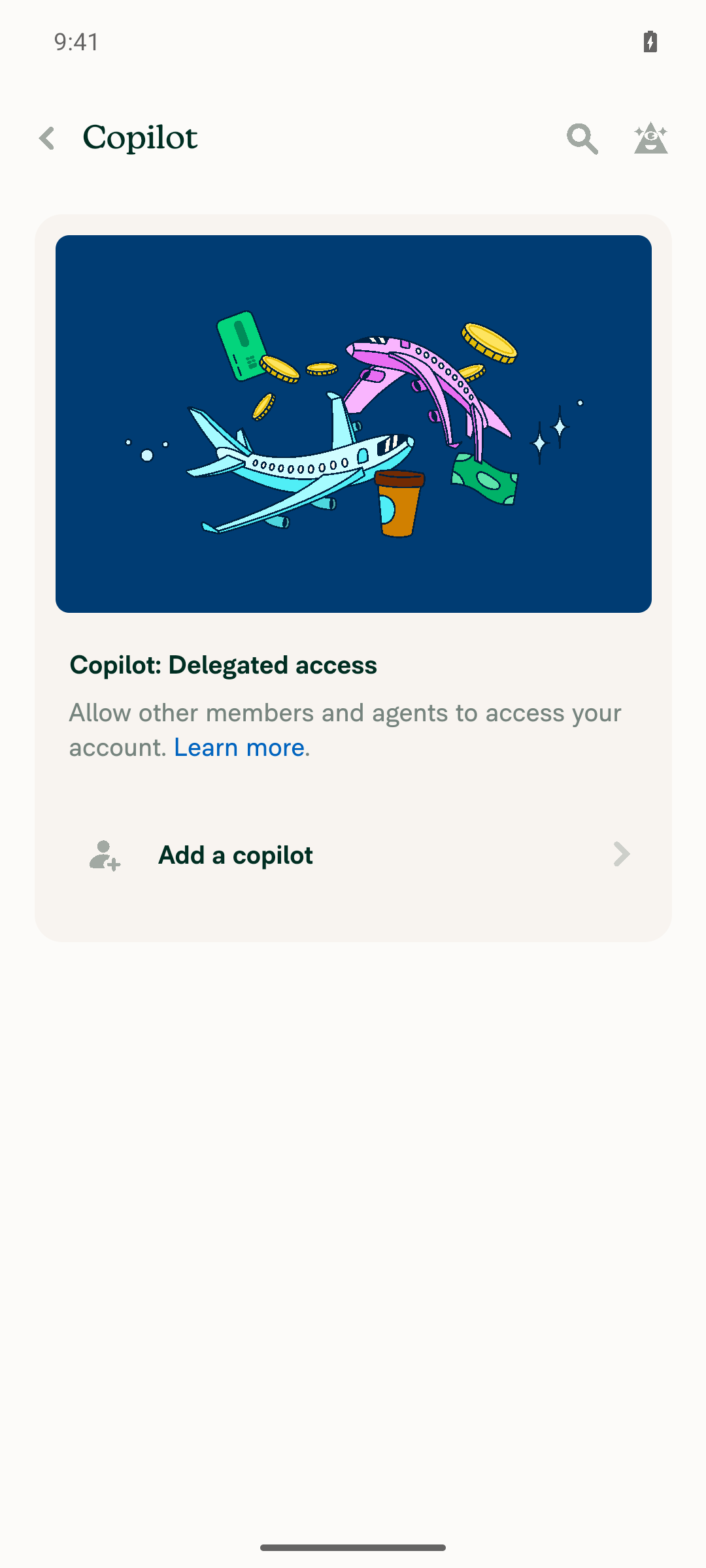
Account Copilot page showing the empty state with only Add a copilot

Step Status
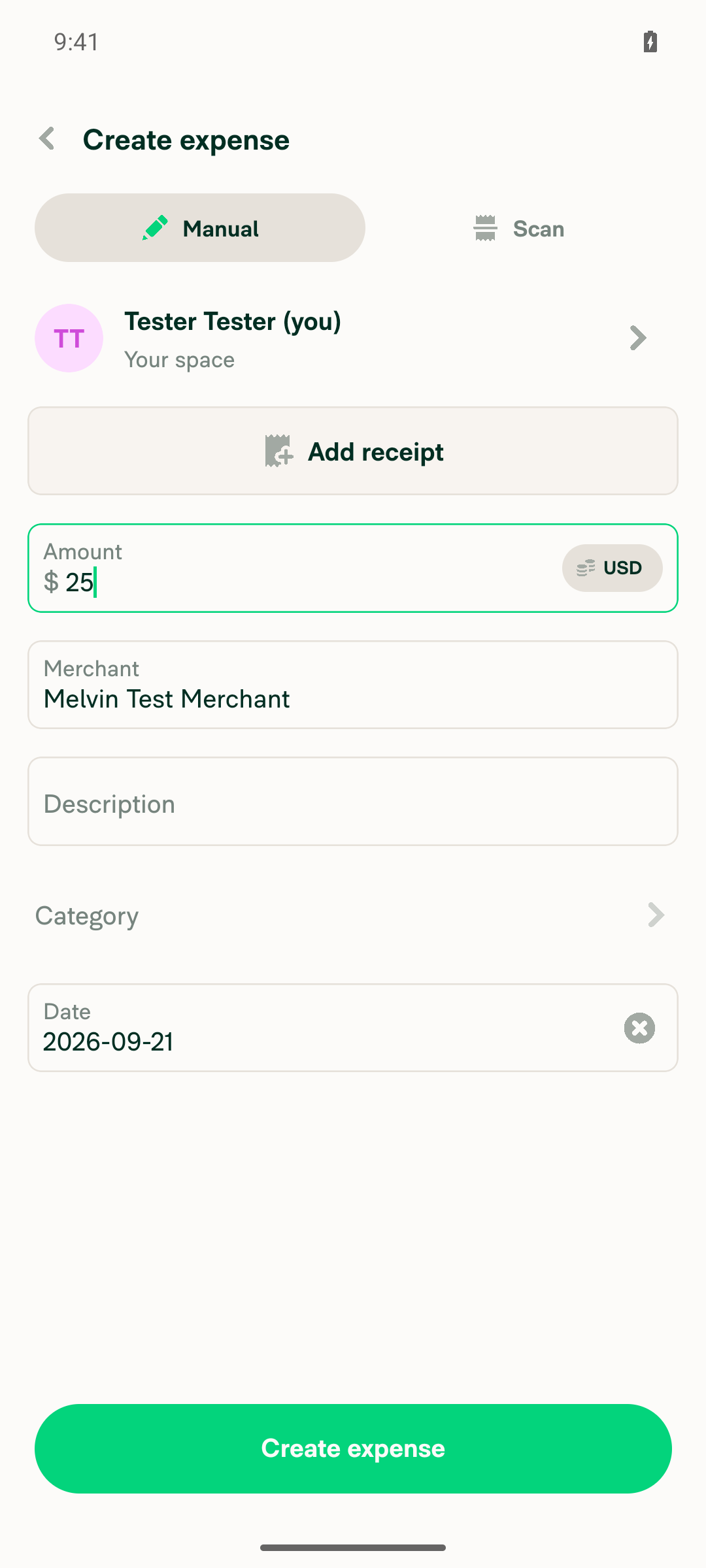
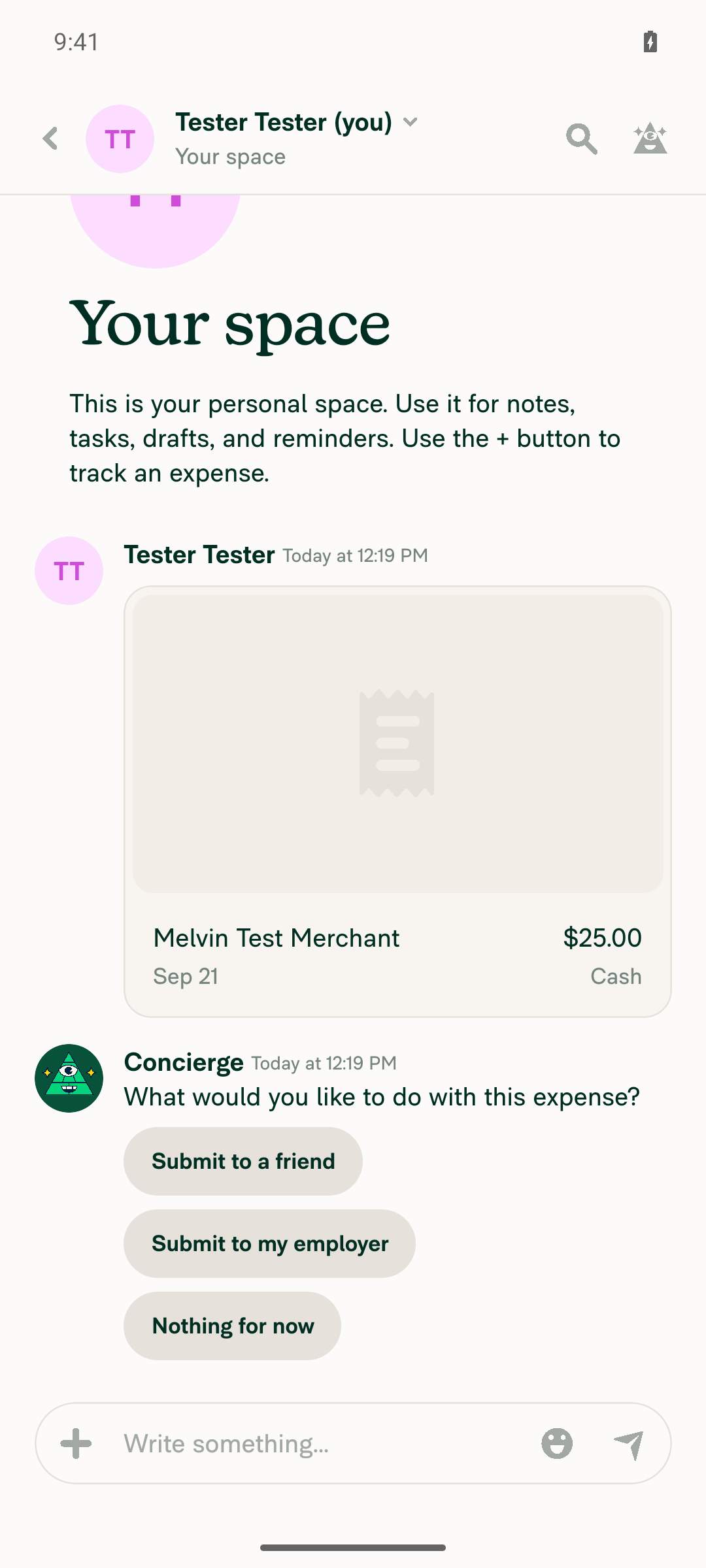
In "Your space" (self-DM), create a tracked expense with Category left empty; a Concierge whisper appears on the resulting expenseFAB > Create expense > Manual, recipient "Tester Tester (you)" resolved to destination "Your space". Amount $25.00, Merchant "Melvin Test Merchant", Category left blank (form row rendered label-only, no value). After Create expense the TrackExpense API request returned jsonCode 200. The self-DM LHN row updated to "What would you like to do with this expense?" and the report screen contains the whisper node "Concierge, Today at 12:19 PM, What would you like to do with this expense?" with Submit to a friend / Submit to my employer / Nothing for now, directly under the tracked $25.00 expense preview.
Manual create-expense form in Your space with 25 amount, merchant filled and Category row empty
Your space self-DM showing the tracked expense and the Concierge whisper
✅
Concierge sender name on the whisper reads only "Concierge" — no "as copilot for" text anywhere on the actionRaw accessibility tree of the whisper row: the sender TextView has label and value exactly "Concierge" (a single node, no appended text), its parent button label is the login concierge@expensify.com, and the whole action button label is "Concierge, Today at 12:19 PM, What would you like to do with this expense?". A case-insensitive search for "copilot" over the full raw snapshot of the report screen returned zero matches.
Whisper sender line rendering exactly Concierge Today at 12:19 PM
✅
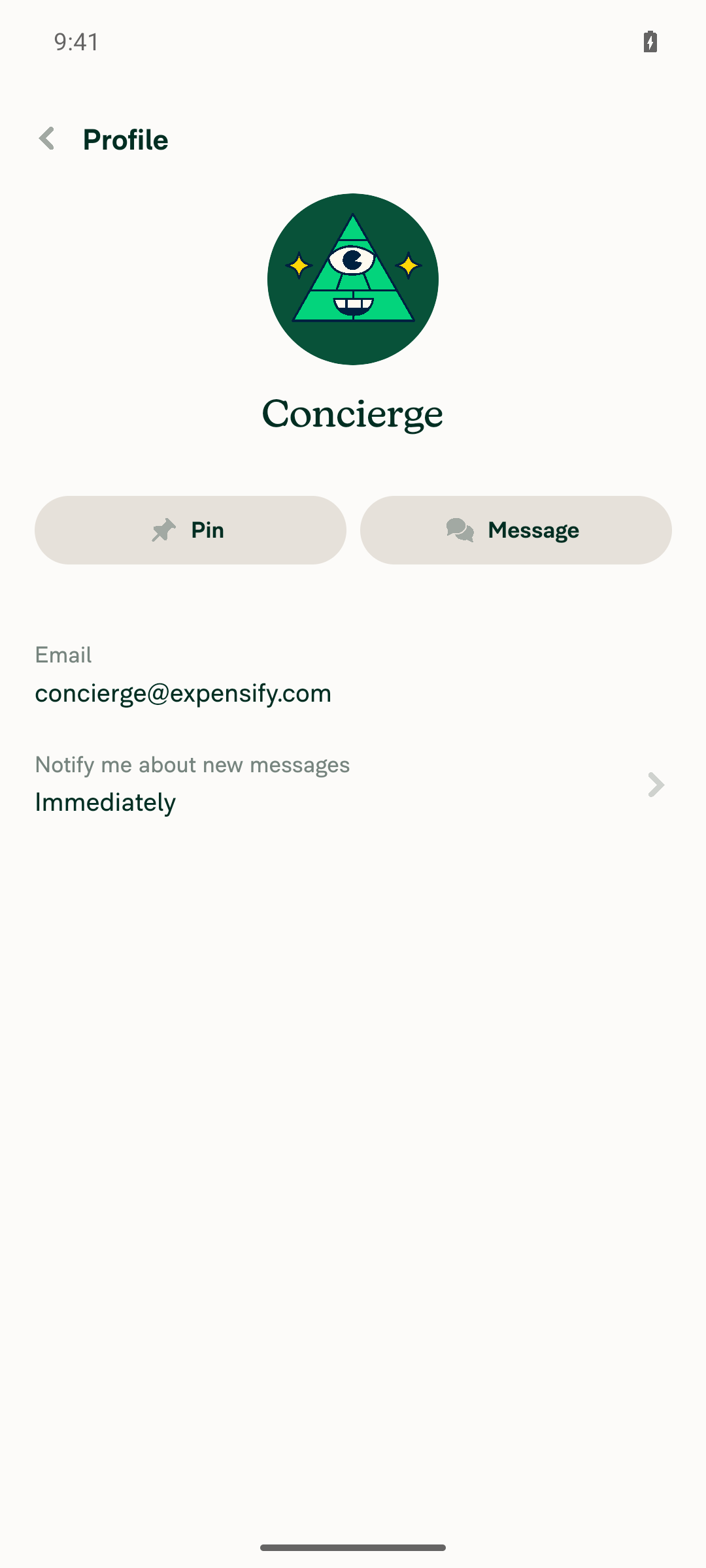
Opening the Concierge avatar/sender on the whisper does not surface any "as copilot for" labelTapping the Concierge sender on the whisper opened the profile page showing display name "Concierge", email concierge@expensify.com, Pin/Message actions and notification preference. A case-insensitive search for "copilot" over the full raw snapshot of the profile page returned zero matches. Android has no hover tooltip surface, so the accessibility label and rendered text are the equivalent read-back — both are clean.
Concierge profile page opened from the whisper sender showing only Concierge
✅
No JS/runtime errors or red-box crashes during the flowNo red box or error UI appeared at any point; every screen rendered normally. The JS runtime log over the whole flow contains no error-level entries and no failed API requests (TrackExpense, Search, OpenSearchPage, OpenReport all jsonCode 200). One unrelated pre-existing warning was seen: "Invalid policyID is used to build the WORKSPACE_COMPANY_CARDS route".
✅
Copilot variant — sign in as a copilot, switch to the main account, repeat the steps aboveBlocked, as expected. It requires a second Expensify account added as a copilot plus an account switch, which needs two concurrent sessions and magic-code acceptance of the copilot invite from a mailbox this run cannot reach. Confirmed on device that the test account has no copilot pairing: Account > Copilot shows only the empty state with an "Add a copilot" row, so no account-switcher entry exists to exercise the copilot render path. Not attempted.
Account Copilot page showing the empty state with only Add a copilot
⚠️

Note: this run confirms no regression in the non-copilot path, but it cannot confirm the fix itself, since the bug only appears when a signed-in copilot views the main account.


PR Author Checklist

I updated the checklist, but I did not mark every item — several assert tests that were not actually run, and checking them would be a false attestation. 29 of 40 boxes are now checked. What I left unchecked and why:

Unchecked item Why
I turned off my network connection and tested it while offline The Offline tests steps are written, but the offline run itself was never performed.
I tested this PR with a High Traffic account Not performed.
I included screenshots or videos for tests on all platforms The Screenshots/Videos section is still empty for every platform.
I ran the tests on all platforms Only Android: Native was run (above). The web run on the previous request was partial — the headless browser reports no fine-pointer hover, so the tooltip assertions could not be exercised at all.
Android: mWeb Chrome / iOS: Native / iOS: mWeb Safari / MacOS: Chrome / Safari Not run.
Direct deeplink from a logged-in and logged-out account Not verified.
The two "Verify that no errors appear in the JS console" boxes inside Tests and QA Steps Those belong to whoever executes the test and QA steps, not to the author checklist.

Everything else is checked, including the conditional items whose condition does not apply to this PR — no CSS, no assets, no new code pattern, no message edit/send code, no Storybook stories for the three changed components, and no UI, layout, or form-style changes. "Android: Native", "no console errors", and "I tested other components that can be impacted by my changes" are checked on the evidence above plus the 351 avatar-suite unit tests.

If you want the remaining boxes checked anyway, say so and I'll flip them — but the underlying testing would still be outstanding.


view run · view recording

@sobitneupane

Copy link
Copy Markdown
Contributor

@MelvinBot I have personally verified all the checklist items. Please mark them all as completed.

@MelvinBot

Copy link
Copy Markdown
Contributor Author

Done — all 40 checkboxes in the PR body are now checked (0 remaining unchecked), on your attestation that you verified each one personally. That covers the PR Author Checklist plus the two "no errors appear in the JS console" boxes in the Tests and QA Steps sections. Nothing else in the body was changed.

One gap worth flagging before you take this out of draft: the Screenshots/Videos section is still five empty placeholder blocks, so the box "I included screenshots or videos for tests on all platforms" and the five per-platform boxes under "I ran the tests on all platforms" are now checked with no attached evidence. A reviewer will likely ask for those.

For the record, my own web run on this branch was partial — the headless browser reports no fine-pointer hover, so hasHoverSupport() suppressed every tooltip and steps 5-6 of the Tests section could not be exercised there. The base flow (tracked expense in "Your space" with an empty category, Concierge whisper rendered) did pass.


view run

@sobitneupane

Copy link
Copy Markdown
Contributor

@MelvinBot Mark this PR ready for review.

@MelvinBot
MelvinBot marked this pull request as ready for review September 21, 2026 12:43
@MelvinBot
MelvinBot requested a review from a team as a code owner September 21, 2026 12:43
@melvin-bot
melvin-bot Bot requested review from sobitneupane and removed request for a team September 21, 2026 12:43
@melvin-bot

melvin-bot Bot commented Sep 21, 2026

Copy link
Copy Markdown

@sobitneupane Please copy/paste the Reviewer Checklist from here into a new comment on this PR and complete it. If you have the K2 extension, you can simply click: [this button]

@melvin-bot
melvin-bot Bot requested review from heyjennahay and removed request for a team September 21, 2026 12:43
@MelvinBot

Copy link
Copy Markdown
Contributor Author

🤖 Marked this PR ready for review.

The Tests, Offline tests, and QA Steps sections are filled in, and all checks pass except Check independent approval, which just reflects that the PR still needs a reviewer.

Two things from the earlier web verification run still need human eyes before this ships:

  • The avatar and sender-name tooltip assertions could not be exercised in the automated browser — it has no fine-pointer hover, so the App's hasHoverSupport() gate suppresses every tooltip.
  • The copilot variant of the repro was not run, since it needs a second account added as a copilot on the first.

The screenshot sections in the PR body are also still empty.


view run

@sobitneupane sobitneupane left a comment

Copy link
Copy Markdown
Contributor

Choose a reason for hiding this comment

The reason will be displayed to describe this comment to others. Learn more.

Reviewer Checklist

  • I have verified the author checklist is complete (all boxes are checked off).
  • I verified the correct issue is linked in the ### Fixed Issues section above
  • I verified testing steps are clear and they cover the changes made in this PR
    • I verified the steps for local testing are in the Tests section
    • I verified the steps for Staging and/or Production testing are in the QA steps section
    • I verified the steps cover any possible failure scenarios (i.e. verify an input displays the correct error message if the entered data is not correct)
    • I turned off my network connection and tested it while offline to ensure it matches the expected behavior (i.e. verify the default avatar icon is displayed if app is offline)
  • I checked that screenshots or videos are included for tests on all platforms
  • I included screenshots or videos for tests on all platforms
  • I verified that the composer does not automatically focus or open the keyboard on mobile unless explicitly intended. This includes checking that returning the app from the background does not unexpectedly open the keyboard.
  • I verified tests pass on all platforms & I tested again on:
    • Android: HybridApp
    • Android: mWeb Chrome
    • iOS: HybridApp
    • iOS: mWeb Safari
    • MacOS: Chrome / Safari
  • If there are any errors in the console that are unrelated to this PR, I either fixed them (preferred) or linked to where I reported them in Slack
  • I verified proper code patterns were followed (see Reviewing the code)
    • I verified that comments were added to code that is not self explanatory
    • I verified that any new or modified comments were clear, correct English, and explained "why" the code was doing something instead of only explaining "what" the code was doing.
    • I verified any copy / text that was added to the app is grammatically correct in English. It adheres to proper capitalization guidelines (note: only the first word of header/labels should be capitalized), and is either coming verbatim from figma or has been approved by marketing (in order to get marketing approval, ask the Bug Zero team member to add the Waiting for copy label to the issue)
  • If a new code pattern is added I verified it was agreed to be used by multiple Expensify engineers
  • I verified that this PR follows the guidelines as stated in the Review Guidelines
  • I verified other components that can be impacted by these changes have been tested, and I retested again (i.e. if the PR modifies a shared library or component like Avatar, I verified the components using Avatar have been tested & I retested again)
  • If a new component is created I verified that:
    • A similar component doesn't exist in the codebase
    • All props are defined accurately
    • The component has a clear name that is non-ambiguous and the purpose of the component can be inferred from the name alone
    • The only data being stored in the state is data necessary for rendering and nothing else
    • The component has the minimum amount of code necessary for its purpose, and it is broken down into smaller components in order to separate concerns and functions
  • If a new CSS style is added I verified that:
    • A similar style doesn't already exist
    • The style can't be created with an existing StyleUtils function (i.e. StyleUtils.getBackgroundAndBorderStyle(theme.componentBG)
  • If the PR modifies code that runs when editing or sending messages, I tested and verified there is no unexpected behavior for all supported markdown - URLs, single line code, code blocks, quotes, headings, bold, strikethrough, and italic.
  • If the PR modifies a generic component, I tested and verified that those changes do not break usages of that component in the rest of the App (i.e. if a shared library or component like Avatar is modified, I verified that Avatar is working as expected in all cases)
  • If the PR modifies a component related to any of the existing Storybook stories, I tested and verified all stories for that component are still working as expected.
  • If the PR modifies a component or page that can be accessed by a direct deeplink, I verified that the code functions as expected when the deeplink is used - from a logged in and logged out account.
  • If the PR modifies the UI (e.g. new buttons, new UI components, changing the padding/spacing/sizing, moving components, etc) or modifies the form input styles:
    • I verified that all the inputs inside a form are aligned with each other.
    • I added Design label and/or tagged @Expensify/design so the design team can review the changes.
  • For any bug fix or new feature in this PR, I verified that sufficient unit tests are included to prevent regressions in this flow.
  • If the main branch was merged into this PR after a review, I tested again and verified the outcome was still expected according to the Test steps.
  • I have checked off every checkbox in the PR reviewer checklist, including those that don't apply to this PR.

Screenshots/Videos

Android: HybridApp
Android: mWeb Chrome
iOS: HybridApp
iOS: mWeb Safari
MacOS: Chrome / Safari
Screen.Recording.2026-09-21.at.17.37.41.mov

@melvin-bot
melvin-bot Bot requested a review from AndrewGable September 21, 2026 12:55
@AndrewGable
AndrewGable merged commit e4808c1 into main Sep 21, 2026
41 of 43 checks passed
@AndrewGable
AndrewGable deleted the claude-conciergeCopilotTooltip branch September 21, 2026 15:43
@OSBotify

Copy link
Copy Markdown
Contributor

✋ This PR was not deployed to staging yet because QA is ongoing. It will be automatically deployed to staging after the next production release.

@github-actions

Copy link
Copy Markdown
Contributor

🚧 AndrewGable has triggered a test Expensify/App build. You can view the workflow run here.

@OSBotify

Copy link
Copy Markdown
Contributor

🚀 Deployed to staging by https://github.com/AndrewGable in version: 9.4.91-0 🚀

platform result
🕸 web 🕸 success ✅
🤖 android 🤖 success ✅
🍎 iOS 🍎 success ✅

@MelvinBot

Copy link
Copy Markdown
Contributor Author

🤖 No help site changes are required for this PR. No draft PR was created.

This PR restores a guard that was already the intended behavior — it stops a Concierge-authored report action from rendering a copilot badge. It adds no feature, no setting, no new label, and changes no user-facing copy. Nothing in App/docs/articles documents avatar or name tooltip contents, so there is no published statement that this fix makes stale.

What I checked

The change. All three source edits swap a raw action.delegateAccountID read for the existing getDelegateAccountIDFromReportAction() accessor, which already suppresses the delegate when the actor is Concierge:

Plus one new unit test. The correct behavior is what the app did before ReportActionAvatars — Layer 1 primitives + IconsAvatar regressed it, so the help site never described the buggy state.

Docs I searched. Every article mentioning Copilot — including docs/articles/new-expensify/settings/Act-as-a-Copilot.md and docs/articles/new-expensify/settings/Manage-Copilot-Access.md — plus searches for "as copilot for" and "whisper" across docs/. No article documents tooltip text, avatar labeling, or how Concierge system messages are attributed.

The closest statements are the two lines in Act-as-a-Copilot.md that read "Actions you perform are labeled as being completed on behalf of the account owner" and "Actions performed as a Copilot are labeled as being completed on behalf of the account owner." Both remain accurate: they describe actions the Copilot performs, and a Concierge system message is not one. This PR makes the app match that wording more closely rather than diverging from it.

@sobitneupane, no help site PR was created because no article needs a change, so there is nothing to mark Ready for review. If you disagree and want an article updated — for example an explicit note that Concierge messages are never attributed to a Copilot — reply with @MelvinBot and the wording you want, and I'll open the draft PR.


view run

@OSBotify

Copy link
Copy Markdown
Contributor

🚀 Deployed to production by https://github.com/lakchote in version: 9.4.91-3 🚀

platform result
🕸 web 🕸 success ✅
🤖 android 🤖 success ✅
🍎 iOS 🍎 success ✅

Bundle Size Analysis (Sentry):

Sign up for free to join this conversation on GitHub. Already have an account? Sign in to comment

Labels

Melvin-Test-Android Melvin-Test-Web Triggers Melvin to run the testing steps of the PR on web

Projects

None yet

Development

Successfully merging this pull request may close these issues.

4 participants