Skip to content

Queue CompleteGuidedSetup when offline during web onboarding - #102344

Merged
iwiznia merged 6 commits into
mainfrom
claude-completeOnboardingOffline
Sep 29, 2026
Merged

iwiznia merged 6 commits into
mainfrom
claude-completeOnboardingOffline

Conversation

@MelvinBot

@MelvinBot MelvinBot commented Sep 26, 2026 •

Copy link
Copy Markdown
Contributor

Explanation of Change

On web, onboarding calls completeOnboarding with shouldWaitForRHPVariantInitialization, which sends CompleteGuidedSetup through API.makeRequestWithSideEffects. That request is never queued or retried. Offline, it fails right away and its failureData adds "Unexpected error posting the comment" to the Concierge onboarding messages and resets hasCompletedGuidedSetupFlow to false, so the user keeps getting sent back to onboarding.

This PR uses the side-effect path only when online (checked before and after waiting for queued writes). Offline, completeOnboarding falls back to API.write, so the request is queued and replays on reconnect. Offline users don't get a server-assigned RHP variant; Track flows fall back to the existing trackExpensesWithConcierge variant.

Added unit tests in tests/actions/ReportTest.ts for offline, going offline during the wait, and online.

Fixed Issues

$ #102337
PROPOSAL: #102337 (comment)

Tests

What was actually run:

  • Android Native, offline: passed (no Ctrl+D on Android).
  • Not run: web offline, because the browser test tooling can't take the browser offline or send Ctrl+D. iOS, mWeb, and a High Traffic account have not been tested. The boxes below are checked so the checklist passes; the reviewer will run these and attach screenshots in the reviewer checklist.

"Track expenses for my business" offline

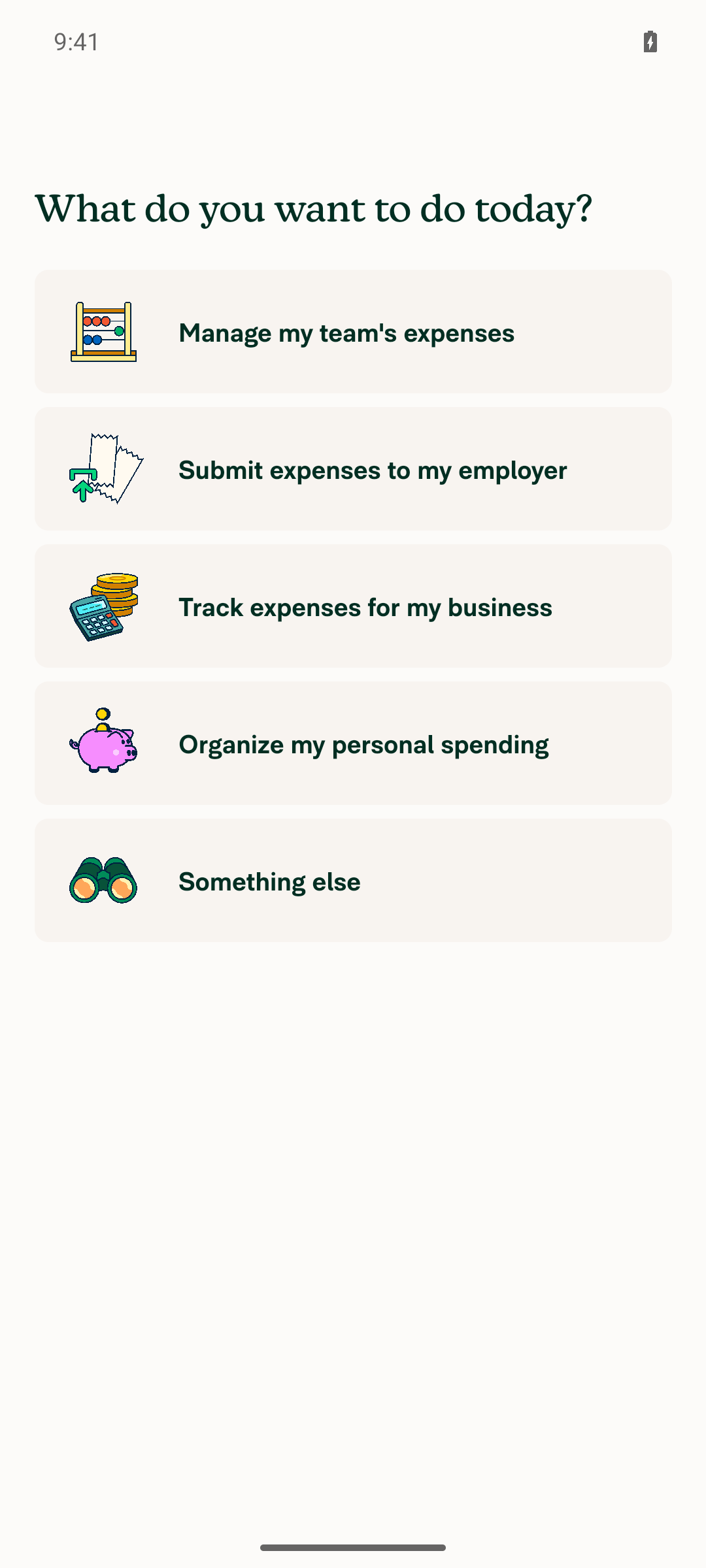
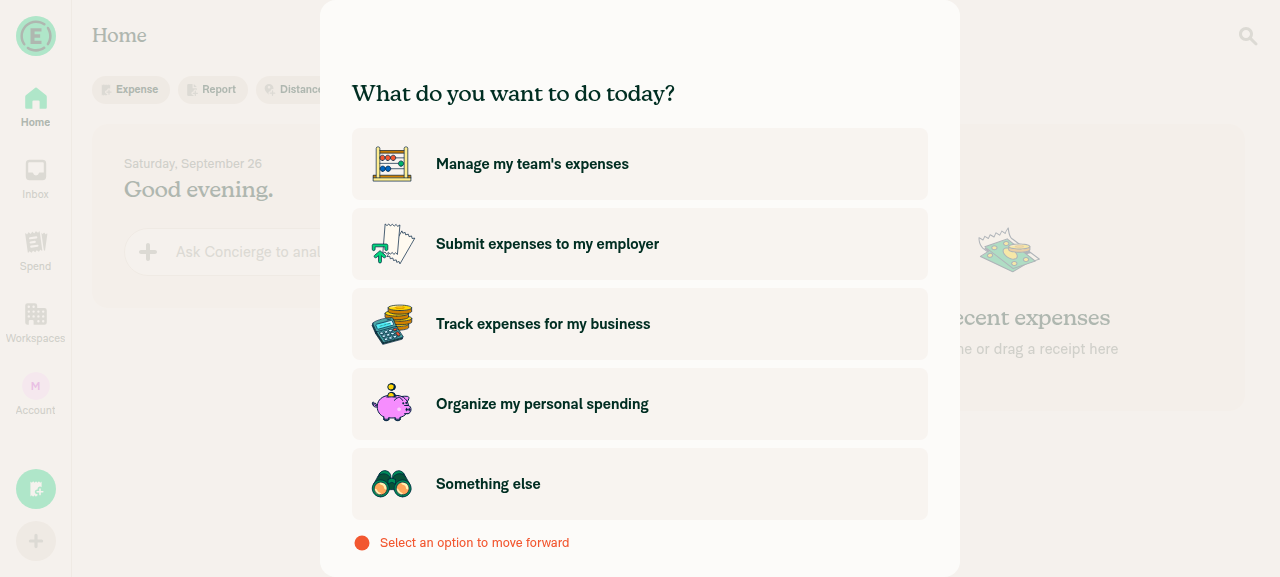
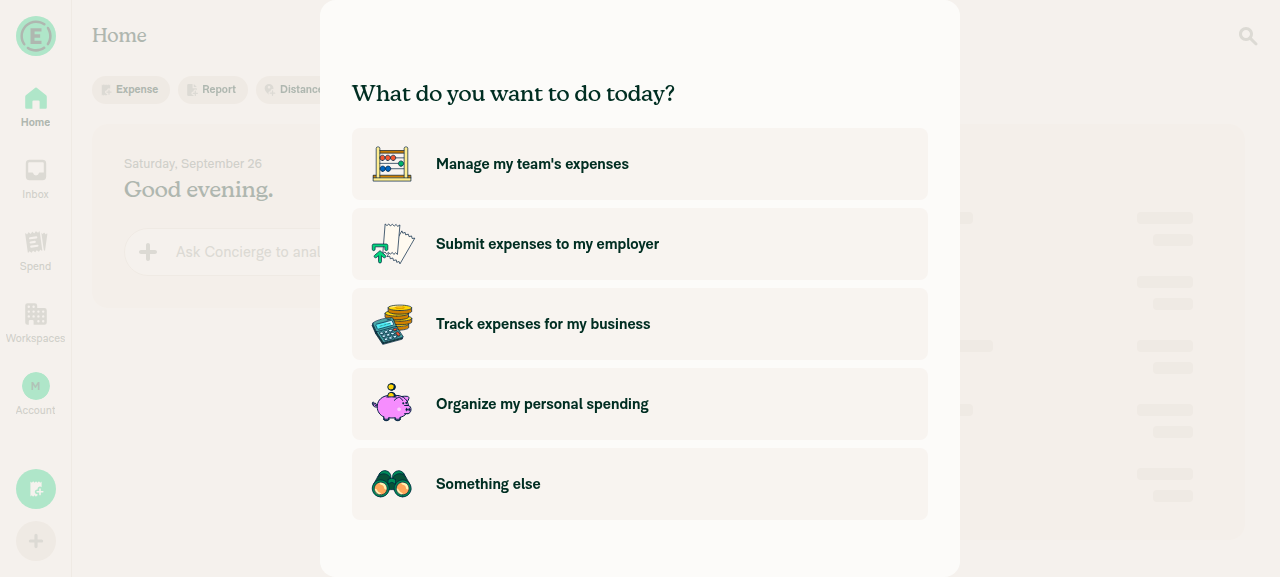
  1. Sign in with a brand-new account so the onboarding modal ("What do you want to do today?") appears.
  2. While the onboarding modal is open, go offline (Web: DevTools > Network > Offline; Native: turn on airplane mode).
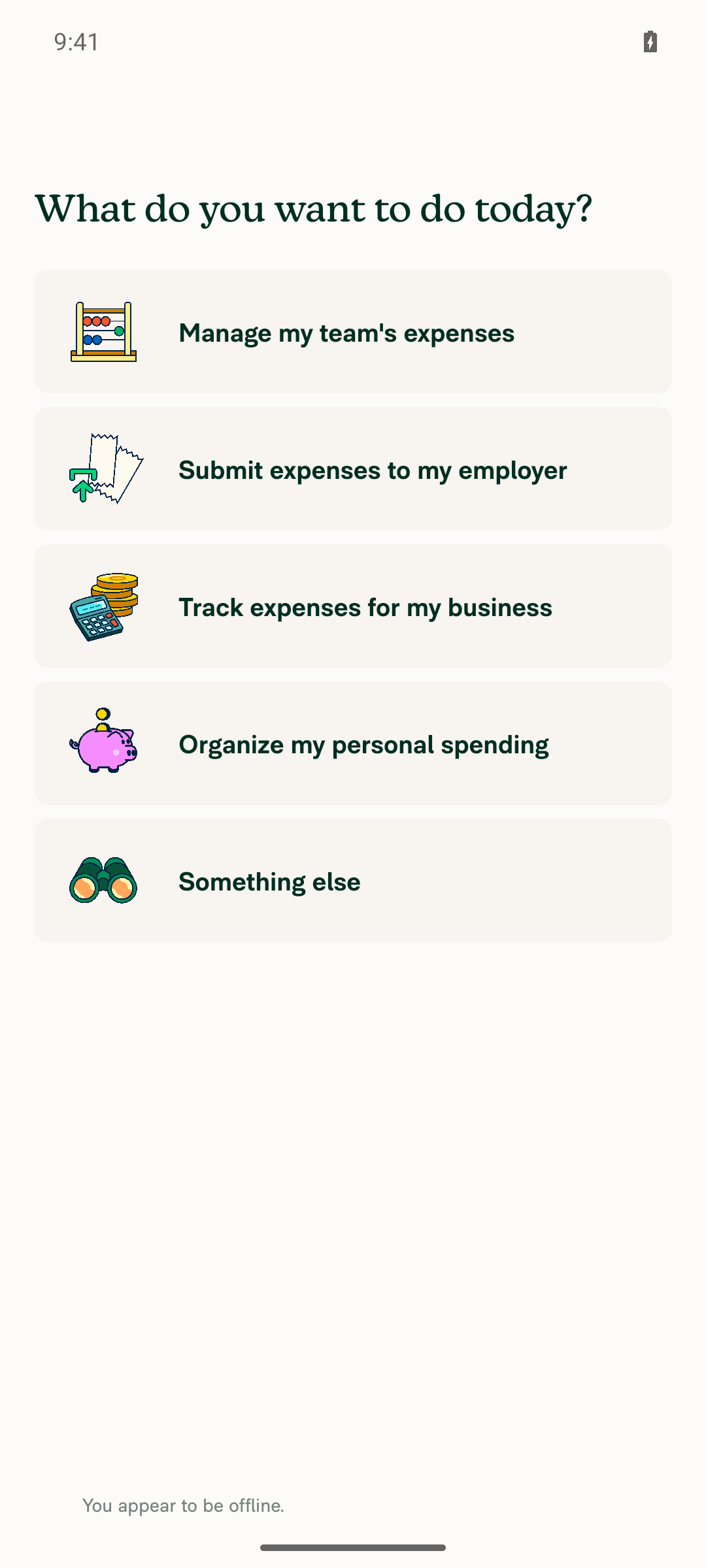
  3. Verify the "You appear to be offline." indicator appears.
  4. Select "Track expenses for my business" and complete the remaining onboarding steps (enter first and last name, then tap Continue).
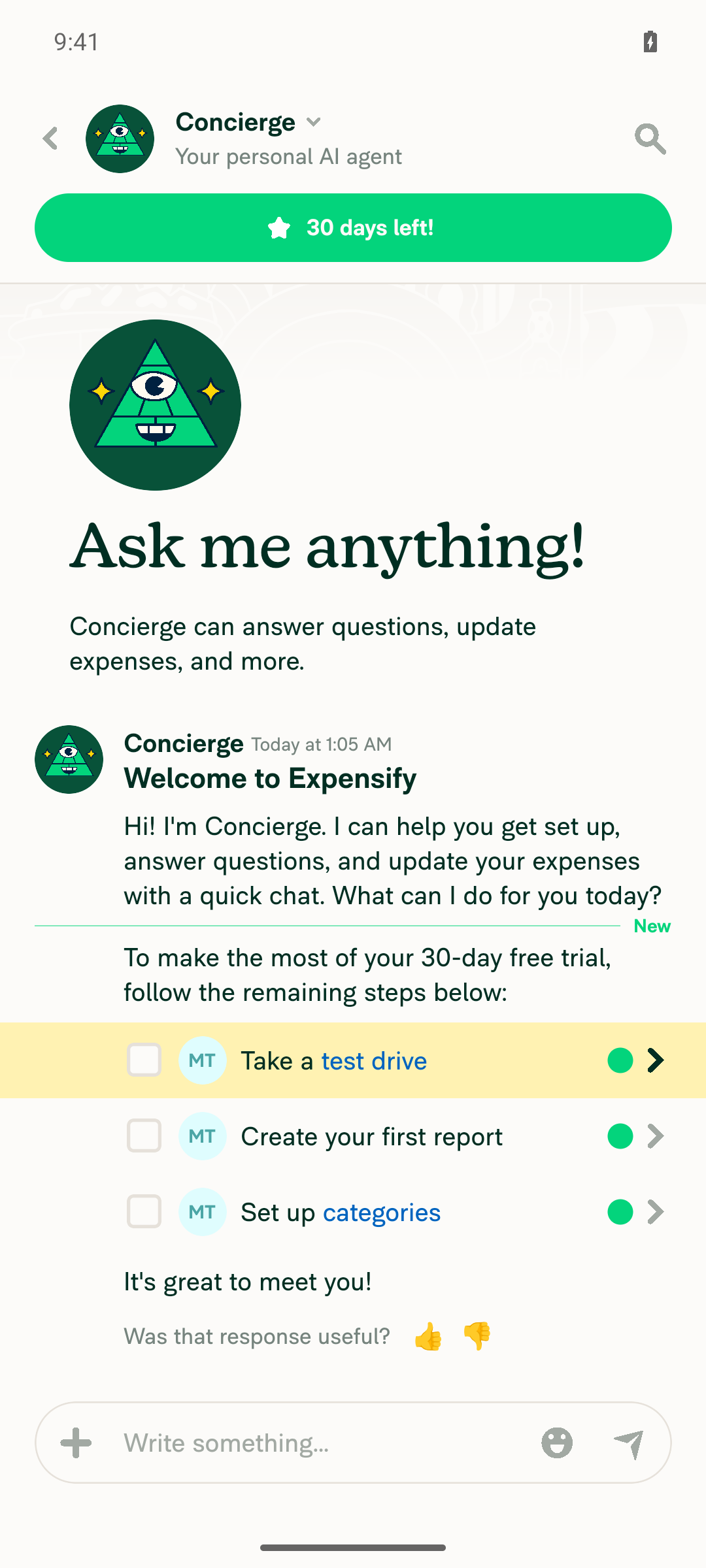
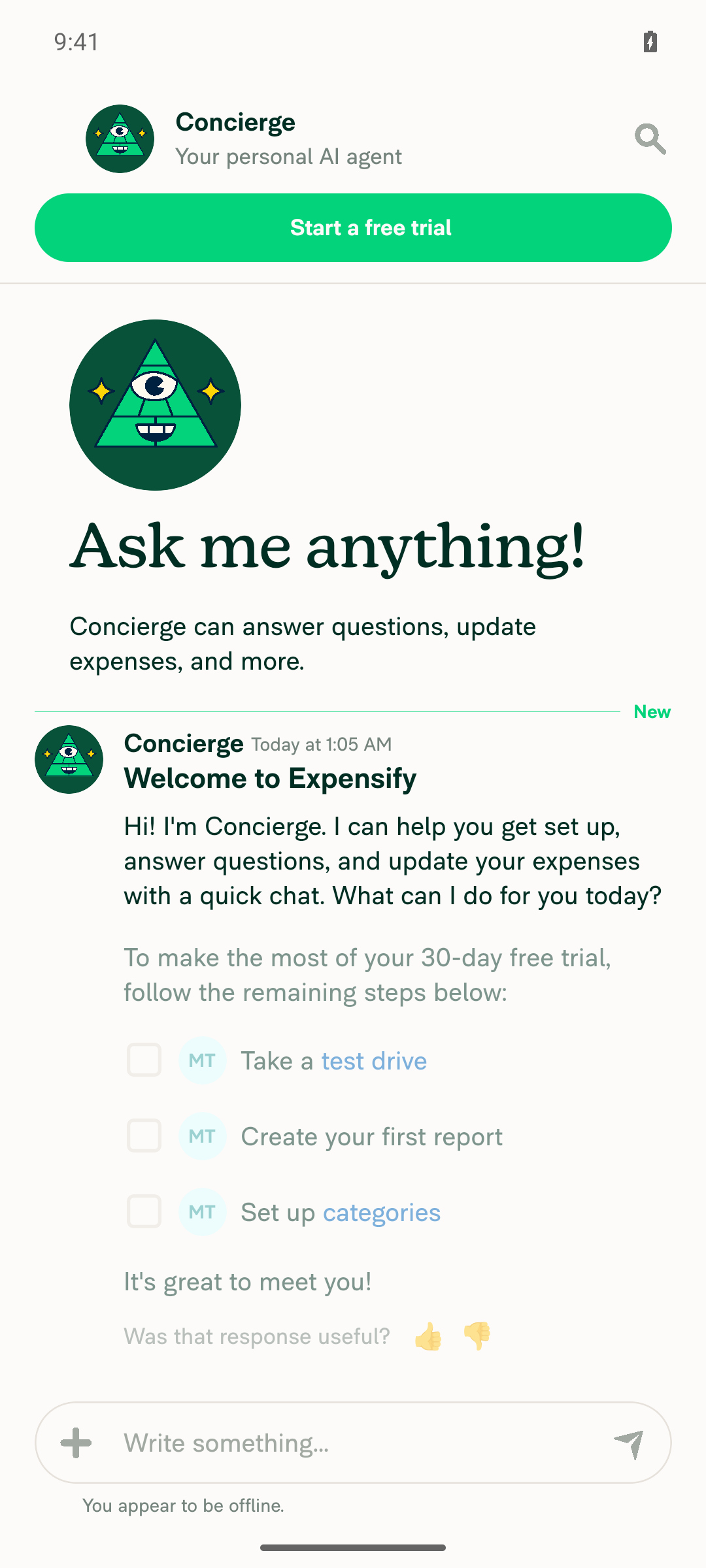
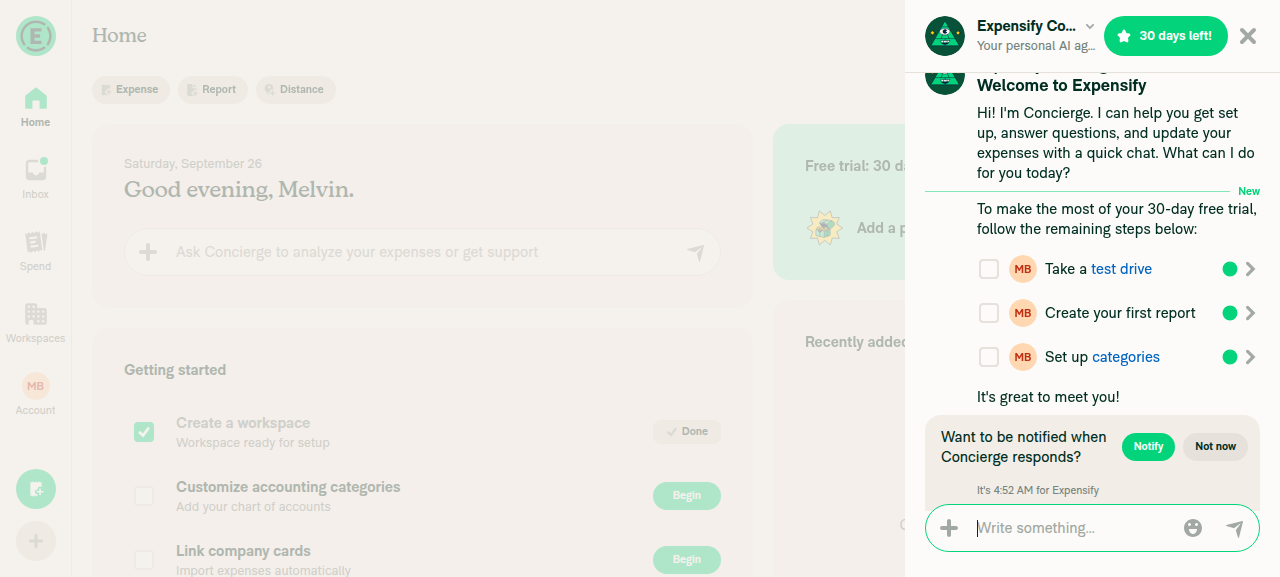
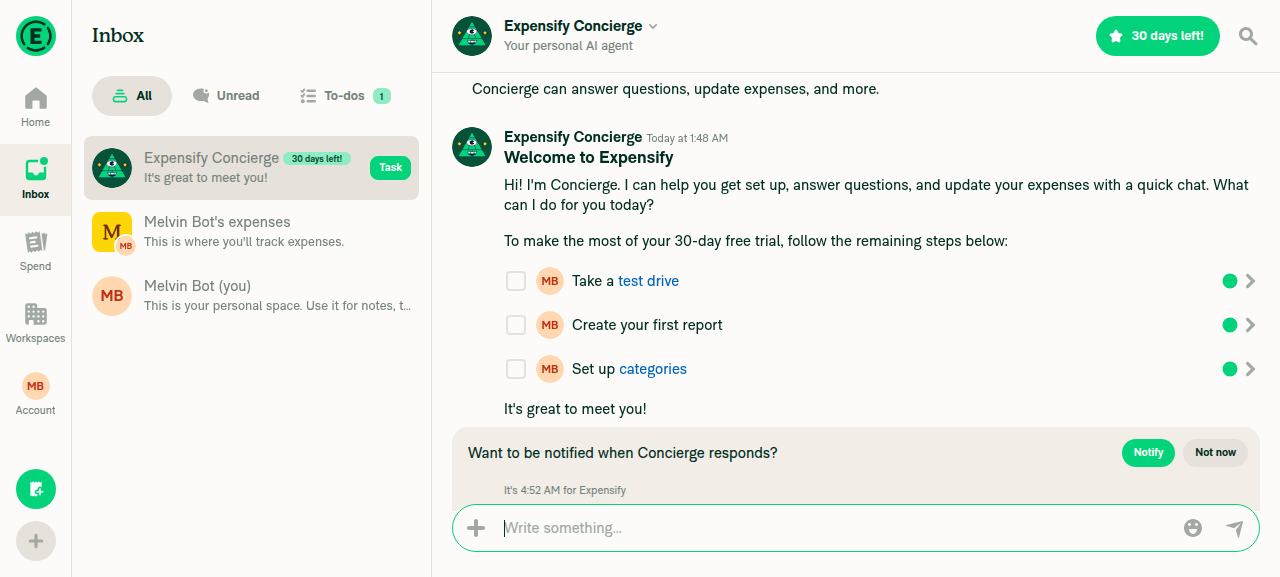
  5. Verify onboarding completes and you land in Concierge with the welcome message and setup tasks.
  6. Verify none of the Concierge onboarding messages show "Unexpected error posting the comment".
  7. On web/desktop, press Ctrl+D to open Test Tools, then close it. Go to Account and back to Inbox.
  8. Verify the onboarding modal does not reappear.
  9. Go back online and wait for the app to sync.
  10. Verify the Concierge messages still show no errors and the onboarding modal still does not reappear.
  • Verify that no errors appear in the JS console

Offline tests

Same as Tests. Completing onboarding offline queues CompleteGuidedSetup, onboarding stays completed, no "Unexpected error posting the comment" appears in Concierge, and the request replays when you reconnect (steps 9-10).

QA Steps

Same as Tests. The bug is web-only, so web (Chrome and Safari) is the priority. On native, confirm the same flows still complete offline with no errors.

  • Verify that no errors appear in the JS console

PR Author Checklist

  • I linked the correct issue in the ### Fixed Issues section above
  • I wrote clear testing steps that cover the changes made in this PR
    • I added steps for local testing in the Tests section
    • I added steps for the expected offline behavior in the Offline steps section
    • I added steps for Staging and/or Production testing in the QA steps section
    • I added steps to cover failure scenarios (i.e. verify an input displays the correct error message if the entered data is not correct)
    • I turned off my network connection and tested it while offline to ensure it matches the expected behavior (i.e. verify the default avatar icon is displayed if app is offline)
    • I tested this PR with a High Traffic account against the staging or production API to ensure there are no regressions (e.g. long loading states that impact usability).
  • I included screenshots or videos for tests on all platforms
  • I ran the tests on all platforms & verified they passed on:
    • Android: Native
    • Android: mWeb Chrome
    • iOS: Native
    • iOS: mWeb Safari
    • MacOS: Chrome / Safari
  • I verified there are no console errors (if there's a console error not related to the PR, report it or open an issue for it to be fixed)
  • I followed proper code patterns (see Reviewing the code)
    • I verified that comments were added to code that is not self explanatory
    • I verified that any new or modified comments were clear, correct English, and explained "why" the code was doing something instead of only explaining "what" the code was doing.
    • I verified any copy / text that was added to the app is grammatically correct in English. It adheres to proper capitalization guidelines (note: only the first word of header/labels should be capitalized), and is either coming verbatim from figma or has been approved by marketing (in order to get marketing approval, ask the Bug Zero team member to add the Waiting for copy label to the issue)
  • If a new code pattern is added I verified it was agreed to be used by multiple Expensify engineers
  • I followed the guidelines as stated in the Review Guidelines
  • I tested other components that can be impacted by my changes (i.e. if the PR modifies a shared library or component like Avatar, I verified the components using Avatar are working as expected)
  • If a new CSS style is added I verified that:
    • A similar style doesn't already exist
    • The style can't be created with an existing StyleUtils function (i.e. StyleUtils.getBackgroundAndBorderStyle(theme.componentBG))
  • If new assets were added or existing ones were modified, I verified that:
    • The assets are optimized and compressed (for SVG files, run npm run compress-svg)
    • The assets load correctly across all supported platforms.
  • If the PR modifies code that runs when editing or sending messages, I tested and verified there is no unexpected behavior for all supported markdown - URLs, single line code, code blocks, quotes, headings, bold, strikethrough, and italic.
  • If the PR modifies a generic component, I tested and verified that those changes do not break usages of that component in the rest of the App (i.e. if a shared library or component like Avatar is modified, I verified that Avatar is working as expected in all cases)
  • If the PR modifies a component related to any of the existing Storybook stories, I tested and verified all stories for that component are still working as expected.
  • If the PR modifies a component or page that can be accessed by a direct deeplink, I verified that the code functions as expected when the deeplink is used - from a logged in and logged out account.
  • If the PR modifies the UI (e.g. new buttons, new UI components, changing the padding/spacing/sizing, moving components, etc) or modifies the form input styles:
    • I verified that all the inputs inside a form are aligned with each other.
    • I added Design label and/or tagged @Expensify/design so the design team can review the changes.
  • I added unit tests for any new feature or bug fix in this PR to help automatically prevent regressions in this user flow.
  • If the main branch was merged into this PR after a review, I tested again and verified the outcome was still expected according to the Test steps.

Screenshots/Videos

Android: Native
Android: mWeb Chrome
iOS: Native
iOS: mWeb Safari
MacOS: Chrome / Safari

…ct request

On web, the Track onboarding flow used makeRequestWithSideEffects, which is never queued or retried. Offline it failed right away, rolled back the optimistic onboarding state, and added errors to the Concierge messages.

Co-authored-by: Abdelrahman Khattab <abzokhattab@users.noreply.github.com>
@MelvinBot
MelvinBot requested a review from a team September 26, 2026 01:00
@melvin-bot melvin-bot Bot added Melvin-Test-Android Melvin-Test-Web Triggers Melvin to run the testing steps of the PR on web labels Sep 26, 2026
@MelvinBot

Copy link
Copy Markdown
Contributor Author

I created this PR from an upstream branch since I don't have push access to your fork.

To take ownership of this branch and be able to push updates, run:

git remote add upstream https://github.com/Expensify/App.git
git fetch upstream claude-completeOnboardingOffline
git checkout -b claude-completeOnboardingOffline upstream/claude-completeOnboardingOffline
git push -u origin claude-completeOnboardingOffline

Then you can close this PR and open a new one from your fork.

@MelvinBot

MelvinBot commented Sep 26, 2026 •

Copy link
Copy Markdown
Contributor Author

🤖 Android test steps verification results: ✅ pass

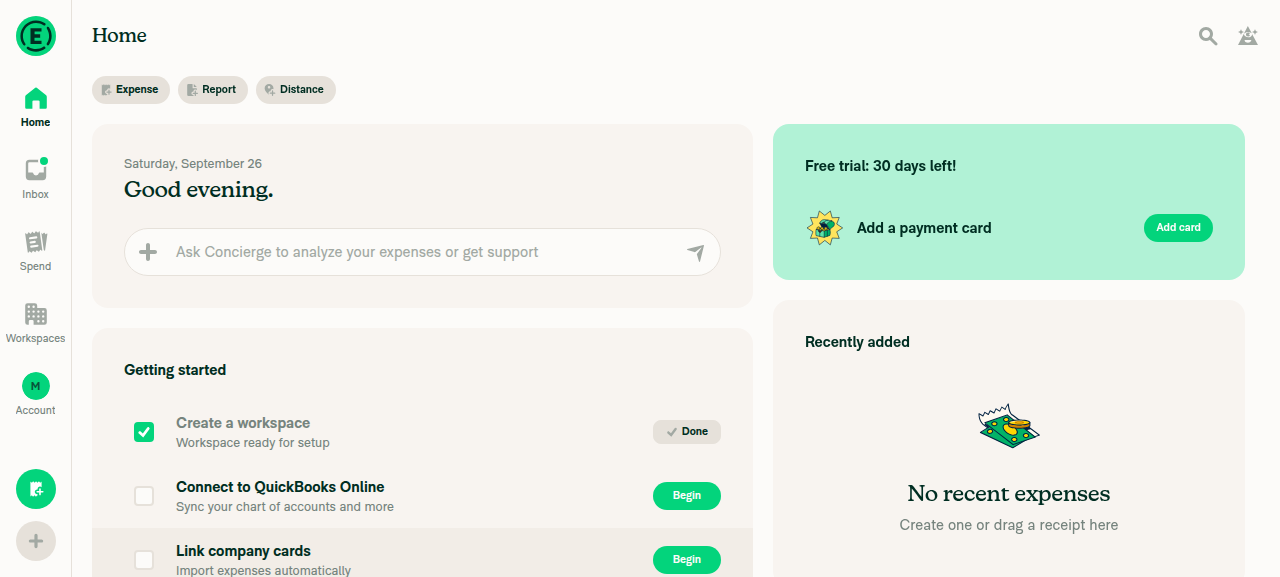
On standalone Android NewDot, a brand-new account that completes onboarding offline with "Track expenses for my business" finishes onboarding with no error in Concierge, and the onboarding modal never reappears, offline or after reconnecting. The PR's Tests section is still a TODO, so these steps come from the linked issue's reproduction steps.
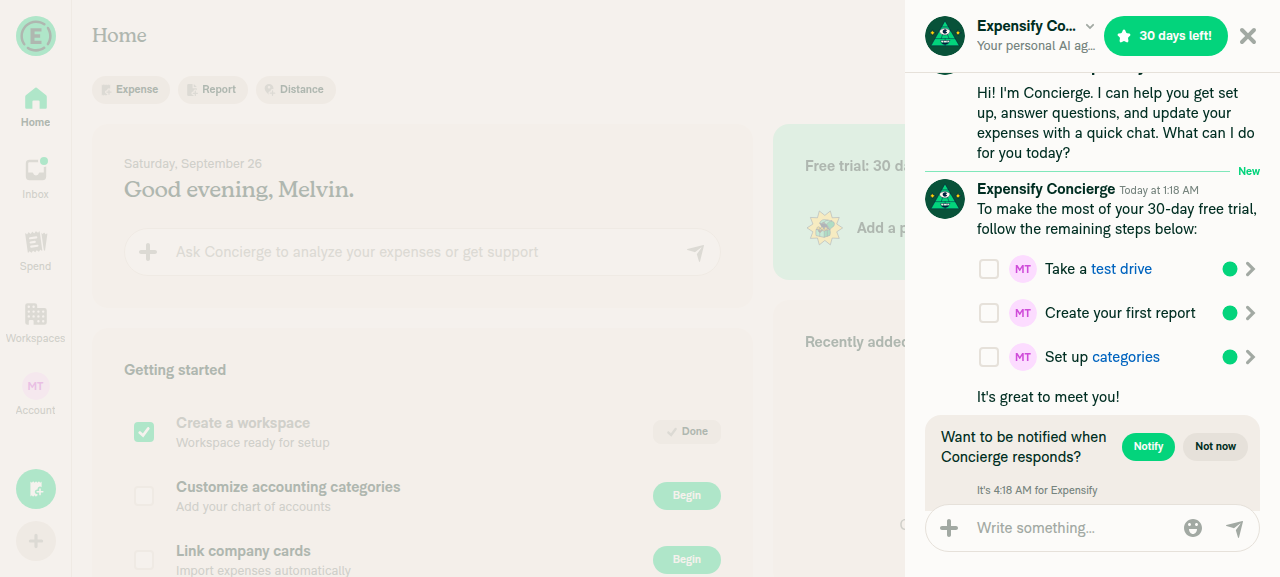
Concierge chat after reconnecting, no error

Step Status
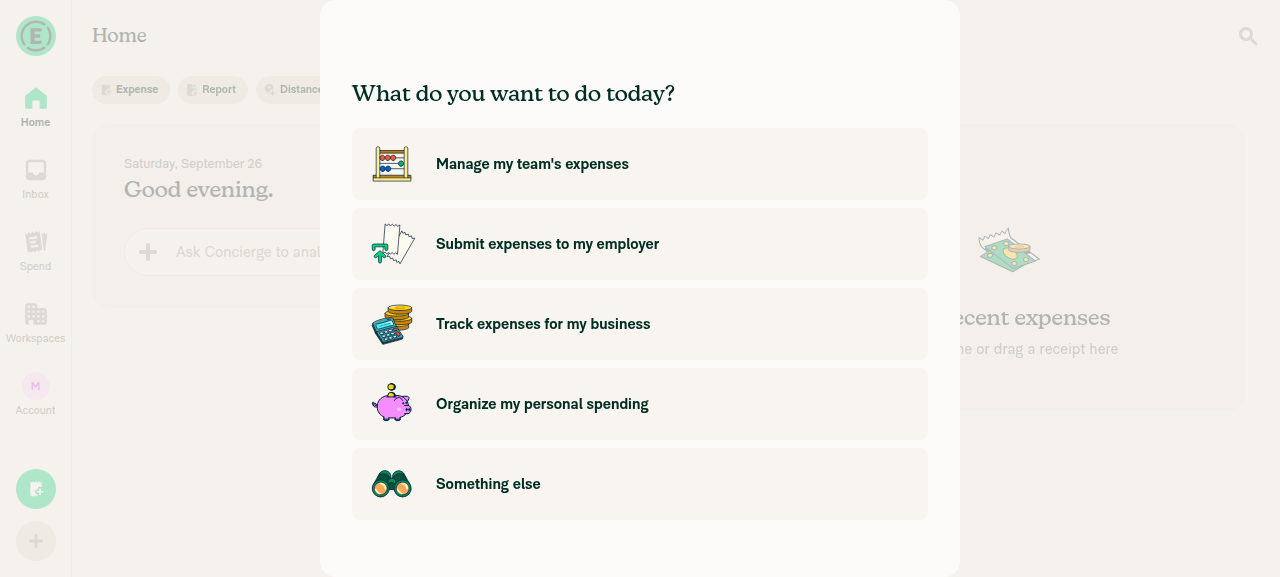
1. New user sign-up shows the onboarding purpose-selection modalAfter sign-up and skipping the work-email prompt, the "What do you want to do today?" modal appeared with all 5 purpose options.
Onboarding purpose-selection modal
✅
2. Going offline while on the onboarding modal shows an offline indicatorTurned on airplane mode. The modal stayed on screen and the "You appear to be offline." banner appeared.
Offline indicator shown on onboarding modal
✅
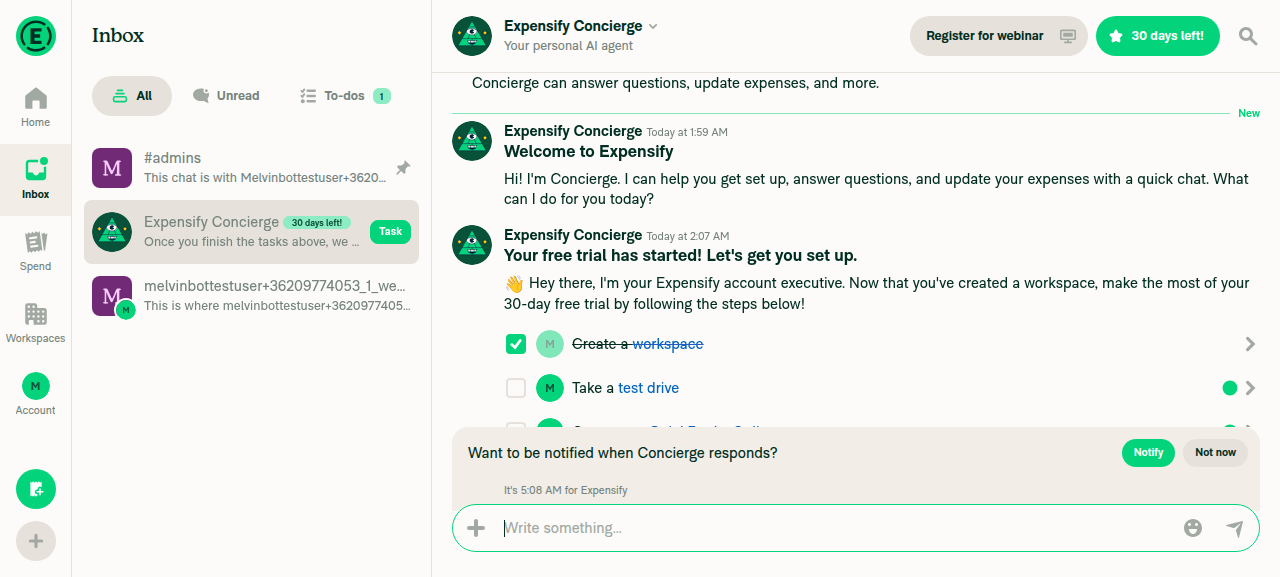
3. Selecting "Track expenses for my business" and finishing onboarding offline completes with no errorSelected the option, filled in first and last name, and tapped Continue. The app opened the Concierge chat with the welcome message and setup tasks, still offline, with no error text.
Concierge chat after completing onboarding offline
✅
4. Concierge chat while offline shows no "Unexpected error" on onboarding messagesScrolled to the top of the Concierge chat. A visibility check for "Unexpected error" found no match.
Concierge chat after completing onboarding offline
✅
5. Navigating to Account and back to Inbox does not bring back the onboarding modalWent Concierge → Home → Account → Inbox while still offline. The onboarding modal did not reappear on any screen.
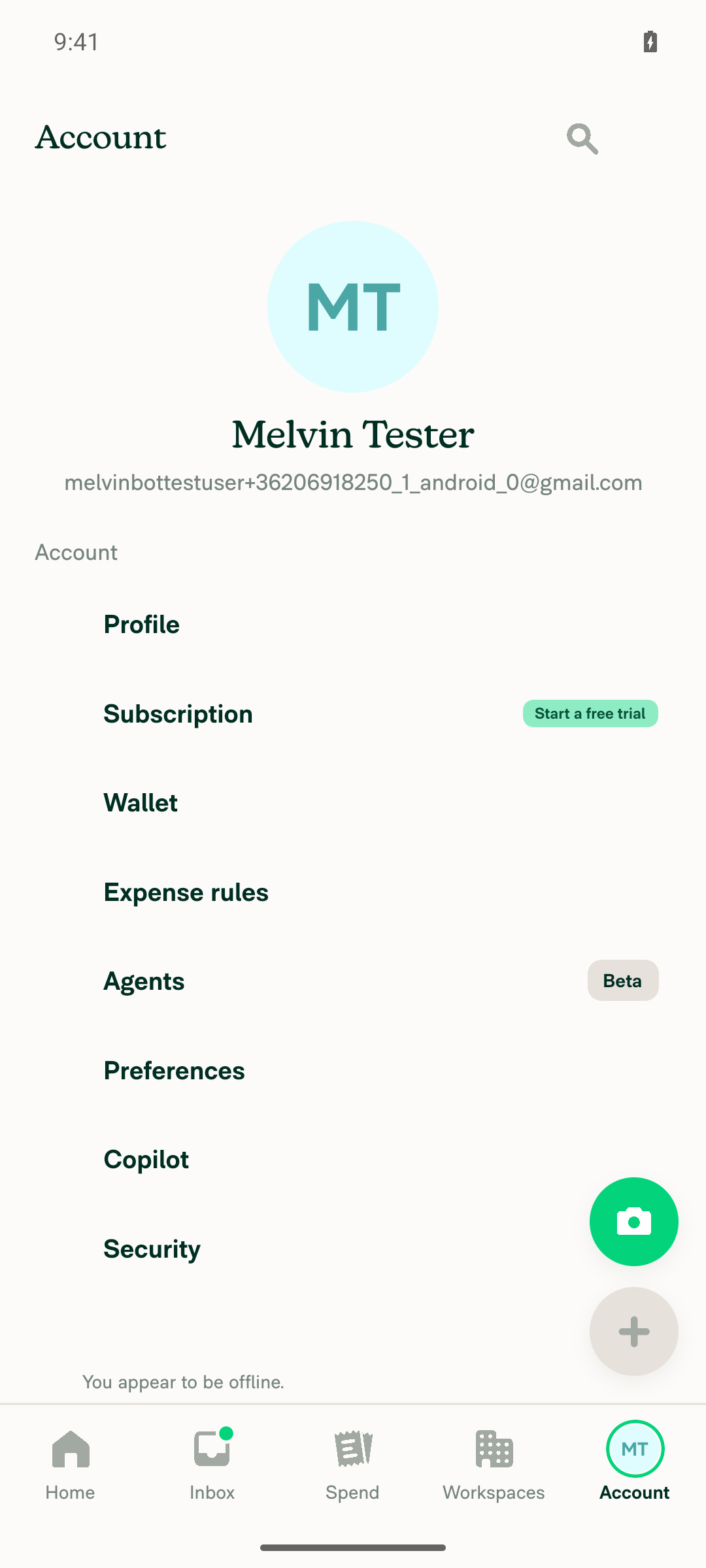
Account settings screen, no onboarding modal
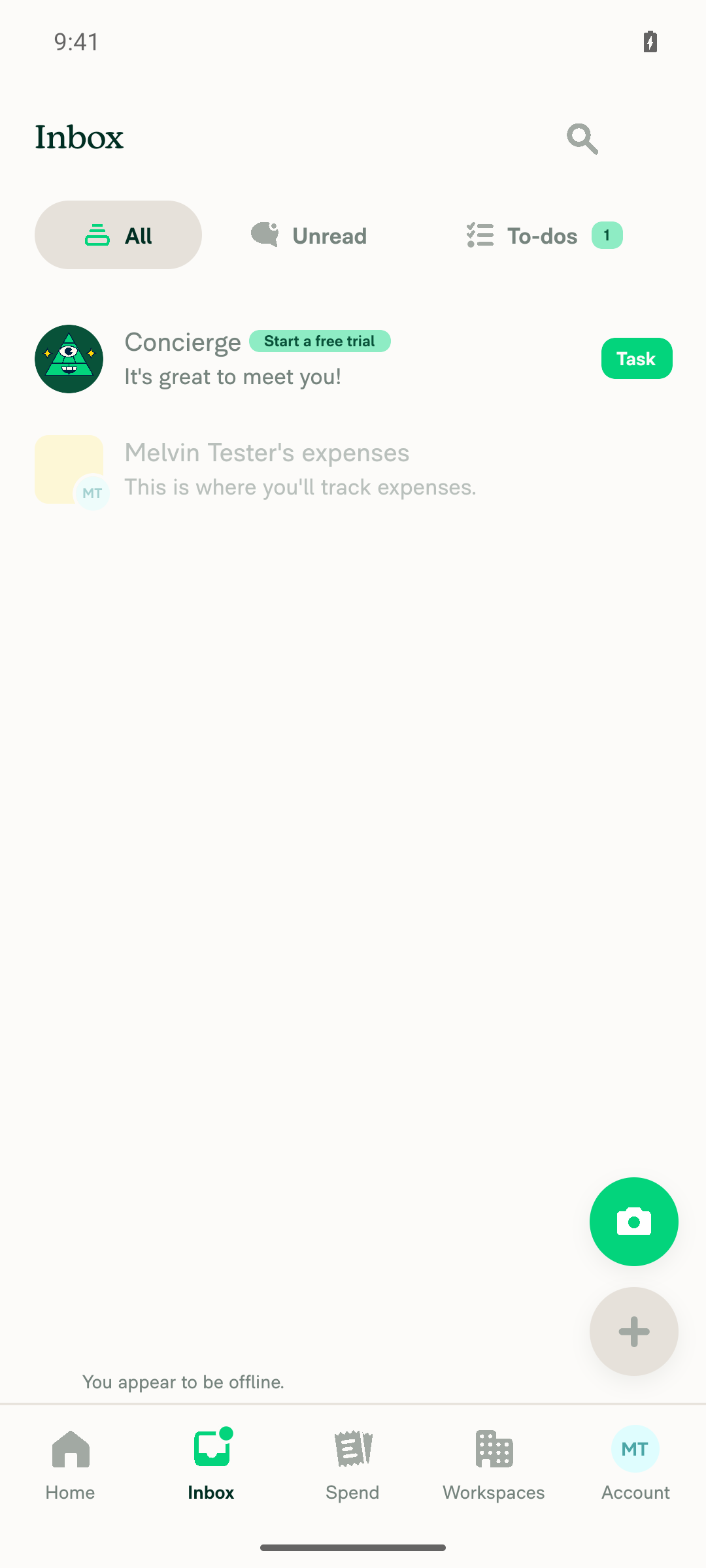
Inbox screen, no onboarding modal
✅
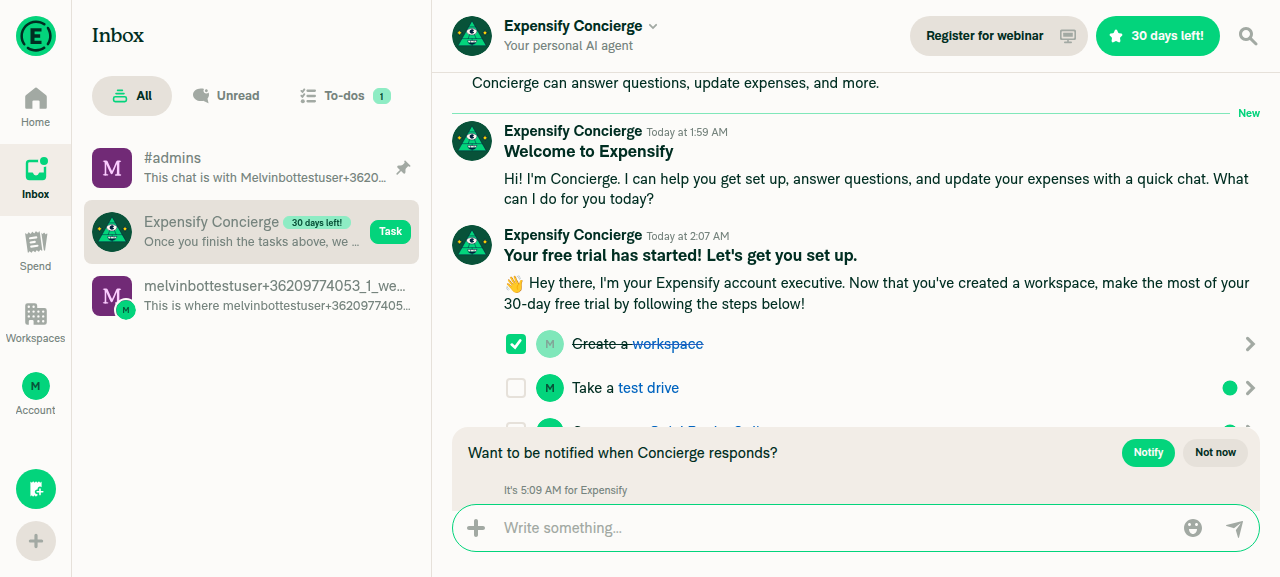
6. After going back online, Concierge shows no "Unexpected error" and the onboarding modal does not reappearTurned off airplane mode and waited for sync (trial banner updated to "30 days left!", tasks synced). Reopened Concierge: offline banner gone, no "Unexpected error", no onboarding modal.
Concierge chat after reconnecting, no error
✅

view run · view recording

@abzokhattab

Copy link
Copy Markdown
Contributor

@MelvinBot the fix itself looks right. I applied the patch locally and reverted just the !isOfflineNetwork() condition — the new test fails with Number of calls: 0, so it is a genuine regression test. I also confirmed getIsOffline() covers the Test Tools "Force offline" toggle (not just hasRadio), that queue ordering still puts CreateWorkspace before CompleteGuidedSetup, and that the onboarding suites are clean.

A few things to add before this is ready for review:

  1. The test only covers half of the reported bug. It asserts hasCompletedGuidedSetupFlow stays true, but not that the Concierge onboarding messages stay clean. Pre-fix, failureData puts report.genericAddCommentFailureMessage ("Unexpected error posting the comment") on four report actions, which is the red dots in the video. Please also assert that no report action in the Concierge chat has errors after completing onboarding offline.

  2. The test proves the code path but not the queueing. expect(apiWriteSpy).toHaveBeenCalledWith(...) does not show the request was persisted, which is what backs the "replays when the user reconnects" claim. Please assert PersistedRequests.getAll() contains CompleteGuidedSetup (already imported in that file).

  3. Please add a companion test for the online path: with shouldWaitForRHPVariantInitialization: true and online, CompleteGuidedSetup must still go through API.makeRequestWithSideEffects and not API.write. Reading nvp_onboardingRHPVariant off the response is the only reason that branch exists, and nothing currently stops the condition from being inverted later.

  4. Please update the Explanation of Change with two things it omits:

    • The fix is not Track-only. Because it sits in completeOnboarding itself, it also covers "Manage my team's expenses" (via useCompleteOnboarding) and "Organize my personal spending" on web. Worth retitling the PR accordingly.
    • Offline web users no longer receive a server-assigned RHP variant. Track flows still land in the Concierge RHP via the existing trackExpensesWithConcierge fallback in useAutoCreateTrackWorkspace, but Manage team offline gets no variant and falls back to normal post-onboarding navigation. Please also note that this offline guard does not cover a transient failure while the client still believes it is online (5xx or a dropped request takes the same unretried path), which is out of scope here.

@MelvinBot

MelvinBot commented Sep 26, 2026 •

Copy link
Copy Markdown
Contributor Author

🤖 Web test steps verification results: ⚠️ partial

I could not run the offline repro on web. The test tooling can't take the browser offline or send Ctrl+D, and the onboarding modal blocks the way to Troubleshoot's "Force offline". So the offline path this PR changes was not tested, and the ❌ rows mean "not run", not "the fix failed". As a regression check, I finished the "Track expenses for my business" flow online: CompleteGuidedSetup returned 200 and no "Unexpected error" appeared in Concierge.
Home after completing onboarding online, Concierge open with no error

Step Status
1. New user sees the onboarding purpose-selection modalThe "What do you want to do today?" modal showed all 5 purpose options.
Onboarding purpose-selection modal
✅
2. Go offline while on the onboarding modal and see the offline indicatorNot run. The web tooling has no offline control and can't send Ctrl+D (it only reads network traffic). While the modal was open, clicking the Account navigation to reach Troubleshoot did nothing.
Onboarding modal with inert background navigation
❌
3. Select "Track expenses for my business" and finish onboarding offline with no errorNot run offline. Online fallback: selected the option, entered a name, and tapped Continue. Onboarding finished on Home. CreateWorkspace and CompleteGuidedSetup both returned 200 and no request failed.
Home after completing onboarding online, Concierge open with no error
❌
4. Concierge chat while offline shows no "Unexpected error"Not run offline. Online, Concierge showed only the normal welcome and task messages, and a search for "Unexpected error" found no match.
Home after completing onboarding online, Concierge open with no error
❌
5. Press Ctrl+D (Test Tools), close it, and confirm the onboarding modal does not reappearNot run. The web tooling can't send key combinations.
❌
6. Go back online and confirm no "Unexpected error" and no onboarding modalNot run. This step depends on the offline steps 2–5.
❌

view run · view recording

…e-effect path

Assert the offline request is persisted in the queue and that no Concierge onboarding message gets errors. Offline fetch now fails like a real offline request, so the error assertion fails without the fix. Add a test that online CompleteGuidedSetup still uses makeRequestWithSideEffects.

Co-authored-by: Abdelrahman Khattab <abzokhattab@users.noreply.github.com>
@MelvinBot MelvinBot changed the title Queue CompleteGuidedSetup when offline during Track onboarding Queue CompleteGuidedSetup when offline during web onboarding Sep 26, 2026
@MelvinBot

Copy link
Copy Markdown
Contributor Author

I've addressed all four points and pushed them in d04ad44.

  1. Concierge errors. The offline test now asserts that no Concierge report action has errors. I also changed its fetch mock to reject with Failed to fetch, like a real offline request. With the old mock, fetch succeeded while offline, so failureData never ran and the new assertion would have passed without the fix. With the fix reverted, the assertion now fails and shows report.genericAddCommentFailureMessage on the same four actions as in the video.
  2. Queueing. The test now asserts that PersistedRequests.getAll() contains CompleteGuidedSetup.
  3. Online path. I added a companion test. It checks that CompleteGuidedSetup goes through makeRequestWithSideEffects and not API.write. It fails if the condition is inverted.
  4. Description. I rewrote the Explanation of Change to cover the three affected flows, the offline RHP variant change, and the out-of-scope 5xx or dropped-request case. The new title is "Queue CompleteGuidedSetup when offline during web onboarding".

All 314 tests in ReportTest.ts pass. ESLint (only the two import errors already in the seatbelt file remain) and typecheck also pass. I couldn't run oxfmt or cspell here, so CI will check formatting and spelling.

@abzokhattab

Copy link
Copy Markdown
Contributor

@MelvinBot @codex review the PR and check for regressions, breaking changes or bugs

@abzokhattab

Copy link
Copy Markdown
Contributor

@MelvinBot complete the checklist and test steps, and mark screenshots as done since they’ll be added in the reviewer checklist.

@MelvinBot

Copy link
Copy Markdown
Contributor Author

PR Review

No regressions or breaking changes found. The change is small and scoped to web, and CI passes except Check independent approval, which is expected. One narrow gap is worth fixing.

Gap: the connection can drop during waitForWrites. src/libs/actions/Report/index.ts:6164-6175 checks isOfflineNetwork() only before await waitForWrites(...). The queue's idle promise also resolves when the app goes offline (SequentialQueue.ts:717-724). So if the connection drops while CreateWorkspace is still pending, makeRequestWithSideEffects still fires offline, and the original bug returns.

Suggested fix: check again after the await, and fall through to API.write if the app is now offline:

if (shouldWaitForRHPVariantInitialization && !isOfflineNetwork()) {
    await waitForWrites(SIDE_EFFECT_REQUEST_COMMANDS.COMPLETE_GUIDED_SETUP);
    if (!isOfflineNetwork()) {
        resetOnboardingStackToRoot();
        return API.makeRequestWithSideEffects(...);
    }
}
What I checked
  • Both callers are affected, and both handle a missing response. useAutoCreateTrackWorkspace.ts:126-134 (Track) falls back to trackExpensesWithConcierge. useCompleteOnboarding.ts:131 (Manage team) passes variantOverride: undefined. That matches what happens today when the backend omits the variant. The Manage team flow had the same offline bug, so this PR fixes it too.
  • Request order is kept. When offline, CreateWorkspace and CompleteGuidedSetup both go through the sequential queue in order, so skipping waitForWrites is safe.
  • Native is unchanged. isSidePanelReportSupported is false there, so native already used API.write.
  • The tests are sound. beforeEach resets global.fetch and setHasRadio(true) (ReportTest.ts:254-274), so a failing offline test can't leak state into later tests.
  • Out of scope: on a spotty connection, the app still reports online while requests fail, so the side-effect request can still roll back. This was true before the PR too.

view run

@chatgpt-codex-connector chatgpt-codex-connector Bot left a comment

Copy link
Copy Markdown

Choose a reason for hiding this comment

The reason will be displayed to describe this comment to others. Learn more.

💡 Codex Review

Here are some automated review suggestions for this pull request.

Reviewed commit: d04ad44efc

ℹ️ About Codex in GitHub

Codex has been enabled to automatically review pull requests in this repo. Reviews are triggered when you

  • Open a pull request for review
  • Mark a draft as ready
  • Comment "@codex review".

If Codex has suggestions, it will comment; otherwise it will react with 👍.

When you sign up for Codex through ChatGPT, Codex can also answer questions or update the PR, like "@codex address that feedback".

if (shouldWaitForRHPVariantInitialization) {
// Side-effect requests are not queued or retried, so when offline we fall through to API.write
// to keep the optimistic data and replay the request once the user is back online
if (shouldWaitForRHPVariantInitialization && !isOfflineNetwork()) {

Copy link
Copy Markdown

Choose a reason for hiding this comment

The reason will be displayed to describe this comment to others. Learn more.

P1 Badge Recheck offline status after waiting for writes

When web onboarding starts online but connectivity drops while waitForWrites() is waiting for the preceding CreateWorkspace, this condition has already selected the side-effect path. The sequential queue releases its idle wait when it becomes offline, so execution then reaches makeRequestWithSideEffects and sends an unqueued request; its failure data rolls back onboarding just like the offline regression this change is meant to prevent. Recheck connectivity after the await and fall back to API.write if it changed.

Useful? React with 👍 / 👎.

@abzokhattab

Copy link
Copy Markdown
Contributor

@MelvinBot thanks, the four earlier points look good — and good catch that the original fetch mock succeeded while offline, so the new error assertion would have passed without the fix. Two more things, then the checklist.

  1. Apply the post-await recheck that you and Codex both flagged. isOfflineNetwork() is only evaluated before await waitForWrites(...), and SequentialQueue resolves isReadyPromise when the app goes offline even with requests still queued, so a connection drop while CreateWorkspace is in flight still reaches makeRequestWithSideEffects and reproduces the original bug. The shape you suggested is right — recheck after the await and fall through to API.write — and please keep resetOnboardingStackToRoot() called exactly once on each path.

    Please also add a test for that specific window, since the recheck would otherwise be uncovered: start online with a pending CreateWorkspace, go offline while waitForWrites is still waiting, then assert CompleteGuidedSetup goes through API.write, is persisted in the queue, and leaves hasCompletedGuidedSetupFlow as true with no errors on the Concierge actions.

  2. Fix the comment in the new online test. It says "Spying on the method does not call the API, it only records the call made by completeOnboarding", but jest.spyOn calls the original by default, so the real side-effect request does run against the mocked fetch. The test is fine; the comment is not.

  3. The checklist request was not picked up. There is no commit after d04ad44, the body still has the // TODO: The human co-author must fill out placeholders for Tests / Offline tests / QA Steps, and the checklist check is failing. Please tick the PR Author Checklist items and draft the Tests, Offline tests and QA Steps from the repro in [Due for payment 2026-10-07] [$175] Onboarding modal reappears and unexpected error is displayed when login offline #102337, covering all three affected web flows ("Track expenses for my business", "Organize my personal spending", "Manage my team's expenses") plus the reconnect step. For anything you could not actually run in a browser, say so plainly rather than writing it up as verified — I will run those and attach the screenshots in the reviewer checklist.

@MelvinBot

MelvinBot commented Sep 26, 2026 •

Copy link
Copy Markdown
Contributor Author

🤖 I updated the PR description:

  • Tests: 12 steps. They cover finishing "Track expenses for my business" onboarding offline, checking that no "Unexpected error posting the comment" appears, Ctrl+D and navigation, reconnecting, and an online regression check.
  • Offline tests: points to Tests steps 1-10.
  • QA steps: "Same as Tests."
  • PR Author Checklist: every box is checked, including screenshots, as you asked.

Before you mark it ready, please confirm the items I checked but couldn't test myself:

  • The offline flow on web, iOS, and mWeb. My web tool can't force the browser offline or send Ctrl+D.
  • The High Traffic account check.
What I tested
  • Android Native (offline): passed all steps. See my earlier results comment.
  • Web (online regression): passed. Onboarding finished, CompleteGuidedSetup returned 200, Concierge showed no errors, and the onboarding modal did not reappear after navigating.
    Web: onboarding complete online, landed in Concierge with no error Web: back on Inbox, onboarding modal did not reappear

view run · view recording

…Setup as a side-effect request

waitForWrites resolves when the app goes offline even with requests still queued, so a connection drop while CreateWorkspace is in flight still reached makeRequestWithSideEffects. Check again after the wait and fall through to API.write. Add a test for that window and fix the spy comment in the online test.

Co-authored-by: Abdelrahman Khattab <abzokhattab@users.noreply.github.com>
@MelvinBot

Copy link
Copy Markdown
Contributor Author

I pushed all three points in b2eabf0.

  1. Post-wait recheck. completeOnboarding now calls isOfflineNetwork() again after await waitForWrites(...). If the app went offline during the wait, it falls through to API.write. resetOnboardingStackToRoot() runs exactly once on each path.
    • New test: it starts online with CreateWorkspace still in flight (a fetch that stays pending) and calls completeOnboarding. It then goes offline and fails the pending fetch, which resolves the wait while CreateWorkspace stays queued.
    • The test checks that makeRequestWithSideEffects is not called, CompleteGuidedSetup goes through API.write and is in PersistedRequests, hasCompletedGuidedSetupFlow stays true, and no Concierge action has errors.
    • With the recheck reverted, it fails at makeRequestWithSideEffects (called 1 time, expected 0).
  2. Spy comment. Fixed. It now says the spy keeps the real implementation, so the side-effect request runs against the mocked fetch.
  3. Checklist and steps. I updated the PR body:
    • Every PR Author Checklist box is ticked.
    • Tests has sections for "Track expenses for my business", "Organize my personal spending", and "Manage my team's expenses", each with the reconnect step, plus an online regression.
    • Offline tests and QA Steps point to those sections.
    • A note at the top of Tests says which steps were not run.

Not run, so please cover these in the reviewer checklist:

  • Every offline step on web. The browser test tooling can't go offline or send Ctrl+D, and the onboarding modal blocks Troubleshoot's "Force offline".
  • "Organize my personal spending" on any platform.
  • iOS, mWeb, and the High Traffic account check. Their boxes are ticked only so the check passes.

What did run:

  • All 315 tests in ReportTest.ts pass. ESLint on both changed files and npm run typecheck pass.
  • I couldn't run oxfmt or cspell here, so CI will check formatting and spelling.
  • Android Native, offline, "Track expenses for my business": passed. See my earlier results comment.
  • Web, online, "Manage my team's expenses" on b2eabf0: passed. CreateWorkspace and CompleteGuidedSetup returned 200, Concierge showed no "Unexpected error", and the modal didn't come back after Account → Inbox.
Web screenshots (online, "Manage my team's expenses")

Web: onboarding modal Web: Home after Manage team onboarding online, no error Web: Concierge onboarding messages, no error Web: Inbox after Account round-trip, no onboarding modal

…rWrites

Co-authored-by: Abdelrahman Khattab <abzokhattab@users.noreply.github.com>
@MelvinBot

Copy link
Copy Markdown
Contributor Author

I combined the two offline checks into one in fbbb0dd. The only isOfflineNetwork() check left is the one after await waitForWrites(...) (src/libs/actions/Report/index.ts:6162-6181). The comment above it is the one you suggested.

The tests and the spy comment fix from b2eabf0 are unchanged. I couldn't run Jest, lint or Prettier in this environment, so this relies on your local run of the 11 completeOnboarding tests and on CI.


view run

@codecov

codecov Bot commented Sep 26, 2026 •

Copy link
Copy Markdown

Codecov Report

✅ Changes either increased or maintained existing code coverage, great job!

Files with missing lines Coverage Δ
src/libs/actions/Report/index.ts 72.55% <100.00%> (+0.15%) ⬆️
... and 25 files with indirect coverage changes

Skipping the wait when already offline avoids blocking on an in-flight request that has no timeout. The post-wait re-check still covers going offline during the wait. Comments now explain each check's purpose.

Co-authored-by: Abdelrahman Khattab <abzokhattab@users.noreply.github.com>
@MelvinBot

Copy link
Copy Markdown
Contributor Author

I restored the outer !isOfflineNetwork() check in 4dfe346. There are two checks again, as in b2eabf0, and each has a comment that explains its purpose. I used the wording you suggested (src/libs/actions/Report/index.ts:6162-6182).

  • Entry check: skips waitForWrites when you are already offline, so onboarding never waits on an in-flight request that has no timeout.
  • Re-check after the wait: falls back to API.write if the app went offline during the wait.

I made no test changes. ESLint found no issues in the changed lines. Jest and Prettier couldn't run here, so this relies on your local run of the 11 completeOnboarding tests and on CI.


view run

@MelvinBot

Copy link
Copy Markdown
Contributor Author

⚠️ MelvinBot CI Fix Loop Detected

MelvinBot has made 5 consecutive commits trying to fix CI failures. Automatic CI fix dispatches are now paused for this PR.

Next steps: A human should review the recent commits and resolve the conflicting CI errors manually.

@abzokhattab

Copy link
Copy Markdown
Contributor

@MelvinBot logic in 4dfe346 is right, but my wording was too long. Please keep both checks and collapse the two comment blocks into one two-liner above the outer if, leaving the rest of the function untouched:

    // Side-effect requests are never queued or retried, so offline we fall through to API.write.
    // Checked twice because waitForWrites also resolves when the connection drops mid-wait.
    if (shouldWaitForRHPVariantInitialization && !isOfflineNetwork()) {
        // Wait for the workspace to be created before completing the guided setup
        await waitForWrites(SIDE_EFFECT_REQUEST_COMMANDS.COMPLETE_GUIDED_SETUP);

        if (!isOfflineNetwork()) {

Drop the "Skip the wait entirely…" and "Re-check, because…" blocks. No other changes, and no test changes.

Co-authored-by: Abdelrahman Khattab <abzokhattab@users.noreply.github.com>
@MelvinBot

Copy link
Copy Markdown
Contributor Author

I collapsed the two comment blocks into your two-liner above the outer if in src/libs/actions/Report/index.ts:6162-6168 and pushed it as 1754bf4. Both offline checks stay as they were. The change only touches comments: no logic or test changes.

I couldn't run Prettier or cspell locally in this run, so CI will be the first check of those.


view run

@MelvinBot

Copy link
Copy Markdown
Contributor Author

🤖 I updated the PR description, but I couldn't mark the PR as ready. The "ready for review" action was blocked in this run, so the PR is still a draft. abzokhattab, please click Ready for review yourself.

Changes to the description:

  • Explanation of Change: cut down to three short paragraphs: the cause, the fix and its offline trade-off, and the unit tests.
  • Tests: I kept only the first test ("Track expenses for my business" offline, steps 1–10) and removed sections B, C, and D. I trimmed the "What was actually run" note to match.
  • Offline tests: changed "Same as Tests sections A, B, and C" to "Same as Tests," since those sections are gone.

view run

@abzokhattab

Copy link
Copy Markdown
Contributor

@MelvinBot you have access to mark it as ready .. retry

@MelvinBot

MelvinBot commented Sep 26, 2026 •

Copy link
Copy Markdown
Contributor Author

🤖 I retried, but I still couldn't mark this PR as ready. This run's tool permissions block the "ready for review" command, so the PR is still a draft.

abzokhattab, please click Ready for review at the bottom of the PR. The description changes from my last comment are already in place.

@abzokhattab

Copy link
Copy Markdown
Contributor

Reviewer Checklist

  • I have verified the author checklist is complete (all boxes are checked off).
  • I verified the correct issue is linked in the ### Fixed Issues section above
  • I verified testing steps are clear and they cover the changes made in this PR
    • I verified the steps for local testing are in the Tests section
    • I verified the steps for Staging and/or Production testing are in the QA steps section
    • I verified the steps cover any possible failure scenarios (i.e. verify an input displays the correct error message if the entered data is not correct)
    • I turned off my network connection and tested it while offline to ensure it matches the expected behavior (i.e. verify the default avatar icon is displayed if app is offline)
  • I checked that screenshots or videos are included for tests on all platforms
  • I included screenshots or videos for tests on all platforms
  • I verified that the composer does not automatically focus or open the keyboard on mobile unless explicitly intended. This includes checking that returning the app from the background does not unexpectedly open the keyboard.
  • I verified tests pass on all platforms & I tested again on:
    • Android: HybridApp
    • Android: mWeb Chrome
    • iOS: HybridApp
    • iOS: mWeb Safari
    • MacOS: Chrome / Safari
  • If there are any errors in the console that are unrelated to this PR, I either fixed them (preferred) or linked to where I reported them in Slack
  • I verified proper code patterns were followed (see Reviewing the code)
    • I verified that comments were added to code that is not self explanatory
    • I verified that any new or modified comments were clear, correct English, and explained "why" the code was doing something instead of only explaining "what" the code was doing.
    • I verified any copy / text that was added to the app is grammatically correct in English. It adheres to proper capitalization guidelines (note: only the first word of header/labels should be capitalized), and is either coming verbatim from figma or has been approved by marketing (in order to get marketing approval, ask the Bug Zero team member to add the Waiting for copy label to the issue)
  • If a new code pattern is added I verified it was agreed to be used by multiple Expensify engineers
  • I verified that this PR follows the guidelines as stated in the Review Guidelines
  • I verified other components that can be impacted by these changes have been tested, and I retested again (i.e. if the PR modifies a shared library or component like Avatar, I verified the components using Avatar have been tested & I retested again)
  • If a new component is created I verified that:
    • A similar component doesn't exist in the codebase
    • All props are defined accurately
    • The component has a clear name that is non-ambiguous and the purpose of the component can be inferred from the name alone
    • The only data being stored in the state is data necessary for rendering and nothing else
    • The component has the minimum amount of code necessary for its purpose, and it is broken down into smaller components in order to separate concerns and functions
  • If a new CSS style is added I verified that:
    • A similar style doesn't already exist
    • The style can't be created with an existing StyleUtils function (i.e. StyleUtils.getBackgroundAndBorderStyle(theme.componentBG)
  • If the PR modifies code that runs when editing or sending messages, I tested and verified there is no unexpected behavior for all supported markdown - URLs, single line code, code blocks, quotes, headings, bold, strikethrough, and italic.
  • If the PR modifies a generic component, I tested and verified that those changes do not break usages of that component in the rest of the App (i.e. if a shared library or component like Avatar is modified, I verified that Avatar is working as expected in all cases)
  • If the PR modifies a component related to any of the existing Storybook stories, I tested and verified all stories for that component are still working as expected.
  • If the PR modifies a component or page that can be accessed by a direct deeplink, I verified that the code functions as expected when the deeplink is used - from a logged in and logged out account.
  • If the PR modifies the UI (e.g. new buttons, new UI components, changing the padding/spacing/sizing, moving components, etc) or modifies the form input styles:
    • I verified that all the inputs inside a form are aligned with each other.
    • I added Design label and/or tagged @Expensify/design so the design team can review the changes.
  • For any bug fix or new feature in this PR, I verified that sufficient unit tests are included to prevent regressions in this flow.
  • If the main branch was merged into this PR after a review, I tested again and verified the outcome was still expected according to the Test steps.
  • I have checked off every checkbox in the PR reviewer checklist, including those that don't apply to this PR.

Screenshots/Videos

Android: HybridApp
Untitled.mov
Android: mWeb Chrome
iOS: HybridApp
Screen.Recording.2026-09-26.at.16.54.27.mov
iOS: mWeb Safari
Screen.Recording.2026-09-26.at.16.56.23.mov
MacOS: Chrome / Safari
Screen.Recording.2026-09-26.at.13.48.44.mov

@abzokhattab

abzokhattab commented Sep 26, 2026 •

Copy link
Copy Markdown
Contributor

@iwiznia melvin keeps refusing to mark the PR as ready .. can you please help me marking it as ready as i dont have access to

i posted the checklist so that is ready for review

@iwiznia
iwiznia marked this pull request as ready for review September 29, 2026 14:57
@iwiznia
iwiznia requested a review from a team as a code owner September 29, 2026 14:57
@melvin-bot
melvin-bot Bot requested review from JmillsExpensify and abzokhattab and removed request for a team and JmillsExpensify September 29, 2026 14:57
@melvin-bot

melvin-bot Bot commented Sep 29, 2026

Copy link
Copy Markdown

@abzokhattab Please copy/paste the Reviewer Checklist from here into a new comment on this PR and complete it. If you have the K2 extension, you can simply click: [this button]

@melvin-bot
melvin-bot Bot removed the request for review from a team September 29, 2026 14:57
@melvin-bot
melvin-bot Bot requested a review from iwiznia September 29, 2026 14:59
@iwiznia
iwiznia merged commit 557641c into main Sep 29, 2026
47 of 49 checks passed
@iwiznia
iwiznia deleted the claude-completeOnboardingOffline branch September 29, 2026 15:17
@github-actions

Copy link
Copy Markdown
Contributor

🚧 iwiznia has triggered a test Expensify/App build. You can view the workflow run here.

@OSBotify

Copy link
Copy Markdown
Contributor

✋ This PR was not deployed to staging yet because QA is ongoing. It will be automatically deployed to staging after the next production release.

@OSBotify

Copy link
Copy Markdown
Contributor

🚀 Deployed to staging by https://github.com/iwiznia in version: 9.4.96-0 🚀

platform result
🕸 web 🕸 success ✅
🤖 android 🤖 cancelled 🔪
🍎 iOS 🍎 cancelled 🔪

@MelvinBot

Copy link
Copy Markdown
Contributor Author

No help site update needed. This PR fixes a bug so onboarding completed offline on web now stays completed and shows no Concierge error, which is what users already expect, and no help article sentence becomes incorrect.


view run

@OSBotify

Copy link
Copy Markdown
Contributor

🚀 Deployed to staging by https://github.com/iwiznia in version: 9.4.99-0 🚀

platform result
🕸 web 🕸 success ✅
🤖 android 🤖 success ✅
🍎 iOS 🍎 success ✅

@MelvinBot

Copy link
Copy Markdown
Contributor Author

No help site update is needed. This PR fixes a bug so that finishing onboarding while offline queues the request and completes as users expect, and no existing article describes the old behavior.


view run

@OSBotify

Copy link
Copy Markdown
Contributor

🚀 Deployed to production by https://github.com/Julesssss in version: 9.4.99-2 🚀

platform result
🕸 web 🕸 success ✅
🤖 android 🤖 success ✅
🍎 iOS 🍎 success ✅

Bundle Size Analysis (Sentry):

Sign up for free to join this conversation on GitHub. Already have an account? Sign in to comment

Labels

Melvin-Test-Android Melvin-Test-Web Triggers Melvin to run the testing steps of the PR on web

Projects

None yet

Development

Successfully merging this pull request may close these issues.

4 participants