Skip to content

Map payroll code and category rule columns in category spreadsheet import - #102399

Merged
cristipaval merged 7 commits into
mainfrom
claude-importCategoryRuleColumns
Oct 5, 2026
Merged

cristipaval merged 7 commits into
mainfrom
claude-importCategoryRuleColumns

Conversation

@MelvinBot

@MelvinBot MelvinBot commented Sep 28, 2026 •

Copy link
Copy Markdown
Contributor

Explanation of Change

Admins importing a Classic category export could not map Payroll code, Require description, Description hint, Flag amounts over (max expense amount) or Expense limit type. They had to set these by hand on every category. The backend already accepts all of these fields. Two frontend gates blocked them:

  1. getColumnRoles() in ImportedCategoriesPage.tsx offered no roles for these columns.
  2. importPolicyCategories() in Policy/Category.ts rebuilt each category from a fixed list of keys, so any extra field was stripped before ImportCategoriesSpreadsheet was called.

This PR:

  • Adds CONST.CSV_IMPORT_COLUMNS keys for the five fields.
  • Adds the column roles, using the same plan gates as the category settings page: Payroll code sits with GL code behind isControlPolicy. The four rule fields sit behind arePolicyRulesEnabled.
  • Reads each mapped column in importCategories(). Unmapped columns are left out of the payload, so they don't overwrite existing values. Require description is parsed like Enabled (true/yes). Max expense amount is passed through as a number, the same way Require receipts over is today. Expense limit type accepts only expense or daily.
  • Passes the new fields through importPolicyCategories() and counts a change to any of them as an update in the confirmation modal.
  • Adds one new label, workspace.rules.categoryRules.expenseLimitType ("Expense limit type"), in every locale. The other labels reuse existing strings.

Unit tests in tests/actions/PolicyCategoryTest.ts cover the API payload and the update count.

AI tests run: npm run typecheck passed. npm test -- tests/actions/PolicyCategoryTest.ts passed (20/20). npm run lint on the changed files passed. npm run spell-changed passed. react-compiler-compliance-check check on ImportedCategoriesPage.tsx passed (check-changed could not resolve the base ref in CI). I could not run oxfmt in this environment. An automated browser test could not run: the test session loaded a blank page, and the web test tool cannot upload files.

Fixed Issues

$ #101939
PROPOSAL: #101939 (comment)

Tests

  1. In Expensify Classic, go to Settings > Workspaces > Group > [workspace] > Categories and export the categories to CSV.
  2. In New Expensify, go to Workspaces > [workspace] > Categories > More > Import spreadsheet.
  3. Upload the Classic CSV.
  4. On the column mapping page, map the Payroll Code, Require Description and Description Hint columns.
  5. Verify every column in the Classic export maps to a New Expensify category field. Payroll code, Require description, Description hint, Expense limit type and Max expense amount map the same way Name, Enabled, GL code, Require receipts over and Require itemized receipts over do today.
  • Verify that no errors appear in the JS console

Offline tests

  1. In Expensify Classic, go to Settings > Workspaces > Group > [workspace] > Categories and export the categories to CSV.
  2. In New Expensify, go to Workspaces > [workspace] > Categories > More > Import spreadsheet.
  3. Upload the Classic CSV.
  4. On the column mapping page, map the Payroll Code, Require Description and Description Hint columns.
  5. Verify every column in the Classic export maps to a New Expensify category field. Payroll code, Require description, Description hint, Expense limit type and Max expense amount map the same way Name, Enabled, GL code, Require receipts over and Require itemized receipts over do today.
  • Verify that no errors appear in the JS console

QA Steps

  1. In Expensify Classic, go to Settings > Workspaces > Group > [workspace] > Categories and export the categories to CSV.
  2. In New Expensify, go to Workspaces > [workspace] > Categories > More > Import spreadsheet.
  3. Upload the Classic CSV.
  4. On the column mapping page, map the Payroll Code, Require Description and Description Hint columns.
  5. Verify every column in the Classic export maps to a New Expensify category field. Payroll code, Require description, Description hint, Expense limit type and Max expense amount map the same way Name, Enabled, GL code, Require receipts over and Require itemized receipts over do today.
  • Verify that no errors appear in the JS console

PR Author Checklist

  • I linked the correct issue in the ### Fixed Issues section above
  • I wrote clear testing steps that cover the changes made in this PR
    • I added steps for local testing in the Tests section
    • I added steps for the expected offline behavior in the Offline steps section
    • I added steps for Staging and/or Production testing in the QA steps section
    • I added steps to cover failure scenarios (i.e. verify an input displays the correct error message if the entered data is not correct)
    • I turned off my network connection and tested it while offline to ensure it matches the expected behavior (i.e. verify the default avatar icon is displayed if app is offline)
    • I tested this PR with a High Traffic account against the staging or production API to ensure there are no regressions (e.g. long loading states that impact usability).
  • I included screenshots or videos for tests on all platforms
  • I ran the tests on all platforms & verified they passed on:
    • Android: Native
    • Android: mWeb Chrome
    • iOS: Native
    • iOS: mWeb Safari
    • MacOS: Chrome / Safari
  • I verified there are no console errors (if there's a console error not related to the PR, report it or open an issue for it to be fixed)
  • I followed proper code patterns (see Reviewing the code)
    • I verified that comments were added to code that is not self explanatory
    • I verified that any new or modified comments were clear, correct English, and explained "why" the code was doing something instead of only explaining "what" the code was doing.
    • I verified any copy / text that was added to the app is grammatically correct in English. It adheres to proper capitalization guidelines (note: only the first word of header/labels should be capitalized), and is either coming verbatim from figma or has been approved by marketing (in order to get marketing approval, ask the Bug Zero team member to add the Waiting for copy label to the issue)
  • If a new code pattern is added I verified it was agreed to be used by multiple Expensify engineers
  • I followed the guidelines as stated in the Review Guidelines
  • I tested other components that can be impacted by my changes (i.e. if the PR modifies a shared library or component like Avatar, I verified the components using Avatar are working as expected)
  • If a new CSS style is added I verified that:
    • A similar style doesn't already exist
    • The style can't be created with an existing StyleUtils function (i.e. StyleUtils.getBackgroundAndBorderStyle(theme.componentBG))
  • If new assets were added or existing ones were modified, I verified that:
    • The assets are optimized and compressed (for SVG files, run npm run compress-svg)
    • The assets load correctly across all supported platforms.
  • If the PR modifies code that runs when editing or sending messages, I tested and verified there is no unexpected behavior for all supported markdown - URLs, single line code, code blocks, quotes, headings, bold, strikethrough, and italic.
  • If the PR modifies a generic component, I tested and verified that those changes do not break usages of that component in the rest of the App (i.e. if a shared library or component like Avatar is modified, I verified that Avatar is working as expected in all cases)
  • If the PR modifies a component related to any of the existing Storybook stories, I tested and verified all stories for that component are still working as expected.
  • If the PR modifies a component or page that can be accessed by a direct deeplink, I verified that the code functions as expected when the deeplink is used - from a logged in and logged out account.
  • If the PR modifies the UI (e.g. new buttons, new UI components, changing the padding/spacing/sizing, moving components, etc) or modifies the form input styles:
    • I verified that all the inputs inside a form are aligned with each other.
    • I added Design label and/or tagged @Expensify/design so the design team can review the changes.
  • If the PR adds or modifies the UI:
    • I asked an AI agent to review the changes for accessibility issues and addressed its findings.
    • I tested with a screen reader (VoiceOver on macOS) and verified all new/changed elements are reachable with a logical focus order.
    • I verified all new/changed elements have meaningful accessible names and roles.
    • I verified state changes are announced (e.g. checked/unchecked, expanded/collapsed, selected).
  • I added unit tests for any new feature or bug fix in this PR to help automatically prevent regressions in this user flow.
  • If the main branch was merged into this PR after a review, I tested again and verified the outcome was still expected according to the Test steps.

Screenshots/Videos

Android: Native
Android: mWeb Chrome
iOS: Native
iOS: mWeb Safari
MacOS: Chrome / Safari

…from a spreadsheet

Co-authored-by: daledah <daledah@users.noreply.github.com>
@MelvinBot
MelvinBot requested a review from a team September 28, 2026 09:17
@melvin-bot melvin-bot Bot added Melvin-Test-Android Melvin-Test-Web Triggers Melvin to run the testing steps of the PR on web labels Sep 28, 2026
@MelvinBot

Copy link
Copy Markdown
Contributor Author

I created this PR from an upstream branch since I don't have push access to your fork.

To take ownership of this branch and be able to push updates, run:

git remote add upstream https://github.com/Expensify/App.git
git fetch upstream claude-importCategoryRuleColumns
git checkout -b claude-importCategoryRuleColumns upstream/claude-importCategoryRuleColumns
git push -u origin claude-importCategoryRuleColumns

Then you can close this PR and open a new one from your fork.

@OSBotify

Copy link
Copy Markdown
Contributor

🦜 Polyglot Parrot! 🦜

Squawk! Looks like you added some shiny new English strings. Allow me to parrot them back to you in other tongues:

View the translation diff
diff --git a/src/languages/it.ts b/src/languages/it.ts
index 99a2efa0..3f1f2b48 100644
--- a/src/languages/it.ts
+++ b/src/languages/it.ts
@@ -8230,7 +8230,7 @@ Richiedi dettagli sulle spese come ricevute e descrizioni, imposta limiti e valo
                 flagAmountsOver: 'Contrassegna importi superiori a',
                 flagAmountsOverDescription: (categoryName: string) => `Si applica alla categoria “${categoryName}”.`,
                 flagAmountsOverSubtitle: 'Questo sostituisce l’importo massimo per tutte le spese.',
-                expenseLimitType: 'Tipo di limite di spesa',
+                expenseLimitType: 'Tipo di limite spesa',
                 expenseLimitTypes: {
                     expense: 'Spesa individuale',
                     expenseSubtitle:
diff --git a/src/languages/nl.ts b/src/languages/nl.ts
index 6e67cb92..a520f25d 100644
--- a/src/languages/nl.ts
+++ b/src/languages/nl.ts
@@ -8206,7 +8206,7 @@ Vereis onkostendetails zoals bonnen en beschrijvingen, stel limieten en standaar
                 flagAmountsOver: 'Markeer bedragen boven',
                 flagAmountsOverDescription: (categoryName: string) => `Is van toepassing op de categorie “${categoryName}”.`,
                 flagAmountsOverSubtitle: 'Dit overschrijft het maximale bedrag voor alle onkosten.',
-                expenseLimitType: 'Type onkostenlimiet',
+                expenseLimitType: 'Type onkostentegoed',
                 expenseLimitTypes: {
                     expense: 'Individuele uitgave',
                     expenseSubtitle:
diff --git a/src/languages/zh-hans.ts b/src/languages/zh-hans.ts
index 4b4145b0..ebd6a456 100644
--- a/src/languages/zh-hans.ts
+++ b/src/languages/zh-hans.ts
@@ -7924,7 +7924,7 @@ ${reportName}`,
                 flagAmountsOver: '标记超过此金额的费用',
                 flagAmountsOverDescription: (categoryName: string) => `适用于类别“${categoryName}”。`,
                 flagAmountsOverSubtitle: '这将覆盖所有报销的最高金额限制。',
-                expenseLimitType: '报销限额类型',
+                expenseLimitType: '费用限额类型',
                 expenseLimitTypes: {
                     expense: '单笔报销',
                     expenseSubtitle: '按类别标记报销金额。此规则会覆盖工作区的一般最高报销金额规则。多天预订将按每晚平均金额进行评估。',

Note

You can apply these changes to your branch by copying the patch to your clipboard, then running pbpaste | git apply 😉

View workflow run

@codecov

codecov Bot commented Sep 28, 2026 •

Copy link
Copy Markdown

Codecov Report

✅ Changes either increased or maintained existing code coverage, great job!

Files with missing lines Coverage Δ
src/CONST/index.ts 95.83% <ø> (ø)
src/libs/importSpreadsheetUtils.ts 60.94% <95.00%> (+8.36%) ⬆️
src/libs/actions/Policy/Category.ts 48.69% <81.81%> (+2.72%) ⬆️
...es/workspace/categories/ImportedCategoriesPage.tsx 0.00% <0.00%> (ø)
src/libs/ImportCategoriesUtils.ts 91.17% <91.17%> (ø)
... and 16 files with indirect coverage changes

@MelvinBot

MelvinBot commented Sep 28, 2026 •

Copy link
Copy Markdown
Contributor Author

🤖 Web test steps verification results: ⚠️ partial

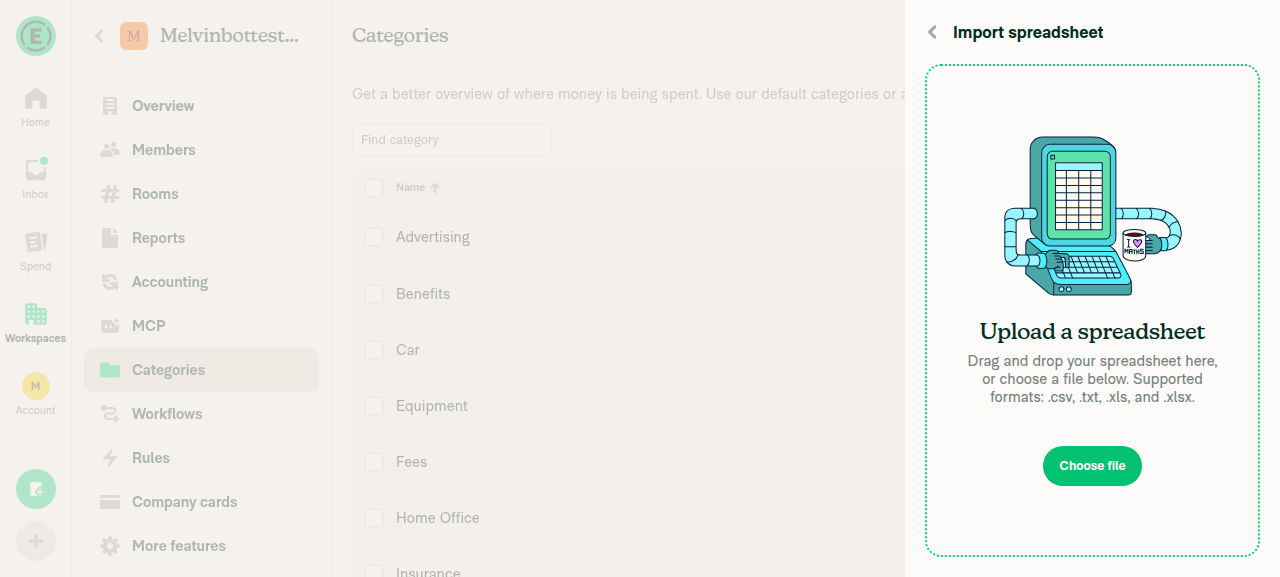
The PR's Tests section is still a TODO, so I built the steps from the linked issue's Action Performed and Expected Result. I reached Categories > More > Import spreadsheet on a Control workspace with Rules enabled. The web test tool can't upload files, so I couldn't reach the column mapping page, and steps 2–6 weren't verified.
Import spreadsheet upload screen with Choose file button

Step Status
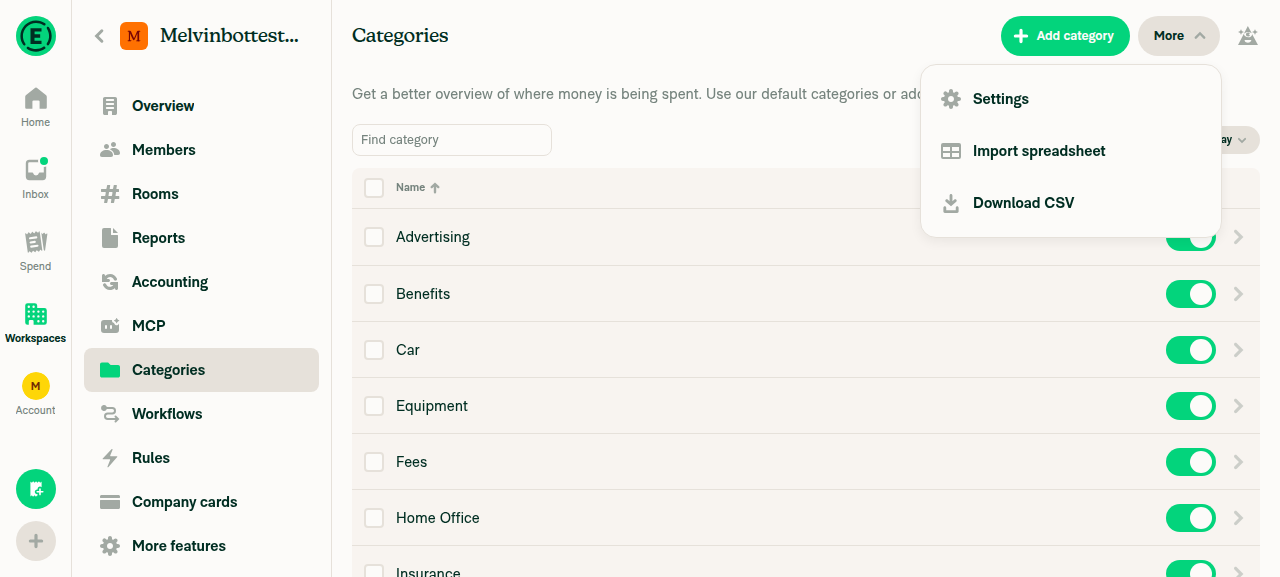
Workspaces > [workspace] > Categories > More > Import spreadsheet opensOpened the workspace (Plan type: Control, Rules on), turned on Categories, then used Categories > More > Import spreadsheet. The "Upload a spreadsheet" screen loaded with a Choose file button.
Categories More menu showing Import spreadsheet option
Import spreadsheet upload screen with Choose file button
✅
Upload the CSV and reach the column mapping pageBlocked by the test tool, not by the app. The web test tool doesn't support file uploads, and Choose file opens a native file picker it can't control.
❌
Mapping dropdown offers Payroll code, Require description, Description hint, Flag amounts over and Expense limit typeNot reached. The upload step was blocked.
❌
Import finishes and the confirmation modal shows categories added or updatedNot reached. The upload step was blocked.
❌
Imported Travel and Meals categories show the mapped Payroll code, Require description, Description hint, Flag amounts over and Expense limit type valuesNot reached. No import was possible.
❌
No JS console errors during the importNot checked. The tool can't read browser console logs on web, and the import never ran.
❌

A person needs to test steps 2–6 by hand with a real CSV upload.


view run · view recording

@MelvinBot

MelvinBot commented Sep 28, 2026 •

Copy link
Copy Markdown
Contributor Author

🤖 Android test steps verification results: ⚠️ partial

All five new mapping roles show up in the import, and the import finishes without errors. The imported "Flag amounts over" values are 100 times smaller than the CSV values: 500 became $5.00 and 75 became $0.75.
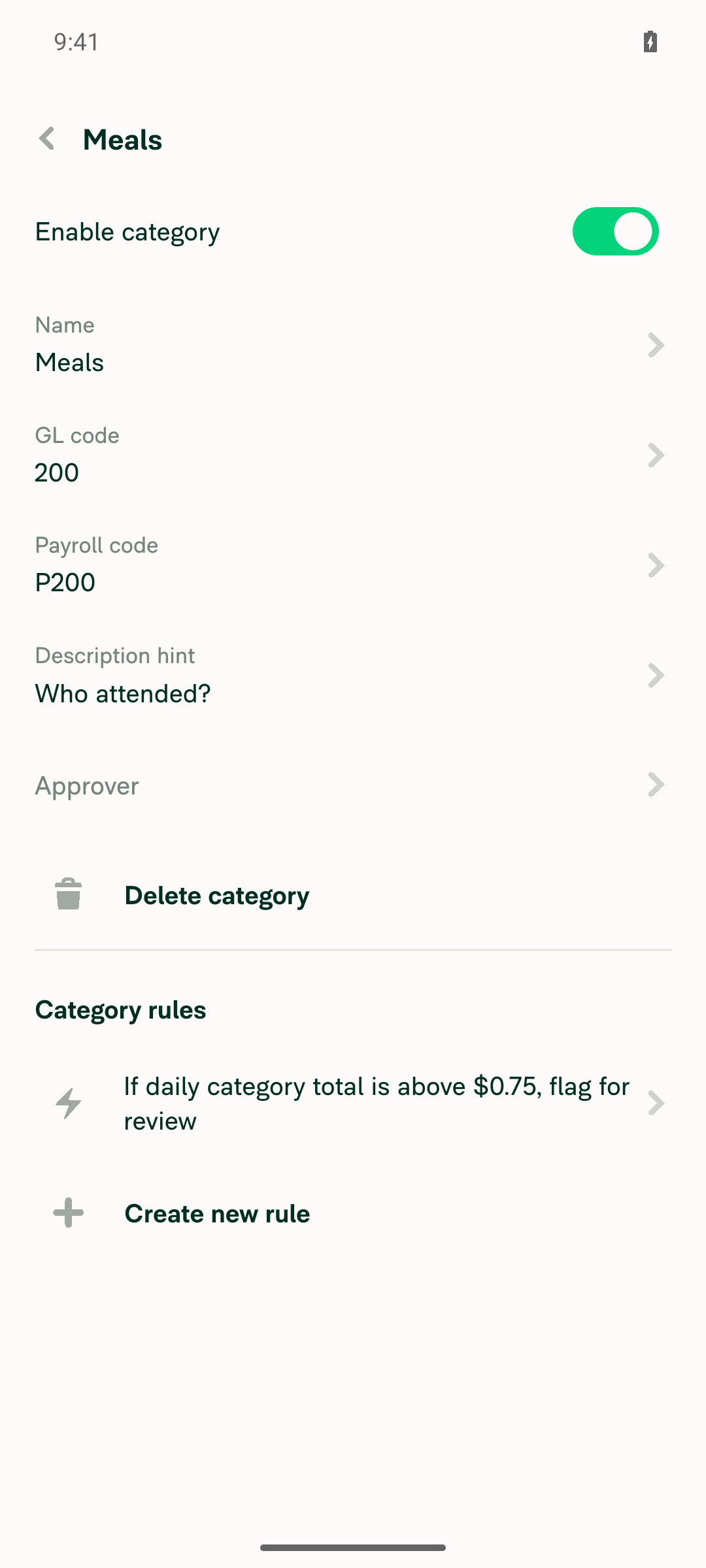
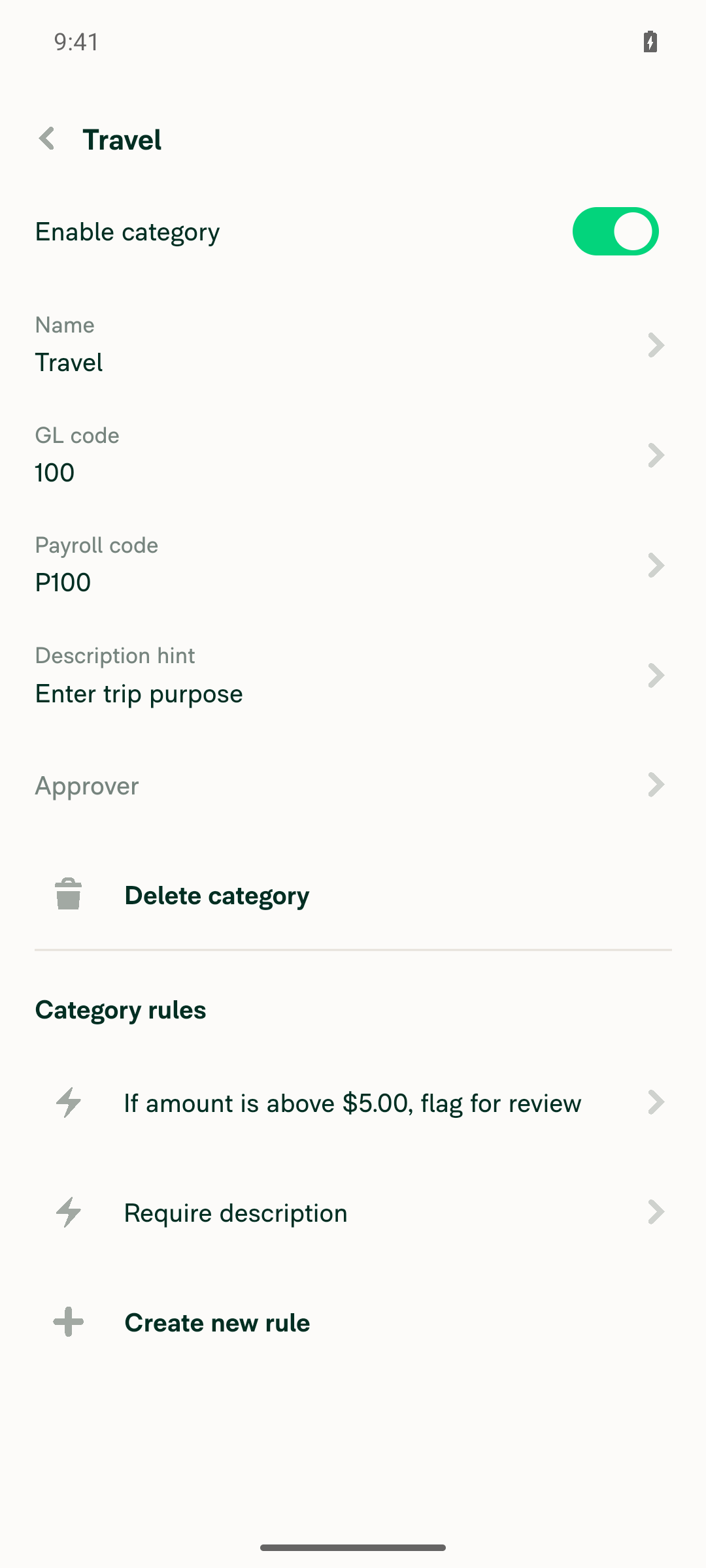
Meals category detail: P200, description hint, flag rule showing $0.75 daily category total

Step Status
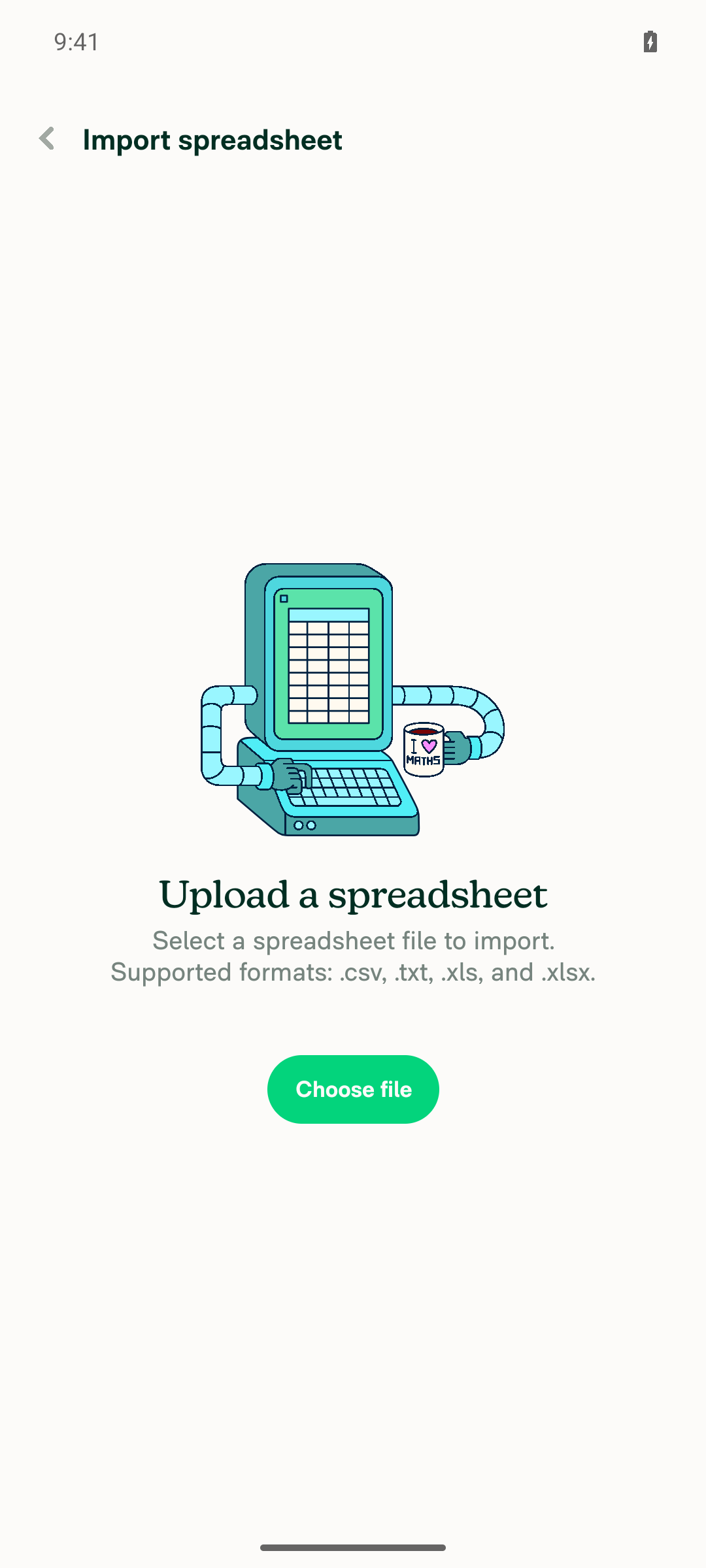
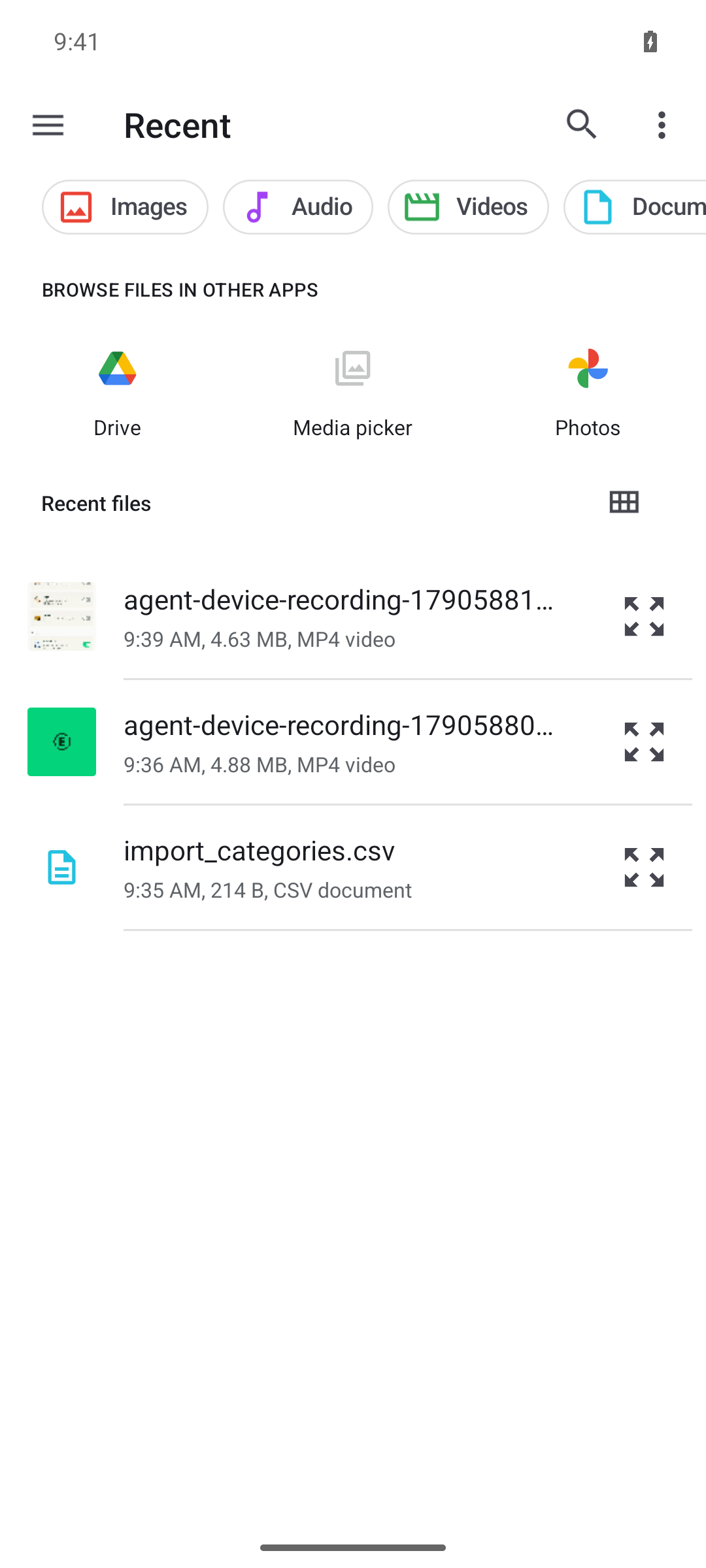
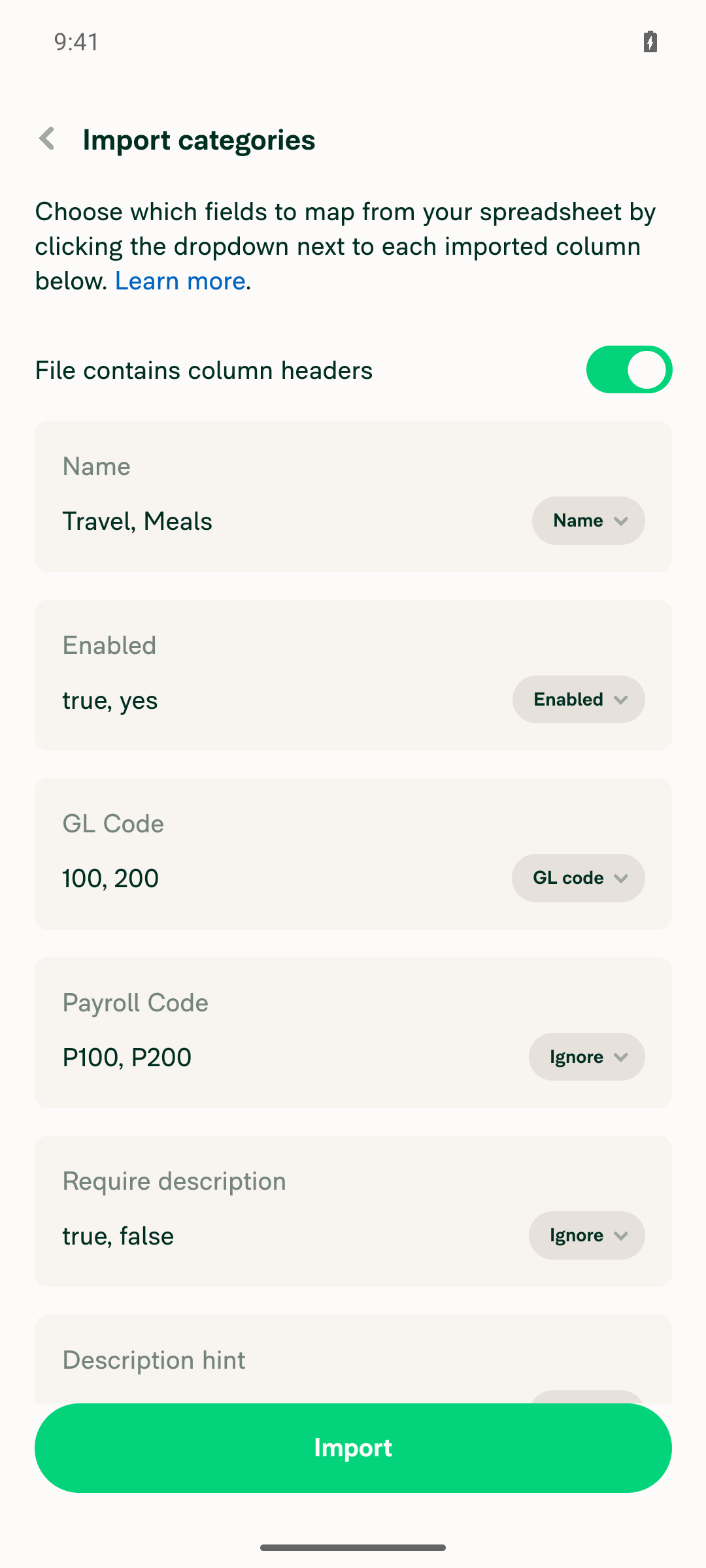
Workspaces > [workspace] > Categories > More > Import spreadsheet opens and the CSV uploads, reaching the column mapping pageThe PR's Tests section is still a TODO, so these steps come from the linked issue's Action Performed and Expected Result. Tapped More > Import spreadsheet > Choose file. The Android file picker listed import_categories.csv, and picking it opened the "Import categories" column mapping page with sample values from the CSV.
Import spreadsheet screen with Choose file button
Android file picker showing import_categories.csv in Recent files
Column mapping page reached after selecting the CSV
✅
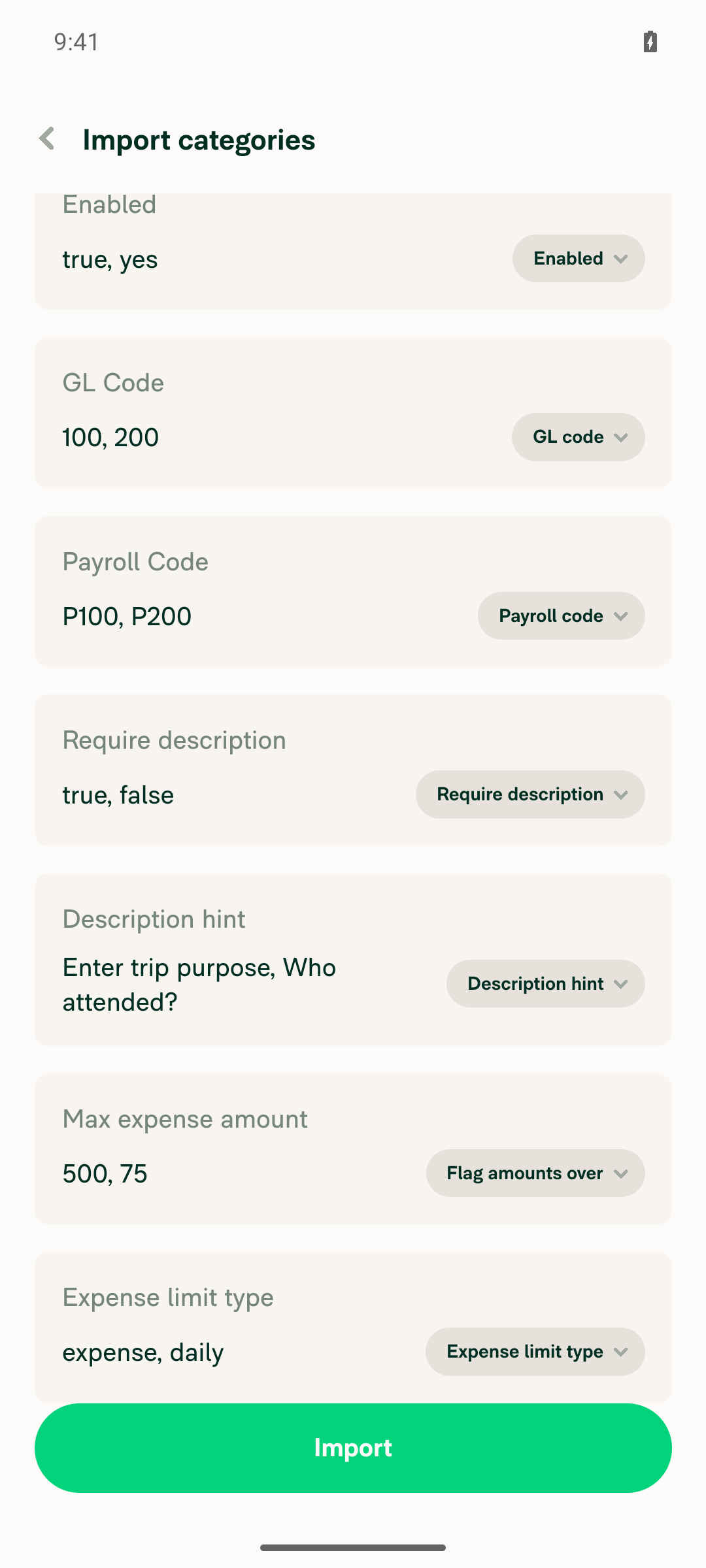
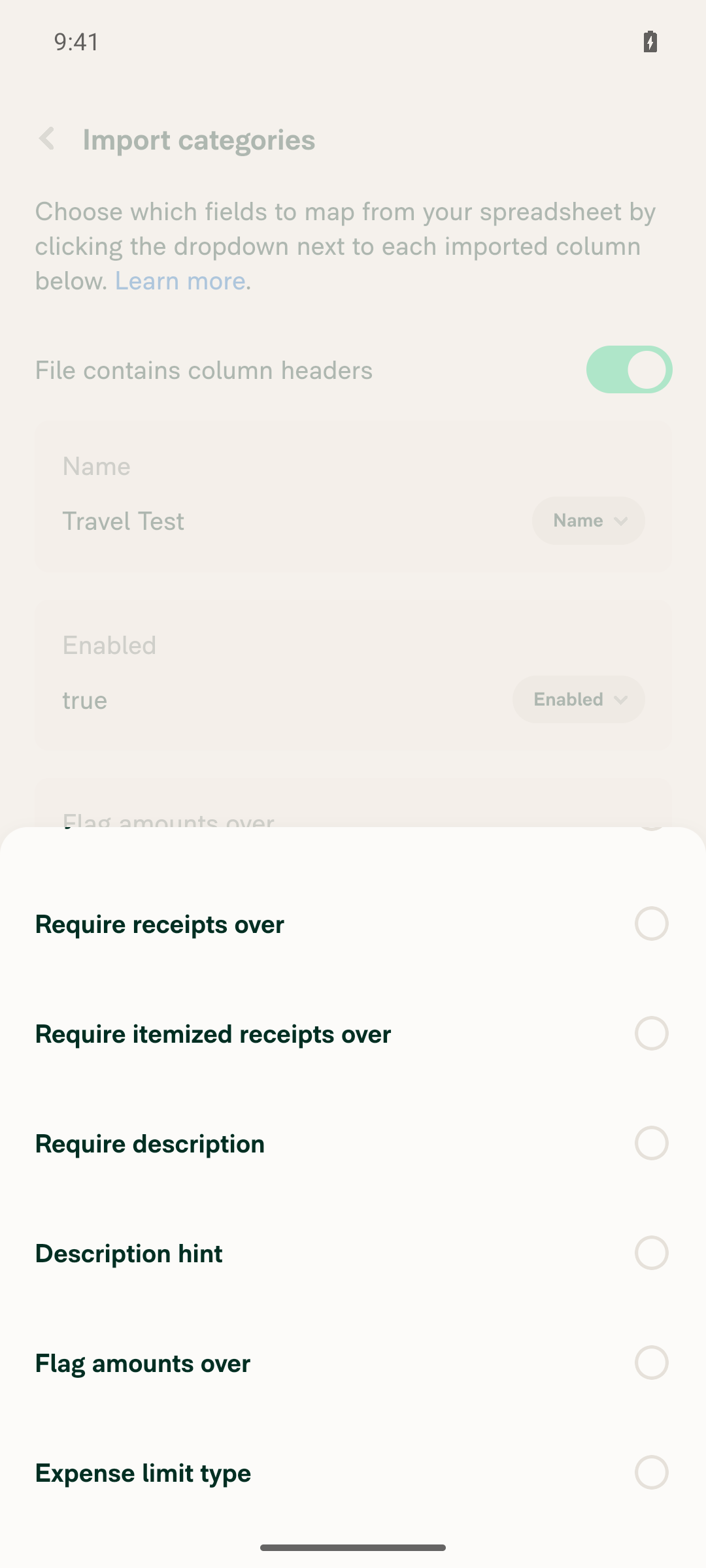
Mapping dropdown offers Payroll code, Require description, Description hint, Flag amounts over and Expense limit type, alongside the existing rolesThe dropdown lists all 11 roles: Ignore, Name (Required), Enabled, GL code, Payroll code, Require receipts over, Require itemized receipts over, Require description, Description hint, Flag amounts over and Expense limit type.
✅
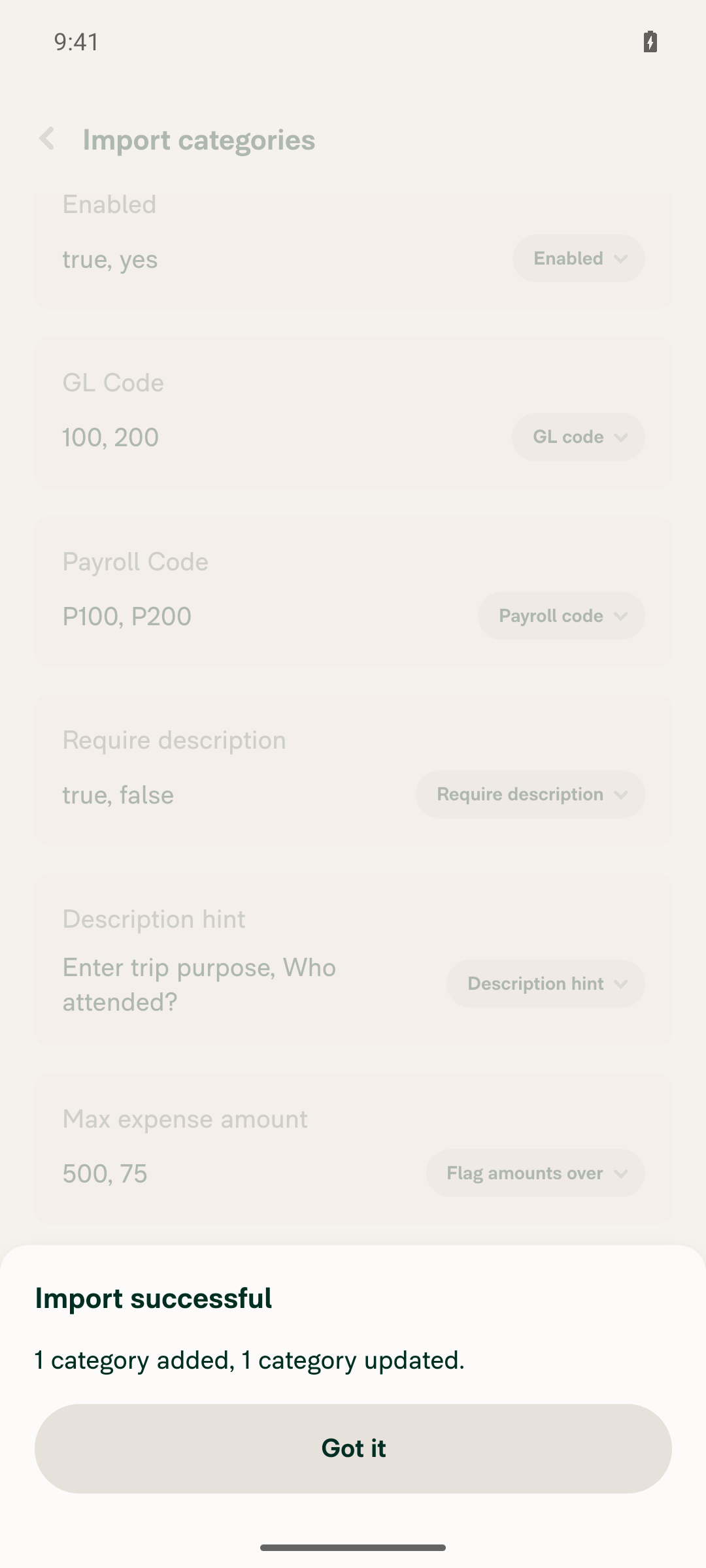
After mapping each column and confirming, the import succeeds with no errorMapped every column to its matching role and tapped Import. The app showed "Import successful — 1 category added, 1 category updated."
All columns mapped before import
Import successful - 1 category added, 1 category updated
✅
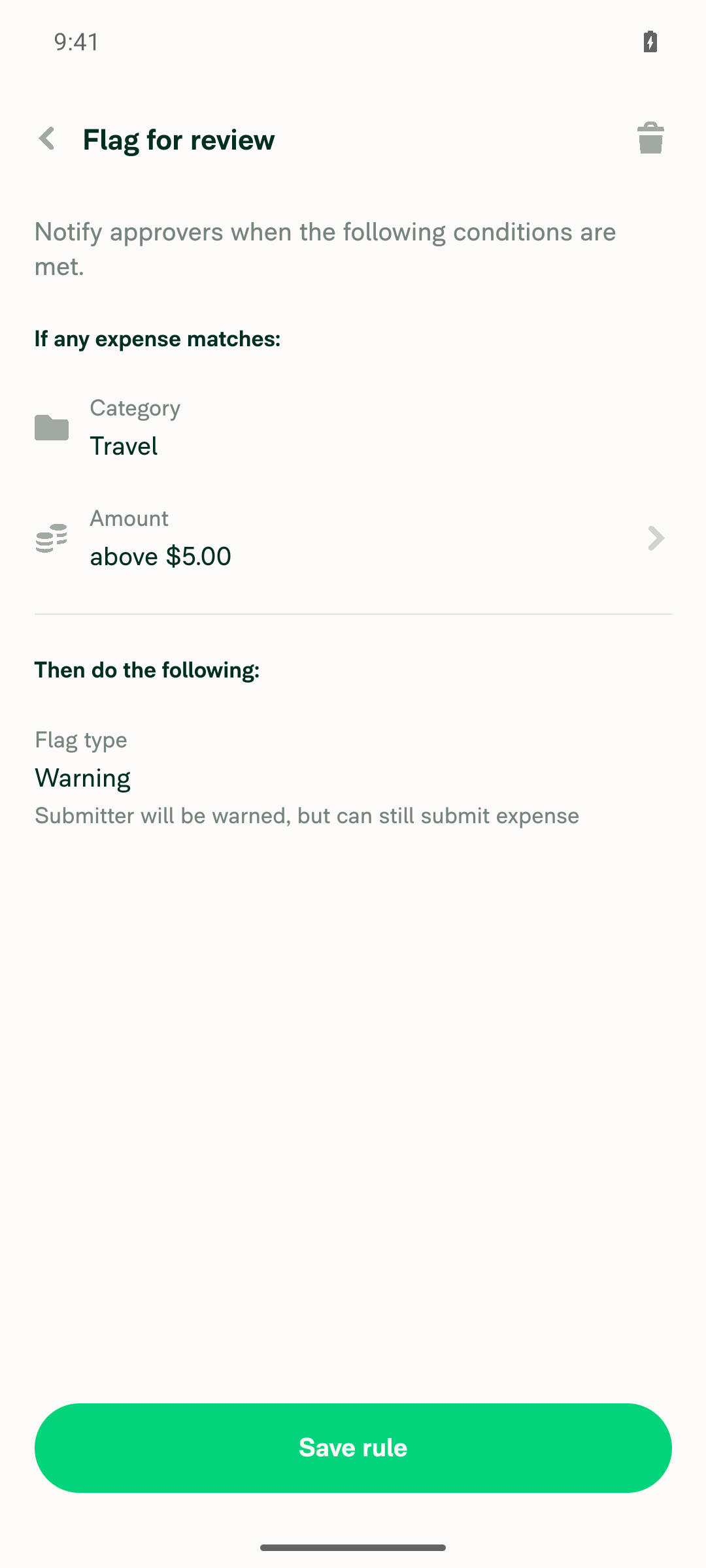
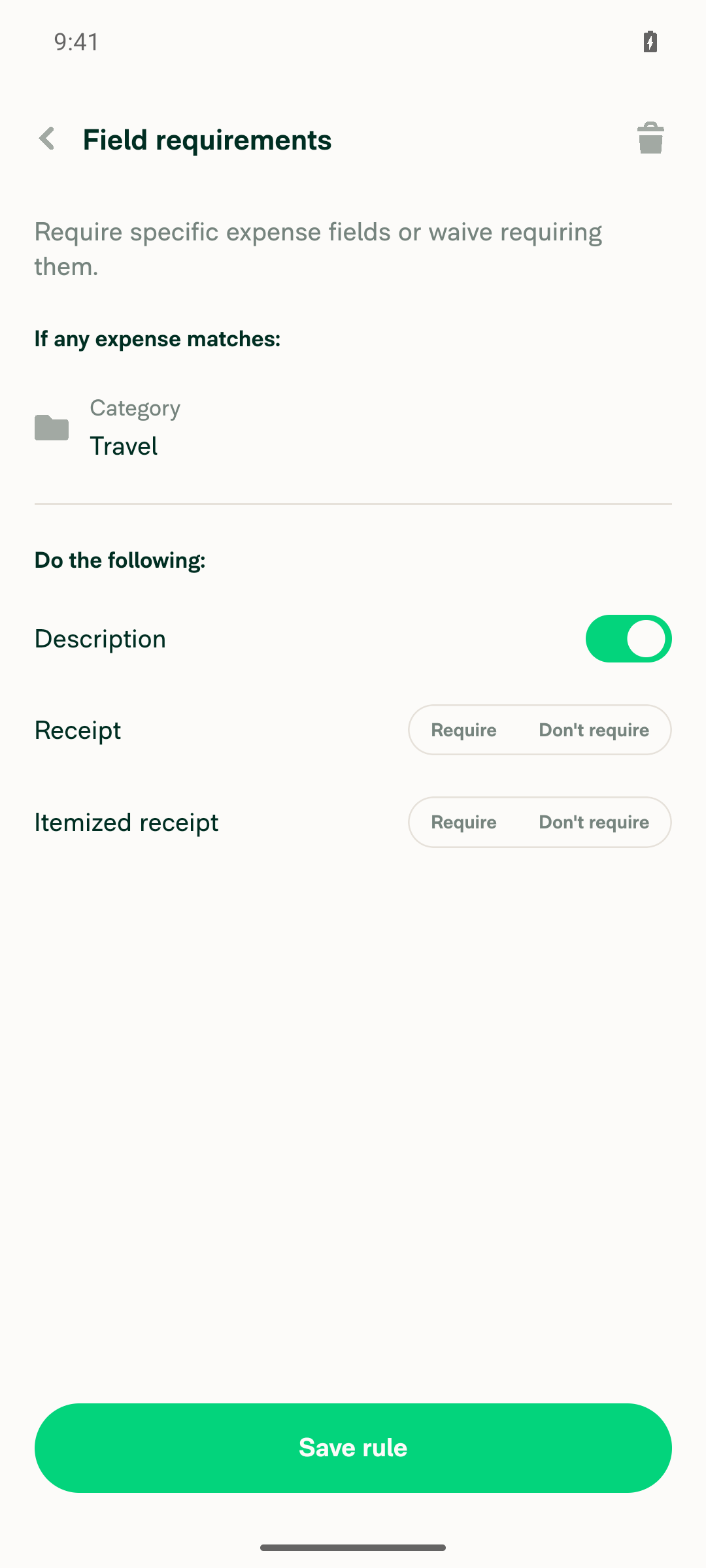
Imported Travel and Meals categories show the mapped valuesTravel: Payroll code P100, description hint "Enter trip purpose", Require description on and limit type Individual expense are all correct. The flag rule shows $5.00 instead of $500. Meals: Payroll code P200, description hint "Who attended?", daily limit type (Category total) and no Require description rule are all correct. The flag rule shows $0.75 instead of $75. The cause is parseCsvAmountValue, which passes the raw CSV number through as cents. The existing Require receipts over column is parsed the same way. If a Classic export writes this column in cents, the behavior is correct and my test CSV used the wrong unit. If it writes dollars, both amount columns need converting.
Travel category detail: P100, description hint, require description rule, flag rule showing $5.00
Travel flag rule detail: Amount $5.00, Type Individual expense
Travel Require description rule, Description toggle ON
Meals category detail: P200, description hint, flag rule showing $0.75 daily category total
❌
No app errors or console errors related to the importThe Metro log and logcat show no errors during the mapping or the import. Two generic dev warnings appeared earlier, during workspace creation, before the import started.
✅

view run · view recording

@daledah

daledah commented Sep 28, 2026

Copy link
Copy Markdown
Contributor

@MelvinBot please open this PR

@MelvinBot

Copy link
Copy Markdown
Contributor Author

I couldn't mark this PR as ready for review. My environment blocked the gh pr ready command, so the PR is still a draft. As the assignee, you can click Ready for review at the bottom of the PR page.

Before you do, check these two points:

  • The Android test found that imported "Flag amounts over" values are 100 times too small. For example, 500 became $5.00.
  • The Tests and QA Steps sections are still TODO placeholders.

view run

@daledah

daledah commented Sep 29, 2026

Copy link
Copy Markdown
Contributor

@MelvinBot please open this PR

@MelvinBot

Copy link
Copy Markdown
Contributor Author

I still can't mark this PR as ready for review. My environment requires approval for the gh pr ready command, and this run can't grant it. The PR is still a draft.

As the assignee, you can click Ready for review at the bottom of the PR page.

Before you do, note that the Android test found imported "Flag amounts over" values are 100 times too small. For example, 500 became $5.00.


view run

@daledah

daledah commented Sep 29, 2026

Copy link
Copy Markdown
Contributor

@MelvinBot please fill the tests + Offline tests + QA steps sections in your checklist with the same steps in #101939

@MelvinBot

Copy link
Copy Markdown
Contributor Author

I filled in the Tests, Offline tests, and QA Steps sections with the steps from New Expensify category import can't map Payroll code, Require description or Description hint from a Classic export. The backend already accepts all three.. Each section lists the Action Performed steps, then the Expected Result as a final "Verify" step. I also removed the TODO placeholders.

The Offline tests section uses the same steps you asked for. Adjust it if you want offline-specific checks.


view run

@daledah

daledah commented Sep 29, 2026

Copy link
Copy Markdown
Contributor

@MelvinBot please open this PR

@MelvinBot

Copy link
Copy Markdown
Contributor Author

I tried again, but I still can't take this PR out of draft. My environment blocks the gh pr ready command, so retrying won't help. The PR is still a draft.

As the assignee, you can click Ready for review at the bottom of the PR page.

Before you do, note that the Android test found imported "Flag amounts over" values are 100 times too small. For example, 500 became $5.00.


view run

@daledah

This comment was marked as outdated.

@daledah

daledah commented Sep 30, 2026

Copy link
Copy Markdown
Contributor

Before you do, note that the Android test found imported "Flag amounts over" values are 100 times too small. For example, 500 became $5.00.

@MelvinBot For this bug, please use convertToBackendAmount utils function in parseCsvReceiptValue and parseCsvAmountValue when you return the num

Co-authored-by: daledah <daledah@users.noreply.github.com>
@MelvinBot

Copy link
Copy Markdown
Contributor Author

The failing test (job 3) check is unrelated to this PR, so I didn't push a fix.

Analysis: Two tests in tests/ui/IOURequestRedirectToStartPageTest.tsx fail with ReferenceError: Request is not defined. The error is thrown inside node_modules/expo/src/winter/fetch/fetch.ts, reached from src/libs/HttpUtils.ts:118. This points to a problem with the Jest environment or a dependency, not to the category import code.

Evidence:

Check independent approval is a review-gate check, not a code failure. ESLint check and branch-perf-tests were still pending when I checked.

After the IOU test failure is fixed on main, merge main into this branch or re-run the job.


view run

@MelvinBot

Copy link
Copy Markdown
Contributor Author

Both failing checks come from problems already on main, not from this PR, so I didn't push a fix.

  • ESLint check: max-lines fails on src/libs/PolicyUtils.ts:4001 because the file has 4039 lines and the limit is 4000. This PR doesn't change PolicyUtils.ts; it has 3987 lines on this branch. CI lints the branch merged with main, and main's copy already has 4039 lines.
  • test (job 3): IOURequestRedirectToStartPageTest fails with ReferenceError: Request is not defined. The same failure appears on other unrelated PRs, as I explained in my previous comment.
Why I didn't trim `PolicyUtils.ts` here

Moving 39+ lines out of PolicyUtils.ts is an unrelated refactor, and every open PR hits this error. Fixing it once on main avoids conflicting changes across PRs.

After both issues are fixed on main, merge main into this branch or re-run the checks.


view run

@MelvinBot

MelvinBot commented Sep 30, 2026 •

Copy link
Copy Markdown
Contributor Author

I pushed the fix in 00011b1. parseCsvReceiptValue and parseCsvAmountValue now return convertToBackendAmount(num), so a value of 500 is sent as 50000 cents ($500.00). The required (0) and not_required (DISABLED_MAX_EXPENSE_VALUE) values are unchanged.

ESLint and typecheck pass. I couldn't run Jest or the formatter check here.

I also ran an Android check, but it didn't reach the import. The app froze on the column-mapping screen when I picked "Flag amounts over" for a column. After that, it ignored taps and the Back key. The parsers run only when you tap Import, so this commit didn't cause the freeze. Please confirm 500 → $500.00 when you test.

Import categories mapping screen frozen after re-foreground


view run · view recording

@MelvinBot

Copy link
Copy Markdown
Contributor Author

Both failing checks are unrelated to this PR, so I didn't push a fix. The failures come from main.

ESLint check: src/libs/PolicyUtils.ts has 4039 lines, which breaks the max-lines limit of 4000. This PR doesn't change that file. main has had 4039 lines in it since Resolve the member's own policy role when checking room member removal merged. That PR raised the file from 3999 lines.

test (job 3): Two tests in tests/ui/IOURequestRedirectToStartPageTest.tsx fail with ReferenceError: Request is not defined. The error comes from Expo's fetch code. The same tests fail the same way on unrelated PRs, for example [BC][Release 2]Add the Business Central Export page and settings and Approve and submit all matching reports from Select all, with a status modal. The other 3,802 tests pass, including PolicyCategoryTest.

After both issues are fixed on main, merge main into this branch or re-run the checks.


view run

@daledah

daledah commented Sep 30, 2026

Copy link
Copy Markdown
Contributor

@MelvinBot please resolve conflict and fix the bug below

New category columns don't auto-detect from their header

Uploading a category export leaves Payroll Code, Max Expense amount, Itemized Receipts Required, Comments, Comment Hint and Expense Limit Type all on Ignore, so every one has to be mapped by hand.

findColumnName in src/libs/importSpreadsheetUtils.ts normalizes the header and runs a switch. The new columns have no case, so they fall through to '':

Header Normalized Result
Payroll Code payrollcode no case
Itemized Receipts Required itemizedreceiptsrequired existing cases are singular itemizedreceiptrequirement
Max Expense amount maxexpenseamount no case
Comments / Comment Hint / Expense Limit Type — no case

Payroll Code has a second layer: even a bare Payroll header resolves to CUSTOM_FIELD_2 (the members-import role), which the categories flow doesn't offer, so the availability guard returns ''. A CUSTOM_FIELD_2 → PAYROLL_CODE remap handles it, following the existing DATE → POSTED_DATE precedent in the same block.

MelvinBot and others added 2 commits September 30, 2026 08:08
…RuleColumns

Co-authored-by: daledah <daledah@users.noreply.github.com>

# Conflicts:
#	tests/actions/PolicyCategoryTest.ts
…rt columns

Co-authored-by: daledah <daledah@users.noreply.github.com>
@MelvinBot

MelvinBot commented Sep 30, 2026 •

Copy link
Copy Markdown
Contributor Author

I resolved the conflict and fixed the header auto-detection. The PR is mergeable again.

  • Conflict: tests/actions/PolicyCategoryTest.ts had an import conflict. I kept both imports. I merged main in with a merge commit, not a rebase.
  • Auto-detection (e9673ce): I added these header cases to findColumnName (src/libs/importSpreadsheetUtils.ts:196-218):
    • Itemized Receipts Required → Require itemized receipts over
    • Comments → Require description
    • Comment Hint → Description hint
    • Max Expense amount → Flag amounts over
    • Expense Limit Type → Expense limit type
    • Each new role also matches its New Expensify label, such as Flag amounts over.
  • Payroll Code: I added payrollcode to the existing CUSTOM_FIELD_2 cases (line 62). I also added a CUSTOM_FIELD_2 → PAYROLL_CODE remap (line 245), next to the existing DATE → POSTED_DATE remap. The members import still maps these headers to CUSTOM_FIELD_2.
  • Tests: I added unit tests for these headers in tests/unit/ImportColumnTest.ts.

Checks: ESLint and typecheck pass on the changed files. PolicyCategoryTest.ts shows one OnyxUtils lint error, but it already exists on main. This environment blocked Jest, so the new tests haven't run yet. CI will run them.

Web test: It didn't run. The browser session went blank before the test started, so nothing was verified in the app.


view run · no recording available

@cristipaval
cristipaval marked this pull request as ready for review October 1, 2026 10:14
@cristipaval
cristipaval requested a review from a team as a code owner October 1, 2026 10:14
@melvin-bot
melvin-bot Bot requested review from daledah and flaviadefaria and removed request for a team October 1, 2026 10:14
@melvin-bot

melvin-bot Bot commented Oct 1, 2026

Copy link
Copy Markdown

@daledah Please copy/paste the Reviewer Checklist from here into a new comment on this PR and complete it. If you have the K2 extension, you can simply click: [this button]

@melvin-bot
melvin-bot Bot removed the request for review from a team October 1, 2026 10:14
Classic exports amounts like "299,393.00". Number() returned NaN for these, so the import silently dropped Flag amounts over and Require receipts over. Move the parsing into ImportCategoriesUtils and add tests that import a Classic export row.

Co-authored-by: daledah <daledah@users.noreply.github.com>
@MelvinBot
MelvinBot requested a review from a team as a code owner October 2, 2026 09:09
@melvin-bot
melvin-bot Bot requested review from cristipaval and removed request for a team October 2, 2026 09:09
@melvin-bot

melvin-bot Bot commented Oct 2, 2026

Copy link
Copy Markdown

@cristipaval Please copy/paste the Reviewer Checklist from here into a new comment on this PR and complete it. If you have the K2 extension, you can simply click: [this button]

@daledah

daledah commented Oct 2, 2026 •

Copy link
Copy Markdown
Contributor

Reviewer Checklist

  • I have verified the author checklist is complete (all boxes are checked off).
  • I verified the correct issue is linked in the ### Fixed Issues section above
  • I verified testing steps are clear and they cover the changes made in this PR
    • I verified the steps for local testing are in the Tests section
    • I verified the steps for Staging and/or Production testing are in the QA steps section
    • I verified the steps cover any possible failure scenarios (i.e. verify an input displays the correct error message if the entered data is not correct)
    • I turned off my network connection and tested it while offline to ensure it matches the expected behavior (i.e. verify the default avatar icon is displayed if app is offline)
  • I checked that screenshots or videos are included for tests on all platforms
  • I included screenshots or videos for tests on all platforms
  • I verified that the composer does not automatically focus or open the keyboard on mobile unless explicitly intended. This includes checking that returning the app from the background does not unexpectedly open the keyboard.
  • I verified tests pass on all platforms & I tested again on:
    • Android: HybridApp
    • Android: mWeb Chrome
    • iOS: HybridApp
    • iOS: mWeb Safari
    • MacOS: Chrome / Safari
  • If there are any errors in the console that are unrelated to this PR, I either fixed them (preferred) or linked to where I reported them in Slack
  • I verified proper code patterns were followed (see Reviewing the code)
    • I verified that comments were added to code that is not self explanatory
    • I verified that any new or modified comments were clear, correct English, and explained "why" the code was doing something instead of only explaining "what" the code was doing.
    • I verified any copy / text that was added to the app is grammatically correct in English. It adheres to proper capitalization guidelines (note: only the first word of header/labels should be capitalized), and is either coming verbatim from figma or has been approved by marketing (in order to get marketing approval, ask the Bug Zero team member to add the Waiting for copy label to the issue)
  • If a new code pattern is added I verified it was agreed to be used by multiple Expensify engineers
  • I verified that this PR follows the guidelines as stated in the Review Guidelines
  • I verified other components that can be impacted by these changes have been tested, and I retested again (i.e. if the PR modifies a shared library or component like Avatar, I verified the components using Avatar have been tested & I retested again)
  • If a new component is created I verified that:
    • A similar component doesn't exist in the codebase
    • All props are defined accurately
    • The component has a clear name that is non-ambiguous and the purpose of the component can be inferred from the name alone
    • The only data being stored in the state is data necessary for rendering and nothing else
    • The component has the minimum amount of code necessary for its purpose, and it is broken down into smaller components in order to separate concerns and functions
  • If a new CSS style is added I verified that:
    • A similar style doesn't already exist
    • The style can't be created with an existing StyleUtils function (i.e. StyleUtils.getBackgroundAndBorderStyle(theme.componentBG)
  • If the PR modifies code that runs when editing or sending messages, I tested and verified there is no unexpected behavior for all supported markdown - URLs, single line code, code blocks, quotes, headings, bold, strikethrough, and italic.
  • If the PR modifies a generic component, I tested and verified that those changes do not break usages of that component in the rest of the App (i.e. if a shared library or component like Avatar is modified, I verified that Avatar is working as expected in all cases)
  • If the PR modifies a component related to any of the existing Storybook stories, I tested and verified all stories for that component are still working as expected.
  • If the PR modifies a component or page that can be accessed by a direct deeplink, I verified that the code functions as expected when the deeplink is used - from a logged in and logged out account.
  • If the PR modifies the UI (e.g. new buttons, new UI components, changing the padding/spacing/sizing, moving components, etc) or modifies the form input styles:
    • I verified that all the inputs inside a form are aligned with each other.
    • I added Design label and/or tagged @Expensify/design so the design team can review the changes.
  • If the PR adds or modifies the UI:
    • I asked an AI agent to review the changes for accessibility issues and addressed its findings.
    • I tested with a screen reader (VoiceOver on macOS) and verified all new/changed elements are reachable with a logical focus order.
    • I verified all new/changed elements have meaningful accessible names and roles.
    • I verified state changes are announced (e.g. checked/unchecked, expanded/collapsed, selected).
  • For any bug fix or new feature in this PR, I verified that sufficient unit tests are included to prevent regressions in this flow.
  • If the main branch was merged into this PR after a review, I tested again and verified the outcome was still expected according to the Test steps.
  • I have checked off every checkbox in the PR reviewer checklist, including those that don't apply to this PR.

Screenshots/Videos

iOS: HybridApp
ios.mov
MacOS: Chrome / Safari
Screen.Recording.2026-09-30.at.14.48.56.mov

@cristipaval

Copy link
Copy Markdown
Contributor

@daledah, the checklist has been updated https://github.com/Expensify/App/blob/main/contributingGuides/REVIEWER_CHECKLIST.md

Can you use the new list?

@daledah

daledah commented Oct 4, 2026

Copy link
Copy Markdown
Contributor

@MelvinBot please merge main

…RuleColumns

Co-authored-by: daledah <daledah@users.noreply.github.com>
@MelvinBot

Copy link
Copy Markdown
Contributor Author

I merged the latest main into this branch and pushed it (merge commit 12cef55). There were no merge conflicts.


view run

@daledah daledah left a comment

Copy link
Copy Markdown
Contributor

Choose a reason for hiding this comment

The reason will be displayed to describe this comment to others. Learn more.

Screen.Recording.2026-10-04.at.11.40.39.mov

LGTM

@cristipaval
cristipaval merged commit d0cf159 into main Oct 5, 2026
44 of 46 checks passed
@cristipaval
cristipaval deleted the claude-importCategoryRuleColumns branch October 5, 2026 08:00
@github-actions

github-actions Bot commented Oct 5, 2026

Copy link
Copy Markdown
Contributor

🚧 cristipaval has triggered a test Expensify/App build. You can view the workflow run here.

@OSBotify

OSBotify commented Oct 5, 2026

Copy link
Copy Markdown
Contributor

✋ This PR was not deployed to staging yet because QA is ongoing. It will be automatically deployed to staging after the next production release.

@OSBotify OSBotify mentioned this pull request Oct 5, 2026
93 tasks done
@OSBotify

OSBotify commented Oct 5, 2026

Copy link
Copy Markdown
Contributor

🚀 Deployed to staging by https://github.com/cristipaval in version: 9.5.3-0 🚀

platform result
🕸 web 🕸 success ✅
🤖 android 🤖 success ✅
🍎 iOS 🍎 success ✅

@MelvinBot

Copy link
Copy Markdown
Contributor Author

A help site update is needed. I opened Docs updates for E/A#102399 Add category rule import columns, fix receipt amounts.

This PR made two parts of Create Expense Categories wrong:

  1. "The following columns are supported:" The table did not list the new import columns. The docs PR adds Payroll code, Require description, Description hint, Flag amounts over, and Expense limit type.
  2. "A number (e.g., 2500) — Require a receipt … for expenses over that amount in cents." Import now converts this value with convertToBackendAmount, so 25 means 25.00, not 25 cents. The docs PR removes "in cents."

@daledah, please review the linked help site PR and confirm it reflects the current behavior. Then mark the linked help site PR Ready for review


view run

@IuliiaHerets

Copy link
Copy Markdown

QA team failed on Web this PR with an original issue

1791255730757.bandicam_2026-10-06_09-54-36-721.mp4

cc @cristipaval @flaviadefaria @daledah

@OSBotify

OSBotify commented Oct 6, 2026

Copy link
Copy Markdown
Contributor

🚀 Deployed to production by https://github.com/puneetlath in version: 9.5.3-4 🚀

platform result
🕸 web 🕸 success ✅
🤖 android 🤖 success ✅
🍎 iOS 🍎 success ✅

Bundle Size Analysis (Sentry):

Sign up for free to join this conversation on GitHub. Already have an account? Sign in to comment

Labels

Melvin-Test-Android Melvin-Test-Web Triggers Melvin to run the testing steps of the PR on web

Projects

None yet

Development

Successfully merging this pull request may close these issues.

5 participants