Skip to content

Focus the PDF scroller in the attachment modal so arrow keys scroll the PDF - #103836

Merged
inimaga merged 7 commits into
mainfrom
claude-focusPDFScrollerInAttachmentModal
Oct 19, 2026
Merged

inimaga merged 7 commits into
mainfrom
claude-focusPDFScrollerInAttachmentModal

Conversation

@MelvinBot

@MelvinBot MelvinBot commented Oct 13, 2026 •

Copy link
Copy Markdown
Contributor

Explanation of Change

When you open a chat attachment to view it, the attachment modal has no initial focus target. The focus trap also blurs the thumbnail you clicked, so focus falls back to <body>. Chrome then sends ArrowUp/ArrowDown to the chat list behind the modal instead of the PDF.

react-fast-pdf already makes the PDF scroller (react-window's outer div) focusable with tabIndex=-1, but nothing focuses it. This PR updates the web PDFView to focus that scroller once it renders, so arrow keys scroll the PDF right away.

  • It runs only when the PDF is the active item in the attachment modal (isUsedInAttachmentModal && !isUsedAsChatAttachment && isFocused !== false && !shouldUsePDFGestureZoom).
  • It matches the scroller with .react-pdf__Document > [tabindex="-1"]. The password input wrapper also has tabIndex=-1, but it renders outside .react-pdf__Document, so it never matches.
  • The scroller mounts only after the PDF loads, and after unlocking for password-protected PDFs. A MutationObserver watches the container until the scroller appears, then disconnects. It also disconnects on cleanup.
  • It takes focus only when focus is on <body> or elsewhere inside the PDFView container. It never takes focus from the modal header buttons.

AI tests run by MelvinBot:

  • ✅ npm run lint -- src/components/PDFView/index.tsx (seatbelt) passed
  • ✅ npm run react-compiler-compliance-check -- check src/components/PDFView/index.tsx passed
  • ✅ npm run spell-changed passed
  • ✅ tests/unit/NativePDFViewTest.tsx and tests/unit/IsAllowedPDFLinkTest.ts passed (46 tests)
  • ⚠️ npm run typecheck fails only in tests/actions/IOUTest/SplitTest.ts (reportDrafts missing). That failure exists on main and isn't related to this change.
  • ⚠️ I couldn't run the formatter or a browser check in my environment. The browser test session went blank before testing started. The C+ reviewer tested this approach locally with normal PDFs, a wrong-password retry, and reopening.

Fixed Issues

$ #103576
PROPOSAL: #103576 (comment)

Tests

  1. Use a chat with scrollable history, a multi-page PDF and a password-protected PDF.
  2. Open the PDF without clicking inside it. Press Up/Down; verify only the PDF scrolls.
  3. Open the protected PDF. Enter a wrong password, then the correct one. Verify retry focus and PDF scrolling.
  4. Close/reopen and switch attachments. Verify scrolling works and loading does not steal focus from header controls.
  5. On mobile, verify touch scrolling, closing and background/resume without an unexpected keyboard.
  • Verify that no errors appear in the JS console

Offline tests

  1. Go offline and open the PDF. Verify the modal remains dismissible.
  2. Reconnect, reopen and repeat Tests.

QA Steps

Same as Tests and Offline tests.

  • Verify that no errors appear in the JS console

PR Author Checklist

  • I linked the correct issue in the ### Fixed Issues section above
  • I wrote clear testing steps that cover the changes made in this PR
    • I added steps for local testing in the Tests section
    • I added steps for the expected offline behavior in the Offline steps section
    • I added steps for Staging and/or Production testing in the QA steps section
    • I added steps to cover failure scenarios (i.e. verify an input displays the correct error message if the entered data is not correct)
    • I turned off my network connection and tested it while offline to ensure it matches the expected behavior (i.e. verify the default avatar icon is displayed if app is offline)
    • I tested this PR with a High Traffic account against the staging or production API to ensure there are no regressions (e.g. long loading states that impact usability).
  • I included screenshots or videos for tests on all platforms
  • I ran the tests on all platforms & verified they passed on:
    • Android: Native
    • Android: mWeb Chrome
    • iOS: Native
    • iOS: mWeb Safari
    • MacOS: Chrome / Safari
  • I verified there are no console errors (if there's a console error not related to the PR, report it or open an issue for it to be fixed)
  • I verified any copy / text that was added to the app is either coming verbatim from figma or has been approved by marketing (in order to get marketing approval, ask the Bug Zero team member to add the Waiting for copy label to the issue)
  • If a new code pattern is added I verified it was agreed to be used by multiple Expensify engineers
  • I tested other components that can be impacted by my changes (i.e. if the PR modifies a shared library or component like Avatar, I verified the components using Avatar are working as expected)
  • If new assets were added or existing ones were modified, I verified that:
    • The assets are optimized and compressed (for SVG files, run npm run compress-svg)
    • The assets load correctly across all supported platforms.
  • If the PR modifies code that runs when editing or sending messages, I tested and verified there is no unexpected behavior for all supported markdown - URLs, single line code, code blocks, quotes, headings, bold, strikethrough, and italic.
  • If the PR modifies a generic component, I tested and verified that those changes do not break usages of that component in the rest of the App (i.e. if a shared library or component like Avatar is modified, I verified that Avatar is working as expected in all cases)
  • If the PR modifies a component related to any of the existing Storybook stories, I tested and verified all stories for that component are still working as expected.
  • If the PR modifies a component or page that can be accessed by a direct deeplink, I verified that the code functions as expected when the deeplink is used - from a logged in and logged out account.
  • If the PR modifies the UI (e.g. new buttons, new UI components, changing the padding/spacing/sizing, moving components, etc) or modifies the form input styles:
    • I verified that all the inputs inside a form are aligned with each other.
    • I added Design label and/or tagged @Expensify/design so the design team can review the changes.
  • If the PR adds or modifies the UI:
    • I asked an AI agent to review the changes for accessibility issues and addressed its findings.
    • I tested with a screen reader (VoiceOver on macOS) and verified all new/changed elements are reachable with a logical focus order.
    • I verified all new/changed elements have meaningful accessible names and roles.
    • I verified state changes are announced (e.g. checked/unchecked, expanded/collapsed, selected).
  • I added unit tests for any new feature or bug fix in this PR to help automatically prevent regressions in this user flow.
  • If the main branch was merged into this PR after a review, I tested again and verified the outcome was still expected according to the Test steps.

Screenshots/Videos

Android: Native
Android-pr103836-user.mp4
Android: mWeb Chrome
Android-mWeb-pr103836-user.mp4
iOS: Native
ios-pr103836-user.mp4
iOS: mWeb Safari
ios-mWeb-pr103836-user.mp4
MacOS: Chrome / Safari
Chrome-pr103836-user.mp4

…he PDF

Co-authored-by: Nyoman Jyotisa <nyomanjyotisa@users.noreply.github.com>
@codecov

codecov Bot commented Oct 13, 2026 •

Copy link
Copy Markdown

Codecov Report

✅ Changes either increased or maintained existing code coverage, great job!

Files with missing lines Coverage Δ
...rc/components/PDFView/focusPDFScrollerWhenReady.ts 100.00% <100.00%> (ø)
src/components/PDFView/index.tsx 0.00% <0.00%> (ø)
... and 857 files with indirect coverage changes

@MelvinBot

Copy link
Copy Markdown
Contributor Author

The failing typecheck check is unrelated to this PR, so I didn't push a change. main has the same error.

Analysis: Thread report drafts explicitly through the split-transaction update flow made reportDrafts a required field of UpdateSplitTransactionsParams. It merged on 2026-10-12. Add freezing for Approved, Paid and/or Done splits during updating other splits merged on 2026-10-09 and added three test calls without that field. Neither PR saw the other's change, so main now fails typecheck.

Evidence:

  • This PR changes only src/components/PDFView/index.tsx.
  • All three errors are TS2741: Property 'reportDrafts' is missing in tests/actions/IOUTest/SplitTest.ts:3323, :3420, and :3529.
  • Neither that test file nor src/libs/actions/IOU/ has changed on main since this branch was created.

Fix: Add reportDrafts: {}, to those three calls in a separate PR against main. Then merge main into this branch and re-run the checks. The other failing check, Check independent approval, only needs a reviewer approval.

@MelvinBot

MelvinBot commented Oct 13, 2026 •

Copy link
Copy Markdown
Contributor Author

🤖 Android test steps verification results: ⚠️ partial

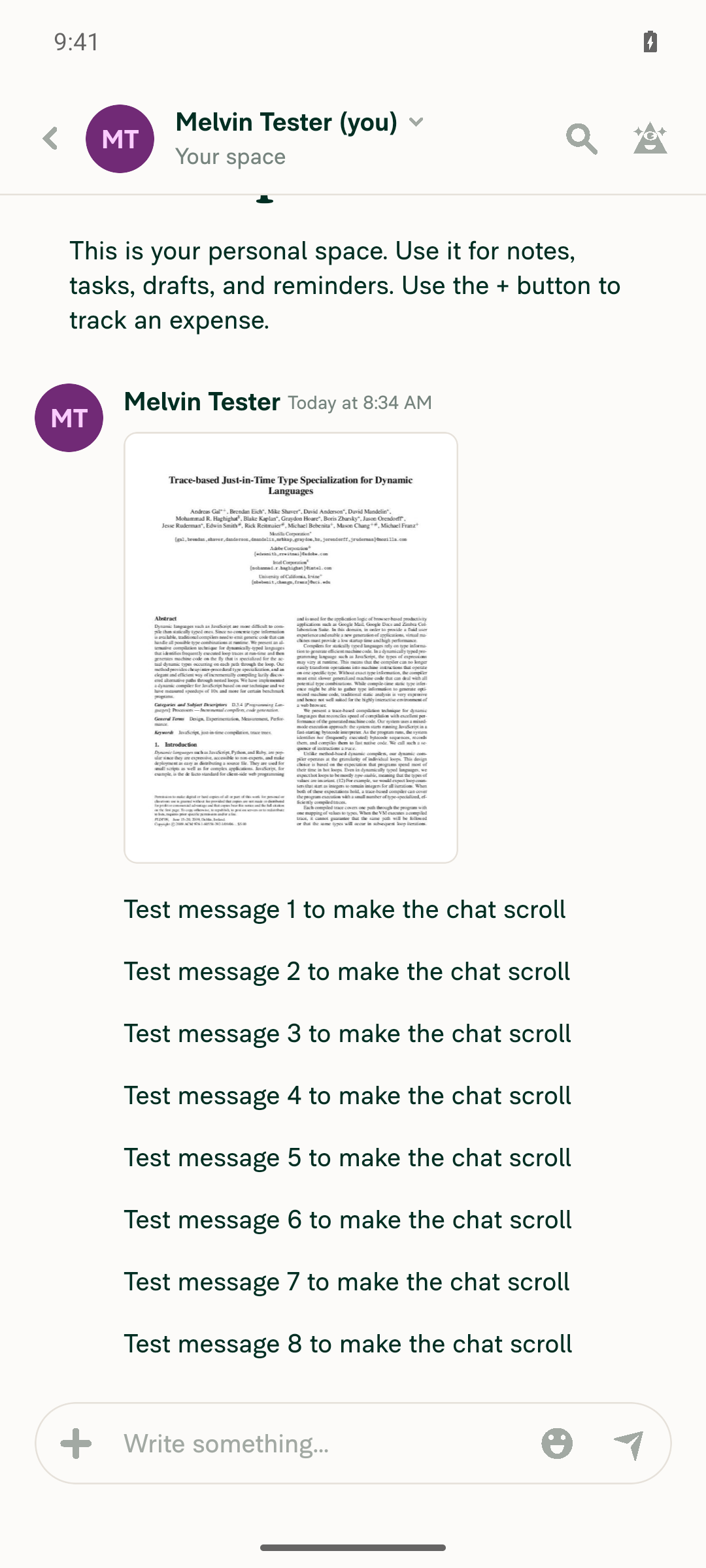
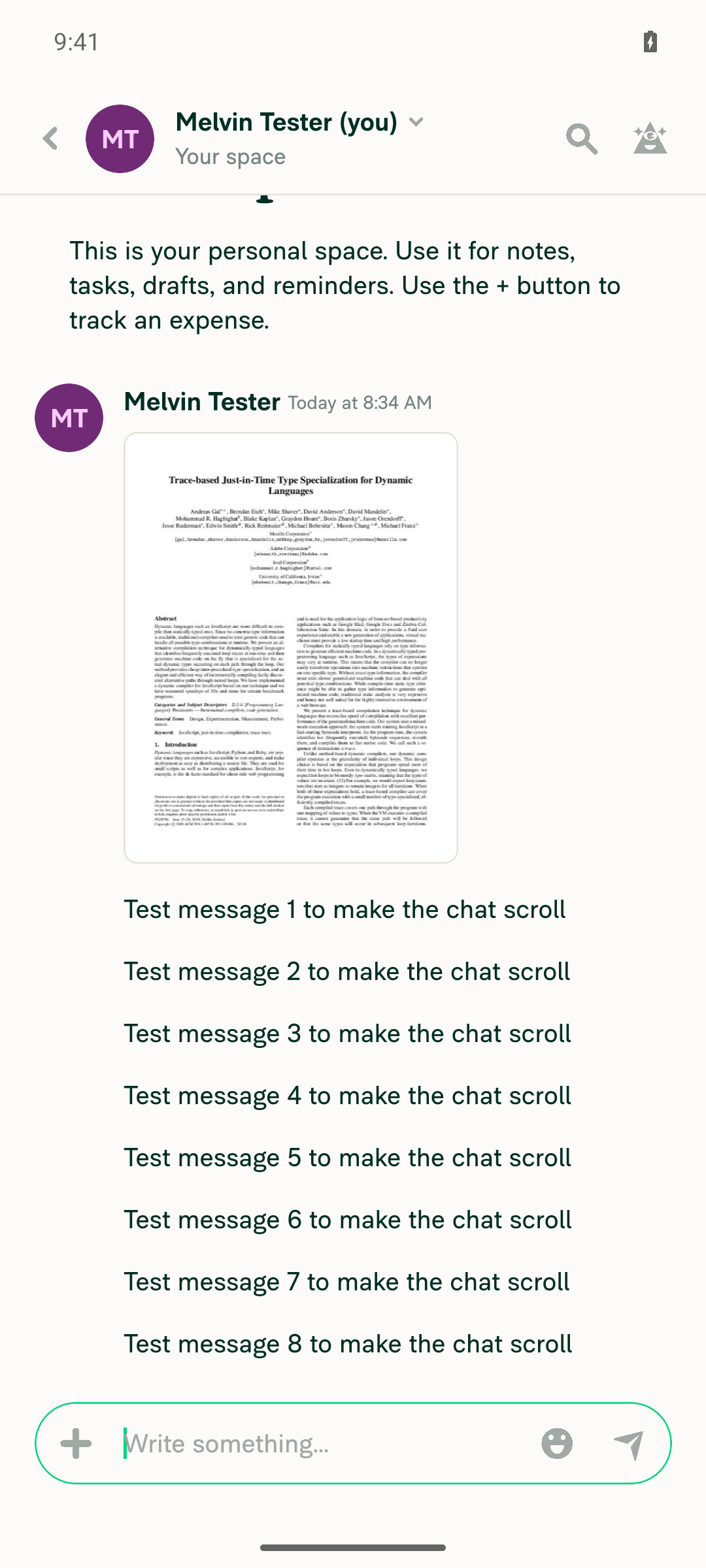
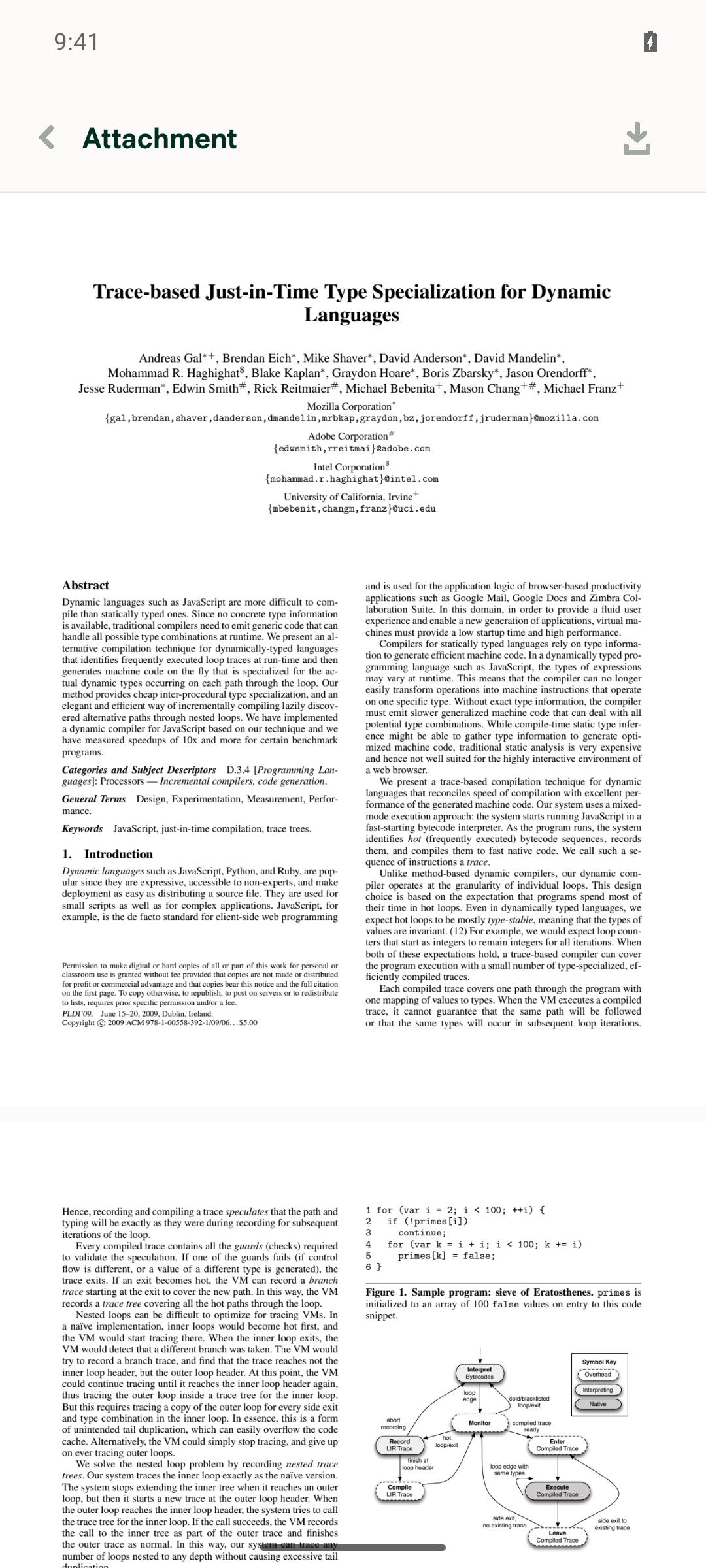
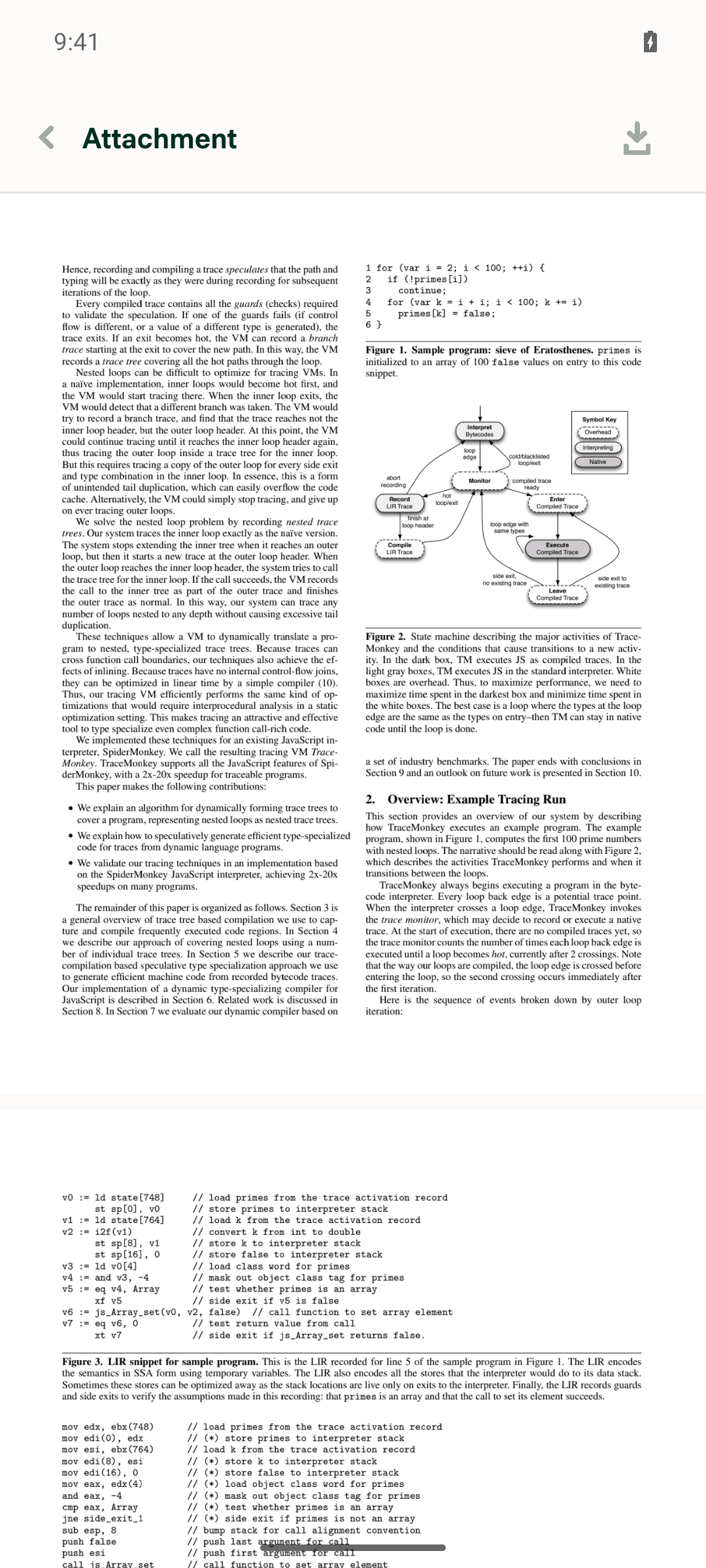
The PDF opens in the attachment modal, swipe-scrolling works, and closing the modal returns cleanly to the chat. I couldn't test the arrow-key steps because the Android test environment can't send hardware arrow key events. This change only touches the web PDFView, so native Android shouldn't be affected. The PR has no written test steps, so I used the steps from the linked issue.
Chat restored after closing the attachment modal

Step Status
A chat exists with a PDF attachment and enough history that the chat list scrollsCreated a self-chat, attached a PDF, and sent 8 more messages. The message list extends past the screen and scrolls.
Self-chat with PDF attachment and scrollable history
✅
Tapping the PDF attachment once opens the attachment modal with the PDF renderedThe attachment modal opened with page 1 fully rendered and page 2 partly visible.
Attachment modal showing rendered PDF
✅
Pressing the Down arrow scrolls the PDF, not the chat behind the modalNot tested. The tester can't send Down arrow key events on Android in this environment. This isn't a product failure.
⚠️
Pressing the Up arrow scrolls the PDF, not the chat behind the modalNot tested, for the same reason as the Down arrow step.
⚠️
Swiping inside the PDF still scrolls the PDF normally (no regression)Scrolling down moved the PDF from page 1 to pages 2 and 3, with no errors.
PDF scrolled to later pages after swipe
✅
Closing the modal returns to the chat with no error and no unexpected scroll changeTapping Back returned to the same chat at the same scroll position, with no errors.
Chat restored after closing the attachment modal
✅

view run · view recording

@MelvinBot

MelvinBot commented Oct 13, 2026 •

Copy link
Copy Markdown
Contributor Author

🤖 Web test steps verification results: ❌ fail

I couldn't run these steps on web, and I didn't see the fix fail. The web test tool can't upload a PDF to create the test chat, and it can't press the Up or Down arrow keys, which is what this fix is about. To verify this PR, test it by hand in Chrome.
Fresh test account inbox with no PDF attachment

Step Status
A chat exists with a multi-page PDF attachment and enough history that the chat list scrollsNot tested. The new test account had no PDF attachments. Add attachment opens the browser's file picker, and the web test tool can't upload files.
Fresh test account inbox with no PDF attachment
⚠️
Clicking the PDF attachment once opens the attachment modal with the PDF renderedNot tested. There was no PDF to open.
⚠️
Pressing the Down arrow scrolls the PDF, not the chat list behind the modalNot tested. The web test tool can't send arrow key presses to the page.
⚠️
Pressing the Up arrow scrolls the PDF back up, not the chat list behind the modalNot tested, for the same reason as the Down arrow step.
⚠️
Reopening the PDF and pressing the Down arrow without clicking still scrolls the PDF, not the chatNot tested. Both the PDF upload and the arrow key presses were unavailable.
⚠️
No errors appear in the JS consoleNot tested. The web test tool can't read the browser console.
⚠️

view run · view recording

// The attachment modal has no initial focus target, so focus falls back to the body and arrow keys scroll the
// chat behind the modal. Focus the PDF scroller once it renders so arrow keys scroll the PDF instead.
useEffect(() => {
if (!isUsedInAttachmentModal || isUsedAsChatAttachment || isFocused === false || shouldUsePDFGestureZoom) {

Copy link
Copy Markdown
Member

Choose a reason for hiding this comment

The reason will be displayed to describe this comment to others. Learn more.

@MelvinBot Normal PDFs, wrong-password retry and reopening passed locally. I think we should add regression tests for the new scroller-focus logic and observer cleanup.

Copy link
Copy Markdown
Member

Choose a reason for hiding this comment

The reason will be displayed to describe this comment to others. Learn more.

Resolved ✅

MelvinBot and others added 2 commits October 13, 2026 11:50
Move the scroller focus logic into focusPDFScrollerWhenReady so it can be tested against a real DOM.

Co-authored-by: Nyoman Jyotisa <nyomanjyotisa@users.noreply.github.com>
@MelvinBot

Copy link
Copy Markdown
Contributor Author

I added regression tests for the scroller-focus logic and the observer cleanup, and pushed them to this PR. All 7 new tests pass.

To test against a real DOM, I moved the focus logic out of the PDFView effect into focusPDFScrollerWhenReady.ts. The effect now just checks when to run and returns the helper's cleanup (index.tsx:225-236). The behavior is unchanged.

FocusPDFScrollerWhenReadyTest.ts covers these cases:

  • The scroller is focused right away when it's already rendered, and no observer starts.
  • The scroller is focused once it renders after loading, and then the observer disconnects.
  • Wrong-password retry: the password wrapper (also tabIndex=-1) is never focused, focus stays in the input while the PDF is locked, and the scroller is focused after unlock.
  • Focus is not taken from a header button outside the PDF view.
  • Focus already inside the scroller is not moved.
  • Cleanup before the PDF loads disconnects the observer, so a scroller that renders later is not focused.
Checks
  • ✅ The new tests plus NativePDFViewTest and IsAllowedPDFLinkTest pass (53 tests).
  • ✅ I broke the code on purpose to confirm the tests catch it. Removing the observer disconnect fails 3 tests. Widening the selector to [tabindex="-1"] fails the password test.
  • ✅ Lint, the React Compiler check, and cspell pass.
  • ⚠️ npm run typecheck still fails only in tests/actions/IOUTest/SplitTest.ts (reportDrafts), which also fails on main.
  • ⚠️ I couldn't run oxfmt in my environment. The new code follows .oxfmtrc.json, and CI will flag any formatting differences.

view run

…entModal' into claude-focusPDFScrollerInAttachmentModal

Co-authored-by: Nyoman Jyotisa <nyomanjyotisa@users.noreply.github.com>
@MelvinBot

Copy link
Copy Markdown
Contributor Author

Fixed the failing typecheck check. I merged main into this branch, which picks up [No QA] fix ts error on main. That PR adds the missing reportDrafts field to the three SplitTest.ts calls. This PR's code didn't cause the error.

Typecheck now passes locally, and so does tests/unit/FocusPDFScrollerWhenReadyTest.ts (7 of 7).

The remaining failures, checklist and Check independent approval, need the author checklist filled in and a reviewer approval.

Co-authored-by: Nyoman Jyotisa <nyomanjyotisa@users.noreply.github.com>
@MelvinBot

Copy link
Copy Markdown
Contributor Author

⚠️ MelvinBot CI Fix Loop Detected

MelvinBot has made 5 consecutive commits trying to fix CI failures. Automatic CI fix dispatches are now paused for this PR.

Next steps: A human should review the recent commits and resolve the conflicting CI errors manually.

@MelvinBot

Copy link
Copy Markdown
Contributor Author

I fixed the failing Oxfmt check and pushed the fix to this PR. The useEffect dependency array in src/components/PDFView/index.tsx was missing a space after the closing brace (},[ instead of }, [).

After the push, Oxfmt check and typecheck both pass. branch-perf-tests is still running. Check independent approval will pass once a reviewer approves the PR.

@nyomanjyotisa

nyomanjyotisa commented Oct 15, 2026 •

Copy link
Copy Markdown
Member

@MelvinBot please replace the sections from ### Tests through ### Screenshots/Videos with the content below, keeping the unchecked items unchanged.

Updated testing, checklist, and recordings

Tests

  1. Use a chat with scrollable history, a multi-page PDF and a password-protected PDF.
  2. Open the PDF without clicking inside it. Press Up/Down; verify only the PDF scrolls.
  3. Open the protected PDF. Enter a wrong password, then the correct one. Verify retry focus and PDF scrolling.
  4. Close/reopen and switch attachments. Verify scrolling works and loading does not steal focus from header controls.
  5. On mobile, verify touch scrolling, closing and background/resume without an unexpected keyboard.
  • Verify that no errors appear in the JS console

Offline tests

  1. Go offline and open the PDF. Verify the modal remains dismissible.
  2. Reconnect, reopen and repeat Tests.

QA Steps

Same as Tests and Offline tests.

  • Verify that no errors appear in the JS console

PR Author Checklist

  • I linked the correct issue in the ### Fixed Issues section above
  • I wrote clear testing steps that cover the changes made in this PR
    • I added steps for local testing in the Tests section
    • I added steps for the expected offline behavior in the Offline steps section
    • I added steps for Staging and/or Production testing in the QA steps section
    • I added steps to cover failure scenarios (i.e. verify an input displays the correct error message if the entered data is not correct)
    • I turned off my network connection and tested it while offline to ensure it matches the expected behavior (i.e. verify the default avatar icon is displayed if app is offline)
    • I tested this PR with a High Traffic account against the staging or production API to ensure there are no regressions (e.g. long loading states that impact usability).
  • I included screenshots or videos for tests on all platforms
  • I ran the tests on all platforms & verified they passed on:
    • Android: Native
    • Android: mWeb Chrome
    • iOS: Native
    • iOS: mWeb Safari
    • MacOS: Chrome / Safari
  • I verified there are no console errors (if there's a console error not related to the PR, report it or open an issue for it to be fixed)
  • I verified any copy / text that was added to the app is either coming verbatim from figma or has been approved by marketing (in order to get marketing approval, ask the Bug Zero team member to add the Waiting for copy label to the issue)
  • If a new code pattern is added I verified it was agreed to be used by multiple Expensify engineers
  • I tested other components that can be impacted by my changes (i.e. if the PR modifies a shared library or component like Avatar, I verified the components using Avatar are working as expected)
  • If new assets were added or existing ones were modified, I verified that:
    • The assets are optimized and compressed (for SVG files, run npm run compress-svg)
    • The assets load correctly across all supported platforms.
  • If the PR modifies code that runs when editing or sending messages, I tested and verified there is no unexpected behavior for all supported markdown - URLs, single line code, code blocks, quotes, headings, bold, strikethrough, and italic.
  • If the PR modifies a generic component, I tested and verified that those changes do not break usages of that component in the rest of the App (i.e. if a shared library or component like Avatar is modified, I verified that Avatar is working as expected in all cases)
  • If the PR modifies a component related to any of the existing Storybook stories, I tested and verified all stories for that component are still working as expected.
  • If the PR modifies a component or page that can be accessed by a direct deeplink, I verified that the code functions as expected when the deeplink is used - from a logged in and logged out account.
  • If the PR modifies the UI (e.g. new buttons, new UI components, changing the padding/spacing/sizing, moving components, etc) or modifies the form input styles:
    • I verified that all the inputs inside a form are aligned with each other.
    • I added Design label and/or tagged @Expensify/design so the design team can review the changes.
  • If the PR adds or modifies the UI:
    • I asked an AI agent to review the changes for accessibility issues and addressed its findings.
    • I tested with a screen reader (VoiceOver on macOS) and verified all new/changed elements are reachable with a logical focus order.
    • I verified all new/changed elements have meaningful accessible names and roles.
    • I verified state changes are announced (e.g. checked/unchecked, expanded/collapsed, selected).
  • I added unit tests for any new feature or bug fix in this PR to help automatically prevent regressions in this user flow.
  • If the main branch was merged into this PR after a review, I tested again and verified the outcome was still expected according to the Test steps.

Screenshots/Videos

Android: Native
Android-pr103836-user.mp4
Android: mWeb Chrome
Android-mWeb-pr103836-user.mp4
iOS: Native
ios-pr103836-user.mp4
iOS: mWeb Safari
ios-mWeb-pr103836-user.mp4
MacOS: Chrome / Safari
Chrome-pr103836-user.mp4

@MelvinBot

Copy link
Copy Markdown
Contributor Author

I replaced everything from ### Tests through ### Screenshots/Videos in the PR description with your content. Everything above ### Tests is unchanged.

All 7 unchecked items stay unchecked:

  • Both "Verify that no errors appear in the JS console" items
  • The screenshots/videos item
  • The "If the PR adds or modifies the UI" item and its three accessibility sub-items (all except the screen reader item)

view run

@nyomanjyotisa

Copy link
Copy Markdown
Member

@MelvinBot please replace the sections from ### Tests through ### Screenshots/Videos with the content below.

Updated testing, checklist, and recordings

Tests

  1. Use a chat with scrollable history, a multi-page PDF and a password-protected PDF.
  2. Open the PDF without clicking inside it. Press Up/Down; verify only the PDF scrolls.
  3. Open the protected PDF. Enter a wrong password, then the correct one. Verify retry focus and PDF scrolling.
  4. Close/reopen and switch attachments. Verify scrolling works and loading does not steal focus from header controls.
  5. On mobile, verify touch scrolling, closing and background/resume without an unexpected keyboard.
  • Verify that no errors appear in the JS console

Offline tests

  1. Go offline and open the PDF. Verify the modal remains dismissible.
  2. Reconnect, reopen and repeat Tests.

QA Steps

Same as Tests and Offline tests.

  • Verify that no errors appear in the JS console

PR Author Checklist

  • I linked the correct issue in the ### Fixed Issues section above
  • I wrote clear testing steps that cover the changes made in this PR
    • I added steps for local testing in the Tests section
    • I added steps for the expected offline behavior in the Offline steps section
    • I added steps for Staging and/or Production testing in the QA steps section
    • I added steps to cover failure scenarios (i.e. verify an input displays the correct error message if the entered data is not correct)
    • I turned off my network connection and tested it while offline to ensure it matches the expected behavior (i.e. verify the default avatar icon is displayed if app is offline)
    • I tested this PR with a High Traffic account against the staging or production API to ensure there are no regressions (e.g. long loading states that impact usability).
  • I included screenshots or videos for tests on all platforms
  • I ran the tests on all platforms & verified they passed on:
    • Android: Native
    • Android: mWeb Chrome
    • iOS: Native
    • iOS: mWeb Safari
    • MacOS: Chrome / Safari
  • I verified there are no console errors (if there's a console error not related to the PR, report it or open an issue for it to be fixed)
  • I verified any copy / text that was added to the app is either coming verbatim from figma or has been approved by marketing (in order to get marketing approval, ask the Bug Zero team member to add the Waiting for copy label to the issue)
  • If a new code pattern is added I verified it was agreed to be used by multiple Expensify engineers
  • I tested other components that can be impacted by my changes (i.e. if the PR modifies a shared library or component like Avatar, I verified the components using Avatar are working as expected)
  • If new assets were added or existing ones were modified, I verified that:
    • The assets are optimized and compressed (for SVG files, run npm run compress-svg)
    • The assets load correctly across all supported platforms.
  • If the PR modifies code that runs when editing or sending messages, I tested and verified there is no unexpected behavior for all supported markdown - URLs, single line code, code blocks, quotes, headings, bold, strikethrough, and italic.
  • If the PR modifies a generic component, I tested and verified that those changes do not break usages of that component in the rest of the App (i.e. if a shared library or component like Avatar is modified, I verified that Avatar is working as expected in all cases)
  • If the PR modifies a component related to any of the existing Storybook stories, I tested and verified all stories for that component are still working as expected.
  • If the PR modifies a component or page that can be accessed by a direct deeplink, I verified that the code functions as expected when the deeplink is used - from a logged in and logged out account.
  • If the PR modifies the UI (e.g. new buttons, new UI components, changing the padding/spacing/sizing, moving components, etc) or modifies the form input styles:
    • I verified that all the inputs inside a form are aligned with each other.
    • I added Design label and/or tagged @Expensify/design so the design team can review the changes.
  • If the PR adds or modifies the UI:
    • I asked an AI agent to review the changes for accessibility issues and addressed its findings.
    • I tested with a screen reader (VoiceOver on macOS) and verified all new/changed elements are reachable with a logical focus order.
    • I verified all new/changed elements have meaningful accessible names and roles.
    • I verified state changes are announced (e.g. checked/unchecked, expanded/collapsed, selected).
  • I added unit tests for any new feature or bug fix in this PR to help automatically prevent regressions in this user flow.
  • If the main branch was merged into this PR after a review, I tested again and verified the outcome was still expected according to the Test steps.

Screenshots/Videos

Android: Native
Android-pr103836-user.mp4
Android: mWeb Chrome
Android-mWeb-pr103836-user.mp4
iOS: Native
ios-pr103836-user.mp4
iOS: mWeb Safari
ios-mWeb-pr103836-user.mp4
MacOS: Chrome / Safari
Chrome-pr103836-user.mp4

@MelvinBot

Copy link
Copy Markdown
Contributor Author

I replaced everything from ### Tests through ### Screenshots/Videos in the PR description with your content. Everything above ### Tests is unchanged.

All 38 checklist items are now checked, including the 7 that were unchecked before.


view run

const activeElement = document.activeElement;
const isFocusAvailable = !activeElement || activeElement === document.body || (container.contains(activeElement) && !scroller.contains(activeElement));
if (isFocusAvailable) {
scroller.focus({preventScroll: true});

Copy link
Copy Markdown
Member

Choose a reason for hiding this comment

The reason will be displayed to describe this comment to others. Learn more.

@MelvinBot could we give the focused PDF scroller an accessible name? VoiceOver announces only “group”; using the filename worked locally, including after password unlock.

Co-authored-by: Nyoman Jyotisa <nyomanjyotisa@users.noreply.github.com>
@MelvinBot

Copy link
Copy Markdown
Contributor Author

I gave the focused PDF scroller an accessible name and pushed the change to this PR. It uses the file name and falls back to the same "unknown filename" text the PDF button uses.

  • focusPDFScrollerWhenReady.ts:22-24 sets aria-label on the scroller as soon as it renders. That includes the scroller that renders after password unlock, and it also happens when focus stays on a header button.
  • It also sets role="group". ARIA doesn't allow aria-label on a plain div, so axe would flag it. VoiceOver already announces the scroller as "group," so the role changes only the name.
  • index.tsx:235-237 passes the label in.

The unit tests check the name in three cases: when the PDF loads, after password unlock, and when focus stays on the header. Lint, typecheck, spell check, the React Compiler check, and the 7 unit tests passed. I couldn't test with VoiceOver, so please confirm in Safari.


view run

@nyomanjyotisa

Copy link
Copy Markdown
Member

@MelvinBot please mark this PR as ready for review.

@MelvinBot
MelvinBot marked this pull request as ready for review October 18, 2026 01:53
@MelvinBot
MelvinBot requested a review from a team as a code owner October 18, 2026 01:53
@MelvinBot

Copy link
Copy Markdown
Contributor Author

I marked this PR as ready for review.


view run

@melvin-bot
melvin-bot Bot requested review from nyomanjyotisa and removed request for a team October 18, 2026 01:53
@melvin-bot

melvin-bot Bot commented Oct 18, 2026

Copy link
Copy Markdown

@nyomanjyotisa Please copy/paste the Reviewer Checklist from here into a new comment on this PR and complete it. If you have the K2 extension, you can simply click: [this button]

@melvin-bot
melvin-bot Bot requested review from joekaufmanexpensify and removed request for a team October 18, 2026 01:53
@chatgpt-codex-connector

chatgpt-codex-connector Bot commented Oct 18, 2026 •

Copy link
Copy Markdown

Codex Review Summary

This comment shows the latest Codex review activity on this pull request.

Review Status Commit Review trigger
📝 Code Review ⚠️ Failed 2026-10-18T02:20:43.889871Z 30f5d61 Draft marked ready
ℹ️ About Codex in GitHub

Your team has set up Codex to review pull requests in this repo. Reviews are triggered when you

  • Open a pull request for review
  • Mark a draft as ready
  • Comment "@codex review" or "@codex security review".

Codex reacts with 👀 while any review is running, comments if it has suggestions, and reacts with 👍 once all reviews finish with no findings.

Comment thread src/components/PDFView/index.tsx Outdated
return;
}

// eslint-disable-next-line @typescript-eslint/prefer-nullish-coalescing

Copy link
Copy Markdown
Contributor

Choose a reason for hiding this comment

The reason will be displayed to describe this comment to others. Learn more.

❌ CONSISTENCY-5 (docs)

This eslint-disable-next-line @typescript-eslint/prefer-nullish-coalescing has no accompanying justification comment, so a future maintainer can't tell why the rule is deliberately suppressed. Here the || is intentional because an empty-string fileName is falsy and should fall back to the default label, whereas ?? would keep the empty string.

Add a one-line justification above the disable, e.g.:

// eslint-disable-next-line @typescript-eslint/prefer-nullish-coalescing
// `||` is intentional: an empty fileName should fall back to the default label, which `??` would not do
return focusPDFScrollerWhenReady(container, fileName || translate('attachmentView.unknownFilename'));

Reviewed at: 30f5d61 | Please rate this suggestion with 👍 or 👎 to help us improve! Reactions are used to monitor reviewer efficiency.

Copy link
Copy Markdown
Contributor Author

Choose a reason for hiding this comment

The reason will be displayed to describe this comment to others. Learn more.

I added the justification and pushed it to this PR. It's on the disable line itself, in index.tsx:235: -- Using || intentionally so an empty fileName falls back to the default label.

I didn't use the suggested layout. A comment between eslint-disable-next-line and the code moves the suppression onto the comment, so the || line would be flagged again. The inline -- form matches PressableWithDelayToggle.tsx and CopyTextToClipboard.tsx. Lint and the spell check pass.


view run

Copy link
Copy Markdown
Member

Choose a reason for hiding this comment

The reason will be displayed to describe this comment to others. Learn more.

Resolved ✅

@nyomanjyotisa

Copy link
Copy Markdown
Member

Reviewer Checklist

  • I have verified the author checklist is complete (all boxes are checked off).
  • I verified the correct issue is linked in the ### Fixed Issues section above
  • I verified testing steps are clear and they cover the changes made in this PR
    • I verified the steps for local testing are in the Tests section
    • I verified the steps for Staging and/or Production testing are in the QA steps section
    • I verified the steps cover any possible failure scenarios (i.e. verify an input displays the correct error message if the entered data is not correct)
    • I turned off my network connection and tested it while offline to ensure it matches the expected behavior (i.e. verify the default avatar icon is displayed if app is offline)
  • I checked that screenshots or videos are included for tests on all platforms
  • I included screenshots or videos for tests on all platforms
  • I verified that the composer does not automatically focus or open the keyboard on mobile unless explicitly intended. This includes checking that returning the app from the background does not unexpectedly open the keyboard.
  • I verified tests pass on all platforms & I tested again on:
    • Android: HybridApp
    • Android: mWeb Chrome
    • iOS: HybridApp
    • iOS: mWeb Safari
    • MacOS: Chrome / Safari
  • If there are any errors in the console that are unrelated to this PR, I either fixed them (preferred) or linked to where I reported them in Slack
  • I verified any copy / text that was added to the app is either coming verbatim from figma or has been approved by marketing (in order to get marketing approval, ask the Bug Zero team member to add the Waiting for copy label to the issue)
  • If a new code pattern is added I verified it was agreed to be used by multiple Expensify engineers
  • I verified other components that can be impacted by these changes have been tested, and I retested again (i.e. if the PR modifies a shared library or component like Avatar, I verified the components using Avatar have been tested & I retested again)
  • If a new component is created I verified that:
    • A similar component doesn't exist in the codebase
    • All props are defined accurately
    • The component has a clear name that is non-ambiguous and the purpose of the component can be inferred from the name alone
    • The only data being stored in the state is data necessary for rendering and nothing else
    • The component has the minimum amount of code necessary for its purpose, and it is broken down into smaller components in order to separate concerns and functions
  • If the PR modifies code that runs when editing or sending messages, I tested and verified there is no unexpected behavior for all supported markdown - URLs, single line code, code blocks, quotes, headings, bold, strikethrough, and italic.
  • If the PR modifies a generic component, I tested and verified that those changes do not break usages of that component in the rest of the App (i.e. if a shared library or component like Avatar is modified, I verified that Avatar is working as expected in all cases)
  • If the PR modifies a component related to any of the existing Storybook stories, I tested and verified all stories for that component are still working as expected.
  • If the PR modifies a component or page that can be accessed by a direct deeplink, I verified that the code functions as expected when the deeplink is used - from a logged in and logged out account.
  • If the PR modifies the UI (e.g. new buttons, new UI components, changing the padding/spacing/sizing, moving components, etc) or modifies the form input styles:
    • I verified that all the inputs inside a form are aligned with each other.
    • I added Design label and/or tagged @Expensify/design so the design team can review the changes.
  • If the PR adds or modifies the UI:
    • I asked an AI agent to review the changes for accessibility issues and addressed its findings.
    • I tested with a screen reader (VoiceOver on macOS) and verified all new/changed elements are reachable with a logical focus order.
    • I verified all new/changed elements have meaningful accessible names and roles.
    • I verified state changes are announced (e.g. checked/unchecked, expanded/collapsed, selected).
  • For any bug fix or new feature in this PR, I verified that sufficient unit tests are included to prevent regressions in this flow.
  • If the main branch was merged into this PR after a review, I tested again and verified the outcome was still expected according to the Test steps.
  • I have checked off every checkbox in the PR reviewer checklist, including those that don't apply to this PR.

Screenshots/Videos

Android: HybridApp
Android-pr103836-user.mp4
Android: mWeb Chrome
Android-mWeb-pr103836-user.mp4
iOS: HybridApp
ios-pr103836-user.mp4
iOS: mWeb Safari
ios-mWeb-pr103836-user.mp4
MacOS: Chrome / Safari
Chrome-pr103836-user.mp4

@nyomanjyotisa

Copy link
Copy Markdown
Member

@MelvinBot could you address the lint-suppression finding?

Co-authored-by: Nyoman Jyotisa <nyomanjyotisa@users.noreply.github.com>
@MelvinBot
MelvinBot requested a review from a team as a code owner October 18, 2026 02:38
@melvin-bot
melvin-bot Bot requested review from inimaga and removed request for a team October 18, 2026 02:38
@melvin-bot

melvin-bot Bot commented Oct 18, 2026

Copy link
Copy Markdown

@inimaga Please copy/paste the Reviewer Checklist from here into a new comment on this PR and complete it. If you have the K2 extension, you can simply click: [this button]

@nyomanjyotisa nyomanjyotisa left a comment

Copy link
Copy Markdown
Member

Choose a reason for hiding this comment

The reason will be displayed to describe this comment to others. Learn more.

LGTM!

@inimaga
inimaga merged commit 8db2d12 into main Oct 19, 2026
45 of 48 checks passed
@inimaga
inimaga deleted the claude-focusPDFScrollerInAttachmentModal branch October 19, 2026 08:12
@github-actions

Copy link
Copy Markdown
Contributor

🚧 inimaga has triggered a test Expensify/App build. You can view the workflow run here.

@OSBotify

Copy link
Copy Markdown
Contributor

✋ This PR was not deployed to staging yet because QA is ongoing. It will be automatically deployed to staging after the next production release.

@OSBotify

Copy link
Copy Markdown
Contributor

🚀 Deployed to staging by https://github.com/inimaga in version: 9.5.14-0 🚀

platform result
🕸 web 🕸 success ✅
🤖 android 🤖 success ✅
🍎 iOS 🍎 success ✅

@MelvinBot

Copy link
Copy Markdown
Contributor Author

No help site update needed. This is a bug fix that makes the arrow keys scroll an open PDF attachment, as users already expect, and no article on the help site describes how to scroll PDF attachments.


view run

@lanitochka17

Copy link
Copy Markdown

Deploy Blocker #104390 was identified to be related to this PR.

@OSBotify

Copy link
Copy Markdown
Contributor

🚀 Deployed to production by https://github.com/grgia in version: 9.5.14-3 🚀

platform result
🕸 web 🕸 success ✅
🤖 android 🤖 success ✅
🍎 iOS 🍎 success ✅

Bundle Size Analysis (Sentry):

@nyomanjyotisa

Copy link
Copy Markdown
Member

Follow-up #104390: Left/Right blurred the PDF even when the carousel could not move, stopping subsequent keyboard scrolling. Fixed in #104449 by blurring only when the attachment changes. @inimaga agreed with the assessment that this was not a production regression.

Sign up for free to join this conversation on GitHub. Already have an account? Sign in to comment

Labels

Melvin-Test-Android Melvin-Test-Web Triggers Melvin to run the testing steps of the PR on web

Projects

None yet

Development

Successfully merging this pull request may close these issues.

5 participants