Skip to content

Add Translate to receipts behind the receiptTranslation beta - #105350

Merged
lakchote merged 31 commits into
Expensify:mainfrom
Krishna2323:krishna2323/105053-receipt-translate
Nov 11, 2026
Merged

lakchote merged 31 commits into
Expensify:mainfrom
Krishna2323:krishna2323/105053-receipt-translate

Conversation

@Krishna2323

@Krishna2323 Krishna2323 commented Oct 29, 2026 •

Copy link
Copy Markdown
Contributor

Explanation of Change

Adds a Translate option for receipts behind the receiptTranslation beta.

  • Receipt modal. There's a new Translate button between Crop and Replace. While a translation runs, a scanning line moves over the receipt image and the button row shows a spinner. PDFs show only the spinner. The result is shown as a translated receipt card using six row types (heading, text, labelValue, item, total, divider). Rows the backend couldn't translate (isOriginal) are shown as plain left-aligned text. The disclaimer and a View original button sit in the footer, so the disclaimer is always visible, even on tall receipts. Closing the modal always brings back the original receipt.
  • Receipt thumbnail (web and desktop only). A Translate icon button appears on hover. Clicking it starts the translation and opens the Receipt modal. As agreed in the issue, the thumbnail always shows the original receipt and its tooltip always says Translate.
  • Storage. The backend returns the translation as an Onyx update on receiptTranslations_<transactionID>, keyed by the viewer's locale: {receiptID, state, sourceLanguage, rows}. A saved translation is only used when its receiptID matches the current receipt. As agreed in the issue, a replaced receipt isn't translated automatically. It's translated the next time Translate is pressed. The in-progress state and whether the translation is shown live in a RAM-only key (receiptTranslationState_<transactionID>), so the modal and the thumbnail share them.
  • Errors. Shown as a growl, and the original receipt stays visible. unreadable and alreadyInLanguage come from the translation's state. A failed request shows the generic error.
  • When Translate is hidden or disabled. The button is hidden for draft transactions, for odometer images and when there's no receipt. It's disabled while offline, while a translation is running, and while a receipt upload is pending.

Fixed Issues

$ #105053
PROPOSAL: N/A

Tests

Prerequisite: enable the receiptTranslation beta for the test account. The all beta doesn't include it, so the account needs it added directly.

  1. Open an expense whose receipt is in a language other than your app language.
  2. Web and desktop: hover the receipt thumbnail. Verify that a Translate icon button appears between the add receipt and expand buttons.
  3. Click it. Verify that the Receipt modal opens, a scanning line moves over the receipt, and the button row shows a spinner.
  4. Verify that the translated receipt card appears with the store name in bold, followed by the receipt's lines, items and total.
  5. Verify that the disclaimer "AI can make mistakes. Please double-check the original." and a View original button show in the footer without scrolling, even on a tall receipt.
  6. Click View original. Verify that the original image is shown with the full button row, including Translate.
  7. Close the modal. Verify that the thumbnail still shows the original receipt and that its hover tooltip still says Translate.
  8. Open the modal again. Verify that it opens on the original receipt.
  9. Click Translate. Verify that the saved translation appears right away, with no scanning line.
  10. Change the app language (for example to Spanish) and click Translate. Verify that a new translation is requested and shown in the new language.
  11. Replace the receipt. Verify that no translation starts on its own. Click Translate and verify that a new translation is requested instead of showing the old one.
  12. Translate a receipt that's already in your app language. Verify that a growl says "This receipt is already in your language." and the original receipt stays visible.
  13. Translate an unreadable receipt, such as a blank or blurry image. Verify that a growl shows the unreadable error.
  14. Mobile: verify there's no hover button on the thumbnail and that the modal shows Translate.
  15. Open a draft expense's receipt and an odometer image. Verify that Translate isn't shown.
  16. Turn off the receiptTranslation beta. Verify that Translate doesn't show anywhere.
  • Verify that no errors appear in the JS console

Offline tests

  1. Open an expense with a receipt, then go offline.
  2. Verify that the Translate button in the Receipt modal and the hover button on the thumbnail are both disabled.
  3. Go back online. Verify that both are enabled and that translating works.

QA Steps

  • Same as tests. The backend TranslateReceipt command is on production. The QA account needs the receiptTranslation beta, which the all beta doesn't include.

  • Verify that no errors appear in the JS console

PR Author Checklist

  • I linked the correct issue in the ### Fixed Issues section above
  • I wrote clear testing steps that cover the changes made in this PR
    • I added steps for local testing in the Tests section
    • I added steps for the expected offline behavior in the Offline steps section
    • I added steps for Staging and/or Production testing in the QA steps section
    • I added steps to cover failure scenarios (i.e. verify an input displays the correct error message if the entered data is not correct)
    • I turned off my network connection and tested it while offline to ensure it matches the expected behavior (i.e. verify the default avatar icon is displayed if app is offline)
    • I tested this PR with a High Traffic account against the staging or production API to ensure there are no regressions (e.g. long loading states that impact usability).
  • I included screenshots or videos for tests on all platforms
  • I ran the tests on all platforms & verified they passed on:
    • Android: Native
    • Android: mWeb Chrome
    • iOS: Native
    • iOS: mWeb Safari
    • MacOS: Chrome / Safari
    • MacOS: Desktop
  • I verified there are no console errors (if there's a console error not related to the PR, report it or open an issue for it to be fixed)
  • I verified there are no new alerts related to the canBeMissing param for useOnyx
  • I followed proper code patterns (see Reviewing the code)
    • I verified that any callback methods that were added or modified are named for what the method does and never what callback they handle (i.e. toggleReport and not onIconClick)
    • I verified that comments were added to code that is not self explanatory
    • I verified that any new or modified comments were clear, correct English, and explained "why" the code was doing something instead of only explaining "what" the code was doing.
    • I verified any copy / text shown in the product is localized by adding it to src/languages/* files and using the translation method
      • If any non-english text was added/modified, I used JaimeGPT to get English > Spanish translation. I then posted it in #expensify-open-source and it was approved by an internal Expensify engineer. Link to Slack message:
    • I verified all numbers, amounts, dates and phone numbers shown in the product are using the localization methods
    • I verified any copy / text that was added to the app is grammatically correct in English. It adheres to proper capitalization guidelines (note: only the first word of header/labels should be capitalized), and is either coming verbatim from figma or has been approved by marketing (in order to get marketing approval, ask the Bug Zero team member to add the Waiting for copy label to the issue)
    • I verified proper file naming conventions were followed for any new files or renamed files. All non-platform specific files are named after what they export and are not named "index.js". All platform-specific files are named for the platform the code supports as outlined in the README.
    • I verified the JSDocs style guidelines (in STYLE.md) were followed
  • If a new code pattern is added I verified it was agreed to be used by multiple Expensify engineers
  • I followed the guidelines as stated in the Review Guidelines
  • I tested other components that can be impacted by my changes (i.e. if the PR modifies a shared library or component like Avatar, I verified the components using Avatar are working as expected)
  • I verified all code is DRY (the PR doesn't include any logic written more than once, with the exception of tests)
  • I verified any variables that can be defined as constants (ie. in CONST.ts or at the top of the file that uses the constant) are defined as such
  • I verified that if a function's arguments changed that all usages have also been updated correctly
  • If any new file was added I verified that:
    • The file has a description of what it does and/or why is needed at the top of the file if the code is not self explanatory
  • If a new CSS style is added I verified that:
    • A similar style doesn't already exist
    • The style can't be created with an existing StyleUtils function (i.e. StyleUtils.getBackgroundAndBorderStyle(theme.componentBG))
  • If new assets were added or existing ones were modified, I verified that:
    • The assets are optimized and compressed (for SVG files, run npm run compress-svg)
    • The assets load correctly across all supported platforms.
  • If the PR modifies code that runs when editing or sending messages, I tested and verified there is no unexpected behavior for all supported markdown - URLs, single line code, code blocks, quotes, headings, bold, strikethrough, and italic.
  • If the PR modifies a generic component, I tested and verified that those changes do not break usages of that component in the rest of the App (i.e. if a shared library or component like Avatar is modified, I verified that Avatar is working as expected in all cases)
  • If the PR modifies a component related to any of the existing Storybook stories, I tested and verified all stories for that component are still working as expected.
  • If the PR modifies a component or page that can be accessed by a direct deeplink, I verified that the code functions as expected when the deeplink is used - from a logged in and logged out account.
  • If the PR modifies the UI (e.g. new buttons, new UI components, changing the padding/spacing/sizing, moving components, etc) or modifies the form input styles:
    • I verified that all the inputs inside a form are aligned with each other.
    • I added Design label and/or tagged @Expensify/design so the design team can review the changes.
  • If a new page is added, I verified it's using the ScrollView component to make it scrollable when more elements are added to the page.
  • I added unit tests for any new feature or bug fix in this PR to help automatically prevent regressions in this user flow.
  • If the main branch was merged into this PR after a review, I tested again and verified the outcome was still expected according to the Test steps.

Screenshots/Videos

Android: Native
android_hybrid.mp4
Android: mWeb Chrome
android_mWeb.mp4
iOS: Native
ios_hybrid.mp4
iOS: mWeb Safari
ios_mWeb.mp4
MacOS: Chrome / Safari
web_chrome.mp4

Adds a Translate button to the Receipt modal and a Translate icon
button to the receipt thumbnail hover row on web and desktop.

While translating, a scanning line runs over the receipt and the
button row becomes a spinner. The result is drawn as a receipt card
with a "View original" button. Translations are saved on this device
per receipt source and locale, so a replaced receipt is translated
again.

The TranslateReceipt command name and response shape are
placeholders until Expensify/Web-Expensify#57518 is final.

Signed-off-by: krishna2323 <belivethatkg@gmail.com>
@melvin-bot

melvin-bot Bot commented Oct 29, 2026

Copy link
Copy Markdown

Hey, I noticed you changed src/languages/en.ts in a PR from a fork. For security reasons, translations are not generated automatically for PRs from forks.

If you want to automatically generate translations for other locales, an Expensify employee will have to:

  1. Look at the code and make sure there are no malicious changes.
  2. Run the Generate static translations GitHub workflow. If you have write access and the K2 extension, you can simply click: [this button]

Alternatively, if you are an external contributor, you can run the translation script locally with your own OpenAI API key. To learn more, try running:

npx bun ./scripts/generateTranslations.ts --help

Typically, you'd want to translate only what you changed by running npx bun ./scripts/generateTranslations.ts --compare-ref main

Puts the RAM-only translation state in the safe keys and the saved
translations in the masked keys, since they hold receipt text. Also
stops exporting the TranslatedReceipt type, which nothing else uses.

Signed-off-by: krishna2323 <belivethatkg@gmail.com>
Keeps the scanning line inside the receipt image instead of across the
whole modal, and fades its tint toward the bottom like the design. The
translated card now fills its width, uses the design's text sizes and
spacing, shows the first line as the store name in bold, and uses the
swap arrows icon for View original.

Signed-off-by: krishna2323 <belivethatkg@gmail.com>
The card is 400px wide with 40px padding. Rows in a group are 8px
apart, dividers have 20px on each side, and text lines that follow each
other stack as one block, like the address under the store name.

Signed-off-by: krishna2323 <belivethatkg@gmail.com>
Translation errors now show in a growl instead of under the receipt, as
agreed on the issue. The viewer stays on the original receipt and can
press Translate again.

Signed-off-by: krishna2323 <belivethatkg@gmail.com>
…r visible

Signed-off-by: krishna2323 <belivethatkg@gmail.com>
…r visible

Signed-off-by: krishna2323 <belivethatkg@gmail.com>
…late' into krishna2323/105053-receipt-translate
…ceipt-translate

# Conflicts:
#	src/CONST/index.ts
…323/105053-receipt-translate

# Conflicts:
#	src/components/ReportActionItem/MoneyRequestReceiptView.tsx
…323/105053-receipt-translate

Signed-off-by: krishna2323 <belivethatkg@gmail.com>
@Krishna2323

Copy link
Copy Markdown
Contributor Author

@MelvinBot review

@MelvinBot

Copy link
Copy Markdown
Contributor

🤖 Web test steps verification results: ⚠️ partial

Receipt testing was blocked because the account has no expenses and the supported browser interface cannot upload receipts. Source review found three P2 issues, detailed in steps 2, 3, and 6 below; these were not runtime-verified.

Expenses screen showing no existing receipt fixtures

Step Status
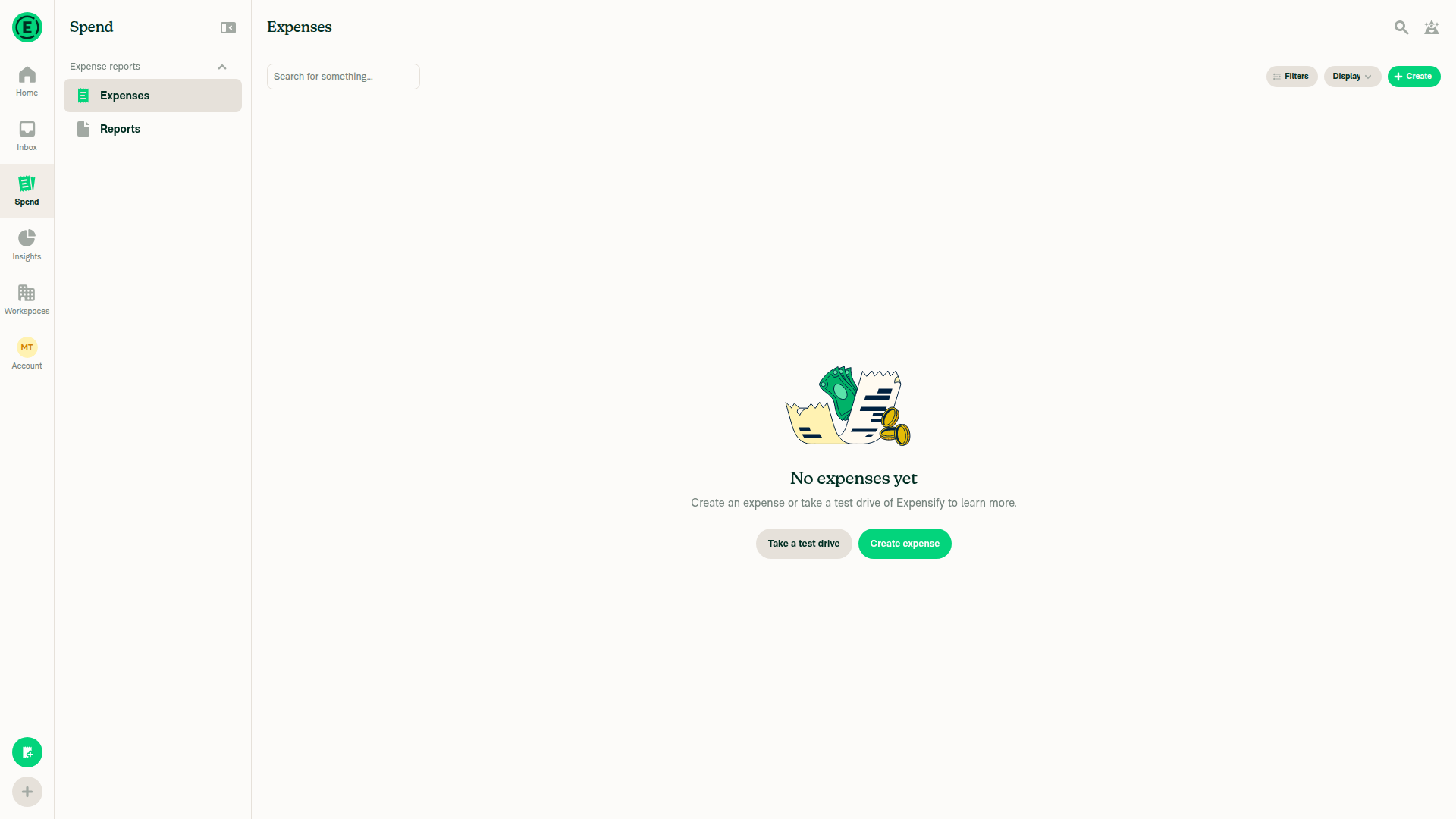
1. Open a foreign-language receiptNo existing expenses; creating a receipt fixture requires unsupported file upload.
Expenses screen showing no existing receipt fixtures
⚠️
2. Verify thumbnail Translate placementRuntime verification blocked.
P2 — Translation excludes supported receipts: useReceiptTranslation.ts:67 requires receipt.source, hiding Translate for emailed/billing receipts that have a filename but no source. Existing receipt rendering reconstructs their URLs. Base eligibility on a resolvable uploaded receipt instead.
⚠️
3. Verify modal opening, scanning line, and spinnerRuntime verification blocked.
P2 — Merge previews translate the wrong receipt: the modal enables translation on the preview transaction, but merge previews retain the target transaction ID while substituting the selected receipt. Selecting the source expense’s receipt therefore requests translation of the target’s original receipt; the receipt-ID check rejects the result, or the request fails if the target has no receipt. Resolve the selected receipt’s owning transaction or hide Translate in uncommitted merge previews.
⚠️
4. Verify translated receipt formattingBlocked: no receipt or translation result.
⚠️
5. Verify tall-receipt disclaimer and View original visibilityBlocked: no tall-receipt fixture.
⚠️
6. Restore original image and full button rowRuntime verification blocked.
P2 — Footer overflows narrow screens: adding Translate creates four buttons in a non-wrapping row. Their 100px minimum width, gaps, and horizontal padding require 464px, exceeding ordinary phone-width viewports. Make the footer responsive or wrapping so Rotate/Replace remain accessible.
⚠️
7. Verify original thumbnail and Translate tooltip after closingBlocked: no receipt thumbnail.
⚠️
8. Reopen modal on original receiptBlocked: no receipt modal.
⚠️
9. Verify immediate cached translationBlocked: no cached translation.
⚠️
10. Translate after changing app languageBlocked: no receipt fixture.
⚠️
11. Replace receipt and request a fresh translationBlocked: receipt upload/replacement is unsupported by the testing interface.
⚠️
12. Verify already-in-language errorBlocked: no same-language receipt fixture.
⚠️
13. Verify unreadable-receipt errorBlocked: no unreadable receipt fixture.
⚠️
14. Verify mobile-only thumbnail behaviorSkipped: this run covers web only.
⚠️
15. Verify Translate is hidden for drafts and odometer imagesBlocked: required image fixtures unavailable.
⚠️
16. Disable beta and verify Translate is hiddenBlocked: no receipt surfaces; beta availability remains unverified.
⚠️
17. Open receipt and go offlineBlocked: no receipt; offline emulation is unavailable through the supported interface.
⚠️
18. Verify both Translate buttons are disabled offlineBlocked by receipt setup and offline-emulation limitations.
⚠️
19. Reconnect and verify translation worksBlocked: required receipt/offline state could not be established.
⚠️
20. Verify no JavaScript console errorsUnverified: console inspection is unavailable through the supported interface.
⚠️

view run

Signed-off-by: krishna2323 <belivethatkg@gmail.com>
@Krishna2323

Copy link
Copy Markdown
Contributor Author

@codex review

@chatgpt-codex-connector

chatgpt-codex-connector Bot commented Nov 7, 2026 •

Copy link
Copy Markdown
Codex Review Summary: ✅ Completed

This comment shows the latest Codex review activity on this pull request.

Review Status Commit Review trigger
📝 Code Review ✅ Completed 2026-11-09T13:53:10.327897Z 7d0df0f Draft marked ready
ℹ️ About Codex in GitHub

Your team has set up Codex to review pull requests in this repo. Reviews are triggered when you

  • Open a pull request for review
  • Mark a draft as ready
  • Comment "@codex review" or "@codex security review".

Codex reacts with 👀 while any review is running, comments if it has suggestions, and reacts with 👍 once all reviews finish with no findings.

@chatgpt-codex-connector

Copy link
Copy Markdown

Codex Review: Didn't find any major issues. Nice work!

Reviewed commit: 3e02c01e73

ℹ️ About Codex in GitHub

Your team has set up Codex to review pull requests in this repo. Reviews are triggered when you

  • Open a pull request for review
  • Mark a draft as ready
  • Comment "@codex review".

If Codex has suggestions, it will comment; otherwise it will react with 👍.

Codex can also answer questions or update the PR. Try commenting "@codex address that feedback".

@github-actions

github-actions Bot commented Nov 9, 2026

Copy link
Copy Markdown
Contributor

🚧 dubielzyk-expensify has triggered a test Expensify/App build. You can view the workflow run here.

@github-actions

This comment has been minimized.

@shawnborton

Copy link
Copy Markdown
Contributor

Based on what I saw from the video of the animation in the issue, I wonder if we could slightly update the animation:

  • try to use the bezier curve timing function we have in the repo (used for modals and such)
  • slightly speed up how fast the green line moves up and down

Thoughts?

… hover zoom over receipt buttons

Signed-off-by: krishna2323 <belivethatkg@gmail.com>
…expenses

Signed-off-by: krishna2323 <belivethatkg@gmail.com>
@Krishna2323

Copy link
Copy Markdown
Contributor Author

@daledah thanks, both fixed:

  • Long address: a long value on the right now wraps within half of the row instead of pushing past the card, so the label keeps its width.
image
  • Distance and per diem: we generate those receipts ourselves, so Translate is now hidden on both, in the expense view and in the receipt modal.

@Krishna2323

Copy link
Copy Markdown
Contributor Author

Thanks all!

  • Hover zoom: added it to this PR since it was small. The receipt no longer zooms while the pointer is over the Add, Translate and Expand buttons, same as the PDF page navigator, and the rest of the receipt still zooms. @dannymcclain @JmillsExpensify
  • Currency code: sounds good @lakchote, I'll show the currency field once the backend sends it.
  • Side by side: happy to pick this up once design has a direction.

@Krishna2323
Krishna2323 requested a review from daledah November 10, 2026 21:21
Signed-off-by: krishna2323 <belivethatkg@gmail.com>
…hile the receipt is scanning

Signed-off-by: krishna2323 <belivethatkg@gmail.com>
@daledah

daledah commented Nov 11, 2026

Copy link
Copy Markdown
Contributor

Reviewer Checklist

  • I have verified the author checklist is complete (all boxes are checked off).
  • I verified the correct issue is linked in the ### Fixed Issues section above
  • I verified testing steps are clear and they cover the changes made in this PR
    • I verified the steps for local testing are in the Tests section
    • I verified the steps for Staging and/or Production testing are in the QA steps section
    • I verified the steps cover any possible failure scenarios (i.e. verify an input displays the correct error message if the entered data is not correct)
    • I turned off my network connection and tested it while offline to ensure it matches the expected behavior (i.e. verify the default avatar icon is displayed if app is offline)
  • I checked that screenshots or videos are included for tests on all platforms
  • I included screenshots or videos for tests on all platforms
  • I verified that the composer does not automatically focus or open the keyboard on mobile unless explicitly intended. This includes checking that returning the app from the background does not unexpectedly open the keyboard.
  • I verified tests pass on all platforms & I tested again on:
    • Android: HybridApp
    • Android: mWeb Chrome
    • iOS: HybridApp
    • iOS: mWeb Safari
    • MacOS: Chrome / Safari
  • If there are any errors in the console that are unrelated to this PR, I either fixed them (preferred) or linked to where I reported them in Slack
  • I verified any copy / text that was added to the app is either coming verbatim from figma or has been approved by marketing (in order to get marketing approval, ask the Bug Zero team member to add the Waiting for copy label to the issue)
  • If a new code pattern is added I verified it was agreed to be used by multiple Expensify engineers
  • I verified other components that can be impacted by these changes have been tested, and I retested again (i.e. if the PR modifies a shared library or component like Avatar, I verified the components using Avatar have been tested & I retested again)
  • If a new component is created I verified that:
    • A similar component doesn't exist in the codebase
    • All props are defined accurately
    • The component has a clear name that is non-ambiguous and the purpose of the component can be inferred from the name alone
    • The only data being stored in the state is data necessary for rendering and nothing else
    • The component has the minimum amount of code necessary for its purpose, and it is broken down into smaller components in order to separate concerns and functions
  • If the PR modifies code that runs when editing or sending messages, I tested and verified there is no unexpected behavior for all supported markdown - URLs, single line code, code blocks, quotes, headings, bold, strikethrough, and italic.
  • If the PR modifies a generic component, I tested and verified that those changes do not break usages of that component in the rest of the App (i.e. if a shared library or component like Avatar is modified, I verified that Avatar is working as expected in all cases)
  • If the PR modifies a component related to any of the existing Storybook stories, I tested and verified all stories for that component are still working as expected.
  • If the PR modifies a component or page that can be accessed by a direct deeplink, I verified that the code functions as expected when the deeplink is used - from a logged in and logged out account.
  • If the PR modifies the UI (e.g. new buttons, new UI components, changing the padding/spacing/sizing, moving components, etc) or modifies the form input styles:
    • I verified that all the inputs inside a form are aligned with each other.
    • I added Design label and/or tagged @Expensify/design so the design team can review the changes.
  • If the PR adds or modifies the UI:
    • I asked an AI agent to review the changes for accessibility issues and addressed its findings.
    • I tested with a screen reader (VoiceOver on macOS) and verified all new/changed elements are reachable with a logical focus order.
    • I verified all new/changed elements have meaningful accessible names and roles.
    • I verified state changes are announced (e.g. checked/unchecked, expanded/collapsed, selected).
  • For any bug fix or new feature in this PR, I verified that sufficient unit tests are included to prevent regressions in this flow.
  • If the main branch was merged into this PR after a review, I tested again and verified the outcome was still expected according to the Test steps.
  • I have checked off every checkbox in the PR reviewer checklist, including those that don't apply to this PR.

Screenshots/Videos

iOS: HybridApp
ios.mov
MacOS: Chrome / Safari
web-resize.mp4

@github-actions

Copy link
Copy Markdown
Contributor

🚧 JmillsExpensify has triggered a test Expensify/App build. You can view the workflow run here.

@github-actions

This comment has been minimized.

@JmillsExpensify

Copy link
Copy Markdown
Contributor

The latest is looking very good! Feels very close to a release candidate, such that most everything else on my list of improvements can be handled in a separate PR. Do we want to focus on getting this one merged and then focus on downstream improvements separately?

@JmillsExpensify

JmillsExpensify commented Nov 11, 2026 •

Copy link
Copy Markdown
Contributor

In terms of the wishlist, I do think that part of translating the receipt is getting the commas and periods right. For instance, if I was reviewing as an accountant in the US and I didn't know that Colombian Pesos used periods instead, I might be confused when I saw 22.000,00 on the receipt. To that US accountant, they'd expect to see 22,000.00. So @lakchote this is something to consider in the core translation piece.

@lakchote

Copy link
Copy Markdown
Contributor

@JmillsExpensify Yes, let's merge this one and do the rest separately. The commas and periods are handled in https://github.com/Expensify/Web-Expensify/pull/58371, which merged this morning, so 22.000,00 will show as 22,000.00 for a US reviewer.

A second backend PR sends the receipt's currency code, which @Krishna2323 can show in a follow-up. It's approved too.

@JmillsExpensify JmillsExpensify left a comment

Copy link
Copy Markdown
Contributor

Choose a reason for hiding this comment

The reason will be displayed to describe this comment to others. Learn more.

Niiice, officially approving on my end.

@lakchote

Copy link
Copy Markdown
Contributor

@JmillsExpensify @Krishna2323 the backend PR that sends the currency code is merged now. TranslateReceipt also returns currency next to rows. It's the receipt's currency code like EUR, or an empty string when we're not sure of it.

It isn't on production yet. I'll confirm here once it is.

@daledah daledah left a comment

Copy link
Copy Markdown
Contributor

Choose a reason for hiding this comment

The reason will be displayed to describe this comment to others. Learn more.

LGTM

@melvin-bot
melvin-bot Bot requested a review from lakchote November 11, 2026 13:58

@lakchote lakchote left a comment

Copy link
Copy Markdown
Contributor

Choose a reason for hiding this comment

The reason will be displayed to describe this comment to others. Learn more.

Looks good, thanks @Krishna2323.

@lakchote
lakchote merged commit ec05a85 into Expensify:main Nov 11, 2026
41 of 43 checks passed
@github-actions

Copy link
Copy Markdown
Contributor

🚧 lakchote has triggered a test Expensify/App build. You can view the workflow run here.

@github-actions

Copy link
Copy Markdown
Contributor

@JmillsExpensify

Copy link
Copy Markdown
Contributor

Awesome, I'll work with CX on getting customers on the beta.

@OSBotify

Copy link
Copy Markdown
Contributor

🚀 Deployed to staging by https://github.com/lakchote in version: 9.5.37-0 🚀

platform result
🕸 web 🕸 success ✅
🤖 android 🤖 success ✅
🍎 iOS 🍎 success ✅

@MelvinBot

Copy link
Copy Markdown
Contributor

No help site update needed — receipt translation remains behind the receiptTranslation beta, and the remaining hover-zoom adjustments don’t change a documented workflow.


view run

@izarutskaya

izarutskaya commented Nov 12, 2026 •

Copy link
Copy Markdown

@Krishna2323 @MelvinBot @daledah Is the receiptTranslation beta enabled for expensifail accounts?

Prerequisite: enable the receiptTranslation beta for the test account. The all beta doesn't include it, so the account needs it added directly.

@MelvinBot

Copy link
Copy Markdown
Contributor

I can’t confirm that receiptTranslation is enabled for expensifail accounts. The beta setup clarification confirms that all does not include it; test accounts need it added explicitly.

An internal engineer should check the specific QA account in Supportal and enable receiptTranslation if it’s missing.


view run

@jponikarchuk

Copy link
Copy Markdown

Deploy Blocker #106690 was identified to be related to this PR.

@OSBotify

Copy link
Copy Markdown
Contributor

🚀 Deployed to production by https://github.com/yuwenmemon in version: 9.5.37-1 🚀

platform result
🕸 web 🕸 success ✅
🤖 android 🤖 failure ❌
🍎 iOS 🍎 failure ❌

Bundle Size Analysis (Sentry):

Sign up for free to join this conversation on GitHub. Already have an account? Sign in to comment

Labels

None yet

Projects

None yet

Development

Successfully merging this pull request may close these issues.