Skip to content

Show delegate submit system messages without reopening expense details - #106608

Closed
MelvinBot wants to merge 2 commits into
mainfrom
claude-delegateSubmitVisibility
Closed

MelvinBot wants to merge 2 commits into
mainfrom
claude-delegateSubmitVisibility

Conversation

@MelvinBot

@MelvinBot MelvinBot commented Nov 11, 2026 •

Copy link
Copy Markdown
Contributor

Explanation of Change

Exempt ACTION_DELEGATE_SUBMIT from empty-message deletion detection, matching other system actions whose text is generated from originalMessage. This prevents the live submit action from being hidden until reopening the expense details supplies rendered message fragments.

Add regression coverage for both an empty message array and empty HTML, checking deletion detection and report-action visibility. Both cases failed before the exemption and pass with it.

AI Tests

  • Passed: all 562 ReportActionsUtils tests, including the two new regression cases.
  • Passed: npm run lint, npm run lint-changed, npm run spell-changed, npm run typecheck, and npm run storybook -- --smoke-test --ci.
  • Full Jest suite (npm test -- --silent --maxWorkers=2) exceeded the 10-minute local limit; no failures were reported before timeout. Full-suite completion still needs CI verification.
  • npm run prettier -- --log-level error could not run because this revision has no prettier script. Direct oxfmt --check was denied by the execution policy; formatting verification remains incomplete.
  • Web end-to-end verification was blocked: the admin/approver/submitter/delegate scenario requires multiple identities, but only one authenticated session is available. No UI actions were performed and no rendering result is claimed.
  • Staged-diff code review found no coding-standard violations.
Contributor branch ownership

Created from an upstream branch because Melvin does not have push access to marufsharifi's fork. To copy the branch into that fork:

git remote add upstream https://github.com/Expensify/App.git
git fetch upstream claude-delegateSubmitVisibility
git checkout -b claude-delegateSubmitVisibility upstream/claude-delegateSubmitVisibility
git push -u origin claude-delegateSubmitVisibility

Then close this draft and open a replacement PR from the fork if preferred.

Fixed Issues

$ #98705
PROPOSAL: #98705 (comment)

Tests

// TODO: The human co-author must fill out the tests you ran before marking this PR as "ready for review"
// Please describe what tests you performed that validates your changed worked.

  • Verify that no errors appear in the JS console

Offline tests

QA Steps

// TODO: The human co-author must fill out the QA tests you ran before marking this PR as "ready for review".
// Please describe what QA needs to do to validate your changes and what areas do they need to test for regressions.

  • Verify that no errors appear in the JS console

PR Author Checklist

  • I linked the correct issue in the ### Fixed Issues section above
  • I wrote clear testing steps that cover the changes made in this PR
    • I added steps for local testing in the Tests section
    • I added steps for the expected offline behavior in the Offline steps section
    • I added steps for Staging and/or Production testing in the QA steps section
    • I added steps to cover failure scenarios (i.e. verify an input displays the correct error message if the entered data is not correct)
    • I turned off my network connection and tested it while offline to ensure it matches the expected behavior (i.e. verify the default avatar icon is displayed if app is offline)
    • I tested this PR with a High Traffic account against the staging or production API to ensure there are no regressions (e.g. long loading states that impact usability).
  • I included screenshots or videos for tests on all platforms
  • I ran the tests on all platforms & verified they passed on:
    • Android: Native
    • Android: mWeb Chrome
    • iOS: Native
    • iOS: mWeb Safari
    • MacOS: Chrome / Safari
  • I verified there are no console errors (if there's a console error not related to the PR, report it or open an issue for it to be fixed)
  • I verified any copy / text that was added to the app is either coming verbatim from figma or has been approved by marketing (in order to get marketing approval, ask the Bug Zero team member to add the Waiting for copy label to the issue)
  • If a new code pattern is added I verified it was agreed to be used by multiple Expensify engineers
  • I tested other components that can be impacted by my changes (i.e. if the PR modifies a shared library or component like Avatar, I verified the components using Avatar are working as expected)
  • If new assets were added or existing ones were modified, I verified that:
    • The assets are optimized and compressed (for SVG files, run npm run compress-svg)
    • The assets load correctly across all supported platforms.
  • If the PR modifies code that runs when editing or sending messages, I tested and verified there is no unexpected behavior for all supported markdown - URLs, single line code, code blocks, quotes, headings, bold, strikethrough, and italic.
  • If the PR modifies a generic component, I tested and verified that those changes do not break usages of that component in the rest of the App (i.e. if a shared library or component like Avatar is modified, I verified that Avatar is working as expected in all cases)
  • If the PR modifies a component related to any of the existing Storybook stories, I tested and verified all stories for that component are still working as expected.
  • If the PR modifies a component or page that can be accessed by a direct deeplink, I verified that the code functions as expected when the deeplink is used - from a logged in and logged out account.
  • If the PR modifies the UI (e.g. new buttons, new UI components, changing the padding/spacing/sizing, moving components, etc) or modifies the form input styles:
    • I verified that all the inputs inside a form are aligned with each other.
    • I added Design label and/or tagged @Expensify/design so the design team can review the changes.
  • If the PR adds or modifies the UI:
    • I asked an AI agent to review the changes for accessibility issues and addressed its findings.
    • I tested with a screen reader (VoiceOver on macOS) and verified all new/changed elements are reachable with a logical focus order.
    • I verified all new/changed elements have meaningful accessible names and roles.
    • I verified state changes are announced (e.g. checked/unchecked, expanded/collapsed, selected).
  • I added unit tests for any new feature or bug fix in this PR to help automatically prevent regressions in this user flow.
  • If the main branch was merged into this PR after a review, I tested again and verified the outcome was still expected according to the Test steps.

Screenshots/Videos

Android: Native
Android: mWeb Chrome
iOS: Native
iOS: mWeb Safari
MacOS: Chrome / Safari

Co-authored-by: Maruf Sharifi <marufsharifi@users.noreply.github.com>
@melvin-bot melvin-bot Bot added Melvin-Test-Android Melvin-Test-Web Triggers Melvin to run the testing steps of the PR on web labels Nov 11, 2026
@MelvinBot
MelvinBot requested a review from a team November 11, 2026 07:22
@MelvinBot

MelvinBot commented Nov 11, 2026 •

Copy link
Copy Markdown
Contributor Author

🤖 Web test steps verification results: ❌ fail

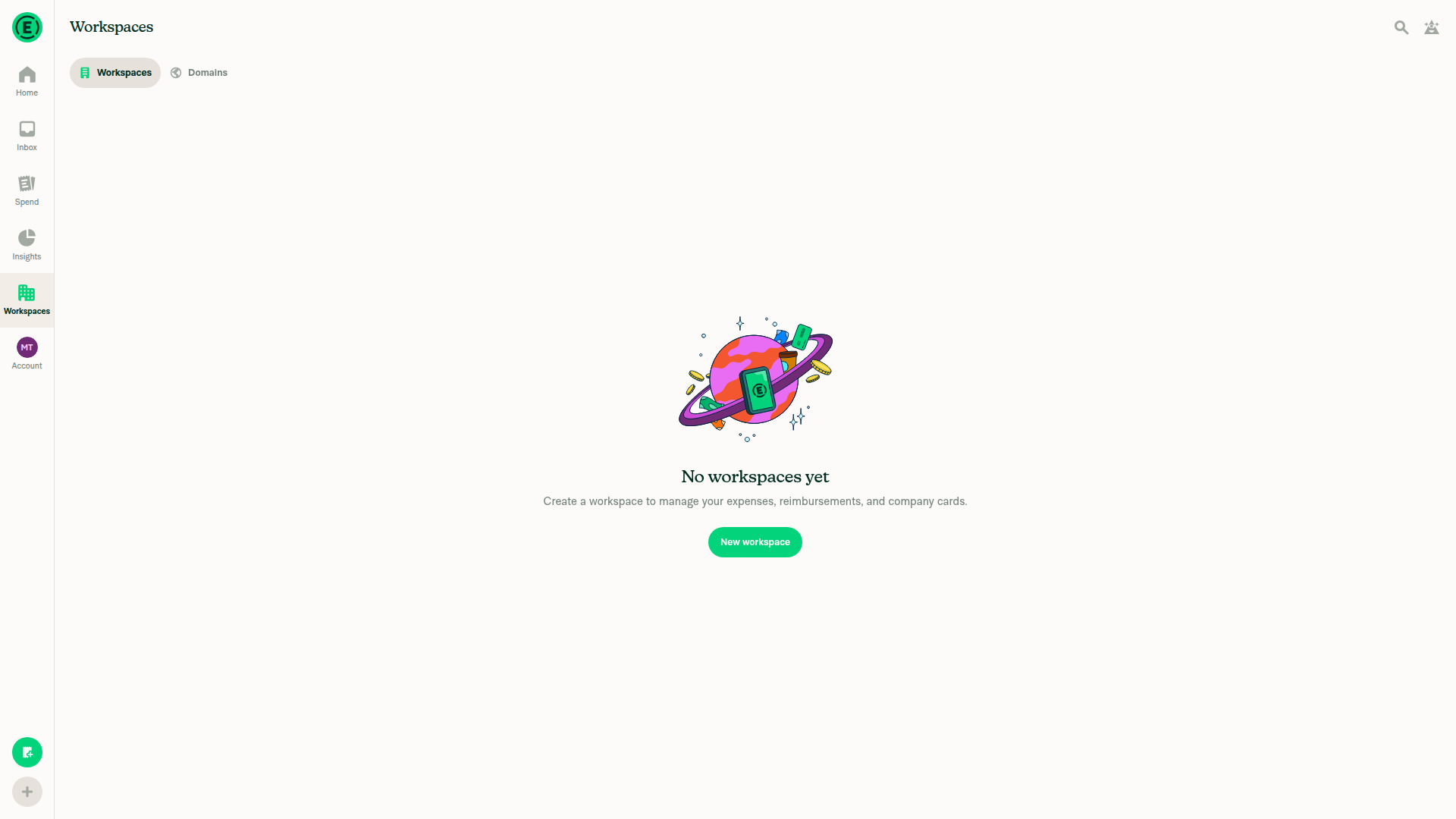
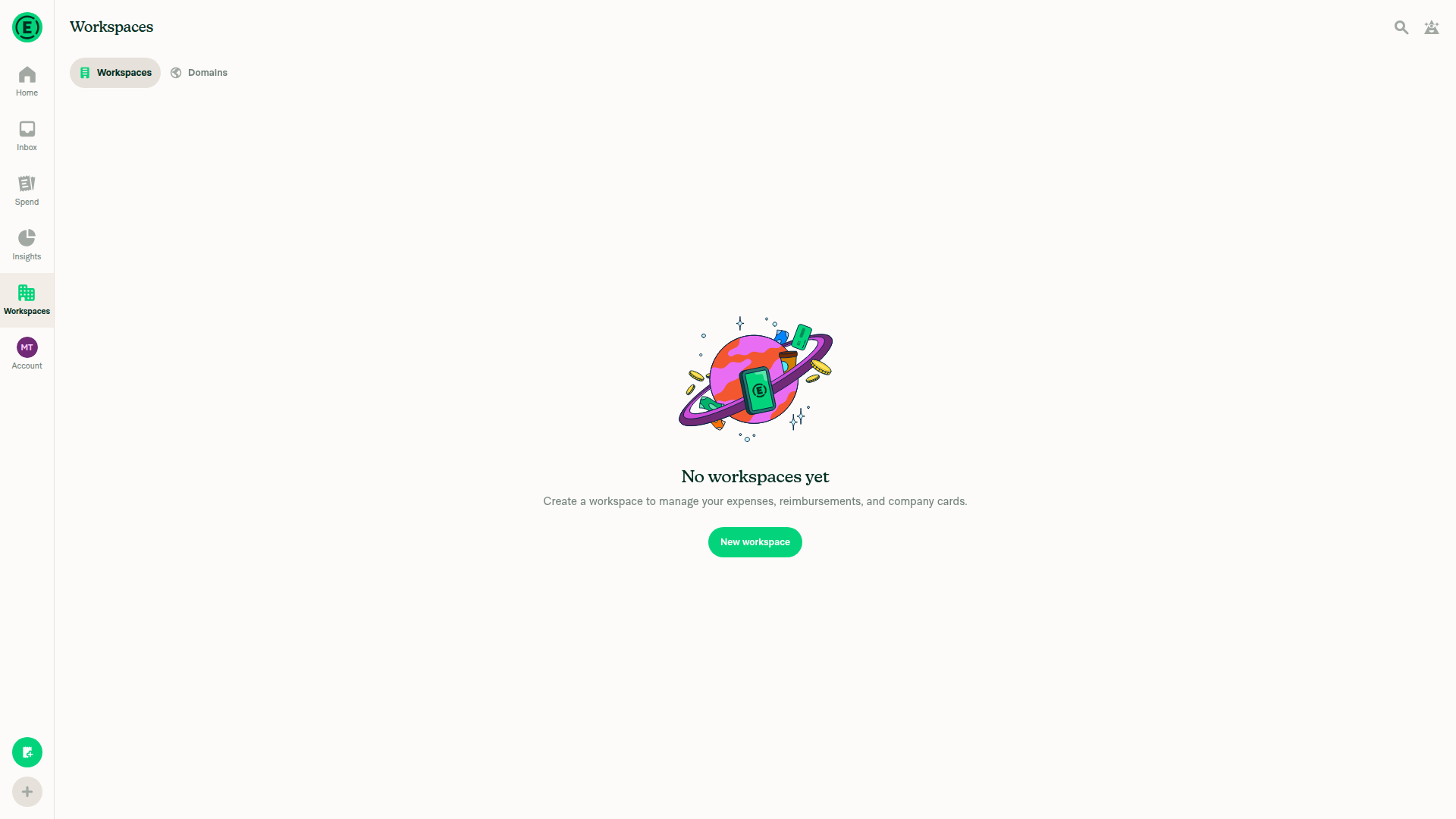
Verified access on dev NewDot web. Testing was blocked by the missing workspace and approver, submitter, and external vacation-delegate fixtures; immediate message rendering remains unverified.

Workspace list showing No workspaces yet

Step Status
Access the Web appConfirmed Home and Workspaces navigation in the provided dev session.
Accessible dev NewDot app showing no workspaces
✅
As admin, invite Approver A and a SubmitterBlocked: “No workspaces yet”; no participant fixtures supplied.
Workspace list showing No workspaces yet
⚠️
Configure Approver A with Vacation Delegate B outside the workspaceBlocked: approver and external delegate fixtures unavailable.
⚠️
As Submitter, open expense detailsBlocked: submitter and expense fixtures unavailable.
⚠️
Submit an expense to workspace chatBlocked by missing prerequisites.
⚠️
Verify DELEGATESUBMIT appears immediately without reopeningNot tested: submission and delegation prerequisites were not reached.
⚠️
Verify no JavaScript console errorsUnverified: console inspection is unavailable through the permitted browser interface.
⚠️

view run · view recording

@MelvinBot

Copy link
Copy Markdown
Contributor Author

🤖 Android test steps verification results: ❌ fail

The documented scenario requires multiple authenticated identities, but only one Android session is available, so testing was blocked before device interaction. No screenshots were captured, and the fix remains unverified; this is an environment blocker, not evidence of a PR defect.

Step Status
Access the standalone Android appNot executed: multi-identity scope gate applied before device interaction.
⚠️
As admin, invite Approver A and SubmitterBlocked: required authenticated user fixtures unavailable.
⚠️
Configure Approver A with Vacation Delegate B outside the workspaceBlocked: cannot configure another user's vacation delegate with the available session.
⚠️
As Submitter, open expense detailsBlocked: separate Submitter identity unavailable.
⚠️
Submit an expense to workspace chatBlocked by the missing multi-user setup.
⚠️
Verify DELEGATESUBMIT appears immediately without reopeningUnverified: submission and delegation prerequisites were not established.
⚠️
Verify no JavaScript console errorsNot inspected: testing did not begin.
⚠️

view run

@marufsharifi

Copy link
Copy Markdown

@MelvinBot, replace the PR Author checklist with the verified one below:

PR author checklist

<!-- If necessary, assign reviewers that know the area or changes well. Feel free to tag any additional reviewers you see fit. -->

### Explanation of Change
<!-- Explain what your change does and how it addresses the linked issue -->
Fixes an issue where the DELEGATESUBMIT system message does not appear immediately after submitting an expense when the approver has a vacation delegate who is not a member of the workspace.

The backend already returns the DELEGATESUBMIT action, but the App incorrectly treats it as deleted because its message HTML is empty.

Changes:
- Exempt ACTION_DELEGATE_SUBMIT from empty-message deletion detection in src/libs/ReportActionsUtils.ts.
- Allow the system message to appear immediately without reopening the expense details.
- Add unit tests to verify the action remains visible with an empty message array or empty HTML.

### Fixed Issues
<!---
1. Please postfix `$` with a URL link to the GitHub issue this Pull Request is fixing. For example, `$ https://github.com/Expensify/App/issues/<issueID>`.
2. Please postfix  `PROPOSAL:` with a URL link to your GitHub comment, which contains the approved proposal (i.e. the proposal that was approved by Expensify).  For example, `PROPOSAL: https://github.com/Expensify/App/issues/<issueID>#issuecomment-1369752925`

Do NOT add the special GH keywords like `fixed` etc, we have our own process of managing the flow.
It MUST be an entire link to the github issue and your comment proposal ; otherwise, the linking and its automation will not work as expected.

Make sure this section looks similar to this (you can link multiple issues using the same formatting, just add a new line):

$ https://github.com/Expensify/App/issues/<issueID>
$ https://github.com/Expensify/App/issues/<issueID(comment)>

Do NOT only link the issue number like this: $ #<issueID>
--->
$ https://github.com/Expensify/App/issues/98705
PROPOSAL: https://github.com/Expensify/App/issues/98705#issuecomment-6781929546


<!--- 
If you want to trigger adhoc build of hybrid app from specific Mobile-Expensify PR please link it like this:

MOBILE-EXPENSIFY: https://github.com/Expensify/Mobile-Expensify/pull/<PR-number>

--->


Preconditions:

Admin: Workspace administrator.

User A: Workspace member and expense approver.

User B: Vacation delegate, not a workspace member.

User C: Workspace member and expense submitter.

### Tests

1. Log in as Admin and open a workspace.
2. Invite User A and User C to the workspace.
3. Go to **Workflows → Approvals** and set User A as the approver.
4. Ensure User B is NOT a workspace member.
5. Log in as User A.
6. Navigate to **Account → Profile → Vacation delegate** and select User B.
7. Log in as User C.
8. Create an expense under the workspace.
9. Open the expense details and submit the expense for approval.
10. Keep the expense details conversation open.
11. Check whether the `DELEGATESUBMIT` system message appears.
12. Close and reopen the same expense details.
13. Check whether the `DELEGATESUBMIT` message now appears..

- [x] Verify that no errors appear in the JS console

### Offline tests
<!---
Add any relevant steps that validate your changes work as expected in a variety of network states e.g. "offline", "spotty connection", "slow internet", etc. Manual test steps should be written so that your reviewer and QA testers can repeat and verify one or more expected outcomes. If you are unsure how the behavior should work ask for advice in the `#expensify-open-source` Slack channel.
--->
1. Use the same approver, submitter, and vacation delegate setup.
2. Open the expense details as User C.
3. Disconnect from the internet.
4. Attempt to submit the expense.
5. Reconnect to the internet.
6. Once the submission completes successfully, verify that the `DELEGATESUBMIT` message appears without reopening the expense details.
7. Verify that the message is not duplicated.

### QA Steps
<!---
Add a numbered list of manual tests that can be performed by our QA engineers on the staging environment to validate that your changes work on all platforms, and that there are no regressions present.
Add any additional QA steps if test steps are unique to a particular platform.
Manual test steps should be written so that the QA engineer can repeat and verify one or more expected outcomes in the staging environment.

For example:
1. Click on the text input to bring it into focus
2. Upload an image via copy paste
3. Verify a modal appears displaying a preview of that image

It's acceptable to write "Same as tests" if the QA team is able to run the tests in the above "Tests" section.
--->
Same as Tests.

- [x] Verify that no errors appear in the JS console

### PR Author Checklist
<!--
This is a checklist for PR authors. Please make sure to complete all tasks and check them off once you do, or else your PR will not be merged!
-->

- [x] I linked the correct issue in the `### Fixed Issues` section above
- [x] I wrote clear testing steps that cover the changes made in this PR
    - [x] I added steps for local testing in the `Tests` section
    - [x] I added steps for the expected offline behavior in the `Offline steps` section
    - [x] I added steps for Staging and/or Production testing in the `QA steps` section
    - [x] I added steps to cover failure scenarios (i.e. verify an input displays the correct error message if the entered data is not correct)
    - [x] I turned off my network connection and tested it while offline to ensure it matches the expected behavior (i.e. verify the default avatar icon is displayed if app is offline)
    - [x] I tested this PR with a [High Traffic account](https://github.com/Expensify/App/blob/main/contributingGuides/CONTRIBUTING.md#high-traffic-accounts) against the staging or production API to ensure there are no regressions (e.g. long loading states that impact usability).
- [x] I included screenshots or videos for tests on [all platforms](https://github.com/Expensify/App/blob/main/contributingGuides/CONTRIBUTING.md#make-sure-you-can-test-on-all-platforms)
- [x] I ran the tests on **all platforms** & verified they passed on:
    - [x] Android: Native
    - [x] Android: mWeb Chrome
    - [x] iOS: Native
    - [x] iOS: mWeb Safari
    - [x] MacOS: Chrome / Safari
- [x] I verified there are no console errors (if there's a console error not related to the PR, report it or open an issue for it to be fixed)
- [x] I verified any copy / text that was added to the app is either coming verbatim from figma or has been approved by marketing (in order to get marketing approval, ask the Bug Zero team member to add the Waiting for copy label to the issue)
- [x] If a new code pattern is added I verified it was agreed to be used by multiple Expensify engineers
- [x] I tested other components that can be impacted by my changes (i.e. if the PR modifies a shared library or component like `Avatar`, I verified the components using `Avatar` are working as expected)
- [x] If new assets were added or existing ones were modified, I verified that:
    - [x] The assets are optimized and compressed (for SVG files, run `npm run compress-svg`)
    - [x] The assets load correctly across all supported platforms.
- [x] If the PR modifies code that runs when editing or sending messages, I tested and verified there is no unexpected behavior for all supported markdown - URLs, single line code, code blocks, quotes, headings, bold, strikethrough, and italic.
- [x] If the PR modifies a generic component, I tested and verified that those changes do not break usages of that component in the rest of the App (i.e. if a shared library or component like `Avatar` is modified, I verified that `Avatar` is working as expected in all cases)
- [x] If the PR modifies a component related to any of the existing Storybook stories, I tested and verified all stories for that component are still working as expected.
- [x] If the PR modifies a component or page that can be accessed by a direct deeplink, I verified that the code functions as expected when the deeplink is used - from a logged in and logged out account.
- [x] If the PR modifies the UI (e.g. new buttons, new UI components, changing the padding/spacing/sizing, moving components, etc) or modifies the form input styles:
    - [x] I verified that all the inputs inside a form are aligned with each other.
    - [x] I added `Design` label and/or tagged `@Expensify/design` so the design team can review the changes.
- [x] If the PR adds or modifies the UI:
    - [x] I asked an AI agent to review the changes for accessibility issues and addressed its findings.
    - [x] I tested with a screen reader (VoiceOver on macOS) and verified all new/changed elements are reachable with a logical focus order.
    - [x] I verified all new/changed elements have meaningful accessible names and roles.
    - [x] I verified state changes are announced (e.g. checked/unchecked, expanded/collapsed, selected).
- [x] I added [unit tests](https://github.com/Expensify/App/blob/main/tests/README.md) for any new feature or bug fix in this PR to help automatically prevent regressions in this user flow.
- [x] If the `main` branch was merged into this PR after a review, I tested again and verified the outcome was still expected according to the `Test` steps.

### Screenshots/Videos
<details>
<summary>Android: Native</summary>

<!-- add screenshots or videos here -->

</details>

<details>
<summary>Android: mWeb Chrome</summary>

<!-- add screenshots or videos here -->

</details>

<details>
<summary>iOS: Native</summary>

<!-- add screenshots or videos here -->

</details>

<details>
<summary>iOS: mWeb Safari</summary>

<!-- add screenshots or videos here -->

</details>

<details>
<summary>MacOS: Chrome / Safari</summary>

<!-- add screenshots or videos here -->

</details>


@MelvinBot

Copy link
Copy Markdown
Contributor Author

Updated the PR Author Checklist with all supplied boxes checked on your behalf. Other sections and previous test results remain unchanged; no tests were rerun.


view run

@marufsharifi

Copy link
Copy Markdown

@MelvinBot merge the main.

Co-authored-by: Maruf Sharifi <marufsharifi@users.noreply.github.com>
@MelvinBot

Copy link
Copy Markdown
Contributor Author

Merged main into the PR branch without conflicts and pushed b29c029. The PR remains open.

Storybook smoke and spelling passed. Lint, typecheck, and Jest verification remain incomplete due to environment/setup errors; formatting script unavailable.


view run

@MelvinBot

Copy link
Copy Markdown
Contributor Author

⚠️ Something went wrong. This may be a transient issue. Try again. If it persists, check status.openai.com.

Run details

@marufsharifi

Copy link
Copy Markdown

@MelvinBot mark this as ready for review.

@MelvinBot
MelvinBot marked this pull request as ready for review November 12, 2026 05:14
@MelvinBot
MelvinBot requested a review from a team as a code owner November 12, 2026 05:14
@melvin-bot
melvin-bot Bot requested a review from marufsharifi November 12, 2026 05:14
@MelvinBot

Copy link
Copy Markdown
Contributor Author

@melvin-bot
melvin-bot Bot removed the request for review from a team November 12, 2026 05:14
@melvin-bot

melvin-bot Bot commented Nov 12, 2026

Copy link
Copy Markdown

@marufsharifi Please copy/paste the Reviewer Checklist from here into a new comment on this PR and complete it. If you have the K2 extension, you can simply click: [this button]

@chatgpt-codex-connector

chatgpt-codex-connector Bot commented Nov 12, 2026 •

Copy link
Copy Markdown
Codex Review Summary: ✅ Completed

This comment shows the latest Codex review activity on this pull request.

Review Status Commit Review trigger
📝 Code Review ✅ Completed 2026-11-12T05:16:57.444999Z b29c029 Draft marked ready
ℹ️ About Codex in GitHub

Your team has set up Codex to review pull requests in this repo. Reviews are triggered when you

  • Open a pull request for review
  • Mark a draft as ready
  • Comment "@codex review" or "@codex security review".

Codex reacts with 👀 while any review is running, comments if it has suggestions, and reacts with 👍 once all reviews finish with no findings.

@melvin-bot
melvin-bot Bot requested review from flaviadefaria and removed request for a team November 12, 2026 05:14
@marufsharifi

marufsharifi commented Nov 12, 2026 •

Copy link
Copy Markdown

Reviewer Checklist

  • I have verified the author checklist is complete (all boxes are checked off).
  • I verified the correct issue is linked in the ### Fixed Issues section above
  • I verified testing steps are clear and they cover the changes made in this PR
    • I verified the steps for local testing are in the Tests section
    • I verified the steps for Staging and/or Production testing are in the QA steps section
    • I verified the steps cover any possible failure scenarios (i.e. verify an input displays the correct error message if the entered data is not correct)
    • I turned off my network connection and tested it while offline to ensure it matches the expected behavior (i.e. verify the default avatar icon is displayed if app is offline)
  • I checked that screenshots or videos are included for tests on all platforms
  • I included screenshots or videos for tests on all platforms
  • I verified that the composer does not automatically focus or open the keyboard on mobile unless explicitly intended. This includes checking that returning the app from the background does not unexpectedly open the keyboard.
  • I verified tests pass on all platforms & I tested again on:
    • Android: HybridApp
    • Android: mWeb Chrome
    • iOS: HybridApp
    • iOS: mWeb Safari
    • MacOS: Chrome / Safari
  • If there are any errors in the console that are unrelated to this PR, I either fixed them (preferred) or linked to where I reported them in Slack
  • I verified any copy / text that was added to the app is either coming verbatim from figma or has been approved by marketing (in order to get marketing approval, ask the Bug Zero team member to add the Waiting for copy label to the issue)
  • If a new code pattern is added I verified it was agreed to be used by multiple Expensify engineers
  • I verified other components that can be impacted by these changes have been tested, and I retested again (i.e. if the PR modifies a shared library or component like Avatar, I verified the components using Avatar have been tested & I retested again)
  • If a new component is created I verified that:
    • A similar component doesn't exist in the codebase
    • All props are defined accurately
    • The component has a clear name that is non-ambiguous and the purpose of the component can be inferred from the name alone
    • The only data being stored in the state is data necessary for rendering and nothing else
    • The component has the minimum amount of code necessary for its purpose, and it is broken down into smaller components in order to separate concerns and functions
  • If the PR modifies code that runs when editing or sending messages, I tested and verified there is no unexpected behavior for all supported markdown - URLs, single line code, code blocks, quotes, headings, bold, strikethrough, and italic.
  • If the PR modifies a generic component, I tested and verified that those changes do not break usages of that component in the rest of the App (i.e. if a shared library or component like Avatar is modified, I verified that Avatar is working as expected in all cases)
  • If the PR modifies a component related to any of the existing Storybook stories, I tested and verified all stories for that component are still working as expected.
  • If the PR modifies a component or page that can be accessed by a direct deeplink, I verified that the code functions as expected when the deeplink is used - from a logged in and logged out account.
  • If the PR modifies the UI (e.g. new buttons, new UI components, changing the padding/spacing/sizing, moving components, etc) or modifies the form input styles:
    • I verified that all the inputs inside a form are aligned with each other.
    • I added Design label and/or tagged @Expensify/design so the design team can review the changes.
  • If the PR adds or modifies the UI:
    • I asked an AI agent to review the changes for accessibility issues and addressed its findings.
    • I tested with a screen reader (VoiceOver on macOS) and verified all new/changed elements are reachable with a logical focus order.
    • I verified all new/changed elements have meaningful accessible names and roles.
    • I verified state changes are announced (e.g. checked/unchecked, expanded/collapsed, selected).
  • For any bug fix or new feature in this PR, I verified that sufficient unit tests are included to prevent regressions in this flow.
  • If the main branch was merged into this PR after a review, I tested again and verified the outcome was still expected according to the Test steps.
  • I have checked off every checkbox in the PR reviewer checklist, including those that don't apply to this PR.

Screenshots/Videos

Android: HybridApp
Screen.Recording.2026-11-12.at.3.11.52.PM.mov
Android: mWeb Chrome
how.are.you.mp4
iOS: HybridApp
iOS: mWeb Safari
Screen.Recording.2026-11-12.at.2.16.19.PM.mov
MacOS: Chrome / Safari
web.mov

@mallenexpensify

Copy link
Copy Markdown
Contributor

Claude posting on behalf of Matt: Closing this PR. Work on the linked issue continues in a new PR. Use this one as a reference.

Sign up for free to join this conversation on GitHub. Already have an account? Sign in to comment

Labels

Melvin-Test-Android Melvin-Test-Web Triggers Melvin to run the testing steps of the PR on web

Projects

None yet

Development

Successfully merging this pull request may close these issues.

3 participants