Skip to content

Prevent crashes on missing amount-input keyboard keys - #106653

Merged
Julesssss merged 2 commits into
mainfrom
claude-guardAmountEditingKeys
Nov 16, 2026
Merged

Julesssss merged 2 commits into
mainfrom
claude-guardAmountEditingKeys

Conversation

@MelvinBot

@MelvinBot MelvinBot commented Nov 11, 2026 •

Copy link
Copy Markdown
Contributor

Explanation of Change

Treat missing/non-string amount-input keys as non-forward-delete events instead of calling toLowerCase() on them. Apply the same string guard before detached-sign backspace handling, while always forwarding the event to the base controller so stale forward-delete state is cleared. Make the local event key optional.

Add 19 regression cases covering missing, undefined, null, numeric, object, empty, and unidentified keys, sign preservation, and clearing a previous forward-delete flag.

AI Tests

  • November 12 main-merge validation: merged main into the PR branch without conflicts; the PR diff remains limited to the original five files. git diff --check and Storybook smoke test passed. After refreshing dependencies, Jest failed with ES-module loading errors, including in the two targeted amount-controller suites; no passing regression result is claimed for this merge. Lint, lint-changed, typecheck, and compiler checks were blocked by missing Bun installation setup. The Prettier script remains unavailable. Manual QA was not rerun.
  • Regression demonstration: before the fix, 15 new malformed-key cases failed with the expected TypeError; after the fix, all targeted tests passed.
  • Passed: five targeted Jest suites, 123 tests, covering the amount controllers, selection, utilities, and receipt-requirement page.
  • Passed: npm run lint, lint on all five changed files, npm run typecheck, spell-check on all five changed files, Storybook smoke test, and direct React Compiler compliance check of the changed hook. Independent staged-diff code review found no violations.
  • Full Jest suite attempted with two workers: exceeded the 10-minute limit without a final summary; no failing test was reported before timeout.
  • lint-changed was attempted; subsequent runs timed out fetching the base branch. Explicit changed-file lint passed after correcting the test fixtures.
  • react-compiler-compliance-check check-changed could not resolve the CI base branch; the direct changed-hook check passed.
  • The matrix's Prettier command is unavailable because this checkout has no prettier script. A standalone formatter check was not permitted in this environment.
  • Web verification was blocked by a blank dev page; the receipt amount flow and real-world malformed-key trigger remain unverified in-browser.

Fixed Issues

$ #106409
PROPOSAL: #106409 (comment)

Tests

Prerequisite: Use a workspace admin account with Control-plan access and Rules enabled. Previous attempts were blocked by the upgrade gate.

  1. Open Workspace → Rules → Require receipts.
  2. Replace the threshold with 12345. Verify the amount displays correctly and the page remains responsive.
  3. Place the caret between 3 and 4, then press Backspace. Verify 3 is removed and the caret moves back one position.
  4. Reset to 12345, place the caret between 3 and 4, then press Delete. Verify 4 is removed and the caret stays in place.
  5. Select part of the amount and replace it by typing. Repeat with a decimal amount; verify correct formatting and caret behavior.
  6. Save a valid threshold, leave the page, and reopen it. Verify the saved amount persists.
  7. Repeat editing while offline. Verify no crash; reconnect and confirm the saved change eventually persists.
  8. Monitor the JS console throughout. Verify there is no toLowerCase TypeError or other new error.

Prioritize Chrome on Android, where the error was reported. Also check desktop Chrome/Safari; on macOS, verify Ctrl+D still deletes the character after the caret.

  • Verify that no errors appear in the JS console

Offline tests

same as tests.

QA Steps

same as tests.

  • Verify that no errors appear in the JS console

PR Author Checklist

  • I linked the correct issue in the ### Fixed Issues section above
  • I wrote clear testing steps that cover the changes made in this PR
    • I added steps for local testing in the Tests section
    • I added steps for the expected offline behavior in the Offline steps section
    • I added steps for Staging and/or Production testing in the QA steps section
    • I added steps to cover failure scenarios (i.e. verify an input displays the correct error message if the entered data is not correct)
    • I turned off my network connection and tested it while offline to ensure it matches the expected behavior (i.e. verify the default avatar icon is displayed if app is offline)
    • I tested this PR with a High Traffic account against the staging or production API to ensure there are no regressions (e.g. long loading states that impact usability).
  • I included screenshots or videos for tests on all platforms
  • I ran the tests on all platforms & verified they passed on:
    • Android: Native
    • Android: mWeb Chrome
    • iOS: Native
    • iOS: mWeb Safari
    • MacOS: Chrome / Safari
    • MacOS: Desktop
  • I verified there are no console errors (if there's a console error not related to the PR, report it or open an issue for it to be fixed)
  • I verified there are no new alerts related to the canBeMissing param for useOnyx
  • I followed proper code patterns (see Reviewing the code)
    • I verified that any callback methods that were added or modified are named for what the method does and never what callback they handle (i.e. toggleReport and not onIconClick)
    • I verified that comments were added to code that is not self explanatory
    • I verified that any new or modified comments were clear, correct English, and explained "why" the code was doing something instead of only explaining "what" the code was doing.
    • I verified any copy / text shown in the product is localized by adding it to src/languages/* files and using the translation method
      • If any non-english text was added/modified, I used JaimeGPT to get English > Spanish translation. I then posted it in #expensify-open-source and it was approved by an internal Expensify engineer. Link to Slack message:
    • I verified all numbers, amounts, dates and phone numbers shown in the product are using the localization methods
    • I verified any copy / text that was added to the app is grammatically correct in English. It adheres to proper capitalization guidelines (note: only the first word of header/labels should be capitalized), and is either coming verbatim from figma or has been approved by marketing (in order to get marketing approval, ask the Bug Zero team member to add the Waiting for copy label to the issue)
    • I verified proper file naming conventions were followed for any new files or renamed files. All non-platform specific files are named after what they export and are not named "index.js". All platform-specific files are named for the platform the code supports as outlined in the README.
    • I verified the JSDocs style guidelines (in STYLE.md) were followed
  • If a new code pattern is added I verified it was agreed to be used by multiple Expensify engineers
  • I followed the guidelines as stated in the Review Guidelines
  • I tested other components that can be impacted by my changes (i.e. if the PR modifies a shared library or component like Avatar, I verified the components using Avatar are working as expected)
  • I verified all code is DRY (the PR doesn't include any logic written more than once, with the exception of tests)
  • I verified any variables that can be defined as constants (ie. in CONST.ts or at the top of the file that uses the constant) are defined as such
  • I verified that if a function's arguments changed that all usages have also been updated correctly
  • If any new file was added I verified that:
    • The file has a description of what it does and/or why is needed at the top of the file if the code is not self explanatory
  • If a new CSS style is added I verified that:
    • A similar style doesn't already exist
    • The style can't be created with an existing StyleUtils function (i.e. StyleUtils.getBackgroundAndBorderStyle(theme.componentBG))
  • If new assets were added or existing ones were modified, I verified that:
    • The assets are optimized and compressed (for SVG files, run npm run compress-svg)
    • The assets load correctly across all supported platforms.
  • If the PR modifies code that runs when editing or sending messages, I tested and verified there is no unexpected behavior for all supported markdown - URLs, single line code, code blocks, quotes, headings, bold, strikethrough, and italic.
  • If the PR modifies a generic component, I tested and verified that those changes do not break usages of that component in the rest of the App (i.e. if a shared library or component like Avatar is modified, I verified that Avatar is working as expected in all cases)
  • If the PR modifies a component related to any of the existing Storybook stories, I tested and verified all stories for that component are still working as expected.
  • If the PR modifies a component or page that can be accessed by a direct deeplink, I verified that the code functions as expected when the deeplink is used - from a logged in and logged out account.
  • If the PR modifies the UI (e.g. new buttons, new UI components, changing the padding/spacing/sizing, moving components, etc) or modifies the form input styles:
    • I verified that all the inputs inside a form are aligned with each other.
    • I added Design label and/or tagged @Expensify/design so the design team can review the changes.
  • If a new page is added, I verified it's using the ScrollView component to make it scrollable when more elements are added to the page.
  • I added unit tests for any new feature or bug fix in this PR to help automatically prevent regressions in this user flow.
  • If the main branch was merged into this PR after a review, I tested again and verified the outcome was still expected according to the Test steps.

Screenshots/Videos

Android: Native
Android: mWeb Chrome
iOS: Native
iOS: mWeb Safari
MacOS: Chrome / Safari

Web verification blocked: the dev session rendered a blank page before the amount flow could be reached. This is blocker evidence, not a passing functional verification.

Blank page blocking receipt amount verification

Co-authored-by: parasharrajat <parasharrajat@users.noreply.github.com>
@MelvinBot
MelvinBot requested a review from a team November 11, 2026 18:55
@melvin-bot melvin-bot Bot added Melvin-Test-Android Melvin-Test-Web Triggers Melvin to run the testing steps of the PR on web labels Nov 11, 2026
@MelvinBot

Copy link
Copy Markdown
Contributor Author

This draft uses an upstream branch because Melvin does not have push access to your fork. To copy it to your fork and push future updates, run the following in your fork checkout:

git remote add upstream https://github.com/Expensify/App.git
git fetch upstream claude-guardAmountEditingKeys
git checkout -b claude-guardAmountEditingKeys upstream/claude-guardAmountEditingKeys
git push -u origin claude-guardAmountEditingKeys

If an upstream remote already exists, skip the first command. You can then open a replacement PR from your fork and close this draft.

@MelvinBot

MelvinBot commented Nov 11, 2026 •

Copy link
Copy Markdown
Contributor Author

🤖 Android test steps verification results: ⚠️ partial

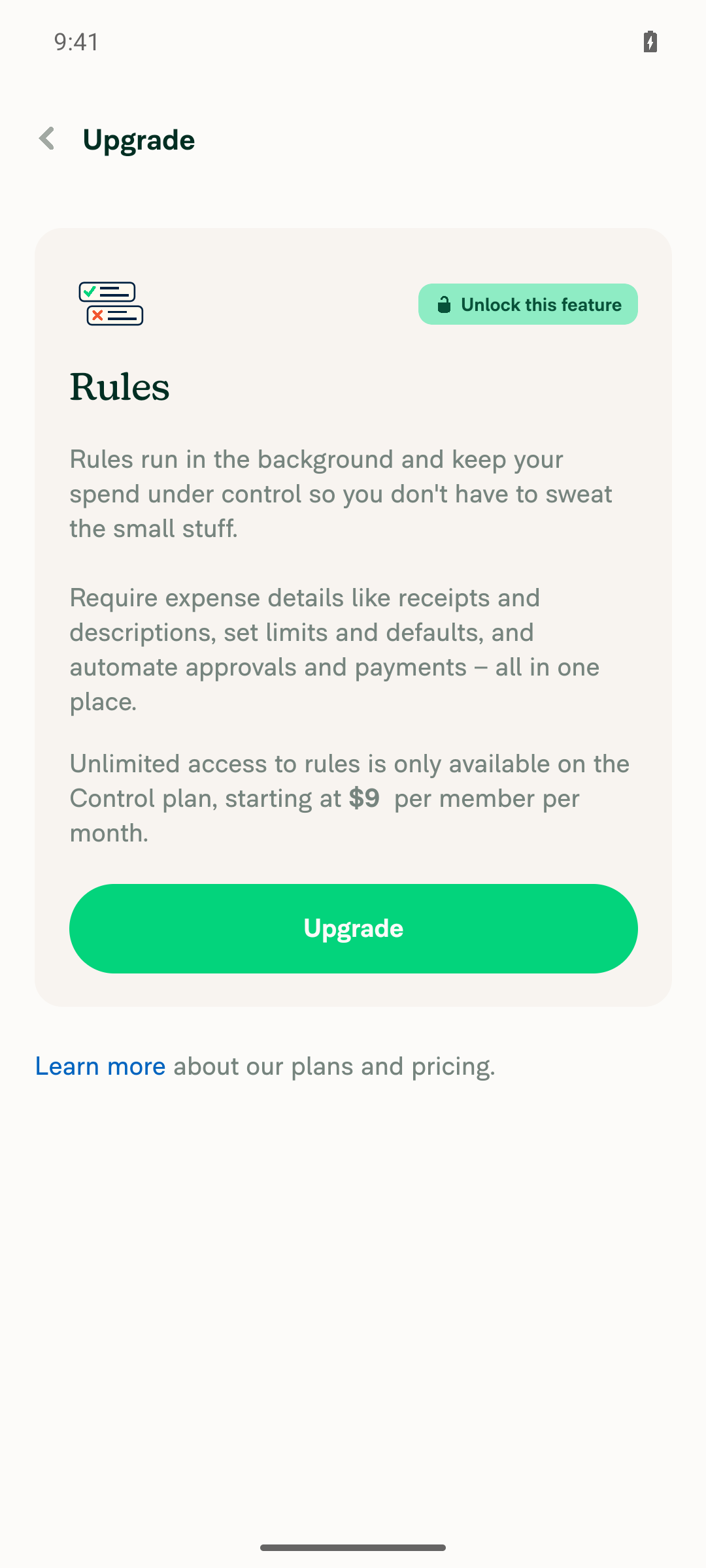
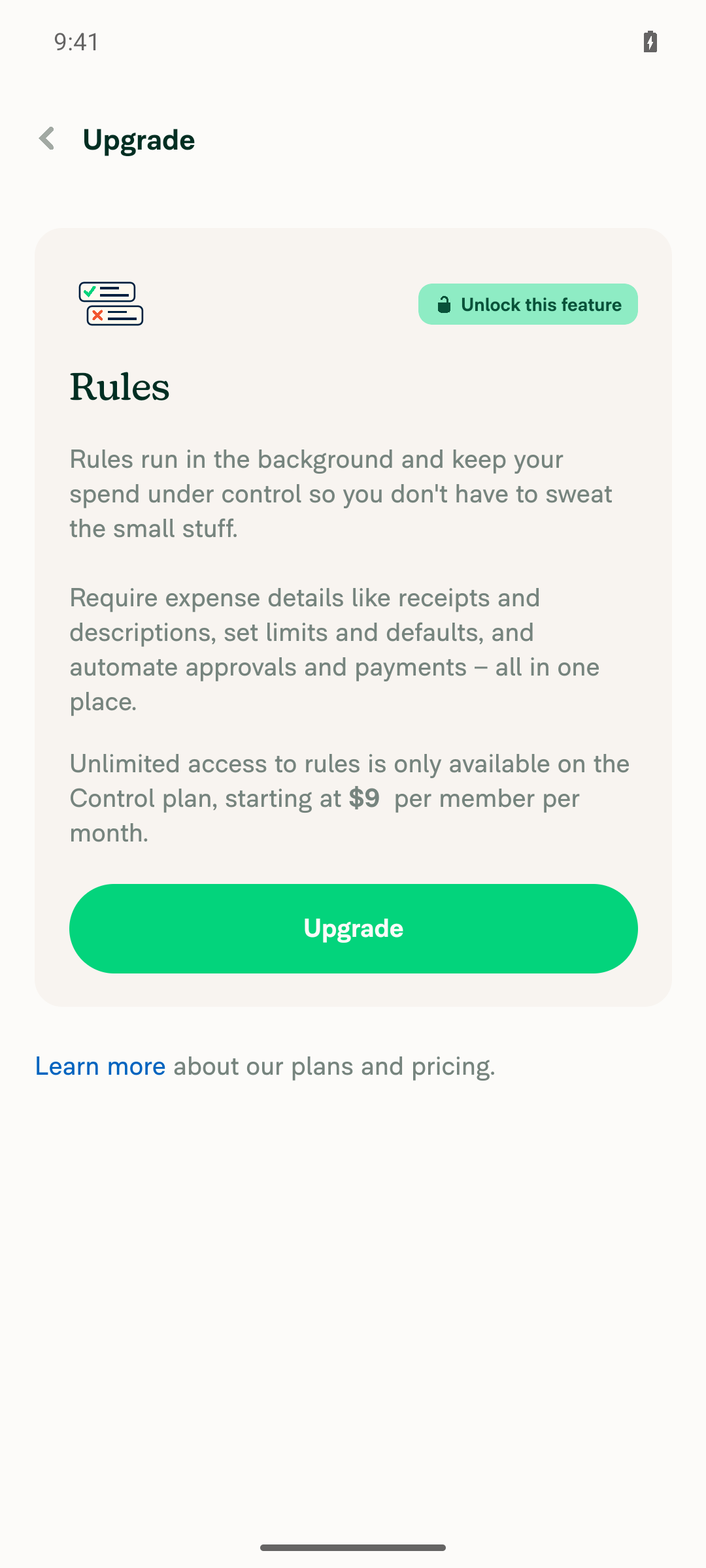
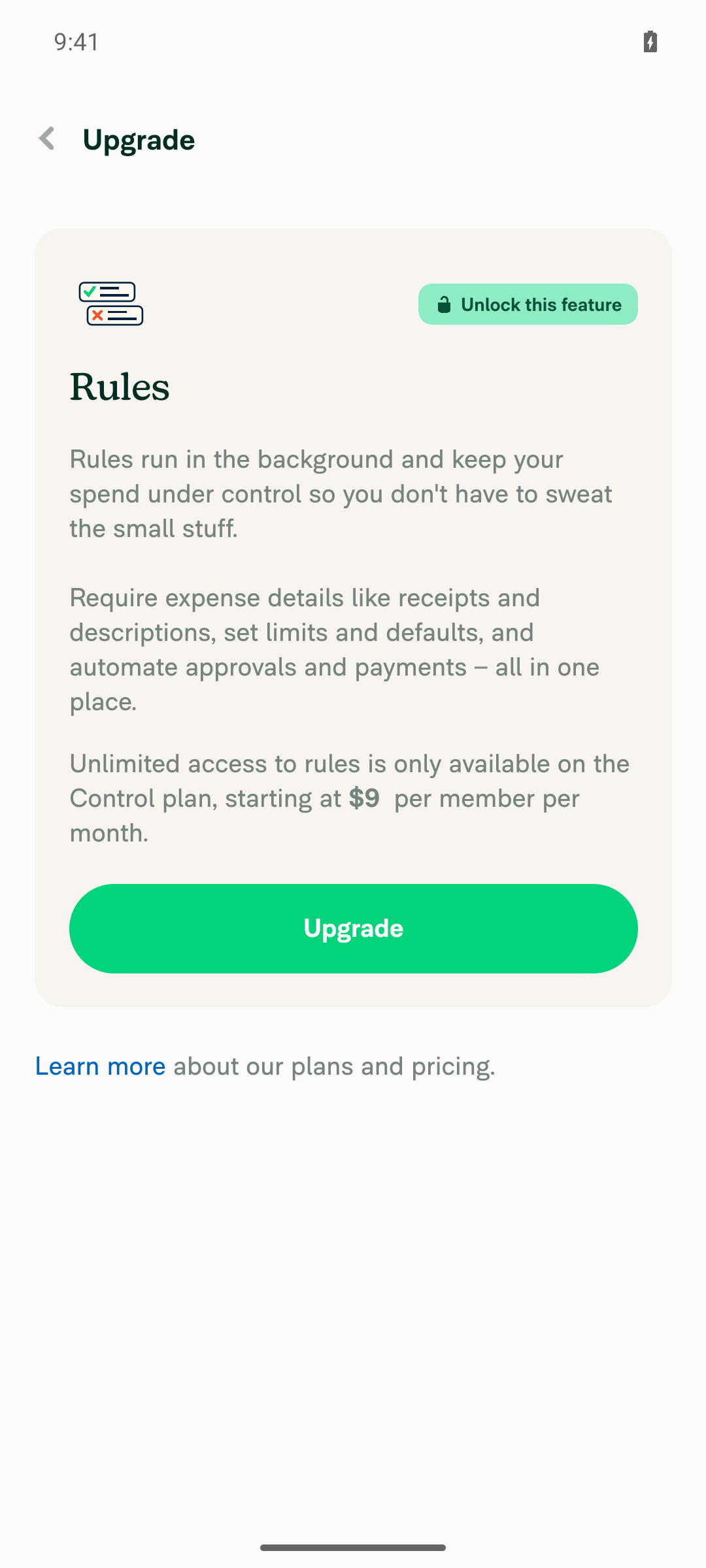
Recovered sign-in and completed workspace setup on Android native, but Require receipts opened a Control-plan upgrade gate, blocking all amount-edit tests. The original Android Chrome issue and malformed-key reproduction remain unverified.

Subscription gate prevents Delete testing

Step Status
Typing updates the receipt-threshold amount without crashingBlocked: Require receipts displayed “Unlock this feature,” requiring the Control plan. No amount was edited.
Require receipts blocked by Control-plan upgrade
❌
Backspace edits the receipt threshold without crashingBlocked by the subscription gate; Backspace was not exercised.
Subscription gate prevents Backspace testing
❌
Delete edits the receipt threshold on AndroidBlocked before reaching the input; availability of Delete was not determined.
Subscription gate prevents Delete testing
❌
No JS console errors during threshold editsUnverified: threshold interactions never occurred, and console output could not be inspected.
❌

view run · view recording

@MelvinBot

MelvinBot commented Nov 11, 2026 •

Copy link
Copy Markdown
Contributor Author

🤖 Web test steps verification results: ⚠️ partial

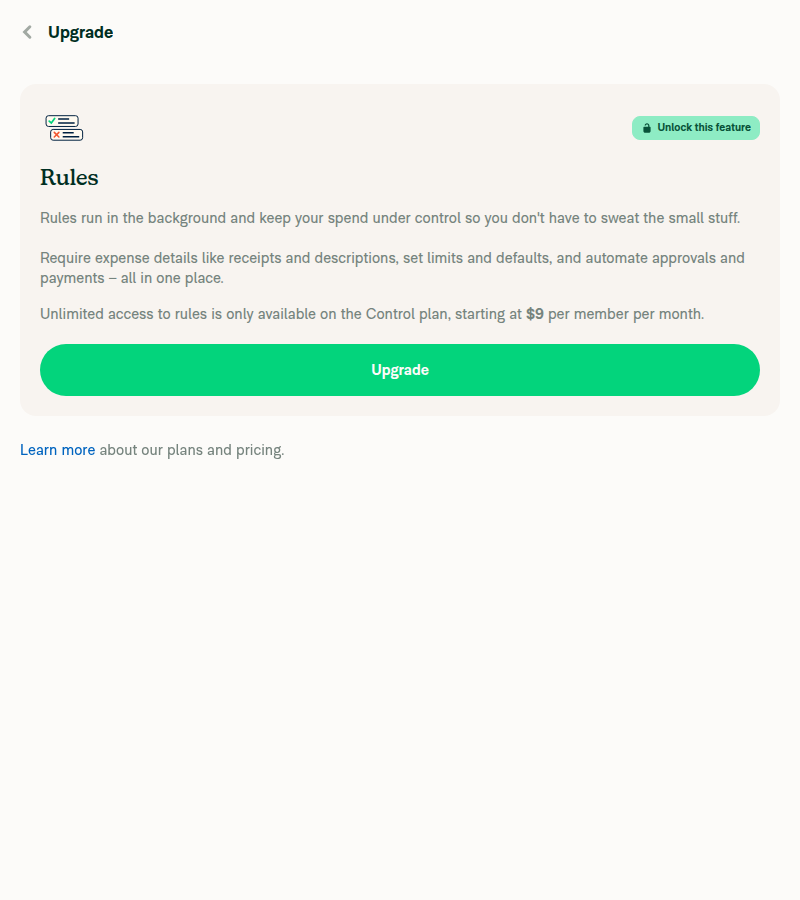
On dev NewDot web, Rules > Require receipts is blocked by a Control-plan upgrade gate. No upgrade or bypass was attempted; threshold interactions and malformed-key reproduction were not tested.

Require receipts blocked by Control-plan upgrade gate

Step Status
Type a receipt-threshold amount without crashingBlocked: selecting Require receipts opened Upgrade instead of the amount editor. Access requires the Control plan.
Require receipts blocked by Control-plan upgrade gate
❌
Backspace edits the receipt-threshold amount correctly without crashingNot tested: the subscription gate prevents access to the amount editor.
❌
Delete edits the receipt-threshold amount correctly without crashingNot tested: the subscription gate prevents access to the amount editor.
❌
No JS console errors during threshold interactionsNot verified: threshold interactions were blocked, and console inspection was unavailable through the supported testing tools.
❌

view run · no recording available

@parasharrajat

Copy link
Copy Markdown
Member

@MelvinBot Suggest test steps for this PR.

@MelvinBot

Copy link
Copy Markdown
Contributor Author

Suggested manual / QA steps

Prerequisite: Use a workspace admin account with Control-plan access and Rules enabled. Previous attempts were blocked by the upgrade gate.

  1. Open Workspace → Rules → Require receipts.
  2. Replace the threshold with 12345. Verify the amount displays correctly and the page remains responsive.
  3. Place the caret between 3 and 4, then press Backspace. Verify 2 is removed and the caret moves back one position.
  4. Reset to 12345, place the caret between 3 and 4, then press Delete. Verify 4 is removed and the caret stays in place.
  5. Select part of the amount and replace it by typing. Repeat with a decimal amount; verify correct formatting and caret behavior.
  6. Save a valid threshold, leave the page, and reopen it. Verify the saved amount persists.
  7. Repeat editing while offline. Verify no crash; reconnect and confirm the saved change eventually persists.
  8. Monitor the JS console throughout. Verify there is no toLowerCase TypeError or other new error.

Prioritize Chrome on Android, where the error was reported. Also check desktop Chrome/Safari; on macOS, verify Ctrl+D still deletes the character after the caret.

Automated regression checks

Ordinary typing does not prove the missing-key fix. Run the amount-controller regression suites and verify:

  • Missing, undefined, null, numeric, object, empty, and Unidentified keys do not throw or trigger forward deletion.
  • Unrecognized keys preserve a negative amount’s sign and selection.
  • A Delete → malformed-key → backward-edit sequence clears stale forward-delete state and positions the caret correctly.
  • Existing Backspace, Delete, macOS/iOS Ctrl+D, and Safari accessibility behavior remain covered.

Limitation: The original keyboard/IME sequence is still unknown. Treat manual testing as regression coverage, not confirmation that the production trigger was reproduced.


view run

@parasharrajat

Copy link
Copy Markdown
Member

@MelvinBot Update description as follows:

<!-- If necessary, assign reviewers that know the area or changes well. Feel free to tag any additional reviewers you see fit. -->

### Explanation of Change
<!-- Explain what your change does and how it addresses the linked issue -->

Treat missing/non-string amount-input keys as non-forward-delete events instead of calling `toLowerCase()` on them. Apply the same string guard before detached-sign backspace handling, while always forwarding the event to the base controller so stale forward-delete state is cleared. Make the local event key optional.

Add 19 regression cases covering missing, undefined, null, numeric, object, empty, and unidentified keys, sign preservation, and clearing a previous forward-delete flag.

### AI Tests
- Regression demonstration: before the fix, 15 new malformed-key cases failed with the expected TypeError; after the fix, all targeted tests passed.
- Passed: five targeted Jest suites, 123 tests, covering the amount controllers, selection, utilities, and receipt-requirement page.
- Passed: `npm run lint`, lint on all five changed files, `npm run typecheck`, spell-check on all five changed files, Storybook smoke test, and direct React Compiler compliance check of the changed hook. Independent staged-diff code review found no violations.
- Full Jest suite attempted with two workers: exceeded the 10-minute limit without a final summary; no failing test was reported before timeout.
- `lint-changed` was attempted; subsequent runs timed out fetching the base branch. Explicit changed-file lint passed after correcting the test fixtures.
- `react-compiler-compliance-check check-changed` could not resolve the CI base branch; the direct changed-hook check passed.
- The matrix's Prettier command is unavailable because this checkout has no `prettier` script. A standalone formatter check was not permitted in this environment.
- Web verification was blocked by a blank dev page; the receipt amount flow and real-world malformed-key trigger remain unverified in-browser.

### Fixed Issues
<!---
1. Please postfix `$` with a URL link to the GitHub issue this Pull Request is fixing. For example, `$ https://github.com/Expensify/App/issues/<issueID>`.
2. Please postfix  `PROPOSAL:` with a URL link to your GitHub comment, which contains the approved proposal (i.e. the proposal that was approved by Expensify).  For example, `PROPOSAL: https://github.com/Expensify/App/issues/<issueID>#issuecomment-1369752925`

Do NOT add the special GH keywords like `fixed` etc, we have our own process of managing the flow.
It MUST be an entire link to the github issue and your comment proposal ; otherwise, the linking and its automation will not work as expected.

Make sure this section looks similar to this (you can link multiple issues using the same formatting, just add a new line):

$ https://github.com/Expensify/App/issues/<issueID>
$ https://github.com/Expensify/App/issues/<issueID(comment)>

Do NOT only link the issue number like this: $ #<issueID>
--->
$ https://github.com/Expensify/App/issues/106409
PROPOSAL: https://github.com/Expensify/App/issues/106409#issuecomment-6800264016


<!--- 
If you want to trigger adhoc build of hybrid app from specific Mobile-Expensify PR please link it like this:

MOBILE-EXPENSIFY: https://github.com/Expensify/Mobile-Expensify/pull/<PR-number>

--->

### Tests

Prerequisite: Use a workspace admin account with Control-plan access and Rules enabled. Previous attempts were blocked by the upgrade gate.

1. Open Workspace → Rules → Require receipts.
2. Replace the threshold with 12345. Verify the amount displays correctly and the page remains responsive.
3. Place the caret between 3 and 4, then press Backspace. Verify 2 is removed and the caret moves back one position.
4. Reset to 12345, place the caret between 3 and 4, then press Delete. Verify 4 is removed and the caret stays in place.
5. Select part of the amount and replace it by typing. Repeat with a decimal amount; verify correct formatting and caret behavior.
6. Save a valid threshold, leave the page, and reopen it. Verify the saved amount persists.
7. Repeat editing while offline. Verify no crash; reconnect and confirm the saved change eventually persists.
8. Monitor the JS console throughout. Verify there is no toLowerCase TypeError or other new error.

Prioritize Chrome on Android, where the error was reported. Also check desktop Chrome/Safari; on macOS, verify Ctrl+D still deletes the character after the caret.
- [ ] Verify that no errors appear in the JS console

### Offline tests

same as tests.

### QA Steps
same as tests.

- [ ] Verify that no errors appear in the JS console

### PR Author Checklist
<!--
This is a checklist for PR authors. Please make sure to complete all tasks and check them off once you do, or else your PR will not be merged!
-->

- [x] I linked the correct issue in the `### Fixed Issues` section above
- [x] I wrote clear testing steps that cover the changes made in this PR
    - [x] I added steps for local testing in the `Tests` section
    - [x] I added steps for the expected offline behavior in the `Offline steps` section
    - [x] I added steps for Staging and/or Production testing in the `QA steps` section
    - [x] I added steps to cover failure scenarios (i.e. verify an input displays the correct error message if the entered data is not correct)
    - [x] I turned off my network connection and tested it while offline to ensure it matches the expected behavior (i.e. verify the default avatar icon is displayed if app is offline)
    - [x] I tested this PR with a [High Traffic account](https://github.com/Expensify/App/blob/main/contributingGuides/CONTRIBUTING.md#high-traffic-accounts) against the staging or production API to ensure there are no regressions (e.g. long loading states that impact usability).
- [x] I included screenshots or videos for tests on [all platforms](https://github.com/Expensify/App/blob/main/contributingGuides/CONTRIBUTING.md#make-sure-you-can-test-on-all-platforms)
- [x] I ran the tests on **all platforms** & verified they passed on:
    - [x] Android: Native
    - [x] Android: mWeb Chrome
    - [x] iOS: Native
    - [x] iOS: mWeb Safari
    - [x] MacOS: Chrome / Safari
    - [x] MacOS: Desktop
- [x] I verified there are no console errors (if there's a console error not related to the PR, report it or open an issue for it to be fixed)
- [x] I verified there are no new alerts related to the `canBeMissing` param for `useOnyx`
- [x] I followed proper code patterns (see [Reviewing the code](https://github.com/Expensify/App/blob/main/contributingGuides/PR_REVIEW_GUIDELINES.md#reviewing-the-code))
    - [x] I verified that any callback methods that were added or modified are named for what the method does and never what callback they handle (i.e. `toggleReport` and not `onIconClick`)
    - [x] I verified that comments were added to code that is not self explanatory
    - [x] I verified that any new or modified comments were clear, correct English, and explained "why" the code was doing something instead of only explaining "what" the code was doing.
    - [x] I verified any copy / text shown in the product is localized by adding it to `src/languages/*` files and using the [translation method](https://github.com/Expensify/App/blob/4510fc76bbf5df699a2575bfb49a276af90f3ed7/src/components/LocaleContextProvider.tsx#L80)
      - [x] If any non-english text was added/modified, I used [JaimeGPT](https://chatgpt.com/g/g-2dgOQl5VM-english-to-spanish-translator-aka-jaimegpt) to get English > Spanish translation. I then posted it in #expensify-open-source and it was approved by an internal Expensify engineer. Link to Slack message:
    - [x] I verified all numbers, amounts, dates and phone numbers shown in the product are using the [localization methods](https://github.com/Expensify/App/blob/4510fc76bbf5df699a2575bfb49a276af90f3ed7/src/components/LocaleContextProvider.tsx#L116-L123)
    - [x] I verified any copy / text that was added to the app is grammatically correct in English. It adheres to proper capitalization guidelines (note: only the first word of header/labels should be capitalized), and is either coming verbatim from figma or has been approved by marketing (in order to get marketing approval, ask the Bug Zero team member to add the Waiting for copy label to the issue)
    - [x] I verified proper file naming conventions were followed for any new files or renamed files. All non-platform specific files are named after what they export and are not named "index.js". All platform-specific files are named for the platform the code supports as outlined in the README.
    - [x] I verified the JSDocs style guidelines (in [`STYLE.md`](https://github.com/Expensify/App/blob/main/contributingGuides/STYLE.md#jsdocs)) were followed
- [x] If a new code pattern is added I verified it was agreed to be used by multiple Expensify engineers
- [x] I followed the guidelines as stated in the [Review Guidelines](https://github.com/Expensify/App/blob/main/contributingGuides/PR_REVIEW_GUIDELINES.md)
- [x] I tested other components that can be impacted by my changes (i.e. if the PR modifies a shared library or component like `Avatar`, I verified the components using `Avatar` are working as expected)
- [x] I verified all code is DRY (the PR doesn't include any logic written more than once, with the exception of tests)
- [x] I verified any variables that can be defined as constants (ie. in CONST.ts or at the top of the file that uses the constant) are defined as such
- [x] I verified that if a function's arguments changed that all usages have also been updated correctly
- [x] If any new file was added I verified that:
    - [x] The file has a description of what it does and/or why is needed at the top of the file if the code is not self explanatory
- [x] If a new CSS style is added I verified that:
    - [x] A similar style doesn't already exist
    - [x] The style can't be created with an existing [StyleUtils](https://github.com/Expensify/App/blob/main/src/styles/utils/index.ts) function (i.e. `StyleUtils.getBackgroundAndBorderStyle(theme.componentBG)`)
- [x] If new assets were added or existing ones were modified, I verified that:
    - [x] The assets are optimized and compressed (for SVG files, run `npm run compress-svg`)
    - [x] The assets load correctly across all supported platforms.
- [x] If the PR modifies code that runs when editing or sending messages, I tested and verified there is no unexpected behavior for all supported markdown - URLs, single line code, code blocks, quotes, headings, bold, strikethrough, and italic.
- [x] If the PR modifies a generic component, I tested and verified that those changes do not break usages of that component in the rest of the App (i.e. if a shared library or component like `Avatar` is modified, I verified that `Avatar` is working as expected in all cases)
- [x] If the PR modifies a component related to any of the existing Storybook stories, I tested and verified all stories for that component are still working as expected.
- [x] If the PR modifies a component or page that can be accessed by a direct deeplink, I verified that the code functions as expected when the deeplink is used - from a logged in and logged out account.
- [x] If the PR modifies the UI (e.g. new buttons, new UI components, changing the padding/spacing/sizing, moving components, etc) or modifies the form input styles:
    - [x] I verified that all the inputs inside a form are aligned with each other.
    - [x] I added `Design` label and/or tagged `@Expensify/design` so the design team can review the changes.
- [x] If a new page is added, I verified it's using the `ScrollView` component to make it scrollable when more elements are added to the page.
- [x] I added [unit tests](https://github.com/Expensify/App/blob/main/tests/README.md) for any new feature or bug fix in this PR to help automatically prevent regressions in this user flow.
- [x] If the `main` branch was merged into this PR after a review, I tested again and verified the outcome was still expected according to the `Test` steps. 


### Screenshots/Videos
<details>
<summary>Android: Native</summary>

<!-- add screenshots or videos here -->

</details>

<details>
<summary>Android: mWeb Chrome</summary>

<!-- add screenshots or videos here -->

</details>

<details>
<summary>iOS: Native</summary>

<!-- add screenshots or videos here -->

</details>

<details>
<summary>iOS: mWeb Safari</summary>

<!-- add screenshots or videos here -->

</details>

<details>
<summary>MacOS: Chrome / Safari</summary>

<!-- add screenshots or videos here -->

Web verification blocked: the dev session rendered a blank page before the amount flow could be reached. This is blocker evidence, not a passing functional verification.

<img src="https://melvinbot-assets.exops.io/receipt-editing-blocked-5a7b8e46-793a-469b-aec1-acd98facbb53.png" alt="Blank page blocking receipt amount verification" height="360">

</details>

@MelvinBot

Copy link
Copy Markdown
Contributor Author

Updated the PR description with your supplied text and checklist selections. No tests were rerun.

Note: step 3 retains a typo from my suggestion—Backspace between 3 and 4 removes 3, not 2.


view run

@parasharrajat

parasharrajat commented Nov 12, 2026 •

Copy link
Copy Markdown
Member

@MelvinBot Fix that typo and merge main.

…tingKeys

Co-authored-by: parasharrajat <parasharrajat@users.noreply.github.com>
@MelvinBot

Copy link
Copy Markdown
Contributor Author

Corrected step 3: Backspace removes 3, not 2. Merged main into the PR branch and pushed without conflicts; the PR remains open.

Storybook smoke test passed. Jest hit module-loading errors; lint/typecheck/compiler checks were blocked by Bun setup, and the Prettier script is unavailable. Recorded these limitations in the description.


view run

@MelvinBot

Copy link
Copy Markdown
Contributor Author

⚠️ Something went wrong. This may be a transient issue. Try again. If it persists, check status.openai.com.

Run details

@parasharrajat

Copy link
Copy Markdown
Member

@MelvinBot Mark is ready for review.

@MelvinBot
MelvinBot marked this pull request as ready for review November 14, 2026 07:24
@MelvinBot
MelvinBot requested a review from a team as a code owner November 14, 2026 07:24
@MelvinBot

Copy link
Copy Markdown
Contributor Author

Marked Prevent crashes on missing amount-input keyboard keys ready for review.


view run

@melvin-bot
melvin-bot Bot requested review from parasharrajat and removed request for a team November 14, 2026 07:24
@melvin-bot

melvin-bot Bot commented Nov 14, 2026

Copy link
Copy Markdown

@parasharrajat Please copy/paste the Reviewer Checklist from here into a new comment on this PR and complete it. If you have the K2 extension, you can simply click: [this button]

@melvin-bot
melvin-bot Bot requested review from joekaufmanexpensify and removed request for a team November 14, 2026 07:24
@chatgpt-codex-connector

chatgpt-codex-connector Bot commented Nov 14, 2026 •

Copy link
Copy Markdown
Codex Review Summary: ✅ Completed

This comment shows the latest Codex review activity on this pull request.

Review Status Commit Review trigger
📝 Code Review ✅ Completed 2026-11-14T07:27:11.583577Z bb263f6 Draft marked ready
ℹ️ About Codex in GitHub

Your team has set up Codex to review pull requests in this repo. Reviews are triggered when you

  • Open a pull request for review
  • Mark a draft as ready
  • Comment "@codex review" or "@codex security review".

Codex reacts with 👀 while any review is running, comments if it has suggestions, and reacts with 👍 once all reviews finish with no findings.

@parasharrajat parasharrajat left a comment •

Copy link
Copy Markdown
Member

Choose a reason for hiding this comment

The reason will be displayed to describe this comment to others. Learn more.

Reviewer Checklist

  • I have verified the author checklist is complete (all boxes are checked off).
  • I verified the correct issue is linked in the ### Fixed Issues section above
  • I verified testing steps are clear and they cover the changes made in this PR
    • I verified the steps for local testing are in the Tests section
    • I verified the steps for Staging and/or Production testing are in the QA steps section
    • I verified the steps cover any possible failure scenarios (i.e. verify an input displays the correct error message if the entered data is not correct)
    • I turned off my network connection and tested it while offline to ensure it matches the expected behavior (i.e. verify the default avatar icon is displayed if app is offline)
  • I checked that screenshots or videos are included for tests on all platforms
  • I included screenshots or videos for tests on all platforms
  • I verified that the composer does not automatically focus or open the keyboard on mobile unless explicitly intended. This includes checking that returning the app from the background does not unexpectedly open the keyboard.
  • I verified tests pass on all platforms & I tested again on:
    • Android: HybridApp
    • Android: mWeb Chrome
    • iOS: HybridApp
    • iOS: mWeb Safari
    • MacOS: Chrome / Safari
  • If there are any errors in the console that are unrelated to this PR, I either fixed them (preferred) or linked to where I reported them in Slack
  • I verified proper code patterns were followed (see Reviewing the code)
    • I verified that any callback methods that were added or modified are named for what the method does and never what callback they handle (i.e. toggleReport and not onIconClick).
    • I verified that comments were added to code that is not self explanatory
    • I verified that any new or modified comments were clear, correct English, and explained "why" the code was doing something instead of only explaining "what" the code was doing.
    • I verified any copy / text that was added to the app is grammatically correct in English. It adheres to proper capitalization guidelines (note: only the first word of header/labels should be capitalized), and is either coming verbatim from figma or has been approved by marketing (in order to get marketing approval, ask the Bug Zero team member to add the Waiting for copy label to the issue)
  • If a new code pattern is added I verified it was agreed to be used by multiple Expensify engineers
  • I verified that this PR follows the guidelines as stated in the Review Guidelines
  • I verified other components that can be impacted by these changes have been tested, and I retested again (i.e. if the PR modifies a shared library or component like Avatar, I verified the components using Avatar have been tested & I retested again)
  • If a new component is created I verified that:
    • A similar component doesn't exist in the codebase
    • All props are defined accurately and each prop has a /** comment above it */
    • The file is named correctly
    • The component has a clear name that is non-ambiguous and the purpose of the component can be inferred from the name alone
    • The only data being stored in the state is data necessary for rendering and nothing else
    • For Class Components, any internal methods passed to components event handlers are bound to this properly so there are no scoping issues (i.e. for onClick={this.submit} the method this.submit should be bound to this in the constructor)
    • Any internal methods bound to this are necessary to be bound (i.e. avoid this.submit = this.submit.bind(this); if this.submit is never passed to a component event handler like onClick)
    • All JSX used for rendering exists in the render method
    • The component has the minimum amount of code necessary for its purpose, and it is broken down into smaller components in order to separate concerns and functions
  • If any new file was added I verified that:
    • The file has a description of what it does and/or why is needed at the top of the file if the code is not self explanatory
  • If a new CSS style is added I verified that:
    • A similar style doesn't already exist
    • The style can't be created with an existing StyleUtils function (i.e. StyleUtils.getBackgroundAndBorderStyle(theme.componentBG)
  • If the PR modifies code that runs when editing or sending messages, I tested and verified there is no unexpected behavior for all supported markdown - URLs, single line code, code blocks, quotes, headings, bold, strikethrough, and italic.
  • If the PR modifies a generic component, I tested and verified that those changes do not break usages of that component in the rest of the App (i.e. if a shared library or component like Avatar is modified, I verified that Avatar is working as expected in all cases)
  • If the PR modifies a component related to any of the existing Storybook stories, I tested and verified all stories for that component are still working as expected.
  • If the PR modifies a component or page that can be accessed by a direct deeplink, I verified that the code functions as expected when the deeplink is used - from a logged in and logged out account.
  • If the PR modifies the UI (e.g. new buttons, new UI components, changing the padding/spacing/sizing, moving components, etc) or modifies the form input styles:
    • I verified that all the inputs inside a form are aligned with each other.
    • I added Design label and/or tagged @Expensify/design so the design team can review the changes.
  • For any bug fix or new feature in this PR, I verified that sufficient unit tests are included to prevent regressions in this flow.
  • If the main branch was merged into this PR after a review, I tested again and verified the outcome was still expected according to the Test steps.
  • I have checked off every checkbox in the PR reviewer checklist, including those that don't apply to this PR.

Screenshots

🔲 iOS / native

14.11.2026_12.58.41_REC.mp4

🔲 iOS / Safari

14.11.2026_13.01.33_REC.mp4

🔲 MacOS / Chrome

12.11.2026_23.58.58_REC.mp4

🔲 Android / native

14.11.2026_12.50.08_REC.mp4

🎀 👀 🎀 C+ reviewed

@melvin-bot
melvin-bot Bot requested a review from Julesssss November 14, 2026 07:32
@Julesssss
Julesssss merged commit 12b4fac into main Nov 16, 2026
53 of 55 checks passed
@Julesssss
Julesssss deleted the claude-guardAmountEditingKeys branch November 16, 2026 17:53
@github-actions

Copy link
Copy Markdown
Contributor

🚧 Julesssss has triggered a test Expensify/App build. You can view the workflow run here.

@OSBotify

Copy link
Copy Markdown
Contributor

✋ This PR was not deployed to staging yet because QA is ongoing. It will be automatically deployed to staging after the next production release.

@github-actions

Copy link
Copy Markdown
Contributor

@OSBotify

Copy link
Copy Markdown
Contributor

🚀 Deployed to staging by https://github.com/Julesssss in version: 9.5.40-0 🚀

platform result
🕸 web 🕸 success ✅
🤖 android 🤖 success ✅
🍎 iOS 🍎 success ✅

@MelvinBot

Copy link
Copy Markdown
Contributor Author

No help site update needed — this PR fixes crashes during amount entry, restoring expected behavior without adding a feature or changing any documented workflow.


view run

Sign up for free to join this conversation on GitHub. Already have an account? Sign in to comment

Labels

Melvin-Test-Android Melvin-Test-Web Triggers Melvin to run the testing steps of the PR on web

Projects

None yet

Development

Successfully merging this pull request may close these issues.

4 participants