Skip to content

perf: stop Inbox rows re-rendering when a right-hand panel opens - #106735

Merged
Julesssss merged 3 commits into
Expensify:mainfrom
callstack-internal:perf/lhn-rows-skip-rerender-on-rhp-open
Nov 17, 2026
Merged

Julesssss merged 3 commits into
Expensify:mainfrom
callstack-internal:perf/lhn-rows-skip-rerender-on-rhp-open

Conversation

@BartekObudzinski

@BartekObudzinski BartekObudzinski commented Nov 12, 2026 •

Copy link
Copy Markdown
Contributor

Explanation of Change

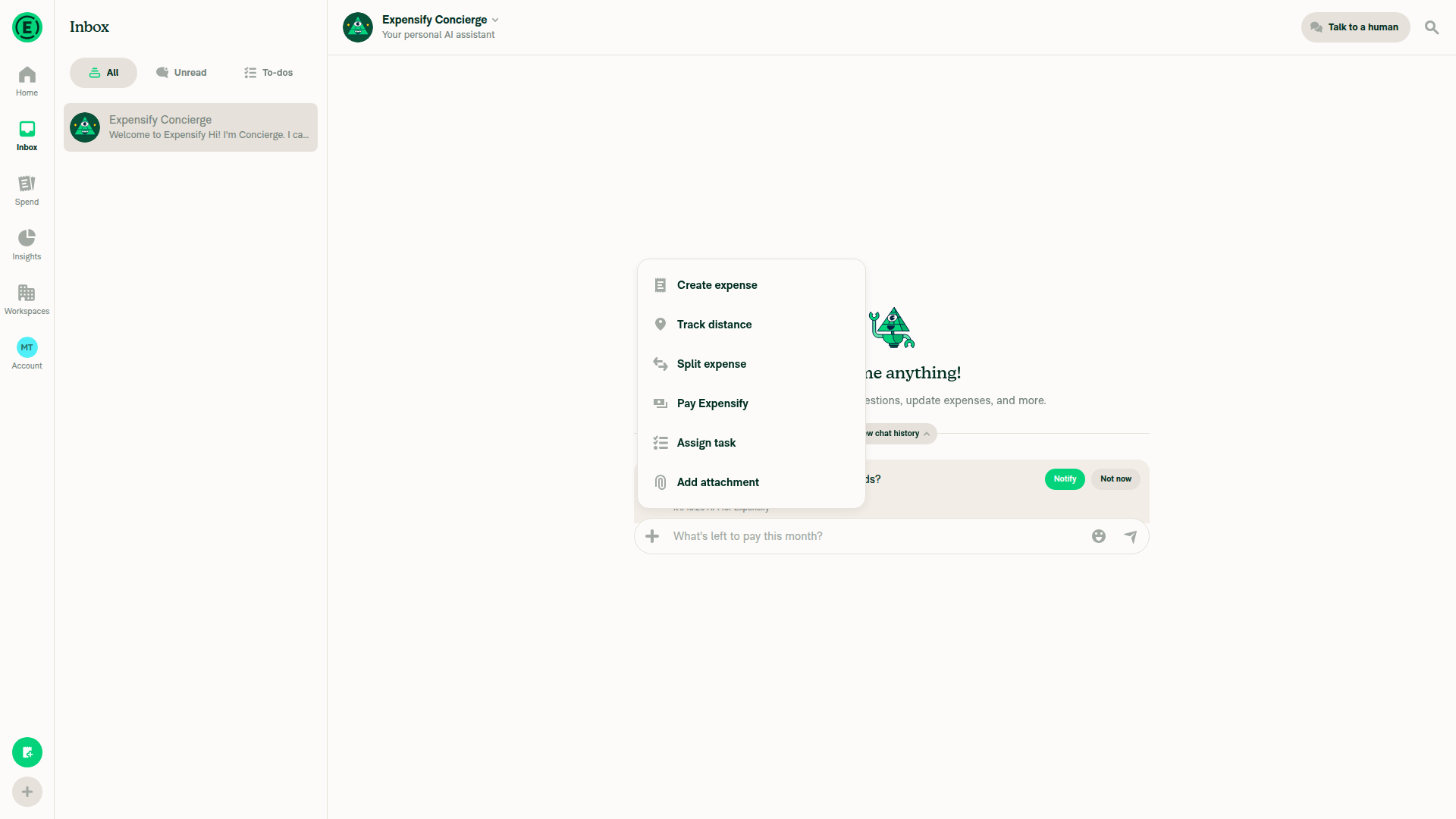
LHNTooltipContextProvider put useIsFocused() and a root navigation flag in the same context value that every Inbox row reads. Opening an RHP, such as Create expense, takes focus away from the Inbox. The value changed, so every visible row re-rendered together with everything under it, even though the Inbox is hidden behind the RHP. On native the Inbox tab stays mounted under every RHP, so this cost grows with the number of reports.

The context is now split in three:

  1. LHNTooltipContext keeps the onboarding data the rows show.
  2. LHNTooltipActionsContext holds hideConciergeTooltip and getIsScreenFocused. They are backed by refs, so the value never changes and rows never re-render because of it. Pressable uses them on press and long press.
  3. LHNTooltipVisibilityContext holds the focus, navigation and fullscreen flags. Only the row that renders the Concierge tooltip reads it.

The provider now calls useLHNRowProductTrainingTooltip once instead of once per row. The Concierge LHN tooltip is currently disabled (shouldShow returns false in TOOLTIPS.ts), so its behavior can't change. The hide path is kept so it still works if the tooltip is turned back on.

Performance, iOS simulator (iPhone 18 Pro, DEV build), heavy account, Create expense opened from the Inbox through the actions menu with Manual as the last tab, 6 interleaved blocks of 6 opens after warmup:

Build Median Mean p90
main 318ms 477ms 938ms
This PR 240.5ms 288ms 397ms

In the commit that mounts the page, the Inbox list goes from about 21ms of render time to 0.4ms.

Fixed Issues

$ #106767
PROPOSAL:

Tests

  1. Sign in on iOS or Android with an account that has many chats and open the Inbox.
  2. Long press a chat row. Verify the context menu opens (Mark as unread, Pin or Unpin).
  3. Close the menu and tap a chat row. Verify the chat opens.
  4. Go back, open the actions menu and tap Create expense. Verify the Create expense page opens and closing it returns to the Inbox.
  • Verify that no errors appear in the JS console

Offline tests

Same as tests while offline. The change only affects rendering, with no API calls.

QA Steps

Same as tests.

  • Verify that no errors appear in the JS console

PR Author Checklist

  • I linked the correct issue in the ### Fixed Issues section above
  • I wrote clear testing steps that cover the changes made in this PR
    • I added steps for local testing in the Tests section
    • I added steps for the expected offline behavior in the Offline steps section
    • I added steps for Staging and/or Production testing in the QA steps section
    • I added steps to cover failure scenarios (i.e. verify an input displays the correct error message if the entered data is not correct)
    • I turned off my network connection and tested it while offline to ensure it matches the expected behavior (i.e. verify the default avatar icon is displayed if app is offline)
    • I tested this PR with a High Traffic account against the staging or production API to ensure there are no regressions (e.g. long loading states that impact usability).
  • I included screenshots or videos for tests on all platforms
  • I ran the tests on all platforms & verified they passed on:
    • Android: Native
    • Android: mWeb Chrome
    • iOS: Native
    • iOS: mWeb Safari
    • MacOS: Chrome / Safari
  • I verified there are no console errors (if there's a console error not related to the PR, report it or open an issue for it to be fixed)
  • I verified any copy / text that was added to the app is either coming verbatim from figma or has been approved by marketing (in order to get marketing approval, ask the Bug Zero team member to add the Waiting for copy label to the issue)
  • If a new code pattern is added I verified it was agreed to be used by multiple Expensify engineers
  • I tested other components that can be impacted by my changes (i.e. if the PR modifies a shared library or component like Avatar, I verified the components using Avatar are working as expected)
  • If new assets were added or existing ones were modified, I verified that:
    • The assets are optimized and compressed (for SVG files, run npm run compress-svg)
    • The assets load correctly across all supported platforms.
  • If the PR modifies code that runs when editing or sending messages, I tested and verified there is no unexpected behavior for all supported markdown - URLs, single line code, code blocks, quotes, headings, bold, strikethrough, and italic.
  • If the PR modifies a generic component, I tested and verified that those changes do not break usages of that component in the rest of the App (i.e. if a shared library or component like Avatar is modified, I verified that Avatar is working as expected in all cases)
  • If the PR modifies a component related to any of the existing Storybook stories, I tested and verified all stories for that component are still working as expected.
  • If the PR modifies a component or page that can be accessed by a direct deeplink, I verified that the code functions as expected when the deeplink is used - from a logged in and logged out account.
  • If the PR modifies the UI (e.g. new buttons, new UI components, changing the padding/spacing/sizing, moving components, etc) or modifies the form input styles:
    • I verified that all the inputs inside a form are aligned with each other.
    • I added Design label and/or tagged @Expensify/design so the design team can review the changes.
  • If the PR adds or modifies the UI:
    • I asked an AI agent to review the changes for accessibility issues and addressed its findings.
    • I tested with a screen reader (VoiceOver on macOS) and verified all new/changed elements are reachable with a logical focus order.
    • I verified all new/changed elements have meaningful accessible names and roles.
    • I verified state changes are announced (e.g. checked/unchecked, expanded/collapsed, selected).
  • I added unit tests for any new feature or bug fix in this PR to help automatically prevent regressions in this user flow.
  • If the main branch was merged into this PR after a review, I tested again and verified the outcome was still expected according to the Test steps.

Screenshots/Videos

Android: Native
Android: mWeb Chrome
iOS: Native

Long press and tap on Inbox rows: VIDEO_TO_UPLOAD

iOS: mWeb Safari
MacOS: Chrome / Safari

@codecov

codecov Bot commented Nov 12, 2026 •

Copy link
Copy Markdown

Codecov Report

❌ Looks like you've decreased code coverage for some files. Please write tests to increase, or at least maintain, the existing level of code coverage. See our documentation here for how to interpret this table.

Files with missing lines Coverage Δ
...nents/LHNOptionsList/LHNTooltipContextProvider.tsx 97.36% <100.00%> (+2.36%) ⬆️
...HNOptionsList/OptionRowLHN/OptionRow/Pressable.tsx 91.04% <100.00%> (-0.14%) ⬇️
...st/OptionRowLHN/useLHNRowProductTrainingTooltip.ts 100.00% <100.00%> (ø)
...rc/components/LHNOptionsList/LHNTooltipContext.tsx 81.81% <75.00%> (-18.19%) ⬇️
... and 10 files with indirect coverage changes

@melvin-bot

melvin-bot Bot commented Nov 13, 2026

Copy link
Copy Markdown

@aimane-chnaif Please copy/paste the Reviewer Checklist from here into a new comment on this PR and complete it. If you have the K2 extension, you can simply click: [this button]

@BartekObudzinski

Copy link
Copy Markdown
Contributor Author

@MelvinBot test

@melvin-bot
melvin-bot Bot removed the request for review from a team November 13, 2026 07:23
@chatgpt-codex-connector

chatgpt-codex-connector Bot commented Nov 13, 2026 •

Copy link
Copy Markdown
Codex Review Summary: ✅ Completed

This comment shows the latest Codex review activity on this pull request.

Review Status Commit Review trigger
📝 Code Review ✅ Completed 2026-11-13T07:43:13.222986Z 657db3f Draft marked ready
ℹ️ About Codex in GitHub

Your team has set up Codex to review pull requests in this repo. Reviews are triggered when you

  • Open a pull request for review
  • Mark a draft as ready
  • Comment "@codex review" or "@codex security review".

Codex reacts with 👀 while any review is running, comments if it has suggestions, and reacts with 👍 once all reviews finish with no findings.

@MelvinBot

MelvinBot commented Nov 13, 2026 •

Copy link
Copy Markdown
Contributor

🤖 Web test steps verification results: ⚠️ partial

Dev NewDot web coverage was blocked by the available fixture and automation limitations. Native gestures and performance were not tested; failed checks below indicate incomplete verification, not confirmed product defects.

Web state after attempting Create expense from the Inbox actions menu

Step Status
1. Online: sign in and open high-traffic InboxSigned in and opened Inbox, but no chat-row list or high-traffic account was available.
❌
2. Online: open chat context menuBlocked: no chat row available to verify Mark as unread and Pin/Unpin.
❌
3. Online: dismiss menu and open chatBlocked by the missing chat-row fixture.
❌
4. Online: Create expense and return to InboxCreate expense appeared in the actions menu, but an overlay/no usable target bounds prevented activation.
Web state after attempting Create expense from the Inbox actions menu
❌
5. Online: no JavaScript console errorsNot verified: supported tooling provides no console inspection.
❌
6. Offline: high-traffic InboxNot tested: offline control and high-traffic fixture unavailable.
❌
7. Offline: chat context menuNot tested: offline control and chat-row fixture unavailable.
❌
8. Offline: dismiss menu and open chatNot tested: offline control and chat-row fixture unavailable.
❌
9. Offline: Create expense and return to InboxNot tested: offline control unavailable.
❌
10. Offline: no JavaScript console errorsNot tested: offline control and console inspection unavailable.
❌

view run · view recording

@aimane-chnaif

aimane-chnaif commented Nov 13, 2026 •

Copy link
Copy Markdown
Contributor

Reviewer Checklist

  • I have verified the author checklist is complete (all boxes are checked off).
  • I verified the correct issue is linked in the ### Fixed Issues section above
  • I verified testing steps are clear and they cover the changes made in this PR
    • I verified the steps for local testing are in the Tests section
    • I verified the steps for Staging and/or Production testing are in the QA steps section
    • I verified the steps cover any possible failure scenarios (i.e. verify an input displays the correct error message if the entered data is not correct)
    • I turned off my network connection and tested it while offline to ensure it matches the expected behavior (i.e. verify the default avatar icon is displayed if app is offline)
  • I checked that screenshots or videos are included for tests on all platforms
  • I included screenshots or videos for tests on all platforms
  • I verified that the composer does not automatically focus or open the keyboard on mobile unless explicitly intended. This includes checking that returning the app from the background does not unexpectedly open the keyboard.
  • I verified tests pass on all platforms & I tested again on:
    • Android: HybridApp
    • Android: mWeb Chrome
    • iOS: HybridApp
    • iOS: mWeb Safari
    • MacOS: Chrome / Safari
  • If there are any errors in the console that are unrelated to this PR, I either fixed them (preferred) or linked to where I reported them in Slack
  • I verified any copy / text that was added to the app is either coming verbatim from figma or has been approved by marketing (in order to get marketing approval, ask the Bug Zero team member to add the Waiting for copy label to the issue)
  • If a new code pattern is added I verified it was agreed to be used by multiple Expensify engineers
  • I verified other components that can be impacted by these changes have been tested, and I retested again (i.e. if the PR modifies a shared library or component like Avatar, I verified the components using Avatar have been tested & I retested again)
  • If a new component is created I verified that:
    • A similar component doesn't exist in the codebase
    • All props are defined accurately
    • The component has a clear name that is non-ambiguous and the purpose of the component can be inferred from the name alone
    • The only data being stored in the state is data necessary for rendering and nothing else
    • The component has the minimum amount of code necessary for its purpose, and it is broken down into smaller components in order to separate concerns and functions
  • If the PR modifies code that runs when editing or sending messages, I tested and verified there is no unexpected behavior for all supported markdown - URLs, single line code, code blocks, quotes, headings, bold, strikethrough, and italic.
  • If the PR modifies a generic component, I tested and verified that those changes do not break usages of that component in the rest of the App (i.e. if a shared library or component like Avatar is modified, I verified that Avatar is working as expected in all cases)
  • If the PR modifies a component related to any of the existing Storybook stories, I tested and verified all stories for that component are still working as expected.
  • If the PR modifies a component or page that can be accessed by a direct deeplink, I verified that the code functions as expected when the deeplink is used - from a logged in and logged out account.
  • If the PR modifies the UI (e.g. new buttons, new UI components, changing the padding/spacing/sizing, moving components, etc) or modifies the form input styles:
    • I verified that all the inputs inside a form are aligned with each other.
    • I added Design label and/or tagged @Expensify/design so the design team can review the changes.
  • If the PR adds or modifies the UI:
    • I asked an AI agent to review the changes for accessibility issues and addressed its findings.
    • I tested with a screen reader (VoiceOver on macOS) and verified all new/changed elements are reachable with a logical focus order.
    • I verified all new/changed elements have meaningful accessible names and roles.
    • I verified state changes are announced (e.g. checked/unchecked, expanded/collapsed, selected).
  • For any bug fix or new feature in this PR, I verified that sufficient unit tests are included to prevent regressions in this flow.
  • If the main branch was merged into this PR after a review, I tested again and verified the outcome was still expected according to the Test steps.
  • I have checked off every checkbox in the PR reviewer checklist, including those that don't apply to this PR.

Screenshots/Videos

Android: HybridApp
Android: mWeb Chrome
iOS: HybridApp
ios.mp4
iOS: mWeb Safari
MacOS: Chrome / Safari
web.mov

@dylanexpensify dylanexpensify left a comment

Copy link
Copy Markdown
Contributor

Choose a reason for hiding this comment

The reason will be displayed to describe this comment to others. Learn more.

Product input not required for this PR.

Comment on lines +35 to +41
const isScreenFocusedRef = useRef(isScreenFocused);
const hideProductTrainingTooltipRef = useRef(hideProductTrainingTooltip);

useEffect(() => {
isScreenFocusedRef.current = isScreenFocused;
hideProductTrainingTooltipRef.current = hideProductTrainingTooltip;
});

Copy link
Copy Markdown
Contributor

Choose a reason for hiding this comment

The reason will be displayed to describe this comment to others. Learn more.

Reuse useIsFocusedRef instead of syncing a focus ref by hand

The outer provider passes useIsFocused() down as a prop and the inner one copies it into a ref in an effect after every render. useIsFocusedRef already does this and updates on the blur and focus events themselves.
It would remove the isScreenFocused prop and stop the inner provider from re-rendering (with useReportAttributes and the tooltip hook) on every RHP open.

const isScreenFocusedRef = useIsFocusedRef() in the inner provider and drop the prop.

Copy link
Copy Markdown
Contributor Author

Choose a reason for hiding this comment

The reason will be displayed to describe this comment to others. Learn more.

I tried useIsFocusedRef, but it doesn't stop the inner provider from re-rendering on blur. It calls useLHNRowProductTrainingTooltip, which reads the visibility context, and that changes on every RHP open. That's fine because the row value and actions stay the same, so rows don't re-render. It would also mean adding isFocused to the navigation mocks in 4 LHN test suites, so I kept the prop.

Comment on lines +26 to +30
/**
* Provides the contexts every row reads. Their values must not change when the LHN screen loses focus (for example when an RHP opens),
* so focus and the tooltip hide action are exposed as getters backed by refs.
*/
function LHNTooltipRowContextProvider({data, isScreenFocused, children}: LHNTooltipRowContextProviderProps) {

Copy link
Copy Markdown
Contributor

Choose a reason for hiding this comment

The reason will be displayed to describe this comment to others. Learn more.

Explain why there are two providers

LHNTooltipRowContextProvider has to sit under LHNTooltipVisibilityContext.Provider because useLHNRowProductTrainingTooltip reads that context. Nothing says so. If the two get merged, the hook reads the default (isScreenFocused: false) and hide on press silently does nothing on narrow layout.

Add one line to the JSDoc about this ordering.

Copy link
Copy Markdown
Contributor Author

Choose a reason for hiding this comment

The reason will be displayed to describe this comment to others. Learn more.

Added a note to the JSDoc.

Comment on lines +13 to +20
/** Functions every row calls on press. The value never changes, so reading it never re-renders a row. */
type LHNTooltipActionsContextValue = {
/** Hides the Concierge product training tooltip */
hideConciergeTooltip: () => void;

/** Reads the LHN screen focus at the time of the call */
getIsScreenFocused: () => boolean;
};

Copy link
Copy Markdown
Contributor

Choose a reason for hiding this comment

The reason will be displayed to describe this comment to others. Learn more.

NAB: one name for the hide action

The same function is hideProductTrainingTooltip in the hook and ref but hideConciergeTooltip in the context. The hook's TODO says the tooltip won't stay Concierge-specific.

Use hideProductTrainingTooltip in the context too.

Copy link
Copy Markdown
Contributor Author

Choose a reason for hiding this comment

The reason will be displayed to describe this comment to others. Learn more.

Renamed to hideProductTrainingTooltip.

Comment on lines +24 to +28
const mockHideProductTrainingTooltip = jest.fn();
jest.mock('@components/LHNOptionsList/OptionRowLHN/useLHNRowProductTrainingTooltip', () => ({
__esModule: true,
default: () => ({hideProductTrainingTooltip: mockHideProductTrainingTooltip}),
}));

Copy link
Copy Markdown
Contributor

Choose a reason for hiding this comment

The reason will be displayed to describe this comment to others. Learn more.

The test mocks away the part most likely to break

The mocked useLHNRowProductTrainingTooltip ignores context, so the stable hide test still passes if the provider nesting from point 2 is wrong.

Have the mock read useLHNTooltipVisibilityContext() and assert it sees the current focus, or spy on the shouldShow passed to useProductTrainingContext.

Copy link
Copy Markdown
Contributor Author

Choose a reason for hiding this comment

The reason will be displayed to describe this comment to others. Learn more.

The mock now reads the visibility context, and a new test checks that it sees the current focus. It fails if the providers are nested the other way.

@aimane-chnaif

Copy link
Copy Markdown
Contributor

Please merge main. The branch is behind 1.1k commits

@BartekObudzinski

Copy link
Copy Markdown
Contributor Author

@aimane-chnaif done

@melvin-bot
melvin-bot Bot requested a review from Julesssss November 17, 2026 11:52
@Julesssss
Julesssss merged commit a32c577 into Expensify:main Nov 17, 2026
37 of 39 checks passed
@github-actions

Copy link
Copy Markdown
Contributor

🚧 Julesssss has triggered a test Expensify/App build. You can view the workflow run here.

@OSBotify

Copy link
Copy Markdown
Contributor

✋ This PR was not deployed to staging yet because QA is ongoing. It will be automatically deployed to staging after the next production release.

@github-actions

Copy link
Copy Markdown
Contributor

@OSBotify

Copy link
Copy Markdown
Contributor

🚀 Deployed to staging by https://github.com/Julesssss in version: 9.5.41-0 🚀

platform result
🕸 web 🕸 success ✅
🤖 android 🤖 success ✅
🍎 iOS 🍎 success ✅

@MelvinBot

Copy link
Copy Markdown
Contributor

No help site update needed — this PR only improves rendering performance without changing user-facing workflows, labels, feature availability, or existing article accuracy.


view run

@OSBotify

Copy link
Copy Markdown
Contributor

🚀 Deployed to production by https://github.com/marcaaron in version: 9.5.41-2 🚀

platform result
🕸 web 🕸 success ✅
🤖 android 🤖 success ✅
🍎 iOS 🍎 success ✅

Bundle Size Analysis (Sentry):

Sign up for free to join this conversation on GitHub. Already have an account? Sign in to comment

Labels

None yet

Projects

None yet

Development

Successfully merging this pull request may close these issues.

6 participants