Skip to content

Feat: show skeleton loaders on initial home load - #99560

Merged
JmillsExpensify merged 29 commits into
Expensify:mainfrom
software-mansion-labs:feat/home/skeleton-loaders
Sep 21, 2026
Merged

JmillsExpensify merged 29 commits into
Expensify:mainfrom
software-mansion-labs:feat/home/skeleton-loaders

Conversation

@sharabai

@sharabai sharabai commented Aug 26, 2026 •

Copy link
Copy Markdown
Contributor

Explanation of Change

Each Home Section decides on its own whether it has anything to show, so during the first OpenApp the page reads as finished and nearly empty. This fills those slots with three placeholder cards built from WidgetContainer and the skeleton primitives, beside the real ForYouSection carrying its own shimmer. The count is fixed and maps to no Section, since a placeholder that resolves to nothing is the Announcements problem (#98780) in a new slot, and the spinner card holds the chart's own loading height (CHART_CONTENT_MIN_HEIGHT) so it keeps one height across the handover. shouldHideForYouSection no longer reads the load state, because the shimmer stands in for the whole body except on an account known to be mid-onboarding, whose body is empty once loaded anyway.

The gate is useAppLoadSkeletonState(), which already excludes ReconnectApp, combined with useShouldWaitForAppLoad() under one name, useAppLoadSkeletonVisibility(), as useLoadingBarVisibility() does for the loading bar. It rests on useIsOnlineAppLoadPending(), which reports whether this load ever reached the network: without that, the placeholders either collapse to a false empty state when signal drops mid-load, or shimmer forever after an offline cold start. LOADING_STATE.md carries both hooks.

The diff reaches files this feature does not otherwise touch. Four skeletons measured the same widget row by hand, so pages/home/common/widgetSkeletonRow.tsx owns that geometry and HomePageSkeleton, ForYouSkeleton, SpendSummaryRow and FixCompanyCardConnectionSkeleton read it. BAR_HEIGHT moves to SkeletonTextLine, and getForYouSectionContainerStyle is getWidgetRowGroupStyle now that HomeTaskGroup and GettingStartedSection use it too. No rendered pixel changes. PR #100323 landed mid-review and is merged in here, folding TimeSensitiveSection into ForYouSection as a HomeTaskGroup.

Important

  • The layout shifts once when the placeholders are replaced, by design. How many Sections will render is unknown until the data lands, so this trades a run of small shifts as Sections appear one by one for a single one.
  • ForYouSection has to keep its tree position across the swap. It sits at the same index in both states and carries a key, so React matches it in place. A refactor that moves it remounts the card, which blurs a focused Concierge input and drops the caret.
  • The For You Section's shimmer now ends when the load cannot. It read the gate with no offline condition, so an offline cold start left it shimmering until the user reconnected while the rest of the page had already resolved. It shares the page's condition now.
  • The Concierge placeholder bar means app load and nothing else. The wide layout also withholds the copy while the one-line probe measures, and that window reopens on a breakpoint remount, so a bar there would read as a loading app on a loaded one. The blank frame is the cheaper of the two.
  • The boot loader is now opaque, a visible change to already-shipped UI. It covers no content, so the shared 0.8 opacity was letting the dark backdrop bleed through componentBG and reading as gray on the first paint.
  • The home scroll view reserves the scrollbar gutter on web. Without it the centered layout slides sideways at the moment the resolved content grows tall enough to need a scrollbar.
  • The ongoing key is exempt from the offline filter, deliberately. Reaching PERSISTED_ONGOING_REQUESTS means the request was being sent, so its initiatedOffline stamp is stale.
  • A relaunch re-stamps a surviving queued request, so no staleness check is needed: resolveOpenAppDuplicationConflictAction returns {type: 'replace', index} for a queued duplicate and updatePersistedRequest swaps the whole object.

Fixed Issues

$ #98968

Tests

Preconditions, two accounts, because the placeholder count is fixed and what it resolves into is not:

  • Account A, sparse: no recent expenses and little else to show, so Home settles on three cards, among them the For You card and Recently added in its empty state.
  • Account B, populated: enough data that Home settles on five cards, so the resolution fills the page instead.
  • Tests 1, 2 and 8 run on both accounts. Tests 3 to 7 and 9 check the gate rather than the content, so either account does.
  • Web covers tests 1 to 7. Test 8 needs a narrow viewport, either a resized browser window or a native build. Test 9 needs a native build.

1. Cold start fills the Section slots, then hands over to the Sections

  1. Sign out and sign back in, so the app performs a full OpenApp.
  2. Land on Home while the load is still in flight.
  3. Verify that four cards are shown, two per column, with no Section rendering its own content or empty state underneath them.
  4. Verify that the top-left card is the real For You card, with the Concierge input usable and its rows shimmering, and that the other three cards are placeholders.
  5. Verify that the bottom-left card shows a spinner in a card of fixed height, rather than stretching to the bottom of the viewport.
  6. Wait for the load to finish.
  7. On Account A, verify that the three placeholders give way to three cards, among them the For You card and Recently added in its empty state.
  8. On Account B, verify that they give way to five.

2. "No recent expenses" no longer appears mid-load (Account A, the bug this PR fixes)

  1. Repeat the cold start on Account A.
  2. Verify that Recently added's empty state appears only after the placeholders are replaced, never underneath them.

3. The Concierge card survives the handover (exercises the stable tree position)

  1. Start a cold start as in test 1, and slow the network enough that the placeholders stay on screen for a few seconds: Chrome DevTools > Network > 3G, or the equivalent on device.
  2. While the placeholders are still up, click into the Concierge input and type a few characters.
  3. Wait for the load to finish.
  4. Verify that the input keeps focus and the caret, and that the typed text is still there.
  5. Reopen the "+" menu and verify that it anchors to the button rather than to the top-left corner.

4. The Concierge copy and placeholder shimmer

  1. Start a cold start as in test 1.
  2. Verify that the date and greeting are two shimmering bars, not text, while the load runs.
  3. Verify that the input shows one shimmering bar in place of its placeholder copy, and that the two never paint on top of each other.
  4. Wait for the load to finish and verify that the bars are replaced by the date, the greeting with your first name, and the real placeholder copy.
  5. Verify that the placeholder copy does not visibly swap from the short form to the long one after it appears.
  6. With the load finished, resize the window back and forth across the wide/narrow breakpoint. Verify that the copy reappears each time without a shimmering bar flashing in its place, since the app is no longer loading.

5. The boot loader is not gray

  1. Throttle the network (Chrome DevTools > Network > Slow 4G) with caching disabled, so the lazy AuthScreens chunk takes a moment to download.
  2. Hard-refresh the app while signed in, and watch the screen before Home mounts.
  3. Verify that the loader sits on the standard app background rather than a gray wash. On a warm cache the chunk resolves too fast to see, which is why step 1 throttles.

6. Reconnect does not trigger the skeleton (regression coverage for the ReconnectApp exclusion)

  1. With the app loaded and Home open, turn the network off and back on so a ReconnectApp runs.
  2. Verify that Home keeps showing your real Sections throughout, and no placeholder appears.

7. Signal lost mid-load keeps the placeholders up

  1. Start a cold start as in test 1.
  2. While the cards are on screen and before the load completes, turn the network off.
  3. Verify that the placeholders stay up rather than collapsing to an empty Home.
  4. Turn the network back on and verify the load completes.

8. Narrow layout

  1. Repeat test 1 at a narrow width, on both accounts.
  2. Verify that the same four cards appear in one column, ordered: For You card, spinner card, two-bar card, five-row table card.
  3. Verify that the spinner card takes a fixed height instead of stretching to push the cards below it off-screen.
  4. Verify that Account A resolves to its three cards and Account B to its full stack.

9. An application load that never reached the network takes every placeholder down (native)

  1. Sign out and sign back in so a full OpenApp starts, and land on Home with the placeholders on screen.
  2. Force-quit the app while that load is still in flight.
  3. Turn the device offline, then relaunch.
  4. Verify that Home shows its real Sections rather than placeholder cards.
  5. Verify that the For You card shows its own rows rather than a shimmer, with the offline indicator at the bottom of the screen.
  6. Turn the network back on and verify that Home fills in.
  • Verify that no errors appear in the JS console

Offline tests

Tests 7 and 9 are the offline behaviour of this change. No API calls, writes or persisted data are added: the state comes from the existing request queue and IS_LOADING_APP.

  • Verify that no errors appear in the JS console

QA Steps

Same as tests 1, 2, 4, 6, 7, 8 and 9, including the two-account split in the preconditions. Tests 3 and 5 need DevTools throttling, one to hold the placeholders on screen long enough to type and the other to catch the boot loader, so both are developer-facing.

  • Verify that no errors appear in the JS console

PR Author Checklist

  • I linked the correct issue in the ### Fixed Issues section above
  • I wrote clear testing steps that cover the changes made in this PR
    • I added steps for local testing in the Tests section
    • I added steps for the expected offline behavior in the Offline steps section
    • I added steps for Staging and/or Production testing in the QA steps section
    • I added steps to cover failure scenarios (i.e. verify an input displays the correct error message if the entered data is not correct)
    • I turned off my network connection and tested it while offline to ensure it matches the expected behavior (i.e. verify the default avatar icon is displayed if app is offline)
    • I tested this PR with a High Traffic account against the staging or production API to ensure there are no regressions (e.g. long loading states that impact usability).
  • I included screenshots or videos for tests on all platforms
  • I ran the tests on all platforms & verified they passed on:
    • Android: Native
    • Android: mWeb Chrome
    • iOS: Native
    • iOS: mWeb Safari
    • MacOS: Chrome / Safari
  • I verified there are no console errors (if there's a console error not related to the PR, report it or open an issue for it to be fixed)
  • I followed proper code patterns (see Reviewing the code)
    • I verified that comments were added to code that is not self explanatory
    • I verified that any new or modified comments were clear, correct English, and explained "why" the code was doing something instead of only explaining "what" the code was doing.
    • I verified any copy / text that was added to the app is grammatically correct in English. It adheres to proper capitalization guidelines (note: only the first word of header/labels should be capitalized), and is either coming verbatim from figma or has been approved by marketing (in order to get marketing approval, ask the Bug Zero team member to add the Waiting for copy label to the issue)
  • If a new code pattern is added I verified it was agreed to be used by multiple Expensify engineers
  • I followed the guidelines as stated in the Review Guidelines
  • I tested other components that can be impacted by my changes (i.e. if the PR modifies a shared library or component like Avatar, I verified the components using Avatar are working as expected)
  • If a new CSS style is added I verified that:
    • A similar style doesn't already exist
    • The style can't be created with an existing StyleUtils function (i.e. StyleUtils.getBackgroundAndBorderStyle(theme.componentBG))
  • If new assets were added or existing ones were modified, I verified that:
    • The assets are optimized and compressed (for SVG files, run npm run compress-svg)
    • The assets load correctly across all supported platforms.
  • If the PR modifies code that runs when editing or sending messages, I tested and verified there is no unexpected behavior for all supported markdown - URLs, single line code, code blocks, quotes, headings, bold, strikethrough, and italic.
  • If the PR modifies a generic component, I tested and verified that those changes do not break usages of that component in the rest of the App (i.e. if a shared library or component like Avatar is modified, I verified that Avatar is working as expected in all cases)
  • If the PR modifies a component related to any of the existing Storybook stories, I tested and verified all stories for that component are still working as expected.
  • If the PR modifies a component or page that can be accessed by a direct deeplink, I verified that the code functions as expected when the deeplink is used - from a logged in and logged out account.
  • If the PR modifies the UI (e.g. new buttons, new UI components, changing the padding/spacing/sizing, moving components, etc) or modifies the form input styles:
    • I verified that all the inputs inside a form are aligned with each other.
    • I added Design label and/or tagged @Expensify/design so the design team can review the changes.
  • I added unit tests for any new feature or bug fix in this PR to help automatically prevent regressions in this user flow.
  • If the main branch was merged into this PR after a review, I tested again and verified the outcome was still expected according to the Test steps.

Screenshots/Videos

Android: Native
Android: mWeb Chrome
iOS: Native
ios.many.cards.mp4
iOS: mWeb Safari
MacOS: Chrome / Safari
wide.few.cards.mp4
narrow.few.cards.mp4
narrow.many.cards.mp4
wide.many.cards.mp4

@sharabai

Copy link
Copy Markdown
Contributor Author

@codex review

@sharabai
sharabai marked this pull request as ready for review August 26, 2026 13:09
@sharabai
sharabai requested review from a team as code owners August 26, 2026 13:09
@melvin-bot
melvin-bot Bot requested review from ZhenjaHorbach and removed request for a team August 26, 2026 13:09
@melvin-bot

melvin-bot Bot commented Aug 26, 2026

Copy link
Copy Markdown

@ZhenjaHorbach Please copy/paste the Reviewer Checklist from here into a new comment on this PR and complete it. If you have the K2 extension, you can simply click: [this button]

@sharabai
sharabai marked this pull request as draft August 26, 2026 13:09
@melvin-bot
melvin-bot Bot requested review from flaviadefaria and removed request for a team August 26, 2026 13:09
@sharabai

Copy link
Copy Markdown
Contributor Author

@MelvinBot review

@chatgpt-codex-connector chatgpt-codex-connector Bot left a comment

Copy link
Copy Markdown

Choose a reason for hiding this comment

The reason will be displayed to describe this comment to others. Learn more.

💡 Codex Review

Here are some automated review suggestions for this pull request.

Reviewed commit: 6e5b943585

ℹ️ About Codex in GitHub

Codex has been enabled to automatically review pull requests in this repo. Reviews are triggered when you

  • Open a pull request for review
  • Mark a draft as ready
  • Comment "@codex review".

If Codex has suggestions, it will comment; otherwise it will react with 👍.

When you sign up for Codex through ChatGPT, Codex can also answer questions or update the PR, like "@codex address that feedback".

Comment thread src/hooks/useInFlightRequests.ts Outdated
}, [hasPendingOpenApp, isLoadingApp]);
}, [group, hasPendingOpenApp, isLoadingApp]);

return hasPendingOpenApp || (!!openAppFlushPendingByGroup[group] && isLoadingApp === true);

Copy link
Copy Markdown

Choose a reason for hiding this comment

The reason will be displayed to describe this comment to others. Learn more.

P1 Badge Clear the online-load latch without a mounted Home page

If the user leaves Home while an online OpenApp is pending, appLoadOnline is latched true, but Home is its only consumer, so no effect observes IS_LOADING_APP becoming false and clears that module-scoped value. If the user subsequently signs into another account while offline without revisiting Home first, the new offline-initiated request is correctly filtered out, but isLoadingApp === true combines with the stale latch here and keeps the Home skeleton visible indefinitely until reconnection. Reset this latch independently of the consumer lifecycle or scope it to the current app-load/session.

Useful? React with 👍 / 👎.

Copy link
Copy Markdown
Contributor Author

Choose a reason for hiding this comment

The reason will be displayed to describe this comment to others. Learn more.

Not reachable. For that skeleton to stick you'd need hasLoadedApp === false, offline, and IS_LOADING_APP true from a fresh offline-initiated OpenApp, all at once.

Signing in can't do it because auth needs the network, so the openApp() after sign-in is always queued online and reconciles the latch normally. The other offline OpenApp paths all run with the app already loaded, and delegate switches keep HAS_LOADED_APP on purpose.

The coupling itself is real though. A second consumer of useIsOnlineAppLoadPending on a screen HomePage doesn't cover would make it reachable, and nothing stops that today. Leaving it for this PR.

@MelvinBot

Copy link
Copy Markdown
Contributor

Review

Solid PR — the logic is sound, the offline decision table is well-reasoned, and the automated coverage is thorough. I found no blocking issues. A few notes below, none of them blockers.

Correctness of the gate. The core gate shouldShowSkeleton && (!isOffline || isOnlineAppLoadPending) holds up against every row of the documented offline table, and the new appLoadOnline group correctly reuses the existing ignoreOfflineInitiatedPersisted semantics rather than inventing a parallel filter. The per-group latch refactor (hasObservedOpenAppFlushPending → openAppFlushPendingByGroup) is behavior-preserving for existing useIsAppLoadPending consumers, since they all resolve to the appLoad group — confirmed useAppLoadSkeletonState and the other 14 consumers are unaffected.

Scope of the style change. flexGrow: 1 on homePageMainLayout is safe — that style is used only by HomePage, so the spinner-card fill trick can't leak into other pages.

Minor notes (non-blocking)
  • Skeleton bars flash on first frame. In HomePageSkeletonCard, right-aligned rows are positioned as width - horizontalPadding - PILL_WIDTH, where width is containerWidth from useContainerWidth. Before onLayout fires, containerWidth is 0, so the trailing pill/bars get a negative translateX for one frame until layout measures. It's a loading placeholder so the impact is cosmetic and brief, but worth a glance to confirm it's not noticeable in practice.
  • homeSections is always constructed. The homeSections element tree is built on every render even when the skeleton is shown. Since it's an unmounted JSX descriptor tree (the Sections don't mount, so no effects/subscriptions run), the cost is a negligible allocation and the readability win is worth it — flagging only for awareness.
Behavioral verification — could not confirm the transient skeleton in this environment

I attempted to verify the cold-start flow (tests 1–4) on web, but the transient skeleton could not be captured here: forcing a fresh OpenApp requires a sign-out/sign-in loop, which isn't available in the automated web session, and the one natural fresh-load transition resolved to real Sections faster than a screenshot round-trip. This is a harness limitation, not a PR problem — the unit suite (HomePage.test.tsx, HomePageSkeletonTest.tsx, useInFlightRequestsTest.ts) covers these cases including the offline/queue states that are hard to stage by hand, and runs in CI. I also couldn't inspect the JS console via this tooling (no console-capture verb for web), so please make sure the author's own screenshots/videos cover the skeleton → Sections swap and the no-console-errors check across platforms.

Resolved Home after the one load transition available (skeleton window already closed):
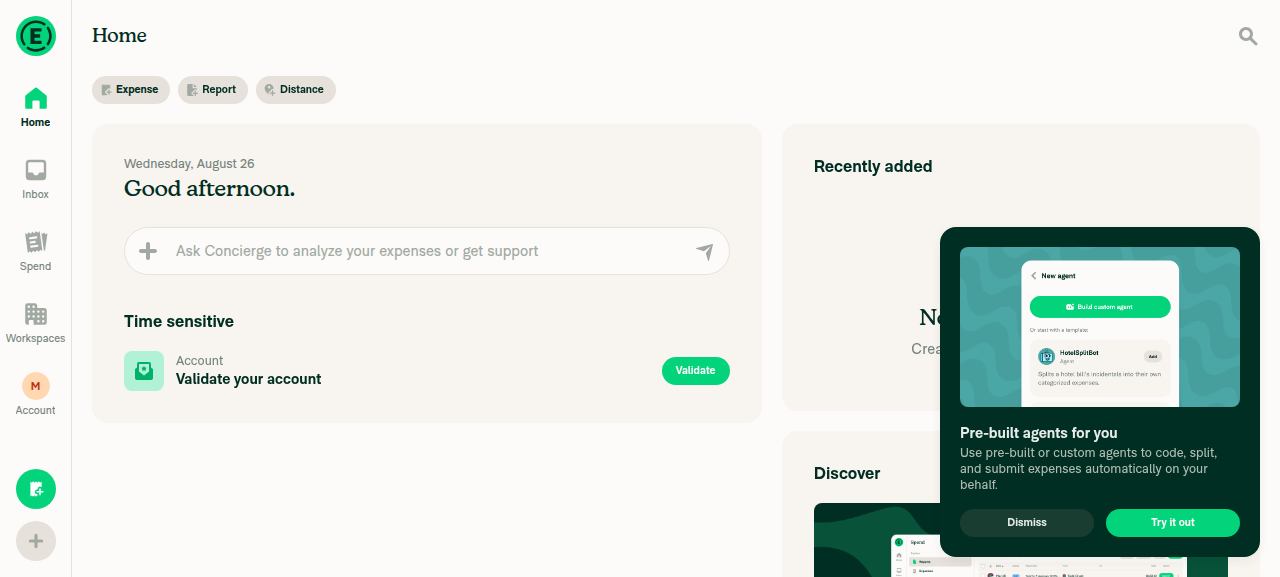
Resolved Home after initial load

view run

@sharabai

Copy link
Copy Markdown
Contributor Author

MelvinBot's Minor Notes - not reachable. For that skeleton to stick you'd need hasLoadedApp === false, offline, and IS_LOADING_APP true from a fresh offline-initiated OpenApp, all at once.

Signing in can't do it because auth needs the network, so the openApp() after sign-in is always queued online and reconciles the latch normally. The other offline OpenApp paths all run with the app already loaded, and delegate switches keep HAS_LOADED_APP on purpose.

The coupling itself is real though. A second consumer of useIsOnlineAppLoadPending on a screen HomePage doesn't cover would make it reachable, and nothing stops that today. Leaving it for this PR.

@github-actions

Copy link
Copy Markdown
Contributor

🚧 dubielzyk-expensify has triggered a test Expensify/App build. You can view the workflow run here.

@github-actions

This comment has been minimized.

@sharabai

Copy link
Copy Markdown
Contributor Author

@codex review

@chatgpt-codex-connector chatgpt-codex-connector Bot left a comment

Copy link
Copy Markdown

Choose a reason for hiding this comment

The reason will be displayed to describe this comment to others. Learn more.

💡 Codex Review

Here are some automated review suggestions for this pull request.

Reviewed commit: 6e5b943585

ℹ️ About Codex in GitHub

Codex has been enabled to automatically review pull requests in this repo. Reviews are triggered when you

  • Open a pull request for review
  • Mark a draft as ready
  • Comment "@codex review".

If Codex has suggestions, it will comment; otherwise it will react with 👍.

When you sign up for Codex through ChatGPT, Codex can also answer questions or update the PR, like "@codex address that feedback".

Comment thread src/pages/home/HomePage.tsx Outdated
Comment on lines +44 to +45
const isOnlineAppLoadPending = useIsOnlineAppLoadPending();
const shouldShowHomeSkeleton = shouldShowSkeleton && (!isOffline || isOnlineAppLoadPending);

Copy link
Copy Markdown

Choose a reason for hiding this comment

The reason will be displayed to describe this comment to others. Learn more.

P2 Badge Handle rehydrated OpenApp as a new offline session

When the process is killed during the first online OpenApp and relaunched offline, the persisted queued/ongoing request retains initiatedOffline: false, so useIsOnlineAppLoadPending() remains true and this condition pins the Home skeleton until connectivity returns. On an authenticated cold start, AuthScreensInitHandler.tsx lines 165-189 calls reconnectApp(), not openApp(), so the documented duplicate replacement never re-stamps that surviving request. Unlike the previously discussed account-switch path, this is reachable without signing in offline; account for process-session freshness rather than treating the persisted online stamp as proof that the current offline session has an active load.

Useful? React with 👍 / 👎.

Copy link
Copy Markdown
Contributor Author

Choose a reason for hiding this comment

The reason will be displayed to describe this comment to others. Learn more.

The premise doesn't hold. reconnectApp() isn't the end of the story on an unloaded cold start: it awaits hasLoadedAppPromise and, when HAS_LOADED_APP is false, calls openApp() instead (App.ts:471-476). An interrupted first OpenApp is exactly the case where HAS_LOADED_APP is still false, so that relaunch does run openApp(), the duplicate resolver replaces the surviving queued request, and the replacement is stamped initiatedOffline: true. Skeleton hidden, as documented.

The one variant that survives is a kill after the request moved to PERSISTED_ONGOING_REQUESTS: there the resolver returns noAction (RequestConflictUtils.ts:86) and the ongoing selector applies no offline filter (useInFlightRequests.ts:100), so the skeleton does stay up until reconnect. That's the deliberate exemption called out in the PR description: the request was genuinely being sent, so the load reached the network. It's the same end state as test 4, signal lost mid-load, just with a restart in between. Not changing it here.

@sharabai

Copy link
Copy Markdown
Contributor Author

@MelvinBot review

@MelvinBot

Copy link
Copy Markdown
Contributor

Review

Re-reviewed at 6e5b943 — the code is unchanged since my last pass, so this is a fresh look rather than a diff. Still no blocking issues. The gate and the per-group latch refactor hold up on a second read, and your reply on the stranded-skeleton case is correct: it needs hasLoadedApp === false + offline + an offline-initiated OpenApp all at once, which no path in the tree reaches today. Agreed on leaving the coupling note as-is.

Gate + latch (re-confirmed). shouldShowSkeleton && (!isOffline || isOnlineAppLoadPending) matches every row of the offline table, and splitting the module-scoped latch into openAppFlushPendingByGroup keeps the appLoad and appLoadOnline flush windows independent — which is exactly what stops an offline-initiated request from latching the online group. The useIsOnlineAppLoadPendingTest cases pin the one behavior that separates the two hooks (offline-initiated → false, ongoing → true, flush window → true), and the eleven HomePage skeleton cases assert the composed gate end-to-end.

One thing to eyeball (non-blocking)
  • flexGrow: 1 also lands on the real-content path. homePageMainLayout is the shared container for both the skeleton and homeSections, so the new flexGrow: 1 applies to resolved Home too, not just the spinner-card fill. It's used only by HomePage so nothing else is touched, and no child on the real path asks for flex, so the effect should just be leftover height at the bottom of a short page. Web wide/narrow looked correct in my check below — worth a glance on native to confirm no unexpected bottom gap on a sparse Account A.
Web verification — resolved Home renders cleanly; transient skeleton not capturable here

Verified on dev NewDot (web) that moving the nine Sections into the homeSections variable did not regress normal rendering: Home settles into its usual two-column layout with the quick-action bar, Concierge input, the time-sensitive card, Recently added, and Discover all intact. On this sparse account, Recently added correctly shows its resolved empty state ("No recent expenses") — i.e. after the wall would have been replaced, which is the correct place for it and not the mid-load bug this PR fixes. All Home-load requests returned 200 (OpenApp, Search, SearchForTodos, …) and no on-page error text appeared.

The transient cold-start skeleton (tests 1–4) still can't be staged in this harness — it needs a sign-out/sign-in loop and resolves faster than a screenshot — so please lean on the unit suite (HomePage.test.tsx, HomePageSkeletonTest.tsx, useInFlightRequestsTest.ts) and your own cross-platform captures for the skeleton → Sections swap and the no-console-errors check. Note: web console-log capture isn't supported by the test tooling, so the no-error check below is network-status + on-page-text based, not a console read.

Step Status Observation
Home renders normal Sections in resolved state, laid out correctly ✅ pass Two-column layout intact; quick actions, Concierge, time-sensitive card, Recently added (empty state, expected on a fresh account), and Discover all render with no blank/broken areas
No JS errors on Home after it settles ✅ pass All Home-load requests 200; no error/"Something went wrong" text on page (console capture unsupported for web — verified indirectly)
Evidence (2)

Home resolved state (onboarding tooltip visible)
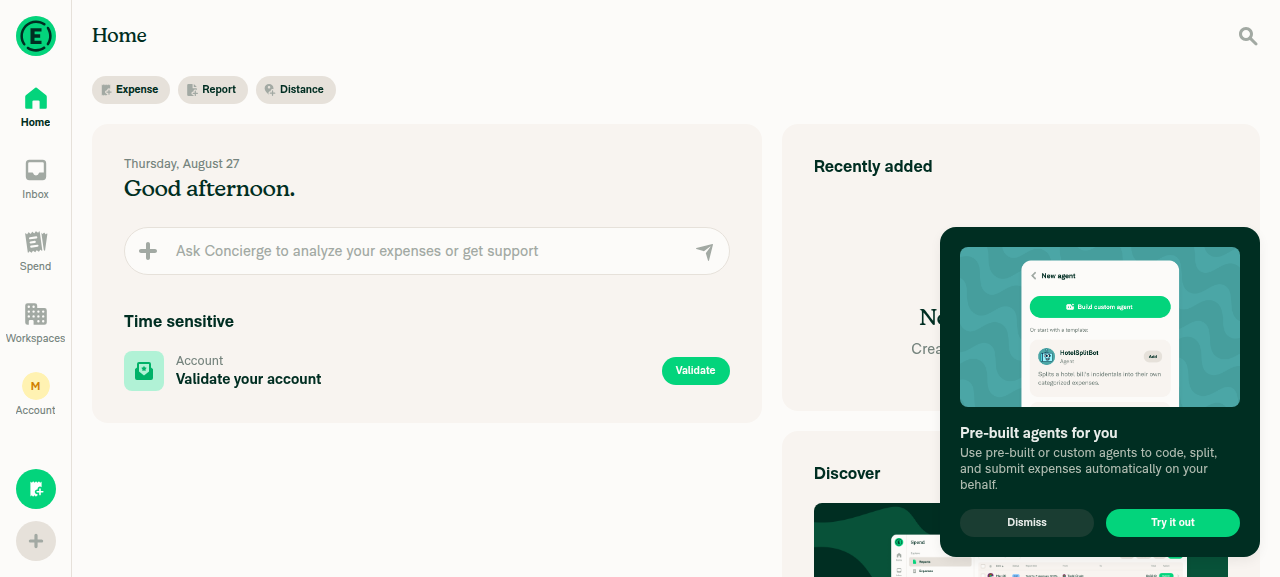
Home resolved state (onboarding tooltip visible)

Home resolved state — full Recently added / Discover layout
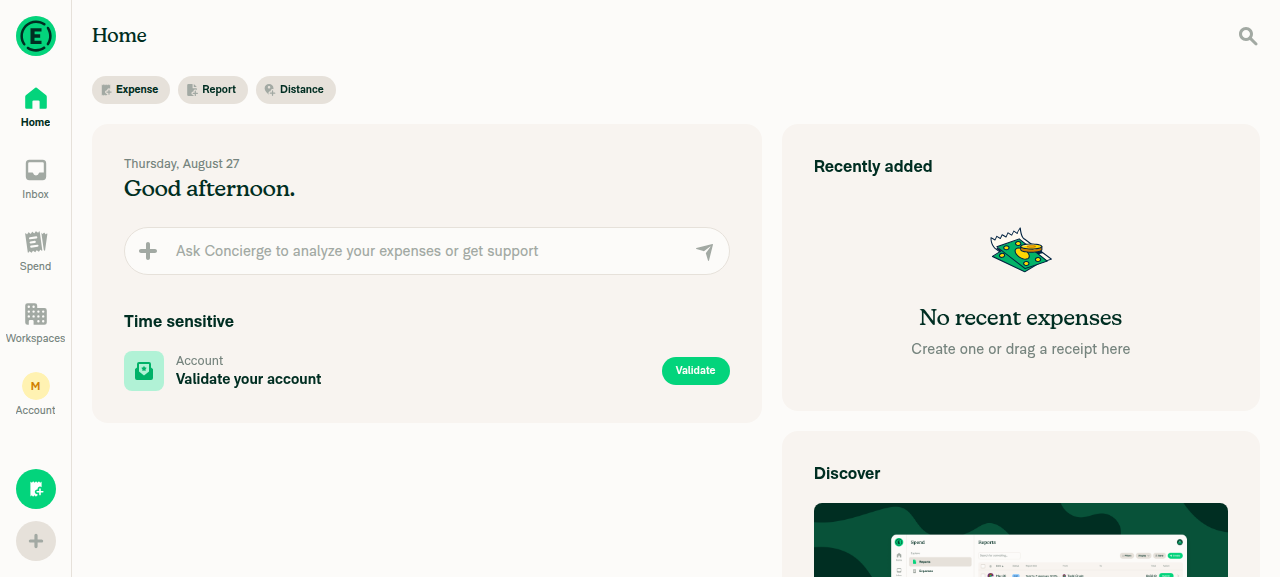
Home resolved state — full Recently added / Discover layout

view run

@shawnborton

Copy link
Copy Markdown
Contributor

Do you have any videos/recordings we can review? It's quite hard to tell from actually using the builds above!

CleanShot.2026-08-27.at.09.40.27.mp4

One thing that is odd - when the page first loads, the whole screen looks gray:
CleanShot 2026-08-27 at 09 41 48@2x

Then when the skeletons finally load, we have some spacing issues - the bottom padding below the skeleton rows in each card feels too small/non-existent compared to what actually loads when it's done:
CleanShot 2026-08-27 at 09 42 22@2x

@sharabai

sharabai commented Aug 27, 2026 •

Copy link
Copy Markdown
Contributor Author

One thing that is odd - when the page first loads, the whole screen looks gray:

@shawnborton It’s the same on staging - that gray section is already part of the codebase, so it wasn’t added by me.

staging.-.gray.block.mp4

@sharabai

Copy link
Copy Markdown
Contributor Author

Do you have any videos/recordings we can review? It's quite hard to tell from actually using the builds above!

Yeah, absolutely! I’ll add a few in a minute. Let me fix the padding issue first, though.

@shawnborton

Copy link
Copy Markdown
Contributor

that gray section is already part of the codebase, so it wasn’t added by me.

Thoughts on fixing it here? We just need it to use the standard appBG color instead of gray.

@sharabai

Copy link
Copy Markdown
Contributor Author

Thoughts on fixing it here? We just need it to use the standard appBG color instead of gray.

Yes, doable - it’s a one-line, safe change. It’s actually an opacity change on the boot loader rather than a color swap.

@sharabai
sharabai force-pushed the feat/home/skeleton-loaders branch from 225eb58 to f7f5873 Compare August 27, 2026 17:13
@codecov

codecov Bot commented Aug 27, 2026 •

Copy link
Copy Markdown

Codecov Report

✅ Changes either increased or maintained existing code coverage, great job!

Files with missing lines Coverage Δ
src/CONST/index.ts 91.52% <ø> (ø)
src/components/Skeletons/SkeletonTextLine.tsx 100.00% <100.00%> (ø)
src/hooks/useInFlightRequests.ts 100.00% <100.00%> (ø)
src/libs/Middleware/SupportalPermission.ts 100.00% <100.00%> (ø)
src/libs/Network/SequentialQueue.ts 93.02% <100.00%> (+0.26%) ⬆️
...rc/libs/Network/isUnauthorizedSupportalResponse.ts 100.00% <100.00%> (ø)
...rc/pages/home/ForYouSection/ConciergePromptBox.tsx 96.85% <100.00%> (+0.29%) ⬆️
src/pages/home/ForYouSection/ForYouBody.tsx 100.00% <100.00%> (ø)
src/pages/home/ForYouSection/ForYouSkeleton.tsx 100.00% <100.00%> (+96.42%) ⬆️
src/pages/home/ForYouSection/index.tsx 100.00% <100.00%> (ø)
... and 18 more
... and 19 files with indirect coverage changes

@sharabai

Copy link
Copy Markdown
Contributor Author

@codex review

@chuckdries
chuckdries removed their request for review September 17, 2026 20:22

@grgia grgia left a comment

Copy link
Copy Markdown
Contributor

Choose a reason for hiding this comment

The reason will be displayed to describe this comment to others. Learn more.

Code 👍

@grgia

grgia commented Sep 18, 2026

Copy link
Copy Markdown
Contributor

Running a fresh test build

@github-actions

Copy link
Copy Markdown
Contributor

🚧 grgia has triggered a test Expensify/App build. You can view the workflow run here.

@github-actions

This comment has been minimized.

@mountiny
mountiny removed their request for review September 18, 2026 14:25
@JmillsExpensify

Copy link
Copy Markdown
Contributor

Does anyone else need to review before we merge?

@ZhenjaHorbach

Copy link
Copy Markdown
Contributor

I will recheck today or tomorrow
And then approve!

@melvin-bot
melvin-bot Bot requested a review from grgia September 21, 2026 07:21
@sharabai

Copy link
Copy Markdown
Contributor Author

Does anyone else need to review before we merge?

I’d sleep better if @BartekObudzinski gives my refactor of his hook src/hooks/useInFlightRequests.ts a go-ahead 😅

Copy link
Copy Markdown
Contributor

Awesome, let's please try to get this merged today.

@BartekObudzinski BartekObudzinski left a comment

Copy link
Copy Markdown
Contributor

Choose a reason for hiding this comment

The reason will be displayed to describe this comment to others. Learn more.

lgtm 🙌

@JmillsExpensify
JmillsExpensify merged commit 263b6c0 into Expensify:main Sep 21, 2026
39 of 40 checks passed
@github-actions

Copy link
Copy Markdown
Contributor

🚧 JmillsExpensify has triggered a test Expensify/App build. You can view the workflow run here.

@OSBotify

Copy link
Copy Markdown
Contributor

✋ This PR was not deployed to staging yet because QA is ongoing. It will be automatically deployed to staging after the next production release.

@OSBotify

Copy link
Copy Markdown
Contributor

🚀 Deployed to staging by https://github.com/JmillsExpensify in version: 9.4.91-0 🚀

platform result
🕸 web 🕸 success ✅
🤖 android 🤖 success ✅
🍎 iOS 🍎 success ✅

@MelvinBot

Copy link
Copy Markdown
Contributor

🤖 Yes — one help site change was required. Draft PR: Docs updates for E/A#99560 document Home loading placeholder cards

What needed documenting: this PR adds a state the help site never described — on a cold start, Home shows a fixed set of placeholder cards with shimmering bars, and the real sections replace them once the load finishes. Because the placeholder count is fixed and the resolved section count is not, the number of cards on Home visibly changes at that moment. Expensify Home Overview read as though each section is simply present or absent, with nothing in between.

What I changed — one file, docs/articles/new-expensify/getting-started/Expensify-Home-Overview.md:

  • One sentence at the end of What Home shows.
  • A new FAQ entry, Why do I see blank cards when Home first loads?, covering the placeholder cards, the For you card staying usable while the rest loads, the card count changing once data lands, and the placeholders staying up if the connection drops mid-load.
  • keywords and internalScope extended to cover the loading state.

What I deliberately did not change. No already-documented section changed its post-load behavior, so nothing in the article was inaccurate and no existing statement needed correcting. shouldHideForYouSection only dropped its load-state inputs; the For you visibility rules the FAQ describes are unchanged. The TimeSensitiveSection → ForYouSection fold landed in Feat: merge the time sensitive section into the for you section, not here, so I left the article's Time-sensitive section alone.

How I verified the copy

Signed in on web for a real cold start and confirmed both states: shimmering placeholder rows in the section slots during load, then real content (Recently added in its empty state, Discover) after. Section labels used in the article were byte-checked against src/languages/en.ts — Recently added, Getting started, Discover all match.

Written against docs/HELPSITE_NAMING_CONVENTIONS.md, docs/HELP_AUTHORING_GUIDELINES.md, and docs/TEMPLATE.md: ## only, FAQ heading is a question, UI labels bolded in sentence case, no new # heading, no screenshot suggested (the loading state is transient and the text describes it fully).

The docs PR is a draft, labeled HelpDot, assigned to sharabai, with Expensify/pullerbear requested.


@sharabai, please review the linked help site PR and confirm it reflects the current behavior. Then mark the linked help site PR Ready for review

@jponikarchuk

Copy link
Copy Markdown

Deploy Blocker #101855 was identified to be related to this PR.

@sharabai

Copy link
Copy Markdown
Contributor Author

Deploy Blocker #101855 was identified to be related to this PR.

Left my response on the issue.

@OSBotify

Copy link
Copy Markdown
Contributor

🚀 Deployed to production by https://github.com/lakchote in version: 9.4.91-3 🚀

platform result
🕸 web 🕸 success ✅
🤖 android 🤖 success ✅
🍎 iOS 🍎 success ✅

Bundle Size Analysis (Sentry):

Sign up for free to join this conversation on GitHub. Already have an account? Sign in to comment

Labels

None yet

Projects

None yet

Development

Successfully merging this pull request may close these issues.