
Add "SEC" to DevOps
Note : Configure aws credentials , slack token , sonarcloud token and any other required tokens to your demo repository's github secrets
- run "pip install -r requirements.txt"
- cd flaskapp
- Finally run "python app.py" to start the server
- cd ui
- npm install
- npm start
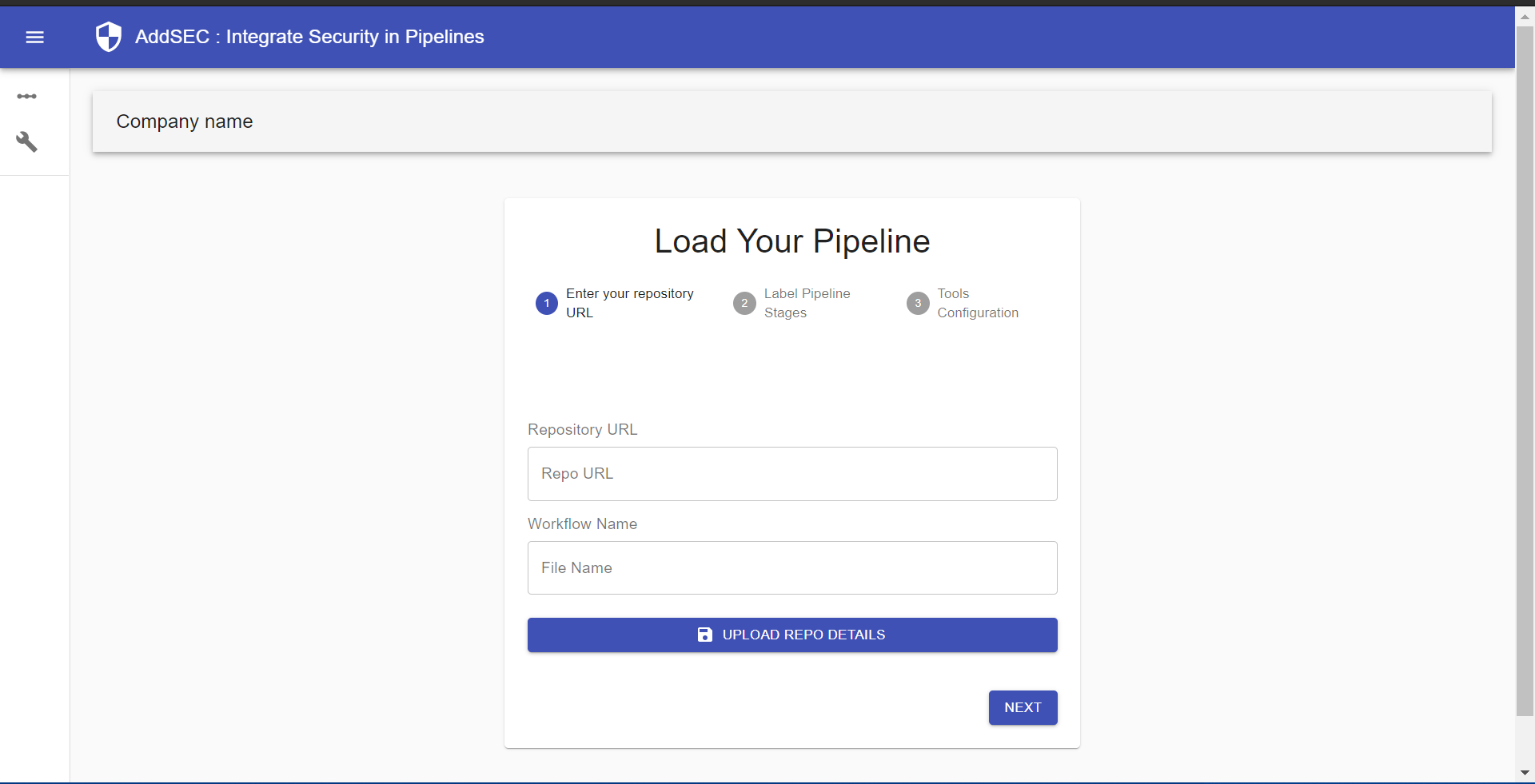 This is the first page where you follow the 3 steps to import your existing github actions pipeline
- Enter github repo and workflow name
- Label the Commit , Build and Deploy stages of your pipeline (you have a list of all extracted steps)
- Configure security automation tools , enter the required details
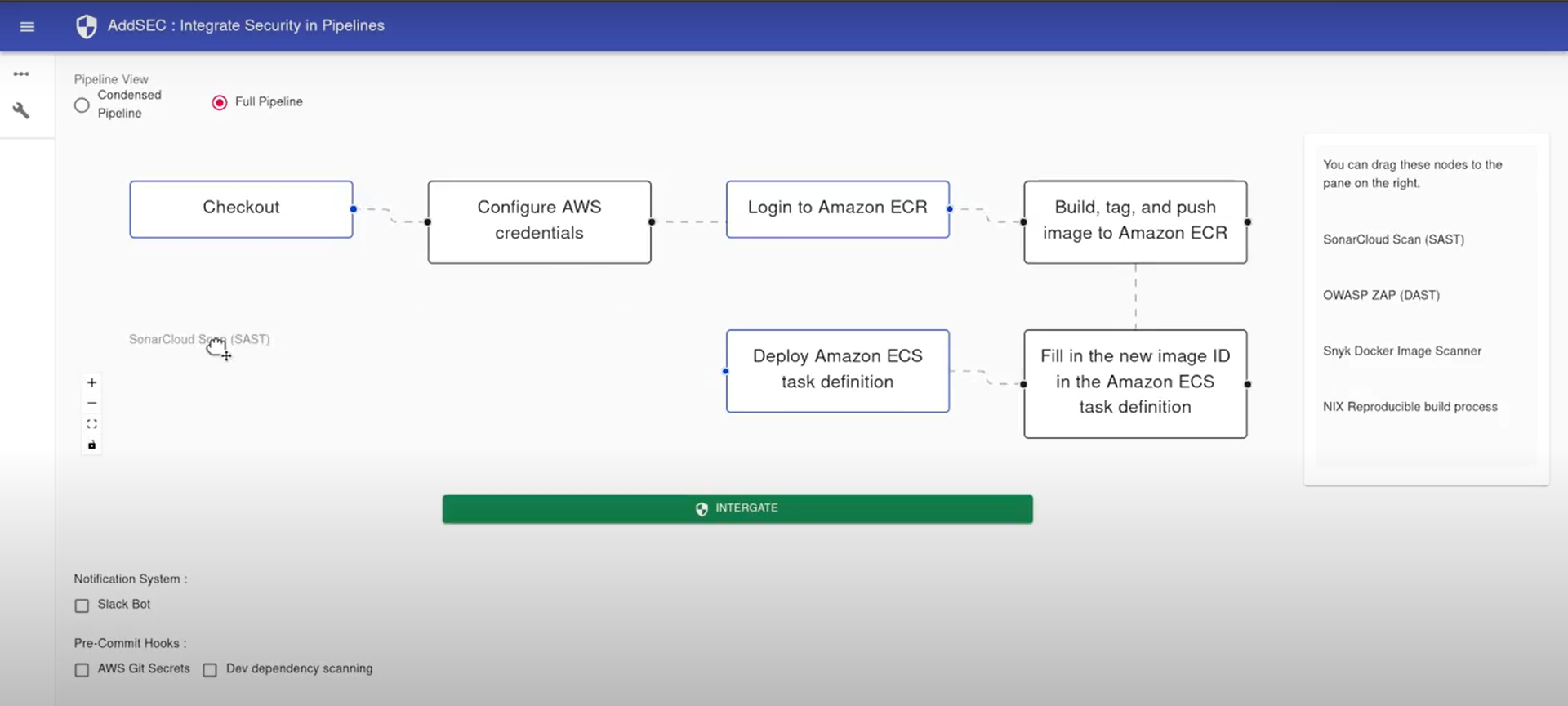 This is the second page where you can visualise your uploaded pipeline and integrate security tools by dragging and dropping tools
from the sidebar and attaching them at the correct location in the pipeline.
Press Integrate when you are done adding tools and this will push your new workflow to the hithub repo provided earlier and ask for credentials in your flask server terminal.
This is the second page where you can visualise your uploaded pipeline and integrate security tools by dragging and dropping tools
from the sidebar and attaching them at the correct location in the pipeline.
Press Integrate when you are done adding tools and this will push your new workflow to the hithub repo provided earlier and ask for credentials in your flask server terminal.