Keyboard-first terminal TUI for Jira tickets and Confluence docs.
Search, browse, edit, comment, and manage attachments without leaving the terminal.
Built for day-to-day engineering workflows where speed matters.


- Jira + Confluence in one fast terminal workflow.
- Better keyboard ergonomics than constantly context-switching to browser tabs.
- Local-first state: cache, bookmarks, recents, and config stay on your machine.
- Node.js
20+ - Atlassian Cloud site + API token
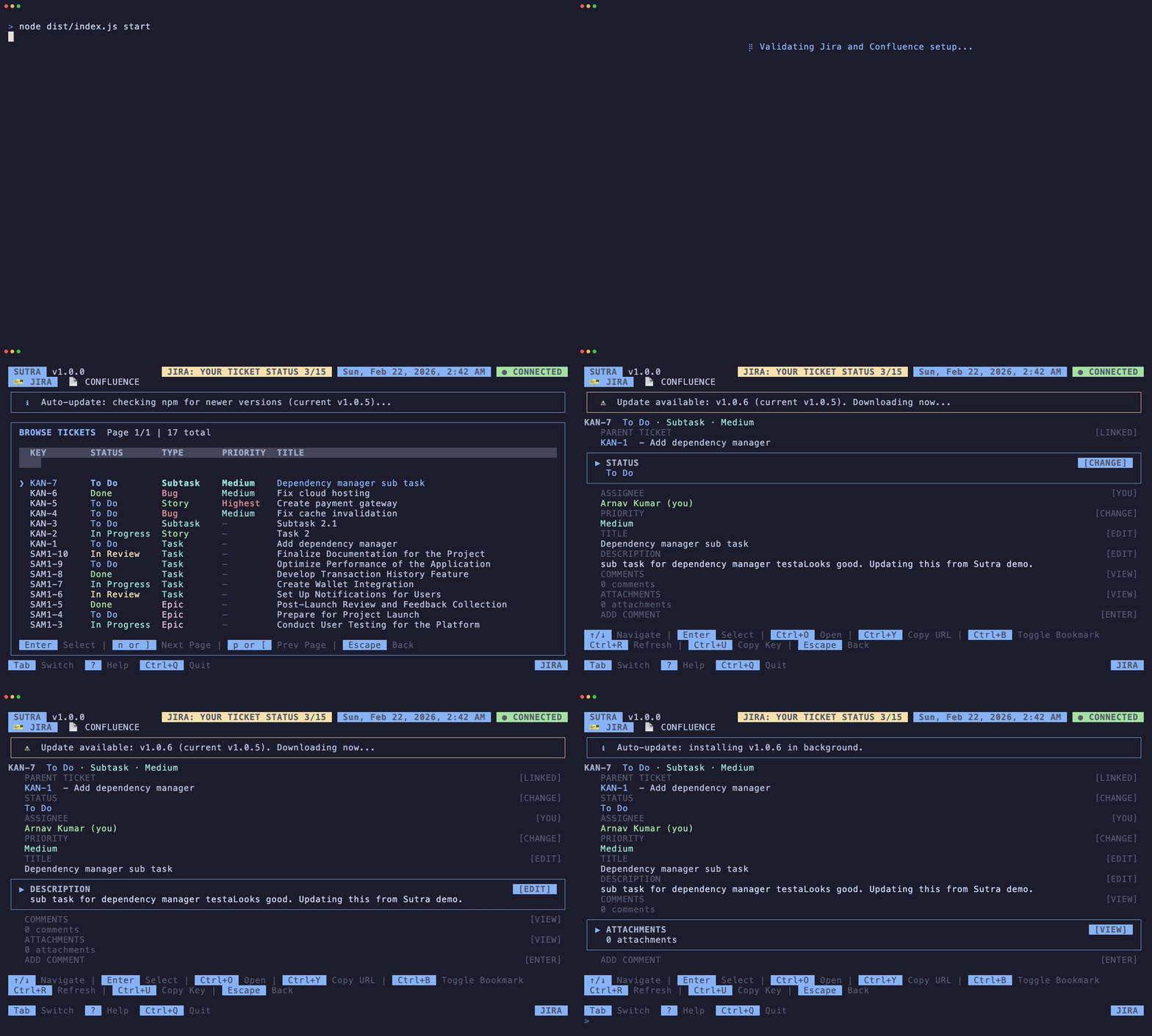
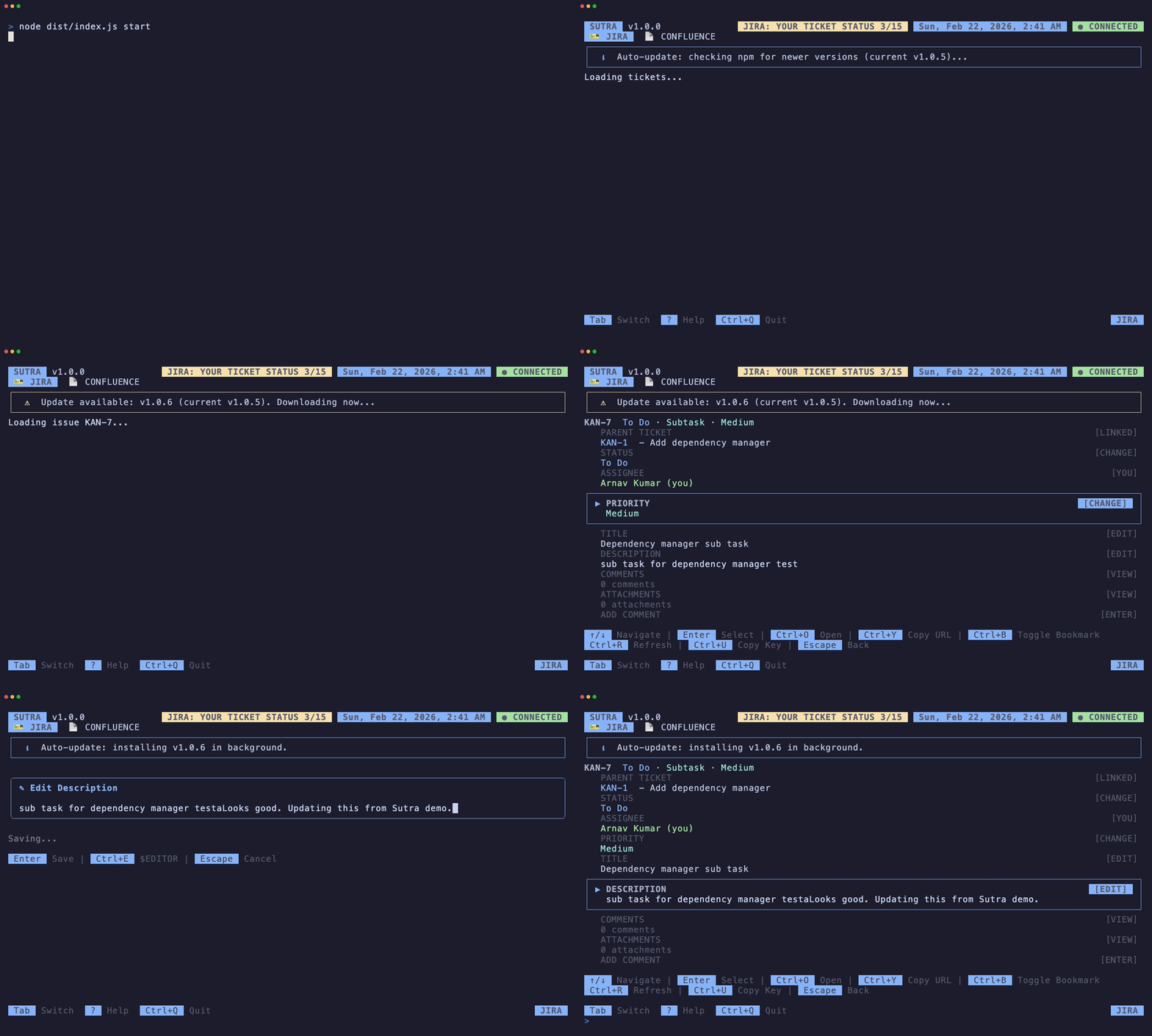
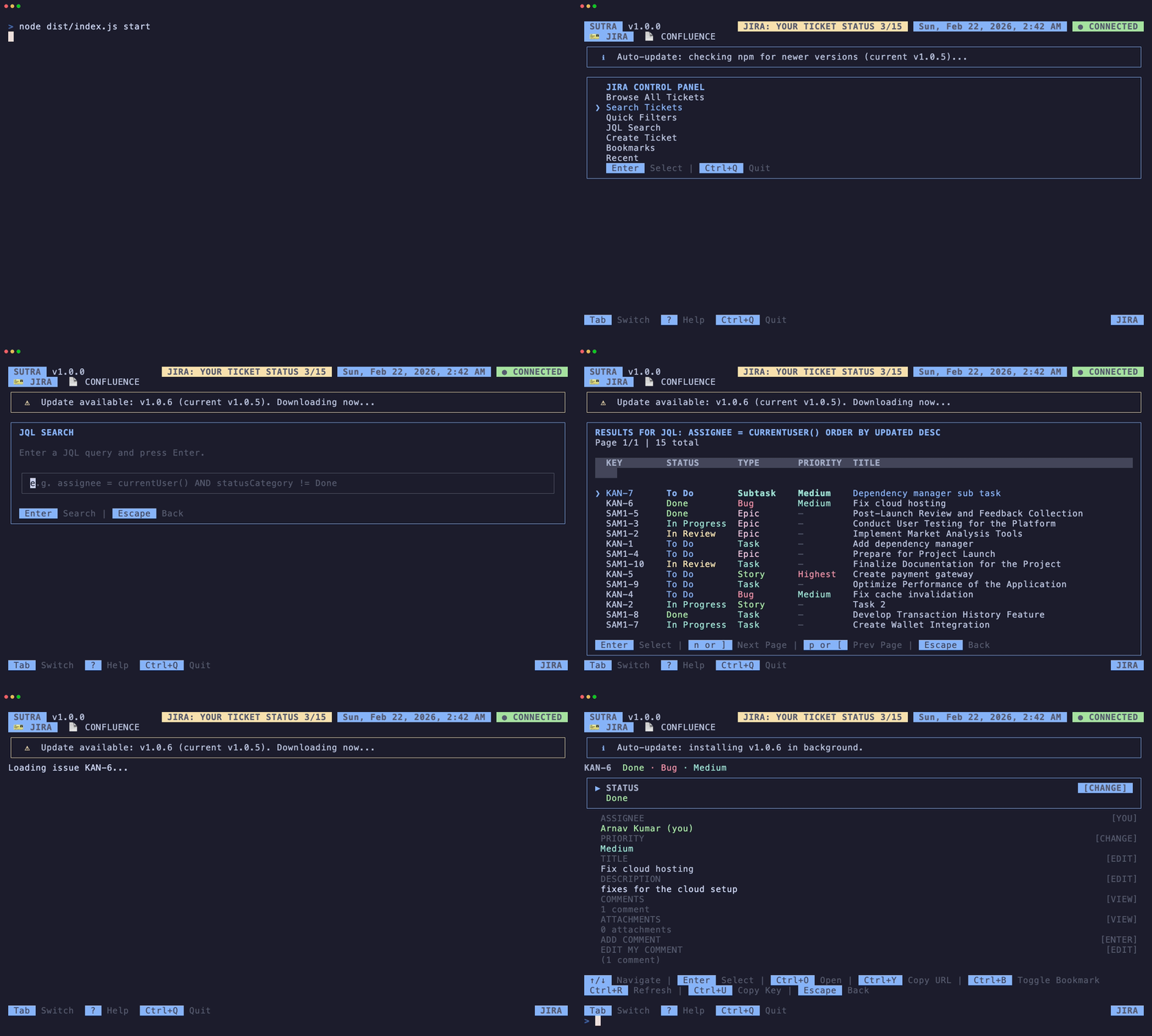
- Browse tickets with pagination.
- Search with fuzzy query, quick filters, and JQL.
- View/edit ticket details, comments, status, and attachments.
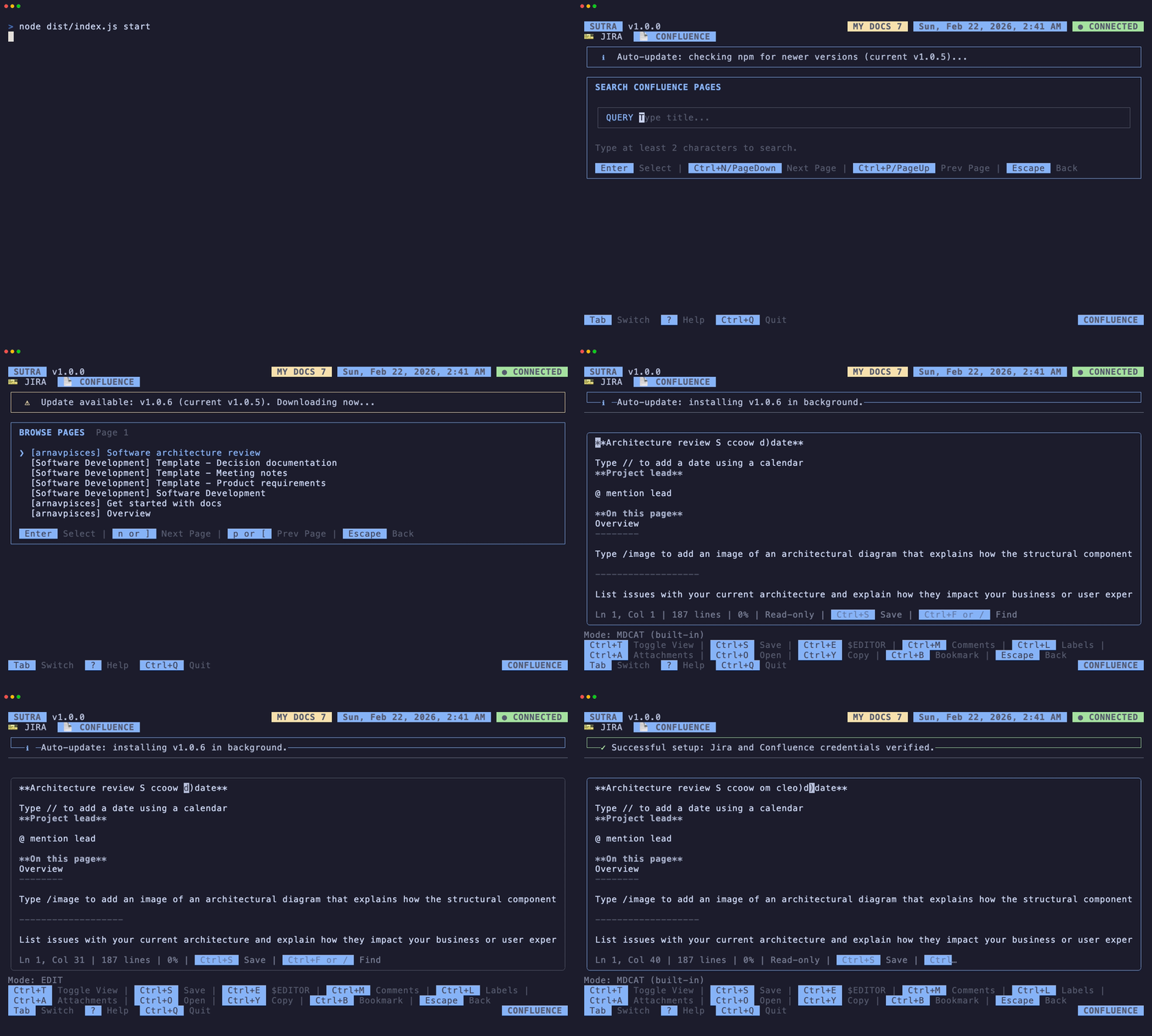
- Browse recent pages and browse by space.
- Search pages with CQL-backed queries.
- View markdown/mdcat rendering, edit pages, labels, comments, and attachments.
- Bookmarks + recent history.
- External editor integration (
$EDITOR, Cursor/VS Code fallback). - Persistent local cache via SQLite.
- Open in browser + copy URL shortcuts.
npm install -g @arnavpisces/sutra
sutra setup
sutra
Setup asks for:
- site username (for example
acme-team) - Atlassian API token (hidden input)
Sutra derives Jira/Confluence base URLs and validates credentials before entering control panels.
Tab: switch Jira/Confluence/: search in browse and page viewsEsc: back to previous screenCtrl+E: open external editor (editable views)Ctrl+O: open in browserCtrl+Y: copy URLCtrl+B: bookmark
- Issues: https://github.com/arnavpisces/sutra/issues
- Pull requests: https://github.com/arnavpisces/sutra/pulls
- Guidelines:
CONTRIBUTING.md - Code of conduct:
CODE_OF_CONDUCT.md - Security:
SECURITY.md
Apache-2.0, © 2026 Arnav Kumar.
Not affiliated with Atlassian.