-
Notifications
You must be signed in to change notification settings - Fork 2
Creating new RefactorGraph
cpgames edited this page Jun 6, 2022
·
3 revisions
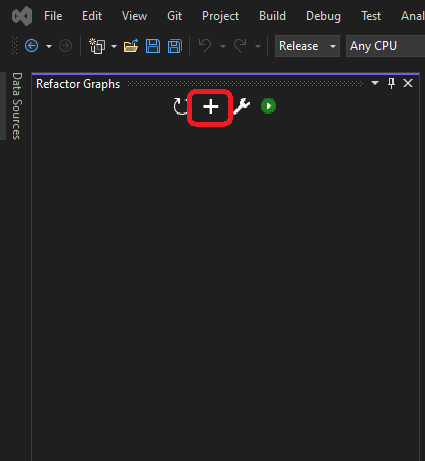
To create new Refactor Graph, click on the '+' icon in Refactor Graphs window:
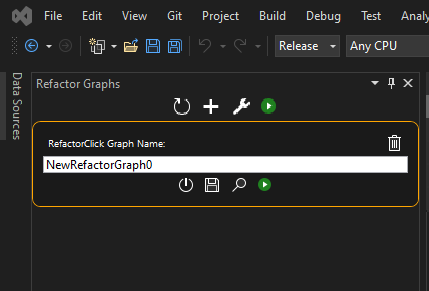
New entry will be added to the Refactor Graphs panel:
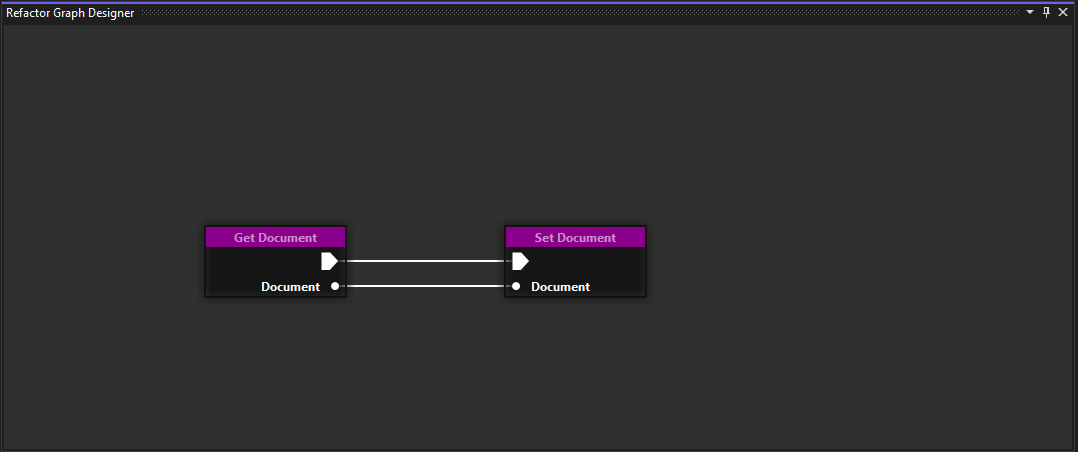
Refactor Graph Designer window with the created graph will also be displayed (you might need to expand it, and dock it somewhere for convenience):
- AppendToCollection
- ClearCollection
- ForEach
- GetCollectionSize
- GetElement
- GetFirstElement
- GetLastElement
- EnumerateDocumentsInProject
- EnumerateDocumentsInSolution
- EnumerateProjects
- GetCurrentDocument
- GetCurrentProject
- GetDocumentName
- GetDocumentPartition
- GetProjectName
- FindFirstPartitionInCollection
- GetLeadingSpacing
- GetNextPartition
- GetPartitionData
- GetPreviousPartition
- GetPureName
- InsertAfter
- InsertBefore
- PartitionByClass
- PartitionByFirstRegexMatch
- PartitionByFunctionCall
- PartitionByFunction
- PartitionByIfElse
- PartitionByParameters
- PartitionByRegexMatch
- PartitionByReturn
- PartitionByVariable
- PartitionIsValid
- RasterizePartition
- RegexMatchPresentInPartitionCollection
- RegexMatchPresentInPartition
- RemovePartition
- SetPartitionData
- SwapPartitions