Repository navigation
Disable FileSystemWatchers creation for subfolders #20488
Description
Activity
@VladimirKhil thanks for contacting us. Can you give us more details about the folder that is affected by this? (Name within the solution at least) so that I can determine what area of the product it belongs to?
@javiercn this is wwwroot folder. It has thousands of subfolders in my case. The folders hierarchy looks like this: wwwroot -> (1 big folder and several small) -> (several hundreds subfolders in the big folder) -> (4 subfolders in each of them)
@VladimirKhil thank. That helps.
@pranavkm can this be the file watcher used by razor for runtime compilation? Can you provide instructions here on how to turn it off?
Tentatively moving this to MVC to further look at the issue
reloadOnChange: truecreates a file system watcher. Having it off should disable the watcher. Runtime compilation doesn't have a way to turn off the file system watching.Reacted by Vladimir KhilreloadOnChange: truecreates a file system watcher. Having it off should disable the watcher. Runtime compilation doesn't have a way to turn off the file system watching.So you'd have to disable runtime compilation?
@Tratcher it's an optional component in 3.x, not on by default. Having runtime compilation indicates you're interested in watching for file changes at runtime so it doesn't make sense for it have a feature that effectively makes it useless.
It's not clear that runtime compilation is at fault here. If it was, what might have been useful is if the file system entirely turned off watcher if it was configured to use polling. Right now, polling works in addition to the watcher, so it doesn't really help here.
I have disabled all "reloadOnChange: true" options in my code and still sometimes get some high FSW activity in PerfView:

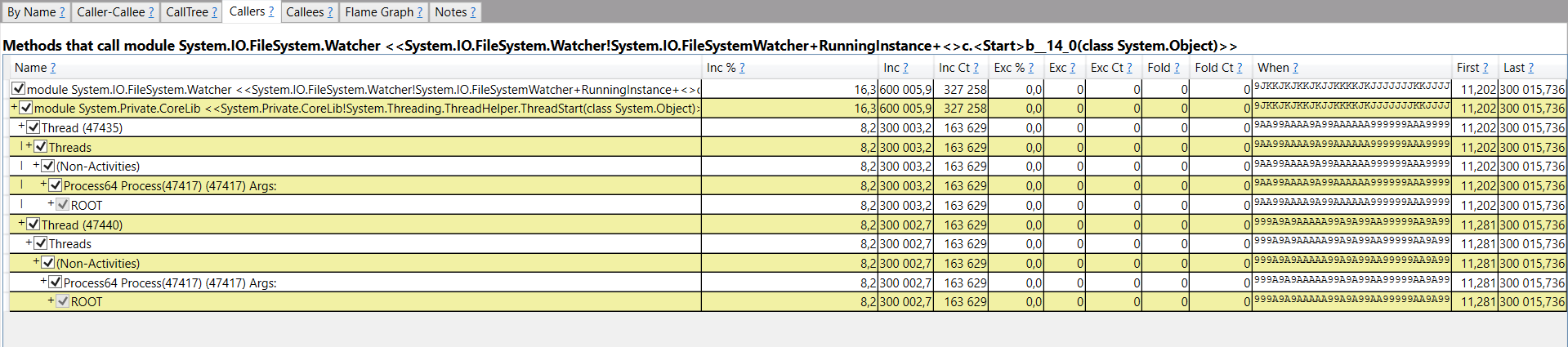
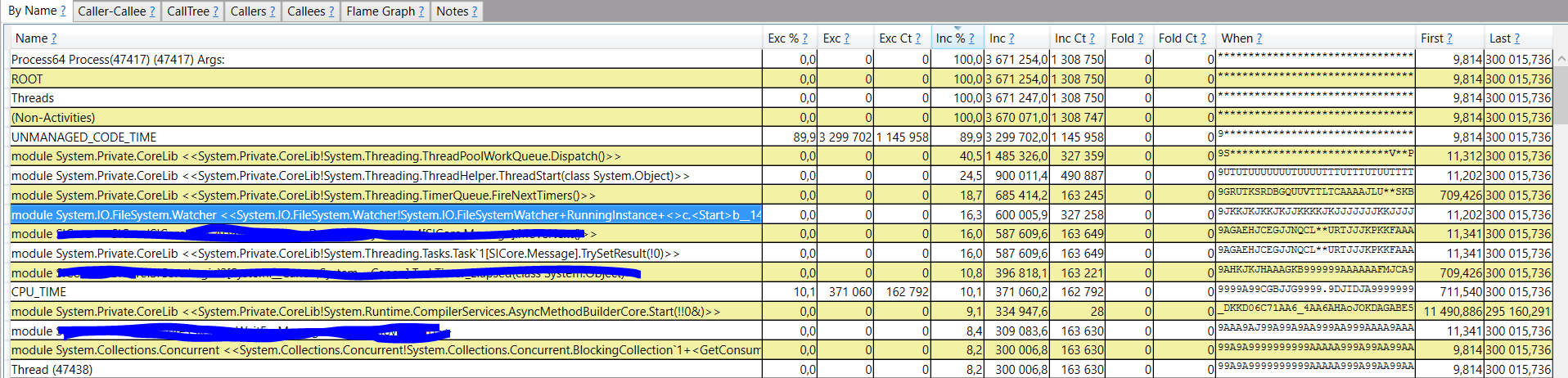
It should be possible to look at a memory dump and figure out what component is listening for file watcher callbacks.
I have a dump. It has some cyrillic letters but they are not really bothering :)
It seems that NLog and JsonConfigurationProvider do have FileSystemWatchers.
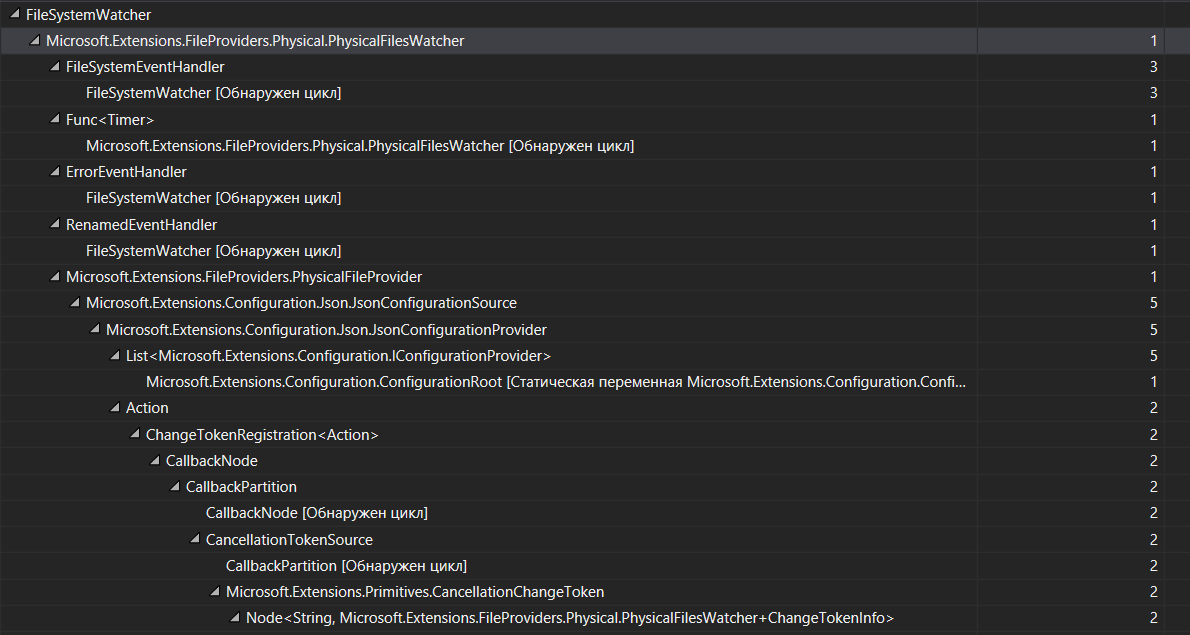
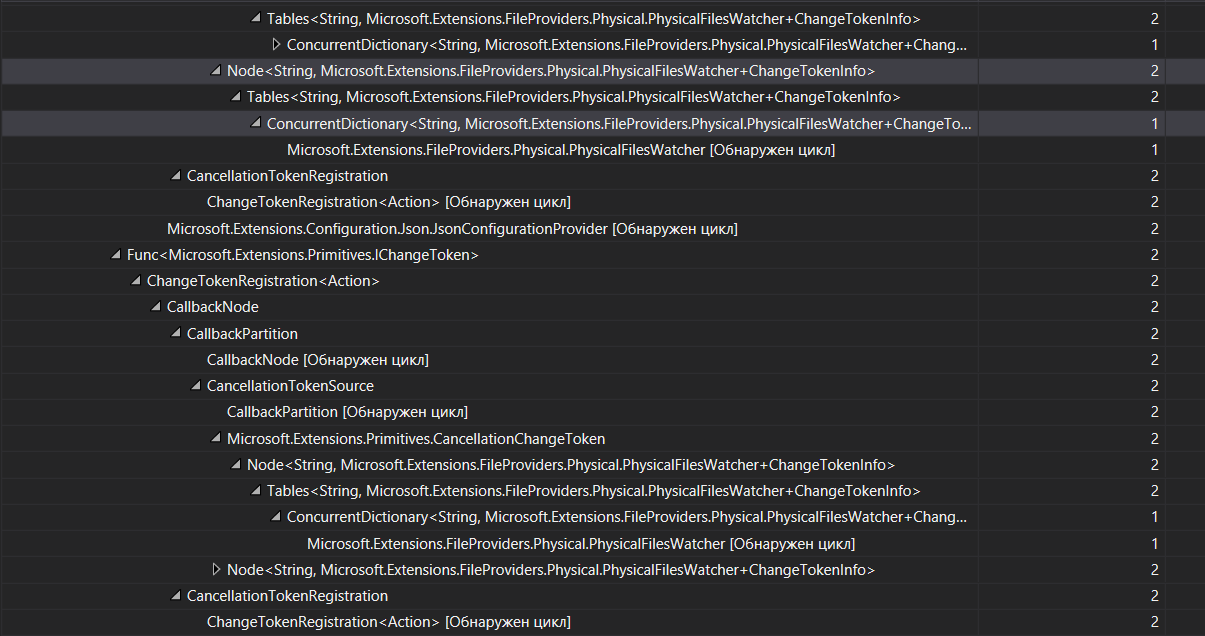
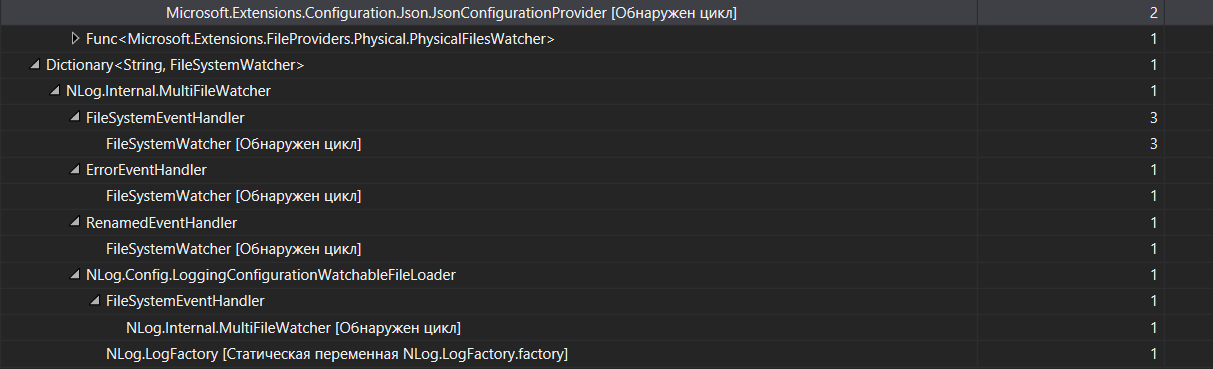
In case anyone was wondering btw, the
IFileProviderimplementation watches everything within its scope even if you're just interesting a single file or two (appsettings.json).The implementation kinda assumes that you are using globs or will use globs, which is why it watches everything rather than just the files you asked for.
On linux this sometimes results in exhausting the handles available to
epoll(esp in containers).@VladimirKhil - is there something about your scenario that's triggering a lot of file changes in
wwwroot/? I would expect something is changing these files since you're seeing high CPU usage. Otherwise the filewatcher would just sit there idle.@VladimirKhil - is there something about your scenario that's triggering a lot of file changes in
wwwroot/? I would expect something is changing these files since you're seeing high CPU usage. Otherwise the filewatcher would just sit there idle.I had such activity earlier. Yes, there was a great count of files creation and deletion. Now I move that logic outside of
wwwrootfolder. I dont see high CPU activity now. I just only don't know why dotnet-trace catches FileSystemWatcher operations so often.We're tracking follow up work for FSWs as part of https://github.com/dotnet/aspnetcore/issues/20733. Marking this as resolved since there isn't a specific issue to track for ASP.NET Core \ Mvc.
- ghost locked as resolved and limited conversation to collaborators
on May 18, 2020


Is your feature request related to a problem? Please describe.
In the VS debugger I see that my ASP.NET Core 3.1 app running on Ubuntu 18.04 server creates two threads for FileSystemWatchers and one of them creates FSW on every app subfolder that I have. I have a lot of subfolders in my app so all these FSW eat a lot of CPU resources.
I have two configuration files with "reloadOnChange: true"option but I don't think this is the case.
Describe the solution you'd like
Implement a way (API call or Host setting?) to disable FSW creation. My app files are not changed during app lifetime.
Additional context