


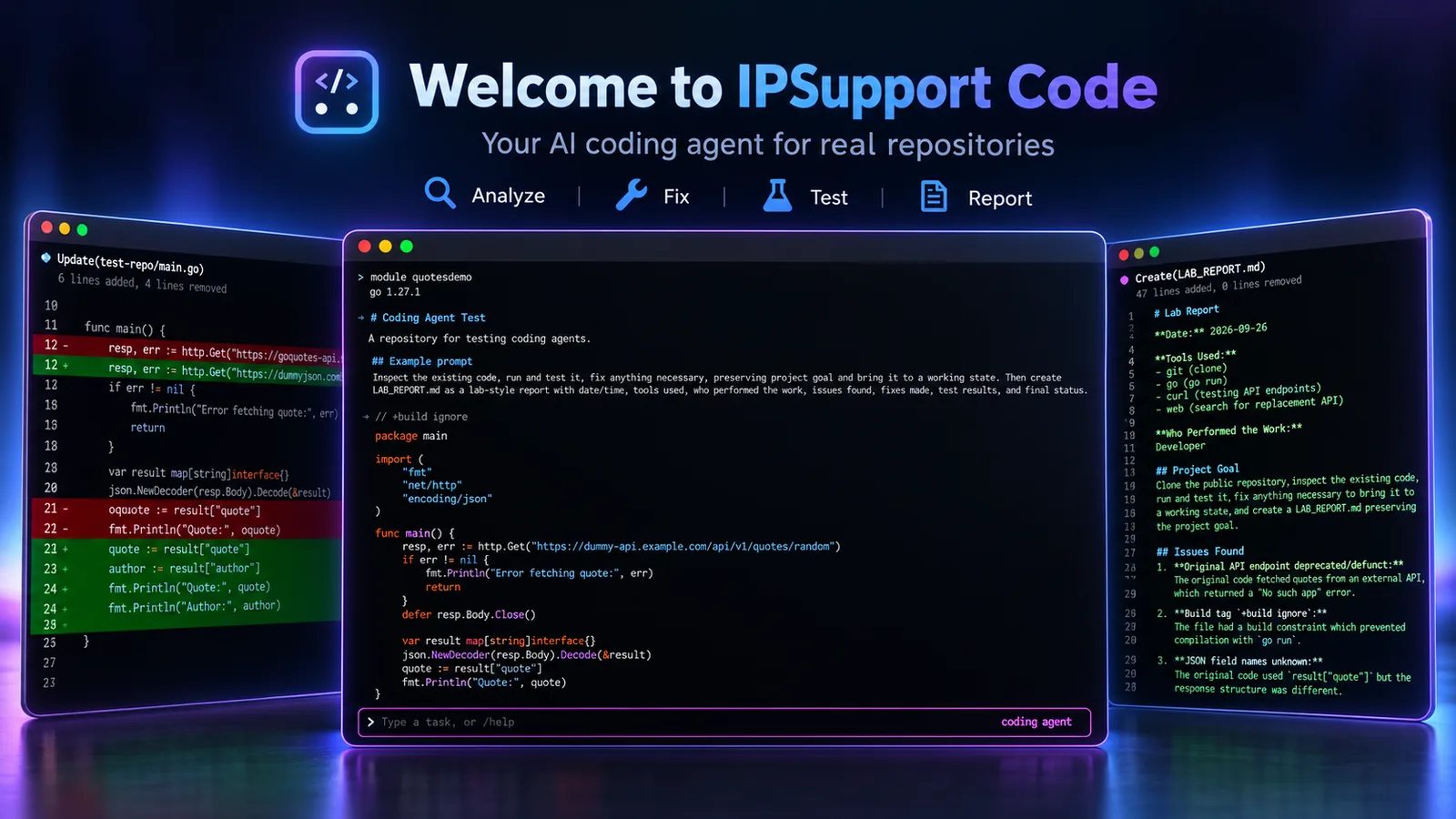
Website: ipsupport-llc.github.io/ipsupport-code
A small, lightweight self-learning coding agent for your own model — any
OpenAI-compatible server, local or cloud — in a single static binary, with a
built-in risk model that stops a dangerous tool call for you. It drives that model through a
reason → act → observe loop over a handful of fat tools (file, run, git, web, calc),
recovers from tool errors using lessons it learned on past runs, and — after each
task — reflects and writes new lessons to disk so it actually gets better over
time.
Local by default, but the same loop runs any OpenAI-compatible provider (OpenAI, Anthropic, Grok, Groq, OpenRouter, Z.ai) — switch in one command — and it can delegate a task to a sub-agent on a different model, so a local agent can hand a review to a frontier one and compare. See Providers and Sub-agents.
The interactive UI is a Claude-Code-style TUI (Bubble Tea): live-streamed tool calls and observations, markdown answers, syntax-highlighted diffs, a plan / auto mode toggle, non-stealing approval prompts, and a status bar showing the model, context usage, and tokens. Piped/non-interactive runs fall back to a plain line REPL.
It will not match a frontier model. It's built for micro-tasks on your own machine, with your own model, under a permission policy you control.
Not affiliated with Anthropic's Claude Code; the name reflects a similar terminal-agent UX.
At a glance
- 🧰 Fat tools —
file·run·git·web·calc, behind a permission policy + workspace jail - 🧠 Self-learning — distils lessons from each run and recovers from repeat mistakes
- 🎯 Goals —
/goalpursues a multi-turn objective; a judge re-feeds it until it's actually met - 🌐 Any model — local first (LLMTray on a Mac, LM Studio, Ollama, vLLM — keyless local servers included), or any OpenAI-compatible provider
- 🤝 Sub-agents — delegate/fan-out across other models or local CLI agents (codex/claude/…) and merge the results
- 🛎️ Steer live —
/steer <note>nudges a running task mid-flight (and/btw <question>asks a quick side question), without stopping it (esc still cancels) - 🛡️ Built-in risk guardrail — a local model inside the binary scores every tool call; a flagged one stops for you even when the policy allows it, and it learns from your y/n (Risk check)
- 🪶 Lightweight — a ~2.7 KB system prompt and a ~5 KB tool catalog, about 2,000 tokens before your task; one ~20 MB binary, no runtime
- 🔒 Read-only runs —
-read-onlyanswers a review or a question with nothing allowed to change - 💰 Guardrails —
/budgetspend cap per run ·/diffto review what the agent changed - 🧩 Plan/auto modes · ⏪
/rewind· 🔌 MCP · 📦 skills · ♻️ self-updating
New here? Install below, then jump to Quick start.
One-liner (macOS/Linux) — auto-detects your platform, verifies the SHA-256,
installs to ~/.local/bin, and prints how to run it (and how to add it to PATH
if needed):
curl -fsSL https://raw.githubusercontent.com/ipsupport-llc/ipsupport-code/main/scripts/install.sh | shThat installs the latest nightly; append -s -- latest for the newest stable
release, -s -- v0.22.0 for a specific tag, or a second arg for a custom path.
Windows (PowerShell) — installs to %LOCALAPPDATA%\Programs\ipsupport-code,
verifies the SHA-256, and adds it to your user PATH:
iex (irm https://ipsupport-llc.github.io/ipsupport-code/install.ps1)That's the nightly; for a channel/tag use the scriptblock form (so it can take an
arg): & ([scriptblock]::Create((irm https://ipsupport-llc.github.io/ipsupport-code/install.ps1))) latest.
Both installers also add the short name ipco beside it (a symlink; on
Windows a one-line ipco.cmd), unless something else already owns that name.
Homebrew (macOS/Linux) — the latest stable release, with ipco beside it:
brew install ipsupport-llc/tap/ipcoHomebrew then owns the install: update points you at brew upgrade ipsupport-code
instead of replacing the binary.
Or download the archive for your platform from the
latest release
(or the rolling nightly):
darwin-arm64 (Apple Silicon), darwin-amd64 (Intel Mac), linux-amd64,
linux-arm64, windows-amd64, windows-arm64. Each release also ships checksums.txt (SHA-256).
tar -xzf ipsupport-code_*_darwin-arm64.tar.gz   # .zip on Windows
chmod +x ipsupport-code
# macOS may quarantine a downloaded binary:
xattr -d com.apple.quarantine ./ipsupport-code
./ipsupport-code -version
Or build from source (pure Go, CGO_ENABLED=0, cross-compiles from any host):
make build     # host binary at dist/ipsupport-code
make release   # every target into dist/
go install github.com/ipsupport-llc/ipsupport-code/cmd/agent@latest # installs as `agent`The agent and tools are model-agnostic, so you can point them at any OpenAI-compatible API and switch in one command — run a strong cloud model for a hard task, then drop back to your local one:
/ai                       pick a provider from a list (built-ins: openai, anthropic, grok, groq, openrouter, zai)
/ai key openai sk-…       add an API key for a built-in provider (one command)
/ai add mylab https://api.lab.co/v1 llama-3.1 key=sk-…   add a CUSTOM provider + key in one step
/ai openai                switch to it   ·   /ai local   back to your local server
/model                    pick from the server's models (↑↓, type to filter)   ·   /model gpt-4o   switch directly
Pasting a key on Linux? A middle-click paste is swallowed by the mouse-wheel scroll tracking — use Ctrl+Shift+V (bracketed paste), which always works.
Add a provider by hand. Any OpenAI-compatible endpoint works as a first-class
provider straight from the config — no command needed, and no API key required
for a keyless local server (Ollama, vLLM, a second LM Studio). Add it under
providers and point provider at it:
{ "provider": "ollama",
  "providers": { "ollama": { "base_url": "http://localhost:11434/v1", "model": "qwen2.5-coder:7b" } } }
It's then active at launch and switchable via /ai ollama and /config.
Switching keeps your session, tokens, and mode. Keys live in
~/.config/ipsupport-code/config.json (written chmod 600) or fall back to the
env var (OPENAI_API_KEY, ANTHROPIC_API_KEY, XAI_API_KEY, GROQ_API_KEY,
OPENROUTER_API_KEY, ZAI_API_KEY).
/config opens an interactive settings panel: ↑↓ to move, Enter to
change the selected row, esc to close — changes apply and save as you make
them, no hand-editing JSON.
- Connection edits the provider in use, the local server included: the
provider and model are picked from a list (↑↓ to scroll, type to
filter; a model the server doesn't list can be typed), its address (host,
port, path), API key (typed masked; empty
keeps it,
ctrl+dremoves it), server type (LM Studio or plain OpenAI-compatible) and context window (any size; 0 = auto-detect). A built-in provider's address can point at a proxy or your own gateway; empty puts it back. - Providers adds or edits an OpenAI-compatible endpoint, and removes one picked from the saved ones (confirmed with a second Enter; the one in use falls back to local).
- Tuning values — temperature, top_p, output cap, idle timeout, retries, and the goal judge's output cap — are typed; the rest cycle in place. Values are edited like a shell line: ←/→, home/end, ctrl+u.
- While a task runs, reasoning (also
/reasoning <level>), temperature, top_p, the output caps, retries and loop detection take effect from the model's next reply and are saved when the task ends; other changes are staged until then. - A setting this project's
.agent/config.jsonalso sets is marked: that file wins at the next start.
Define a profile — a named model — and the agent gains an agent tool: it can
delegate a self-contained task to a sub-agent on that model and use the answer.
A second opinion, another model's strength, or the same code reviewed across 2–3
models at once. Run your main loop on a local model, then have it fan a review out
to a couple of frontier models and merge the findings.
A profile is the only way to delegate (and so the curated list of what the
assistant may spawn). Build one interactively — provider → model list → name —
from /config, or on the command line:
/agents add grok   openrouter x-ai/grok-4.3     # omit the model to list them
/agents add architect openai gpt-4o
/agents                                          # list profiles
/agents rm grok                                  # remove one
Then just ask — e.g. "review internal/tool across grok and architect, then merge."
The assistant calls agent(profile, task, dir): dir (optional, ~ expanded)
points a sub-agent at another project — it gets its own jail there, so it can
work on ~/other-repo without leaving the rest of your disk exposed. A pure
fan-out of several profiles runs in parallel, each on its own live status line;
the main model then merges the results into one answer.
Safety: every spawn asks for approval (even local ones cost compute) until you
relax it with /permissions agents on. Sub-agents read/write files and use git but
only run shell commands if you enable it with /agents exec on. They inherit
the current plan/auto mode, can't spawn their own sub-agents (depth 1), and their
tokens are recorded in /usage like any other.
Locally installed CLI coding agents (Codex, Claude Code, Muse, aider…) can be sub-agents too — registered as external profiles:
/agents add-tool                # scan PATH: which known CLI agents are installed
/agents add-tool codex          # one word — codex/claude/gemini/qwen/aider/goose/opencode/muse
/agents add-tool mytool mytool --headless {task}   # any other tool ({task} = where the task goes)
The assistant delegates through the same agent tool; the CLI runs in the target
dir, and the assistant gets back the tail of its output plus a git diff --stat summary (review the full patch with /diff). Use the CLI's
non-interactive mode (exec / -p / --message) — an interactive launch just
hangs until the timeout (15 min default, timeout per profile in config.json).
Muse (Meta's Muse Code) runs as muse exec {task} and keeps its own approval
and sandbox on in that mode; to launch it with other flags, use the full form
(/agents add-tool muse muse exec <flags> {task}).
⚠ External agents run outside the sandbox: their own tools, their own
permissions, no policy jail, and /rewind can't see their edits. That's why every
launch asks its own approval (external CLI agents category) — even when
ordinary spawns are set to allow; a on the prompt relaxes it for the session.
Any sub-agent — LLM or external CLI — can run as a detached background job:
the assistant adds background=true, the call returns at once, and it keeps
working while the job runs. When the job finishes you see a ✓ job #N notice,
and the result is folded into the assistant's next step — even mid-task, via
the same between-steps seam as /steer,
so a job that lands while the assistant is working doesn't wait for the next task
to be noticed. /jobs lists them (each running one shows ⚙ running <elapsed> plus
↳ <its latest output line> (<age> ago) for an external agent — a long gap
hints it's stuck, not working), /jobs result <id> prints one in full, /jobs kill <id> cancels. Jobs survive their
parent task (and esc) — perfect for a long codex review running while you
continue in the main loop.
esc cancels a task. Two lighter touches don't stop it:
/steer <note>folds a note into the running task — it lands on the very next step to redirect the work ("/steer the loader is in internal/config, not cmd"), without waiting for the task to finish or queuing as a follow-up. The note is pinned above the input for the rest of the run. Typed while idle, it steers the next task you start./btw <question>asks a quick side question while the task keeps going — it's answered in one turn, no tools, from the live conversation, then work resumes ("/btw what test framework is this repo using?"). The answer doesn't steer the task; it's just for you.
Save a prompt you reuse and pull it back when you need it. /snip save <name>
stores your last prompt under a name (or /snip save <name> <text> to store
text directly); /snip <name> drops that template into the input box so you
can tweak it and hit Enter — not auto-sent. /snip list shows them, /snip rm <name> deletes. Templates are stored globally
(~/.config/ipsupport-code/snippets.json), so they follow you across projects,
and Tab completes both the subcommands and your snippet names.
The binary updates itself in place from GitHub Releases:
ipsupport-code update            # update on the current channel
ipsupport-code update nightly    # switch to the nightly channel (saved) and update
ipsupport-code update stable     # switch back to stable
/update does the same from inside the REPL. On startup it does a quick,
best-effort check and prints a one-line notice if a newer build is out on your
channel (stable by default — set "channel": "nightly" in
~/.config/ipsupport-code/config.json, or switch with update nightly). Local
dev builds are never nagged. To silence the startup check on a pinned or
package-managed install without going fully offline, set
ipsupport-code config set update_check false.
Working directory. Launched from a parent dir (or ~)? /cd <subdir> points
the session at your project — relative file/run/git paths resolve there, and
sub-agents inherit it as their default dir, so you set the path once instead of
repeating it. It stays inside the workspace jail.
Offline? /offline on cuts the agent's OWN internet use — the web tool
refuses with a clear "no internet" message and the startup update check is
skipped. Your configured model connection is untouched either way — if it's
a local server on localhost it needs no network anyway; if you pointed it at a
remote endpoint, that traffic still goes out. /offline off re-enables it.
Anonymous usage statistics help decide what to work on. They are on by default for a new install — first-run setup says so — and an update never turns them on for an install that existed before: it is written off.
- What is sent: one report per day, at the first launch after that day
ends (nothing runs on a timer). It holds the version, OS and its
version, CPU architecture, Apple chip (Apple silicon only), memory size,
language, how many times each feature was used (
tasks,tool_calls,goals,subagents,external_agents,mcp,skills,plan_mode,local_model,cloud_model), the coarse family of models used (qwen,nemotron,claude…) and a random install ID. - Never sent: code, prompts, commands, tool arguments or output, file names or paths, model names, API keys, provider URLs.
/telemetryshows how the last send went (accepted, refused and why, or failed), the days waiting and exactly the reports they will send./telemetry off(oripsupport-code config set telemetry false) turns it off and deletes the install ID and every unsent counter;/telemetry resetmakes a new ID.- Nothing is recorded under
DO_NOT_TRACK=1or in/offlinemode, from a piped first run that never saw setup, or by a development build. A workspace's.agent/config.jsoncan't turn it on. - The first report goes only after the first day ends, so it can be turned off before anything leaves the machine. The server's side — what it keeps and for how long — is ipsupport-api's telemetry spec.
Rate it from inside the agent: /rate 5 works great with my local model
(add --name <you> to sign it). Ratings are moderated, then shown on the
website. After the
first day a single dim line may suggest it — at most once every two weeks;
/rate never stops that.
-
Start a local server with a tool-calling model loaded (e.g.
qwen2.5-7b-instruct). On a Mac we recommend LLMTray — a menu-bar app running mlx-lm natively on Apple Silicon; LM Studio, Ollama and vLLM do the same job anywhere. No local model? Skip this — the next step asks. -
First interactive run asks whether you have a local model server running. If yes, it looks for a running LLMTray (
:8765) or LM Studio (:1234) and offers the one it finds as the server URL, then asks for the API key (blank for a local server) and model, and confirms the connection. If no, it asks for a provider name — a built-in (openai,anthropic,grok,groq,openrouter,zai) uses that vendor's real endpoint with just a key; any other name is treated as your own OpenAI-compatible endpoint (a self-hosted gateway, LiteLLM, a proxy…) and additionally asks for its Base URL — so a custom endpoint is never silently pinned to the wrong vendor's URL. Either way it saves to~/.config/ipsupport-code/config.json(re-run with-init). -
Run a one-shot task, or open the REPL:
./ipsupport-code "use calc to compute (1234*9)+sqrt(2)"
./ipsupport-code                      # interactive TUI
./ipsupport-code -C ~/proj "summarize what main.go does"
Which session? Memory is saved per workspace (the -C dir, default the
current one) and per agent name (default ipsupport-code). A one-shot or
piped run silently continues the saved thread; the interactive TUI opens a
navigable chooser (↑↓ to pick a saved session, enter to open, d to
delete, esc for the newest) when any exist. To start clean or pick a thread
from the CLI:
Flags go before the task text — anything after it is part of the task, not a flag, and the agent says so rather than quietly sending it to the model:
$ ipsupport-code "do the thing" -override provider=openai
error: -override provider=openai must come BEFORE the task text — written there it was read as part of the task, not as a flag
To point a single run at a different provider or model without touching
config.json (the provider must already be configured):
./ipsupport-code -override provider=openai "task"                    # this run only
./ipsupport-code -override provider=openai \
                 -override providers.openai.model=gpt-5 "task"       # …and its model
./ipsupport-code -new "fresh task" # ignore the saved session
./ipsupport-code -session review "look at X" # start a named thread
./ipsupport-code -session review -resume # continue it
./ipsupport-code -session review -new # start it over (overwrites)A named session is an explicit choice, so relaunching one without saying which you meant is an error rather than a silent guess:
$ ./ipsupport-code -session review
error: session "review" already exists — -resume to continue it, or -new to start over (overwrites it)
Read-only runs — for a review, or a question about the code, with nothing allowed to change:
./ipsupport-code -read-only "review the diff against main"File writes, git changes and MCP servers are refused. Commands run without
asking, inside the OS sandbox (Landlock on Linux 6.7 or later, Seatbelt on macOS,
whatever sandbox is set to) with the workspace read-only like the rest of the
disk: only temp dirs and the user cache dir are writable, and there is no
network. The git tool's own git runs there too, since a status or diff runs the
filters the repository's config names. Where there is no such sandbox, or the
workspace or its repository sits in a temp or cache dir, commands and the git
tool are refused too, and the run says why. The session is neither restored nor
saved, and nothing is learned from it — not even from an approval answer; a run
whose own files (trace, usage, skills, lessons, settings) would land in the
workspace or its repository doesn't start. A repository nested inside the
workspace with its git dir kept elsewhere is not looked for. On Linux a
command can still change a file's mode and times (Landlock doesn't cover them),
never its contents.
Each named session keeps its own saved thread, its own standing goal and its own input history, so two of them can work the same checkout at once — a local model in one terminal, a cloud model in another — without stealing each other's goal. Learned facts and lessons stay shared: those describe the project, and both sessions benefit from what either one learns.
Logs are per workspace and per session:
~/.config/ipsupport-code/agent-test.log          # -C test
~/.config/ipsupport-code/agent-test-remote.log   # -C test-remote
~/.config/ipsupport-code/agent-test-cloud.log    # -C test -session cloud
Named by the directory's basename, so you can tail one without looking up a hash. (Two checkouts with the same basename share a log — unlike the state directory, where a collision would mix two projects' memory rather than two logs.)
Every shared state file is written under a cross-process lock, and the ones both runs add to — learned facts, lessons, the usage ledger, input history — are merged under it rather than overwritten, so a second run never erases what the first learned.
In the TUI, /sessions lists/switches/deletes threads, /new <name> starts a
fresh named thread (the old one stays in /sessions), and /new clears the
active one.
Toggle with shift+tab (or /plan / /auto); the current mode shows at the
bottom of the screen.
- auto (default) — the agent executes the task with tools.
- plan — read-only: it investigates and proposes a numbered plan, and every state-changing tool call is blocked at the engine, so it can't touch anything until you accept.
When a plan-mode task finishes with a plan, you get a one-key handshake: enter to accept — switches to auto and immediately executes the plan — or esc to keep planning (stay in plan mode; type to refine). Toggling the mode mid-task applies at the next turn, never mid-run (the running agent reads the mode live).
Mutating actions ask for approval by default. The prompt goes modal:
y approves, n denies, a allows the whole session (see below),
↑/↓ toggle the explicit Yes/No, and every other key is ignored outright —
nothing leaks half-typed into the chat while it's waiting. esc drops back
to typing (to steer or queue something else first); the approval stays
pending either way, and answering it always lands you back where you were. A
non-overridable deny floor (rm -rf, sudo, secrets, .git, .env, …) is
always enforced.
Grant it for the session. Press a on any prompt to stop asking about
that whole kind of action (file changes, shell, git, sub-agent spawns, MCP) for
the rest of the session — in memory only, never written to config, cleared by
/new and /clear. It's the "yes, and don't ask again for now" you reach for
mid-task without loosening anything permanently.
For a permanent relaxation instead, /permissions files on auto-allows
non-destructive file ops in the workspace (the deny floor still applies); same for
/permissions run on. That choice is saved to the workspace config.
OS sandbox (opt-in). The permission engine decides whether a command runs;
an OS-level sandbox can additionally confine what it can touch once it does — so
even an allowed command can't write outside the workspace. Turn it on with
config set sandbox auto (picks the platform's mechanism: Seatbelt on macOS,
Landlock on Linux — kernel 5.13+), or name one explicitly (seatbelt /
landlock). Shell (run) commands then execute inside the kernel sandbox:
writes are confined to the workspace (plus temp dirs and the user cache, so
build tools keep working), the network follows /offline (Landlock needs kernel
6.7+ for that part), reads and everything else are unchanged. It's off by
default, and on a platform/kernel without a supported sandbox commands run
unconfined as before. External CLI agents are not sandboxed (they run
outside it, as documented above).
A small local classifier scores every tool call for how dangerous it looks. A
call it flags — or one it could not read in full — stops for you even where
the permission policy would have run it without asking: an allow glob, a
run.default of allow, an earlier a on a prompt. Your answer is the
override: y runs it, n refuses it (the model is told), and a stops asking
about that kind of call for the rest of the session, flagged ones included. An
a given at an ordinary prompt covers only the unflagged ones. An external
agent's or an MCP server's launch command comes from config, not from the call
the model made — a checkout's own file can set it — so it is scored too, as it
starts.
Turn the asking off with the risk check row in /config (saved as
risk_check), or for one run with -skip-risk-check. -skip-permissions
turns it off too: nothing is asked at all. A project's own
.agent/config.json can turn it on but not off — it is what stops a flagged
command in a checkout whose file allows everything. On or off, the scorer logs
what it thought next to what the policy did:
msg="risk shadow" tool=run action=shell risk=1.00 top=credential_access
  labels="credential_access=1.00 sandbox_escape=1.00" policy=allow
  disagreement=allowed-but-flagged call="run shell command=cat ~/.ssh/id_rsa"
msg="risk shadow: scored 1 call(s), 1 over 0.50, 1 disagreed with the policy"
You see it where it matters, not only in the log. A call the scorer is unhappy about carries its suspicion on its own line, and again at the approval prompt — which is the moment it is worth anything, since your answer there is the label it learns from:
  ⚙ run shell cat ~/.ssh/id_rsa   ⚠ possible credential access (0.98)
  ⚠ approve run: cat ~/.ssh/id_rsa   ⚠ possible credential access (0.98)
    y approve · n deny · a allow all shell commands this session, flagged ones too
Nothing is shown for a call it had nothing to say about — a number on every routine line is how a risk signal gets tuned out.
The disagreement column is the whole product. allowed-but-flagged is what
the check stops; gated-but-unremarkable is what the policy asks about that
the scorer would not have.
Tail them with IPS_LOG=debug, and turn scoring off entirely with IPS_RISK=off.
It is a hashed-feature linear model — sigmoid(Wx+b) over word and character
n-grams, six labels (destructive, sandbox_escape, credential_access,
network, external_side_effect, safe). Inference is pure Go with no
dependency of any kind: 768KB of float32 embedded in the binary, ~28µs per
call. Training is offline and separate (scripts/train_risk.py, stdlib only);
its only output is the weights file.
A shell line is scored by its parts. Read as one text, a long harmless tail
diluted a destructive head: rm -rf quotesdemo && cat > REPORT.md <<'EOF' …
came out at 0.07. The line is now cut by the rules of the shell it runs in —
sh off Windows, PowerShell (or cmd when run.shell says so) on it
(internal/shellsplit) — and its code (commands and operators, without heredoc
bodies, here-strings or comments, which are data) each group of commands joined by | && || (a pipeline's danger
can be in the joining: curl … | sh) and each command in it are scored; the
call's risk is the highest. A heredoc that is expanded or fed to a shell or an
interpreter (sh <<EOF, python3 - <<EOF) is code, not data. That line now scores 0.89, and a note
written through a heredoc no longer fires on what the note says. Paths into the
workspace are read as the project's own (/app/data.csv in a workspace at
/app scores as ./data.csv): the scorer knows where the workspace is, the
model can't.
Swap the model without rebuilding: IPS_RISK_MODEL=/path/to/model.bin. The file
carries its own feature config and label names, so a model with a different
feature space or a different set of labels loads unchanged.
On held-out paths — a fifth of every path class, never seen under any verb:
| label | precision | recall |
|---|---|---|
| destructive | 0.81 | 0.97 |
| sandbox_escape | 0.96 | 0.84 |
| credential_access | 0.93 | 0.95 |
| network | 0.99 | 0.99 |
| external_side_effect | 0.99 | 0.99 |
| safe | 0.96 | 0.88 |
On the headline score — what the log shows and a gate would use — that is
7.5% false alarms on ordinary calls and 5.3% missed risky ones (chains of
commands share their members' held-out paths, so an unseen path's mistake
repeats in them). Most false alarms are deleting build output under a name never
seen (artifacts, local.properties); most misses sit just under the line on a
held-out secret or system path. On the honest set of real agents' commands
(scripts/risk_eval.jsonl), the number that decides whether a model ships:
169 of 198 risky commands flagged, 42 of 501 ordinary ones — against 124
and 70 before lines were scored by their parts. The trainer prints both, and names every false alarm.
It knows what makes another agent's or an MCP server's launch dangerous (see
Risk check): the flags that turn an agent's own approvals and
sandbox off — codex --yolo, claude --dangerously-skip-permissions,
qwen --yolo, muse exec --disable-sandbox, copilot --allow-all-tools,
opencode run --dangerously-skip-permissions, cursor-agent --force, this
agent's own -skip-permissions — and a library slipped into a program through
LD_PRELOAD or DYLD_INSERT_LIBRARIES. The same agents with their ordinary
flags, and servers started with a key in their environment — any of gitleaks'
vendors, named but never valued — stay quiet, and so does an agent run with its approvals off but its sandbox
on (codex exec --full-auto, muse exec --approval-mode never, gemini --yolo, whose sandbox yolo turns on by default): that is contained. Gaps: an agent it has never seen
(its safety-off flag is just an unknown word), and a variable that names code
to load (PYTHONPATH, NODE_OPTIONS), which a launch line shows without its
value and agents point outside the workspace all day.
The feature vector is L2-normalized, which is what makes a score mean the
same thing for a long call as a short one. Without it a repeated feature
accumulates: the same command with a 380-character path had Sum(v²) = 426490
against 104, and a logit of 1523 against 14.5 — putting it beyond the reach of
the cap on local corrections, so it could never be corrected at all.
The vocabulary is vendored from upstream, not invented: build-output names
come from github/gitignore's 309
templates (CC0), and the words that mark a secret — token, api, key,
secret, plus ~130 vendor names — from gitleaks'
222 rules (MIT). scripts/fetch_risk_vocab.py is the only script that touches
the network; its output is committed, so generating the dataset, training, and
make build all stay offline and deterministic.
Upstream needs judgement applied, and the judgement is recorded in
scripts/risk_vocab.json rather than hidden: "do not commit this" is not "safe
to delete", so Makefile, README.txt and app/config/parameters.yml are
vetoed out of the safe half, along with names that are generated in one
ecosystem and hand-written in another (docs, public, lib). The two failure
modes are not symmetric — missing a build directory costs one score that reads
high; calling docs build output teaches the model that rm -rf docs is
routine.
The dataset is built compositionally — every verb crossed with every class of
argument — so the verb carries almost no information and the argument carries all
of it. cat README.md scores 0.00 and cat ~/.ssh/id_ecdsa scores 1.00; so do
less, wc -l, xxd and od -c on the same two files. That took three
attempts to get right (see the comment at the top of
scripts/gen_risk_dataset.py), and it is the whole difference between a risk
signal and a list of scary words.
network is informational: reaching the internet is a property, not a
danger, so it is reported but excluded from the headline number — otherwise
fetching a documentation page scores 1.00. Which labels are informational is
declared in the model file, so a replacement model decides for its own.
The base weights are trained on synthetic data and never change. What a run learns goes beside them, per workspace — and it learns from the only ground truth the agent gets for free: you answering an approval prompt. Two answers carry information, and they are exactly the two the shadow log already counts as disagreements:
| it flagged the call and you approved | a warning you didn't need — calls like it stop being flagged here |
| it stayed quiet and you refused | a miss — calls like it start being flagged here |
What your answers change is whether a call gets a warning in this
workspace, not what the model says the call does. An approved git push
still reads external_side_effect 0.95 in the log and in /risk — it does push
somewhere — but after a few approvals it stops interrupting you here. The log
shows both numbers: risk after this workspace's corrections, base before.
An approval of something it also thought was fine teaches nothing; that would be learning from its own output. Neither does anything that isn't an answer — esc, a killed background job, a closed stdin all deny the call, and none of them is a person judging it.
Every agent scores its own calls against its own policy, sub-agents included. A
delegate without its own scorer inherits whatever assessment is on the context
it was handed — the parent's agent.spawn — and then a refusal of the
delegate's own file write gets recorded against the spawn.
A refusal can mean "not now" or "I'll do it myself" as easily as "that is
dangerous", so one answer never flips the model. A borderline score settles
on the first correction; a confident wrong one takes five or six consistent
answers. Corrections that stop being repeated decay away, and /risk reset
drops them all.
/risk shows what happened and what was learned. Every answer is also
appended to risk-feedback.jsonl in the workspace's state directory, in the
shape scripts/risk_dataset.jsonl uses — as a verdict ("verdict": "approved", with the labels the model scored), not as labels. An approval
says the call was acceptable, not what it does, so the trainer skips these rows.
To teach the base model something, label a row yourself — write its labels
and set "source": "manual" — and fine-tune from the existing weights:
python3 scripts/train_risk.py --from internal/risk/model.bin ~/.config/ipsupport-code/state/<workspace>/risk-feedback.jsonlRows written before v0.61, which recorded an approval as ["safe"], are
skipped the same way.
Two runs of the trainer on the committed dataset produce a byte-identical
model.bin, so the shipped model is reproducible from the files in this repo.
What it is not. It does not replace the permission policy or the sandbox.
The policy is still better at the extremes — it denies rm -rf / outright,
whatever the allow-list says. And learning needs the prompt: with
-skip-permissions nobody is asked, so nothing is answered and nothing is
learned.
On-demand instruction packs — the user-extensible version of guides-on-demand.
Only an enabled skill adds a single line to the system prompt; the model
loads a skill's full instructions on demand, so the base prompt stays lean no
matter how many you install. Eight curated skills ship in the binary
(test-first, debug-systematically, git-flow, research-first,
minimal-code, review — multi-model review via sub-agents — subagents, how to
delegate and fan work out, and plan, a .agent/plan.md checklist so multi-step
work resumes itself), seeded disabled so you opt in. Built-in skills refresh
on upgrade unless you've edited them.
/skills                       list installed skills (on/off)
/skills on git-flow           enable one
/skills install <url|git>     add a .md by URL, or every skill in a git repo
/skills remove <name>
Connect Model Context Protocol servers and the
agent gains their tools — but through one proxy tool, not by dumping every
server's schema into the prompt (which would swamp a small model's context). Add
them to ~/.config/ipsupport-code/config.json:
Two transports: stdio (a local subprocess via command) and HTTP (a
remote url, with headers for auth — e.g. Authorization: Bearer). /mcp
lists the servers and their tools. The model uses the mcp tool — list to
discover, schema to see a tool's inputs, call to run one. Servers connect
lazily on first use; every mcp call asks for approval (it's external code).
Sub-agents don't get MCP.
Small/“thinking” local models can loop in their own reasoning or over-think. The levers, in order:
/reasoning low(orminimal/off) — trims the model's reasoning. There's no universal API for this, so it's per-model and stored in its provider's own shape (reasoning_effortfor OpenAI,reasoning:{effort}for OpenRouter,chat_template_kwargs:{enable_thinking}for Qwen/LM Studio)./reasoning lowon the current model writes the right shape for known providers; for others set it raw inconfig.jsonunderreasoning(keyed by<provider>or<provider>/<model>).- A runaway turn is auto-stopped. A single turn generating far past the context window (looping) aborts with a clear message instead of streaming for minutes. Press esc to cancel anything sooner.
/reflect off— skip the post-task learning pass if it's where a weak model loops (the status shows “task done — distilling lessons” so you can tell the task itself already finished). Or/reflect <profile>to run learning on a stronger model, and/reasoning reflect lowto give the learning pass its own (leaner) reasoning setting./skills on plan— for long multi-step work, the model keeps a checklist so it resumes instead of drifting.- Fine-tune it on the tool schema. If a specific local model keeps garbling
the
{"action":...,"params":...}shape (the registry recovers several common ones automatically, but not all), see FINETUNING.md for a from-scratch guide, including where to mine real training examples you already have on disk.
/rewind opens a list of the session's steps — pick one (↑↓, enter) to roll back
to before it ran: every file that step (or its sub-agents) changed is restored
to its prior content, files it created are removed, and the conversation is trimmed
back. Checkpoints are taken at the start of each turn, so you can rewind no matter
how a turn ended (finished, esc, a loop, an error). Shell commands, git, and
network calls can't be undone — only files and the chat. (REPL: /rewind
lists, /rewind <n> applies.) Snapshots live for the session.
A goal is a multi-turn objective — not a single turn. /goal <text> sets one
and starts pursuing it: the agent works, and when it thinks it's finished a
judge (a separate model call) decides whether the goal is actually met. If
it isn't, the goal is re-fed to the agent — kept in focus, with the gap the
judge named — and it keeps going. This repeats up to a TTL (/goal ttl <n>,
default 6 re-feeds) before it gives up, on top of the usual esc / stuck / runaway
guards and a hard step cap.
The goal is a first-class, persisted object: it lives in the workspace's state directory (goal.json), so it
survives a restart — an unfinished one offers to resume once on the next
start (not every time), and a completed goal clears itself. /goal shows the
standing goal and its status; /goal go
resumes it; /goal clear drops it; /goal off disables the loop (a goal then runs
as a single pass). Plain tasks (anything you type that isn't a goal) run as one
pass with no judge overhead — only an explicit goal gets the loop.
The judge defaults to done on any unparseable reply, so a confused model can't trap
the agent in the loop. The whole thing is gated on real progress: a turn that calls
no tools is never judged or re-fed. If a re-fed model then finishes without doing
any work, it gets one push to act before the loop gives up (turn it off with
config set goal_nudge false). And when the loop stops without the judge ever
confirming success, it says so plainly — "goal not confirmed complete, /goal go
to keep pushing" — instead of implying it's done.
The status bar shows ctx 4.1k/8k — the size of the last prompt vs. the model's
context window. The window is auto-detected from LM Studio's
/api/v0/models; set llm.context_window to override (0 disables auto-compact).
When the prompt passes ~75% of the window the session is auto-compacted into
a short summary to free room (run it any time with /compact; the threshold and
whether it summarizes at all are configurable — see memory/compact_threshold
below). Every task's goal and outcome is also archived in full, never
summarized, to sessions/<name>.archive.jsonl in the workspace's state directory — once there's something
in it, the model gets a history tool to recall or search past tasks that a
compaction summary has since shortened.
Anything not starting with / is run as a task. Tab completes commands.
| command | what |
|---|---|
/plan, /auto |
plan mode (propose only) vs auto mode (execute) — also shift+tab |
/goal <text> |
set & pursue a multi-turn goal (judge re-feeds until met); go · clear · ttl <n> · off |
/skills |
list / toggle / install on-demand instruction packs |
/permissions |
relax approval for non-destructive file/shell actions |
/status |
config, knowledge base, and trace paths |
/budget [usd] |
cap estimated spend per run — refuses new tasks once hit; off disables |
/diff |
show uncommitted workspace changes (what the agent changed), colorized |
/steer <note> |
fold a note into a running task without stopping it — lands on its next step (esc cancels instead) |
/btw <question> |
ask a quick side question mid-task — one-turn answer, no tools, the task keeps going |
/snip [name] |
prompt templates — /snip <name> pulls a saved template into the input to edit & send; save <name> [text] (omit text → your last prompt) · list · rm <name> |
/usage |
token spend + estimated $ (today / 7d / 30d / all, by day, by model); clear · purge <days> · retain <days> |
/login |
(re)configure server URL / model / key, then reload |
/new [name] |
start a NEW session (the old one stays in /sessions) |
/clear |
wipe this session's context + the screen (same session) |
/compact |
summarize the session so far to free up context |
/color [name] |
change the TUI frame color (cycles if no name) |
/rename <name> |
rename the agent (saved in settings) |
/sessions |
pick a saved session to switch to (/sessions <name> switches, /sessions delete <name> deletes) |
/agents |
sub-agent profiles: add (LLM) / add-tool (external CLI) / rm / exec |
/telemetry |
anonymous usage statistics: exactly what is sent · on · off · reset |
/rate |
rate ipsupport-code: /rate <1-5> <a few words> [--name <you>] · later · never |
/loop <interval> [xN] <task> |
re-run a task on an interval (e.g. /loop 5m <task>, /loop 30s x10 <task>); esc stops it |
/help |
command list |
/exit, /quit |
leave |
The input is multi-line: paste a whole block (e.g. a YAML snippet) and it keeps its line breaks, the box grows and word-wraps instead of scrolling on one line, and alt+enter (or ctrl+j) inserts a newline by hand. Enter submits.
History. With an empty input, ↑ / ↓ recall previous messages to re-run or
fix a typo — the first ↑ jumps to your last prompt. History is persisted per
workspace (history in its state directory), so recall spans past runs; /history lists recent
prompts and /history <text> filters them, and ctrl+r opens an incremental
reverse-search (type to narrow · ctrl+r older · enter use). Tab completes
/commands and @file paths against the workspace. (PgUp/PgDn and the wheel
scroll the log.)
Everything you type is a message queue. While a task runs the input stays
live: Enter queues the next message — a task or a /command — pinned above
the input and drained in order when the task finishes (deferred commands are no
longer dropped). ↑ on an empty input pulls the last queued message back to
edit or drop, and esc cancels.
Approvals. When the agent asks to approve a file write or shell command, it
takes over the keys: press y (approve), n (deny) or a — allow every
action of that kind (file/shell/git/spawn/external) for the rest of the
session; /permissions shows what you allowed and /permissions reset revokes
it. ↑/↓ toggle the explicit Yes/No prompt; esc backs out to keep typing
(queue a message first) without answering — the approval just keeps waiting.
Shell. /shell (or !) drops you into an
interactive shell in the workspace — do things by hand, exit to return. !cmd
runs a single command and shows its output. These are your commands, not the
agent's, so they aren't gated by the permission policy.
Custom system prompt. The built-in engine prompt is deliberately tiny; you
can replace it with .agent/system.md (per project) or
~/.config/ipsupport-code/system.md (global). ipsupport-code -dump-prompt
prints the default to start from (> .agent/system.md). Your CLAUDE.md,
environment, and skills are still appended after it. /status shows which
prompt is in effect. (A bloated prompt makes a small model call tools worse —
edit at your own risk.)
- Native tool calling. Talks to any OpenAI-compatible server — LLMTray, LM
Studio, Ollama, vLLM, a LiteLLM proxy or a cloud provider — and lets the model
call tools natively. One client for all of them;
llm.base_url/llm.api_keyor aprovidersentry picks the endpoint. - Fat tools. One tool per domain, each
{"action": ..., "params": {...}}. The catalog stays tiny (~1k tokens) so small models prefill fast and route well; a declarativeDomaingenerates each tool's schema, help, and validation. - Proactive help. When a tool fails, a matching lesson from past runs is injected straight into the error the model sees — it doesn't have to ask.
- Reflection. After a task, a second model pass distills durable lessons into
~/.config/ipsupport-code/knowledge.json(env-general tool pitfalls) and durable facts about the current project (build/test/run commands, where things live, conventions) intofacts.jsonin the workspace's state directory — folded into the prompt next run. Each lesson tracks when it was last seen (bumped on recurrence);/knowledgereports the store andclear/purge <days>/retain <days>prune stale ones (retainauto-purges on startup) so the memory doesn't accrete junk forever. - Code search. The
filetool'ssearchaction greps the workspace by regex (file:line: match), skipping VCS/dep/build dirs and binaries — no externalgrep. - Session memory. Remembers your goals and its answers across turns and across
restarts, kept per workspace and per agent name (
sessions/<name>.jsonin the workspace's state directory). On startup the TUI shows a navigable chooser of saved sessions (↑↓ / enter / d) — and on restore it replays the recent exchanges so you pick up where you left off./new <name>starts a fresh named thread;/newwipes the active one. - Cache-friendly prompts. A local server reuses its prompt cache only while each
request starts with exactly what the last one did, so within a session the prompt
only grows at the end. The system prompt stays as the session began: facts learned
after a task, and the plan-mode directive, arrive as an
<agent-note>on the next task's message instead of rewriting it. On a local provider the goal judge and the reflection pass go out as the next message of the task itself — same prompt, same tools — so they are answered from the cache instead of prefilling the whole record again (they fall back to their own prompt when that yields no answer). - State outside the project. What the agent writes for itself — goal, facts,
lessons, prompt history, sessions — lives in
~/.config/ipsupport-code/state/<workspace>-<hash>/, never in the workspace, so a model listing the project can't find and replay its own state. Files you write (.agent/config.json,system.md,judge.md,compact.md,instructions.md) stay in the project. Older installs are moved out of.agent/once, on first start. - Resilience. Exponential-backoff retry on transient 5xx/network errors, an idle watchdog that aborts a silently-stalled stream, and a stuck-loop guard.
- Project instructions. Reads a
CLAUDE.md/AGENTS.md/.agent/instructions.mdfrom the workspace into the system prompt. - Trace = dataset. Every step (goal, tool call, observation, final, lesson) is
appended as JSONL to
~/.config/ipsupport-code/traces.jsonl. - Usage ledger. Token spend is recorded per day and per provider/model to
~/.config/ipsupport-code/usage.jsonand accumulates across runs;/usageshows today / 7-day / 30-day / all-time rollups, withclear,purge <days>, and aretain <days>retention window.
Settings merge over safe defaults from two JSON files:
~/.config/ipsupport-code/config.json— machine-level: thellmconnection (server URL, model, key,context_window). Written by first-run setup.<workspace>/.agent/config.json— per-project: the permission policy (see.agent/config.example.json). Wins over the user file for everything EXCEPT thellmconnection andproviders— a workspace is a checkout you might not fully trust, so it can tighten or loosen what the agent may do, but it can't redirect your model endpoint or add a provider preset while your real API key still gets sent wherever it points.
Edit either file from a script with the config subcommand — no interactive
session needed:
ipsupport-code config set update_check false   # any key, dotted paths for nested
ipsupport-code config set goal_max_returns 8   # JSON values keep their type
ipsupport-code config get llm.model            # print the effective value
ipsupport-code config unset channel            # back to the default
ipsupport-code config list                     # effective config, one key per line
ipsupport-code config --local set run.default allow   # write the workspace file
Values that parse as JSON keep their type (false, 8, ["x"]); anything else
is a literal string. set writes the global user file by default (--local
targets <workspace>/.agent/config.json); a wrong type or a misspelled key is
rejected rather than saved. get/list show the effective, merged value — a key
sitting at its zero default (e.g. offline when off) prints nothing, like
git config --get. The workspace file always wins over the global one — e.g.
the interactive /config panel's file/run permission rows persist to the
workspace file (they're a per-project concern), so setting the same key
globally afterward has no visible effect; set/unset warn on stderr when
that's about to bite you.
run.timeout_seconds caps how long a shell command may run (default 60s); raise
it for slow builds/test suites, or let the model pass a larger per-call timeout.
On Windows, run.shell picks the shell commands run in: unset uses pwsh if
installed, else Windows PowerShell; or set pwsh, powershell or cmd
(ipsupport-code config set run.shell cmd). Elsewhere it is always sh.
Cross-task memory: once the context window fills past compact_threshold
(default 0.75), the session is folded into an LLM-written recap to free
headroom — memory raw turns that off entirely, keeping turns verbatim and
only dropping the oldest ones outright (no paraphrase) once there are too many
(500 messages — high enough that it's a rare backstop, not routine): ipsupport-code config set memory raw / config set compact_threshold 0.85, or toggle/cycle
both live from the /config panel. Either kind of cut — an LLM recap or the
plain drop — changes the front of the prompt, which breaks a local server's
KV-cache reuse for it (matched only on an identical prefix) just as much as
the other; raw's high cap exists so that cost stays rare instead of hitting
on every turn once a session runs long.
Permissions for run and file resolve per action: a deny glob blocks, an
allow glob runs without asking, otherwise the default (ask/allow/deny)
applies. Run-command deny globs match anywhere in the command (so rm -rf*
catches cd x && rm -rf /); file globs are path-aware (**, *.go) and confined
to jail. A run allow glob must match each chained command whole, and *
means any characters: ls* also allows lsof -i. To allow just ls with
arguments, write ls * (plus ls for the bare command).
The protective deny floor is always unioned in — your config adds to it, it can't
remove it. It judges the words the shell will actually run — after quotes and
backslashes are removed, through command/exec/env/xargs and similar
wrappers, across ;, &&, ||, | and & — and the deny and secret-file
floors ignore case, since macOS and Windows file systems do. It is still a static
check: sh -c "…", variables and encoded commands get past it, and the ask
default is what stops those.
Logging: IPS_LOG=debug|info|warn|error (default warn). In the TUI it writes to
~/.config/ipsupport-code/agent.log (so raw log lines don't bleed over the
screen) — tail -f it to watch retries/warnings live; a piped/one-shot run logs
to stderr.
cmd/agent          CLI, plain REPL, the Bubble Tea TUI, external CLI-agent runner
internal/llm        OpenAI-compatible client (streaming, retry, context detection)
internal/agent      the reason → act → observe loop (+ plan mode, goal judge)
internal/tool       fat tools: file, run, git, web, calc, agent, mcp, skill, help, history
internal/skill      downloadable, toggleable instruction packs
internal/policy     workspace permission engine (+ jail, deny floor)
internal/knowledge  persistent pitfall store
internal/reflect    post-task lesson + project-fact distillation
internal/trace      JSONL decision trace (the dataset)
internal/config     config load/merge
internal/mcp        MCP client (stdio + HTTP)
internal/usage      token/cost ledger (powers /usage and /budget)
internal/selfupdate checksum-verified in-place self-update
internal/risk       risk scorer behind the risk check (pure-Go inference, embedded weights)
internal/sandbox    opt-in OS sandbox for `run` (Seatbelt on macOS, Landlock on Linux)
internal/procgroup  kill a command's whole process tree on cancel/timeout
internal/filelock   cross-process lock for files shared between running sessions
internal/e2e        end-to-end tests: real loop, tools and policy against a fake server
internal/textutil · internal/atomicfile   shared helpers (clipping, atomic writes)
See CONTRIBUTING.md. CI runs gofmt, go vet, the race suite,
and a cross-compile of every target on each push and PR.
BACKLOG.md lists work that is designed but not built — each entry says what is wrong, what the fix is, and what that fix would break.
adr/ records the architecture decisions the code rests on — where state lives, what a workspace may override, why external agents are gated separately, how the risk model is trained and shipped.
MIT © ipsupport-llc
The binary carries the licenses of everything it links (all MIT or BSD) and
of the data its risk model was trained from: /license lists them,
ipsupport-code --license prints the full texts. After changing
dependencies, regenerate them with go run ./internal/legal/gen; a test
fails until you do.