
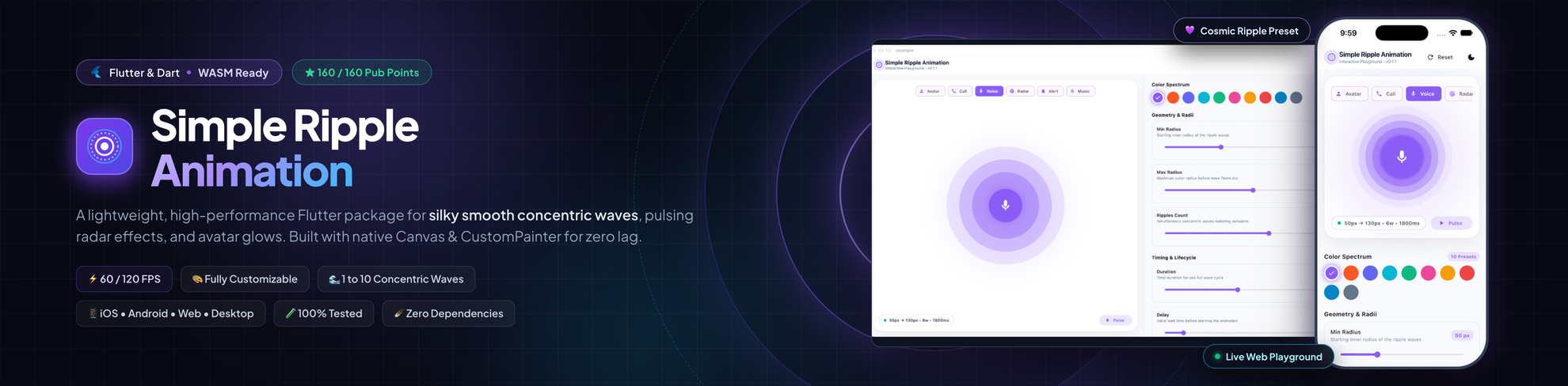
A lightweight, high-performance, and fully customizable Flutter package for creating smooth circular ripple waves, pulsing avatar glows, radar beacon effects, and call-ringing animations.




Explore the Live Demo to test ripples, customize parameters, and generate Flutter code in real time.
- 🌊 Smooth Concentric Ripple Waves: Configurable wave count, minimum radius, maximum radius, and custom duration.
- 🎨 Fully Customizable Aesthetics: Set any ripple color, alpha fade, delay, or repeat mode.
- ⚡ High Performance (60 / 120 FPS): Built with Flutter's native
CustomPainterandAnimationControllerfor zero lag and silky smooth frame rates. - 🪶 Zero External Dependencies: Pure Flutter implementation that stays lightweight and fast to compile.
- 📱 Multiplatform & WASM Ready: Seamlessly runs on Android, iOS, Web (JS & WebAssembly), macOS, Windows, and Linux.
- 🧩 Plug-and-Play: Wrap around any Flutter widget (
CircleAvatar,IconButton,Container,Icon,Text, etc.). - 🧪 100% Test Coverage: Backed by a comprehensive automated test suite.
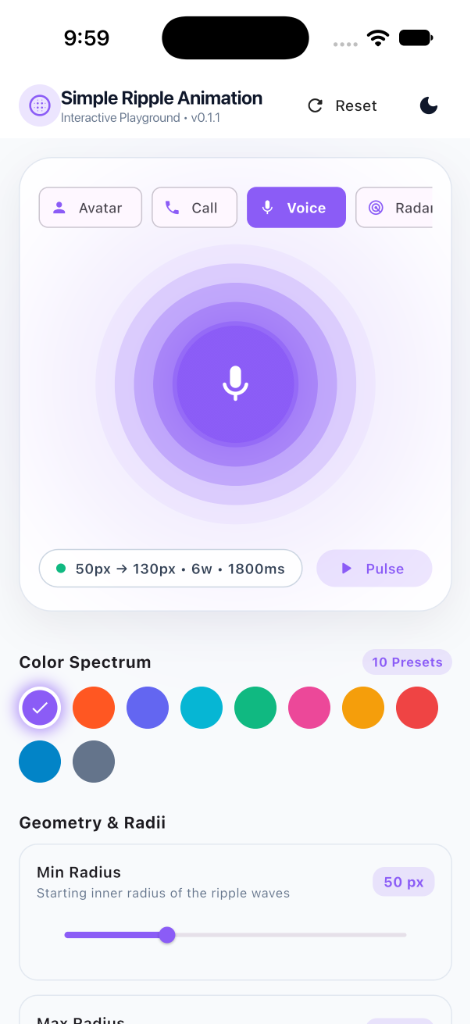 Mobile (iOS & Android) |
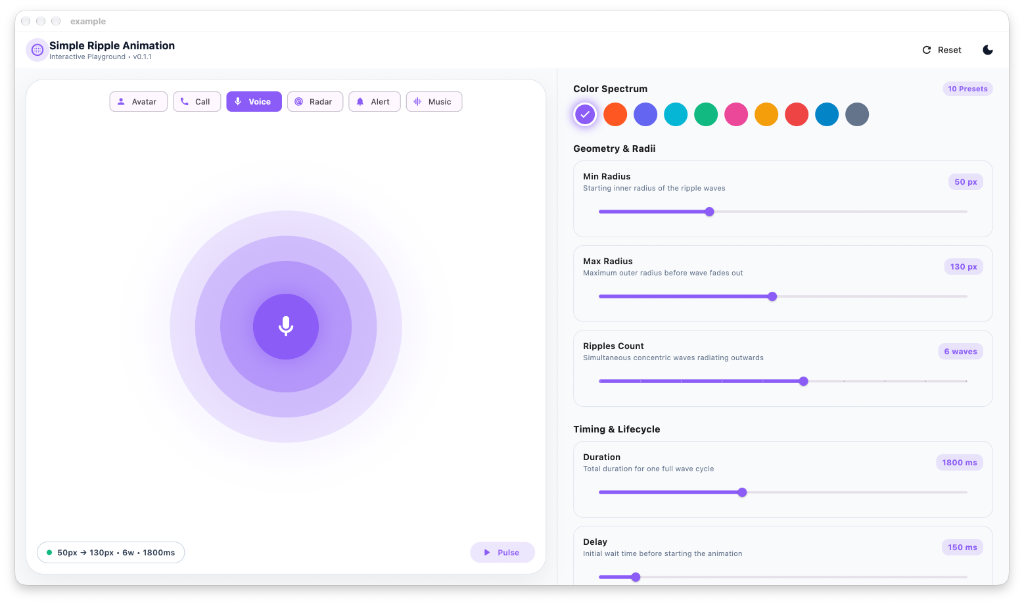 macOS & Web Desktop |
Run this command in your Flutter project terminal:
flutter pub add simple_ripple_animationOr add simple_ripple_animation directly to your pubspec.yaml:
dependencies:
  simple_ripple_animation: ^0.1.1
Then fetch the dependencies:
flutter pub getImport the package in your Dart code:
import 'package:simple_ripple_animation/simple_ripple_animation.dart';Wrap any widget with RippleAnimation to add an immediate ripple wave effect:
import 'package:flutter/material.dart';
import 'package:simple_ripple_animation/simple_ripple_animation.dart';

class BasicRippleExample extends StatelessWidget {
  const BasicRippleExample({super.key});

  @override
  Widget build(BuildContext context) {
    return Scaffold(
      body: Center(
        child: RippleAnimation(
          color: Colors.blue,
          delay: const Duration(milliseconds: 100),
          repeat: true,
          minRadius: 50,
          ripplesCount: 4,
          duration: const Duration(milliseconds: 2000),
          child: const CircleAvatar(
            minRadius: 50,
            maxRadius: 50,
            child: Icon(Icons.person, size: 40),
          ),
        ),
      ),
    );
  }
}Create an eye-catching online status or profile avatar with smooth fading pulses:
RippleAnimation(
  color: Colors.deepOrange,
  delay: const Duration(milliseconds: 300),
  repeat: true,
  minRadius: 75,
  maxRadius: 140,
  ripplesCount: 6,
  duration: const Duration(milliseconds: 1800),
  child: const CircleAvatar(
    minRadius: 75,
    maxRadius: 75,
    backgroundImage: NetworkImage('https://images.unsplash.com/photo-1535713875002-d1d0cf377fde?auto=format&fit=crop&w=300&q=80'),
  ),
)Simulate an active voice assistant listener or an incoming call screen:
RippleAnimation(
  color: Colors.green,
  delay: const Duration(milliseconds: 100),
  repeat: true,
  minRadius: 45,
  maxRadius: 110,
  ripplesCount: 4,
  duration: const Duration(milliseconds: 1400),
  child: Container(
    width: 90,
    height: 90,
    decoration: const BoxDecoration(
      shape: BoxShape.circle,
      color: Colors.green,
    ),
    child: const Icon(Icons.phone_in_talk, color: Colors.white, size: 36),
  ),
)Create a radar or location ping effect by customizing wave count and radius:
RippleAnimation(
  color: Colors.cyan,
  delay: const Duration(milliseconds: 250),
  repeat: true,
  minRadius: 30,
  maxRadius: 150,
  ripplesCount: 5,
  duration: const Duration(milliseconds: 2500),
  child: Container(
    width: 60,
    height: 60,
    decoration: BoxDecoration(
      shape: BoxShape.circle,
      color: Colors.cyan.withValues(alpha: 0.2),
      border: Border.all(color: Colors.cyan, width: 2),
    ),
    child: const Icon(Icons.radar, color: Colors.cyan, size: 30),
  ),
)| Parameter | Type | Default | Description |
|---|---|---|---|
child |
Widget |
required | The center widget around which ripple waves radiate (e.g. CircleAvatar, Icon, Container). |
color |
Color |
Colors.black |
The base color of the ripple waves. Opacity automatically fades gracefully outward. |
minRadius |
double |
60.0 |
The starting/inner radius of the ripple animation wave. |
maxRadius |
double |
120.0 |
The outer maximum radius that the ripple expands to before disappearing. |
ripplesCount |
int |
5 |
The number of simultaneous concentric waves visible in the animation. |
duration |
Duration |
Duration(milliseconds: 2300) |
The duration of one complete wave cycle. |
delay |
Duration |
Duration.zero |
Delay duration before starting the ripple animation. |
repeat |
bool |
false |
When true, loops the animation continuously (pulsing effect). When false, plays once. |
- 👤 User Profiles & Avatars: Highlight online presence, VIP members, or active voice participants.
- 📞 Calling Screens: Calling, ringing, or receiving indicators for audio/video apps.
- 🎙️ Voice Assistants & Audio Recorders: Animate while listening, recording, or processing voice input.
- 📍 Maps & Geolocation: Pulsing GPS position, radar beacon, or selected point of interest.
- 🔔 Alerts & Attention Grabbers: Unread messages, notification bells, and live beacon updates.
| Android | iOS | Web (WASM & JS) | macOS | Windows | Linux |
|---|---|---|---|---|---|
| ✅ | ✅ | ✅ | ✅ | ✅ | ✅ |
Contributions, issues, and feature requests are always welcome!
- Fork the Project on GitHub
- Create your Feature Branch (
git checkout -b feature/AmazingFeature) - Commit your Changes (
git commit -m 'Add some AmazingFeature') - Push to the Branch (
git push origin feature/AmazingFeature) - Open a Pull Request
This project is licensed under the BSD 3-Clause License - see the LICENSE file for details.
- Jemis Goti - Creator & Maintainer
- Furkan Arslan - Contributor
Made with ❤️ for the Flutter community. If this package helped you, don't forget to give it a ⭐ on GitHub and a 👍 on pub.dev!