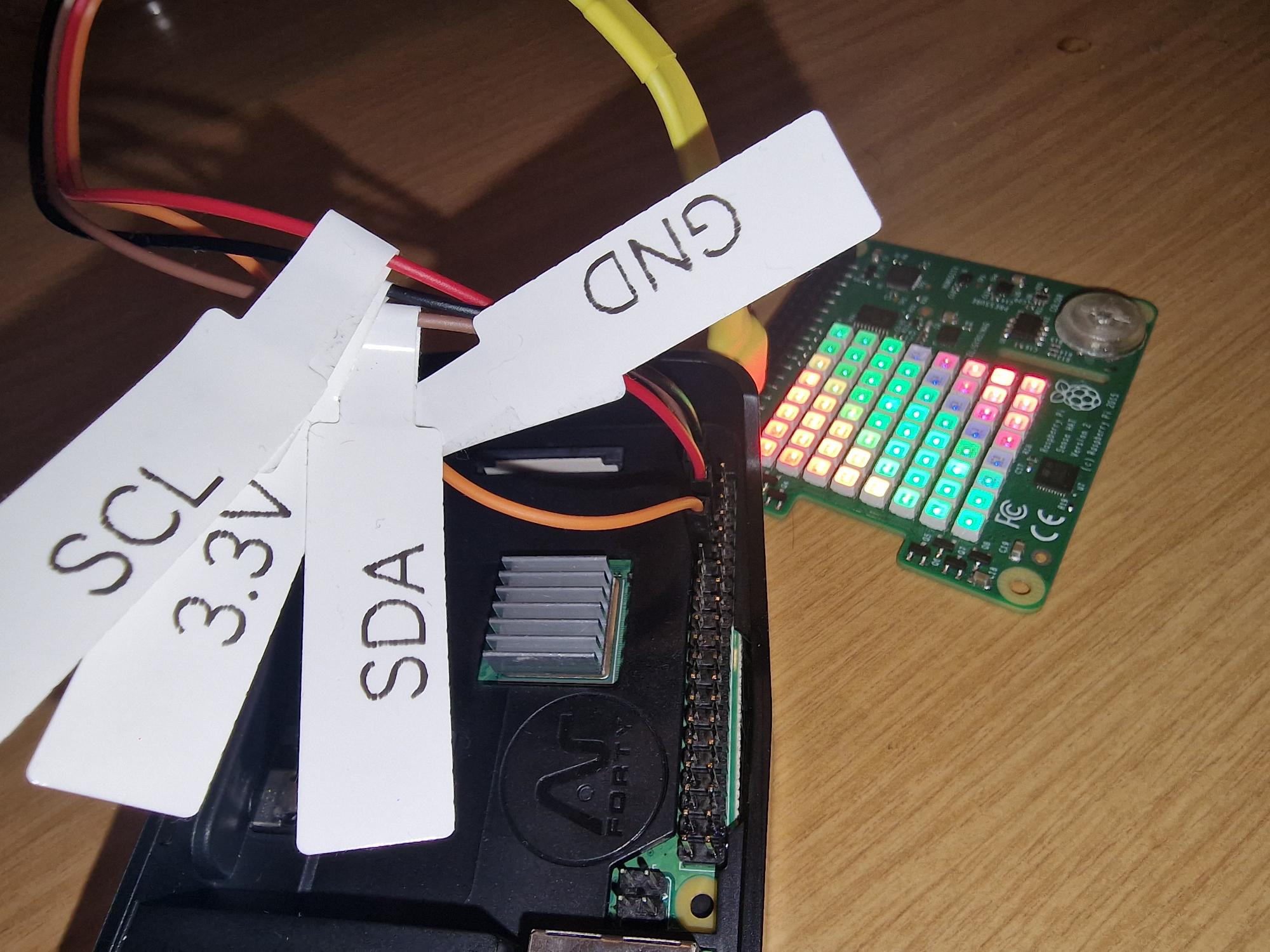
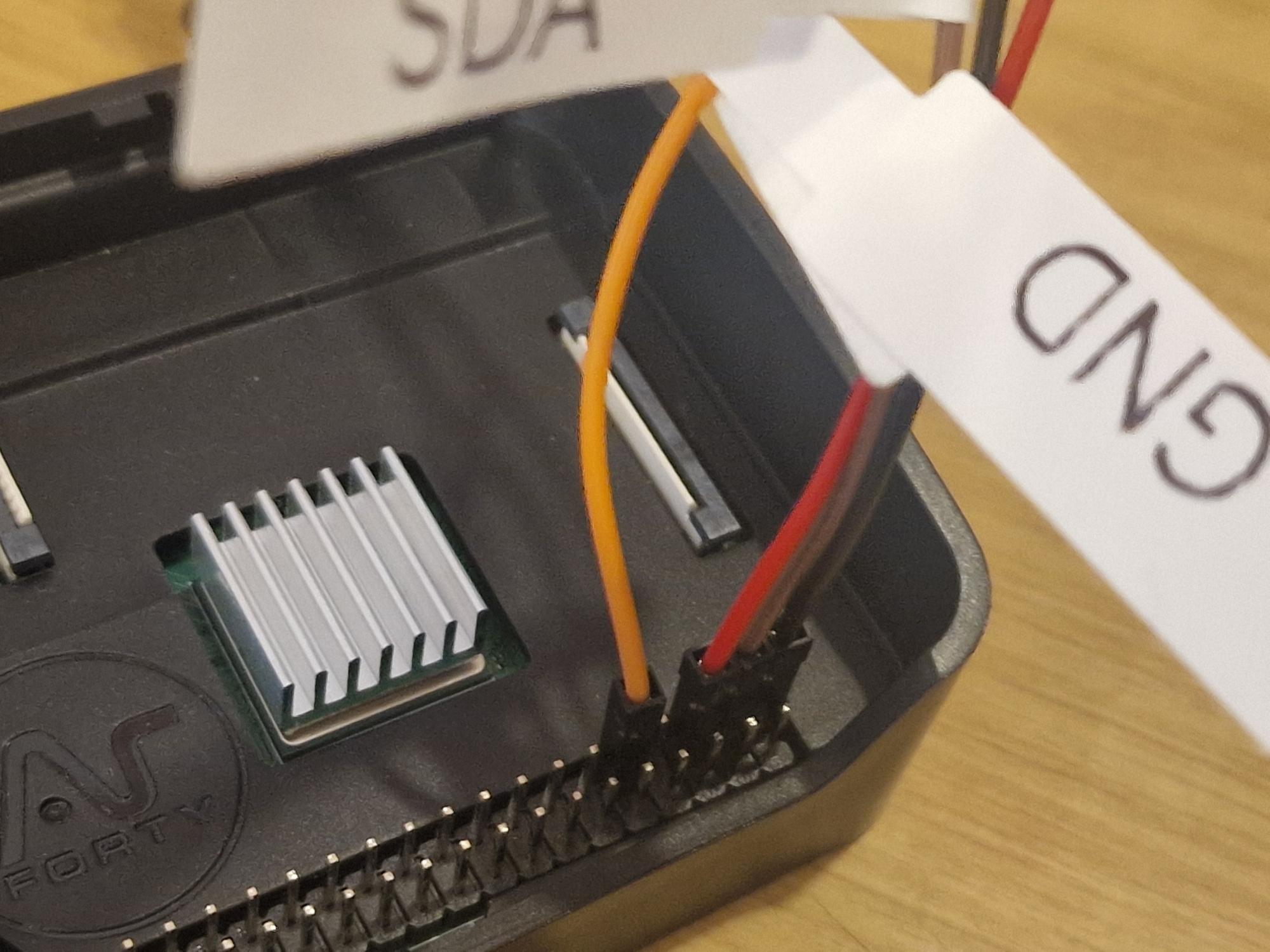
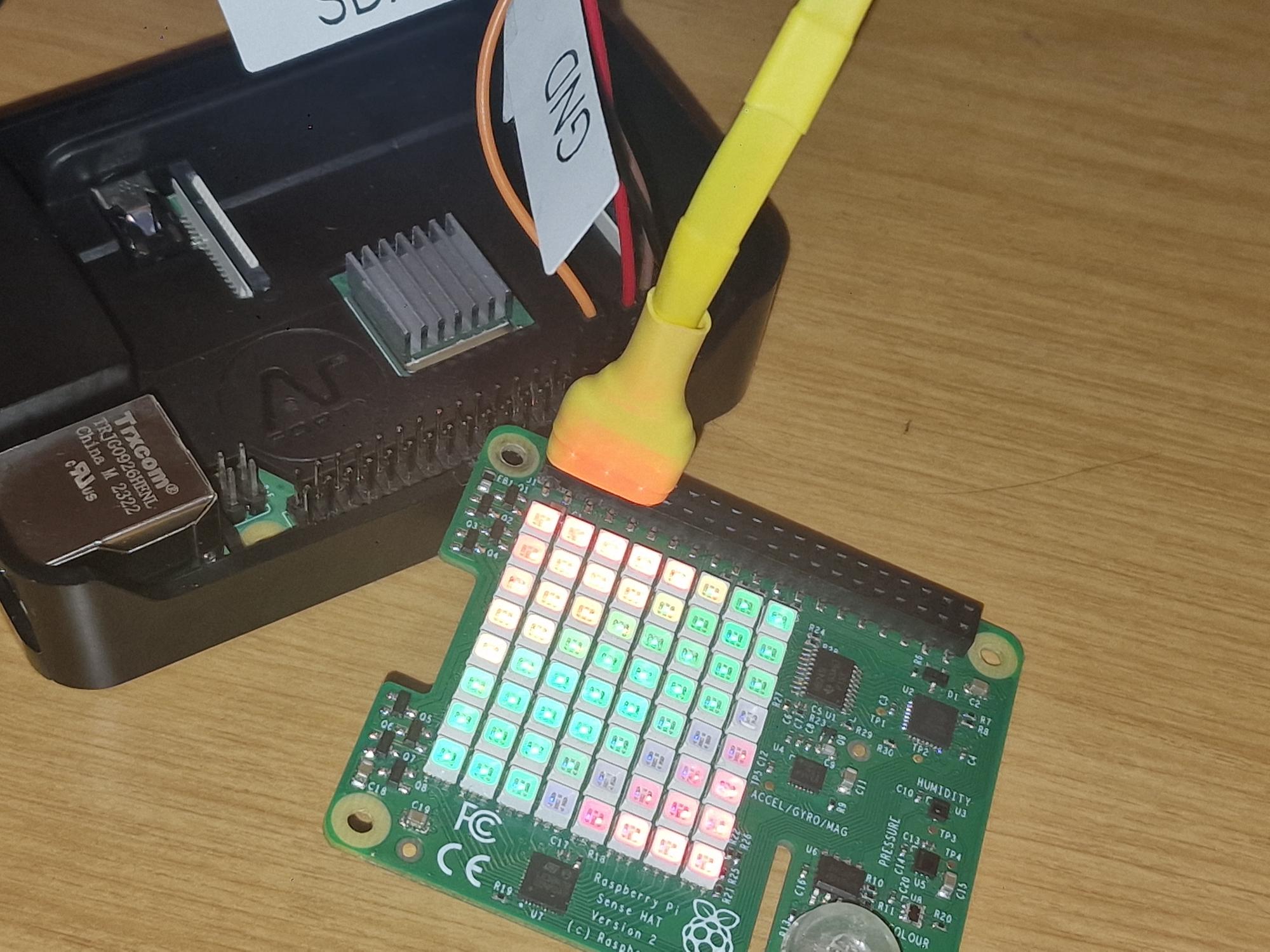
Before running the script, connect these pins from the Sense HAT to the Raspberry Pi:
3.3VGNDI2C SCLI2C SDA
Those four connections are enough to use this script.
If connected correctly, the LED matrix will light up. You can later switch the matrix off using this script.
LED matrix support is experimental and there may be bugs. Pull requests are welcome.
- Reads sensor data from:
- LPS25 (
pressure_hpa,temperature_c) - LSM9DS1 (
acceleration_m_s2,magnetic_gauss,gyro_rad_s,temperature_c) - HTS221 (
relative_humidity_percent,temperature_c)
- LPS25 (
- LED color by name, hex, or RGB triplet
- Human-formatted output with grouped labels
- Built-in web UI and JSON endpoint
- Python 3.10+
- Sense HAT connected over I2C
- Python packages:
adafruit-blinkaadafruit-circuitpython-lps2xadafruit-circuitpython-lsm9ds1adafruit-circuitpython-hts221adafruit-bus-device
Install in a virtual environment:
python -m venv .venv
source .venv/bin/activate

pip install --upgrade pip
pip install adafruit-blinka adafruit-circuitpython-lps2x adafruit-circuitpython-lsm9ds1 adafruit-circuitpython-hts221 adafruit-bus-deviceRun script:
python sensehat.py [options]-allreturn all sensor data-tempreturn temperature data-pressurereturn pressure data-accelreturn accelerometer data-gyroreturn gyroscope data-magreturn magnetometer data-humidityreturn humidity data-humanreturn human-readable output
-led-offclear the LED matrix-led-onenable LED matrix (uses-led-coloror white default)-led-color COLORset color:- named color (example:
lime,amber,blue) - hex (example:
#00ff00) - RGB triplet (example:
0 255 0)
- named color (example:
-led-rainbowpaint rainbow rows
-webserverstart web mode-web-hostbind host (default0.0.0.0)-web-portbind port (default8000)
Start webserver:
python sensehat.py -webserver -web-host 0.0.0.0 -web-port 8000Endpoints:
/HTML dashboard/jsonJSON payload/humanplain-text human format/healthhealth check (ok)