Repository navigation
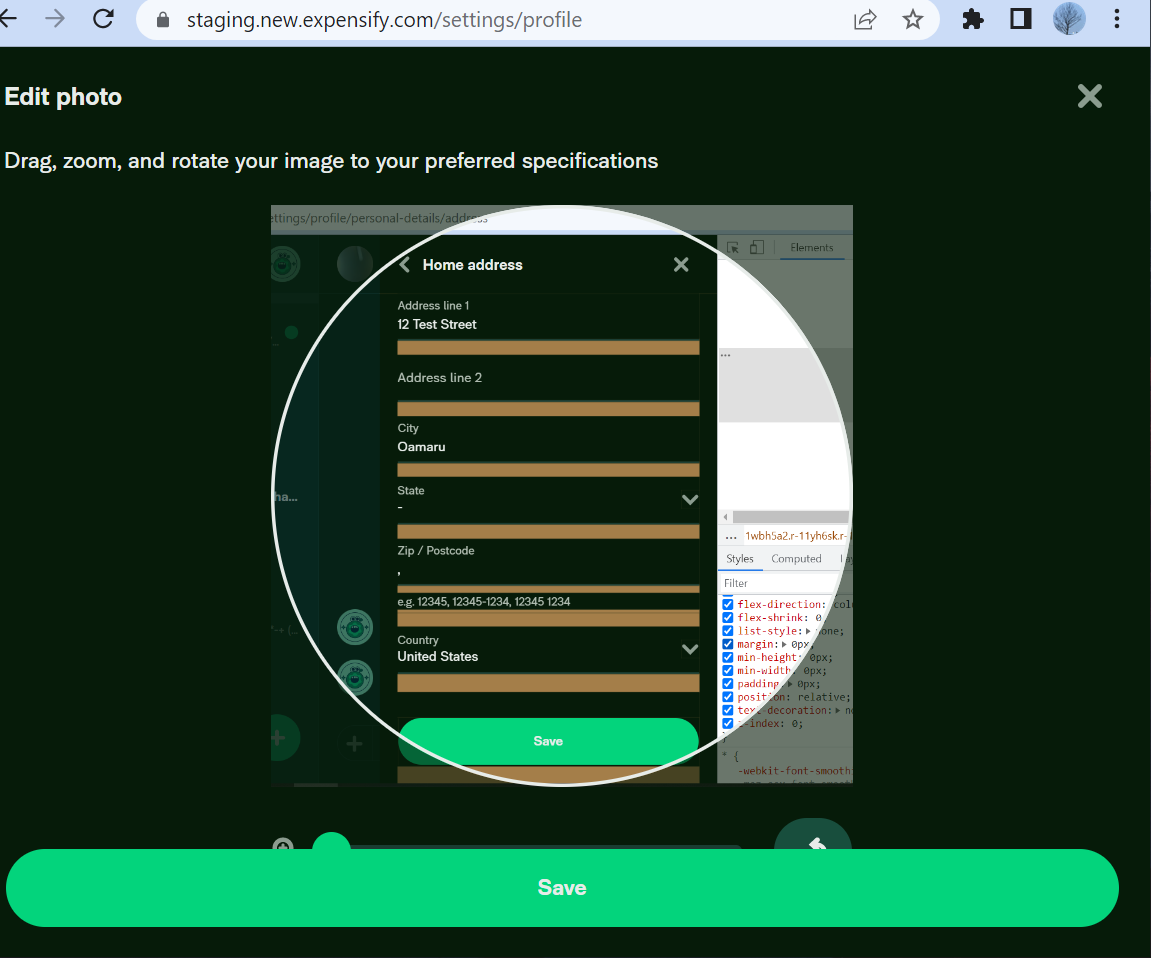
[HOLD Browser resizing #13971] slider is hidden by save button when user try to edit photo on resize mode #17752

Description

If you haven’t already, check out our contributing guidelines for onboarding and email contributors@expensify.com to request to join our Slack channel!
Action Performed:
- Resize the window to the mobile view or width <= 800px
- go to setting> profile
- click on profile pic and click on upload photo option
- choose any image
Expected Result:
slider should not be hidden by save button
Actual Result:
slider is hidden by save button
Workaround:
Can the user still use Expensify without this being fixed? Have you informed them of the workaround?
Platforms:
Which of our officially supported platforms is this issue occurring on?
- Android / native
- Android / Chrome
- iOS / native
- iOS / Safari
- MacOS / Chrome / Safari
- MacOS / Desktop
Version Number: 1.3.-2
Reproducible in staging?: y
Reproducible in production?: y
If this was caught during regression testing, add the test name, ID and link from TestRail:
Email or phone of affected tester (no customers):
Logs: https://stackoverflow.com/c/expensify/questions/4856
Notes/Photos/Videos: Any additional supporting documentation
Screen.Recording.2023-04-20.at.12.38.49.PM.mov
Expensify/Expensify Issue URL:
Issue reported by: @gadhiyamanan
Slack conversation: https://expensify.slack.com/archives/C049HHMV9SM/p1681974672064059
Activity
MelvinBot commentedon Apr 20, 2023
Triggered auto assignment to @johncschuster (
Bug), see https://stackoverflow.com/c/expensify/questions/14418 for more details.MelvinBot commentedon Apr 20, 2023
Bug0 Triage Checklist (Main S/O)
Platformsin OP are ✅)MelvinBot commentedon Apr 24, 2023
@johncschuster Whoops! This issue is 2 days overdue. Let's get this updated quick!
johncschuster commentedon Apr 24, 2023
I've asked for clarity on the size of the window that we should be resizing to reproduce the behavior.
https://expensify.slack.com/archives/C049HHMV9SM/p1681974672064059
PrashantMangukiya commentedon Apr 26, 2023
This is regression from this PR #17347
Within that PR they updated line 100 within
src/components/AvatarCropModal/AvatarCropModal.jsas shown below:I tested it and it will solve this issue if we keep the original line.
CC: @Santhosh-Sellavel @MonilBhavsar @PankajAS
Santhosh-Sellavel commentedon Apr 26, 2023
Screen.Recording.2023-04-26.at.10.32.14.PM.mov
Here is the updated video after the change. Even the slider itself and the component itself become unuseful when we keep on resizing. I don't think this case is something worth considering, if we feel need this to be addressed this needs to be done a better way, at some point we should keep the avatar size fixed and allow scrolling. Here is how Slack handles similar cases.
Screen.Recording.2023-04-26.at.10.47.58.PM.mov
This could be taken as an improvement in the same issue and handled separately. Thoughts @MonilBhavsar?
johncschuster commentedon Apr 27, 2023
Not overdue. We're working on it Melv
70 remaining items
greg-schroeder commentedon Dec 18, 2023
Still on hold, but John is back, so unassigning!
melvin-bot commentedon Dec 21, 2023
@johncschuster Whoops! This issue is 2 days overdue. Let's get this updated quick!
MonilBhavsar commentedon Dec 21, 2023
Parent issue is Monthly, so this can also be monthly
JmillsExpensify commentedon Jan 22, 2024
We don't plan on prioritizing browser resizing anytime soon. We're more focused on migrating our existing customers from our old platform to our new platform, which will minimally take the remainder of this year. We can open up this issue in the future if/when this becomes a priority.