Skip to content

Rules revamp: Standardize in-line delete experience - #100570

Merged
JS00001 merged 4 commits into
Expensify:mainfrom
Krishna2323:krishna2323/issue/100568
Sep 9, 2026
Merged

JS00001 merged 4 commits into
Expensify:mainfrom
Krishna2323:krishna2323/issue/100568

Conversation

@Krishna2323

@Krishna2323 Krishna2323 commented Sep 8, 2026 •

Copy link
Copy Markdown
Contributor

Explanation of Change

Fixed Issues

$ #100568
PROPOSAL:

Tests

Prereqs: Control workspace, account have access to rulesRevamp beta, Categories and Taxes enabled.

Delete works on all five rule types

  1. Go to Workspace settings > Rules > Expense defaults and open a saved merchant rule.
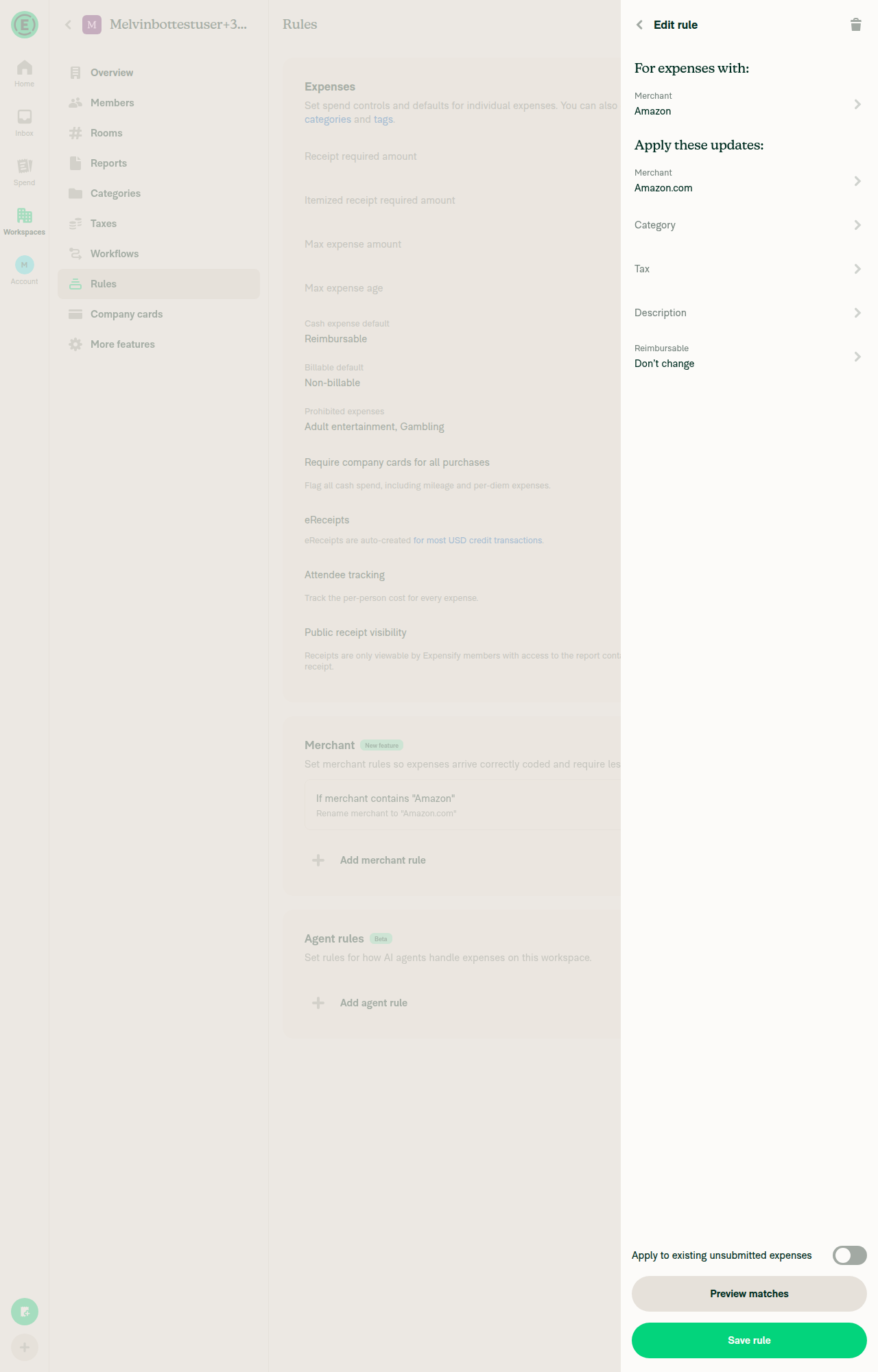
  2. Verify a trashcan icon shows in the top right and hovering it reads "Delete".
  3. Tap it, confirm, and verify the rule is gone from the table.
  4. Repeat steps 1-3 for a category tax rule (Expense defaults tab).
  5. Repeat for a Field requirements rule.
  6. Repeat for a Flag for review rule.
  7. Repeat for a Card restrictions rule (needs Expensify Card enabled).
  8. Repeat for an Agents rule (needs the Custom agent beta).
  9. Verify no rule editor still shows a "Delete rule" button at the bottom of the page.

Trashcan is hidden when there is nothing to delete

  1. Start a new rule of each type (Add rule) and verify no trashcan appears until it's saved.
  2. On a workspace with no default tax rate, open a category tax rule and verify no trashcan.

Read-only access

  1. Sign in as an auditor or member of the workspace and open a saved rule of each type.
  2. Verify the rule is readable and no trashcan appears.
  3. Repeat on an archived workspace as an admin and verify the same.
  • Verify that no errors appear in the JS console

Offline tests

  1. Go offline, open a saved merchant rule, delete it, and verify the row greys out as pending.
  2. While still offline, reopen that rule via the table and verify no trashcan appears.
  3. Go back online and verify the rule is gone.

QA Steps

  • Same as tests

  • Verify that no errors appear in the JS console

PR Author Checklist

  • I linked the correct issue in the ### Fixed Issues section above
  • I wrote clear testing steps that cover the changes made in this PR
    • I added steps for local testing in the Tests section
    • I added steps for the expected offline behavior in the Offline steps section
    • I added steps for Staging and/or Production testing in the QA steps section
    • I added steps to cover failure scenarios (i.e. verify an input displays the correct error message if the entered data is not correct)
    • I turned off my network connection and tested it while offline to ensure it matches the expected behavior (i.e. verify the default avatar icon is displayed if app is offline)
    • I tested this PR with a High Traffic account against the staging or production API to ensure there are no regressions (e.g. long loading states that impact usability).
  • I included screenshots or videos for tests on all platforms
  • I ran the tests on all platforms & verified they passed on:
    • Android: Native
    • Android: mWeb Chrome
    • iOS: Native
    • iOS: mWeb Safari
    • MacOS: Chrome / Safari
    • MacOS: Desktop
  • I verified there are no console errors (if there's a console error not related to the PR, report it or open an issue for it to be fixed)
  • I verified there are no new alerts related to the canBeMissing param for useOnyx
  • I followed proper code patterns (see Reviewing the code)
    • I verified that any callback methods that were added or modified are named for what the method does and never what callback they handle (i.e. toggleReport and not onIconClick)
    • I verified that comments were added to code that is not self explanatory
    • I verified that any new or modified comments were clear, correct English, and explained "why" the code was doing something instead of only explaining "what" the code was doing.
    • I verified any copy / text shown in the product is localized by adding it to src/languages/* files and using the translation method
      • If any non-english text was added/modified, I used JaimeGPT to get English > Spanish translation. I then posted it in #expensify-open-source and it was approved by an internal Expensify engineer. Link to Slack message:
    • I verified all numbers, amounts, dates and phone numbers shown in the product are using the localization methods
    • I verified any copy / text that was added to the app is grammatically correct in English. It adheres to proper capitalization guidelines (note: only the first word of header/labels should be capitalized), and is either coming verbatim from figma or has been approved by marketing (in order to get marketing approval, ask the Bug Zero team member to add the Waiting for copy label to the issue)
    • I verified proper file naming conventions were followed for any new files or renamed files. All non-platform specific files are named after what they export and are not named "index.js". All platform-specific files are named for the platform the code supports as outlined in the README.
    • I verified the JSDocs style guidelines (in STYLE.md) were followed
  • If a new code pattern is added I verified it was agreed to be used by multiple Expensify engineers
  • I followed the guidelines as stated in the Review Guidelines
  • I tested other components that can be impacted by my changes (i.e. if the PR modifies a shared library or component like Avatar, I verified the components using Avatar are working as expected)
  • I verified all code is DRY (the PR doesn't include any logic written more than once, with the exception of tests)
  • I verified any variables that can be defined as constants (ie. in CONST.ts or at the top of the file that uses the constant) are defined as such
  • I verified that if a function's arguments changed that all usages have also been updated correctly
  • If any new file was added I verified that:
    • The file has a description of what it does and/or why is needed at the top of the file if the code is not self explanatory
  • If a new CSS style is added I verified that:
    • A similar style doesn't already exist
    • The style can't be created with an existing StyleUtils function (i.e. StyleUtils.getBackgroundAndBorderStyle(theme.componentBG))
  • If new assets were added or existing ones were modified, I verified that:
    • The assets are optimized and compressed (for SVG files, run npm run compress-svg)
    • The assets load correctly across all supported platforms.
  • If the PR modifies code that runs when editing or sending messages, I tested and verified there is no unexpected behavior for all supported markdown - URLs, single line code, code blocks, quotes, headings, bold, strikethrough, and italic.
  • If the PR modifies a generic component, I tested and verified that those changes do not break usages of that component in the rest of the App (i.e. if a shared library or component like Avatar is modified, I verified that Avatar is working as expected in all cases)
  • If the PR modifies a component related to any of the existing Storybook stories, I tested and verified all stories for that component are still working as expected.
  • If the PR modifies a component or page that can be accessed by a direct deeplink, I verified that the code functions as expected when the deeplink is used - from a logged in and logged out account.
  • If the PR modifies the UI (e.g. new buttons, new UI components, changing the padding/spacing/sizing, moving components, etc) or modifies the form input styles:
    • I verified that all the inputs inside a form are aligned with each other.
    • I added Design label and/or tagged @Expensify/design so the design team can review the changes.
  • If a new page is added, I verified it's using the ScrollView component to make it scrollable when more elements are added to the page.
  • I added unit tests for any new feature or bug fix in this PR to help automatically prevent regressions in this user flow.
  • If the main branch was merged into this PR after a review, I tested again and verified the outcome was still expected according to the Test steps.

Screenshots/Videos

Android: Native
android_hybrid.mp4
Android: mWeb Chrome
android_mWeb.mp4
iOS: Native
ios_hybrid.mp4
iOS: mWeb Safari
ios_mWeb.mp4
MacOS: Chrome / Safari
web_chrome.mp4

Signed-off-by: krishna2323 <belivethatkg@gmail.com>
@Krishna2323 Krishna2323 changed the title Krishna2323/issue/100568 Rules revamp: Standardize in-line delete experience Sep 8, 2026
@codecov

codecov Bot commented Sep 8, 2026 •

Copy link
Copy Markdown

@Krishna2323
Krishna2323 marked this pull request as ready for review September 8, 2026 08:07
@Krishna2323
Krishna2323 requested review from a team as code owners September 8, 2026 08:08
@melvin-bot
melvin-bot Bot requested review from joekaufmanexpensify and situchan and removed request for a team September 8, 2026 08:08
@melvin-bot

melvin-bot Bot commented Sep 8, 2026

Copy link
Copy Markdown

@situchan Please copy/paste the Reviewer Checklist from here into a new comment on this PR and complete it. If you have the K2 extension, you can simply click: [this button]

@github-actions

github-actions Bot commented Sep 8, 2026

Copy link
Copy Markdown
Contributor

🚧 shawnborton has triggered a test Expensify/App build. You can view the workflow run here.

@github-actions

This comment has been minimized.

@shawnborton

Copy link
Copy Markdown
Contributor

Feels great to me 👍

Signed-off-by: krishna2323 <belivethatkg@gmail.com>
@dannymcclain

Copy link
Copy Markdown
Contributor

Looks good to me too 👍

@joekaufmanexpensify joekaufmanexpensify left a comment

Copy link
Copy Markdown
Contributor

Choose a reason for hiding this comment

The reason will be displayed to describe this comment to others. Learn more.

LGTM, nice change

@JmillsExpensify
JmillsExpensify self-requested a review September 8, 2026 16:28
JmillsExpensify
JmillsExpensify previously approved these changes Sep 8, 2026

@JmillsExpensify JmillsExpensify left a comment

Copy link
Copy Markdown
Contributor

Choose a reason for hiding this comment

The reason will be displayed to describe this comment to others. Learn more.

Looks great to me as well! @situchan you are up.

@chatgpt-codex-connector chatgpt-codex-connector Bot left a comment

Copy link
Copy Markdown

Choose a reason for hiding this comment

The reason will be displayed to describe this comment to others. Learn more.

💡 Codex Review

Here are some automated review suggestions for this pull request.

Reviewed commit: 61eb5e0095

ℹ️ About Codex in GitHub

Codex has been enabled to automatically review pull requests in this repo. Reviews are triggered when you

  • Open a pull request for review
  • Mark a draft as ready
  • Comment "@codex review".

If Codex has suggestions, it will comment; otherwise it will react with 👍.

When you sign up for Codex through ChatGPT, Codex can also answer questions or update the PR, like "@codex address that feedback".

@situchan

situchan commented Sep 8, 2026 •

Copy link
Copy Markdown
Contributor

Bug?: Delete lands on the wrong screen in the category-scoped flow

  1. Workspace → Categories → pick a category → Rules → Flag for review, and set an amount so a rule exists.
  2. Go back to the category.
  3. Tap Flag for review again — it opens the Add screen seeded with the existing rule.
  4. Tap the trashcan → Delete.
  5. You land on the "New rule" list, not the category's settings page you came from. Saving from that same screen returns to the category correctly.

(Same happens in Require-fields page)

bug.mov

@situchan

situchan commented Sep 8, 2026 •

Copy link
Copy Markdown
Contributor

Reviewer Checklist

  • I have verified the author checklist is complete (all boxes are checked off).
  • I verified the correct issue is linked in the ### Fixed Issues section above
  • I verified testing steps are clear and they cover the changes made in this PR
    • I verified the steps for local testing are in the Tests section
    • I verified the steps for Staging and/or Production testing are in the QA steps section
    • I verified the steps cover any possible failure scenarios (i.e. verify an input displays the correct error message if the entered data is not correct)
    • I turned off my network connection and tested it while offline to ensure it matches the expected behavior (i.e. verify the default avatar icon is displayed if app is offline)
  • I checked that screenshots or videos are included for tests on all platforms
  • I included screenshots or videos for tests on all platforms
  • I verified that the composer does not automatically focus or open the keyboard on mobile unless explicitly intended. This includes checking that returning the app from the background does not unexpectedly open the keyboard.
  • I verified tests pass on all platforms & I tested again on:
    • Android: HybridApp
    • Android: mWeb Chrome
    • iOS: HybridApp
    • iOS: mWeb Safari
    • MacOS: Chrome / Safari
  • If there are any errors in the console that are unrelated to this PR, I either fixed them (preferred) or linked to where I reported them in Slack
  • I verified proper code patterns were followed (see Reviewing the code)
    • I verified that any callback methods that were added or modified are named for what the method does and never what callback they handle (i.e. toggleReport and not onIconClick).
    • I verified that comments were added to code that is not self explanatory
    • I verified that any new or modified comments were clear, correct English, and explained "why" the code was doing something instead of only explaining "what" the code was doing.
    • I verified any copy / text that was added to the app is grammatically correct in English. It adheres to proper capitalization guidelines (note: only the first word of header/labels should be capitalized), and is either coming verbatim from figma or has been approved by marketing (in order to get marketing approval, ask the Bug Zero team member to add the Waiting for copy label to the issue)
  • If a new code pattern is added I verified it was agreed to be used by multiple Expensify engineers
  • I verified that this PR follows the guidelines as stated in the Review Guidelines
  • I verified other components that can be impacted by these changes have been tested, and I retested again (i.e. if the PR modifies a shared library or component like Avatar, I verified the components using Avatar have been tested & I retested again)
  • If a new component is created I verified that:
    • A similar component doesn't exist in the codebase
    • All props are defined accurately and each prop has a /** comment above it */
    • The file is named correctly
    • The component has a clear name that is non-ambiguous and the purpose of the component can be inferred from the name alone
    • The only data being stored in the state is data necessary for rendering and nothing else
    • For Class Components, any internal methods passed to components event handlers are bound to this properly so there are no scoping issues (i.e. for onClick={this.submit} the method this.submit should be bound to this in the constructor)
    • Any internal methods bound to this are necessary to be bound (i.e. avoid this.submit = this.submit.bind(this); if this.submit is never passed to a component event handler like onClick)
    • All JSX used for rendering exists in the render method
    • The component has the minimum amount of code necessary for its purpose, and it is broken down into smaller components in order to separate concerns and functions
  • If any new file was added I verified that:
    • The file has a description of what it does and/or why is needed at the top of the file if the code is not self explanatory
  • If a new CSS style is added I verified that:
    • A similar style doesn't already exist
    • The style can't be created with an existing StyleUtils function (i.e. StyleUtils.getBackgroundAndBorderStyle(theme.componentBG)
  • If the PR modifies code that runs when editing or sending messages, I tested and verified there is no unexpected behavior for all supported markdown - URLs, single line code, code blocks, quotes, headings, bold, strikethrough, and italic.
  • If the PR modifies a generic component, I tested and verified that those changes do not break usages of that component in the rest of the App (i.e. if a shared library or component like Avatar is modified, I verified that Avatar is working as expected in all cases)
  • If the PR modifies a component related to any of the existing Storybook stories, I tested and verified all stories for that component are still working as expected.
  • If the PR modifies a component or page that can be accessed by a direct deeplink, I verified that the code functions as expected when the deeplink is used - from a logged in and logged out account.
  • If the PR modifies the UI (e.g. new buttons, new UI components, changing the padding/spacing/sizing, moving components, etc) or modifies the form input styles:
    • I verified that all the inputs inside a form are aligned with each other.
    • I added Design label and/or tagged @Expensify/design so the design team can review the changes.
  • For any bug fix or new feature in this PR, I verified that sufficient unit tests are included to prevent regressions in this flow.
  • If the main branch was merged into this PR after a review, I tested again and verified the outcome was still expected according to the Test steps.
  • I have checked off every checkbox in the PR reviewer checklist, including those that don't apply to this PR.

Screenshots/Videos

Android: HybridApp
Android: mWeb Chrome
iOS: HybridApp
ios.mov
iOS: mWeb Safari
MacOS: Chrome / Safari
web.mov

@MelvinBot

MelvinBot commented Sep 8, 2026 •

Copy link
Copy Markdown
Contributor

🤖 Web test steps verification results: ⚠️ partial

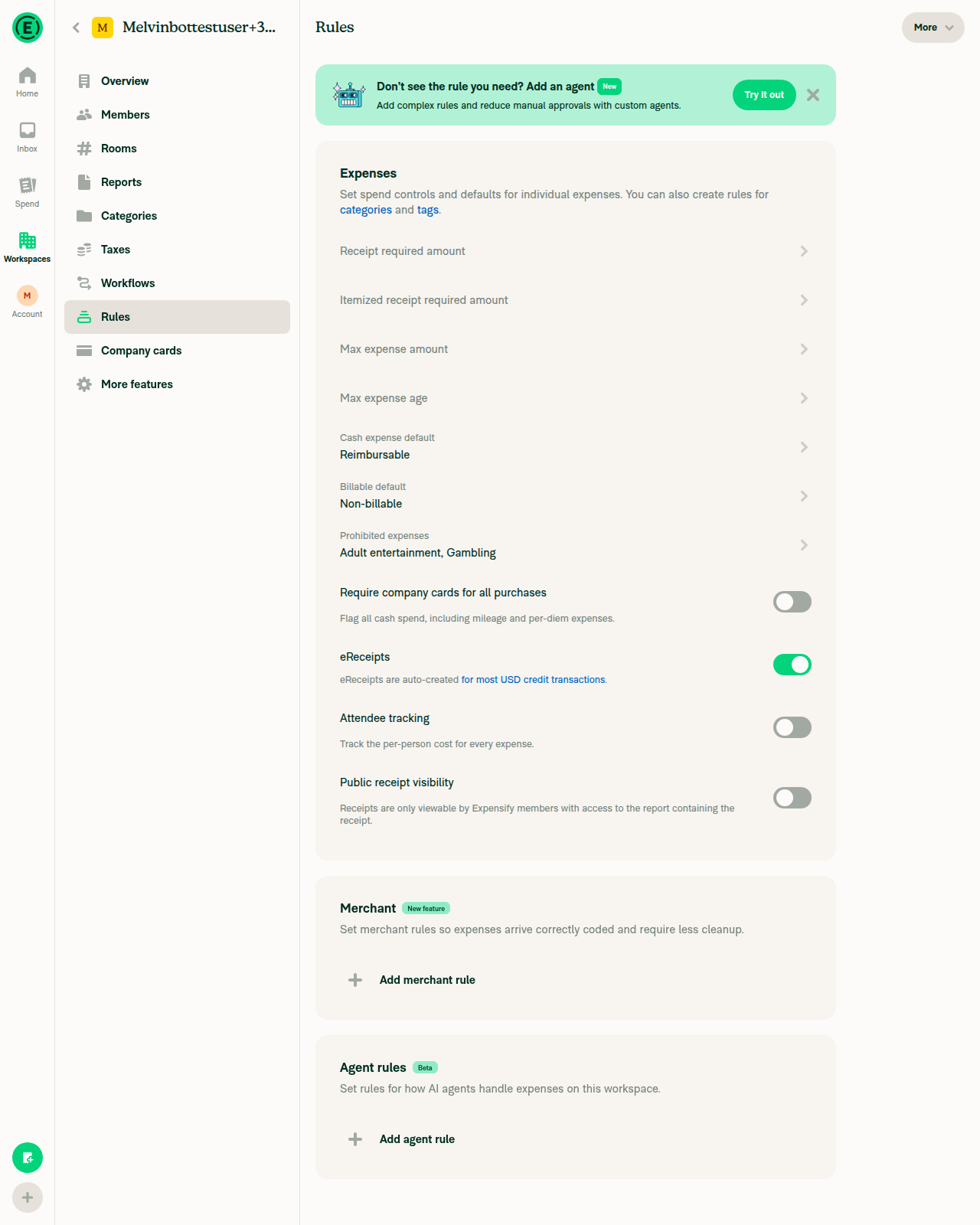
Verified the new trashcan delete header and its confirmation end-to-end, including the offline flow, through the merchant rule editor — which wires up useRuleDeleteHeaderProps unconditionally, so it exercises exactly the code this PR adds. The Expense-defaults tab, category tax, Field requirements and Flag for review flows could not be reached: the CI test account does not have the rulesRevamp beta and there is no in-app way to grant it.

Rule gone from the table after reconnecting

Step Status
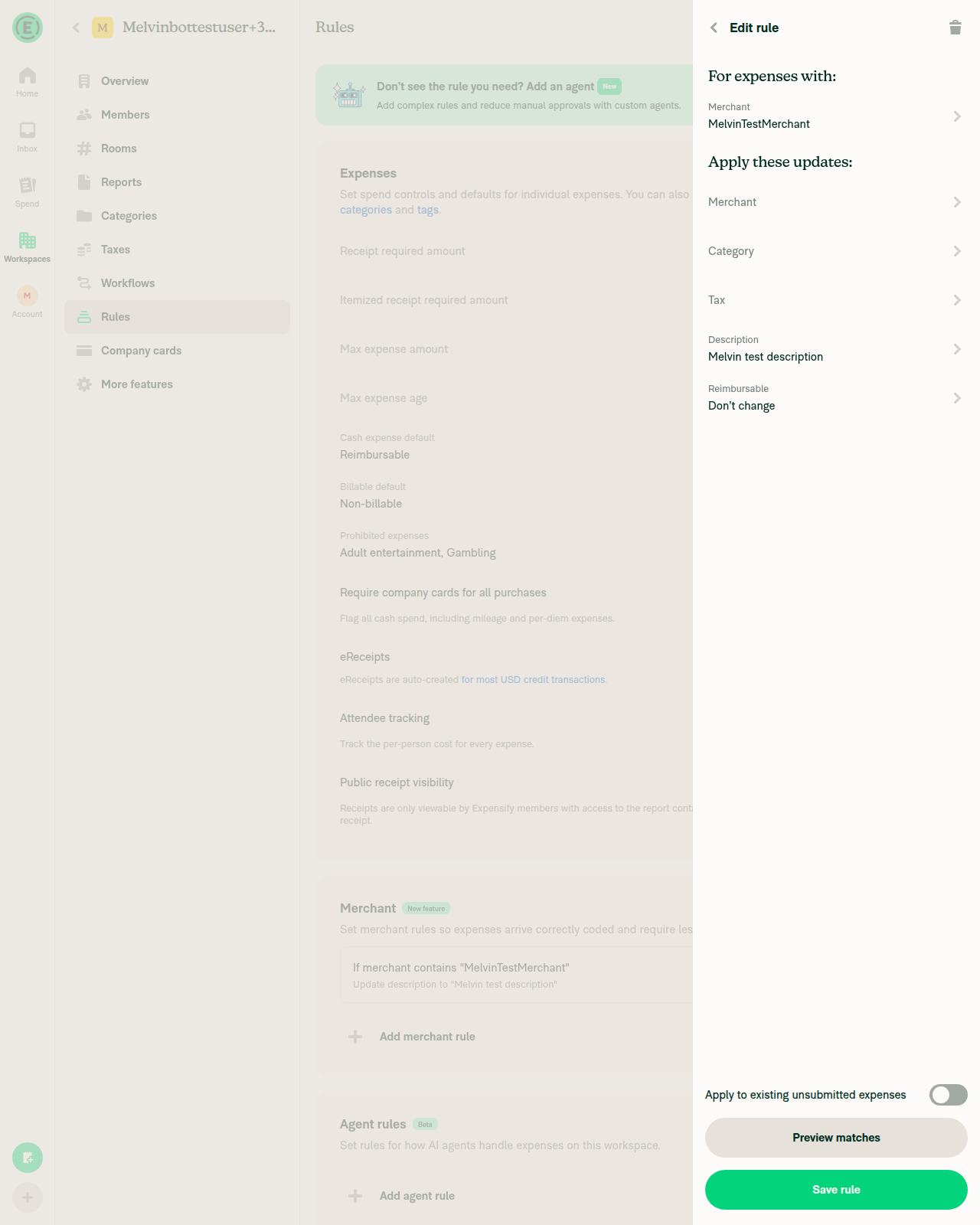
1. Open a saved merchant rule; trashcan shows top right and reads "Delete"Header renders a button with accessible name "Delete" next to Back.
Saved merchant rule edit page with Delete trashcan in header
✅
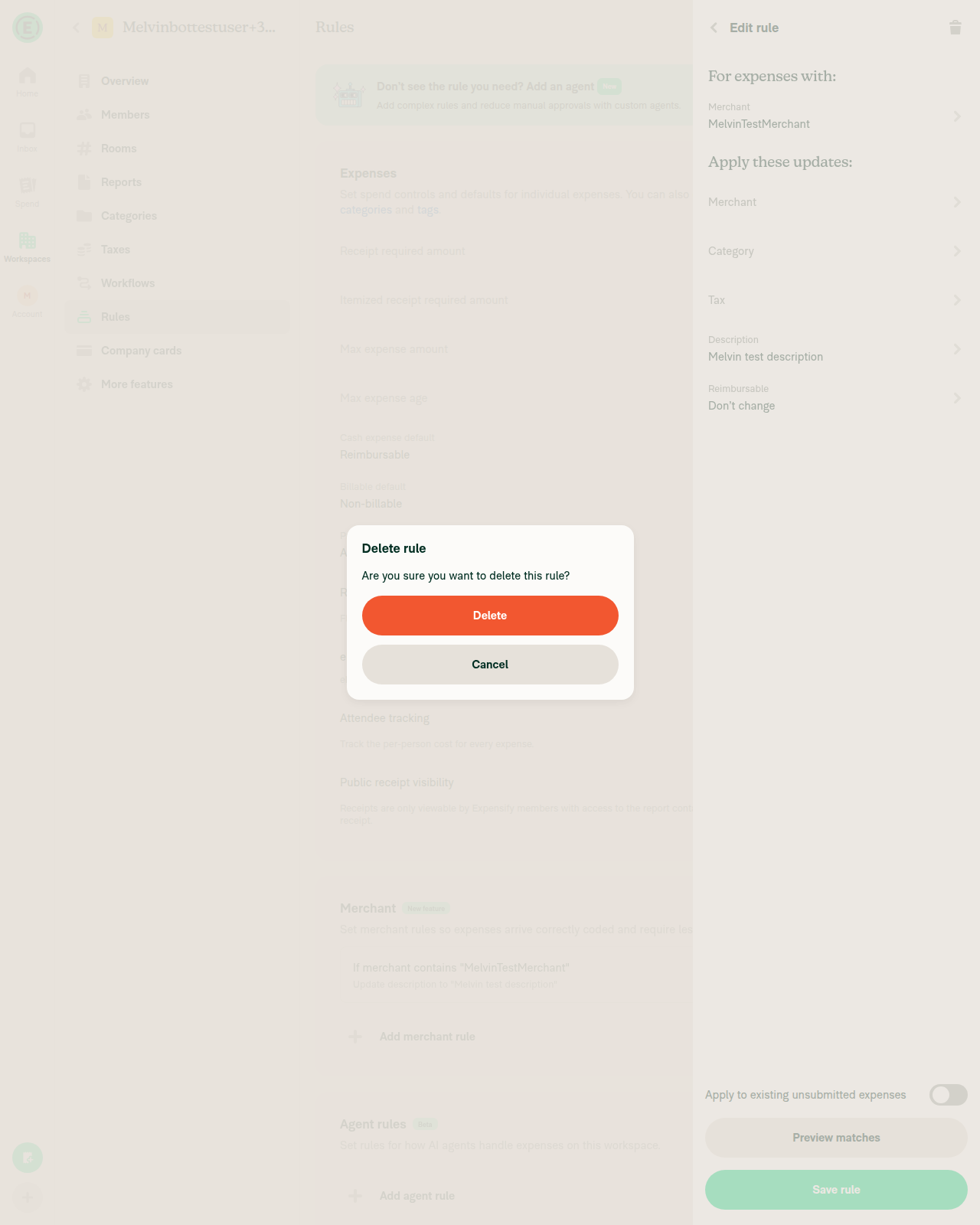
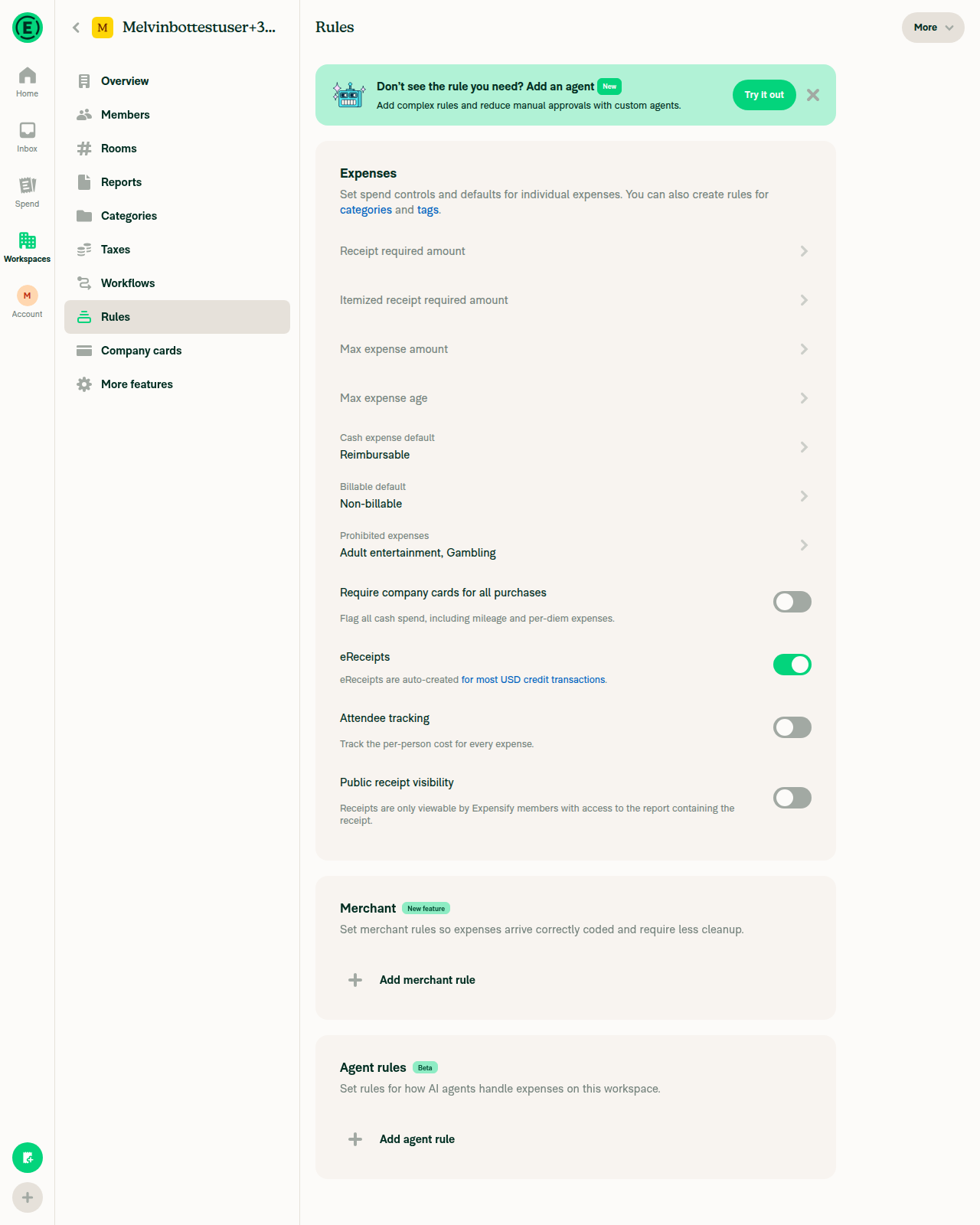
2. Tap it, confirm, rule is gone from the tableClicking Delete opened "Delete rule / Are you sure you want to delete this rule?" with Delete and Cancel; confirming removed the row.
Delete rule confirmation dialog
Rule removed from the table after confirming delete
✅
3. Category tax rule (Expense defaults tab)Blocked. Without the beta, category tax editing goes through WorkspaceCategoryDefaultTaxRatePage, not MerchantRulePageBase, so this path is unreachable on the test account.
⚠️
4. Field requirements ruleBlocked. RequireFieldsRulePageBase sets shouldBeBlocked={!isRulesRevampEnabled}; the non-revamp Rules page has no Field requirements section.
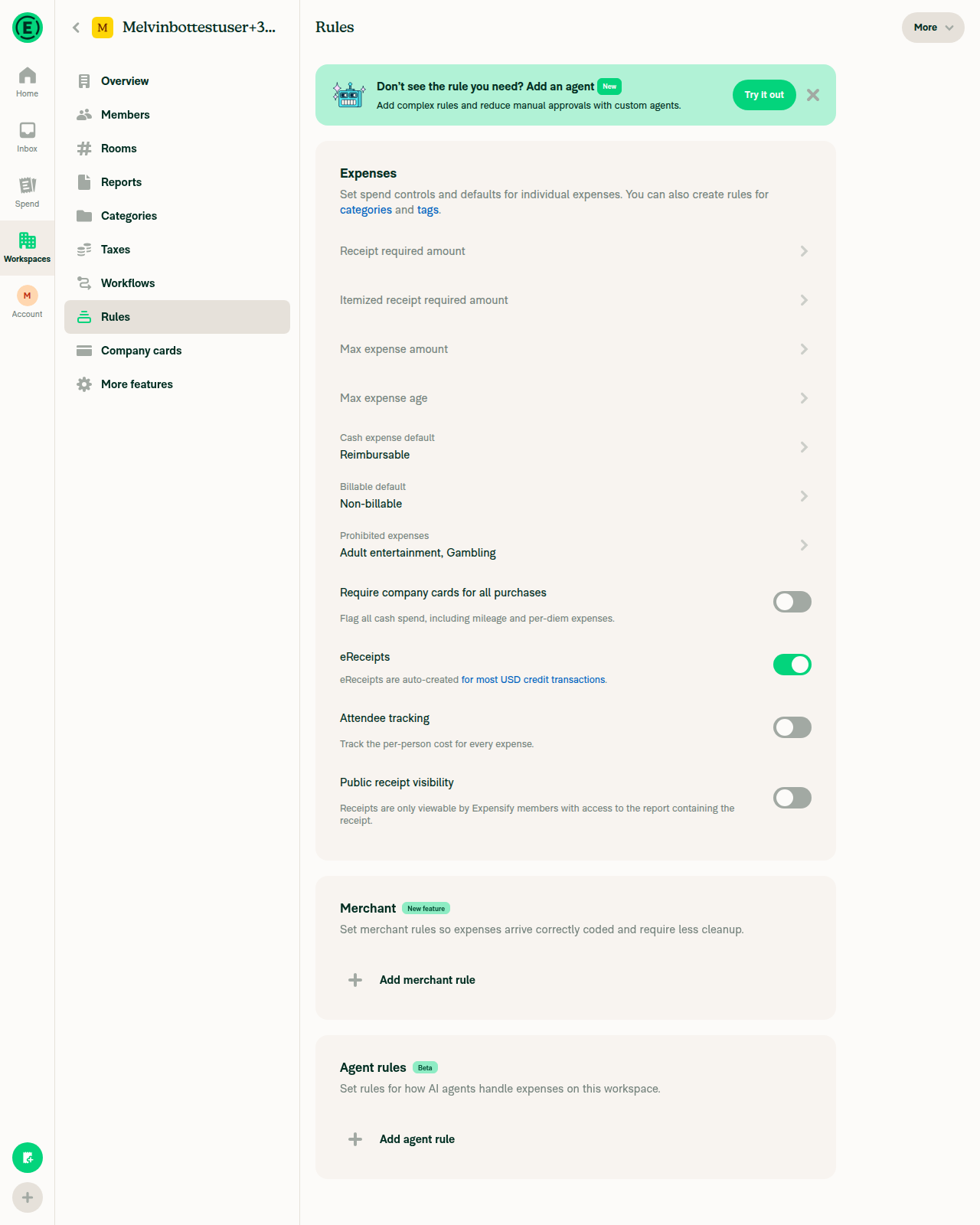
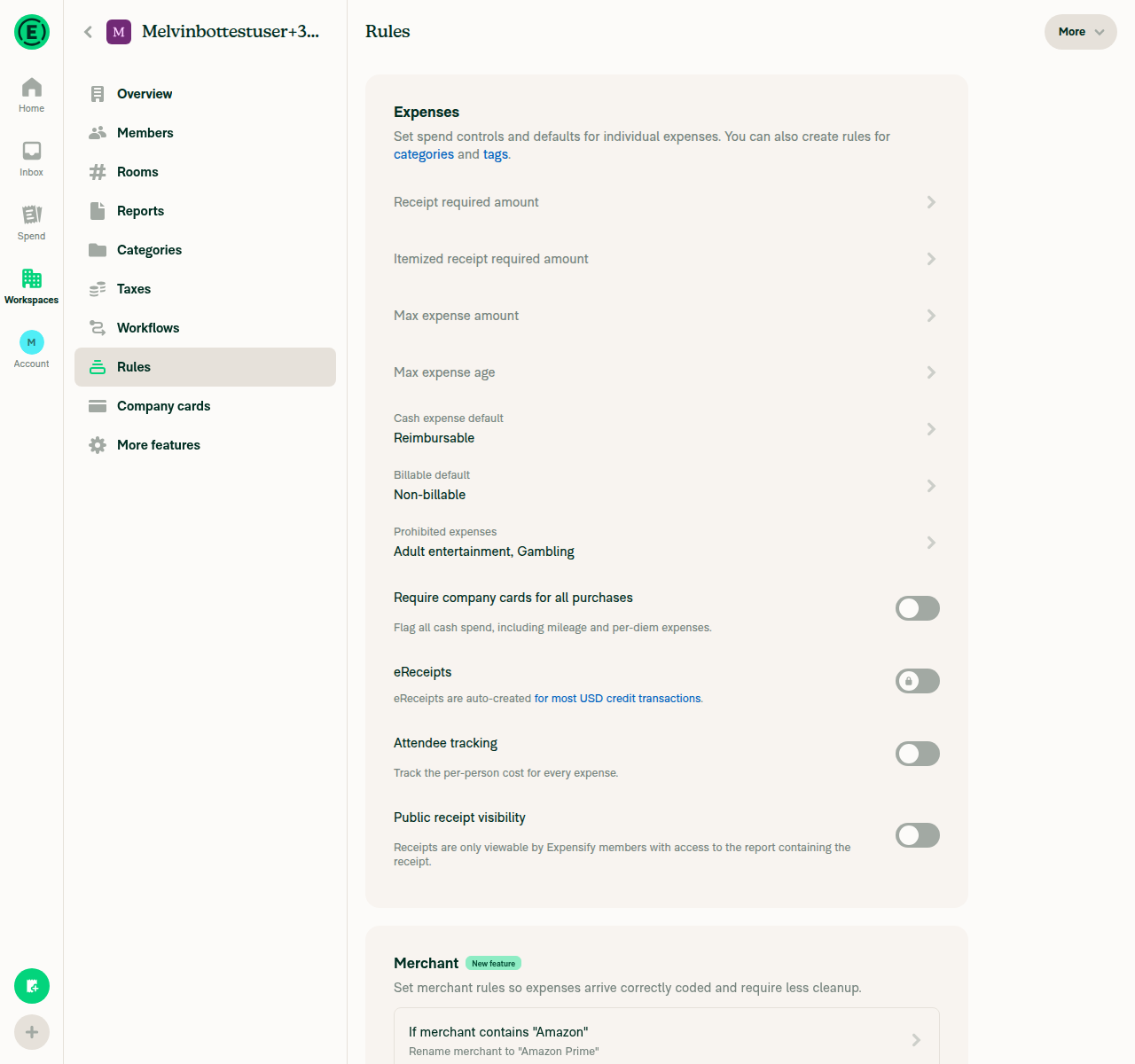
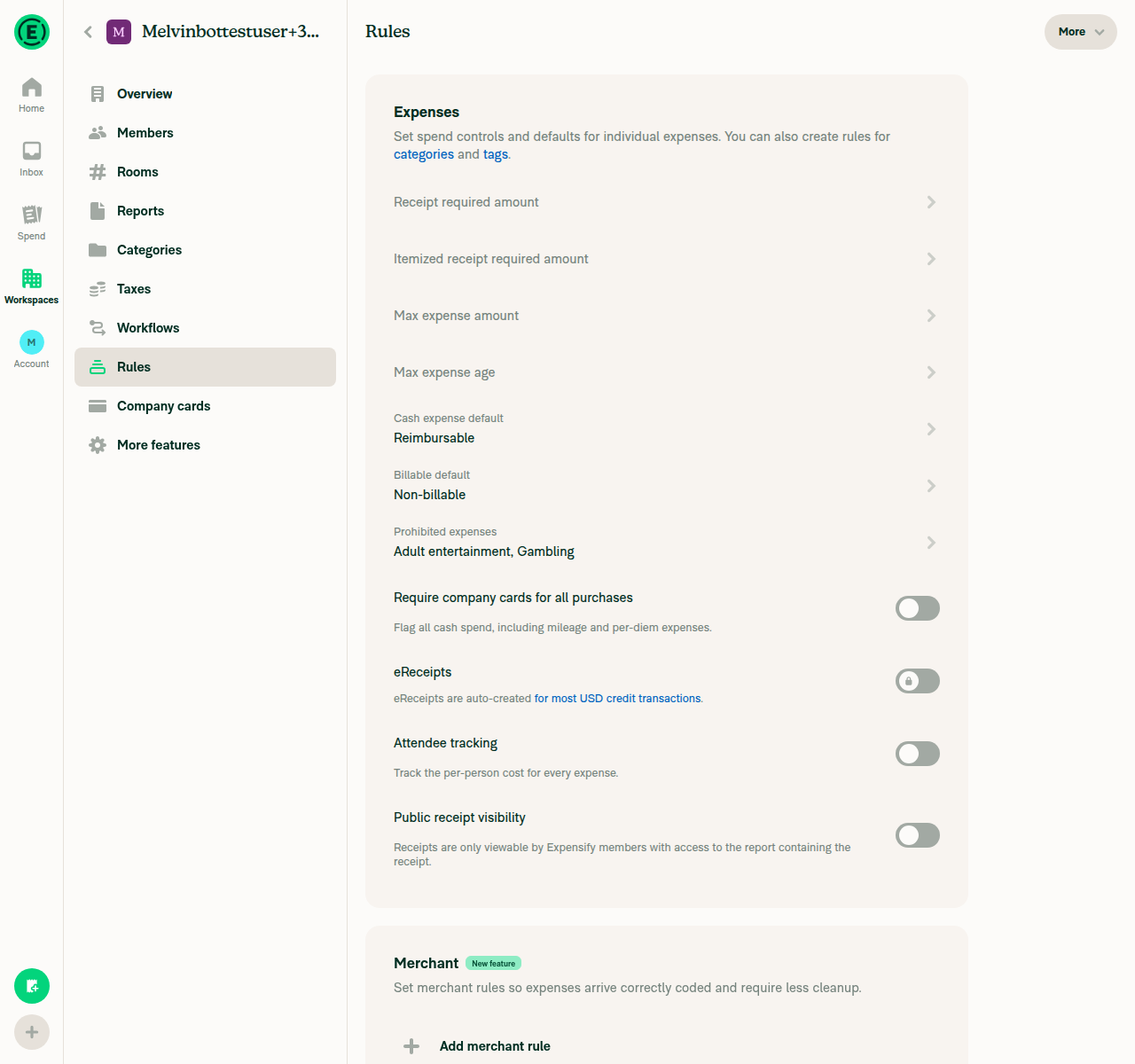
Rules page without the rulesRevamp tabs
⚠️
5. Flag for review ruleBlocked. FlagForReviewRulePageBase sets shouldBeBlocked={!isRulesRevampEnabled}.
⚠️
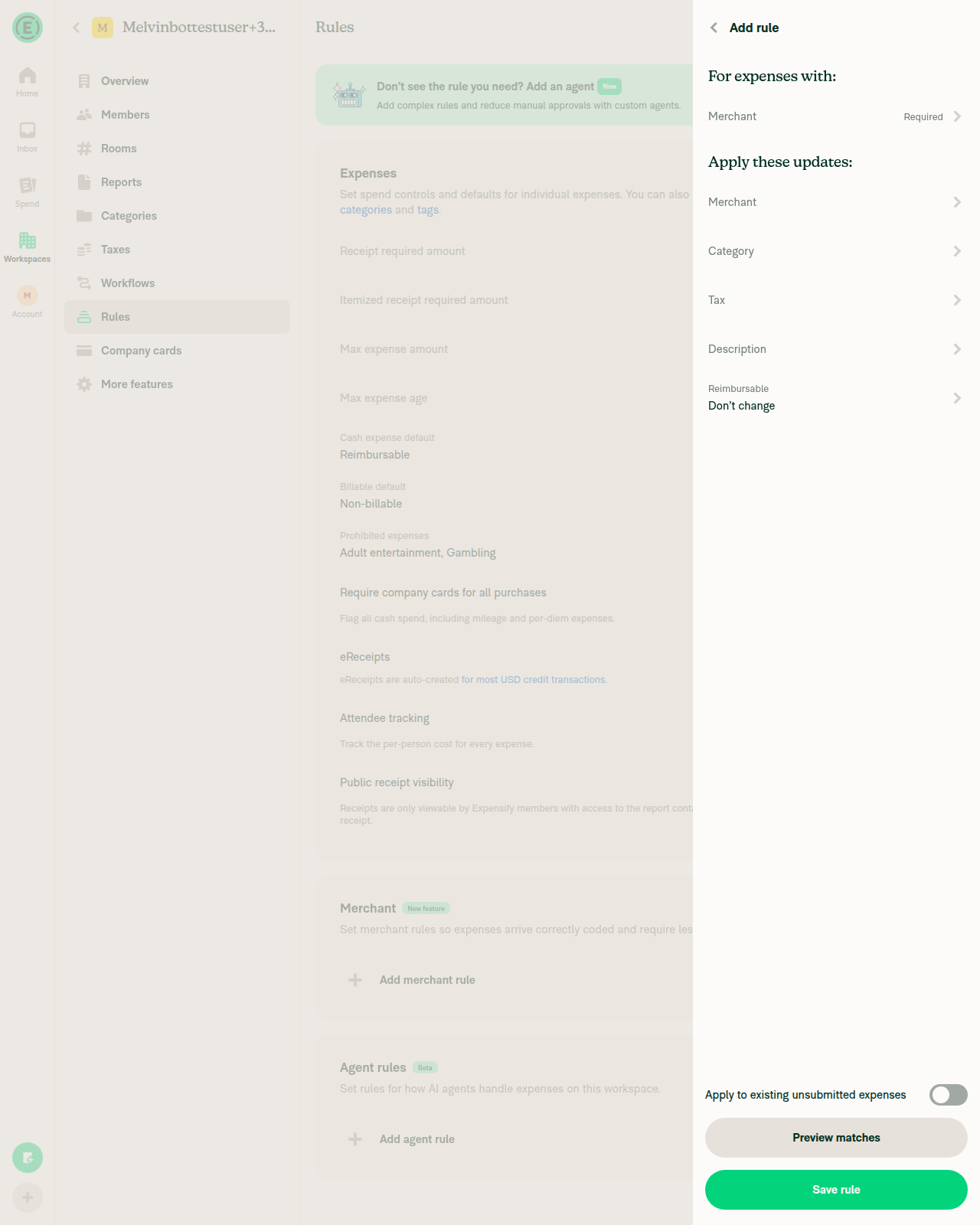
6. No rule editor still shows a "Delete rule" button at the bottomMerchant rule footer holds only "Apply to existing unsubmitted expenses", "Preview matches" and "Save rule", in both the new and saved states. A repo-wide grep over src/pages/workspace/rules/ finds no remaining bottom delete button.
✅
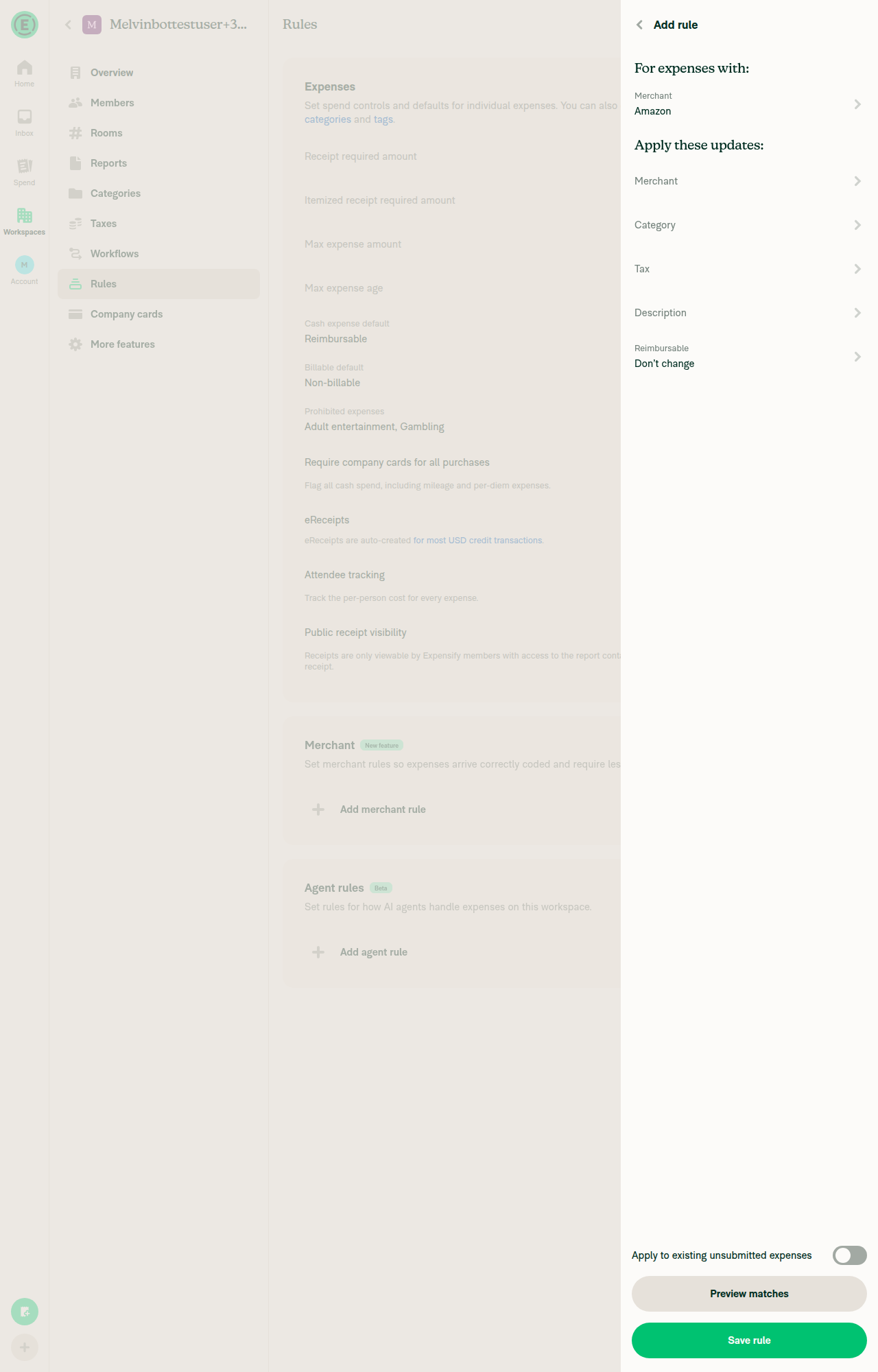
7. New rule via "Add rule": no trashcan until savedOn the unsaved page no element with label "Delete" exists; after saving, the trashcan appears.
New unsaved merchant rule page with no trashcan
✅
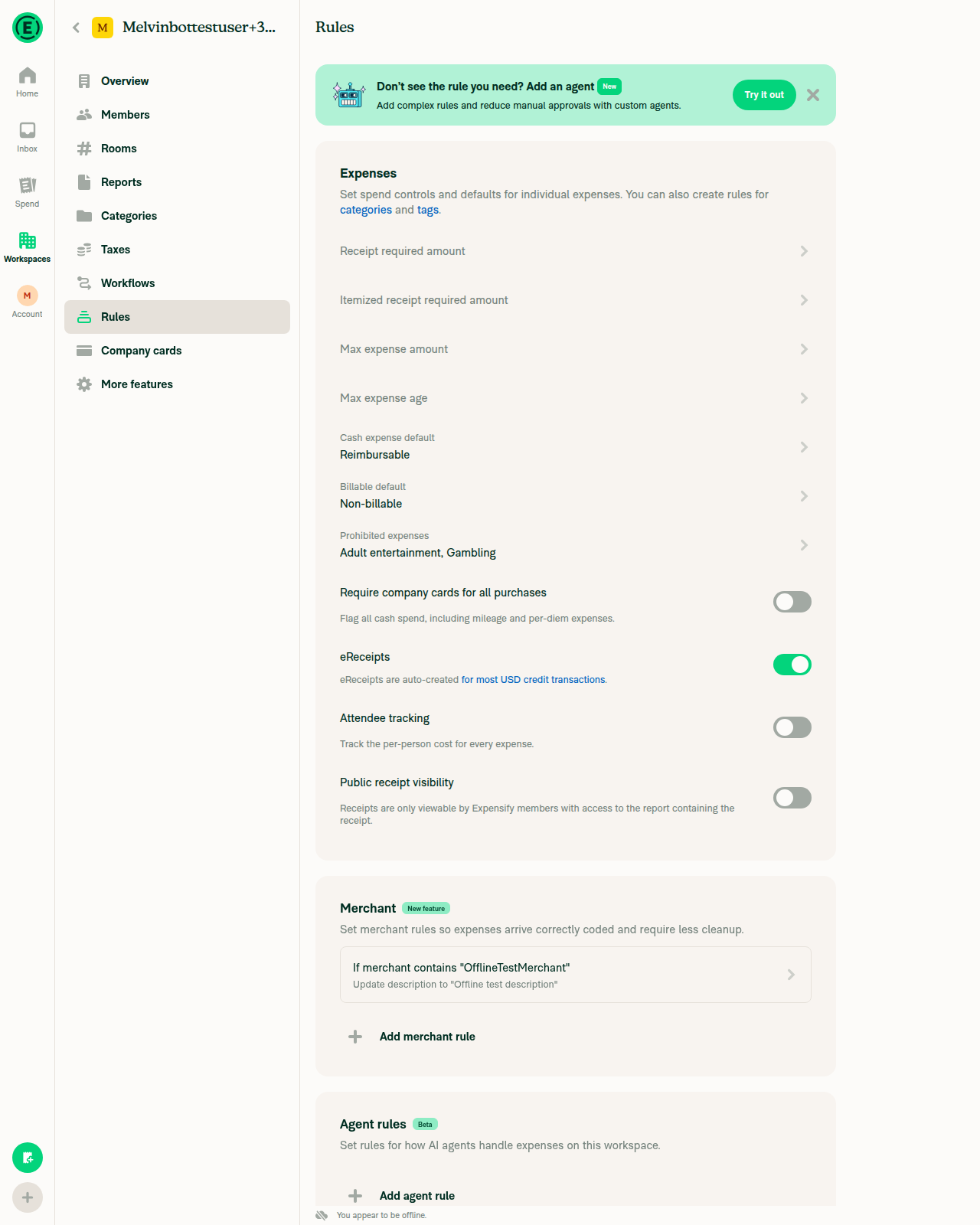
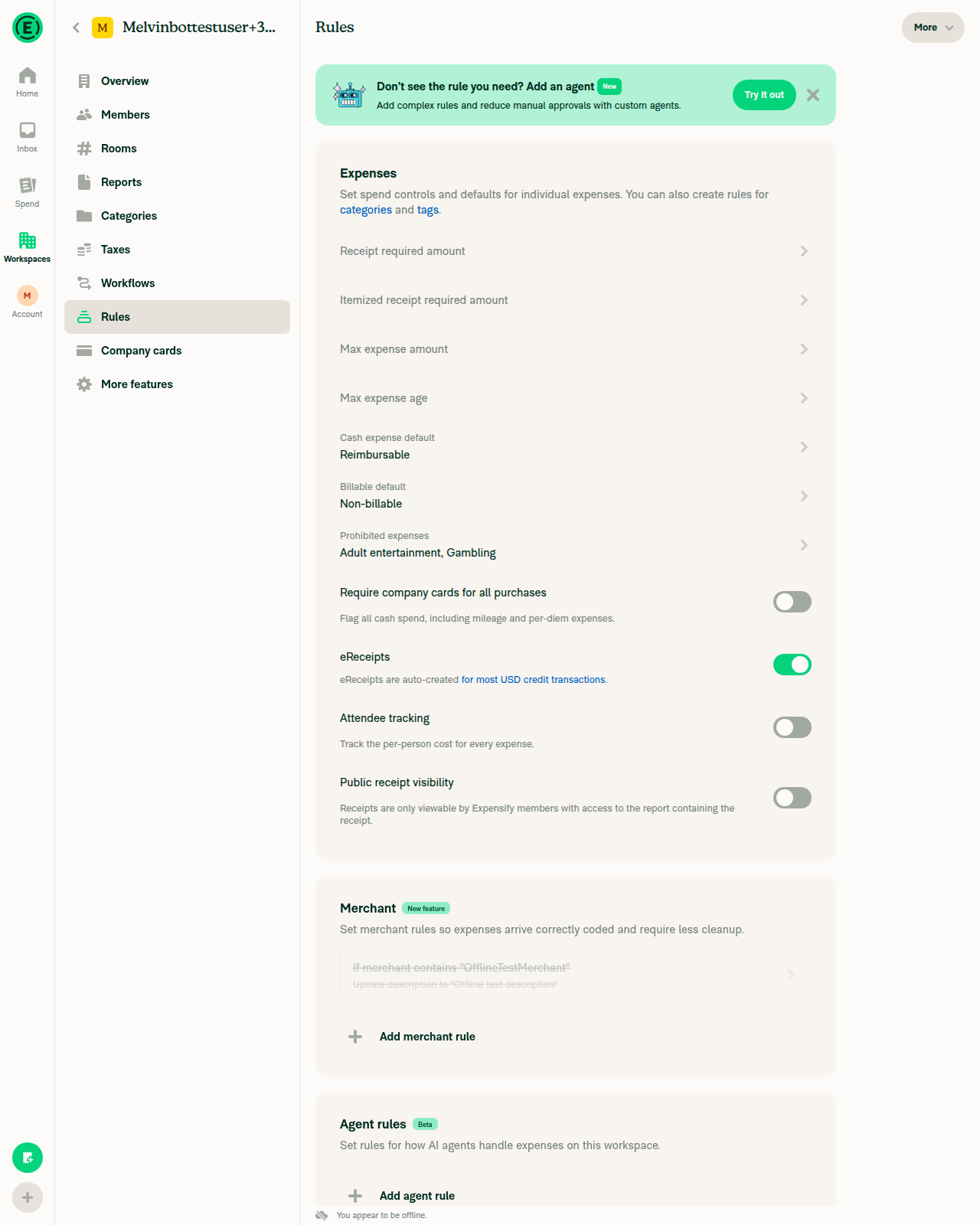
8. Offline: delete greys the row out as pending, no trashcan on reopen, gone once onlineWith Force offline on, deleting made the row greyed out and non-interactive; turning it off left the rule gone from the table.
Offline indicator with saved rule still visible before delete
Rule row greyed out while offline after delete
Rule gone from the table after reconnecting
✅
9. No JS console errorsNo crash screens, error banners or broken renders in any screenshot. Console capture is not available on this harness, so this is observational only.
✅

Code review

No blocking issues. The only failing check is checklist, which is the author checklist, not a build.

Two nits:

  • The onDelete callbacks re-guard conditions that canDelete already covers — !policy in EditAgentRulePage.tsx:90-92 and !existingRule in SpendRulePageBase.tsx:249-251. They are unreachable today, but the hook calls Navigation.goBack() unconditionally after onDelete(), so if one ever did fire the user would be bounced off the page with the rule still there. Either drop the dead guards or have onDelete return a boolean the hook navigates on.
  • useRuleDeleteHeaderProps.ts:20 types sentryLabel as a bare string. Narrowing it to the CONST.SENTRY_LABEL.WORKSPACE.RULES union would catch exactly the bug this PR fixes in passing — the old spend rule footer was tagged MERCHANT_RULE_DELETE.

Two things I checked that hold up:

  • The isRuleBeingDeleted guards are right, and not redundant. For flag for review, setPolicyCategoryMaxAmount leaves maxExpenseAmount at its original value while setting pendingFields.maxExpenseAmount to DELETE, so hasExplicitFlagAmount alone would keep the trashcan visible on a rule already on its way out.
  • On the merchant page the header children (the reset button) and the trashcan are mutually exclusive — children require !isEditingSavedRule, canDelete requires isEditing || canDeleteCategoryTaxRule — so they can't collide in the top right.

One gap: the author checklist claims unit tests were added, but the PR adds none, and there is no coverage anywhere for useRuleDeleteHeaderProps or the canDelete matrix. The five canDelete expressions are the whole behaviour of this PR and are pure functions of props, so they are cheap to pin down.

Worth flagging separately: the CI test account should be provisioned with the rulesRevamp beta, otherwise steps 3-5 can never be verified automatically on any rules PR.


view run · no recording available

@situchan

situchan commented Sep 8, 2026

Copy link
Copy Markdown
Contributor

Above comments are not blocker though

@melvin-bot
melvin-bot Bot requested a review from JS00001 September 8, 2026 20:50
@MelvinBot

MelvinBot commented Sep 8, 2026 •

Copy link
Copy Markdown
Contributor

🤖 Web test steps verification results: ⚠️ partial

One regression found: the new header trashcan is not gated on the rulesRevamp beta, so it ships to production users of Merchant rules and Expensify Card spend rules the moment this merges. Everything else I probed on those pages — saving, the footer, the reset button, the post-delete navigation, header layout down to ~400px — held up.

Not-found page when reaching a deleted workspace as its former admin

The delete affordance changes outside the beta

MerchantRulePageBase.tsx:458 and SpendRulePageBase.tsx:259 compute canDelete without consulting isRulesRevampEnabled, and both pages are reachable today without the beta — MerchantRulesSection sits on the classic PolicyRulesPage with no beta check. I confirmed it live: on an account with no rulesRevamp beta, a saved merchant rule now has a trashcan in the header and no footer button.

The other three editors are safe — FlagForReviewRulePageBase and RequireFieldsRulePageBase both set shouldBeBlocked={!isRulesRevampEnabled}, and EditAgentRulePage is behind the Custom agent beta.

What makes this look unintended rather than deliberate: the reset/clear button in the very same header IS gated, at MerchantRulePageBase.tsx:704. So today's Control admins would trade a labelled "Delete rule" button for an unlabelled icon whose only affordance is a hover tooltip, ahead of the revamp that motivates the change. If that is intended, the design approvals above should probably say so explicitly, since they read as approvals of the revamped UI.

Adding isRulesRevampEnabled && to those two canDelete expressions would keep the old footer button for non-beta users — though that means keeping the Button blocks this PR deletes, so it is worth confirming the intent before reworking it.

Ruled out

  • Write access. canWriteRules and useCanWriteCardSpendRules both route through canMemberWrite, which returns false for archived policies, so the trashcan is hidden for members, auditors and archived workspaces. EditAgentRulePage has no write check, but canEditWorkspaceSettings blocks archived policies from the page entirely and its access variants require admin.
  • Locked categories. The two category-backed pages gate delete on canWriteRules, not canEditCategory. That is right — canEditCategory only locks the category selector, not the rule.
  • Header collisions. On the merchant page the trashcan and the header's children are mutually exclusive: children need !isEditingSavedRule, canDelete needs isEditing || canDeleteCategoryTaxRule.
  • Missing icon on first paint. useMemoizedLazyExpensifyIcons returns {} before the icons chunk loads, and shouldMinimizeMenuButton makes the icon the button itself — but Icon returns null on a falsy src rather than throwing, and the existing minimized-menu callers use the same lazy hook. Established pattern, not a new risk.
  • Agent rule form layout. Dropping submitButtonAndFooterContainerStyles and submitButtonInnerStyles only removes the landscape flex-row that paired Save with Delete; submitFlexEnabled drives the container, not the button width, so Save falls back to its normal full-width rendering.
Step Status
1. Without the rulesRevamp beta, does a saved merchant rule show the trashcan and lose the footer button?Yes to both. Account confirmed beta-less by the classic Rules card layout; header shows a trashcan labelled "Delete" and the footer has no delete button.
Saved merchant rule editor without the rulesRevamp beta: header trashcan, no footer delete button
⚠️
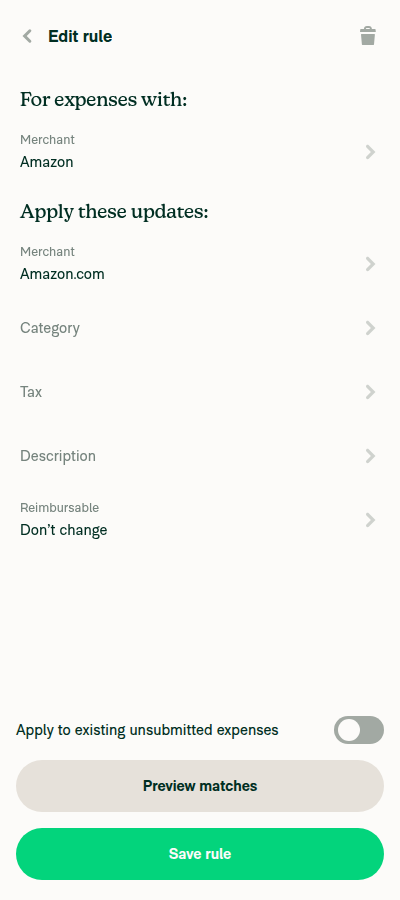
2. Header renders cleanly at normal and ~400px width"Edit rule" renders in full with the back arrow and trashcan both fitting, no overlap or truncation at either width.
Saved merchant rule editor without the rulesRevamp beta: header trashcan, no footer delete button
Same header at roughly 400px width
✅
3. New rule with a condition set: reset button renders, no trashcan alongside itNo trashcan appeared, as expected since canDelete needs isEditing. The reset link did not appear either — it is beta-gated — so the coexistence itself could not be exercised on this account.
Add rule page with a merchant condition set: no trashcan and no reset link
⚠️
4. Saving still works from the editorChanged the rename target from "Amazon.com" to "Amazon Prime" and pressed Save rule; the table row updated.
Rules table showing the edited value persisted after Save rule
✅
5. Footer spacing survives the removal, and Preview matches still opensThe switch and "Preview matches" render with normal spacing and no gap where Delete used to sit; Preview matches opened its own page.
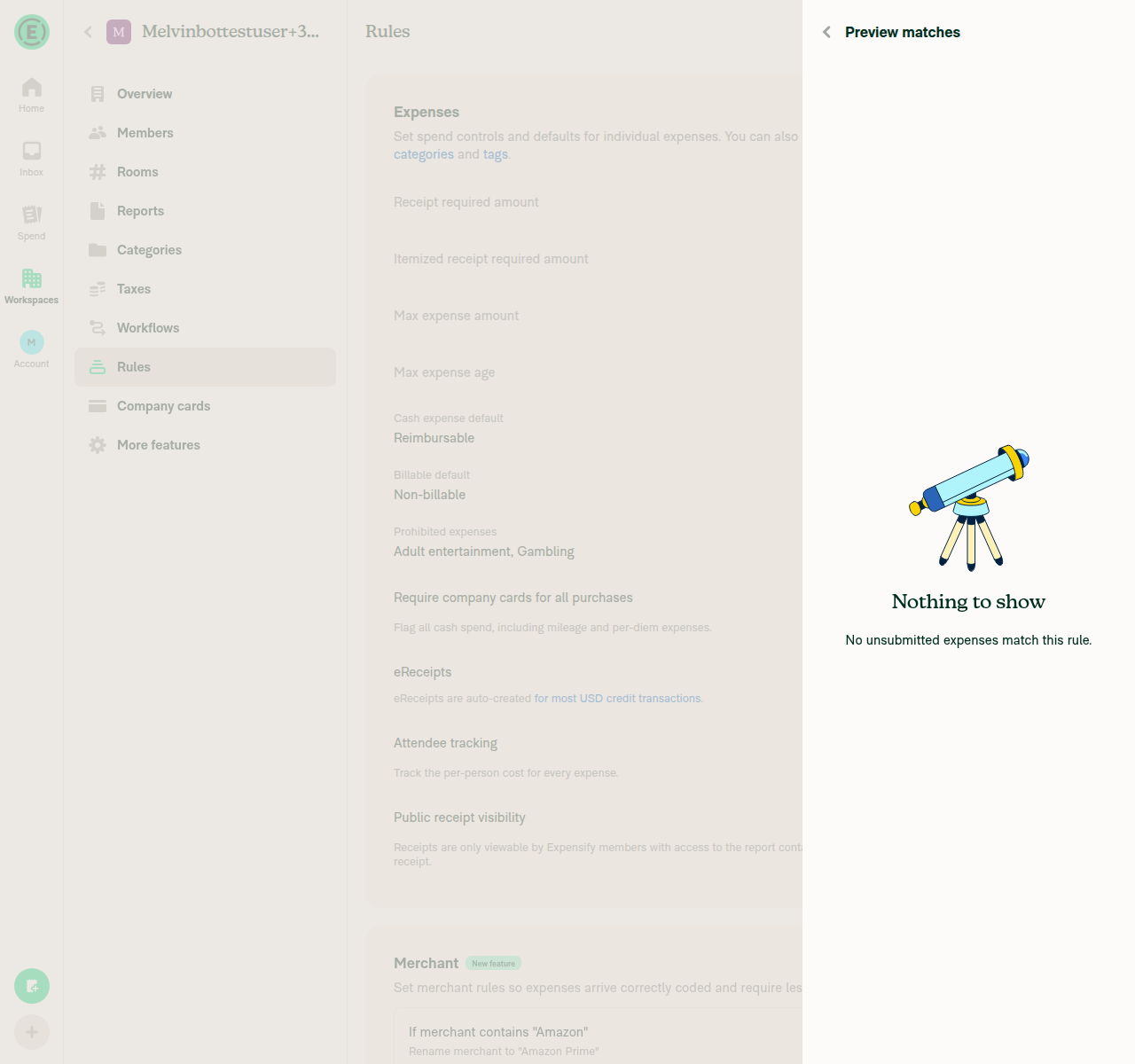
Preview matches page opened from the editor footer
✅
6. Deleting from the editor lands on the rules table with no not-found flashThe transition went straight from the confirmation dialog to the Rules table with no NotFoundPage nodes in between.
Rules table immediately after deleting from the editor
✅
7. Read-only: member, auditor, or admin on an archived workspace sees no trashcanBlocked. A single-account run cannot sign a second role in, and deleting the only workspace made it fully inaccessible rather than readable-archived. Covered by code inspection instead, under Ruled out above.
Not-found page when reaching a deleted workspace as its former admin
⚠️
8. Anything else broken or visually offNothing on the Add rule, Edit rule or Rules table pages at 1280px or 400px. Stale accessibility refs on this RHP form were an automation quirk, worked around with coordinate clicks, not app behaviour.
✅

view run · no recording available

…elete

Signed-off-by: krishna2323 <belivethatkg@gmail.com>
@JS00001
JS00001 merged commit bedbb08 into Expensify:main Sep 9, 2026
36 of 37 checks passed
@github-actions

github-actions Bot commented Sep 9, 2026

Copy link
Copy Markdown
Contributor

🚧 JS00001 has triggered a test Expensify/App build. You can view the workflow run here.

@OSBotify

OSBotify commented Sep 9, 2026

Copy link
Copy Markdown
Contributor

✋ This PR was not deployed to staging yet because QA is ongoing. It will be automatically deployed to staging after the next production release.

@OSBotify OSBotify mentioned this pull request Sep 9, 2026
83 tasks done
@OSBotify

OSBotify commented Sep 9, 2026

Copy link
Copy Markdown
Contributor

🚀 Deployed to staging by https://github.com/JS00001 in version: 9.4.75-0 🚀

platform result
🕸 web 🕸 success ✅
🤖 android 🤖 success ✅
🍎 iOS 🍎 success ✅

@MelvinBot

MelvinBot commented Sep 9, 2026 •

Copy link
Copy Markdown
Contributor

Yes — one help site article needed updating. Draft PR: #100755

Why only one. This PR moved rule deletion from a labelled Delete rule button at the bottom of each editor to a trashcan icon in the header. For merchant rules, category tax rules, field requirements, flag for review, and card restrictions, the trashcan is gated behind the rulesRevamp beta and the labelled button still renders without it — so the articles covering those still describe what admins see today.

Agent rules are the exception. EditAgentRulePage.tsx drops the footer button unconditionally — canDelete there doesn't check isRulesRevampEnabled — so every admin with the Custom agent beta now deletes from the header trashcan.

What changed in the docs. Create-Agent-Rules.md, "How to delete an Agent rule":

  • "Click Delete" → click the trashcan icon in the top-right corner, then click Delete in the Delete rule confirmation.
  • Added that the trashcan only appears on a saved rule, matching the new canDelete gating.
  • Fixed Agent Rules → Agent rules, the exact section label on the Rules page.
Articles reviewed and left unchanged
Article Why unchanged
expensify-card/Expensify-Card-Spend-Rules.md Its "Click Delete rule" step still matches: the header trashcan on SpendRulePageBase is gated on canDeleteRule && isRulesRevampEnabled, and the footer button renders for everyone else.
workspaces/Workspace-Rules.md Same gating — the Delete rule button in the Spend section is still what non-beta admins get.
workspaces/Workspace-Merchant-Rules.md Same gating on MerchantRulePageBase.
settings/Personal-Expense-Rules.md Personal expense rules, not workspace rules — untouched by this PR.

The revamp tabs (Expense defaults, Field requirements, Flag for review, Card restrictions) are not documented on the help site yet, so there was nothing to update for those rule types. Once rulesRevamp goes GA, the three workspace rules articles above will need the trashcan flow too.

Live UI verification. I drove the web app to check labels. The Rules page confirmed the section names — Expenses, Merchant, and Agent rules (Beta badge) — which is where the Agent Rules casing fix came from. I could not open a saved rule to photograph the trashcan itself: the drive hit an unintended navigation off the dev app and I stopped rather than risk the session. The delete copy in the PR comes from source instead — HeaderWithBackButton renders a single three-dots item as the icon with its text as the tooltip, and the confirmation uses agentRules.deleteRule ("Delete rule") with common.delete ("Delete").

@Krishna2323, please review the linked help site PR and confirm it reflects the current behavior. Then mark the linked help site PR Ready for review


view run · no recording available

@OSBotify

Copy link
Copy Markdown
Contributor

🚀 Deployed to production by https://github.com/mountiny in version: 9.4.75-3 🚀

platform result
🕸 web 🕸 success ✅
🤖 android 🤖 failure ❌
🍎 iOS 🍎 success ✅

Bundle Size Analysis (Sentry):

@OSBotify

Copy link
Copy Markdown
Contributor

🚀 Deployed to production by https://github.com/mountiny in version: 9.4.75-3 🚀

platform result
🕸 web 🕸 success ✅
🤖 android 🤖 failure ❌
🍎 iOS 🍎 success ✅

Bundle Size Analysis (Sentry):

Sign up for free to join this conversation on GitHub. Already have an account? Sign in to comment

Labels

None yet

Projects

None yet

Development

Successfully merging this pull request may close these issues.

9 participants