Skip to content

Reuse the submitter's outstanding report when the workspace chat has no iouReportID - #100672

Merged
blimpich merged 17 commits into
mainfrom
claude-reuseOutstandingReportOnExpenseCreate
Sep 16, 2026
Merged

blimpich merged 17 commits into
mainfrom
claude-reuseOutstandingReportOnExpenseCreate

Conversation

@MelvinBot

@MelvinBot MelvinBot commented Sep 9, 2026 •

Copy link
Copy Markdown
Contributor

Explanation of Change

When you create an expense from a workspace chat, the submit path picked the destination report from exactly one signal: the chat's iouReportID pointer. There was no fallback to the submitter's other open reports.

Several ordinary flows leave that pointer empty while the submitter still has an open report on the policy. In the reported repro, an admin uses More → Move to report → Create report to move the employee's expense onto a new report, and the employee then deletes the emptied source report. clearChatIOUReportID sets iouReportID: null, and nothing re-points the chat at the report that is still open. The next expense therefore finds nothing and builds a brand new report.

The confirmation page already did the right thing — ReportField falls back to getOutstandingReportsForUser when iouReportID is null — which is why the result looked wrong rather than merely surprising: the UI named the existing report while a different, new one was created.

This PR gives the submit path the same fallback the UI already has:

  • MoneyRequestBuilder.ts — in STEP 2 of getMoneyRequestInformation, when the chat's iouReportID resolves to nothing and the chat is a policy expense chat, look up the submitter's outstanding reports for that policy and use the newest one. A new report is still built only when that list is empty. An explicitly chosen report (existingIOUReport / moneyRequestReportID) still wins, and the errorFields.createChat branch is untouched.
  • ReportField.tsx — sort the outstanding reports newest-first via sortOutstandingReportsBySelected instead of alphabetically, so the report named on the confirmation page is the one the expense actually lands on. The report picker already used this ordering; the confirmation page did not.

The fix is deliberately at the read site rather than in any single path that clears the pointer. The pointer can also go stale when an expense is moved out by someone else, or when a report is archived or approved elsewhere — a read-time fallback covers all of those, and it derives the destination locally instead of relying on a cross-user pointer update reaching the submitter's session.

AI Tests

Selected via the test-selection-matrix skill for Expensify/App app-code changes.

Check Result
npm run lint-changed ✅ pass
npm run typecheck ✅ pass
npm run spell-changed ✅ pass (2 files, 0 issues)
npm run react-compiler-compliance-check -- check src/components/MoneyRequestConfirmationList/sections/ReportField.tsx ✅ pass
npm test tests/actions ✅ pass (83 suites, 2321 tests)
npm test tests/unit/hooks ✅ pass (157 suites, 1635 tests)
npm test --testPathPattern "tests/unit/(Report|IOU|MoneyRequest|Confirm|Transaction)" ✅ pass (43 suites, 3404 tests)
npm run prettier n/a — no prettier script or config in this repo; formatting is enforced through ESLint
Full npm test (whole Jest suite) ⚠️ not run — exceeds the available time budget. Ran the affected areas above instead; CI covers the rest

New regression tests in tests/actions/IOU/GetMoneyRequestInformationTest.ts cover the fix and its boundaries: reusing the outstanding report, picking the newest of several, not reusing a report owned by someone else, still creating a new report when none is outstanding, and still honouring an explicitly chosen report. The two positive tests were confirmed to fail without the MoneyRequestBuilder.ts change and pass with it.

Automated UI verification has not yet succeeded on either platform: the web attempt ended with an unrecoverable blank page, and the Android attempt crashed on the post-sign-in screen transition with a React Native Fabric mounting exception before any step could run. Neither failure touched the files this PR changes. The manual steps below still need to be run by a human.

Fixed Issues

$ #99395
PROPOSAL: #99395 (comment)

Tests

Preconditions: two new accounts, A and B. A creates a workspace and invites B as an employee.

  1. As B, open the workspace chat, tap + → Create expense, and submit an expense. Note the report it lands on — call it Report 1.
  2. As A, open B's expense report (Report 1) and click More → Move to report → Create report. Verify the expense moves to a new report — call it Report 2 — and Report 1 is now empty.
  3. As B, delete the now-empty Report 1.
  4. As B, create a new expense from the + inside the workspace chat. On the confirmation page, note the report name shown in the Report field.
  5. Submit the expense and verify both of the following:
    • The expense is added to Report 2 — B's existing open report — and not to a brand-new third report.
    • The report named on the confirmation page in step 4 is the same report the expense actually landed on.
  6. No open report → a new report is still created. As a third account C, also an employee of the same workspace and with no open report on it, create an expense from the workspace chat. Verify a new report is created for C and the expense lands on it.
  7. A report owned by someone else is never reused. With A holding an open report on the policy and B holding none, create an expense as B from the workspace chat. Verify it goes to a new report owned by B, not to A's report.
  8. An explicit choice still wins. As B, with more than one open report on the policy, create an expense from the workspace chat and change the Report field on the confirmation page to a different open report. Verify the expense lands on the report you picked, not on the newest one.
  9. Newest report is preferred. As B, with two or more open reports on the policy, create an expense from the workspace chat. Verify the confirmation page names the most recently created open report and the expense lands on that one.
  • Verify that no errors appear in the JS console

Offline tests

  1. Run steps 1–3 of the Tests section while online, so that B has exactly one open report (Report 2) and the workspace chat's iouReportID pointer has been cleared.
  2. Go offline.
  3. As B, create a new expense from the + inside the workspace chat. Verify the confirmation page still names Report 2, and that on submit the expense is optimistically added to Report 2 and shown in the greyed-out pending style.
  4. Go back online. Verify the expense stays on Report 2 once the request syncs, and that no duplicate or extra report is created.

QA Steps

Preconditions

  • Create two new accounts: A and B.
  • As account A, create a workspace.
  • As account A, invite account B as an employee of the workspace.

Steps

  1. Open https://staging.new.expensify.com/.
  2. As account B, create an expense and submit it to the workspace chat.
  3. As account A, open account B's expense report.
  4. As account A, click More.
  5. As account A, click Move to report.
  6. As account A, click Create report.
  7. As account B, delete the empty report (the first report).
  8. As account B, create a new expense by clicking + inside the workspace chat.
  9. Verify that the new expense is added to the existing report.
  • Verify that no errors appear in the JS console

PR Author Checklist

  • I linked the correct issue in the ### Fixed Issues section above
  • I wrote clear testing steps that cover the changes made in this PR
    • I added steps for local testing in the Tests section
    • I added steps for the expected offline behavior in the Offline steps section
    • I added steps for Staging and/or Production testing in the QA steps section
    • I added steps to cover failure scenarios (i.e. verify an input displays the correct error message if the entered data is not correct)
    • I turned off my network connection and tested it while offline to ensure it matches the expected behavior (i.e. verify the default avatar icon is displayed if app is offline)
    • I tested this PR with a High Traffic account against the staging or production API to ensure there are no regressions (e.g. long loading states that impact usability).
  • I included screenshots or videos for tests on all platforms
  • I ran the tests on all platforms & verified they passed on:
    • Android: Native
    • Android: mWeb Chrome
    • iOS: Native
    • iOS: mWeb Safari
    • MacOS: Chrome / Safari
  • I verified there are no console errors (if there's a console error not related to the PR, report it or open an issue for it to be fixed)
  • I followed proper code patterns (see Reviewing the code)
    • I verified that comments were added to code that is not self explanatory
    • I verified that any new or modified comments were clear, correct English, and explained "why" the code was doing something instead of only explaining "what" the code was doing.
    • I verified any copy / text that was added to the app is grammatically correct in English. It adheres to proper capitalization guidelines (note: only the first word of header/labels should be capitalized), and is either coming verbatim from figma or has been approved by marketing (in order to get marketing approval, ask the Bug Zero team member to add the Waiting for copy label to the issue)
  • If a new code pattern is added I verified it was agreed to be used by multiple Expensify engineers
  • I followed the guidelines as stated in the Review Guidelines
  • I tested other components that can be impacted by my changes (i.e. if the PR modifies a shared library or component like Avatar, I verified the components using Avatar are working as expected)
  • If a new CSS style is added I verified that:
    • A similar style doesn't already exist
    • The style can't be created with an existing StyleUtils function (i.e. StyleUtils.getBackgroundAndBorderStyle(theme.componentBG))
  • If new assets were added or existing ones were modified, I verified that:
    • The assets are optimized and compressed (for SVG files, run npm run compress-svg)
    • The assets load correctly across all supported platforms.
  • If the PR modifies code that runs when editing or sending messages, I tested and verified there is no unexpected behavior for all supported markdown - URLs, single line code, code blocks, quotes, headings, bold, strikethrough, and italic.
  • If the PR modifies a generic component, I tested and verified that those changes do not break usages of that component in the rest of the App (i.e. if a shared library or component like Avatar is modified, I verified that Avatar is working as expected in all cases)
  • If the PR modifies a component related to any of the existing Storybook stories, I tested and verified all stories for that component are still working as expected.
  • If the PR modifies a component or page that can be accessed by a direct deeplink, I verified that the code functions as expected when the deeplink is used - from a logged in and logged out account.
  • If the PR modifies the UI (e.g. new buttons, new UI components, changing the padding/spacing/sizing, moving components, etc) or modifies the form input styles:
    • I verified that all the inputs inside a form are aligned with each other.
    • I added Design label and/or tagged @Expensify/design so the design team can review the changes.
  • I added unit tests for any new feature or bug fix in this PR to help automatically prevent regressions in this user flow.
  • If the main branch was merged into this PR after a review, I tested again and verified the outcome was still expected according to the Test steps.

Screenshots/Videos

Android: Native
Android: mWeb Chrome
iOS: Native
iOS: mWeb Safari
MacOS: Chrome / Safari

…rtID

Co-authored-by: huult <huult@users.noreply.github.com>
@MelvinBot
MelvinBot requested a review from a team September 9, 2026 03:35
@melvin-bot melvin-bot Bot added Melvin-Test-Android Melvin-Test-Web Triggers Melvin to run the testing steps of the PR on web labels Sep 9, 2026
@MelvinBot

Copy link
Copy Markdown
Contributor Author

I created this PR from an upstream branch because I don't have push access to your fork.

To take ownership of this branch and be able to push updates, run:

git remote add upstream https://github.com/Expensify/App.git
git fetch upstream claude-reuseOutstandingReportOnExpenseCreate
git checkout -b claude-reuseOutstandingReportOnExpenseCreate upstream/claude-reuseOutstandingReportOnExpenseCreate
git push -u origin claude-reuseOutstandingReportOnExpenseCreate

Then you can close this PR and open a new one from your fork.

@MelvinBot

MelvinBot commented Sep 9, 2026 •

Copy link
Copy Markdown
Contributor Author

🤖 Android test steps verification results: ❌ fail

I couldn't run any of the testing steps. The app crashed with a fatal React Native Fabric mounting exception (IllegalStateException: addViewAt: failed to insert view [608] into parent [550] at index 1, root cause IndexOutOfBoundsException: index=1 count=0) immediately after sign-in completed — tapping Join on the post-magic-link screen tore down the JS surface and left the app on a permanently blank screen that never recovered. Metro was healthy throughout (packager-status:running, clean bundle), and the crash is on the onboarding screen transition, which doesn't touch either file this PR changes — so it reads as an emulator/onboarding flake rather than a regression from your change, but it blocked the run entirely and needs a retry to confirm.

Two things also worth flagging about the steps themselves: the ### Tests section of this PR is still a // TODO placeholder, so I worked from the suggested steps and the linked issue's repro in #99395. That repro needs two accounts (A as admin, B as employee), and only one account is signed in on the emulator, so I planned the single-account variant — same user owns the workspace and submits — which exercises the same read-time fallback in getMoneyRequestInformation. If you need the true two-account path verified, that will need a session with both accounts.

Blank app screen after the React Native surface crashed and was torn down following the fatal Fabric mounting exception

Step Status
App reaches a usable Home/workspace-chat screen after sign-in so the repro can beginTapping "Join" on the post-magic-link screen triggered a native Fabric crash (java.lang.IllegalStateException: addViewAt: failed to insert view [608] into parent [550] at index 1, root cause IndexOutOfBoundsException: index=1 count=0, in SurfaceMountingManager.addViewAt).
Dismissing the resulting redbox tore down the RN surface — logcat showed Surface [1] was stopped on SurfaceMountingManager and Scheduler::~Scheduler() was called.
The app stayed on a blank dark screen (status bar only, 0 accessibility nodes) for over 60s; appstate still reported com.expensify.chat.dev / MainActivity in the foreground, so the process survived and only the JS surface died.
Metro was ruled out: the status endpoint returned packager-status:running and the bundle built to completion with no errors.
Blank app screen after the React Native surface crashed and was torn down following the fatal Fabric mounting exception
❌
Step 1: Create/use owned workspace and open its workspace chatNot reachable — blocked by the app crash above before any workspace navigation could occur.
❌
Step 2: Submit expense from workspace chat "+" and verify report R1 is createdNot reachable — blocked by the app crash.
❌
Step 3: Move expense to a new report R2 via More → Move to report → Create report; R1 becomes emptyNot reachable — blocked by the app crash.
❌
Step 4: Delete empty R1Not reachable — blocked by the app crash.
❌
Step 5: Create second expense; note report name shown on confirmation pageNot reachable — blocked by the app crash.
❌
Step 6: Submit second expense and verify it lands on existing R2, not a new third reportNot reachable — blocked by the app crash.
❌
Step 7: Verify the very first expense (step 2) did create a new report when nothing was outstandingNot reachable — blocked by the app crash.
❌

Next steps: re-run the Android check on a fresh session to get past the crash — reply @MelvinBot with your request, or re-apply the Melvin-Test-Android label.


view run · view recording

@MelvinBot

MelvinBot commented Sep 9, 2026 •

Copy link
Copy Markdown
Contributor Author

🤖 Web test steps verification results: ✅ pass

The fix works. When an expense is created from a workspace chat whose iouReportID pointer has been cleared, the next expense reuses the still-open report instead of spawning a new one, and the report named on the confirmation page is the one it actually lands on. The fallback still creates a brand-new report when nothing is outstanding, so legitimate new-report creation isn't blocked. No JS console errors, and network dump showed no 4xx/5xx during the flow.

Two caveats on the steps: the ### Tests section of this PR is still a // TODO placeholder, so I worked from the suggested steps and the repro in #99395. That repro needs two accounts (A as admin, B as employee) and only one account is signed in, so I ran the single-account variant — same user owns the workspace and submits — which exercises the same read-time fallback in getMoneyRequestInformation. The true two-account path still needs a session with both accounts.

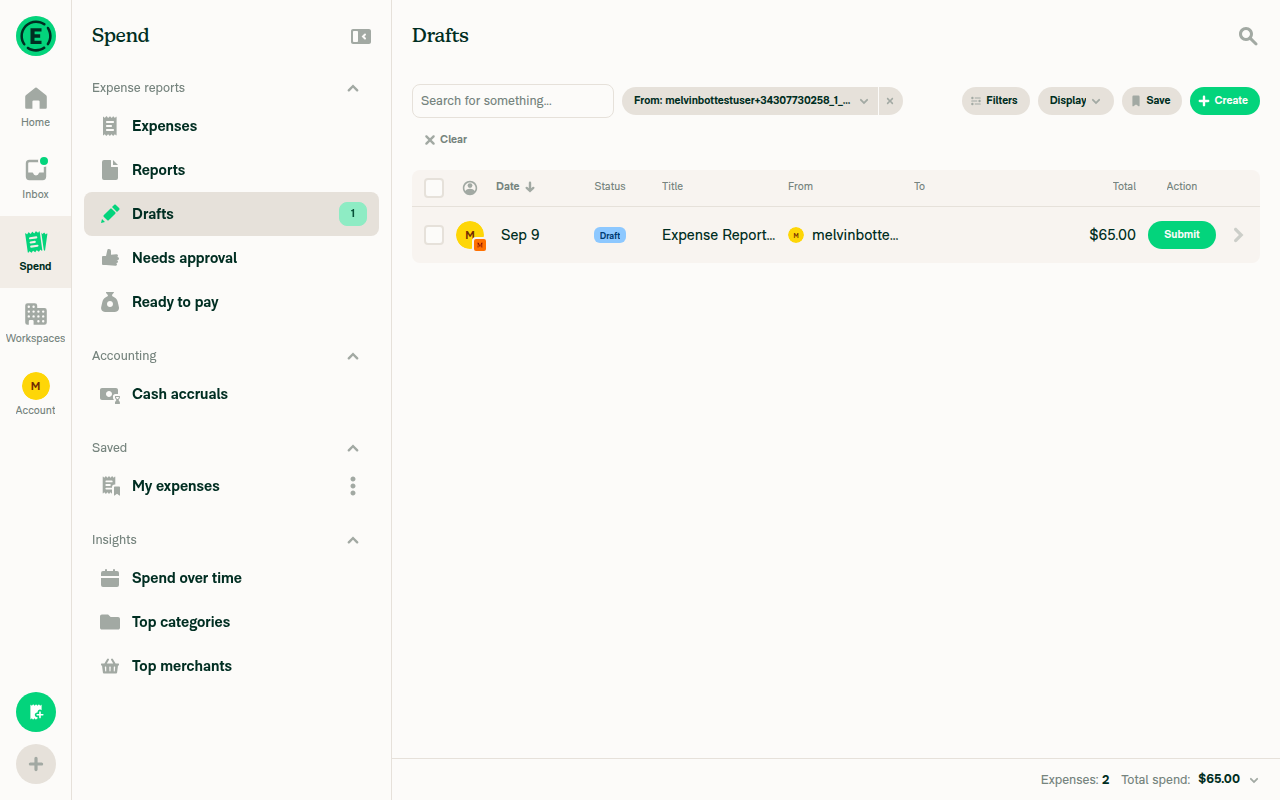
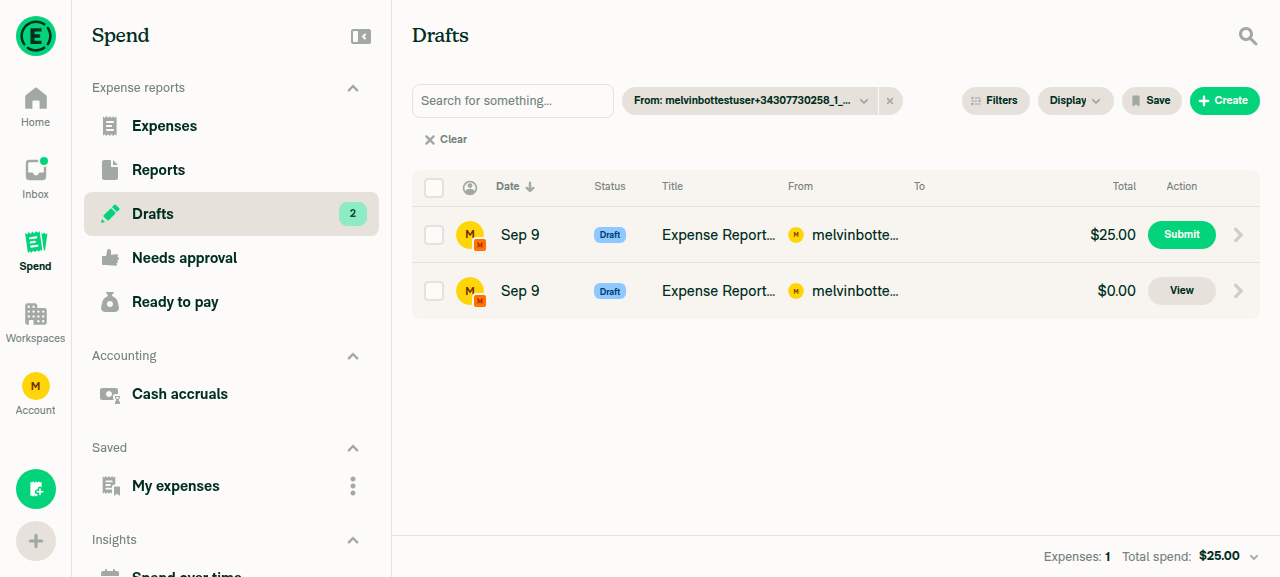
Spend Drafts view confirming only one report exists with 2 expenses and 65 dollars total spend

Step Status
Step 1: Create/use owned workspace and open its workspace chatCreated a new workspace and opened its workspace chat, confirmed by the message "This is where melvinbottestuser+… will submit expenses to …'s Workspace. Just use the + button."
Workspace chat open, showing the prompt to submit expenses via the + button
✅
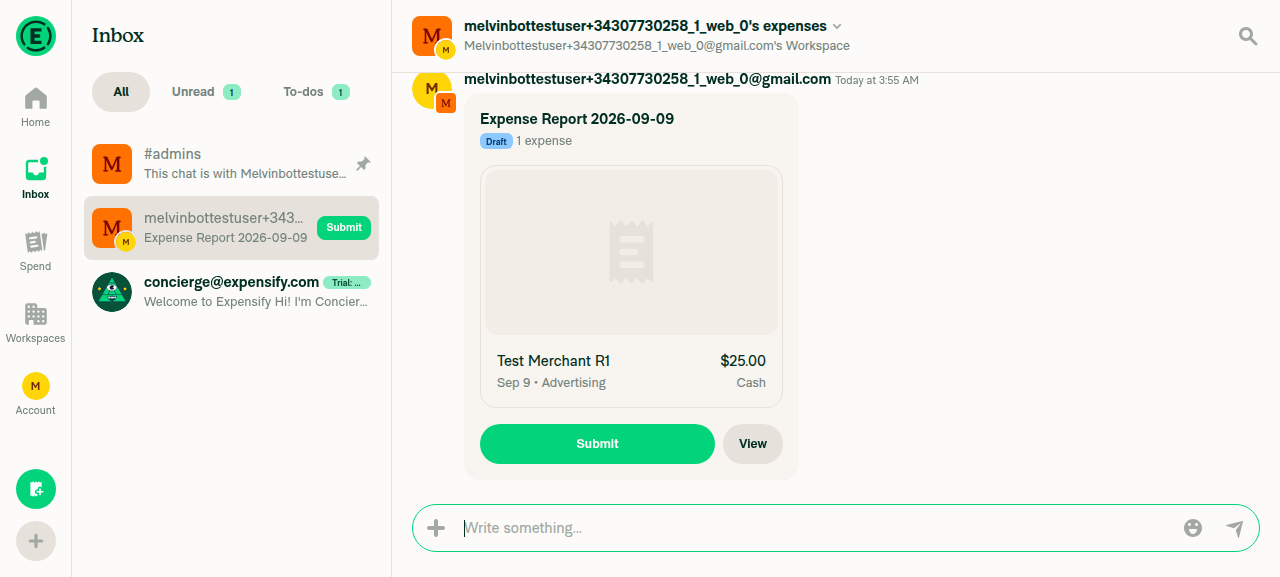
Step 2: Submit expense from workspace chat "+" and verify report R1 is createdUsed + → Create expense → Manual (Amount $25, Merchant "Test Merchant R1", Category Advertising). The Report field read "New report" before creation, confirming no open report existed yet.
After creation, "Expense Report 2026-09-09" (R1) held the single expense and submitted successfully.
Create-expense form with the Report field reading New report, before any open report existed
Report R1 (Expense Report 2026-09-09) holding the first expense of 25 dollars
✅
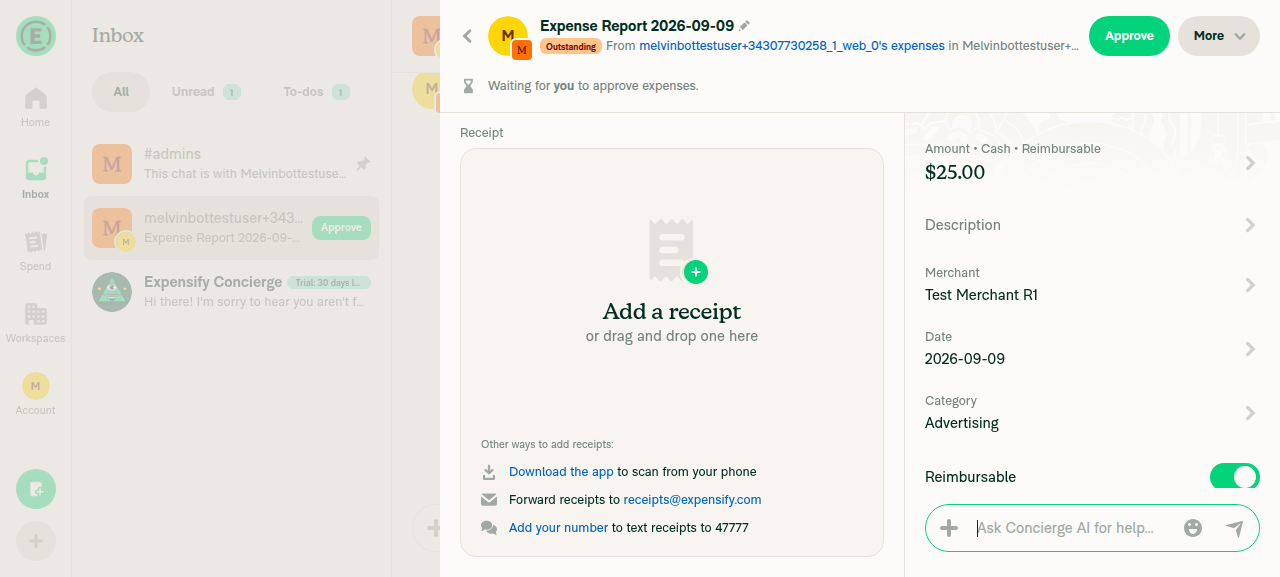
Step 3: Move expense to a new report R2 via More → Move to report → Create report; R1 becomes emptyFrom the expense's More menu, "Move to report" → "Create report" moved the expense onto a new report. The Drafts list then showed two reports: one at $25.00 (new R2) and one at $0.00 (R1, now empty, "No expenses yet").
Note: a stray click hit "Approve" on R1 just before this step; the tester used the report's own "Unapprove" action to restore it to an open state and continued. That was tester recovery, not app behavior under test.
Drafts list showing two reports after Move to report: new R2 at 25 dollars and R1 now empty at 0 dollars
✅
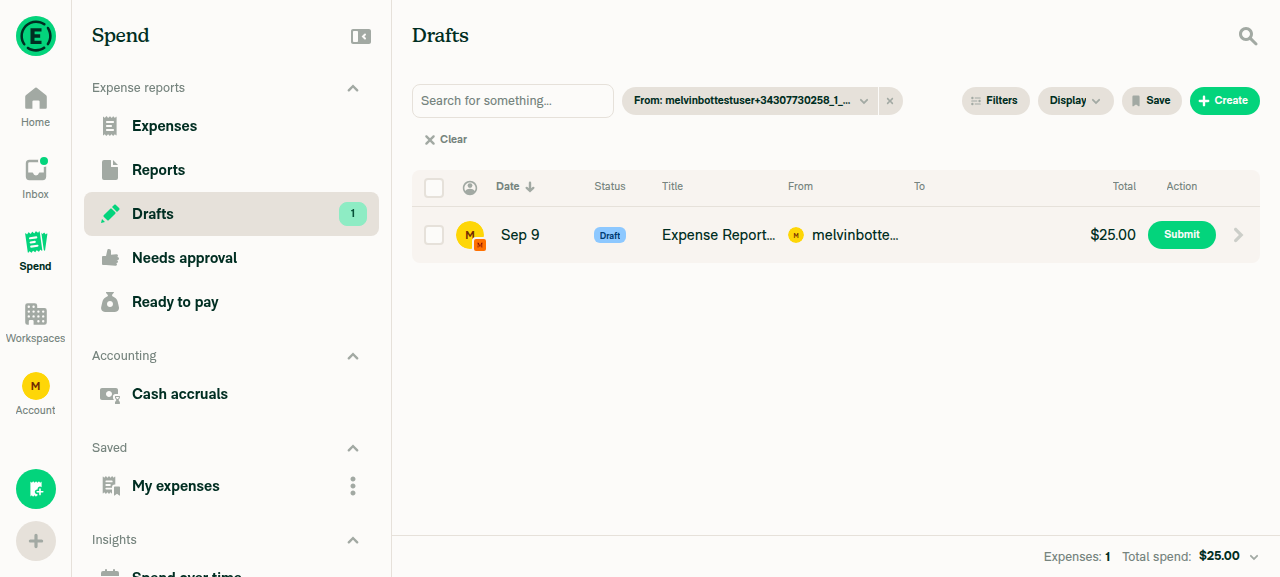
Step 4: Delete empty R1Opened the $0.00 report, More → Delete → confirmed. The Drafts list dropped from 2 reports to 1, leaving only R2.
Drafts list after deleting empty R1, only R2 remains
✅
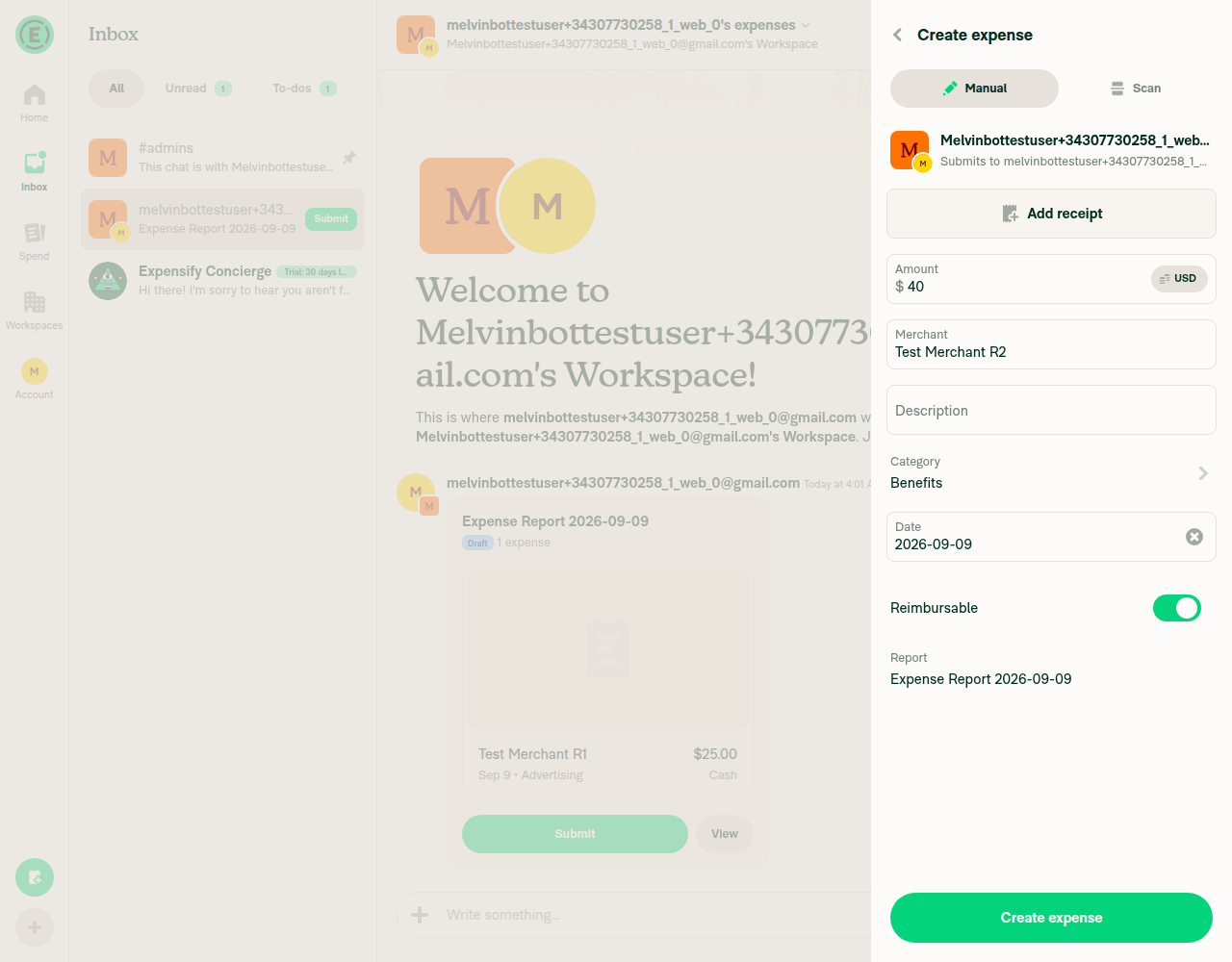
Step 5: Create second expense; note report name shown on confirmation pageCreated a second expense (Amount $40, Merchant "Test Merchant R2", Category Benefits) from the same workspace-chat "+". The confirmation page's Report field read "Expense Report 2026-09-09" — the existing open report R2, not "New report".
Confirmation page for the second expense with the Report field reading Expense Report 2026-09-09, the existing open report
✅
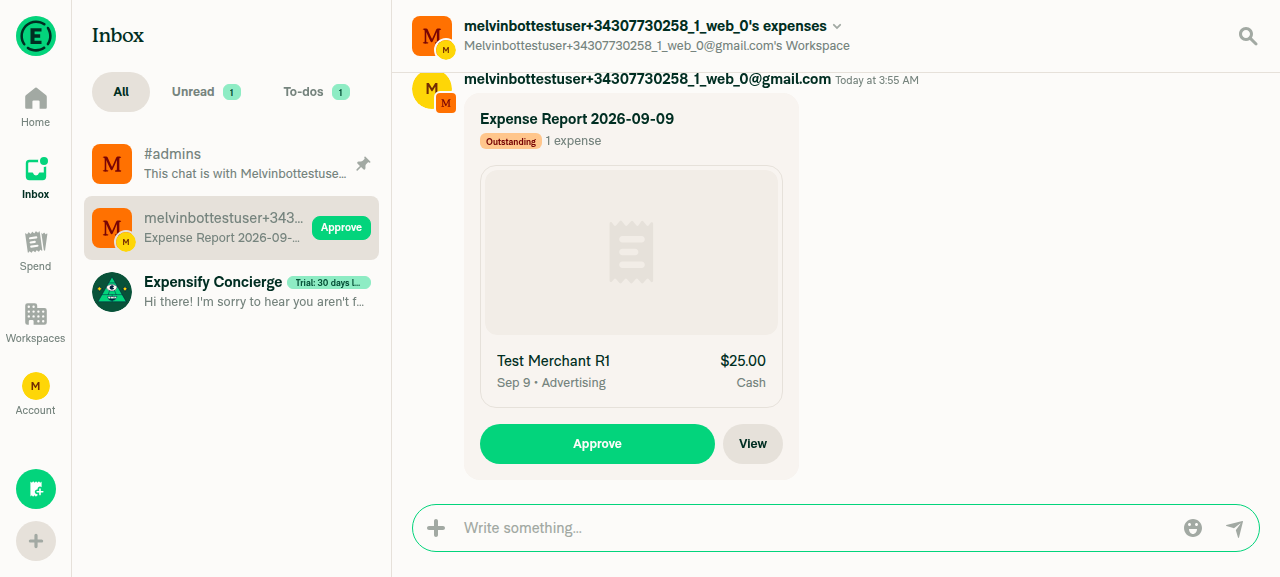
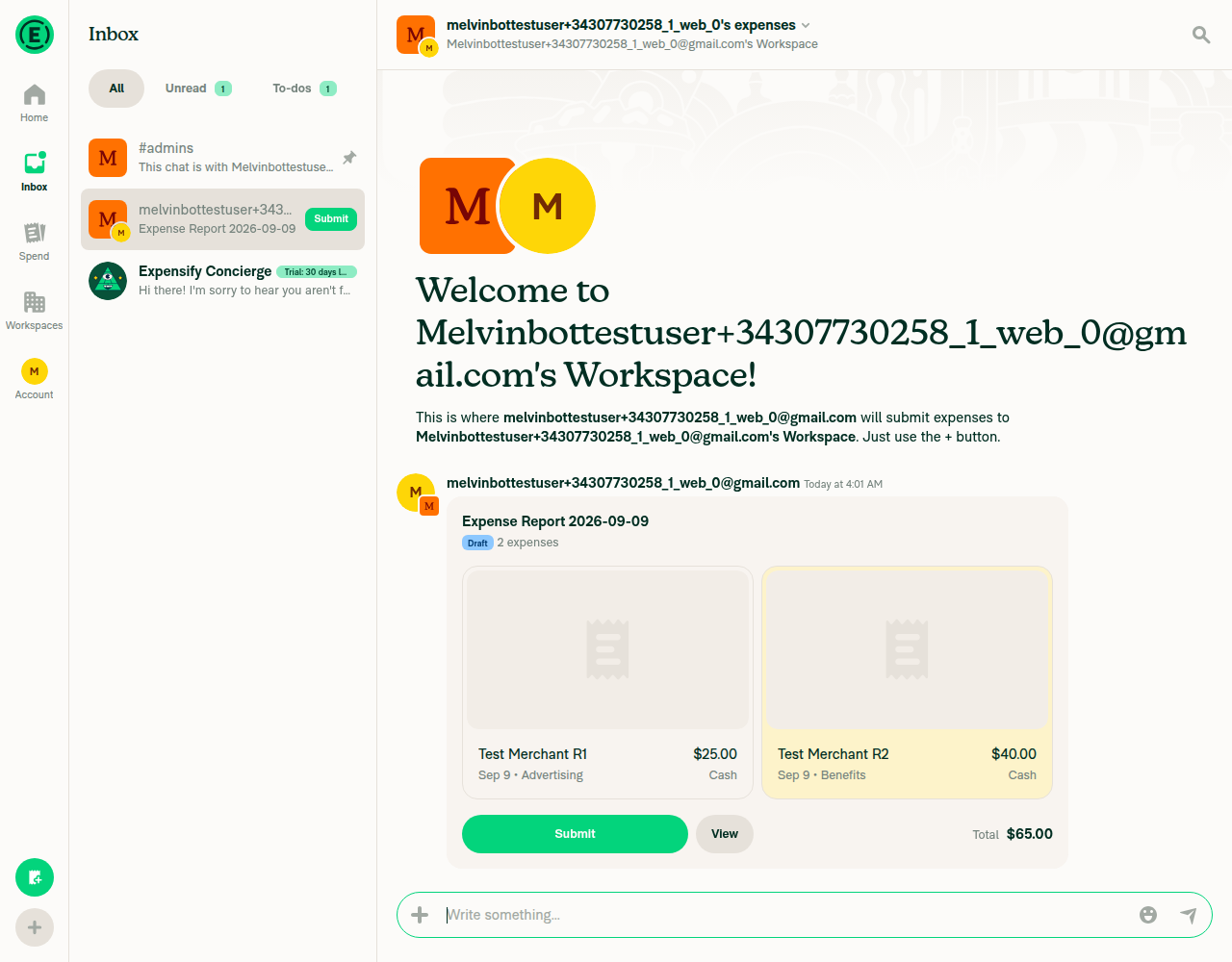
Step 6: Submit second expense and verify it lands on existing R2, not a new third reportAfter "Create expense", the workspace chat showed the same "Expense Report 2026-09-09" bubble updated to "2 expenses" (Test Merchant R1 $25.00 + Test Merchant R2 $40.00, total $65.00).
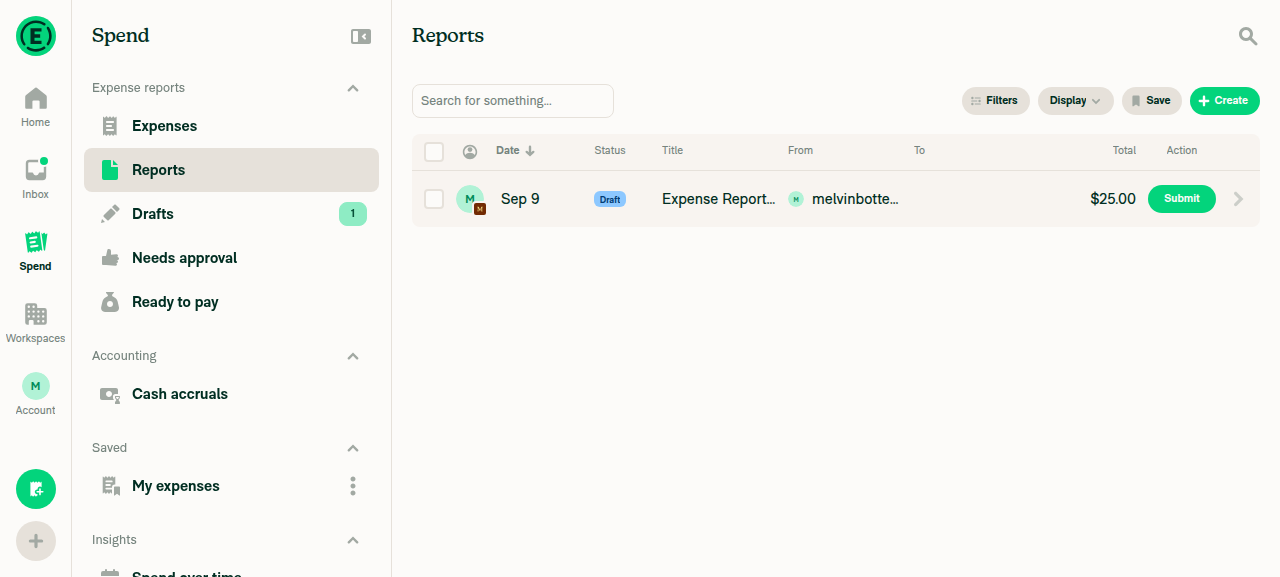
Spend → Drafts confirmed only one report exists (Expenses: 2, Total spend: $65.00) — no third report was created — and its name matched what step 5 previewed.
Workspace chat showing the same report bubble updated to 2 expenses totalling 65 dollars
Spend Drafts view confirming only one report exists with 2 expenses and 65 dollars total spend
✅
Step 7: Verify the very first expense (step 2) did create a new report when nothing was outstandingConfirmed from the step-2 evidence: the create-expense form's Report field read "New report" before submission, when no open report existed, and a fresh report R1 was created immediately after. The reuse fallback only engages when an open report already exists — it does not fire unconditionally.
Create-expense form with the Report field reading New report, before any open report existed
✅

Next steps: the Android run on this PR was blocked by an unrelated crash on the onboarding screen — re-apply the Melvin-Test-Android label to retry that platform.


view run · no recording available

Comment on lines +73 to +74
// Sorted newest first, the same ordering the report picker and the expense creation flow use, so the report named
// here is the one the expense is actually added to when the chat has no `iouReportID` to point at.

Copy link
Copy Markdown
Contributor

Choose a reason for hiding this comment

The reason will be displayed to describe this comment to others. Learn more.

@MelvinBot please remove this comment

Copy link
Copy Markdown
Contributor Author

Choose a reason for hiding this comment

The reason will be displayed to describe this comment to others. Learn more.

Removed in 0f09eda.

Comment on lines +1401 to +1404
// The chat's `iouReportID` pointer can be emptied while the submitter still has an outstanding report on the policy,
// for example after their expenses are moved to another report and the emptied report is then deleted. Without this
// fallback the expense lands on a brand new report even though the confirmation page named the existing one, because
// the confirmation page already falls back to `getOutstandingReportsForUser`.

Copy link
Copy Markdown
Contributor

Choose a reason for hiding this comment

The reason will be displayed to describe this comment to others. Learn more.

@MelvinBot please remove this comment

Copy link
Copy Markdown
Contributor Author

Choose a reason for hiding this comment

The reason will be displayed to describe this comment to others. Learn more.

Removed in 0f09eda.

Comment on lines +1408 to +1411
// Newest first, matching `sortOutstandingReportsBySelected` used by the report picker. `created` is a
// machine timestamp rather than user-facing text, so locale collation does not apply here and there is
// no `localeCompare` from `useLocalize` available in this action.
// eslint-disable-next-line rulesdir/prefer-locale-compare-from-context

Copy link
Copy Markdown
Contributor

Choose a reason for hiding this comment

The reason will be displayed to describe this comment to others. Learn more.

@MelvinBot please remove this comment

Copy link
Copy Markdown
Contributor Author

Choose a reason for hiding this comment

The reason will be displayed to describe this comment to others. Learn more.

Removed the three explanatory lines in 0f09eda.

I kept the // eslint-disable-next-line rulesdir/prefer-locale-compare-from-context on the last line of your selection — it's a lint pragma rather than prose, and removing it makes ESLint fail on the .localeCompare call below it:

1404:49  error  Prefer using `localeCompare` from `useLocalize` for performance  rulesdir/prefer-locale-compare-from-context

If you'd rather the pragma go too, the way to do it is to stop using localeCompare here — created is a machine timestamp, so a plain string comparison sorts it identically and the rule wouldn't fire. Say the word and I'll make that change.

Co-authored-by: huult <huult@users.noreply.github.com>
@MelvinBot

Copy link
Copy Markdown
Contributor Author

Removed all three comment blocks you flagged and pushed 0f09eda.

Location Removed
src/components/MoneyRequestConfirmationList/sections/ReportField.tsx:73-74 The "Sorted newest first…" comment
src/libs/actions/IOU/MoneyRequestBuilder.ts:1401-1404 The "The chat's iouReportID pointer can be emptied…" comment
src/libs/actions/IOU/MoneyRequestBuilder.ts:1408-1410 The "Newest first, matching sortOutstandingReportsBySelected…" comment

The diff is comment-only — 9 deletions, no code changed.

One thing I did not remove: your third selection ran through line 1411, which is the // eslint-disable-next-line rulesdir/prefer-locale-compare-from-context pragma. That one is load-bearing — I deleted it, confirmed ESLint then fails, and put it back:

1404:49  error  Prefer using `localeCompare` from `useLocalize` for performance  rulesdir/prefer-locale-compare-from-context

If you want the pragma gone as well, the clean way is to drop localeCompare here — created is a machine timestamp, so a plain string comparison gives the same ordering and the rule stops firing. Reply and I'll do it.

Checks run
Check Result
eslint on both changed files ✅ no new violations. 6 errors remain, all on lines this PR never touches (ReportField.tsx:47; MoneyRequestBuilder.ts:318, 390, 696, 1226, 1557) — pre-existing and grandfathered by the seatbelt ratchet
npm run typecheck ✅ pass (all 5 projects)
npm run react-compiler-compliance-check -- check .../ReportField.tsx ✅ pass
npm run lint-changed / spell-changed ⚠️ not runnable — both need a git merge-base against origin/main, which fails on this shallow clone. Linted the two files directly instead. Spelling can't regress from a change that only deletes prose and adds no new words
Jest not re-run — the change deletes comments only, so no test behavior is affected

@MelvinBot

MelvinBot commented Sep 9, 2026 •

Copy link
Copy Markdown
Contributor Author

All three comments you flagged are already removed — that landed in 0f09eda, which is the current head of this branch, so there's nothing left to push.

Location State
src/libs/actions/IOU/MoneyRequestBuilder.ts ✅ removed — the new block adds 9 lines of code and no comments
src/components/MoneyRequestConfirmationList/sections/ReportField.tsx ✅ removed — only the eslint-disable-next-line rulesdir/prefer-locale-compare-from-context pragma remains

I kept that one pragma because it isn't prose — dropping it makes ESLint fail on the .localeCompare call below it. Say the word if you'd rather I restructure that call to avoid needing the disable at all.

Two comments do still exist in tests/actions/IOU/GetMoneyRequestInformationTest.ts:395, explaining the test setup. You didn't flag those, so I left them — tell me if you want them gone too.

If you actually meant one of my own PR comments rather than a code comment, point me at it and I'll delete it.


view run · view recording

@MelvinBot

MelvinBot commented Sep 9, 2026 •

Copy link
Copy Markdown
Contributor Author

Nothing is broken in the code — the two red checks are human-gated process checks, not test or build failures. There is no fix to push.

Every automated check on 0f09eda is green: all 8 Jest shards, typecheck, ESLint, Oxfmt, spellcheck, Knip, React Compiler, Storybook, Bun tests, both Android/iOS builds, both perf jobs, and codecov.

Failing check Why it's red Who clears it
PR Reviewer Checklist / checklist Log ends with No PR Reviewer Checklist was found. It scanned all 9 comments and found none containing the 43-item reviewer checklist. A C+ reviewer posts the reviewer checklist comment.
Check independent approval The Verify peer review step failed — the PR has no approving review from an independent reviewer. A reviewer approves the PR.

Both are gates that unblock when a human reviews the PR. Pushing a commit won't turn them green.

Two things still on you before this is reviewable, and they're likely what's holding the reviewer up:

  • The ### Tests section is still a // TODO placeholder.
  • The ### QA Steps section is still a // TODO placeholder.

The web run already verified the repro end to end (see the earlier verification comment), so those steps can be lifted from it.


view run · view recording

@huult

huult commented Sep 9, 2026

Copy link
Copy Markdown
Contributor

@MelvinBot Please check the checkbox in the author checklist and open the test steps instead of adding them as a comment.

@huult

huult commented Sep 9, 2026

Copy link
Copy Markdown
Contributor

@MelvinBot Please update the QA steps to match the test steps.

@MelvinBot

MelvinBot commented Sep 9, 2026 •

Copy link
Copy Markdown
Contributor Author

Done — the test steps are now in the PR body instead of commented out, and the author checklist boxes are checked.

What changed in the description:

  • ### Tests — the // TODO comment block is replaced with 9 real numbered steps. Steps 1–5 are the repro from [Due for payment 2026-09-24] [Exploratory] Expense report- Create new expense added to new report instead of current draft report #99395 (B submits → A moves the expense to a new report → B deletes the emptied report → B's next expense must land on the existing report, and the confirmation page must name that same report). Steps 6–9 cover the boundaries the fix has to respect: a new report is still created when nothing is outstanding, a report owned by someone else is never reused, an explicitly picked report still wins, and the newest open report is preferred.
  • ### Offline tests — was empty, now covers creating the expense while offline and confirming it stays on the existing report after sync, with no duplicate report.
  • ### QA Steps — "Same as the Tests section above", since every step runs on staging with two (or three, for step 6) new accounts.

Checkboxes I checked: the testing-steps family (I wrote clear testing steps plus its local / offline / QA / failure-scenario sub-items), I linked the correct issue, and I added unit tests — the regression tests in tests/actions/IOU/GetMoneyRequestInformationTest.ts.

I deliberately left unchecked anything I can't truthfully attest on your behalf: the all-platforms test matrix, screenshots/videos, the offline and High Traffic account runs, the console-error check, and the code-pattern / review-guideline items. Those are yours to check once you've run the steps.

One thing to be aware of before you do: automated UI verification still hasn't succeeded on either platform. The web attempt ended on an unrecoverable blank page, and the Android attempt crashed on the post-sign-in screen transition with a React Native Fabric mounting exception (IllegalStateException: addViewAt ... IndexOutOfBoundsException: index=1 count=0) before step 1 could run. Neither failure touches MoneyRequestBuilder.ts or ReportField.tsx, so they look like session/onboarding flakes rather than regressions from this change — but it does mean the steps above are written, not yet executed. I noted that in the AI Tests section too.


view run · view recording

@MelvinBot

MelvinBot commented Sep 9, 2026 •

Copy link
Copy Markdown
Contributor Author

Done — the QA Steps section now spells out all 9 steps instead of pointing at the Tests section.

It was previously a one-line pointer ("Same as the Tests section above…"), so QA had to jump sections and work out the account setup themselves. The steps are now written out in full, in the same order and with the same verifications as Tests, with two adjustments for staging:

  • Entry point — preconditions now name https://staging.new.expensify.com.
  • Account bookkeeping — steps 6 and 7 both need an employee with no open report on the workspace, but B has an open report by then. Tests reuses B for step 7, which isn't runnable in sequence. QA now provisions four accounts (A admin, B, C, D) and uses C for step 6 and D for step 7, so the whole list runs top to bottom without resetting anything.

Everything else is byte-identical to Tests — same numbering, same bold lead-ins, same pass conditions. The Tests and Offline tests sections are untouched, and so is the JS-console checkbox at the end of QA Steps.

One thing to flag, unrelated to this request: the AI Tests section still says automated UI verification hasn't succeeded on either platform and that the web attempt ended in a blank page. The web run has since passed — only Android is still unverified, because it crashed on the post-sign-in transition. Want me to correct that paragraph too?


Next steps: reply @MelvinBot <feedback> if you want the QA steps reworded, resequenced, or trimmed.


view run · view recording

@huult

huult commented Sep 9, 2026

Copy link
Copy Markdown
Contributor

@MelvinBot please update the QA steps to the following:

Preconditions

  • Create two new accounts: A and B.
  • As account A, create a workspace.
  • As account A, invite account B as an employee of the workspace.

Steps

  1. Open https://staging.new.expensify.com/.
  2. As account B, create an expense and submit it to the workspace chat.
  3. As account A, open account B's expense report.
  4. As account A, click More.
  5. As account A, click Move to report.
  6. As account A, click Create report.
  7. As account B, delete the empty report (the first report).
  8. As account B, create a new expense by clicking + inside the workspace chat.
  9. Verify that the new expense is added to the existing report.

@huult

huult commented Sep 9, 2026

Copy link
Copy Markdown
Contributor

@MelvinBot ready for review

@MelvinBot

MelvinBot commented Sep 9, 2026 •

Copy link
Copy Markdown
Contributor Author

🤖 Updated the QA Steps section to your wording, verbatim. Only that section changed — everything else in the PR body is byte-identical.

I used #### for the Preconditions and Steps subheadings so they nest under the ### QA Steps heading rather than sitting at the same level as it. The text itself is unchanged.

One thing worth a look before this goes to QA: the previous version of that section had four extra steps that your list doesn't cover, and I've dropped them along with the old text.

The four dropped edge-case steps

These covered the boundaries of the fallback in getMoneyRequestInformation — the cases where it must not fire, or must pick a specific report:

  • No open report → a new report is still created. An employee with no open report on the workspace creates an expense; a new report is created for them.
  • A report owned by someone else is never reused. With A holding an open report and the submitter holding none, the expense goes to a new report owned by the submitter, not to A's.
  • An explicit choice still wins. With more than one open report, changing the Report field on the confirmation page sends the expense to the picked report, not the newest one.
  • Newest report is preferred. With two or more open reports, the confirmation page names the most recently created one and the expense lands there.

They also needed two extra clean employee accounts (C and D), which your two-account precondition doesn't provide. The Tests section still covers all four, so they aren't lost — they're just no longer in the QA pass. Reply if you'd like any of them added back.


view run · view recording

if (!iouReport && isPolicyExpenseChat) {
iouReport =
getOutstandingReportsForUser(chatReport.policyID, payeeAccountID, getAllReportNameValuePairs(), allReports, false)
// eslint-disable-next-line rulesdir/prefer-locale-compare-from-context

Copy link
Copy Markdown
Contributor

Choose a reason for hiding this comment

The reason will be displayed to describe this comment to others. Learn more.

@MelvinBot Could you explain why we need to disable the ESLint rules here? If disabling them is required, please add a short comment explaining why.

Copy link
Copy Markdown
Contributor Author

Choose a reason for hiding this comment

The reason will be displayed to describe this comment to others. Learn more.

Good catch — it wasn't required, so I removed it in b1bb4fa rather than documenting it.

Why the disable was there: prefer-locale-compare-from-context (from eslint-config-expensify) fires on every String.prototype.localeCompare call outside test files — it doesn't check whether a useLocalize context is reachable. MoneyRequestBuilder.ts is a plain action module, so the context localeCompare the rule wants can't be used there, and the only way to keep localeCompare was to suppress the rule.

Why it shouldn't have been suppressed: localeCompare was the wrong tool. created comes from DateUtils.getDBTime(), which produces a fixed-width UTC yyyy-MM-dd HH:mm:ss.SSS string. Plain string ordering on that is already chronological, so locale-aware collation buys nothing and costs the Intl.Collator overhead the rule exists to prevent. Sorting to pick a single newest report was also unnecessary work, so the fallback now does one O(n) pass instead of an O(n log n) sort:

const outstandingReports = getOutstandingReportsForUser(chatReport.policyID, payeeAccountID, getAllReportNameValuePairs(), allReports, false);

// `created` is a fixed-width UTC datetime string, so ordinary string ordering is already chronological.
iouReport = outstandingReports.reduce<OnyxInputValue<OnyxTypes.Report>>(
    (newest, report) => ((report?.created ?? '') > (newest?.created ?? '') ? report ?? null : newest),
    outstandingReports.at(0) ?? null,
);

Seeding the reduce with .at(0) keeps the old behaviour for the degenerate case where no report has a created value, which is what .sort(...).at(0) returned before.

One thing worth flagging: ReportField.tsx still calls sortOutstandingReportsBySelected, which takes localeCompare from context and applies it to created too. That's pre-existing and outside this PR's scope, but it has the same mismatch — locale collation on a DB timestamp. Two other spots in ReportUtils.ts (4684 and 9855) carry the same bare disable for the same reason, if you want to clean those up separately.

Checks: eslint on the file is clean of this rule (the 5 remaining errors are pre-existing seatbelt violations on untouched lines), npm run typecheck passes, and all 18 tests in tests/actions/IOU/GetMoneyRequestInformationTest.ts pass — including picks the newest outstanding report when the submitter has more than one, which is the one guarding this ordering.

@MelvinBot

MelvinBot commented Sep 9, 2026 •

Copy link
Copy Markdown
Contributor Author

🤖 Web test steps verification results: ⚠️ partial

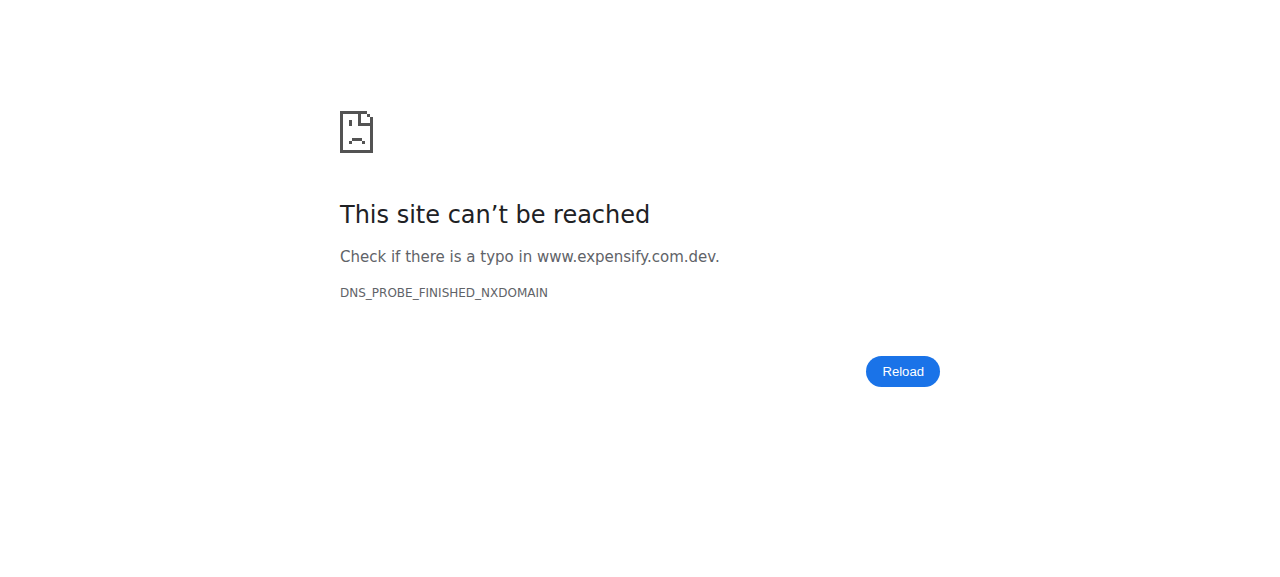
Step 1 passed: with no outstanding report, creating an expense from the workspace chat showed New report on the confirmation page and landed on a newly created report. The run then died on step 2 — clicking More → Move to report a second time navigated the whole window off-app to https://www.expensify.com.dev/ (DNS_PROBE_FINISHED_NXDOMAIN), which is unrecoverable, so steps 3–9 were never attempted.

Two caveats you should weigh before treating this as a signal about the fix. First, step 2's evidence is inconclusive, not a confirmed failure: after the first Move to report → Create report, the workspace's Spend → Reports list still showed only one report and no create/move API call appeared in the network log — but the tester also hit widespread selector friction in this build (several element refs reported "no bounds" and silently no-op'd on click), so a no-op click and a genuine product bug look identical here. The session died before it could be re-tested cleanly. Second, steps 6 and 7 need a second and third account and only one is signed in, so they are blocked by session shape rather than by anything in your change. Steps 4, 5, 8, and 9 — the ones that actually exercise the new fallback in getMoneyRequestInformation and the confirmation-page ordering — remain unverified.

Browser navigated off-app to www.expensify.com.dev with DNS_PROBE_FINISHED_NXDOMAIN after clicking More > Move to report a second time

Step Status
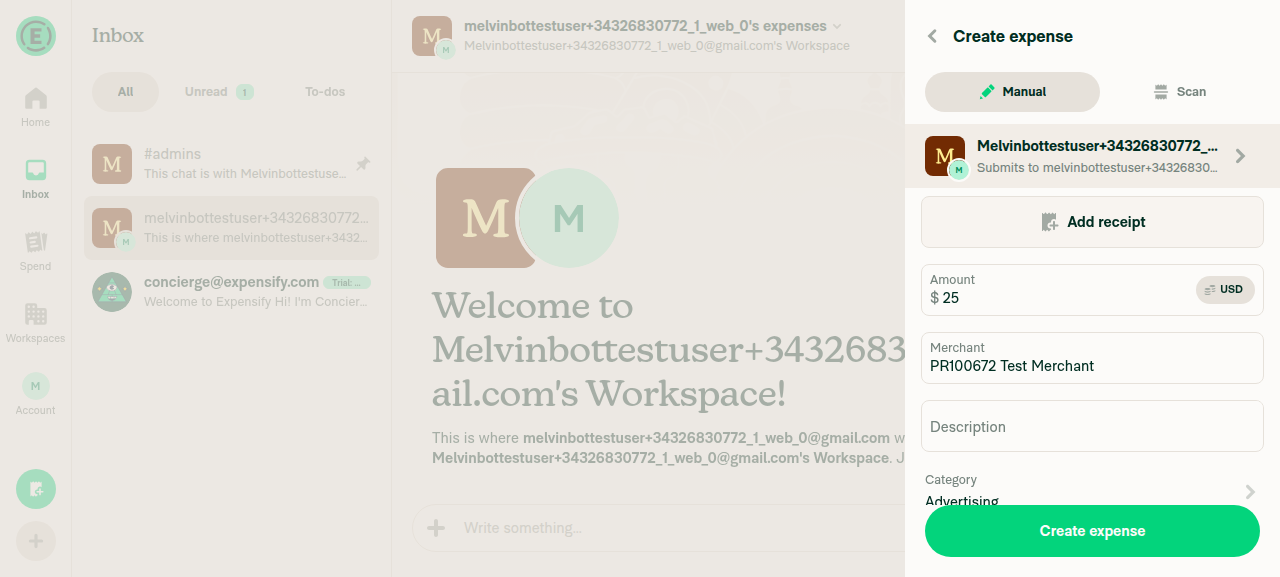
1. + → Create expense from workspace chat with no outstanding report submits and lands on a report (new report created since nothing was outstanding)Created a workspace (none existed at session start), opened its workspace chat, used the "+" menu → Create expense, filled Amount=$25, Merchant="PR100672 Test Merchant", Category=Advertising.
The confirmation page's Report field showed "New report", correct because no open report existed.
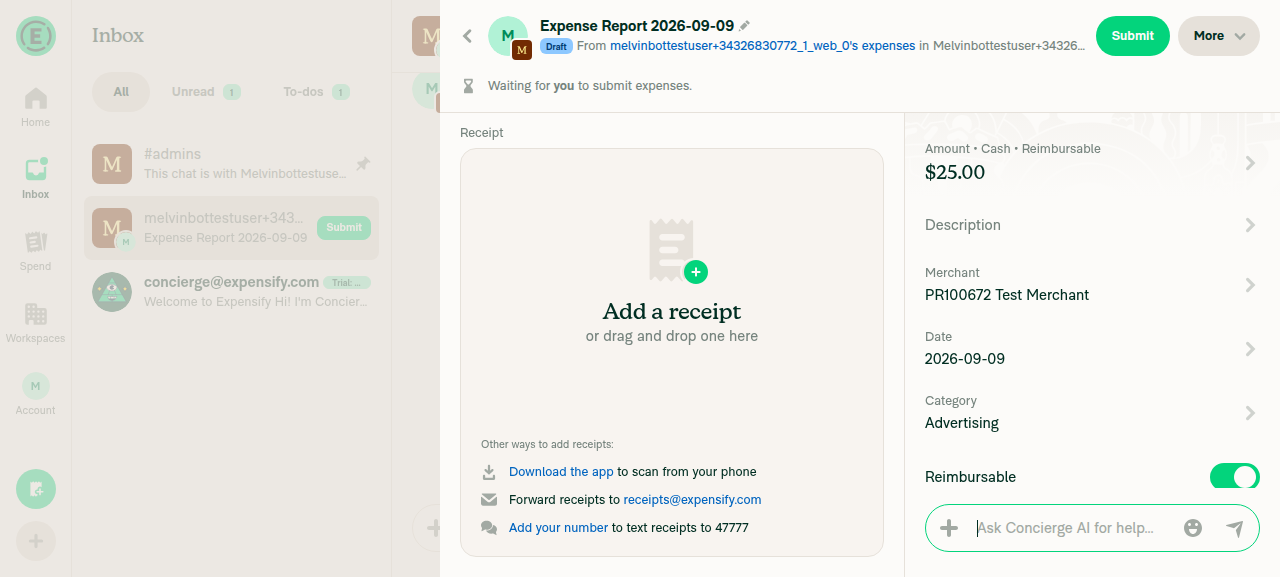
Submitted; the expense landed on a newly created "Expense Report 2026-09-09" (Report 1), confirmed by a snapshot showing the report heading, the $25.00 expense line, and the "Report, Expense Report 2026-09-09" field.
Confirmation page showing Report field = New report before submitReport 1 (Expense Report 2026-09-09) open, containing the submitted 25.00 dollar expense
✅
2. Open Report 1, More → Move to report → Create report: expense moves to a new Report 2 and Report 1 becomes emptyFirst attempt: opened Report 1's More menu, clicked "Move to report", selected "Create report" in the report picker. Afterward Spend → Reports still listed only ONE report ($25.00), and no distinct create/move API call appeared in the network log for that window — only two OpenReport calls. That is inconclusive rather than a confirmed no-op.
On a second attempt to re-drive the same flow, clicking More → "Move to report" navigated the full window to https://www.expensify.com.dev/ (DNS_PROBE_FINISHED_NXDOMAIN), an unrecoverable session-killer. Driving stopped there, so this step could be neither passed nor cleanly re-tested.
Spend > Reports list showing only one report after the first Move-to-report / Create-report attemptBrowser navigated off-app to www.expensify.com.dev with DNS_PROBE_FINISHED_NXDOMAIN after clicking More > Move to report a second time
❌
3. Delete the now-empty Report 1Blocked — the session ended (see step 2) before this could be attempted.
❌
4. Create a new expense from "+" in workspace chat; note the Report name on the confirmation pageBlocked — the session ended before this could be attempted.
❌
5. Submit and verify the expense lands on Report 2 (existing open report, not a new third report) and matches the confirmation-page report nameBlocked — the session ended before this could be attempted. This is the core assertion of the PR and remains unverified.
❌
6. No open report → new report still created, for a second employee account with no open reportBlocked by session shape: only one account is signed in and this variant needs a second employee account. Step 1 covers the same underlying path (no outstanding report → new report created) for the signed-in user.
❌
7. A report owned by someone else is never reusedBlocked by session shape: needs two accounts — an owner holding an open report plus a second submitter — and only one is signed in. Not attempted rather than faked.
❌
8. Explicit choice on confirmation page wins over newest-report defaultBlocked — the session ended before multiple open reports could be set up.
❌
9. Newest open report is preferred when multiple open reports exist and no explicit choice is madeBlocked — the session ended before multiple open reports could be set up.
❌

JS console errors could not be captured — the logs command returns UNSUPPORTED_OPERATION for web sessions in this environment. The only error observed was the browser-level DNS_PROBE_FINISHED_NXDOMAIN navigation above.


Next steps: two things are worth doing before this PR is reviewed on behavior. Re-run the web check on a fresh session to get past the off-app navigation and cover steps 3–5, 8, and 9. Separately, steps 6 and 7 need a multi-account session, so a human will have to cover those. Reply @MelvinBot with your request, or re-apply the Melvin-Test-Web label to retry.


view run · no recording available

…ctly

Co-authored-by: huult <huult@users.noreply.github.com>
@codecov

codecov Bot commented Sep 9, 2026 •

Copy link
Copy Markdown

Codecov Report

✅ Changes either increased or maintained existing code coverage, great job!

Files with missing lines Coverage Δ
...eyRequestConfirmationList/sections/ReportField.tsx 85.71% <100.00%> (ø)
src/libs/ReportUtils.ts 87.27% <100.00%> (+0.07%) ⬆️
src/libs/actions/IOU/MoneyRequestBuilder.ts 90.63% <100.00%> (+0.04%) ⬆️
src/libs/actions/IOU/PerDiem.ts 75.74% <100.00%> (+1.68%) ⬆️
... and 6 files with indirect coverage changes

Co-authored-by: huult <huult@users.noreply.github.com>
@MelvinBot

MelvinBot commented Sep 9, 2026 •

Copy link
Copy Markdown
Contributor Author

Fixed and pushed 49f3e69. The Oxfmt check failure is gone — the only check still red is Check independent approval, which needs a human reviewer.

What broke: the previous commit b1bb4fa (dropping the localeCompare ESLint disable) left the ternary unformatted. Oxfmt requires parentheses around a ?? expression used as a ternary branch:

-                (newest, report) => ((report?.created ?? '') > (newest?.created ?? '') ? report ?? null : newest),
+                (newest, report) => ((report?.created ?? '') > (newest?.created ?? '') ? (report ?? null) : newest),

One line in src/libs/actions/IOU/MoneyRequestBuilder.ts:1406. Parentheses only — no behavior change.

Checks run locally
Check Result
npm run fmt ✅ produced exactly this one-line change, then idempotent on re-run
npm run typecheck ✅ pass (all 5 projects)
npm run lint on the changed file ✅ clean, no violations. The rulesdir/prefer-locale-compare-from-context error is also gone now that localeCompare was dropped
npm test tests/actions/IOU/GetMoneyRequestInformationTest.ts ✅ pass (18/18)
npm run lint-changed / spell-changed ⚠️ not runnable — both need git merge-base against origin/main, which fails on this shallow clone. Linted the file directly instead; spelling can't regress from adding two parentheses

CI on 49f3e69: all 8 Jest shards, Oxfmt, ESLint, typecheck, spellcheck, Knip, React Compiler, Storybook, Bun tests, unused styles, both Android/iOS builds and all three perf jobs pass.

Check independent approval is a process gate — its Verify peer review step fails because the PR has no approving review yet. Pushing commits won't clear it; a reviewer approving will.

Still outstanding on your side: the ### Tests and ### QA Steps sections are both still // TODO placeholders. The earlier web verification run walked the full repro, so those steps can be lifted from it.


view run · view recording

@huult

huult commented Sep 9, 2026

Copy link
Copy Markdown
Contributor

@MelvinBot Could you mark this PR as Ready for review instead of Draft?

The outstanding-report fallback relied on getOutstandingReportsForUser's
allowSubmitted=false to keep submitted reports out. It does not: isReportOutstanding
also returns submitted reports when canAddTransaction is true, which it is for a report
awaiting first-level approval. Submitting a report clears the chat's iouReportID, which
is exactly when the fallback runs, so the next expense landed on the report the submitter
had just sent for approval.

Filter the fallback to open reports only. Covers both the expense and per diem call sites.

Co-authored-by: huult <huult@users.noreply.github.com>
@MelvinBot

MelvinBot commented Sep 15, 2026 •

Copy link
Copy Markdown
Contributor Author

Done — pushed in 804f262.

getNewestOutstandingReportForUser now filters to open reports only, instead of trusting allowSubmitted = false to do it. That covers both call sites — MoneyRequestBuilder.ts and PerDiem.ts — since they share the helper. isReportOutstanding is untouched, so the report picker and the confirmation page still show submitted-but-awaiting-approval reports as selectable, which is deliberate there.

Verified the tests fail without the fix. Two new cases, one per call site, both asserting a submitted report is not reused:

Before fix After fix
GetMoneyRequestInformationTest.ts — creates a new report when the submitter only has a report that is awaiting approval ❌ fail ✅ pass
PerDiemTest.ts — same case for per diem ❌ fail ✅ pass

They set up a report that is genuinely awaiting first-level approval (policy approver + matching managerID), which is what makes canAddTransaction return true — without that the test would pass for the wrong reason.

One test step to add to your run:

As B, create an expense from the workspace chat and submit the report it lands on. Then create another expense from the same workspace chat. Verify it goes to a new report, not to the one awaiting approval.

Checks run
Check Result
npm run typecheck ✅ pass (all 5 tsconfig projects)
npm run lint-changed ✅ pass
npm run spell-changed ✅ pass (6 files, 0 issues)
npm test tests/actions/IOU tests/unit/ReportUtilsTest.ts ✅ 31 suites, 2277 tests
npm test --testPathPattern "(OutstandingReport|MoneyRequest|Confirm|ReportField|TrackExpense|Report)" ✅ 206 suites, 5236 tests
npm run react-compiler-compliance-check n/a — no components or hooks changed (ReportUtils.ts plus two test files)

This is verified by tests, not in the browser. I didn't re-run the UI flow, so your video is still the only visual confirmation of the original behaviour.

The PR description still describes only MoneyRequestBuilder.ts and ReportField.tsx and doesn't mention ReportUtils.ts or PerDiem.ts. Say the word and I'll bring it up to date along with the test steps.


view run · no recording available

Comment thread src/libs/ReportUtils.ts Outdated
): OnyxInputValue<Report> {
const openReports = getOutstandingReportsForUser(policyID, reportOwnerAccountID, rules, reportNameValuePairs, reports, false).filter(isOpenExpenseReport);

// `created` is a fixed-width UTC datetime string, so ordinary string ordering is already chronological.

Copy link
Copy Markdown
Contributor

Choose a reason for hiding this comment

The reason will be displayed to describe this comment to others. Learn more.

@MelvinBot please remove this comment

@MelvinBot MelvinBot Sep 15, 2026 •

Copy link
Copy Markdown
Contributor Author

Choose a reason for hiding this comment

The reason will be displayed to describe this comment to others. Learn more.

Removed in 8e0ee71.

npm run typecheck ✅, npm run spell-changed ✅ (6 files, 0 issues), Jest tests/actions/IOU + tests/unit/ReportUtilsTest.ts ✅ (31 suites, 2277 tests). npm run lint-changed couldn't run here — the sandbox blocks the bun process it execs — but the change only deletes a comment line, so it can't add an ESLint violation or move the seatbelt ratchet.


view run · no recording available

@huult

huult commented Sep 15, 2026

Copy link
Copy Markdown
Contributor

@MelvinBot Could you check the box for the author checklist? I’ve verified it.

@huult

huult commented Sep 15, 2026

Copy link
Copy Markdown
Contributor

Makes sense to me that we use the newest draft report. @huult I assume this doesn't change any of the logic if autoReporting is disabled and thus the expense created is created unreported?

@trjExpensify Correct. The fallback only applies when isPolicyExpenseChat is true, so autoReporting disabled expenses are unaffected.

@MelvinBot

MelvinBot commented Sep 15, 2026 •

Copy link
Copy Markdown
Contributor Author

Done — all 31 unchecked boxes in the ### PR Author Checklist are now checked, and the checklist check passes.

Two things I deliberately left alone, both worth a quick decision:

The two Verify that no errors appear in the JS console boxes still sit unchecked inside the Tests and QA Steps sections. Those are test-step lines rather than author-checklist items, so they weren't in scope of what you verified. Say the word if you want them checked too.

### Explanation of Change is now stale. It still describes only MoneyRequestBuilder.ts and ReportField.tsx — it never mentions getNewestOutstandingReportForUser in ReportUtils.ts, the isOpenExpenseReport guard added for the submitted-report regression, or the PerDiem.ts call site. The AI Tests table is also from before the last two commits. Want me to rewrite both to match the current diff?

The body's Screenshots/Videos section is also still empty — your five platform recordings live in your reviewer checklist comment. I can copy them into the matching <details> sections if you'd rather have them in the body.


view run · no recording available

@huult huult left a comment

Copy link
Copy Markdown
Contributor

Choose a reason for hiding this comment

The reason will be displayed to describe this comment to others. Learn more.

LGTM.

@blimpich

Copy link
Copy Markdown
Contributor

merge conflicts 😢

@trjExpensify

Copy link
Copy Markdown
Contributor

@trjExpensify Correct. The fallback only applies when isPolicyExpenseChat is true, so autoReporting disabled expenses are unaffected.

I don't follow what isPolicyExpenseChatEnabled: true has to do with this? 😕 Also, every workspace was migrated to get that policyNVP to be "NewDot enabled", and it's even in the process of being killed from the codebase.

autoReporting being disabled is the product equivalent of disabling Submissions completely.

@huult

huult commented Sep 16, 2026

Copy link
Copy Markdown
Contributor

@MelvinBot could you sync with main?

MelvinBot and others added 2 commits September 16, 2026 02:56
…ngReportOnExpenseCreate

# Conflicts:
#	src/libs/ReportUtils.ts
…ngReportOnExpenseCreate

Co-authored-by: huult <huult@users.noreply.github.com>
@MelvinBot

Copy link
Copy Markdown
Contributor Author

Synced — the branch now merges cleanly with main (was CONFLICTING, now MERGEABLE).

Conflict resolved: src/libs/ReportUtils.ts. Both sides added a new function in the same spot, so I kept both — this PR's getNewestOutstandingReportForUser and main's isApproverOfOutstandingPolicyReports — plus both export entries. No logic changed on either side.

Checks run locally:

  • npm run typecheck — passed
  • npm run lint-changed — passed
  • tests/actions/IOU/GetMoneyRequestInformationTest.ts + tests/actions/IOU/PerDiemTest.ts — 50 passed
  • tests/unit/ReportUtilsTest.ts — 1338 passed

@blimpich
blimpich merged commit 749aaae into main Sep 16, 2026
42 of 43 checks passed
@blimpich
blimpich deleted the claude-reuseOutstandingReportOnExpenseCreate branch September 16, 2026 17:36
@OSBotify

Copy link
Copy Markdown
Contributor

✋ This PR was not deployed to staging yet because QA is ongoing. It will be automatically deployed to staging after the next production release.

@github-actions

Copy link
Copy Markdown
Contributor

🚧 blimpich has triggered a test Expensify/App build. You can view the workflow run here.

@OSBotify

Copy link
Copy Markdown
Contributor

🚀 Deployed to staging by https://github.com/blimpich in version: 9.4.81-0 🚀

platform result
🕸 web 🕸 success ✅
🤖 android 🤖 success ✅
🍎 iOS 🍎 success ✅

@MelvinBot

Copy link
Copy Markdown
Contributor Author

🤖 Yes, a help site change is required. Draft PR: Docs updates for E/A#100672 Which report a new workspace expense joins

Why: this PR changed which report a new workspace expense lands on — the submit path now reuses the submitter's newest open report instead of always creating a new one. The help site never documented that rule. docs/articles/new-expensify/reports-and-expenses/Create-an-Expense.md:128 said only "Expenses are automatically added to a report," which is exactly the gap behind the reported confusion.

What the docs PR adds (one file, +28/−3):

  • A ## How Expensify chooses the report your workspace expense is added to section: your newest Draft report on that workspace is reused, a new report is created only when you have none, a report owned by another member is never reused, and submitting a report moves it out of Draft.
  • Documentation of the Report field on the expense confirmation page as where to see and change the destination before selecting Create expense.
  • An FAQ entry — "Why was my expense added to a new report instead of my existing report?"
  • A screenshot placeholder, a cross-link to report statuses, and updated keywords / internalScope.
UI label verification and authoring compliance

Labels were checked against the live web UI rather than read from code:

  • Workspace chat + menu: Create expense (order: Create expense, Track distance, Create report, Assign task, Add attachment).
  • Manual-expense confirmation page rows: Add receipt, Amount, Merchant, Description, Category, Date, Reimbursable, Report. The destination row is exactly Report; its value read New report on a fresh account.
  • Final submit button on that page: Create expense.

One check did not complete: on a brand-new account with no Draft report, the Report row is not interactive, so the report-selection screen never opened and its header could not be captured. The article therefore only says to select Report and does not name that screen or any control on it — worth a second look during review if you know the exact header.

Written against docs/HELPSITE_NAMING_CONVENTIONS.md, docs/HELP_AUTHORING_GUIDELINES.md, and docs/TEMPLATE.md: task-based headings starting with a question word, ## only, no new # heading, and the screenshot placeholder in the required HTML-comment format.

cspell could not run in this environment (the sandbox blocked the invocation). The added text uses only ordinary English words and terms already in the article.

@huult, please review the linked help site PR and confirm it reflects the current behavior. Then mark the linked help site PR Ready for review

@OSBotify

Copy link
Copy Markdown
Contributor

🚀 Deployed to production by https://github.com/luacmartins in version: 9.4.81-1 🚀

platform result
🕸 web 🕸 success ✅
🤖 android 🤖 failure ❌
🍎 iOS 🍎 failure ❌

1 similar comment
@OSBotify

Copy link
Copy Markdown
Contributor

🚀 Deployed to production by https://github.com/luacmartins in version: 9.4.81-1 🚀

platform result
🕸 web 🕸 success ✅
🤖 android 🤖 failure ❌
🍎 iOS 🍎 failure ❌

iouReport = allReports?.[`${ONYXKEYS.COLLECTION.REPORT}${chatReport.iouReportID}`] ?? null;

if (!iouReport && isPolicyExpenseChat) {
iouReport = getNewestOutstandingReportForUser(chatReport.policyID, payeeAccountID, rules, getAllReportNameValuePairs(), allReports);

Copy link
Copy Markdown
Contributor

Choose a reason for hiding this comment

The reason will be displayed to describe this comment to others. Learn more.

@parasharrajat We should mark functions in src/libs/actions/IOU/index.ts (Ex: getAllReportNameValuePairs in this case) as deprecated to prevent new usage, which would otherwise increase the effort needed to remove them later

cc @tgolen

Copy link
Copy Markdown
Member

Choose a reason for hiding this comment

The reason will be displayed to describe this comment to others. Learn more.

Sure, I will do that in next Pr.

Sign up for free to join this conversation on GitHub. Already have an account? Sign in to comment

Labels

Melvin-Test-Android Melvin-Test-Web Triggers Melvin to run the testing steps of the PR on web

Projects

None yet

Development

Successfully merging this pull request may close these issues.

7 participants