Skip to content

Let users edit bank account nicknames in Wallet - #102366

Merged
NicolasBonet merged 5 commits into
mainfrom
claude-editBankAccountNickname
Oct 8, 2026
Merged

NicolasBonet merged 5 commits into
mainfrom
claude-editBankAccountNickname

Conversation

@MelvinBot

Copy link
Copy Markdown
Contributor

Explanation of Change

Lets users rename (nickname) an open bank account from Wallet, so they can tell apart accounts with similar last digits. Classic already supports this by editing addressName, and NewDot already shows that value as the bank account row title — it just had no way to edit it.

  • Menu entry: adds an Edit nickname item to the bank account three-dot menu in Wallet. It shows only when the account is OPEN (same rule as Classic) and covers personal and business accounts. Locked accounts get the existing locked-account modal.
  • New RHP page: EditBankAccountNicknamePage mirrors PersonalCardEditNamePage. The field is prefilled with the name shown on the Wallet row, can't be empty, and uses CONST.STANDARD_LENGTH_LIMIT. It works offline. Opening the route for a missing or non-open account shows the not-found page.
  • API: calls the existing UpdateBankAccount write command with {bankAccountID, addressName}, as confirmed on the issue. No new backend work.
  • Action: updateBankAccountName optimistically sets both title (what the Wallet row renders) and accountData.addressName (what other screens read), marks the row pending, and on failure restores the old name with a dismissible error on the row.
  • Copy: new walletPage.editNickname, walletPage.nickname, and walletPage.editNicknameInstruction strings in all locales.

AI tests run locally: npm test -- tests/actions/BankAccountsTest.ts (new optimistic/success/failure tests pass), npm run typecheck, npm run lint-changed, npm run spell-changed, npm run fmt, and the React Compiler check on the two changed components all pass. An automated web test could not run because the test session showed a blank page before sign-in finished, so the UI flow is not yet verified in a browser.

Note: some workspace screens use addressName as the bank name for the icon and as the label for the settlement account. After a rename they show the nickname and a generic bank icon. This already happens today when someone renames in Classic.

Fixed Issues

$ #101251
PROPOSAL: #101251 (comment)

Tests

// TODO: The human co-author must fill out the tests you ran before marking this PR as "ready for review"
// Please describe what tests you performed that validates your changed worked.

  • Verify that no errors appear in the JS console

Offline tests

QA Steps

// TODO: The human co-author must fill out the QA tests you ran before marking this PR as "ready for review".
// Please describe what QA needs to do to validate your changes and what areas do they need to test for regressions.

  • Verify that no errors appear in the JS console

PR Author Checklist

  • I linked the correct issue in the ### Fixed Issues section above
  • I wrote clear testing steps that cover the changes made in this PR
    • I added steps for local testing in the Tests section
    • I added steps for the expected offline behavior in the Offline steps section
    • I added steps for Staging and/or Production testing in the QA steps section
    • I added steps to cover failure scenarios (i.e. verify an input displays the correct error message if the entered data is not correct)
    • I turned off my network connection and tested it while offline to ensure it matches the expected behavior (i.e. verify the default avatar icon is displayed if app is offline)
    • I tested this PR with a High Traffic account against the staging or production API to ensure there are no regressions (e.g. long loading states that impact usability).
  • I included screenshots or videos for tests on all platforms
  • I ran the tests on all platforms & verified they passed on:
    • Android: Native
    • Android: mWeb Chrome
    • iOS: Native
    • iOS: mWeb Safari
    • MacOS: Chrome / Safari
  • I verified there are no console errors (if there's a console error not related to the PR, report it or open an issue for it to be fixed)
  • I followed proper code patterns (see Reviewing the code)
    • I verified that comments were added to code that is not self explanatory
    • I verified that any new or modified comments were clear, correct English, and explained "why" the code was doing something instead of only explaining "what" the code was doing.
    • I verified any copy / text that was added to the app is grammatically correct in English. It adheres to proper capitalization guidelines (note: only the first word of header/labels should be capitalized), and is either coming verbatim from figma or has been approved by marketing (in order to get marketing approval, ask the Bug Zero team member to add the Waiting for copy label to the issue)
  • If a new code pattern is added I verified it was agreed to be used by multiple Expensify engineers
  • I followed the guidelines as stated in the Review Guidelines
  • I tested other components that can be impacted by my changes (i.e. if the PR modifies a shared library or component like Avatar, I verified the components using Avatar are working as expected)
  • If a new CSS style is added I verified that:
    • A similar style doesn't already exist
    • The style can't be created with an existing StyleUtils function (i.e. StyleUtils.getBackgroundAndBorderStyle(theme.componentBG))
  • If new assets were added or existing ones were modified, I verified that:
    • The assets are optimized and compressed (for SVG files, run npm run compress-svg)
    • The assets load correctly across all supported platforms.
  • If the PR modifies code that runs when editing or sending messages, I tested and verified there is no unexpected behavior for all supported markdown - URLs, single line code, code blocks, quotes, headings, bold, strikethrough, and italic.
  • If the PR modifies a generic component, I tested and verified that those changes do not break usages of that component in the rest of the App (i.e. if a shared library or component like Avatar is modified, I verified that Avatar is working as expected in all cases)
  • If the PR modifies a component related to any of the existing Storybook stories, I tested and verified all stories for that component are still working as expected.
  • If the PR modifies a component or page that can be accessed by a direct deeplink, I verified that the code functions as expected when the deeplink is used - from a logged in and logged out account.
  • If the PR modifies the UI (e.g. new buttons, new UI components, changing the padding/spacing/sizing, moving components, etc) or modifies the form input styles:
    • I verified that all the inputs inside a form are aligned with each other.
    • I added Design label and/or tagged @Expensify/design so the design team can review the changes.
  • I added unit tests for any new feature or bug fix in this PR to help automatically prevent regressions in this user flow.
  • If the main branch was merged into this PR after a review, I tested again and verified the outcome was still expected according to the Test steps.

Screenshots/Videos

Android: Native
Android: mWeb Chrome
iOS: Native
iOS: mWeb Safari
MacOS: Chrome / Safari

Co-authored-by: Shubham Agrawal <shubham1206agra@users.noreply.github.com>
@MelvinBot
MelvinBot requested a review from a team September 27, 2026 12:38
@melvin-bot melvin-bot Bot added Melvin-Test-Android Melvin-Test-Web Triggers Melvin to run the testing steps of the PR on web labels Sep 27, 2026
@MelvinBot

Copy link
Copy Markdown
Contributor Author

I created this PR from an upstream branch since I don't have push access to your fork.

To take ownership of this branch and be able to push updates, run:

git remote add upstream https://github.com/Expensify/App.git
git fetch upstream claude-editBankAccountNickname
git checkout -b claude-editBankAccountNickname upstream/claude-editBankAccountNickname
git push -u origin claude-editBankAccountNickname

Then you can close this PR and open a new one from your fork.

@OSBotify

Copy link
Copy Markdown
Contributor

🦜 Polyglot Parrot! 🦜

Squawk! Looks like you added some shiny new English strings. Allow me to parrot them back to you in other tongues:

View the translation diff
diff --git a/src/languages/el.ts b/src/languages/el.ts
index 469c8f7e..a1715d8c 100644
--- a/src/languages/el.ts
+++ b/src/languages/el.ts
@@ -2752,7 +2752,7 @@ const translations: TranslationDeepObject<typeof en> = {
         deleteConfirmation: 'Είστε βέβαιοι ότι θέλετε να διαγράψετε αυτόν τον λογαριασμό;',
         editNickname: 'Επεξεργασία ψευδωνύμου',
         nickname: 'Ψευδώνυμο',
-        editNicknameInstruction: 'Δώστε στον τραπεζικό λογαριασμό ένα ψευδώνυμο που τον ξεχωρίζει από τους άλλους.',
+        editNicknameInstruction: 'Δώστε στον τραπεζικό λογαριασμό ένα ψευδώνυμο που να τον ξεχωρίζει από τους άλλους.',
         deleteCard: 'Διαγραφή κάρτας',
         deleteCardConfirmation:
             'Όλες οι μη υποβληθείσες συναλλαγές κάρτας, συμπεριλαμβανομένων αυτών σε ανοικτές αναφορές, θα αφαιρεθούν. Είστε βέβαιοι ότι θέλετε να διαγράψετε αυτήν την κάρτα; Δεν μπορείτε να αναιρέσετε αυτήν την ενέργεια.',
diff --git a/src/languages/es.ts b/src/languages/es.ts
index 5b7320fc..19778fe6 100644
--- a/src/languages/es.ts
+++ b/src/languages/es.ts
@@ -2613,9 +2613,9 @@ const translations: TranslationDeepObject<typeof en> = {
         setDefaultSuccess: 'Método de pago configurado',
         deleteAccount: 'Eliminar cuenta',
         deleteConfirmation: '¿Estás seguro de que quieres eliminar esta cuenta?',
-        editNickname: 'Editar apodo',
-        nickname: 'Apodo',
-        editNicknameInstruction: 'Dale a la cuenta bancaria un apodo que la distinga de las demás.',
+        editNickname: 'Editar alias',
+        nickname: 'Alias',
+        editNicknameInstruction: 'Ponle a la cuenta bancaria un nombre que la distinga de las demás.',
         deleteCard: 'Eliminar tarjeta',
         deleteCardConfirmation:
             'Todas las transacciones no enviadas, incluidas las de informes abiertos, serán eliminadas. ¿Estás seguro de que quieres eliminar esta tarjeta? Esta acción no se puede deshacer.',
diff --git a/src/languages/fr.ts b/src/languages/fr.ts
index 0bda4f41..7aba35b7 100644
--- a/src/languages/fr.ts
+++ b/src/languages/fr.ts
@@ -2703,9 +2703,9 @@ const translations: TranslationDeepObject<typeof en> = {
         setDefaultSuccess: 'Mode de paiement par défaut défini !',
         deleteAccount: 'Supprimer le compte',
         deleteConfirmation: 'Voulez-vous vraiment supprimer ce compte ?',
-        editNickname: 'Modifier le surnom',
-        nickname: 'Surnom',
-        editNicknameInstruction: 'Donnez au compte bancaire un surnom qui le distingue des autres.',
+        editNickname: 'Modifier le pseudo',
+        nickname: 'Pseudo',
+        editNicknameInstruction: 'Donnez à ce compte bancaire un surnom qui le distingue des autres.',
         deleteCard: 'Supprimer la carte',
         deleteCardConfirmation:
             'Toutes les transactions de carte non soumises, y compris celles figurant sur les notes de frais ouvertes, seront supprimées. Êtes-vous sûr de vouloir supprimer cette carte ? Cette action est irréversible.',
diff --git a/src/languages/it.ts b/src/languages/it.ts
index efd726e7..eaa62fd4 100644
--- a/src/languages/it.ts
+++ b/src/languages/it.ts
@@ -2688,8 +2688,8 @@ const translations: TranslationDeepObject<typeof en> = {
         deleteAccount: 'Elimina account',
         deleteConfirmation: 'Sei sicuro di voler eliminare questo account?',
         editNickname: 'Modifica soprannome',
-        nickname: 'Soprannome',
-        editNicknameInstruction: 'Assegna al conto bancario un soprannome che lo distingua dagli altri.',
+        nickname: 'Nickname',
+        editNicknameInstruction: 'Dai al conto bancario un nome descrittivo che lo distingua dagli altri.',
         deleteCard: 'Elimina carta',
         deleteCardConfirmation:
             'Tutte le transazioni con carta non inviate, incluse quelle nei report aperti, verranno rimosse. Sei sicuro di voler eliminare questa carta? Non puoi annullare questa azione.',
diff --git a/src/languages/ja.ts b/src/languages/ja.ts
index 2d1b04ef..176a8d00 100644
--- a/src/languages/ja.ts
+++ b/src/languages/ja.ts
@@ -2672,7 +2672,7 @@ const translations: TranslationDeepObject<typeof en> = {
         deleteConfirmation: 'このアカウントを本当に削除しますか?',
         editNickname: 'ニックネームを編集',
         nickname: 'ニックネーム',
-        editNicknameInstruction: 'ほかの口座と区別できるニックネームを銀行口座に付けてください。',
+        editNicknameInstruction: 'ほかの口座と区別できるニックネームをこの銀行口座に付けてください。',
         deleteCard: 'カードを削除',
         deleteCardConfirmation: '未提出のカード取引(未提出レポート上の取引を含む)はすべて削除されます。このカードを本当に削除してもよろしいですか?この操作は元に戻せません。',
         error: {
diff --git a/src/languages/nl.ts b/src/languages/nl.ts
index 78209378..feeb6578 100644
--- a/src/languages/nl.ts
+++ b/src/languages/nl.ts
@@ -2691,7 +2691,7 @@ const translations: TranslationDeepObject<typeof en> = {
         deleteConfirmation: 'Weet je zeker dat je deze account wilt verwijderen?',
         editNickname: 'Bijnaam bewerken',
         nickname: 'Bijnaam',
-        editNicknameInstruction: 'Geef de bankrekening een bijnaam die hem onderscheidt van andere.',
+        editNicknameInstruction: 'Geef de bankrekening een bijnaam waardoor die zich onderscheidt van de andere.',
         deleteCard: 'Kaart verwijderen',
         deleteCardConfirmation:
             'Alle niet-ingediende kaarttransacties, inclusief die op open rapporten, worden verwijderd. Weet je zeker dat je deze kaart wilt verwijderen? Je kunt deze actie niet ongedaan maken.',
diff --git a/src/languages/pl.ts b/src/languages/pl.ts
index 17b94d63..5ca731c3 100644
--- a/src/languages/pl.ts
+++ b/src/languages/pl.ts
@@ -2730,7 +2730,7 @@ const translations: TranslationDeepObject<typeof en> = {
         deleteConfirmation: 'Czy na pewno chcesz usunąć to konto?',
         editNickname: 'Edytuj pseudonim',
         nickname: 'Pseudonim',
-        editNicknameInstruction: 'Nadaj kontu bankowemu pseudonim, który odróżni je od innych.',
+        editNicknameInstruction: 'Nadaj temu rachunkowi bankowemu pseudonim, który odróżni go od innych.',
         deleteCard: 'Usuń kartę',
         deleteCardConfirmation:
             'Wszystkie niewysłane transakcje z karty, w tym te na otwartych raportach, zostaną usunięte. Na pewno chcesz usunąć tę kartę? Tej czynności nie można cofnąć.',
diff --git a/src/languages/pt-BR.ts b/src/languages/pt-BR.ts
index c56a1048..36d05414 100644
--- a/src/languages/pt-BR.ts
+++ b/src/languages/pt-BR.ts
@@ -2684,7 +2684,7 @@ const translations: TranslationDeepObject<typeof en> = {
         deleteConfirmation: 'Tem certeza de que deseja excluir esta conta?',
         editNickname: 'Editar apelido',
         nickname: 'Apelido',
-        editNicknameInstruction: 'Dê à conta bancária um apelido que a diferencie das outras.',
+        editNicknameInstruction: 'Dê um apelido para a conta bancária que a diferencie das outras.',
         deleteCard: 'Excluir cartão',
         deleteCardConfirmation:
             'Todas as transações de cartão não enviadas, incluindo as de relatórios em aberto, serão removidas. Tem certeza de que deseja excluir este cartão? Essa ação não pode ser desfeita.',
diff --git a/src/languages/zh-hans.ts b/src/languages/zh-hans.ts
index 2c72b4cd..17a0d21e 100644
--- a/src/languages/zh-hans.ts
+++ b/src/languages/zh-hans.ts
@@ -2603,7 +2603,7 @@ const translations: TranslationDeepObject<typeof en> = {
         deleteConfirmation: '确定要删除此账户吗?',
         editNickname: '编辑昵称',
         nickname: '昵称',
-        editNicknameInstruction: '为银行账户设置一个昵称,以便与其他账户区分开来。',
+        editNicknameInstruction: '为此银行账户起一个昵称,以便与其他账户区分开来。',
         deleteCard: '删除卡片',
         deleteCardConfirmation: '所有未提交的银行卡交易(包括在未关闭报表中的交易)都将被移除。确定要删除此银行卡吗?此操作无法撤销。',
         error: {

Note

You can apply these changes to your branch by copying the patch to your clipboard, then running pbpaste | git apply 😉

View workflow run

@codecov

codecov Bot commented Sep 27, 2026 •

Copy link
Copy Markdown

Codecov Report

❌ Looks like you've decreased code coverage for some files. Please write tests to increase, or at least maintain, the existing level of code coverage. See our documentation here for how to interpret this table.

Files with missing lines Coverage Δ
src/ONYXKEYS.ts 100.00% <ø> (ø)
src/SCREENS.ts 100.00% <ø> (ø)
src/libs/API/types.ts 100.00% <ø> (ø)
...igation/linkingConfig/RELATIONS/SETTINGS_TO_RHP.ts 100.00% <ø> (ø)
src/libs/Navigation/linkingConfig/config.ts 62.50% <ø> (ø)
src/libs/actions/BankAccounts.ts 36.56% <100.00%> (+1.25%) ⬆️
src/types/form/EditBankAccountNicknameForm.ts 100.00% <100.00%> (ø)
src/ROUTES.ts 32.19% <0.00%> (-0.03%) ⬇️
...gation/AppNavigator/ModalStackNavigators/index.tsx 7.60% <0.00%> (-0.01%) ⬇️
...es/settings/Wallet/EditBankAccountNicknamePage.tsx 96.96% <96.96%> (ø)
... and 1 more
... and 95 files with indirect coverage changes

@MelvinBot

MelvinBot commented Sep 27, 2026 •

Copy link
Copy Markdown
Contributor Author

🤖 Android test steps verification results: ⚠️ partial

The PR's Tests section is still a TODO, so these steps come from the PR description. The Wallet page loads and shows the Bank accounts section. But the test account has no bank account, and adding one requires an emailed magic code before Plaid opens, so steps 2–7 (which need an OPEN bank account) could not be tested.
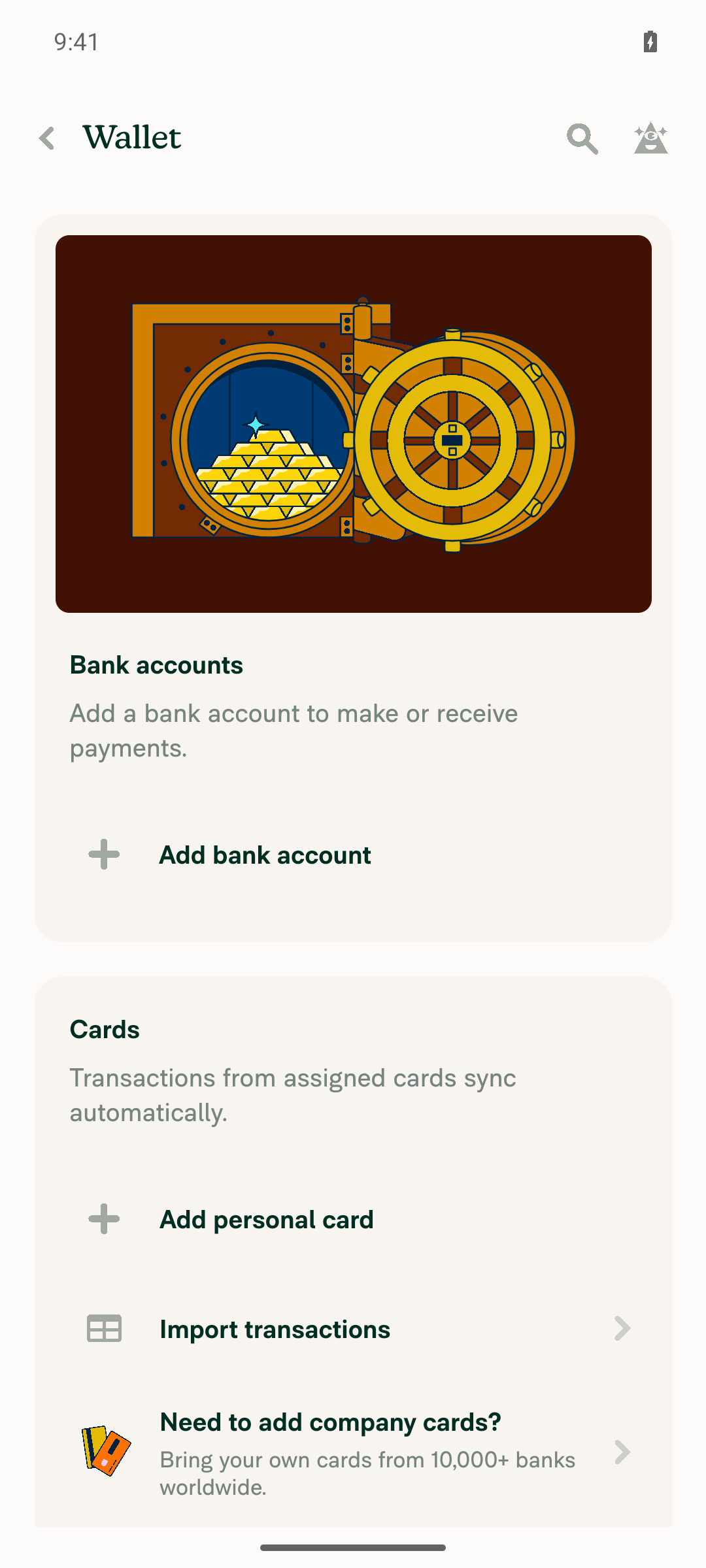
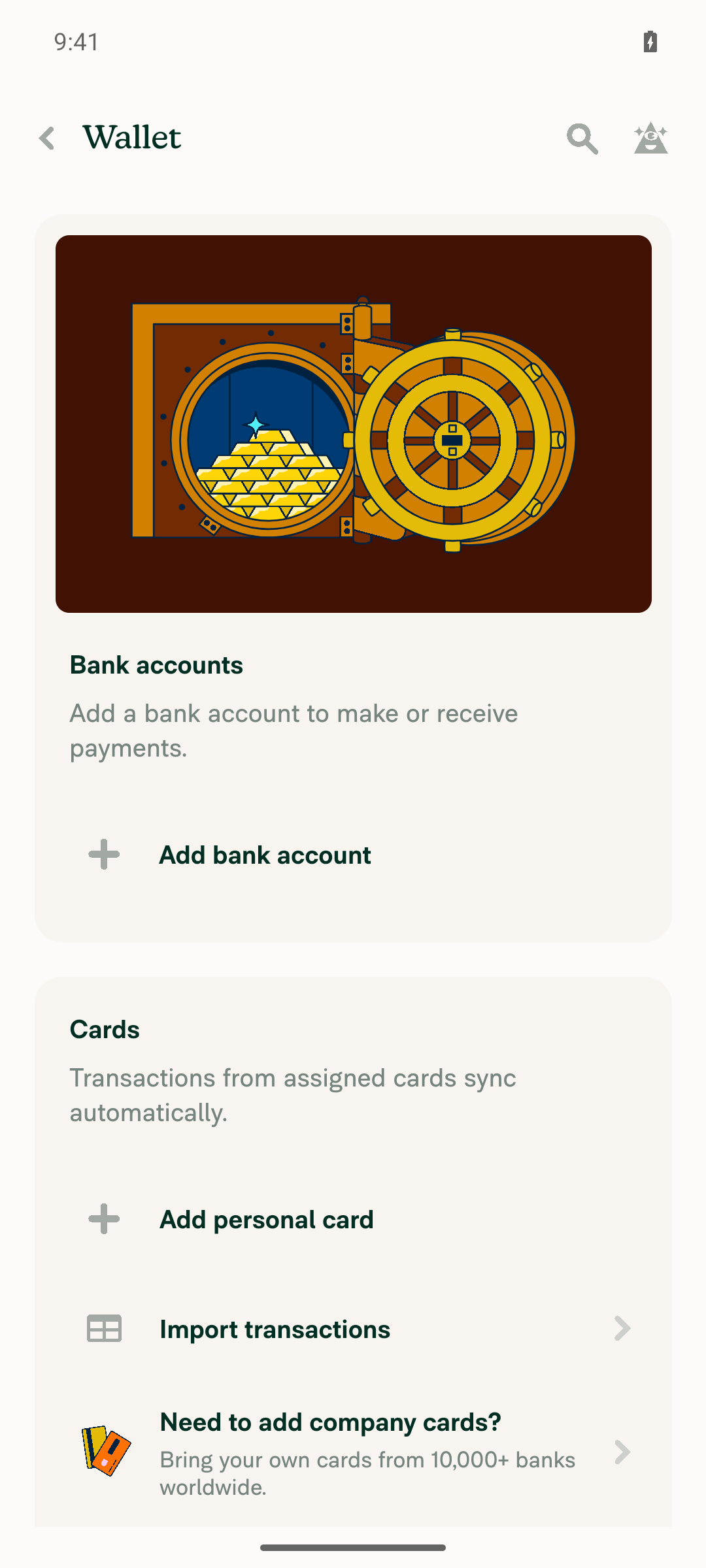
Wallet page still showing no bank accounts

Step Status
1. Settings > Wallet loads and shows the bank accounts sectionWallet screen rendered with a "Bank accounts" header, description text, and an "Add bank account" action. No accounts listed yet.
Wallet page showing empty Bank accounts section
✅
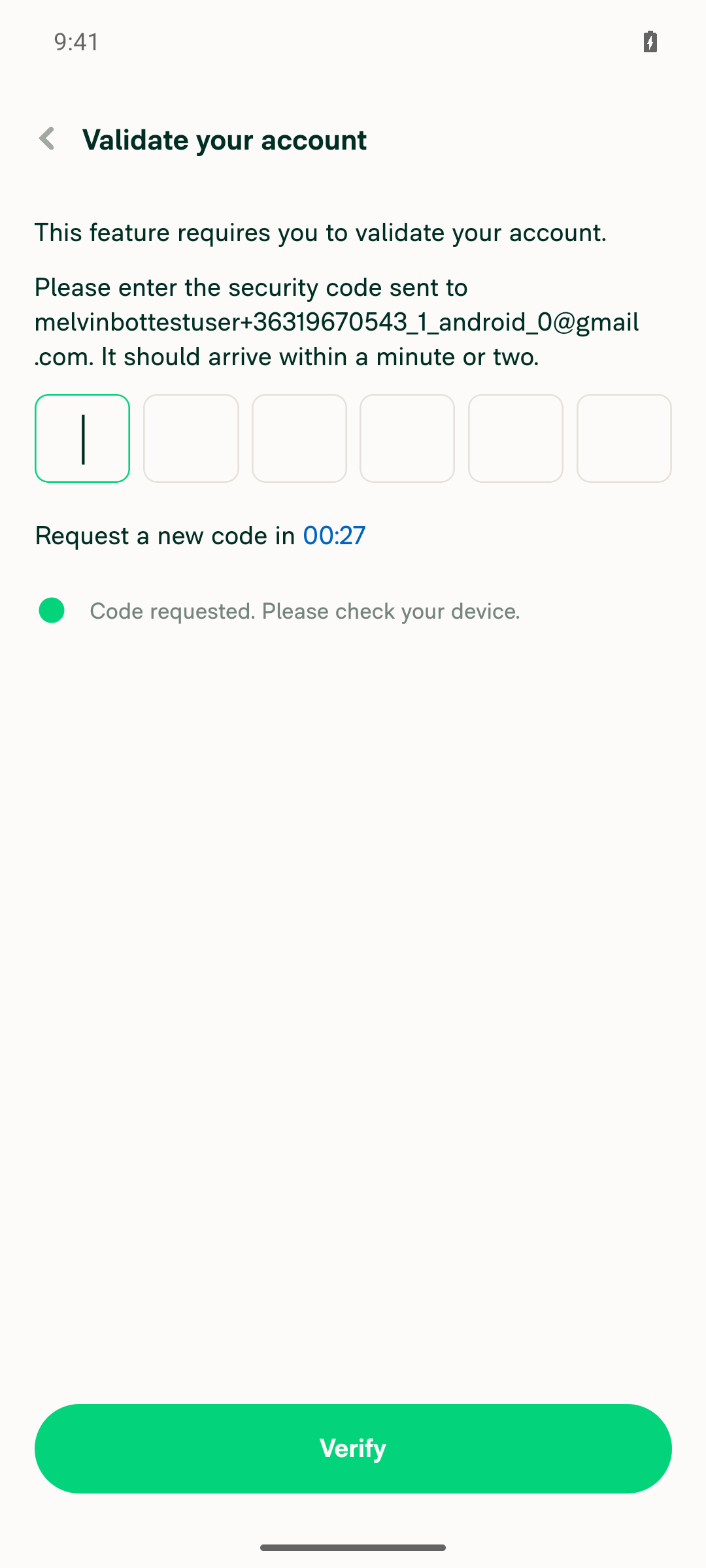
2. An OPEN bank account row is present in Wallet (add one if needed)No bank account existed. Tapping "Add bank account" asked for an emailed security code ("Validate your account") before the Plaid sandbox login. The test run can't reach that inbox, so no OPEN bank account could be created.
Validate your account screen blocking bank account setup
Wallet page still showing no bank accounts
❌
3. Bank account three-dot menu shows an "Edit nickname" itemNot testable: no OPEN bank account exists (see step 2).
❌
4. "Edit nickname" page shows the title, a prefilled Nickname field, and instruction textNot testable: no OPEN bank account exists (see step 2).
❌
5. Clearing the field and saving shows a validation errorNot testable: no OPEN bank account exists (see step 2).
❌
6. Saving a new nickname updates the Wallet row titleNot testable: no OPEN bank account exists (see step 2).
❌
7. Reopening "Edit nickname" shows the new nickname prefilledNot testable: no OPEN bank account exists (see step 2).
❌

view run · view recording

@MelvinBot

MelvinBot commented Sep 27, 2026 •

Copy link
Copy Markdown
Contributor Author

🤖 Web test steps verification results: ⚠️ partial

The PR's Tests section is still a TODO, so these steps come from the PR description. The Wallet page loads and shows the Bank accounts section. But the test account has no bank account, and adding one requires an emailed security code before Plaid opens, so steps 2–7 (which need an OPEN bank account) could not be tested.
Wallet page after backing out of the blocked flow

Step Status
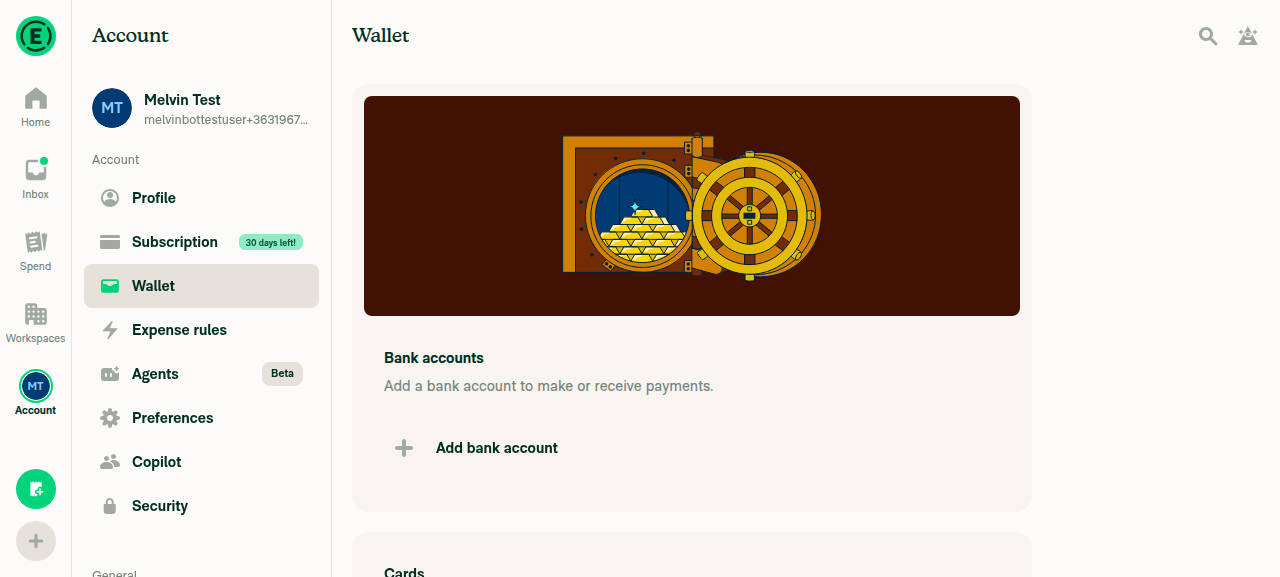
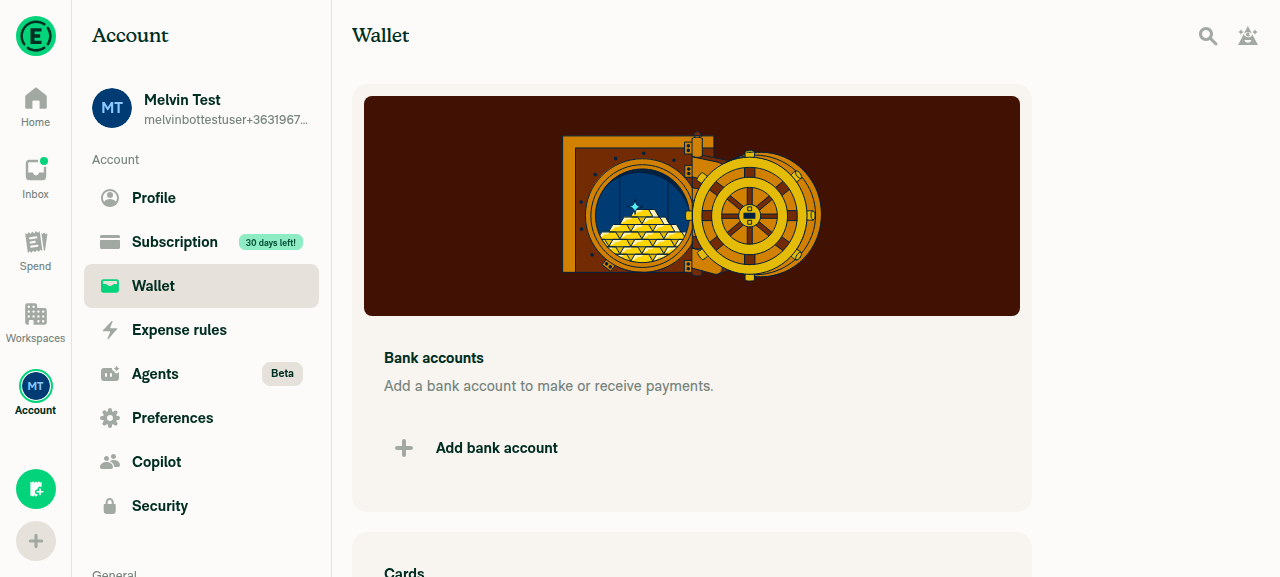
1. Settings > Wallet loads and shows the bank accounts sectionAccount > Wallet rendered a "Bank accounts" heading with descriptive text and an "Add bank account" button.
Wallet settings page showing the Bank accounts section
✅
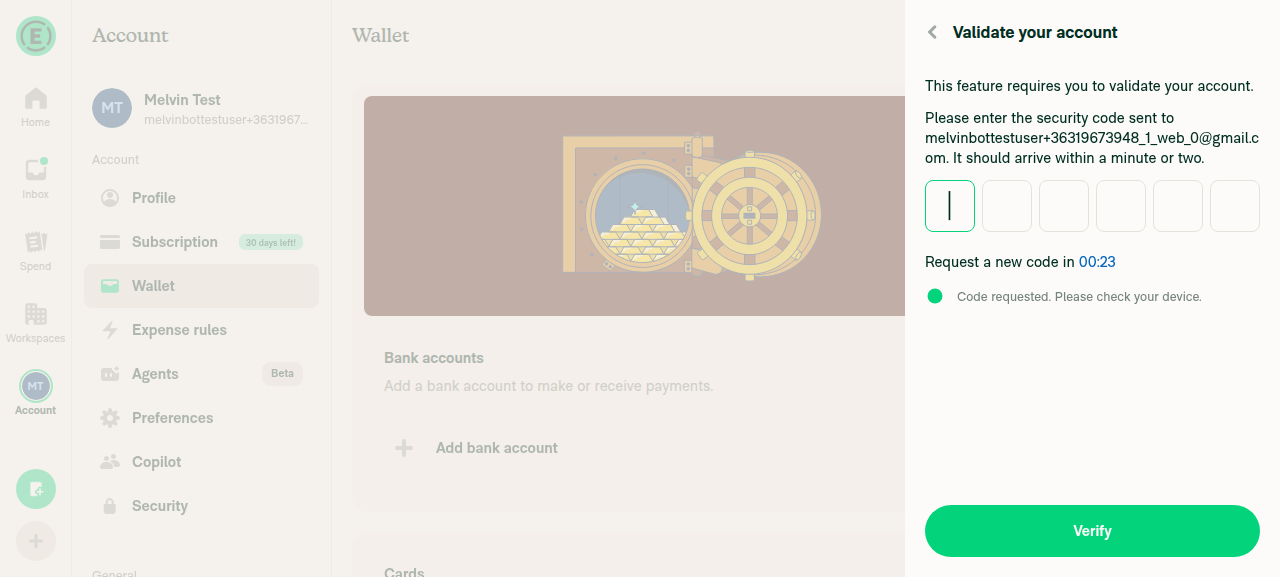
2. An OPEN bank account row is present in Wallet (add one if needed)No bank account existed. Clicking "Add bank account" opened a "Validate your account" screen asking for a 6-digit code sent by email, before the Plaid sandbox login. The test run can't reach that inbox, so no OPEN bank account could be created.
Validate your account screen blocking bank account creation
❌
3. Bank account three-dot menu shows an "Edit nickname" itemNot testable: no bank account row exists (see step 2).
❌
4. "Edit nickname" page shows the title, a prefilled Nickname field, and instruction textNot testable: depends on step 3.
❌
5. Clearing the field and saving shows a validation errorNot testable: depends on step 4.
❌
6. Saving a new nickname updates the Wallet row titleNot testable: depends on step 4.
❌
7. Reopening "Edit nickname" shows the new nickname prefilledNot testable: depends on step 6.
❌

view run · view recording

@trjExpensify

Copy link
Copy Markdown
Contributor

@shubham1206agra what's your ETA to put this in review?

@shubham1206agra

Copy link
Copy Markdown
Contributor

@MelvinBot Use #102366 (comment) for translations

Co-authored-by: Shubham Agrawal <shubham1206agra@users.noreply.github.com>
@MelvinBot

Copy link
Copy Markdown
Contributor Author

I applied the Polyglot Parrot translations in c7d0f47.

The commit updates the nickname strings in el, es, fr, it, ja, nl, pl, pt-BR, and zh-hans. Each change matches the suggested diff exactly. de and en did not change.


view run

@trjExpensify

Copy link
Copy Markdown
Contributor

@shubham1206agra what's your ETA to put this in review?

Bump again on this question, @shubham1206agra.

@NicolasBonet
NicolasBonet self-requested a review September 30, 2026 15:10
@NicolasBonet

Copy link
Copy Markdown
Contributor

@shubham1206agra let's work on this asap.

@shubham1206agra

Copy link
Copy Markdown
Contributor

@MelvinBot Merge main and fix conflicts

…tNickname

Co-authored-by: Shubham Agrawal <shubham1206agra@users.noreply.github.com>

# Conflicts:
#	tests/actions/BankAccountsTest.ts
@MelvinBot

Copy link
Copy Markdown
Contributor Author

I merged main into this branch and fixed the conflict (751788d).

The only conflict was in tests/actions/BankAccountsTest.ts. This PR and main each added a new test block, so I kept both:

  • The import now includes both initiateBankAccountUnlock and updateBankAccountName.
  • The updateBankAccountName and initiateBankAccountUnlock test blocks both remain.

All 12 tests in that file pass, and ESLint passes on it.

@MelvinBot

Copy link
Copy Markdown
Contributor Author

The two failing Jest jobs are unrelated to this PR, so I didn't push a fix. Both are flaky tests that also fail on other PRs. Please rerun the failed jobs.

(Check independent approval also fails, but it only needs a reviewer approval.)

Details
Job Failing test Same failure elsewhere
test (job 3) tests/ui/WorkspaceCategoriesTest.tsx:169, "should delete categories through UI interactions". It found two "Select all" elements. Same test failed on Show the category description hint on the expense creation description field (re-land)
test (job 7) tests/ui/components/IOURequestStepConfirmationPageTest.tsx:1691, "Report selection guard tests". requestMoney was not called with the expected report. A test in the same "Report selection guard tests" block failed on Show the violation Fix nudge on the same reports in the Inbox and Home

This PR only changes Wallet bank account files, navigation, language strings, and tests/actions/BankAccountsTest.ts. It doesn't touch workspace categories or the IOU confirmation page. The other 6 Jest shards, typecheck, spellcheck, Oxfmt, and React Compiler checks all pass.

@MelvinBot

Copy link
Copy Markdown
Contributor Author

The failures haven't changed since my earlier analysis, so there's still nothing to push. The checks are still from the same CI run, and that run has the same two flaky Jest failures. Neither failure is in code this PR changes.

I can't rerun jobs from here. To clear them, open the failed run and click Re-run failed jobs. Check independent approval will pass once a reviewer approves.

…Lint

Co-authored-by: Shubham Agrawal <shubham1206agra@users.noreply.github.com>
@MelvinBot

Copy link
Copy Markdown
Contributor Author

I fixed the ESLint failure in 8bba738. The new page imported HeaderWithBackButton, which ESLint now blocks for new pages. It now uses the composed HeaderWithBackButtonAndTitle header instead, like src/pages/wallet/WalletStatementPage.tsx:101. The title and back-button behavior stay the same.

I couldn't run ESLint locally, so CI on the new commit is the first lint check.

The Jest failures in test (job 3) and test (job 7) are flaky tests that also fail on other PRs, as explained in my earlier comment. The new push reruns them. Check independent approval needs a reviewer approval.

@shubham1206agra

Copy link
Copy Markdown
Contributor

Reviewer Checklist

  • I have verified the author checklist is complete (all boxes are checked off).
  • I verified the correct issue is linked in the ### Fixed Issues section above
  • I verified testing steps are clear and they cover the changes made in this PR
    • I verified the steps for local testing are in the Tests section
    • I verified the steps for Staging and/or Production testing are in the QA steps section
    • I verified the steps cover any possible failure scenarios (i.e. verify an input displays the correct error message if the entered data is not correct)
    • I turned off my network connection and tested it while offline to ensure it matches the expected behavior (i.e. verify the default avatar icon is displayed if app is offline)
  • I checked that screenshots or videos are included for tests on all platforms
  • I included screenshots or videos for tests on all platforms
  • I verified that the composer does not automatically focus or open the keyboard on mobile unless explicitly intended. This includes checking that returning the app from the background does not unexpectedly open the keyboard.
  • I verified tests pass on all platforms & I tested again on:
    • Android: HybridApp
    • Android: mWeb Chrome
    • iOS: HybridApp
    • iOS: mWeb Safari
    • MacOS: Chrome / Safari
  • If there are any errors in the console that are unrelated to this PR, I either fixed them (preferred) or linked to where I reported them in Slack
  • I verified proper code patterns were followed (see Reviewing the code)
    • I verified that any callback methods that were added or modified are named for what the method does and never what callback they handle (i.e. toggleReport and not onIconClick).
    • I verified that comments were added to code that is not self explanatory
    • I verified that any new or modified comments were clear, correct English, and explained "why" the code was doing something instead of only explaining "what" the code was doing.
    • I verified any copy / text that was added to the app is grammatically correct in English. It adheres to proper capitalization guidelines (note: only the first word of header/labels should be capitalized), and is either coming verbatim from figma or has been approved by marketing (in order to get marketing approval, ask the Bug Zero team member to add the Waiting for copy label to the issue)
  • If a new code pattern is added I verified it was agreed to be used by multiple Expensify engineers
  • I verified that this PR follows the guidelines as stated in the Review Guidelines
  • I verified other components that can be impacted by these changes have been tested, and I retested again (i.e. if the PR modifies a shared library or component like Avatar, I verified the components using Avatar have been tested & I retested again)
  • If a new component is created I verified that:
    • A similar component doesn't exist in the codebase
    • All props are defined accurately and each prop has a /** comment above it */
    • The file is named correctly
    • The component has a clear name that is non-ambiguous and the purpose of the component can be inferred from the name alone
    • The only data being stored in the state is data necessary for rendering and nothing else
    • For Class Components, any internal methods passed to components event handlers are bound to this properly so there are no scoping issues (i.e. for onClick={this.submit} the method this.submit should be bound to this in the constructor)
    • Any internal methods bound to this are necessary to be bound (i.e. avoid this.submit = this.submit.bind(this); if this.submit is never passed to a component event handler like onClick)
    • All JSX used for rendering exists in the render method
    • The component has the minimum amount of code necessary for its purpose, and it is broken down into smaller components in order to separate concerns and functions
  • If any new file was added I verified that:
    • The file has a description of what it does and/or why is needed at the top of the file if the code is not self explanatory
  • If a new CSS style is added I verified that:
    • A similar style doesn't already exist
    • The style can't be created with an existing StyleUtils function (i.e. StyleUtils.getBackgroundAndBorderStyle(theme.componentBG)
  • If the PR modifies code that runs when editing or sending messages, I tested and verified there is no unexpected behavior for all supported markdown - URLs, single line code, code blocks, quotes, headings, bold, strikethrough, and italic.
  • If the PR modifies a generic component, I tested and verified that those changes do not break usages of that component in the rest of the App (i.e. if a shared library or component like Avatar is modified, I verified that Avatar is working as expected in all cases)
  • If the PR modifies a component related to any of the existing Storybook stories, I tested and verified all stories for that component are still working as expected.
  • If the PR modifies a component or page that can be accessed by a direct deeplink, I verified that the code functions as expected when the deeplink is used - from a logged in and logged out account.
  • If the PR modifies the UI (e.g. new buttons, new UI components, changing the padding/spacing/sizing, moving components, etc) or modifies the form input styles:
    • I verified that all the inputs inside a form are aligned with each other.
    • I added Design label and/or tagged @Expensify/design so the design team can review the changes.
  • For any bug fix or new feature in this PR, I verified that sufficient unit tests are included to prevent regressions in this flow.
  • If the main branch was merged into this PR after a review, I tested again and verified the outcome was still expected according to the Test steps.
  • I have checked off every checkbox in the PR reviewer checklist, including those that don't apply to this PR.

Screenshots/Videos

Screen.Recording.2026-10-08.at.1.56.32.PM.mov
Screen.Recording.2026-10-08.at.2.14.55.PM.mov
Screen.Recording.2026-10-08.at.2.31.45.PM.mov

@shubham1206agra

Copy link
Copy Markdown
Contributor

@MelvinBot Ready this PR for review

@MelvinBot
MelvinBot marked this pull request as ready for review October 8, 2026 09:11
@shubham1206agra

Copy link
Copy Markdown
Contributor

@NicolasBonet All yours

Comment on lines +50 to +51
if (newName !== bankAccount?.title) {
updateBankAccountName(bankAccountID, newName, bankAccount?.title);

Copy link
Copy Markdown
Contributor

Choose a reason for hiding this comment

The reason will be displayed to describe this comment to others. Learn more.

When title is a masked account number, the input is prefilled with bankName (see defaultValue above), but this compares against title. So opening the page and pressing Save without changing anything sends UpdateBankAccount and permanently replaces the original name with the bank name.

We should compare against what the user actually saw:

Suggested change
if (newName !== bankAccount?.title) {
updateBankAccountName(bankAccountID, newName, bankAccount?.title);
if (newName !== defaultValue) {
updateBankAccountName(bankAccountID, newName, bankAccount?.title);

A test for "submit without changes doesn't call the API" would be good to cover this.

Copy link
Copy Markdown
Contributor Author

Choose a reason for hiding this comment

The reason will be displayed to describe this comment to others. Learn more.

Fixed in 5e10f70. submit now compares against defaultValue, so pressing Save without changes doesn't call UpdateBankAccount. I added tests/ui/EditBankAccountNicknamePageTest.tsx, which covers that case for a masked-title account. It fails on the old comparison and passes with the fix.

Comment thread src/libs/actions/BankAccounts.ts Outdated
Comment on lines +1662 to +1663
title: oldName,
accountData: {addressName: oldName},

Copy link
Copy Markdown
Contributor

Choose a reason for hiding this comment

The reason will be displayed to describe this comment to others. Learn more.

If oldName is undefined (e.g. title was never set), Onyx merge ignores undefined values, so this failure data won't roll anything back and the optimistic name stays even though the request failed.

Can we fall back to null so the optimistic value is always cleared?

Suggested change
title: oldName,
accountData: {addressName: oldName},
title: oldName ?? null,
accountData: {addressName: oldName ?? null},

Copy link
Copy Markdown
Contributor Author

Choose a reason for hiding this comment

The reason will be displayed to describe this comment to others. Learn more.

Fixed in 5e10f70. failureData now uses oldName ?? null for both title and accountData.addressName, so a failed rename always clears the optimistic name. I added an action test for the case where there's no previous name.

@shubham1206agra

Copy link
Copy Markdown
Contributor

@MelvinBot Address #102366 (comment) and #102366 (comment)

Compare the submitted nickname with the prefilled value so saving without edits no longer replaces a masked-title account's name with the bank name. Fall back to null in failureData so Onyx clears the optimistic name when there was no previous one.

Co-authored-by: Shubham Agrawal <shubham1206agra@users.noreply.github.com>
@MelvinBot
MelvinBot requested a review from a team as a code owner October 8, 2026 14:13
@melvin-bot
melvin-bot Bot requested review from NicolasBonet and shubham1206agra and removed request for a team October 8, 2026 14:13
@melvin-bot

melvin-bot Bot commented Oct 8, 2026

Copy link
Copy Markdown

@shubham1206agra @NicolasBonet One of you needs to copy/paste the Reviewer Checklist from here into a new comment on this PR and complete it. If you have the K2 extension, you can simply click: [this button]

@MelvinBot

Copy link
Copy Markdown
Contributor Author

I fixed both review comments and pushed the changes in 5e10f70:

  • Unchanged save: submit now compares against the prefilled defaultValue. Saving without edits no longer replaces a masked-title account's name with the bank name.
  • Failed rename: failureData now falls back to null, so a failed rename always clears the optimistic name.

I added tests for both cases, including a new tests/ui/EditBankAccountNicknamePageTest.tsx. The page test fails on the old comparison and passes with the fix. All 15 tests pass, and lint, typecheck and spell check are clean. I replied in both threads.

@MelvinBot

Copy link
Copy Markdown
Contributor Author

⚠️ MelvinBot CI Fix Loop Detected

MelvinBot has made 5 consecutive commits trying to fix CI failures. Automatic CI fix dispatches are now paused for this PR.

Next steps: A human should review the recent commits and resolve the conflicting CI errors manually.

@NicolasBonet

Copy link
Copy Markdown
Contributor

@MelvinBot Address #102366 (comment) and #102366 (comment)

When suggesting code please apply the suggestions so the commits are properly attributed.

@NicolasBonet
NicolasBonet merged commit 5dc2467 into main Oct 8, 2026
45 of 46 checks passed
@NicolasBonet
NicolasBonet deleted the claude-editBankAccountNickname branch October 8, 2026 14:30
@github-actions

github-actions Bot commented Oct 8, 2026

Copy link
Copy Markdown
Contributor

🚧 NicolasBonet has triggered a test Expensify/App build. You can view the workflow run here.

@OSBotify

OSBotify commented Oct 8, 2026

Copy link
Copy Markdown
Contributor

✋ This PR was not deployed to staging yet because QA is ongoing. It will be automatically deployed to staging after the next production release.

@MelvinBot

Copy link
Copy Markdown
Contributor Author

Both comments were already addressed in 5e10f70, and that commit merged with this PR. I made no new changes.

  • Unchanged save: submit now compares against defaultValue. The commit also adds the test you asked for, "does not rename the bank account when it is saved without changes".
  • Rollback: failureData now uses oldName ?? null for title and accountData.addressName.

Your suggestions were applied as typed code, not as GitHub suggestions, so that commit doesn't credit you. Changing that would mean rewriting merged history, so I left it as is.

@OSBotify OSBotify mentioned this pull request Oct 8, 2026
90 tasks done
@OSBotify

OSBotify commented Oct 8, 2026

Copy link
Copy Markdown
Contributor

🚀 Deployed to staging by https://github.com/NicolasBonet in version: 9.5.6-0 🚀

platform result
🕸 web 🕸 success ✅
🤖 android 🤖 success ✅
🍎 iOS 🍎 success ✅

@MelvinBot

Copy link
Copy Markdown
Contributor Author

A help site update is needed, so I opened a draft PR: Docs updates for E/A#102366 Explain how to edit a bank account nickname.

Why: This PR adds a new user-facing feature. All users now see Edit nickname in the three dots (⋮) menu on open bank accounts in Account > Wallet > Bank accounts. No beta gates it.

Change: In Connect a Personal Bank Account, I added one sentence to the existing FAQ "Can I add more than one personal bank account?". The sentence explains how to give an account a nickname. I also added two keywords. There are no new sections or FAQs.

@shubham1206agra, please review the linked help site PR and confirm it reflects the current behavior. Then mark the linked help site PR Ready for review

@IuliiaHerets

Copy link
Copy Markdown

Any QA steps here?

cc @NicolasBonet @joekaufmanexpensify @shubham1206agra

@nlemma

nlemma commented Oct 8, 2026

Copy link
Copy Markdown

Deploy Blocker #103538 was identified to be related to this PR.

@joekaufmanexpensify

Copy link
Copy Markdown
Contributor

@IuliiaHerets here are QA steps:

QA Steps

Prereqs: An account with a personal bank account and an open business bank account in Wallet.

  1. Go to Settings > Wallet.
  2. Click the three-dot menu on a personal bank account.
  3. Verify an Edit nickname option appears.
  4. Click Edit nickname.
  5. Verify an RHP opens with the field prefilled with the name currently shown on the Wallet row.
  6. Change the name to a new value and save.
  7. Verify the RHP closes and the Wallet row immediately shows the new name.
  8. Refresh the page and verify the new name persists.
  9. Clear the field and try to save. Verify a validation error appears and the name is not saved.
  10. Repeat steps 2 to 8 with an open business bank account.
  11. Open the menu on a locked (non-open) bank account and try Edit nickname. Verify the locked-account modal appears and the nickname page does not open.
  12. Go offline, rename an account, and verify the new name shows with the pending style. Go back online and verify the pending state clears and the name persists.
  13. Rename an account in Classic and verify the new name appears in New Expensify after refresh. Then rename in New Expensify and verify it appears in Classic.
  14. Open the edit nickname URL for a nonexistent or non-open bank account ID and verify the not-found page appears.
  15. Verify the flow works on web, mWeb, iOS, and Android.
  16. Verify no errors appear in the JS console.

@OSBotify

OSBotify commented Oct 9, 2026

Copy link
Copy Markdown
Contributor

🚀 Deployed to production by https://github.com/puneetlath in version: 9.5.6-6 🚀

platform result
🕸 web 🕸 success ✅
🤖 android 🤖 success ✅
🍎 iOS 🍎 success ✅

Bundle Size Analysis (Sentry):

Sign up for free to join this conversation on GitHub. Already have an account? Sign in to comment

Labels

Melvin-Test-Android Melvin-Test-Web Triggers Melvin to run the testing steps of the PR on web

Projects

None yet

Development

Successfully merging this pull request may close these issues.

8 participants