Skip to content

Render left navigation destinations as real links - #106937

Merged
JS00001 merged 8 commits into
Expensify:mainfrom
Krishna2323:krishna2323/105770-sidebar-links
Nov 19, 2026
Merged

JS00001 merged 8 commits into
Expensify:mainfrom
Krishna2323:krishna2323/105770-sidebar-links

Conversation

@Krishna2323

@Krishna2323 Krishna2323 commented Nov 15, 2026 •

Copy link
Copy Markdown
Contributor

Explanation of Change

Adds a linkRoute prop to GenericPressable. When it's set, the pressable renders as a real link (<a href="/<route>">) on web:

  • A plain click works as before: the browser navigation is prevented and onPress navigates inside the app.
  • Cmd/Ctrl + click, middle click and right click > "Open link in new tab" are left to the browser, so the destination opens in a new tab.
  • A disabled pressable never follows its link.

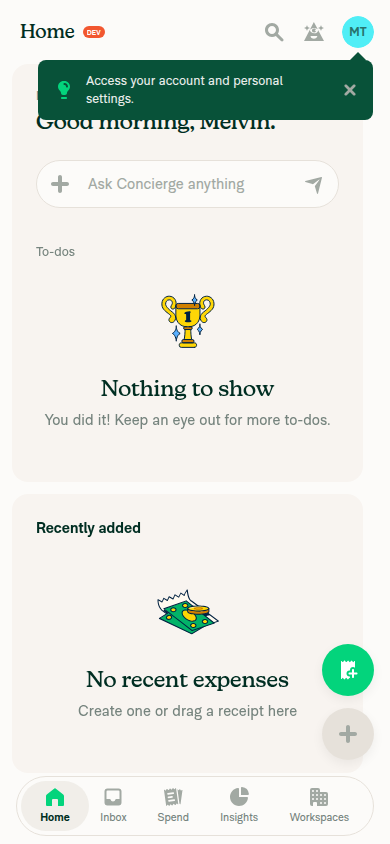
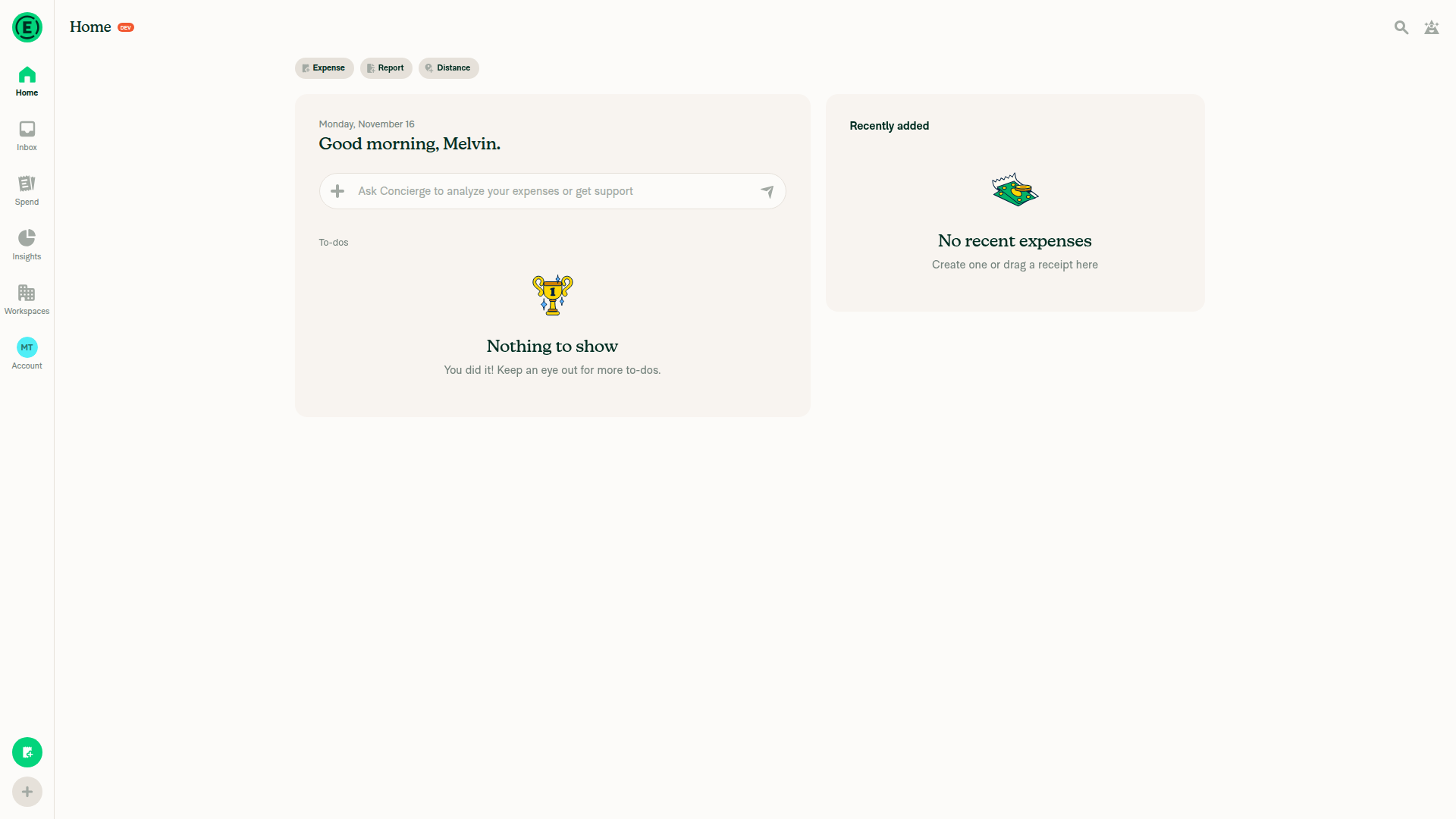
This is the first PR for the issue. It adds the shared support and uses it in the left navigation: the logo, Home, Inbox, Spend, Insights, Workspaces and Account, in both the icon tab bar and the flat navigation bar.

A new tab has no navigation history, so each link points to that tab's starting page:

  • Spend: your last saved search.
  • Insights: the Spend dashboard.
  • Every other tab: its root page.

A plain click still restores the last page you had open in that tab, as before. Native ignores href, so mobile apps are unchanged.

Fixed Issues

$ #105770
PROPOSAL:

Tests

  1. Open the app on web in a wide window.
  2. Click each item in the left navigation (logo, Home, Inbox, Spend, Insights, Workspaces, Account). Verify each one navigates in the same tab, with no full page reload.
  3. Cmd + click (Ctrl + click on Windows) each item. Verify it opens in a new tab, and the current tab stays where it was.
  4. Middle-click each item. Verify it opens in a new tab.
  5. Right-click each item. Verify the browser menu shows "Open link in new tab", and that it opens the right page.
  6. Hover each item. Verify the browser's status bar shows the destination URL.
  7. Go to a report in Inbox, switch to another tab, then click Inbox. Verify it still returns to that report.
  8. Switch to the narrow layout (mobile web) and repeat steps 2–5 on the bottom tab bar.
  9. On iOS and Android, tap each tab bar item. Verify navigation works as before.
  • Verify that no errors appear in the JS console

Offline tests

Same as tests. Navigation is client-side, so the behavior is the same offline.

QA Steps

Same as tests.

  • Verify that no errors appear in the JS console

PR Author Checklist

  • I linked the correct issue in the ### Fixed Issues section above
  • I wrote clear testing steps that cover the changes made in this PR
    • I added steps for local testing in the Tests section
    • I added steps for the expected offline behavior in the Offline steps section
    • I added steps for Staging and/or Production testing in the QA steps section
    • I added steps to cover failure scenarios (i.e. verify an input displays the correct error message if the entered data is not correct)
    • I turned off my network connection and tested it while offline to ensure it matches the expected behavior (i.e. verify the default avatar icon is displayed if app is offline)
    • I tested this PR with a High Traffic account against the staging or production API to ensure there are no regressions (e.g. long loading states that impact usability).
  • I included screenshots or videos for tests on all platforms
  • I ran the tests on all platforms & verified they passed on:
    • Android: Native
    • Android: mWeb Chrome
    • iOS: Native
    • iOS: mWeb Safari
    • MacOS: Chrome / Safari
    • MacOS: Desktop
  • I verified there are no console errors (if there's a console error not related to the PR, report it or open an issue for it to be fixed)
  • I verified there are no new alerts related to the canBeMissing param for useOnyx
  • I followed proper code patterns (see Reviewing the code)
    • I verified that any callback methods that were added or modified are named for what the method does and never what callback they handle (i.e. toggleReport and not onIconClick)
    • I verified that comments were added to code that is not self explanatory
    • I verified that any new or modified comments were clear, correct English, and explained "why" the code was doing something instead of only explaining "what" the code was doing.
    • I verified any copy / text shown in the product is localized by adding it to src/languages/* files and using the translation method
      • If any non-english text was added/modified, I used JaimeGPT to get English > Spanish translation. I then posted it in #expensify-open-source and it was approved by an internal Expensify engineer. Link to Slack message:
    • I verified all numbers, amounts, dates and phone numbers shown in the product are using the localization methods
    • I verified any copy / text that was added to the app is grammatically correct in English. It adheres to proper capitalization guidelines (note: only the first word of header/labels should be capitalized), and is either coming verbatim from figma or has been approved by marketing (in order to get marketing approval, ask the Bug Zero team member to add the Waiting for copy label to the issue)
    • I verified proper file naming conventions were followed for any new files or renamed files. All non-platform specific files are named after what they export and are not named "index.js". All platform-specific files are named for the platform the code supports as outlined in the README.
    • I verified the JSDocs style guidelines (in STYLE.md) were followed
  • If a new code pattern is added I verified it was agreed to be used by multiple Expensify engineers
  • I followed the guidelines as stated in the Review Guidelines
  • I tested other components that can be impacted by my changes (i.e. if the PR modifies a shared library or component like Avatar, I verified the components using Avatar are working as expected)
  • I verified all code is DRY (the PR doesn't include any logic written more than once, with the exception of tests)
  • I verified any variables that can be defined as constants (ie. in CONST.ts or at the top of the file that uses the constant) are defined as such
  • I verified that if a function's arguments changed that all usages have also been updated correctly
  • If any new file was added I verified that:
    • The file has a description of what it does and/or why is needed at the top of the file if the code is not self explanatory
  • If a new CSS style is added I verified that:
    • A similar style doesn't already exist
    • The style can't be created with an existing StyleUtils function (i.e. StyleUtils.getBackgroundAndBorderStyle(theme.componentBG))
  • If new assets were added or existing ones were modified, I verified that:
    • The assets are optimized and compressed (for SVG files, run npm run compress-svg)
    • The assets load correctly across all supported platforms.
  • If the PR modifies code that runs when editing or sending messages, I tested and verified there is no unexpected behavior for all supported markdown - URLs, single line code, code blocks, quotes, headings, bold, strikethrough, and italic.
  • If the PR modifies a generic component, I tested and verified that those changes do not break usages of that component in the rest of the App (i.e. if a shared library or component like Avatar is modified, I verified that Avatar is working as expected in all cases)
  • If the PR modifies a component related to any of the existing Storybook stories, I tested and verified all stories for that component are still working as expected.
  • If the PR modifies a component or page that can be accessed by a direct deeplink, I verified that the code functions as expected when the deeplink is used - from a logged in and logged out account.
  • If the PR modifies the UI (e.g. new buttons, new UI components, changing the padding/spacing/sizing, moving components, etc) or modifies the form input styles:
    • I verified that all the inputs inside a form are aligned with each other.
    • I added Design label and/or tagged @Expensify/design so the design team can review the changes.
  • If a new page is added, I verified it's using the ScrollView component to make it scrollable when more elements are added to the page.
  • I added unit tests for any new feature or bug fix in this PR to help automatically prevent regressions in this user flow.
  • If the main branch was merged into this PR after a review, I tested again and verified the outcome was still expected according to the Test steps.

Screenshots/Videos

Android: Native
Android: mWeb Chrome
iOS: Native
iOS: mWeb Safari
MacOS: Chrome / Safari
Monosnap.screencast.2026-11-15.07-33-43.mp4

Add a linkRoute prop to GenericPressable that renders the route as an
href on web. A plain click prevents the browser navigation and runs the
in-app onPress, while Cmd/Ctrl clicks are left to the browser so the
destination opens in a new tab. Right-click "Open link in new tab" and
middle-click work through the native anchor.

Use it for every destination in NavigationTabBar and FlatNavigationBar:
logo, Home, Inbox, Spend, Insights, Workspaces and Account.

Signed-off-by: krishna2323 <belivethatkg@gmail.com>
Select only queryJSON and searchKey for the stored Spend route, so the
tab bars don't re-render when search pagination fields change. Share
the default Insights route between the tab bars and getInsightsTabRoute.
Add the missing When comment to the link test.

Signed-off-by: krishna2323 <belivethatkg@gmail.com>
@Krishna2323 Krishna2323 changed the title Krishna2323/105770 sidebar links Render left navigation destinations as real links Nov 15, 2026
@codecov

codecov Bot commented Nov 15, 2026 •

Copy link
Copy Markdown

@Krishna2323
Krishna2323 marked this pull request as ready for review November 15, 2026 02:11
@Krishna2323
Krishna2323 requested review from a team as code owners November 15, 2026 02:11
@expensify-chore-bot
expensify-chore-bot Bot requested review from Eskalifer1 and garrettmknight and removed request for a team and garrettmknight November 15, 2026 02:11
@expensify-chore-bot

Copy link
Copy Markdown

@Eskalifer1 Please copy/paste the Reviewer Checklist from here into a new comment on this PR and complete it. If you have the K2 extension, you can simply click: [this button]

@chatgpt-codex-connector

chatgpt-codex-connector Bot commented Nov 15, 2026 •

Copy link
Copy Markdown
Codex Review Summary: ✅ Completed

This comment shows the latest Codex review activity on this pull request.

Review Status Commit Review trigger
📝 Code Review ✅ Completed 2026-11-17T16:22:20.396529Z 9cb26a5 Manual request
ℹ️ About Codex in GitHub

Your team has set up Codex to review pull requests in this repo. Reviews are triggered when you

  • Open a pull request for review
  • Mark a draft as ready
  • Comment "@codex review" or "@codex security review".

Codex reacts with 👀 while any review is running, comments if it has suggestions, and reacts with 👍 once all reviews finish with no findings.

@chatgpt-codex-connector chatgpt-codex-connector Bot left a comment

Copy link
Copy Markdown

Choose a reason for hiding this comment

The reason will be displayed to describe this comment to others. Learn more.

💡 Codex Review

Here are some automated review suggestions for this pull request.

Reviewed commit: e85eee240a

ℹ️ About Codex in GitHub

Your team has set up Codex to review pull requests in this repo. Reviews are triggered when you

  • Open a pull request for review
  • Mark a draft as ready
  • Comment "@codex review".

If Codex has suggestions, it will comment; otherwise it will react with 👍.

Codex can also answer questions or update the PR. Try commenting "@codex address that feedback".

Anonymous users get no href on gated tabs, so a Cmd click still shows the sign-in prompt. Disabled pressables render no href, so the context menu cannot open them.

Signed-off-by: krishna2323 <belivethatkg@gmail.com>
@Eskalifer1

Copy link
Copy Markdown
Contributor

@codex review

@chatgpt-codex-connector

Copy link
Copy Markdown

Codex Review: Didn't find any major issues. Delightful!

Reviewed commit: 3957abdf4b

ℹ️ About Codex in GitHub

Codex has been enabled to automatically review pull requests in this repo. Reviews are triggered when you

  • Open a pull request for review
  • Mark a draft as ready
  • Comment "@codex review".

If Codex has suggestions, it will comment; otherwise it will react with 👍.

When you sign up for Codex through ChatGPT, Codex can also answer questions or update the PR, like "@codex address that feedback".

@Eskalifer1 Eskalifer1 left a comment

Copy link
Copy Markdown
Contributor

Choose a reason for hiding this comment

The reason will be displayed to describe this comment to others. Learn more.

TabBarLabel renders the label twice, once visible and once as an aria-hidden bold copy that reserves the width. Now that the tab is an <a href>, the link's text content contains both copies, so dragging a tab shows a doubled title such as "HomeHome". aria-hidden only hides the copy from assistive tech and does not remove it from the text content.

2026-11-16.09.19.46.mov

onAccessibilityTap={!isDisabled ? voidOnPressHandler : undefined}
accessible={accessible}
fsClass={forwardedFSClass}
href={linkRoute && !isDisabled && !fullDisabled ? `/${linkRoute}` : undefined}

Copy link
Copy Markdown
Contributor

Choose a reason for hiding this comment

The reason will be displayed to describe this comment to others. Learn more.

href is dropped for disabled and fullDisabled, but not for interactive={false}, which makes onPressHandler a no-op. A non-interactive pressable with linkRoute still renders a real <a>, so Cmd+click opens a new tab while a plain click does nothing.

Copy link
Copy Markdown
Contributor Author

Choose a reason for hiding this comment

The reason will be displayed to describe this comment to others. Learn more.

Fixed. The href now also checks interactive.

@Eskalifer1

Copy link
Copy Markdown
Contributor

@MelvinBot Review this PR from a11y side

@MelvinBot

MelvinBot commented Nov 16, 2026 •

Copy link
Copy Markdown
Contributor

🤖 Web test steps verification results: ⚠️ partial

No confirmed PR-introduced accessibility regressions. Wide and narrow navigation have meaningful accessible names, but keyboard behavior, focus visibility/order, and screen-reader link discovery remain unverified.

Narrow web bottom navigation

Step Status
Wide and narrow navigation names and rolesNavigation items have meaningful accessible names. They remain exposed as tabs, not links: adding href does not override their explicit roles. Screen-reader link-list discovery was not tested. Source.
Wide web navigation
Narrow web bottom navigation
✅
Selected/current stateLive selected/current state could not be verified. Home’s missing selected state is pre-existing, not introduced here; consider addressing it separately. Source.
⚠️
Keyboard focus and activation in both layoutsThe testing interface could not dispatch keyboard keys or inspect new tabs. Before accessibility sign-off, manually verify Tab/Shift+Tab order, visible focus, Enter/Space behavior appropriate to the exposed role, and Ctrl/Cmd+Enter. No actual screen-reader testing was performed.
⚠️
Disabled linkRoute semanticsStatic review confirms disabled links omit href, expose aria-disabled, and suppress navigation. Disabled focusability and spoken announcements remain untested. Press handling, accessibility attributes.
✅

view run · view recording

@Eskalifer1

Copy link
Copy Markdown
Contributor

@MelvinBot Look at this PR from a11y side only by code

@MelvinBot

Copy link
Copy Markdown
Contributor

Code-only accessibility review

No confirmed accessibility regressions introduced by this PR. Reviewed commit 3957abd against the PR base; no browser or runtime testing performed.

  • Accessible names and focusability are preserved. The logo retains its Home label and link role, including exclusion from keyboard focus when collapsed: FlatNavLogo.tsx:29–38.
  • Enter activation remains connected. Adding href switches navigation tabs to native anchor activation; the new handler prevents a full-page navigation and invokes the existing action: BaseGenericPressable.tsx:154–173.
  • Disabled destinations lose their href, preventing browser link navigation: BaseGenericPressable.tsx:225–240.

Non-blocking observations

  1. Native anchors do not automatically provide link semantics when role="tab" remains explicit. These destinations still declare themselves as tabs. This preserves existing semantics rather than introducing a regression: FlatNavItem.tsx:95–101.
  2. Keyboard coverage is missing from the new tests. They inspect React Native props and dispatch press events, so they cannot catch browser Enter/focus regressions: PressableLinkRouteTest.tsx:16–59.

Home’s missing selected state and the existing tab Space-key limitation predate this change; I would not block this PR on them.


view run

@Eskalifer1

Eskalifer1 commented Nov 16, 2026 •

Copy link
Copy Markdown
Contributor

Reviewer Checklist

  • I have verified the author checklist is complete (all boxes are checked off).
  • I verified the correct issue is linked in the ### Fixed Issues section above
  • I verified testing steps are clear and they cover the changes made in this PR
    • I verified the steps for local testing are in the Tests section
    • I verified the steps for Staging and/or Production testing are in the QA steps section
    • I verified the steps cover any possible failure scenarios (i.e. verify an input displays the correct error message if the entered data is not correct)
    • I turned off my network connection and tested it while offline to ensure it matches the expected behavior (i.e. verify the default avatar icon is displayed if app is offline)
  • I checked that screenshots or videos are included for tests on all platforms
  • I included screenshots or videos for tests on all platforms
  • I verified that the composer does not automatically focus or open the keyboard on mobile unless explicitly intended. This includes checking that returning the app from the background does not unexpectedly open the keyboard.
  • I verified tests pass on all platforms & I tested again on:
    • Android: HybridApp
    • Android: mWeb Chrome
    • iOS: HybridApp
    • iOS: mWeb Safari
    • MacOS: Chrome / Safari
  • If there are any errors in the console that are unrelated to this PR, I either fixed them (preferred) or linked to where I reported them in Slack
  • I verified proper code patterns were followed (see Reviewing the code)
    • I verified that comments were added to code that is not self explanatory
    • I verified that any new or modified comments were clear, correct English, and explained "why" the code was doing something instead of only explaining "what" the code was doing.
    • I verified any copy / text that was added to the app is grammatically correct in English. It adheres to proper capitalization guidelines (note: only the first word of header/labels should be capitalized), and is either coming verbatim from figma or has been approved by marketing (in order to get marketing approval, ask the Bug Zero team member to add the Waiting for copy label to the issue)
  • If a new code pattern is added I verified it was agreed to be used by multiple Expensify engineers
  • I verified that this PR follows the guidelines as stated in the Review Guidelines
  • I verified other components that can be impacted by these changes have been tested, and I retested again (i.e. if the PR modifies a shared library or component like Avatar, I verified the components using Avatar have been tested & I retested again)
  • If a new component is created I verified that:
    • A similar component doesn't exist in the codebase
    • All props are defined accurately
    • The component has a clear name that is non-ambiguous and the purpose of the component can be inferred from the name alone
    • The only data being stored in the state is data necessary for rendering and nothing else
    • The component has the minimum amount of code necessary for its purpose, and it is broken down into smaller components in order to separate concerns and functions
  • If a new CSS style is added I verified that:
    • A similar style doesn't already exist
    • The style can't be created with an existing StyleUtils function (i.e. StyleUtils.getBackgroundAndBorderStyle(theme.componentBG)
  • If the PR modifies code that runs when editing or sending messages, I tested and verified there is no unexpected behavior for all supported markdown - URLs, single line code, code blocks, quotes, headings, bold, strikethrough, and italic.
  • If the PR modifies a generic component, I tested and verified that those changes do not break usages of that component in the rest of the App (i.e. if a shared library or component like Avatar is modified, I verified that Avatar is working as expected in all cases)
  • If the PR modifies a component related to any of the existing Storybook stories, I tested and verified all stories for that component are still working as expected.
  • If the PR modifies a component or page that can be accessed by a direct deeplink, I verified that the code functions as expected when the deeplink is used - from a logged in and logged out account.
  • If the PR modifies the UI (e.g. new buttons, new UI components, changing the padding/spacing/sizing, moving components, etc) or modifies the form input styles:
    • I verified that all the inputs inside a form are aligned with each other.
    • I added Design label and/or tagged @Expensify/design so the design team can review the changes.
  • If the PR adds or modifies the UI:
    • I asked an AI agent to review the changes for accessibility issues and addressed its findings.
    • I tested with a screen reader (VoiceOver on macOS) and verified all new/changed elements are reachable with a logical focus order.
    • I verified all new/changed elements have meaningful accessible names and roles.
    • I verified state changes are announced (e.g. checked/unchecked, expanded/collapsed, selected).
  • For any bug fix or new feature in this PR, I verified that sufficient unit tests are included to prevent regressions in this flow.
  • If the main branch was merged into this PR after a review, I tested again and verified the outcome was still expected according to the Test steps.
  • I have checked off every checkbox in the PR reviewer checklist, including those that don't apply to this PR.

Screenshots/Videos

Android: HybridApp
106937-android-native.mov
Android: mWeb Chrome
106937-android-web.mov
iOS: HybridApp
106937-ios-native.mov
iOS: mWeb Safari
106937-ios-web.mov
MacOS: Chrome / Safari
106937-web.mov

Read the session once per component for gated link routes. Share one helper for turning a route into a path. Drop the href for non-interactive pressables. Leave Shift clicks and Enter on links to the browser so they open a new window or tab like a real link.

Signed-off-by: krishna2323 <belivethatkg@gmail.com>
The hidden bold copy that reserves a tab label's width was part of the link's text content, so dragging a tab showed the title twice. On web it is now drawn by a CSS pseudo-element, which reserves the same width without adding text.

Signed-off-by: krishna2323 <belivethatkg@gmail.com>
@Krishna2323

Copy link
Copy Markdown
Contributor Author

TabBarLabel renders the label twice, once visible and once as an aria-hidden bold copy that reserves the width. Now that the tab is an <a href>, the link's text content contains both copies, so dragging a tab shows a doubled title such as "HomeHome". aria-hidden only hides the copy from assistive tech and does not remove it from the text content.

Good catch. On web the bold placeholder is now a CSS ::after with content: attr(...), so it keeps the width but isn't in the link text anymore.

@Eskalifer1

Copy link
Copy Markdown
Contributor

Hi @Krishna2323 i don't see any update here.. Did you push your changes?

@Krishna2323

Copy link
Copy Markdown
Contributor Author

i don't see any update here.. Did you push your changes?

Sorry I forgot to push the commits, now updated.

@Eskalifer1

Copy link
Copy Markdown
Contributor

Sorry for the delay! Reviewing it now again

@Eskalifer1

Copy link
Copy Markdown
Contributor

@codex review

@chatgpt-codex-connector

Copy link
Copy Markdown

Codex Review: Didn't find any major issues. More of your lovely PRs please.

Reviewed commit: 9cb26a5514

ℹ️ About Codex in GitHub

Codex has been enabled to automatically review pull requests in this repo. Reviews are triggered when you

  • Open a pull request for review
  • Mark a draft as ready
  • Comment "@codex review".

If Codex has suggestions, it will comment; otherwise it will react with 👍.

When you sign up for Codex through ChatGPT, Codex can also answer questions or update the PR, like "@codex address that feedback".

@Eskalifer1 Eskalifer1 left a comment

Copy link
Copy Markdown
Contributor

Choose a reason for hiding this comment

The reason will be displayed to describe this comment to others. Learn more.

Seems like default Alt(or Option) click downloads .txt file(error) instead of .html. I think it's better to remove this option

2026-11-17.18.24.00.mov

…debar-links

Signed-off-by: krishna2323 <belivethatkg@gmail.com>

# Conflicts:
#	src/components/Pressable/GenericPressable/types.ts
Signed-off-by: krishna2323 <belivethatkg@gmail.com>
@Eskalifer1

Copy link
Copy Markdown
Contributor

Hi @Krishna2323! What about this one?

@Krishna2323

Copy link
Copy Markdown
Contributor Author

Seems like default Alt(or Option) click downloads .txt file(error) instead of .html. I think it's better to remove this option

@Eskalifer1, the .txt failure only happens on the local dev server. It should work fine on staging. If it doesn't, I'll take a look.

…323/105770-sidebar-links

Signed-off-by: krishna2323 <belivethatkg@gmail.com>

# Conflicts:
#	src/components/Pressable/GenericPressable/implementation/BaseGenericPressable.tsx

@Eskalifer1 Eskalifer1 left a comment

Copy link
Copy Markdown
Contributor

Choose a reason for hiding this comment

The reason will be displayed to describe this comment to others. Learn more.

Thank you for PR @Krishna2323!

LGTM!

@melvin-bot
melvin-bot Bot requested a review from JS00001 November 18, 2026 19:25
@JS00001
JS00001 merged commit 8e9671f into Expensify:main Nov 19, 2026
38 of 40 checks passed
@github-actions

Copy link
Copy Markdown
Contributor

🚧 JS00001 has triggered a test Expensify/App build. You can view the workflow run here.

@github-actions

Copy link
Copy Markdown
Contributor

@OSBotify

Copy link
Copy Markdown
Contributor

✋ This PR was not deployed to staging yet because QA is ongoing. It will be automatically deployed to staging after the next production release.

@OSBotify

Copy link
Copy Markdown
Contributor

🚀 Deployed to staging by https://github.com/JS00001 in version: 9.5.43-0 🚀

platform result
🕸 web 🕸 success ✅
🤖 android 🤖 success ✅
🍎 iOS 🍎 success ✅

@MelvinBot

Copy link
Copy Markdown
Contributor

No help site update needed — this restores expected browser behavior for opening existing navigation destinations in new tabs, without changing documented workflows or making any existing article sentence incorrect.


view run

@OSBotify

Copy link
Copy Markdown
Contributor

🚀 Deployed to staging by https://github.com/JS00001 in version: 9.5.47-0 🚀

platform result
🕸 web 🕸 success ✅
🤖 android 🤖 success ✅
🍎 iOS 🍎 success ✅

@OSBotify

Copy link
Copy Markdown
Contributor

🚀 Deployed to staging by https://github.com/JS00001 in version: 9.5.51-0 🚀

platform result
🕸 web 🕸 success ✅
🤖 android 🤖 success ✅
🍎 iOS 🍎 failure ❌

@OSBotify

Copy link
Copy Markdown
Contributor

🚀 Deployed to production by https://github.com/marcaaron in version: 9.5.51-1 🚀

platform result
🕸 web 🕸 success ✅
🤖 android 🤖 success ✅
🍎 iOS 🍎 success ✅

Bundle Size Analysis (Sentry):

Sign up for free to join this conversation on GitHub. Already have an account? Sign in to comment

Labels

None yet

Projects

None yet

Development

Successfully merging this pull request may close these issues.

5 participants