Repository navigation
Corrected floating button in VBA flow. Now button shows at bottom of each step. - #5208
Conversation


|
@Expensify/design Should the button be on the bottom of the screen, even if you have to scroll down to the bottom to see it? Also @PrashantMangukiya I don't think I'll be able to review this until Sunday or Monday. |


|
Yes, the button should be bottom-docked |

|
I agree with Michelle. We can probably accomplish this with some flex grow magic is my guess. |
|
Thanks @michelle-thompson and @shawnborton, that was my thought too! @PrashantMangukiya Let us know if you have any questions. |

|
Just to confirm we are asking that if the entire form only takes up the partial height of the screen push the button to the bottom? Otherwise if the form takes up more than the full height of the screen then the button should already be at the bottom when the form is scrolled? |
|
Yup, that sounds right @marcaaron |

| isDisabled={!this.canSubmitManually()} | ||
| onPress={this.addManualAccount} | ||
| /> | ||
| </View> |
There was a problem hiding this comment.
I know there's not a lot going on in this step - but I think this should be a ScrollView?
There was a problem hiding this comment.
Replaced View with ScrollView as per request, also adjusted style accordingly.

|
Hi @marcaaron I pushed new commit that includes changes you have suggested. Thank you for your time. |
|
@PrashantMangukiya It seems like you haven't yet made this change:
Please update the PR screenshots and let us know when that change has been made. |
|
@roryabraham, Sorry for confusion to me, I though we are discussing and not finalised yet, so I did not implemented. I am making changes accordingly and submitting new commit and update pr screenshot soon. Thanks. |
|
@PrashantMangukiya I think this solution might work:
            <ScrollView
                style={[styles.w100, styles.flex1]}
                contentContainerStyle={styles.flexGrow1}
            >
FWIW I solved it this way in another PR here that we will merge after this one (but haven't yet tested the solution on native platforms) |
…hows at bottom of content

If the entire form only takes up the partial height of the screen, push the button to the bottom. Otherwise, if the form takes up more than the full height of the screen, then the button should already be at the bottom when the form is scrolled.
|
@roryabraham Changes made as requested i.e. New commit pushed, and pr screenshot also updated. @marcaaron thank you for suggestion. You can proceed for pr review. |
|
@marcaaron as mentioned in the #5183 (comment) vba flow cant run via form input at present and it has some open issue etc. So not able to fill up form and run complete flow in iOS and android, so screenshot not produced. So due to that limitation we used direct link as shown below to test updated ui at locally. Because in this issue only button related ui changes was requested. |
|
Try using deep links? |
|
I think you can just send yourself a message like this then click on it and it should open
|
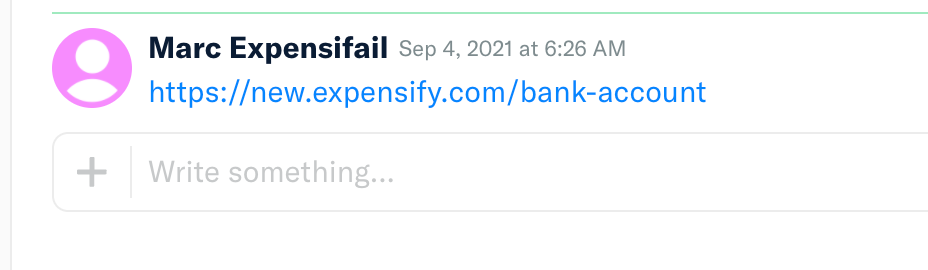
|
@marcaaron , thanks for suggesting deep link, let me try that way to create screenshot for iOS and Android if I can do. Thanks. |
|
@marcaaron, Attached is the screen shot for iOS, Android and Desktop. Thank you again for deep link suggestion. |
 marcaaron
left a comment
marcaaron
left a comment
There was a problem hiding this comment.
This LGTM. Normally I might ask to see if we can reduce some duplication around the styles in the ScrollView, but I'm already doing this work in another issue so I think what we have here is 👌 for now.


|
✋ This PR was not deployed to staging yet because QA is ongoing. It will be automatically deployed to staging after the next production release. |

|
🚀 Deployed to staging by @roryabraham in version: 1.0.98-2 🚀
|


@roryabraham pull request ready for review, if anything missing then kindly inform me, I will update it.
Details
Corrected floating button in VBA flow, so now button shows at bottom of each page content end. So for long form user can focus on fill up information and see button when reach at the bottom. Only Ui related changes done without affecting logical part. i.e. moved floating button to bottom of each page within a VBA flow.
Fixed Issues
$ #5183
Tests
To check ui for individual page within flow, we can open related route from localhost.
QA Steps
Each page within VBA flow have floating button moved to end of form/content so each page look consistent. At present some issue to fillup the form and test vba steps, so each page browsed from localhost via route and checked that button correctly at bottom of page content.
Tested On
Screenshots
Web
Mobile Web
Desktop
iOS
Android