Skip to content

Fix the expense default rule blockers from #104155 - #106054

Closed
Krishna2323 wants to merge 8 commits into
Expensify:mainfrom
Krishna2323:krishna2323/104155-expense-defaults-blocker-fixes
Closed

Krishna2323 wants to merge 8 commits into
Expensify:mainfrom
Krishna2323:krishna2323/104155-expense-defaults-blocker-fixes

Conversation

@Krishna2323

Copy link
Copy Markdown
Contributor

Explanation of Change

Fixes the six frontend deploy blockers introduced by #104155.

This PR is branched off #105893, which relands #104155 behind the expenseDefaultConditions beta. As a result, this diff contains only the fixes. Retarget to main once #105893 merges.

Jack triaged the eleven blockers. Five are his:

The six below are frontend fixes, each in its own commit.

1. Crash when opening an expense repriced by a rule

Issue: #105805

iou.rulesModifiedFields.common looked up the field label using translations.common[key].

The backend sends {amount: '$10.00'}, but common didn't have an amount key. As a result, .toLowerCase() was called on undefined.

A rule can also set the vendor, which has no label either. Unknown fields are now excluded from the message instead of being looked up.

2. Incorrect decimal formatting for currencies without cents

Issue: #105812

The Expense defaults table used convertAmountToDisplayString to format amounts. This is the tax rate formatter, which forces two to four decimal places and doesn't account for the currency's decimal configuration.

The table now uses convertToDisplayString, the same formatter used by the rule editor, so amounts are consistent in both places.

3. Merchant could not be cleared

Issue: #105817

The merchant editor rejected empty values. This was correct when a merchant was the only condition a rule could have.

With the expenseDefaultConditions beta, rules can also match on categories and tags, so clearing the merchant is necessary when an admin wants to replace one condition with another.

The merchant field remains required when the beta is off. The rule editor also continues to reject rules without any matching conditions.

4. An amount of zero was dropped

Issue: #105819

Three separate places dropped zero amounts:

  • The editor saved an empty string.
  • The rule builder returned no action.
  • Reading a rule back rejected any amount that wasn't negative.

The editor closed without an error, but no amount was saved.

Zero is now treated as a valid default. An empty input still means the rule doesn't set an amount, which is different from setting it to zero.

Product decision: This reverses a decision from #104155, which had a test named leaves out an amount of zero, which is not a default.

The issue's expected result says zero should be savable, and it was triaged as a frontend bug rather than intentional behaviour. I've replaced that test. Flagging this because it's a product decision, not just a mechanical fix.

5 and 6. Preview listed the wrong expenses

Issues:

There were two separate issues with the preview:

  1. Incorrect matching command: The preview used GetTransactionsMatchingCodingRule, which reads a merchant. This meant rules matching on categories returned no results. It now uses GetTransactionsMatchingRule with the rule's scope and filters.
  2. Stale results: The results are stored in a collection keyed by transaction, but the previous results were never cleared. A subsequent preview therefore merged its results with the previous ones and continued showing expenses that no longer matched.

Backend confirmation needed: @JS00001, could you confirm that GetTransactionsMatchingRule returns its matches under codingRuleMatchingTransactions_? The client currently writes to that collection, but I can't verify the response shape from this repo. If the response uses a different collection, the preview will return empty results.

Fixed Issues

PROPOSAL: N/A, deploy blocker fixes.


Tests

Precondition: A Control workspace with Rules, Categories, and Tags enabled, and the expenseDefaultConditions beta enabled locally.

Most of these changes are only reachable with the beta enabled. Beta-off checks are covered separately under QA Steps.

1. Crash when opening an expense repriced by a rule (#105805)

  1. Go to workspace chat and create an expense with the Advertising category.
  2. Go to Workspace Settings > Rules > Add rule > Apply expense defaults.
  3. Under "If any expense matches", select the Advertising category.
  4. Under "Then apply the following defaults", set an Amount different from the expense's current amount and save the rule.
  5. Return to workspace chat and confirm the expense preview shows the new amount.
  6. Open the expense.
  7. Verify that it opens without crashing and the report history reads set the amount to "$10.00" ... via workspace rules.

2. Amount formatting (#105812)

  1. Create an expense default rule that sets an Amount with cents, for example, 10.50, and save it.
  2. Go to Workspace Settings > Overview and change the workspace currency to JPY.
  3. Return to Rules > Expense defaults.
  4. Verify that the rule row displays the amount without decimals.
  5. Open the rule and verify that the Amount field shows the same value as the row.

3. Clearing the merchant (#105817)

  1. Create a rule matching on a merchant, add a default, and save it.
  2. Reopen the rule, open Merchant under the matching section, clear the field, and save.
  3. Verify that it saves without showing "This field is required".
  4. Verify that the rule now has no matching conditions and saving it shows the missing condition error.
  5. Add a category as a matching condition and verify that the rule saves.

4. An amount of zero (#105819)

  1. Open Add rule > Apply expense defaults, select a category to match, and open Amount.
  2. Enter 0 and save.
  3. Verify that the rule preview shows the amount as 0 rather than leaving the row empty.
  4. Reopen Amount and verify that 0 is still there.
  5. Save the rule, reopen it, and verify that the amount is still 0.
  6. Open Amount again, clear the field entirely, and save.
  7. Verify that the Amount row is now empty, since clearing the field is different from setting it to zero.

5 and 6. Preview matches (#105829, #105828)

  1. Create an expense with the Advertising category.
  2. Go to Workspace Settings > Categories > Advertising > Create new rule > Apply expense defaults.
  3. Tap Preview.
  4. Verify that the Advertising expense is listed because its category matches.
  5. Go back, tap Reset, and select a category that no expense uses.
  6. Tap Preview.
  7. Verify that the list is empty and doesn't still show the expense from step 28.
  • Verify that no errors appear in the JS console.

Offline Tests

  1. Go offline.
  2. Open an expense default rule, change its Amount, and save.
  3. Verify that the rule row shows the new amount using the workspace currency's decimal configuration, greyed out with a pending style.
  4. Open Preview and verify that the offline blocking view appears instead of an empty list.
  5. Go back online.
  6. Verify that the pending style clears and the rule matches the server response.
  7. Open Preview again and verify that the matching expenses are listed.

QA Steps

The expenseDefaultConditions beta is off on staging, so most of the changes above aren't reachable there.

The following steps cover the functionality available without the beta, along with a regression pass on the existing merchant-only flow.

Precondition: A Control workspace with Rules and Categories enabled.

  1. Go to workspace chat and create two expenses with clearly different merchants, for example, "Starbucks" and "Uber".
  2. Go to Workspace Settings > Rules > Add rule > Apply expense defaults.
  3. Under the matching section, open Merchant, enter "Starbucks", and save.
  4. Verify that the field still requires a merchant, since without the beta, merchant is the only available matching condition.
  5. Tap Preview and verify that only the Starbucks expense is listed.
  6. Go back, open Merchant, change it to "Uber", and save.
  7. Tap Preview again.
  8. Verify that only the Uber expense is listed and the Starbucks expense from step 5 is no longer present.
  9. Go back, add a default such as a category, and save the rule.
  10. Verify that the rule appears under the Expense defaults tab and its summary is correct, with no amount included.
  11. Open an expense changed by the rule from workspace chat.
  12. Verify that it opens without crashing and the report history correctly identifies the field set by the rule.
  13. Verify that there is no Tag row in the matching section and no Amount row in the defaults section.
  • Verify that no errors appear in the JS console.

PR Author Checklist

  • I linked the correct issue in the ### Fixed Issues section above
  • I wrote clear testing steps that cover the changes made in this PR
    • I added steps for local testing in the Tests section
    • I added steps for the expected offline behavior in the Offline steps section
    • I added steps for Staging and/or Production testing in the QA steps section
    • I added steps to cover failure scenarios (i.e. verify an input displays the correct error message if the entered data is not correct)
    • I turned off my network connection and tested it while offline to ensure it matches the expected behavior (i.e. verify the default avatar icon is displayed if app is offline)
    • I tested this PR with a High Traffic account against the staging or production API to ensure there are no regressions (e.g. long loading states that impact usability).
  • I included screenshots or videos for tests on all platforms
  • I ran the tests on all platforms & verified they passed on:
    • Android: Native
    • Android: mWeb Chrome
    • iOS: Native
    • iOS: mWeb Safari
    • MacOS: Chrome / Safari
    • MacOS: Desktop
  • I verified there are no console errors (if there's a console error not related to the PR, report it or open an issue for it to be fixed)
  • I verified there are no new alerts related to the canBeMissing param for useOnyx
  • I followed proper code patterns (see Reviewing the code)
    • I verified that any callback methods that were added or modified are named for what the method does and never what callback they handle (i.e. toggleReport and not onIconClick)
    • I verified that comments were added to code that is not self explanatory
    • I verified that any new or modified comments were clear, correct English, and explained "why" the code was doing something instead of only explaining "what" the code was doing.
    • I verified any copy / text shown in the product is localized by adding it to src/languages/* files and using the translation method
      • If any non-english text was added/modified, I used JaimeGPT to get English > Spanish translation. I then posted it in #expensify-open-source and it was approved by an internal Expensify engineer. Link to Slack message:
    • I verified all numbers, amounts, dates and phone numbers shown in the product are using the localization methods
    • I verified any copy / text that was added to the app is grammatically correct in English. It adheres to proper capitalization guidelines (note: only the first word of header/labels should be capitalized), and is either coming verbatim from figma or has been approved by marketing (in order to get marketing approval, ask the Bug Zero team member to add the Waiting for copy label to the issue)
    • I verified proper file naming conventions were followed for any new files or renamed files. All non-platform specific files are named after what they export and are not named "index.js". All platform-specific files are named for the platform the code supports as outlined in the README.
    • I verified the JSDocs style guidelines (in STYLE.md) were followed
  • If a new code pattern is added I verified it was agreed to be used by multiple Expensify engineers
  • I followed the guidelines as stated in the Review Guidelines
  • I tested other components that can be impacted by my changes (i.e. if the PR modifies a shared library or component like Avatar, I verified the components using Avatar are working as expected)
  • I verified all code is DRY (the PR doesn't include any logic written more than once, with the exception of tests)
  • I verified any variables that can be defined as constants (ie. in CONST.ts or at the top of the file that uses the constant) are defined as such
  • I verified that if a function's arguments changed that all usages have also been updated correctly
  • If any new file was added I verified that:
    • The file has a description of what it does and/or why is needed at the top of the file if the code is not self explanatory
  • If a new CSS style is added I verified that:
    • A similar style doesn't already exist
    • The style can't be created with an existing StyleUtils function (i.e. StyleUtils.getBackgroundAndBorderStyle(theme.componentBG))
  • If new assets were added or existing ones were modified, I verified that:
    • The assets are optimized and compressed (for SVG files, run npm run compress-svg)
    • The assets load correctly across all supported platforms.
  • If the PR modifies code that runs when editing or sending messages, I tested and verified there is no unexpected behavior for all supported markdown - URLs, single line code, code blocks, quotes, headings, bold, strikethrough, and italic.
  • If the PR modifies a generic component, I tested and verified that those changes do not break usages of that component in the rest of the App (i.e. if a shared library or component like Avatar is modified, I verified that Avatar is working as expected in all cases)
  • If the PR modifies a component related to any of the existing Storybook stories, I tested and verified all stories for that component are still working as expected.
  • If the PR modifies a component or page that can be accessed by a direct deeplink, I verified that the code functions as expected when the deeplink is used - from a logged in and logged out account.
  • If the PR modifies the UI (e.g. new buttons, new UI components, changing the padding/spacing/sizing, moving components, etc) or modifies the form input styles:
    • I verified that all the inputs inside a form are aligned with each other.
    • I added Design label and/or tagged @Expensify/design so the design team can review the changes.
  • If a new page is added, I verified it's using the ScrollView component to make it scrollable when more elements are added to the page.
  • I added unit tests for any new feature or bug fix in this PR to help automatically prevent regressions in this user flow.
  • If the main branch was merged into this PR after a review, I tested again and verified the outcome was still expected according to the Test steps.

Screenshots/Videos

Android: Native
Android: mWeb Chrome
iOS: Native
iOS: mWeb Safari
MacOS: Chrome / Safari

…2323/issue-102277-expense-defaults"

This reverts commit 9f34259, restoring the amount and tag conditions on
expense default rules exactly as they were.

The resulting tree is byte for byte identical to main at 90b4be4, so this
commit carries no behavior change of its own. The beta gate that keeps the
feature off follows in the next commit.

Signed-off-by: krishna2323 <belivethatkg@gmail.com>
A rule could match on a tag and set an amount, and could match on a category
alone rather than needing a merchant. The engine does not apply those rules
yet, so an admin could save one that silently never fires, which is where the
deploy blockers on the release came from.

Off the beta the editor behaves as it did before those conditions existed: a
merchant is the only thing a rule may match on, and the tag and amount rows
are hidden. A rule that already carries a tag or an amount keeps its row, so a
value the rule still applies is not saved out of sight.

Signed-off-by: krishna2323 <belivethatkg@gmail.com>
…-104155-expense-defaults-beta

Signed-off-by: krishna2323 <belivethatkg@gmail.com>

# Conflicts:
#	config/oxlint/oxlint.seatbelt.tsv
#	tests/actions/IOU/MoneyRequestSettersTest.ts
#	tests/actions/IOUTest/SplitTest.ts
#	tests/actions/IOUTest/UpdateMoneyRequestTest.ts
Opening an expense a rule changed builds the "via workspace rules" message from
policyRulesModifiedFields. The message looks the field label up in
translations.common by its key, and common had no amount, so the lookup returned
undefined and toLowerCase threw.

A rule can set the vendor too, whose key has no label either, so an unknown field
is now dropped from the message rather than looked up.

Fixes Expensify#105805

Signed-off-by: krishna2323 <belivethatkg@gmail.com>
The Expense defaults table built the amount with convertAmountToDisplayString,
which is the tax rate formatter. It always shows two to four decimals and never
reads how many the currency has, so a rule still read "10.50" on a workspace
switched to a currency with no subunit, while the rule editor read "11".

The table now uses the same convertToDisplayString the editor does, so a rule
reads the same in both places.

Fixes Expensify#105812

Signed-off-by: krishna2323 <belivethatkg@gmail.com>
The merchant editor refused an empty value, which was right while a merchant was
the only thing an expense default rule could match on. A rule can now match on a
category or a tag instead, so an admin who wanted to swap one condition for
another had no way to remove the merchant.

The field is still required off the expense default conditions beta, where a
merchant remains the only condition. The rule editor keeps refusing a rule that
matches on nothing either way.

Fixes Expensify#105817

Signed-off-by: krishna2323 <belivethatkg@gmail.com>
Zero was dropped in three places. The editor saved an empty string for it, the
rule builder returned no action for it, and reading a rule back refused any
amount that was not negative, which a zero is not. Together they let the editor
close with no error and no amount saved.

Zero is now a default like any other, so an admin can write a rule that zeroes an
expense out. An empty input still means the rule sets no amount at all, which is
a different thing.

This reverses the decision that zero is not a default, which the amount tests
stated. QA and the issue both read the silent close as a bug rather than as the
field refusing a value.

Fixes Expensify#105819

Signed-off-by: krishna2323 <belivethatkg@gmail.com>
The preview asked GetTransactionsMatchingCodingRule, which reads a merchant, so a
rule matching on a category listed none of the expenses it would apply to. It now
asks GetTransactionsMatchingRule with the rule's scope and its filters, which is
the command the rules engine answers for a rule of any shape.

The previous answer is also dropped before asking again. The results are a
collection keyed by transaction, so a preview that matched fewer expenses than the
last one left the ones it no longer matched on screen.

Fixes Expensify#105829
Fixes Expensify#105828

Signed-off-by: krishna2323 <belivethatkg@gmail.com>
@melvin-bot

melvin-bot Bot commented Nov 5, 2026

Copy link
Copy Markdown

Hey, I noticed you changed src/languages/en.ts in a PR from a fork. For security reasons, translations are not generated automatically for PRs from forks.

If you want to automatically generate translations for other locales, an Expensify employee will have to:

  1. Look at the code and make sure there are no malicious changes.
  2. Run the Generate static translations GitHub workflow. If you have write access and the K2 extension, you can simply click: [this button]

Alternatively, if you are an external contributor, you can run the translation script locally with your own OpenAI API key. To learn more, try running:

npx bun ./scripts/generateTranslations.ts --help

Typically, you'd want to translate only what you changed by running npx bun ./scripts/generateTranslations.ts --compare-ref main

@Krishna2323

Copy link
Copy Markdown
Contributor Author

@MelvinBot review.

Comment thread src/languages/en.ts
searchOnGoogle: ({merchant}: {merchant: string}) => `Search ${merchant} on Google`,
change: 'Change',
category: 'Category',
amount: 'Amount',

Copy link
Copy Markdown
Contributor

Choose a reason for hiding this comment

The reason will be displayed to describe this comment to others. Learn more.

P1 — Complete the amount-history crash fix for non-English locales

Only English receives common.amount. For example, French still evaluates translations.common[key].toLowerCase() in src/languages/fr.ts:1995–1997, but its common object has no amount. Opening an expense with policyRulesModifiedFields.amount in French therefore still throws; all ten non-English locale modules lack this key. The new allowlist admits amount, so it does not prevent this crash.

Please add the amount label to every supported locale before landing, and cover amount-history rendering in a non-English regression test. English fallback cannot rescue this: the existing localized function is found and throws inside its own object lookup. This is an incomplete fix of the reported blocker, identified by static tracing; browser reproduction was blocked by unavailable Rules navigation.

@MelvinBot

MelvinBot commented Nov 5, 2026 •

Copy link
Copy Markdown
Contributor

🤖 Web test steps verification results: ⚠️ partial

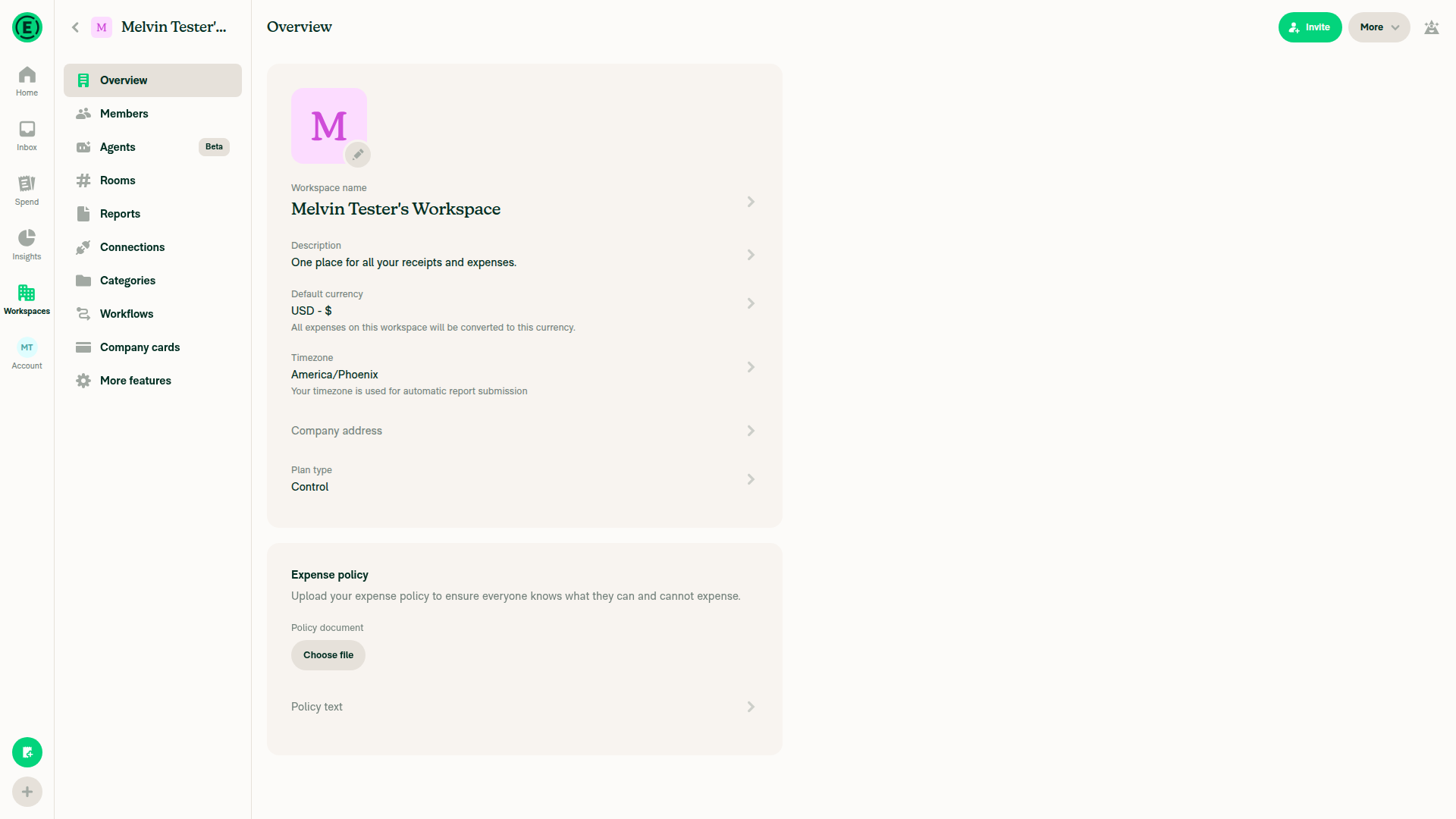
Verified setup only on dev NewDot web: created a workspace and changed its plan from Collect to Control. Rules navigation remained absent in the rendered Overview and failed a targeted visibility check, blocking both beta-on and beta-off rule testing; no source edits were made.

Control workspace reached; Rules navigation unavailable

Step Status
T1: Create Advertising expense in workspace chatRequired Rules/Categories/beta fixture was not established.
⚠️
T2: Open Rules > Add rule > Apply expense defaultsRules absent from rendered workspace navigation; targeted visibility check did not resolve.
Control workspace reached; Rules navigation unavailable
⚠️
T3: Select Advertising matching conditionExpense-default rule editor unreachable.
⚠️
T4: Set different default Amount and saveExpense-default rule editor unreachable.
⚠️
T5: Expense preview shows new amountRequired expense and saved rule unavailable.
⚠️
T6: Open expenseRequired rule-affected expense unavailable.
⚠️
T7: No crash; history identifies rules-set amountBrowser verification blocked: required rule-affected expense unavailable.
Static review finding — P1: The crash fix is incomplete for non-English locales. Only English receives common.amount; French still dereferences the missing label in src/languages/fr.ts:1995–1997. Opening an expense whose history contains a rules-set amount still throws in those locales. Add the label to all locales and a non-English regression test. Inline review finding.
⚠️
T8: Save default amount with centsExpense-default rule editor unreachable.
⚠️
T9: Change workspace currency to JPYNot executed: prerequisite cents-valued rule unavailable.
⚠️
T10: Return to Expense defaultsRules navigation unavailable.
⚠️
T11: Rule amount displays without decimalsRequired rule and JPY fixture unavailable.
⚠️
T12: Amount field matches rule rowRequired rule editor unavailable.
⚠️
T13: Save merchant-matching rule with defaultRequired rule editor unavailable.
⚠️
T14: Clear matching Merchant and saveRequired rule editor unavailable.
⚠️
T15: No required-field error after clearing MerchantBeta-on fixture and rule editor unavailable.
⚠️
T16: Saving without conditions shows missing-condition errorRequired rule editor unavailable.
⚠️
T17: Add category condition and saveRequired rule editor unavailable.
⚠️
T18: Select category match and open AmountRequired rule editor unavailable.
⚠️
T19: Enter zero and saveAmount editor unavailable.
⚠️
T20: Rule preview displays zero rather than empty rowZero-valued rule fixture unavailable.
⚠️
T21: Reopened Amount retains zeroZero-valued rule fixture unavailable.
⚠️
T22: Saved and reopened rule retains zeroZero-valued rule fixture unavailable.
⚠️
T23: Clear Amount entirely and saveAmount editor unavailable.
⚠️
T24: Cleared Amount row is emptyRequired rule fixture unavailable.
⚠️
T25: Create Advertising expenseRequired beta-on Categories/Rules fixture not established.
⚠️
T26: Advertising > Create new rule > Apply expense defaultsCategories navigation and required rule entry point unavailable.
⚠️
T27: Open PreviewRequired rule editor unavailable.
⚠️
T28: Preview lists Advertising expenseRequired expense and Preview unavailable.
Static review found no additional actionable defect in the preview changes. The new endpoint's response collection remains unverified; mocked API tests do not establish server compatibility.
⚠️
T29: Reset and select unused categoryRequired rule editor unavailable.
⚠️
T30: Open Preview againRequired rule editor unavailable.
⚠️
T31: Preview empty without stale Advertising expenseBoth comparison Preview states unavailable.
⚠️
T32: No JS console errorsNot inspected: browser console inspection is outside the supported testing command scope.
⚠️
O1: Go offlineOffline emulation/network interception is outside the supported testing command scope.
⚠️
O2: Change rule Amount and save offlineOffline control and required rule unavailable.
⚠️
O3: Updated row uses workspace decimals and pending stylingOffline rule mutation unavailable.
⚠️
O4: Preview shows offline blocking viewOffline control and Preview unavailable.
⚠️
O5: Go back onlineOffline transition was not performed; network controls unsupported.
⚠️
O6: Pending style clears and rule matches serverOffline rule mutation and synchronization unavailable.
⚠️
O7: Preview lists matching expenses onlineRequired rule and matching expenses unavailable.
⚠️
Q1: Create Starbucks and Uber expenses in workspace chatBeta-off Rules/Categories precondition was not established; expense setup not performed.
⚠️
Q2: Open Rules > Add rule > Apply expense defaultsBeta-off continuation attempted through Control setup, but Rules navigation remained unavailable.
⚠️
Q3: Enter Starbucks matching Merchant and saveRequired rule editor unavailable.
⚠️
Q4: Merchant remains required with beta offBeta-off state and Merchant editor could not be established.
⚠️
Q5: Preview lists only StarbucksRequired expenses and Preview unavailable.
⚠️
Q6: Change matching Merchant to Uber and saveRequired rule editor unavailable.
⚠️
Q7: Open Preview againRequired rule editor unavailable.
⚠️
Q8: Only Uber listed; Starbucks absentBoth comparison Preview states unavailable.
⚠️
Q9: Add category default and save ruleRequired rule editor unavailable.
⚠️
Q10: Rule summary correct with no amountRequired saved rule unavailable.
⚠️
Q11: Open rule-changed expense from workspace chatRequired rule-affected expense unavailable.
⚠️
Q12: No crash; history identifies rules-set fieldRequired rule-affected expense unavailable.
⚠️
Q13: No Tag matching or Amount defaults rowRequired beta-off rule editor unavailable; absence on Overview is not evidence for this assertion.
⚠️
Q14: No JS console errorsNot inspected: browser console inspection is outside the supported testing command scope.
⚠️

view run · no recording available

Sign up for free to join this conversation on GitHub. Already have an account? Sign in to comment

Labels

None yet

Projects

None yet

Development

Successfully merging this pull request may close these issues.

2 participants